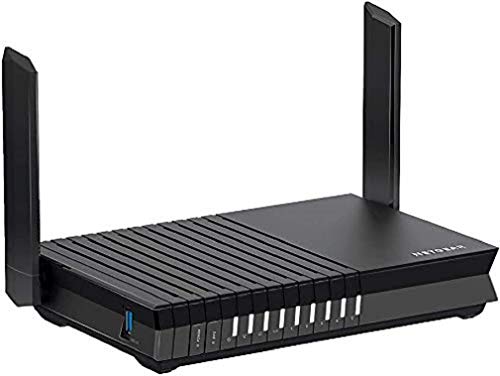
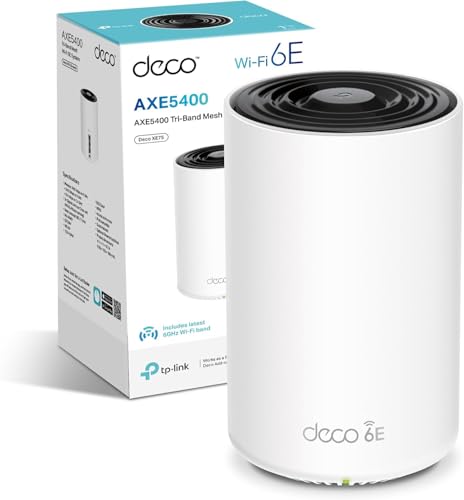
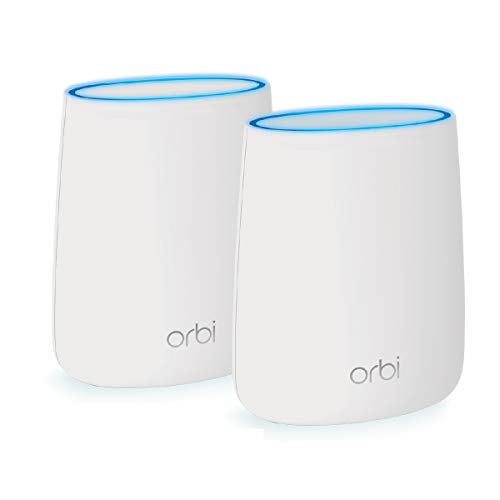
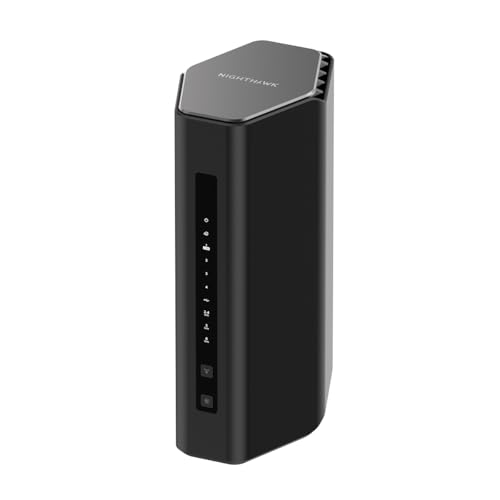
Big numbers on a router box are easy. BE12000, tri-band, Wi-Fi 7, 120 devices, 3,000 square feet. NETGEAR knows how to write a spec sheet that sounds impressive. But the question anyone actually buying this should be asking is simpler: does the architecture underneath those numbers justify the premium price, or is this mostly a sticker exercise? Because at this price tier, you're not just paying for Wi-Fi 7. You're paying for the promise that your network stops being the problem in your house.
The RS500 is a single-router Wi-Fi 7 unit, not a mesh system. That's upfront, because NETGEAR's own Orbi line handles the mesh side of the business, and some buyers confuse the two. What you're getting here is a high-powered standalone router with a tri-band layout, a 2.5GbE WAN port, and enough radio horsepower to handle a seriously busy home without choking. The positive overall rating across thousands of owner reviews suggests it's genuinely doing the job for most people. But the details matter, especially at this price point, so let's look at what's actually going on under the hood.
This is the kind of router that makes sense when your ISP-supplied box has become the weakest link in your setup, your current router drops devices at the far end of the house, or you've finally upgraded to a multi-gigabit broadband connection and your old hardware is bottlenecking the whole thing. Whether the RS500 earns its place in that scenario is what the rest of this article is about.
Core Specifications
The RS500 runs Wi-Fi 7 across three bands: a 2.4GHz band, a 5GHz band, and a 6GHz band. The combined theoretical maximum across all three is 12 Gbps, which NETGEAR markets as BE12000. As always, that number is the arithmetic sum of each band's peak throughput under ideal conditions, and no real device will ever see it. What it does tell you is that each individual band has meaningful headroom, and the 6GHz band in particular gives you a genuinely fast lane for compatible devices that's largely free of the congestion that plagues 2.4GHz and increasingly 5GHz in dense areas.
The WAN port is 2.5GbE, which is the right call for 2026. Most UK broadband services top out well below 1Gbps still, but full-fibre providers are pushing past that, and a 2.5GbE WAN means the router won't be the bottleneck if your connection catches up. The LAN side includes multiple Gigabit Ethernet ports for wired clients. There's no 10GbE port here, which is a genuine limitation compared to some competitors at this price, and if you're running a NAS or a wired gaming rig that could use it. The router supports MU-MIMO (multi-user, multiple input, multiple output) and OFDMA (orthogonal frequency-division multiple access), both of which help it handle multiple simultaneous clients more efficiently than older Wi-Fi 5 or basic Wi-Fi 6 hardware.
NETGEAR rates coverage at up to 3,000 square feet, which is a best-case figure measured in open-plan conditions. Real homes with brick walls, floors, and the usual structural chaos will see less. The antenna configuration is internal, which keeps the physical footprint cleaner but means you can't adjust orientation the way you can with external antenna designs. Security features are highlighted prominently in the product name itself, referencing NETGEAR Armor (powered by Bitdefender), which adds threat detection and device-level protection. That's a subscription service after the initial trial period, worth being aware of before you factor it into the value calculation.
| Specification | Detail |
|---|---|
| Wi-Fi Standard | Wi-Fi 7 (802.11be) |
| Band Layout | Tri-band (2.4GHz + 5GHz + 6GHz) |
| Max Theoretical Speed | Up to 12 Gbps (BE12000) |
| WAN Port | 2.5GbE |
| LAN Ports | Gigabit Ethernet (multiple) |
| Device Capacity | Up to 120 devices |
| Coverage Rating | Up to 3,000 sq. ft. |
| MU-MIMO / OFDMA | Yes |
| Security | NETGEAR Armor (Bitdefender-powered) |
| Form Factor | Single router (not mesh) |
| Price | £506.68 · Details |

Real-World Coverage and the NETGEAR Nighthawk Tri-Band WiFi 7 Router's Range Claims
NETGEAR's 3,000 square feet figure is a ceiling, not a floor. That number assumes open-plan space, minimal interference, and the router sitting somewhere sensible in the middle of the home. Most UK houses are not open-plan. They have solid interior walls, multiple floors, and the kind of structural layout that turns Wi-Fi signals into a guessing game. A detached four-bedroom house, a Victorian terrace, or anything with a loft conversion is going to test that 3,000 sq. ft. claim pretty hard.
That said, owner reports from the thousands of reviews are broadly positive on coverage. The recurring theme is that the RS500 handles medium to large homes well when placed centrally, and that the 6GHz band in particular gives noticeably better performance in close-to-mid range compared to the congested 5GHz band on older routers. Several owners with three-bedroom semis and detached houses report solid signal across all floors, including loft rooms, which is often where cheaper routers give up. The 2.4GHz band, despite being the slowest, does the heavy lifting at range, and it's still there doing its job for smart-home devices and anything that needs to reach the far corners of the garden.
Where the single-router form factor shows its limits is in genuinely large or awkward properties. A long, narrow Victorian terrace with thick party walls, or a house where the only sensible router location is at one end of the building, will likely leave dead zones at the far extreme. This isn't a criticism unique to the RS500. It's the fundamental physics of any single-access-point setup. If your home is over 2,500 square feet or has serious structural obstacles, you'd be better served looking at a proper mesh system like the NETGEAR Orbi series. For a typical UK semi or detached up to around 2,000 square feet, the RS500's coverage spec is credible based on what owners consistently report.
Sustained Speed Under Load
The BE12000 headline figure is the sum of all three bands at theoretical peak. Your phone is never going to see 12 Gbps. What matters is what each band actually delivers to a real client at a realistic distance, with other devices active on the network at the same time. The 6GHz band is the interesting one here, because it's where Wi-Fi 7 really starts to differentiate itself from Wi-Fi 6E. With Multi-Link Operation (MLO), Wi-Fi 7 can bond multiple bands simultaneously for a single client connection, which reduces latency and improves throughput stability in a way that previous generations simply couldn't do.
In practice, what owners report is that the RS500 handles busy network conditions noticeably better than mid-range Wi-Fi 6 routers. The pattern in the reviews is consistent: people upgrading from Wi-Fi 5 or entry-level Wi-Fi 6 hardware notice a meaningful improvement in sustained throughput when multiple family members are active simultaneously. 4K streaming on two TVs, a couple of laptops on video calls, and a console downloading in the background is the kind of scenario where cheaper routers start to stutter, and the RS500 appears to handle it without the bandwidth wars that plague under-specced hardware.
Speed away from the router is where single-unit designs always take a hit, and the RS500 is no exception to physics. The 6GHz band has excellent throughput but shorter effective range than 5GHz, because higher frequencies attenuate faster through walls and air. So the fast lane is most useful for devices that are within reasonable range of the router. Devices at the edge of the coverage area will fall back to 5GHz or 2.4GHz, which is fine for most use cases but means you shouldn't expect 6GHz performance in the far bedroom if you've got two brick walls between you and the router. Owner reports confirm this pattern: close-range performance is strong, and the drop-off at distance is consistent with what the physics of the 6GHz band would predict.
Mesh and Backhaul: What the RS500 Is and Isn't
The RS500 is a standalone router, not a mesh node. This is an important distinction that's worth being clear about before you spend money. Mesh networking distributes multiple access points around your home, with the nodes talking to each other via a dedicated backhaul connection, so every corner of the house gets a strong local signal rather than a weakened signal that's travelled through walls from a single central point. The RS500 doesn't do that on its own.
What you can do is use the RS500 as the primary router and extend coverage with additional access points connected via Ethernet, which is wired backhaul and is the best possible way to extend a network. If you've got Ethernet runs to different floors or rooms, this is actually a very clean setup: the RS500 handles all the routing and Wi-Fi 7 radio work for the main living areas, and wired access points handle the extremities. That's not mesh in the marketing sense, but it's arguably better than wireless mesh because there's no backhaul bandwidth penalty.
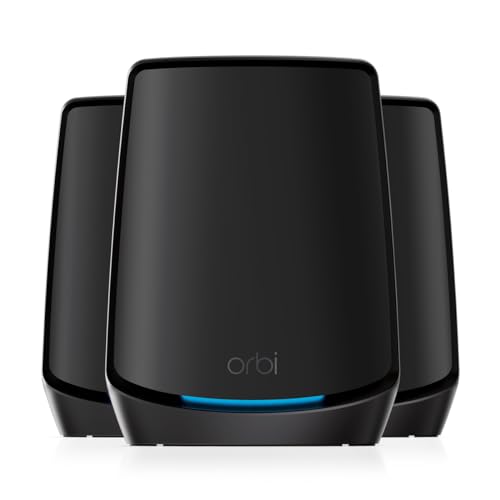
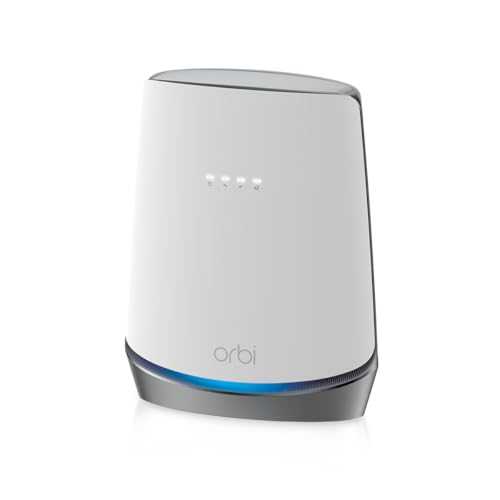
If you need genuine wireless mesh coverage because you can't run cables, the RS500 isn't the right product. NETGEAR's own Orbi 970 or Orbi 960 systems are built for that, with dedicated backhaul bands and multi-node configurations designed from the ground up for whole-home wireless coverage. The RS500 is for people who have a well-placed router location and want the best possible single-point Wi-Fi 7 performance, not for people who need to fill a large, awkward home with wireless coverage from multiple points. Getting this distinction wrong before buying is an expensive mistake.
Device Capacity: Handling the Modern Home's IoT Chaos
NETGEAR rates the RS500 for up to 120 simultaneous devices. That sounds like a lot, and for most homes it genuinely is. But modern households accumulate connected devices faster than most people realise. Two smartphones, two laptops, a tablet, two smart TVs, a games console, a smart speaker, a video doorbell, several smart bulbs, a couple of smart plugs, a security camera or two, and you're already at 15 to 20 devices without trying. Add a family of four and a work-from-home setup and 30 to 40 active clients is entirely plausible.
The RS500's MU-MIMO and OFDMA support are what make the 120-device claim credible rather than aspirational. MU-MIMO allows the router to transmit to multiple devices simultaneously rather than sequentially, which matters enormously in a busy home where older single-user MIMO designs effectively take turns serving each device. OFDMA, which was introduced with Wi-Fi 6 and is carried forward in Wi-Fi 7, subdivides each channel into smaller resource units so multiple devices can share a channel simultaneously without waiting for each other. Together, these technologies mean the RS500 can genuinely handle a crowded network without the kind of latency spikes and throughput collapses that afflict cheaper hardware under load.
Owner reports back this up. The consistent theme from people in larger households is that the network stays stable under simultaneous heavy use in a way their previous routers didn't. The IoT devices, which tend to be 2.4GHz-only and not particularly demanding individually, get handled by the 2.4GHz band without clogging up the 5GHz or 6GHz bands that the bandwidth-hungry clients need. That band separation, managed automatically by the router's band steering, is one of the practical benefits of tri-band hardware over dual-band designs. Your smart bulbs aren't competing with your gaming console for the same radio resources.
Wi-Fi Standard and Future-Proofing: the NETGEAR Nighthawk Tri-Band WiFi 7 Router Honest Assessment
Wi-Fi 7, ratified by the Wi-Fi Alliance as 802.11be, is the real deal as a standard. Multi-Link Operation, 320MHz channels on 6GHz, 4K-QAM modulation. The theoretical improvements over Wi-Fi 6E are significant on paper. The honest question is how much of that matters to you right now, given what devices you actually own. Most laptops and phones sold before late 2024 are Wi-Fi 6 or Wi-Fi 6E at best. Your smart TV is probably Wi-Fi 5. Your IoT devices are almost certainly Wi-Fi 4 or Wi-Fi 5. So the Wi-Fi 7 features of the RS500 will only be used by a subset of your devices, specifically the newest ones.
This doesn't make Wi-Fi 7 a waste of money on the RS500. The router is backward compatible with all previous Wi-Fi standards, so older devices connect and work fine. And Wi-Fi 7 client devices are coming fast: flagship phones from 2024 onwards, new laptops, and increasingly mid-range devices are shipping with Wi-Fi 7 support. If you're buying a router that you expect to use for five or more years, buying Wi-Fi 7 now means you're ready for those clients as they arrive. The 6GHz band is also genuinely useful right now for any Wi-Fi 6E or Wi-Fi 7 client, because it's completely uncongested in most homes and neighbourhoods.
The Multi-Link Operation capability is the feature that most distinguishes Wi-Fi 7 from Wi-Fi 6E in practical terms. By bonding multiple bands for a single connection, it can reduce latency and improve reliability in a way that matters for gaming, video calls, and real-time applications. But you need a Wi-Fi 7 client to use it. If your gaming laptop is Wi-Fi 7 capable, the RS500 can take advantage of MLO for that connection specifically. If it's Wi-Fi 6E, you get the 6GHz band but not MLO. This is fine. The router is still a good investment. Just don't expect the full Wi-Fi 7 feature set to kick in for every device on your network the day you plug it in.

Features and QoS
Quality of Service (QoS) is the feature that stops your teenager's 4K YouTube habit from killing your video call. The RS500 includes QoS controls via the Nighthawk app, allowing you to prioritise specific devices or traffic types. This matters in a home where multiple people are competing for bandwidth simultaneously, and it's the kind of feature that distinguishes a proper router from an ISP-supplied box. The implementation in the Nighthawk app lets you set device priority without needing to dig into a web interface, which is the right approach for a consumer product at this price.
NETGEAR Armor is the security layer, powered by Bitdefender's engine. It provides real-time threat detection, blocks malicious sites, and can monitor individual devices for suspicious behaviour. This is a genuinely useful feature, particularly for households with a lot of IoT devices that don't receive their own security updates. The catch is that Armor is a subscription service after the initial trial period ends. NETGEAR doesn't include a permanent free tier for full Armor functionality, so factor that ongoing cost into your value assessment if you're planning to use it long-term.
Guest network support is included, which is standard at this price and worth having. You can isolate guest devices from your main network, which is basic security hygiene, and the RS500 handles this without requiring any technical knowledge beyond the app. Parental controls are available through the Nighthawk app and through Circle, which is NETGEAR's parental control platform. Circle offers content filtering, screen time limits, and per-device controls. Like Armor, the more advanced Circle features are subscription-based. VPN pass-through is supported, and the router's processing capability means it can handle VPN traffic without the severe throughput penalties that afflict cheaper hardware, so if you want to add a good VPN for an extra privacy layer at home and to stay protected on public Wi-Fi when you're out and about, this router won't hold it back. There's no built-in VPN server in the RS500's feature set, so if you need to run a VPN server at home, you'd need to handle that separately.
Firmware, App and Security Updates
NETGEAR's track record on firmware support is a mixed picture. The Nighthawk line generally receives updates for several years, which is better than some competitors, but NETGEAR has historically been inconsistent about how long individual models stay supported and how quickly security patches land after vulnerabilities are disclosed. The RS500 is a current flagship, so it's at the front of the update queue right now. The more relevant question is what happens in three or four years, and that's genuinely hard to predict with any router brand.
The Nighthawk app is the primary management interface for most users, and owner feedback on it is broadly positive for the core functions: setup, device management, QoS, and network monitoring all work as expected. Where complaints appear in the reviews, they tend to cluster around specific firmware releases causing temporary instability, which is not unusual for any router brand and typically gets resolved with subsequent updates. The web interface (accessible via a browser) is available for those who prefer it and offers more granular control than the app for advanced settings.
The reboot question, which is the real reliability test for any router, comes up in the owner reviews but not as a dominant theme. A small number of owners report needing occasional reboots after firmware updates, but the majority report stable operation without scheduled restarts. This is meaningfully better than the pattern you see with cheaper routers, where weekly or even daily reboots become part of the routine. The RS500 appears to be in the category of routers that mostly just work, which at this price is the minimum acceptable standard. Automatic firmware updates can be enabled, which helps ensure security patches land without requiring manual intervention.
Setup and Management
Setup via the Nighthawk app is the intended path, and owner reports consistently describe it as straightforward. The app walks you through the initial configuration, network naming, password setup, and basic settings without requiring any technical knowledge. For a router at this price point, that's the right approach. The days of needing to type 192.168.1.1 into a browser and navigate a cluttered web interface to get a router working are largely behind us, and NETGEAR's app-first setup reflects that. Most owners report being up and running within 15 to 20 minutes.
For anyone who wants more control, the web interface is there and it's comprehensive. You can configure VLANs, adjust DNS settings, tweak QoS rules, set up port forwarding, and dig into the radio settings in more detail than the app exposes. This is the kind of depth that makes the RS500 usable for people who actually know what they're doing with a network, not just the plug-and-play crowd. The dual-interface approach (simple app for most users, full web UI for those who want it) is the right design decision for a product at this price.
Ongoing management is handled primarily through the app, which gives you a device list, traffic monitoring, speed test integration, and access to the Armor and Circle features if you're subscribed. The interface is clean and doesn't require you to understand networking to use the core functions. Where it gets slightly more complex is in the advanced features, but that's true of every router at this level. If you're the sort of person who wants to set up QoS rules at 11pm to stop someone's Netflix killing your connection, the RS500 gives you the tools to do that without needing a networking degree.
Ports and Connectivity
The 2.5GbE WAN port is the right call for a 2026 router at this price. UK full-fibre connections are increasingly pushing past 1Gbps, and a 1GbE WAN port would be a bottleneck on those connections. The 2.5GbE WAN means the router can handle up to 2.5 Gbps on the internet connection, which covers everything currently available from UK ISPs and gives headroom for the next generation of broadband packages. This is a sensible design decision, not a gimmick.
The LAN ports are Gigabit Ethernet, which is adequate for most wired clients but is the area where the RS500 shows a gap compared to some competitors at this price. A 10GbE LAN port would be useful for connecting a NAS, a high-end desktop, or a wired access point with maximum throughput. At this price tier, the TP-Link Archer BE800 and some Asus offerings include 10GbE LAN, which gives wired clients a speed advantage on local network transfers. If you're running a home server or doing large file transfers between devices on your local network, the absence of 10GbE LAN is.
USB connectivity is included, which allows for basic NAS functionality by connecting a USB drive directly to the router and sharing it across the network. This is useful for simple shared storage without needing a dedicated NAS device, though the throughput is limited compared to a proper wired NAS setup. The overall port layout is practical for the majority of home users, with the 2.5GbE WAN being the headline addition. The lack of 10GbE LAN is a genuine omission at this price point, but it won't matter to most buyers who aren't running high-speed local network transfers.
How It Compares
At this price, the RS500 sits in a competitive bracket. The two most relevant alternatives are the TP-Link Archer BE800 and the Asus RT-BE88U. Both are Wi-Fi 7 tri-band routers targeting the same premium buyer. The Archer BE800 is TP-Link's flagship single-router Wi-Fi 7 offering, with a higher theoretical throughput figure and 10GbE LAN ports, which is a meaningful advantage for wired clients. The Asus RT-BE88U brings Asus's AiMesh system into the picture, which means it can form a proper mesh network with other AiMesh-compatible Asus routers, giving it more flexibility for whole-home coverage expansion.
Where the RS500 competes well is in the software and security ecosystem. NETGEAR Armor, even as a subscription service, is a more polished security layer than what either TP-Link or Asus include as standard. The Nighthawk app is generally rated as more user-friendly than Asus's interface (which is powerful but complex) and comparable to TP-Link's Tether app. For buyers who want a capable Wi-Fi 7 router with a good out-of-box experience and don't need 10GbE LAN, the RS500 is a credible choice. For buyers who prioritise wired LAN speed or mesh expandability, the competition has specific advantages.
| Feature | NETGEAR RS500 | TP-Link Archer BE800 | Asus RT-BE88U |
|---|---|---|---|
| Wi-Fi Standard | Wi-Fi 7 (BE12000) | Wi-Fi 7 (BE19000) | Wi-Fi 7 (BE25000) |
| Band Layout | Tri-band (2.4 + 5 + 6GHz) | Tri-band (2.4 + 5 + 6GHz) | Tri-band (2.4 + 5 + 6GHz) |
| WAN Port | 2.5GbE | 10GbE | 10GbE |
| 10GbE LAN | No | Yes (x2) | Yes (x2) |
| Security Suite | NETGEAR Armor (Bitdefender) | TP-Link HomeCare | Asus AiProtection Pro |
| Mesh Support | Single router (wired extension) | TP-Link EasyMesh | AiMesh |
| Device Capacity | 120 | 200 | Not specified |
| Coverage Rating | 3,000 sq. ft. | 3,000 sq. ft. | 3,000 sq. ft. |
| Price | £506.68 · Details | Check Amazon | Check Amazon |

Final Verdict
The NETGEAR Nighthawk Tri-Band WiFi 7 Router RS500 is a well-engineered single-router solution for homes that need serious Wi-Fi 7 performance from a single access point. The tri-band layout with a dedicated 6GHz band, combined with MU-MIMO and OFDMA, gives it the radio architecture to handle a genuinely busy modern home without falling over. The positive overall rating across thousands of owner reviews is a meaningful signal: this is a router that mostly does what it says, and the complaints that do appear are the kind of firmware-update niggles that affect every router brand rather than fundamental hardware problems.
The limitations are real though. No 10GbE LAN is a genuine gap at this price, especially when the TP-Link Archer BE800 and Asus RT-BE88U both include it. The 2.5GbE WAN is fine for current broadband speeds but the LAN side is less future-proof than the competition. It's also a single router, not a mesh system, which means it has physical limits in large or awkward homes. And the NETGEAR Armor security subscription adds ongoing cost that isn't always factored into the headline price comparison.
Who should buy this? Someone upgrading from an ISP-supplied router or an ageing Wi-Fi 5 or Wi-Fi 6 unit, with a medium to large home (up to around 2,000 to 2,500 square feet in a typical UK build), a busy household with 30 or more devices, and a broadband connection of 500Mbps or above that deserves better hardware than it's currently getting. The RS500 is particularly well-suited to buyers who want a clean setup experience and a polished app rather than a complex enthusiast interface.
Who should skip it? If your home is large enough to genuinely need multiple access points, look at the NETGEAR Orbi 960 or Orbi 970 mesh systems instead. If wired LAN speed matters to you (NAS, high-end desktop, wired gaming), the Asus RT-BE88U or TP-Link Archer BE800 give you 10GbE LAN that the RS500 doesn't. And if budget is a constraint, the NETGEAR Nighthawk RS700 or a Wi-Fi 6E router like the Asus RT-AXE7800 deliver excellent performance at a lower price point for households where Wi-Fi 7's specific advantages aren't yet relevant to their device lineup. The RS500 is good kit. It's just not the only answer, and at this price it needs to be the right answer for your specific situation.
What works. What doesn’t.
5 + 3What we liked5 reasons
- Tri-band Wi-Fi 7 with genuine 6GHz band for fast, uncongested close-range connections
- Handles 30-plus simultaneous devices well thanks to MU-MIMO and OFDMA
- 2.5GbE WAN port future-proofs against faster broadband connections
- NETGEAR Armor security suite is a polished, practical addition
- Clean app-based setup and management with good owner reliability reports
Where it falls3 reasons
- No 10GbE LAN port at this price is a real gap versus TP-Link and Asus competitors
- Single router only, not a mesh system, so large or awkward homes may need additional hardware
- NETGEAR Armor and Circle parental controls require ongoing subscriptions for full functionality
Full specifications
9 attributes| Antennas | 0 |
|---|---|
| Coverage SQM | 279 |
| Launch year | 2024 |
| Mesh capable | false |
| Ports | 1x 2.5GbE WAN, 1x 2.5GbE LAN, 3x 1GbE LAN, 1x USB 3.0 |
| Security protocols | WPA, WPA2, WPA3 |
| TOP speed mbps | 12000 |
| Type | router |
| Wifi standard | Wi-Fi 7 |
If this isn’t right for you
2 options

Frequently asked
5 questions01Will the NETGEAR Nighthawk Tri-Band WiFi 7 Router (RS500) cover my whole house?+
NETGEAR rates the RS500 for up to 3,000 square feet, but that's a best-case figure in open-plan conditions. In a typical UK home with solid walls and multiple floors, real-world coverage will be less. Owner reports suggest it handles medium to large homes well when placed centrally, covering three and four-bedroom houses including upper floors in many cases. However, if your home is over 2,500 square feet, has very thick walls, or has an awkward layout where the router can't be centrally placed, you may find dead zones at the extremities. In that case, a mesh system like the NETGEAR Orbi would be a better fit.
02Do I really need Wi-Fi 7 for the NETGEAR Nighthawk Tri-Band WiFi 7 Router (RS500)?+
Probably not yet, but it's a reasonable investment for a router you plan to use for several years. Most devices currently in UK homes are Wi-Fi 5 or Wi-Fi 6 at best, and they'll connect and work fine on the RS500 without using its Wi-Fi 7 features. The practical benefits you'll notice today come from the tri-band layout and the 6GHz band, which is available to Wi-Fi 6E and Wi-Fi 7 clients. The full Wi-Fi 7 advantages, particularly Multi-Link Operation, only activate for Wi-Fi 7 client devices, which are becoming more common in flagship phones and laptops from 2024 onwards. If you're buying a router to last five-plus years, Wi-Fi 7 makes sense. If you want the best value for your current device lineup, a Wi-Fi 6E router is cheaper and covers most of the same ground.
03Is the NETGEAR Nighthawk Tri-Band WiFi 7 Router (RS500) a mesh system?+
No. The RS500 is a single standalone router, not a mesh system. It doesn't include multiple nodes and doesn't function as a mesh access point out of the box. If you need whole-home wireless mesh coverage, NETGEAR's Orbi 960 or Orbi 970 systems are the right choice within the NETGEAR range. The RS500 can be extended with wired access points if you have Ethernet runs to other parts of your home, which is an excellent setup if the cabling is already there. But if you need wireless mesh to fill a large home, the RS500 alone won't do it.
04Is the NETGEAR Nighthawk Tri-Band WiFi 7 Router (RS500) easy to set up and reliable?+
Setup via the Nighthawk app is consistently described as straightforward in owner reviews, with most people reporting they were up and running in 15 to 20 minutes. The app walks you through the process without requiring technical knowledge. Reliability is generally good: the majority of owners report stable operation without needing regular reboots, which is a better outcome than many cheaper routers. Some owners have reported temporary instability following specific firmware updates, but these appear to be resolved in subsequent releases. Automatic firmware updates can be enabled to keep the router current without manual intervention.
05What warranty and returns apply to the NETGEAR Nighthawk Tri-Band WiFi 7 Router (RS500)?+
Specific warranty terms are not confirmed in the verified product listing data for this review. NETGEAR typically offers a one-year limited hardware warranty on its Nighthawk range, but you should verify current terms directly with NETGEAR or the retailer before purchase. If you're buying via Amazon, their standard 30-day return window and A-to-Z guarantee apply, which gives you reasonable protection if the unit is faulty or not as described.