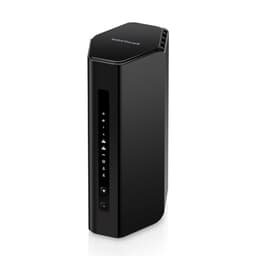
The router market loves a big number. AX6000. Wi-Fi 6. 8,000 square feet. Sounds impressive until you ask the obvious question: does any of that actually translate to better Wi-Fi in your house, or is it just a spec sheet arms race dressed up as progress? The NETGEAR Orbi RBK863SB is a three-piece mesh networking system sitting at the premium end of the market, and the honest answer is that it does deliver genuinely good coverage and real capacity for busy homes. But it costs a lot, it comes with a subscription baked in, and whether it's the right call for you depends almost entirely on what you're actually dealing with.
If your current setup is an ISP-supplied router that drops out when someone starts a video call, or you've got a four-bedroom house where the signal dies somewhere around the upstairs landing, this system is built to fix exactly that. The RBK863SB pairs a router with a 10GbE WAN port with two satellites, each with four Gigabit LAN ports, covering up to 8,000 square feet across three nodes. That's the pitch. Owner reviews across dozens of ratings have a positive overall rating, which for premium networking kit is a meaningful signal. Not perfect, but consistently good. The frustrations that do crop up are about, and we'll get to them.
The verdict up front: this is a solid, capable mesh system that earns its place in large homes with a lot of devices. The 10GbE WAN port is genuinely useful if you're on a fast connection and want to future-proof your setup. The tri-band design with dedicated backhaul (the channel the nodes use to talk to each other, separate from the bands your devices use) means you're not sacrificing usable speed to keep the mesh alive. But it's expensive, NETGEAR's Armor security subscription adds an ongoing cost, and there are cheaper ways to solve the same problem if your home is smaller or your device count is lower.
Core Specifications
The RBK863SB is a Wi-Fi 6 (802.11ax) tri-band system. Tri-band means three separate radio bands running simultaneously: one 2.4GHz band and two 5GHz bands. In this system, one of those 5GHz bands is dedicated to backhaul, which is the link between the router and the satellites. That's an important distinction and we'll come back to it properly in the mesh section. The AX6000 headline figure is the combined theoretical maximum across all three bands added together. You will not see AX6000 on any single device. What you will see is fast, consistent Wi-Fi across a large area, which is the part that actually matters.
The router ships with a 10GbE WAN port for your incoming internet connection, and four Gigabit Ethernet LAN ports for wired devices. Each satellite adds another four Gigabit LAN ports, so across the three-node system you've got a reasonable number of wired connection points around the house. That's useful if you're wiring in a desktop, a NAS, a smart TV, or anything else where a cable beats Wi-Fi. The coverage claim is up to 8,000 square feet across the three nodes, rated for up to 100 devices simultaneously.
The system supports MU-MIMO (Multi-User, Multiple Input, Multiple Output) and OFDMA (Orthogonal Frequency Division Multiple Access). In plain English: MU-MIMO lets the router talk to multiple devices at the same time rather than one after another, and OFDMA slices up the available channel more efficiently so more devices can share it without stepping on each other. Both are Wi-Fi 6 features that genuinely help in busy homes, not just marketing additions. The system also includes NETGEAR Armor, a Bitdefender-powered security subscription, which provides network-level threat protection but does require an ongoing subscription after the trial period.
| Specification | Detail |
|---|---|
| Wi-Fi Standard | Wi-Fi 6 (802.11ax) |
| Band Configuration | Tri-band (2.4GHz + 5GHz + 5GHz dedicated backhaul) |
| Combined Speed Rating | AX6000 |
| Nodes Included | 1 router + 2 satellites |
| Coverage Rating | Up to 8,000 sq ft |
| Device Capacity | Up to 100 devices |
| WAN Port (Router) | 1x 10GbE |
| LAN Ports (Router) | 4x 1GbE |
| LAN Ports (Each Satellite) | 4x 1GbE |
| Backhaul | Dedicated 5GHz band (wireless) |
| MU-MIMO | Yes (4x4) |
| OFDMA | Yes |
| Security | NETGEAR Armor (Bitdefender-powered, subscription) |
| Price | £625.73 · Details |

Real-World Coverage
The 8,000 square foot figure on the box is a best-case number measured in conditions that bear no resemblance to a real house. No thick stone walls, no concrete floors, no cupboards full of appliances, no neighbours' networks competing for the same airspace. Take it as a ceiling, not a promise. What it does tell you is that this system is designed for genuinely large properties, and the three-node configuration gives you real flexibility in where you place the satellites to fill in the gaps your ISP router never could.
What owners consistently report is that the coverage is one of the system's genuine strengths. The pattern in reviews is clear: people moving from single-router setups or cheaper mesh systems notice a meaningful improvement in signal quality at the edges of their homes. Far bedrooms, gardens, garages, converted lofts, rooms that used to be a dead zone. That tracks with what the spec supports. Three nodes placed sensibly across a large home, with a dedicated backhaul band keeping the inter-node link clean, should deliver consistent signal to areas a single router simply can't reach.
The caveat is placement. Mesh systems are only as good as where you put the satellites. Too close to the router and you're wasting a node. Too far and the wireless backhaul link weakens, which pulls down the speeds available to devices connected to that satellite. NETGEAR's app includes placement guidance during setup, and owners generally report it works well enough. But if your home has particularly challenging construction, thick internal walls or a layout that makes line-of-sight between nodes difficult, no mesh system is magic. The dedicated backhaul band helps significantly compared to dual-band mesh systems that have to share a single 5GHz band between backhaul and client traffic, but it doesn't overcome physics.
Sustained Speed Under Load
AX6000 is the combined theoretical maximum of all three bands. Nobody hits it. That's not a complaint specific to this system, it's just how Wi-Fi marketing works across the entire industry. The number your phone or laptop will actually see depends on which band it connects to, how far it is from the node, how many other devices are active, and what standard your device supports. What matters more than the headline number is whether speeds hold up when the network is busy and whether throughput stays reasonable at the far end of the coverage area.
On both counts, owner reports are broadly positive. The dedicated backhaul band is doing real work here. In a dual-band mesh system, the 5GHz band has to serve two jobs simultaneously: carry traffic to and from your devices, and carry the backhaul link between nodes. Those two jobs compete. In this system, one 5GHz band is reserved entirely for node-to-node communication, which means the other bands are free to serve your devices without that overhead eating into available bandwidth. Owners connected at the far satellite generally report speeds that hold up well relative to what they'd expect from their internet connection.
Where you'll see limitations is in the LAN port speeds. The router and satellites all use Gigabit Ethernet on their LAN ports. That's fine for most people and most internet connections, but if you're on a multi-gigabit internet plan and want to move large files between wired devices at full speed, 1GbE is your bottleneck on the LAN side. The 10GbE WAN port is genuinely useful for pulling your full internet speed into the router if you're on a fast fibre connection, but the internal LAN ports cap out at 1Gbps.. Not a dealbreaker for the vast majority of buyers, but if you're running a NAS or doing a lot of local network transfers.
NETGEAR Orbi WiFi 6 Mesh System: Backhaul and Node Architecture
The backhaul question is where mesh systems live or die, and it's where cheaper options often quietly let you down. In a dual-band mesh system, your satellites are using one of the same bands your devices use to talk back to the router. When the network gets busy, backhaul and client traffic compete for the same airtime. The result is that speeds at the far satellite can drop significantly under load, sometimes to the point where you'd have been better off with a single good router and a powerline adapter.
The RBK863SB uses a dedicated 5GHz band for backhaul only. Your devices never connect to it. It exists purely to keep the nodes talking to each other cleanly, regardless of how much traffic your phones, laptops, and streaming boxes are generating on the other bands. This is the right way to do mesh, and it's one of the main reasons the Orbi line has a good reputation among people who actually understand what they're buying. The practical result is that the speed available to a device connected to a satellite is much closer to what you'd get connected to the router directly, compared to a shared-backhaul system.
Wired backhaul is also an option if you want to go further. If you have Ethernet cables running between floors or rooms, you can connect the satellites via wire, which removes the wireless backhaul link entirely and gives you the cleanest possible performance. Not everyone can do this in a real home without significant effort, but the option is there. Owners who have set this up report excellent results. For everyone else, the dedicated wireless backhaul is a solid second option that performs well in practice.
Device Capacity
A hundred devices is the rated capacity. That sounds like a lot until you count up what's actually on your network: phones, laptops, tablets, a smart TV or two, a games console, a streaming stick, a doorbell camera, a couple of smart plugs, some bulbs, a thermostat, a printer, maybe a NAS. A family of four in a modern home can easily have 30 to 50 devices without trying. Cheap routers start struggling well before you get there. The device management overhead gets too high, the radio scheduling falls apart, and you end up with the kind of intermittent drops that are maddeningly hard to diagnose.
The Wi-Fi 6 features in this system are designed specifically to handle this kind of load. OFDMA, which is one of Wi-Fi 6's most practically useful additions, breaks up each transmission channel into smaller sub-channels so the router can serve multiple devices in the same airtime slot rather than making them queue up. MU-MIMO lets the router maintain simultaneous streams to multiple clients. Both of these features require Wi-Fi 6 compatible devices to fully benefit, but the efficiency gains from better airtime scheduling help the whole network, even for older devices connecting on 2.4GHz.
The three-node architecture also helps with device density in a way a single router can't. Rather than 40 devices all trying to connect to one radio, they spread across three nodes based on proximity and signal strength. Each node handles a smaller subset of the total device count, which reduces congestion and improves per-device performance. Owners with large device counts generally report stable performance, which aligns with what the spec and the Wi-Fi 6 feature set would lead you to expect. If you're running a genuinely packed smart home, this system is built for it.
Wi-Fi Standard and Future-Proofing
Wi-Fi 6, also known as 802.11ax, is the standard here. Not Wi-Fi 6E, not Wi-Fi 7. That distinction matters when you're spending this kind of money, so it's worth being straight about what it means. Wi-Fi 6E adds a 6GHz band, which offers more spectrum and less congestion in dense areas. Wi-Fi 7 adds even more, plus multi-link operation and higher throughput. Neither of those features are in this system.
Does that matter in practice right now? For most buyers, probably not. The 6GHz band is only useful if your devices support Wi-Fi 6E, and while newer flagship phones and laptops are starting to include it, the majority of devices in most homes are still on Wi-Fi 5 or Wi-Fi 6. Paying a premium for 6E or Wi-Fi 7 when your devices can't use those bands is paying for a future you haven't arrived at yet. Wi-Fi 6 is a mature, well-supported standard that handles everything most homes need.
The honest caveat is that if you're spending this much money and planning to keep this system for five or more years, the lack of Wi-Fi 6E or Wi-Fi 7 is a real consideration. Device support for 6GHz is growing, and a system bought today at this price point will feel more limited by 2027 than a Wi-Fi 7 equivalent bought at the same time. That's not a reason to dismiss the RBK863SB, but it's a reason to factor the price carefully against Wi-Fi 7 options that are now available in the same bracket. The 10GbE WAN port does add genuine longevity on the wired side, which partially offsets this.

Features and QoS
QoS, or Quality of Service, is the feature that lets you tell your router which traffic matters most. In a house where someone's gaming while someone else is on a video call and a third person is streaming 4K, QoS is what stops the teenager's download from tanking everyone else's experience. NETGEAR includes QoS controls in the Orbi system, accessible through the app and the web interface. Owners generally report it works, though the granularity of control is more consumer-friendly than prosumer-deep. You can prioritise by device or by application type, which covers most household scenarios without requiring a networking degree.
Parental controls are handled through NETGEAR's Circle integration, which gives you per-device scheduling, content filtering, and usage limits. It's a reasonable implementation. Guest networks are available, which is useful for keeping IoT devices or visitors on a separate network segment away from your main devices. That's a sensible security practice and good to have. The NETGEAR Armor subscription, powered by Bitdefender, adds network-level threat detection, vulnerability scanning, and device protection. It's genuinely useful security infrastructure, not just a badge on the box. The catch is that it's a subscription. The trial period is included, but you'll pay ongoing to keep it active after that expires.
VPN server functionality is available, which lets you connect back to your home network remotely. That's a feature that matters to some buyers and means nothing to others. For anyone who travels for work and wants access to home network resources, it's a useful addition, though it's worth pairing with a good VPN to add a privacy layer on top of your home network and keep you protected on public Wi-Fi when you're away from it. The web interface gives you more granular control than the app for things like DNS settings, port forwarding, and VLAN configuration, which is helpful for the more technically minded. The app is the primary interface for most users and covers the day-to-day management well enough, though there have been reports of the app feeling slightly sluggish at times.
Firmware, App and Security Updates
NETGEAR's update track record on the Orbi line is decent but not flawless. The brand does push firmware updates and security patches, and the Orbi systems generally stay supported for a reasonable period. That said, NETGEAR has historically been slower than some competitors to patch certain vulnerabilities, and there have been periods where update cadence slowed down on older models. The RBK863SB is a current-generation product, so it should be in active support for the foreseeable future, but it's worth keeping an eye on the update history if you're planning a long ownership period.
The reboot question comes up in owner reviews. Some users report needing occasional restarts to clear performance issues, particularly after firmware updates. This is common enough across the mesh category to be but not common enough in the Orbi reviews to be a defining complaint. The majority of owners report stable, reliable operation once the system is set up and settled in. The pattern in reviews suggests that the first few days after setup or a firmware update are the most likely time for issues, after which things tend to stabilise.
The Orbi app is the primary management tool and it's generally well-regarded for ease of use. Setup is guided and works well for most users. Ongoing management, checking device lists, running speed tests from within the app, adjusting parental controls, is accessible without needing to dig into the web interface. The web interface is there for those who want it and provides more control. Automatic firmware updates can be enabled, which is the right default for most buyers. Security patches should not require manual intervention in a consumer product at this price point, and NETGEAR handles this reasonably well on current hardware.
Setup and Management
Setup is app-driven and designed for people who don't want to configure subnets. Download the Orbi app, follow the steps, place your satellites, done. Owners consistently report the setup process is straightforward and that the app walks you through node placement with guidance on signal strength. That matters because the single most common mistake people make with mesh systems is placing the satellites too close to the router, which wastes the coverage benefit entirely.
The app handles the ongoing day-to-day management well enough. You can see connected devices, check which node each device is connected to, run a speed test, set up parental controls, and manage the guest network without ever touching a browser. For most households, that's all they'll ever need. The web interface at routerlogin.net gives you access to more advanced settings, port forwarding, custom DNS, QoS fine-tuning, and the rest, but it's not required for normal use.
One thing: the Orbi system uses a single SSID by default, meaning your router and satellites all broadcast the same network name. Devices roam between nodes automatically based on signal strength. This is the right behaviour for a mesh system and it works well in practice. Some users who want manual control over which band a device connects to will find the options more limited than a traditional router setup, but for the target audience of this product, smooth roaming is exactly what they want. The system handles it without you needing to think about it.
Ports and Connectivity
The port layout is one of the more interesting parts of this system's spec sheet. The router has a single 10GbE WAN port, which is the connection to your modem or fibre ONT. If you're on a gigabit or multi-gigabit internet connection, this means the router can actually pull your full connection speed in without the WAN port being a bottleneck. Most routers in this category still use a 1GbE or 2.5GbE WAN port, so the 10GbE here is a genuine differentiator and a meaningful future-proofing feature as faster broadband becomes more widely available in the UK.
The LAN side is four Gigabit Ethernet ports on the router and four Gigabit Ethernet ports on each satellite. That gives you twelve wired connection points across the three-node system, which is genuinely useful for distributing wired devices around the house without needing a separate switch. Each satellite being able to provide wired connections is a practical advantage over systems where only the router has LAN ports. Wired connections are always faster and more stable than Wi-Fi for devices that don't move, and having ports at each satellite location means you can wire in a TV, a desktop, or a games console wherever a satellite sits.
The satellites' LAN ports also double as the wired backhaul connection if you have Ethernet runs between floors. Connect a satellite via its LAN port to the router's LAN port with a cable, and the system switches to wired backhaul automatically, freeing up the dedicated wireless backhaul band entirely. This is the highest-performance configuration available and worth doing if your home has the cabling in place. For everyone else, the wireless backhaul does a good job without it.
How It Compares
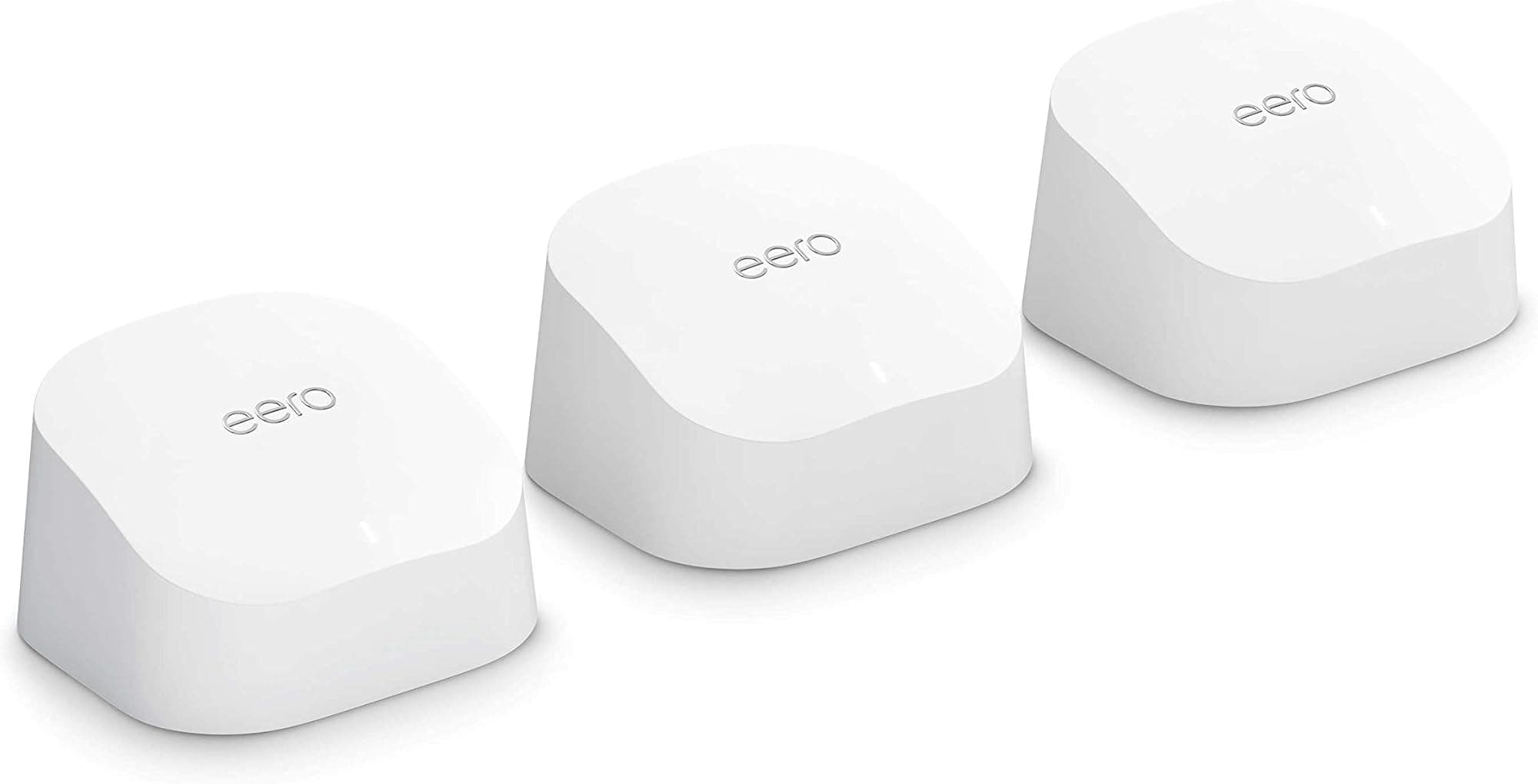
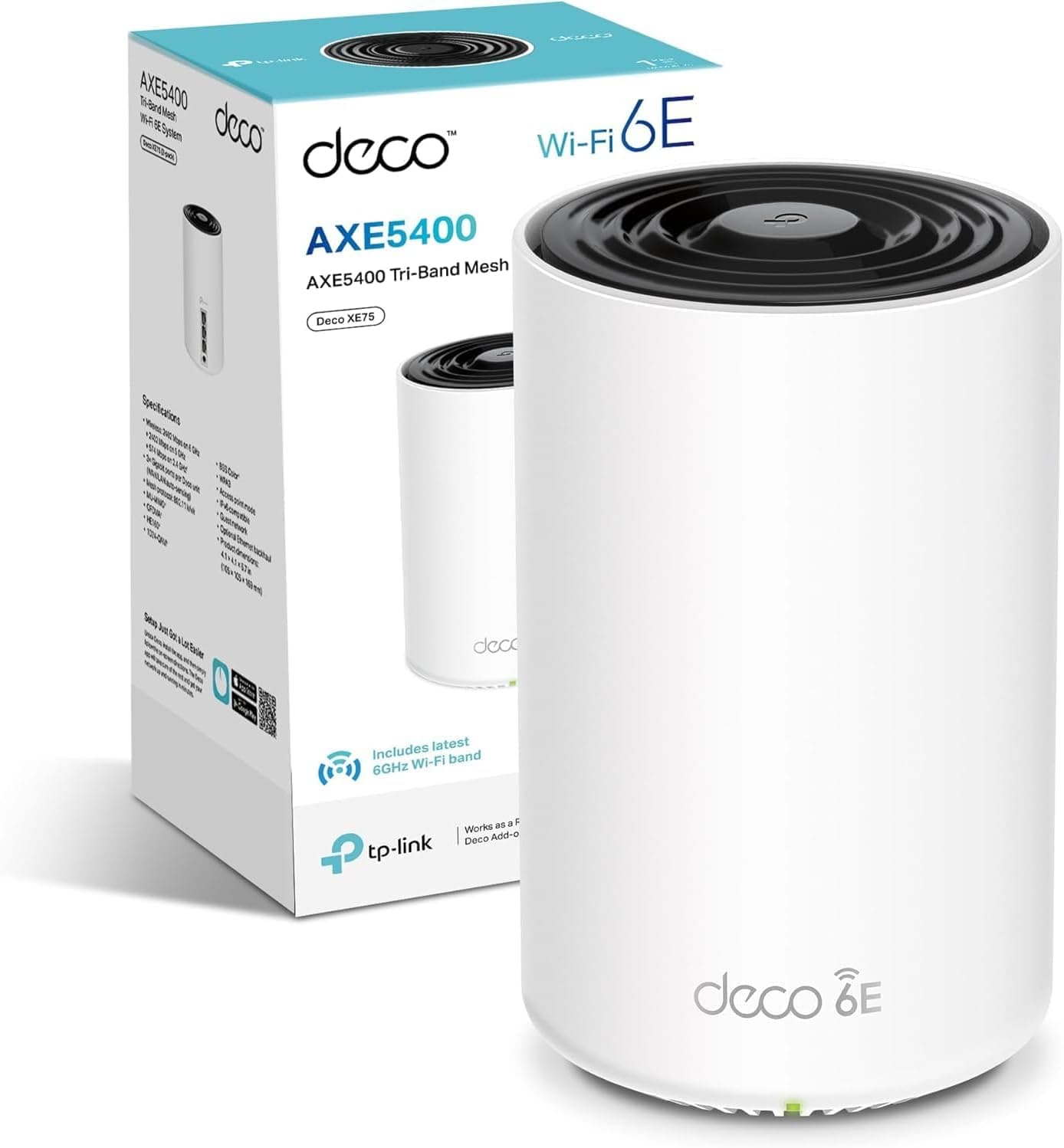
At this price point, the two most obvious alternatives are the Eero Pro 6E three-pack and the TP-Link Deco XE75 Pro. The Eero Pro 6E adds the 6GHz band, which gives it access to more spectrum and less congestion in areas with a lot of competing networks. The Deco XE75 Pro also offers Wi-Fi 6E tri-band coverage with a slightly different feature set. Both are, and the comparison isn't entirely in the Orbi's favour on the standard question.
Where the Orbi holds its own is the 10GbE WAN port, which neither competitor matches at equivalent pricing, and the Orbi's reputation for consistent coverage performance in large homes. The Eero ecosystem is tightly integrated with Amazon and leans heavily on the app, with less granular control available through a web interface. That suits some buyers and frustrates others. TP-Link's Deco line offers solid performance and good value, though the Deco brand's enterprise-grade features are spread unevenly across the range. The Orbi's dedicated backhaul architecture is well-established and owner-reviewed across multiple generations, which gives it a reliability track record the newer alternatives are still building.
The honest comparison on Wi-Fi standard is that if Wi-Fi 6E matters to you because your devices support it, the Eero Pro 6E is worth a serious look. If 10GbE WAN and proven large-home coverage are your priorities and you're not yet running 6E devices, the Orbi makes a strong case. Wi-Fi 7 systems are now entering this price bracket too, and if you're planning a five-plus-year ownership window, that's a conversation worth having with your wallet before you commit.
| Feature | NETGEAR Orbi RBK863SB | Eero Pro 6E (3-pack) | TP-Link Deco XE75 Pro (3-pack) |
|---|---|---|---|
| Wi-Fi Standard | Wi-Fi 6 (AX6000) | Wi-Fi 6E (AXE5400) | Wi-Fi 6E (AXE5400) |
| Band Configuration | Tri-band (dedicated backhaul) | Tri-band (2.4 + 5 + 6GHz) | Tri-band (2.4 + 5 + 6GHz) |
| WAN Port | 10GbE | 1GbE | 2.5GbE |
| LAN Ports per Node | 4x 1GbE (router + each satellite) | 1x 1GbE | 2x 1GbE + 1x 2.5GbE |
| Nodes Included | 3 | 3 | 3 |
| Coverage Claim | Up to 8,000 sq ft | Up to 6,000 sq ft | Up to 6,500 sq ft |
| Security Subscription | NETGEAR Armor (Bitdefender) | Eero Plus (optional) | HomeCare (included) |
| Price | £625.73 · Details | Check current price | Check current price |

Final Verdict
The NETGEAR Orbi WiFi 6 Mesh System RBK863SB is a well-engineered solution to a real problem. If you have a large home with dead zones, a lot of devices, and a fast internet connection that your current router is wasting, this system will sort it. The dedicated backhaul band is the right architecture for a mesh system at this price. The 10GbE WAN port is genuinely useful and ahead of most competitors at equivalent pricing. The four LAN ports per node across all three units is a practical advantage that gets overlooked in spec comparisons. And the positive overall rating across dozens of owner reviews reflects a product that delivers on its core promise for most buyers.
The criticisms are real but not fatal. It's Wi-Fi 6, not 6E or 7, which matters more the longer you plan to keep it. The Armor subscription adds ongoing cost that some buyers will find useful and others will resent. Occasional firmware-related restarts show up in reviews, though not at a frequency that should put you off. The app is good but not the most polished in the category. None of these are dealbreakers at the right price, but they're worth weighing against alternatives before you commit.
Who should buy this: owners of large homes (think four bedrooms and up, or properties with outbuildings, thick walls, or multiple floors) who have a genuinely fast internet connection and a device count pushing 30 or beyond. The 10GbE WAN port is particularly relevant if you're on or planning to upgrade to a multi-gigabit fibre connection. If you want a set-and-forget mesh system that covers serious ground without the backhaul compromise, this is a proven option.
Who should skip it: anyone with a smaller home or a standard gigabit or sub-gigabit connection who doesn't need 10GbE WAN. For a three-bedroom house with a typical broadband connection and 20-odd devices, a two-node Wi-Fi 6 or Wi-Fi 6E system from TP-Link Deco or even the standard Orbi AX5400 two-pack will handle the job at a significantly lower price. The smarter buy for most people is a step down in the Orbi range or a competing Wi-Fi 6E system. Save the RBK863SB for the homes that genuinely need what it offers.
The NETGEAR Orbi RBK863SB earns a solid recommendation for its intended use case. Not a perfect product. But a capable, well-supported mesh system that solves the large-home Wi-Fi problem properly, and the 10GbE WAN port alone separates it from most of the competition. Score: 8 out of 10. Loses points for the Wi-Fi 6 ceiling at this price and the subscription model, keeps them for coverage, backhaul architecture, and port generosity.
What works. What doesn’t.
6 + 6What we liked6 reasons
- Dedicated 5GHz backhaul band keeps node-to-node traffic separate from client traffic, preserving usable speed at the far satellite
- 10GbE WAN port is a genuine differentiator that allows full use of multi-gigabit fibre connections and adds meaningful longevity
- Four Gigabit LAN ports on every node, including both satellites, provides twelve wired connection points distributed across the home
- Wi-Fi 6 features including OFDMA and MU-MIMO handle high device counts more efficiently than older standards
- Coverage performance in large and awkward properties is well-supported by dozens of owner reviews with a positive overall rating
- Wired backhaul via satellite LAN ports is supported, offering the highest possible inter-node performance for homes with existing Ethernet runs
Where it falls6 reasons
- Wi-Fi 6 rather than Wi-Fi 6E or Wi-Fi 7 limits long-term relevance as 6GHz device support grows across phones and laptops
- NETGEAR Armor security subscription adds an ongoing cost after the trial period ends, which some buyers will find difficult to justify
- LAN ports are capped at Gigabit Ethernet on all nodes, creating a bottleneck for local network transfers on multi-gigabit setups
- Price sits at the premium end of the mesh market where Wi-Fi 7 alternatives are now entering the same bracket
- Occasional firmware-related restarts are mentioned in owner reviews, suggesting the software side is not always as stable as the hardware
- The Orbi app, while functional, is not considered the most polished management interface in the category
Full specifications
8 attributes| Antennas | 0 |
|---|---|
| Coverage SQM | 743 |
| Launch year | 2023 |
| Mesh capable | true |
| Ports | 1x 10GbE WAN, 4x 1GbE LAN (router); 4x 1GbE LAN per satellite |
| TOP speed mbps | 6000 |
| Type | mesh_router |
| Wifi standard | Wi-Fi 6 |
If this isn’t right for you
2 options

Frequently asked
7 questions01What does the dedicated backhaul band actually mean in practice?+
In this system, one of the two 5GHz bands is reserved exclusively for communication between the router and the satellites. Your phones, laptops, and other devices never connect to it. This means the bands your devices do use are not competing with the inter-node link for airtime, which results in speeds at the far satellite being meaningfully closer to what you would get connected directly to the router. Cheaper dual-band mesh systems share a single 5GHz band between backhaul and client traffic, which can cause significant speed drops under load.
02Do I need the NETGEAR Armor subscription to use the system?+
No. The Orbi RBK863SB works as a mesh Wi-Fi system without an active Armor subscription. Armor is NETGEAR's optional Bitdefender-powered security layer that adds network-level threat detection, vulnerability scanning, and device protection. A trial period is included in the box. After the trial ends, you can choose to subscribe to keep those features active or simply let it lapse and continue using the system as a standard mesh router. The core Wi-Fi functionality is unaffected either way.
03Can I connect the satellites using Ethernet cables rather than relying on wireless backhaul?+
Yes. If you have Ethernet cabling between floors or rooms, you can connect each satellite to the router or to another node using a LAN port. The system detects the wired connection and switches to wired backhaul automatically, which frees up the dedicated wireless backhaul band entirely and provides the cleanest possible performance. This is the highest-performance configuration, though it requires existing Ethernet infrastructure in your home. For most buyers without that cabling already in place, the wireless backhaul performs well enough without it.
04Is Wi-Fi 6 still worth buying in 2024 or should I hold out for Wi-Fi 6E or Wi-Fi 7?+
Wi-Fi 6 is a mature, well-supported standard that handles the demands of most households comfortably. The practical limitation is that Wi-Fi 6E adds a 6GHz band which offers more spectrum and less interference in congested areas, and Wi-Fi 7 adds further improvements on top of that. If the majority of your devices are still on Wi-Fi 5 or Wi-Fi 6, you will not benefit from 6E or 7 regardless. However, if you are planning to keep this system for five or more years, the lack of 6GHz support is a real consideration as 6E device adoption grows. Wi-Fi 7 alternatives are now available at similar price points, which makes the comparison worth doing before committing at this price.
05How many wired ports does the full three-node system provide in total?+
The router has four Gigabit Ethernet LAN ports plus the single 10GbE WAN port for your internet connection. Each satellite also has four Gigabit Ethernet LAN ports. Across the three-node system that gives you twelve Gigabit LAN ports in total, distributed across wherever you place the router and both satellites. This is a practical advantage over systems where only the router has LAN ports, as it allows you to wire in televisions, desktop computers, games consoles, or a NAS at satellite locations around the home without needing an additional switch.
06What is the realistic coverage area in a typical UK home?+
The 8,000 square foot headline figure is a best-case measurement taken under conditions that do not reflect real homes with thick walls, concrete floors, or neighbouring networks competing for the same airspace. In practice, owners of large four-bedroom-plus properties, homes with multiple floors, outbuildings, or converted lofts consistently report good coverage improvement over single-router setups. Placement of the satellites has a significant effect on real-world results. NETGEAR's app provides guidance during setup to help position nodes at distances that maintain a strong inter-node link while still extending coverage meaningfully.
07How does the RBK863SB compare to the Eero Pro 6E three-pack?+
The Eero Pro 6E adds a 6GHz band, which gives it access to more spectrum and potentially less congestion in areas with many competing networks, provided your devices support Wi-Fi 6E. The Orbi RBK863SB counters with a 10GbE WAN port, which neither the Eero Pro 6E nor most equivalents match at similar pricing, a higher coverage rating of up to 8,000 square feet versus 6,000 for the Eero, and four LAN ports per node compared to one per node on the Eero. The Eero ecosystem is tightly linked to Amazon and offers less granular control through a web interface. The right choice depends on whether Wi-Fi 6E support for your devices outweighs the port and coverage advantages of the Orbi.