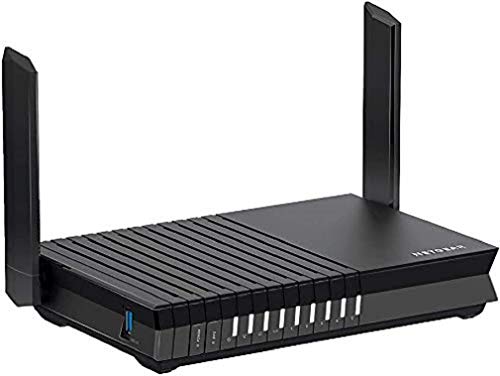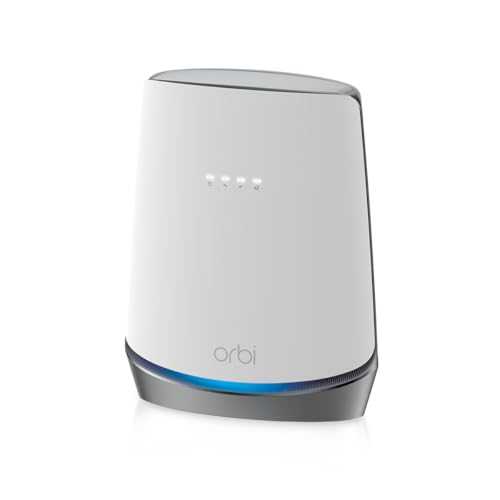
The dirty secret of home Wi-Fi is that most routers fail not because the hardware is rubbish, but because the coverage claim on the box assumes your house is a featureless white cube with no internal walls, no floors between stories, and absolutely nothing interfering with the signal. The NETGEAR Nighthawk RAX50 is rated for 2,500 square feet. Whether that actually translates to your Victorian terrace or your three-bedroom semi depends on a lot more than the number printed on the packaging.
So here's the short version, before we get into the detail: the RAX50 is a genuinely capable Wi-Fi 6 dual-band router that punches above its weight for a busy household, handles device-heavy homes better than most single-band routers at this price, and earns its positive overall rating from thousands of owners for good reason. But it's a single router, not a mesh system, and if your home is awkward-shaped or multi-storey, you'll need to go in with realistic expectations about what any single unit can do. The headline AX5400 speed figure is a marketing sum. Nobody's laptop will see it. What actually matters is how it performs under load, at range, with thirty-odd devices connected. And that's what we're here to dig into.
The RAX50 sits in an interesting spot. It's not cheap enough to be an impulse buy and not expensive enough to be a flagship. It's the kind of router you buy when you've finally lost patience with your ISP's supplied box and want something that actually works properly without spending eye-watering money on a full mesh system. Whether that's the right call for your home is what this review is really about.
Core Specifications: NETGEAR Nighthawk 6-Stream AX5400 WiFi 6 Router
The RAX50 runs on Wi-Fi 6 (802.11ax), which is the current mainstream standard and the one that actually matters for most homes right now. It's dual-band: a 2.4GHz band and a 5GHz band. The combined theoretical maximum is 5.4 Gbps, which is where the AX5400 name comes from. That number is a marketing construct. It adds the theoretical peak of both bands together under conditions that don't exist in real homes. What you care about is that the 5GHz band alone supports up to 4.8 Gbps theoretically, and the 2.4GHz band handles 600 Mbps. In practice, at range, through walls, with multiple devices, you'll see a fraction of that. That's normal. That's physics.
The "6-stream" in the name refers to the antenna configuration: 4x4 on 5GHz and 2x2 on 2.4GHz, supporting MU-MIMO (multi-user, multiple input, multiple output) so it can talk to several devices simultaneously rather than taking turns. It also supports OFDMA, which is Wi-Fi 6's trick for splitting channels into smaller sub-channels to serve multiple devices more efficiently. Both of these matter in a busy home. The router has four external antennas and a fifth internal one, which is a decent setup for coverage spread.
On the wired side, you get one Gigabit WAN port for your internet connection, and four Gigabit LAN ports for wired devices. There's also a USB 3.0 port for network-attached storage or printer sharing. Notably, there's no 2.5GbE port here, which is a real limitation if you're on a multi-gig broadband connection. NETGEAR rates it for 2,500 square feet. The processor is a 1.5GHz quad-core ARM chip, which is more grunt than most routers in this class and is part of why owners report it handling load without the stuttering you get from underpowered alternatives.
| Specification | Detail |
|---|---|
| Wi-Fi Standard | Wi-Fi 6 (802.11ax) |
| Band Layout | Dual-band (2.4GHz + 5GHz) |
| Combined Theoretical Speed | Up to 5.4 Gbps (AX5400) |
| 5GHz Stream | 4x4 (up to 4.8 Gbps theoretical) |
| 2.4GHz Stream | 2x2 (up to 600 Mbps theoretical) |
| Antenna Config | 4 external + 1 internal |
| Processor | 1.5GHz quad-core ARM |
| MU-MIMO | Yes (4x4) |
| OFDMA | Yes |
| WAN Port | 1x Gigabit Ethernet |
| LAN Ports | 4x Gigabit Ethernet |
| USB | 1x USB 3.0 |
| Coverage Rating | Up to 2,500 sq. ft. (manufacturer claim) |
| Security | WPA3 support |
| Price | £295.18 · Details |
Real-World Coverage: What the Spec Supports and What Owners Report
NETGEAR's 2,500 square foot coverage claim is, like every manufacturer coverage figure, a best-case number. It assumes line-of-sight, minimal interference, and clients that are modern Wi-Fi 6 devices sitting in optimal positions. In a real UK home, which typically means solid brick walls, concrete floors between stories, and a kitchen full of 2.4GHz interference from microwaves and baby monitors, you'll cover less. That's not a knock on the RAX50 specifically. It's just how radio waves work.
What owners consistently report is that for a typical three-bedroom UK semi or terrace, the RAX50 covers the whole house well when the router is positioned centrally. The quad-core processor and 4x4 antenna array give it more transmit power and signal processing than cheaper dual-band routers, and that does translate to better range in practice. Owners in larger or more complex homes, particularly those with thick stone walls or L-shaped layouts, report that signal quality drops off noticeably at the extremes. This is expected for any single router. The far bedroom or the garden at the back of a longer property is where you'll start to notice the limits.
A fair number of owner reviews specifically mention the improvement over ISP-supplied routers in rooms that were previously marginal. The 5GHz band, which is faster but shorter-range, holds up better than on cheaper routers at similar distances, which is a real-world benefit of the more capable antenna setup. For a straightforward rectangular house of average UK size, coverage is solid. For anything bigger, more complex, or with particularly dense walls, a mesh system would serve you better. The RAX50 is a powerful single router, not a miracle worker.
Sustained Speed Under Load: NETGEAR Nighthawk 6-Stream AX5400 WiFi 6 Router in a Busy Home
The AX5400 label is the theoretical sum of both bands. Nobody gets 5.4 Gbps. Not even close. What the spec actually tells you is that the 5GHz band supports 4x4 MU-MIMO with 160MHz channel support, which means it can push genuinely high throughput to Wi-Fi 6 clients that support those wider channels. In practice, most laptops and phones support 2x2 or at best 4x4 at 80MHz, so you're not going to unlock the full theoretical ceiling. But you don't need to. What the RAX50 does well is maintain decent throughput under real load, which is where cheaper routers fall apart.
The 1.5GHz quad-core processor is the key here. Budget routers often run on single or dual-core chips that start struggling when you've got a 4K stream running, someone on a video call, a kid gaming, and fifteen IoT devices all chattering in the background. The RAX50's processor has enough headroom to handle that without the packet loss and latency spikes that characterise overloaded cheaper hardware. Owners consistently report stable throughput under household load, which is the right thing to care about. A router that peaks at 1,200 Mbps on an empty network but stutters with ten devices active is worse than one that sustains 400 Mbps reliably with thirty devices on.
Speed at range is where the story gets more nuanced. On 5GHz, throughput drops as you move further away, which is just physics. The 2.4GHz band gives you longer range but lower speeds. Owners in the far rooms of a larger home report that the 2.4GHz band is doing a lot of the work at that distance, which is fine for browsing and streaming but won't give you the full Wi-Fi 6 performance that's the headline selling point. If your main use case is high-speed Wi-Fi 6 performance in a room two floors away from the router, you need either a mesh system or a wired access point. The RAX50 is honest about what it is: a powerful single router, not a coverage extender.
Mesh and Backhaul: This Is a Single Router
The RAX50 is not a mesh system. It's a standalone router. There's no dedicated backhaul band because there are no satellite nodes to connect to. This is an important distinction, and it's worth being clear about because the word "mesh" gets thrown around loosely in marketing. Mesh networking involves multiple nodes that communicate with each other to extend coverage, ideally over a dedicated backhaul connection so the bandwidth used for node-to-node traffic doesn't eat into what's available for your devices. The RAX50 does none of that because it's one box.
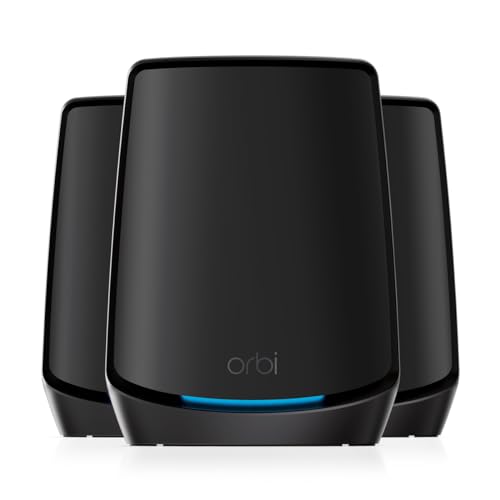
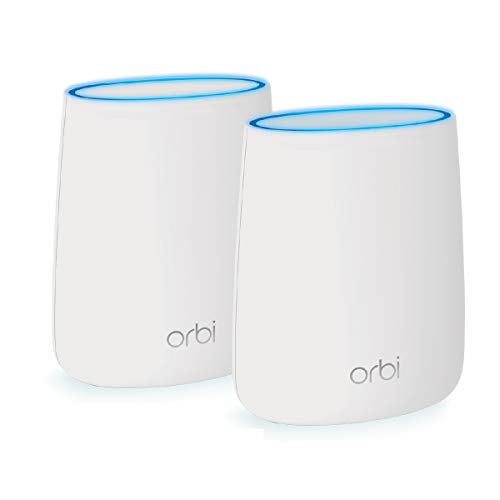
What this means practically is that if you want to extend coverage beyond what the RAX50 can reach on its own, you have a few options. You can add a Wi-Fi extender, but a cheap extender that shares the same band for both backhaul and client traffic will halve your effective throughput, which is often worse than just living with the dead zone. A better option is to run a wired Ethernet cable to a second access point and set it up in access point mode. The RAX50's four Gigabit LAN ports support this, and a wired backhaul is always the cleanest solution. Alternatively, NETGEAR sells the Orbi mesh system if you want proper multi-node coverage from the same brand.
If you're coming from an ISP router and your main problem is weak signal throughout your home, the RAX50 will almost certainly be a significant improvement on its own. But if your home genuinely needs coverage nodes in multiple locations, a proper mesh system is the right tool. Adding a cheap extender to a good router is a compromise. A dedicated mesh system with a proper backhaul band (dedicated 5GHz or 6GHz backhaul on tri-band or Wi-Fi 6E systems) is a different category of solution. The RAX50 is excellent at what it is. Just be honest with yourself about whether what it is matches what you need.
Device Capacity: How Many Devices Before It Chokes?
Modern homes have a lot of connected devices. Phones, laptops, tablets, smart TVs, games consoles, streaming sticks, smart speakers, security cameras, doorbells, smart plugs, light bulbs. Thirty to fifty active clients is genuinely normal now, and it's the number that kills underpowered routers. The RAX50 is built for this. The combination of Wi-Fi 6's OFDMA technology and 4x4 MU-MIMO means it can serve multiple devices simultaneously rather than making them queue up, which is what older routers do and why they choke under load.
OFDMA, which stands for Orthogonal Frequency Division Multiple Access, works by splitting a Wi-Fi channel into smaller sub-channels that can serve different devices at the same time. This is particularly useful for IoT devices and small-packet traffic, the kind of background chatter that smart home devices generate constantly. Without OFDMA, every device has to wait its turn, and with thirty devices all wanting a slice of attention, that wait adds up. With OFDMA, the router can batch small requests together efficiently. The practical result, backed by what owners report, is that the RAX50 stays stable and responsive even with a lot of devices active.
The 2.4GHz band is where most smart home and IoT devices live, and the RAX50's 2x2 configuration on that band handles them well. The 5GHz band with its 4x4 MU-MIMO is where your high-bandwidth devices, laptops, phones, consoles, should connect. This split is sensible and the RAX50 manages it competently. Owners with large smart home setups report no particular issues with device capacity. If you're running a genuinely enterprise-scale number of devices, you're in the wrong product category entirely, but for a family home with the usual mix of devices, the RAX50 has plenty of headroom.
Wi-Fi Standard and Future-Proofing
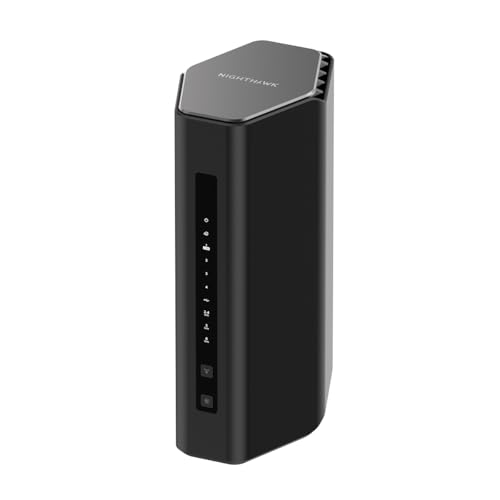
Wi-Fi 6 (802.11ax) is the right standard for most people buying a router right now. Not Wi-Fi 6E, not Wi-Fi 7. Those are real improvements, but they require client devices that support them, and most of the devices in most homes don't. Wi-Fi 6E adds a 6GHz band that's faster and less congested, but your phone or laptop needs to support 6GHz to use it. Wi-Fi 7 adds even more, but Wi-Fi 7 client devices are only just starting to appear in volume. Buying a Wi-Fi 7 router today means paying a premium for a standard your devices mostly can't use yet.
Wi-Fi 6 is different. It's been in phones, laptops, and tablets since around 2019 and 2020. A meaningful proportion of the devices in your home probably already support it. The RAX50 gives you the full Wi-Fi 6 feature set: OFDMA, MU-MIMO, 1024-QAM modulation (which increases throughput over Wi-Fi 5 at similar signal strengths), and Target Wake Time (TWT), which helps battery-powered devices sleep more efficiently. These are real-world benefits you'll actually see, not theoretical future gains.
Future-proofing is always a slightly silly concept with networking gear, because the standards move faster than most people replace their routers. But if you're buying a router today and want it to stay relevant for four or five years, Wi-Fi 6 is a sensible baseline. The RAX50's dual-band setup does mean it doesn't have a dedicated 6GHz band, so if you're in a very congested apartment block where the 5GHz band is saturated with neighbours' networks, you might eventually want 6GHz. For most UK homes, that's not a current problem. Wi-Fi 6 on a capable dual-band router is genuinely the sweet spot right now.
Features and QoS: What's Actually Useful
The RAX50 runs NETGEAR's Nighthawk app and also supports the traditional web interface at routerlogin.net. QoS (Quality of Service, which is the router's ability to prioritise certain traffic types so your video call doesn't get wrecked by someone downloading a game update) is included and works through the app. NETGEAR's implementation lets you prioritise by device or by traffic type, which is genuinely useful in a family home. It's not the most granular QoS you'll find, but it's functional and accessible without needing to dig into advanced settings.
Guest network support is present on both bands, which is standard but worth confirming. The USB 3.0 port supports NETGEAR's ReadySHARE feature, letting you plug in a USB drive and share it across the network as basic NAS storage. It's not a replacement for a proper NAS device, but for sharing a drive of photos or media across the house it works. There's also support for NETGEAR Armor, which is the brand's subscription-based security service powered by Bitdefender. It includes device scanning, vulnerability detection, and parental controls. The first year is often included, but it's a subscription after that, which some owners find irritating.
Parental controls without the Armor subscription are more limited, essentially just basic content filtering and device scheduling. If parental controls are a priority for you, the Armor subscription is worth factoring into the cost. VPN support is present via the web interface, including OpenVPN server mode, which is useful if you want to connect back to your home network when you're away, though for security on public Wi-Fi away from home a good VPN is the simpler layer to add. Buffer bloat handling is decent given the quad-core processor, and owners don't commonly report the latency spikes under load that indicate poor buffer management. That's a quiet win that matters more than most people realise.
Firmware, App and Security Updates
NETGEAR has a mixed reputation on firmware support longevity, and it's worth being honest about that. The brand does push updates, and the RAX50 has received firmware updates since launch, including security patches. But NETGEAR has historically been inconsistent about how long it supports older models, and some of their routers have reached end-of-life faster than owners would have liked. The RAX50 is not a new product at this point, so it's NETGEAR's official support page for the current firmware status before buying.
The Nighthawk app is the primary setup and management tool, and owner feedback on it is mixed. Setup via the app is generally described as straightforward, and most owners get up and running without issues. But the app has attracted criticism for being slower and more bloated than the web interface, and some owners report that it occasionally loses connection to the router and requires a restart of the app rather than the router. The web interface at routerlogin.net is more reliable for ongoing management and gives you access to more advanced settings. If you're comfortable with a browser-based interface, use that for day-to-day management.
The reboot question is relevant here. A small but consistent subset of owner reviews mentions that the RAX50 benefits from an occasional reboot, particularly after extended uptime. This isn't unusual for consumer routers, and it's not a dealbreaker, but it's honest to flag it. The majority of owners don't mention stability issues, and the positive overall rating across thousands of reviews suggests most people are happy. WPA3 support is included, which is the current Wi-Fi security standard. Auto-update for firmware is available in the settings, which is worth enabling so you're not manually checking for patches.
Setup and Management: How Much Faff Are We Talking?
Setup is generally described by owners as painless. You plug it in, connect to the default network, open the Nighthawk app or go to routerlogin.net in a browser, and follow the wizard. NETGEAR's setup flow is well-established and doesn't require any networking knowledge to get through. Most owners report being up and running in under fifteen minutes. The router comes with a quick-start guide, and the app walks you through the basics including setting your network name and password.
For ongoing management, the choice between the app and the web interface is worth thinking about. The app is more accessible and presents things in a friendlier way, but it's also slower and occasionally flaky according to owner reports. The web interface is faster and more complete. Advanced features like VPN configuration, port forwarding, and detailed QoS settings are more accessible through the web interface. If you're the kind of person who wants to set it up and forget about it, the app is fine. If you want to actually manage your network properly, bookmark the web interface.
Remote management is supported through the app, which lets you see connected devices, run speed tests, and adjust basic settings when you're away from home. This is genuinely useful if you have family members who need internet access managed while you're not there. The parental controls, even the basic ones without Armor, can be managed remotely. For a non-technical buyer who just wants something that works better than the ISP router and doesn't require constant attention, the RAX50 is a reasonable choice. It's not zero-faff, but it's close to it once it's set up.
Ports and Connectivity
The port layout is straightforward: one Gigabit WAN port and four Gigabit LAN ports. That's fine for most households. The Gigabit WAN port means the maximum wired throughput to your internet connection is 1 Gbps, which is more than enough for the vast majority of UK broadband connections. If you're on a multi-gig connection (2.5 Gbps or faster), the lack of a 2.5GbE WAN port is a genuine limitation. Full-fibre 2.5 Gbps packages are still relatively niche in the UK, but they're growing, and it's the RAX50 can't take full advantage of them if you upgrade later.
The four Gigabit LAN ports are useful for wired devices: a desktop PC, a smart TV, a games console, a NAS box. Wired connections are always faster and more stable than wireless, and having four ports means you can wire up your most demanding devices without needing a switch. There's no link aggregation support on the LAN ports, which isn't a surprise at this price point but if you have a NAS that supports it.
The USB 3.0 port supports NETGEAR's ReadySHARE for network storage and printer sharing. USB 3.0 is the right spec here: USB 2.0 on older routers is a bottleneck for file transfers. It's not going to replace a dedicated NAS, but for light shared storage use it works. There's no USB-C port, no 10GbE, and no SFP slot, which are all things you'd find on genuinely high-end or enterprise-focused hardware but not at this price. The port selection is appropriate for the product's position in the market.
How It Compares to the Competition
The RAX50 sits in a competitive part of the market. The main alternatives are the TP-Link Archer AX73 and the ASUS RT-AX86U. The Archer AX73 is a Wi-Fi 6 dual-band router with a similar AX5400 spec and typically comes in at a lower price point, making it the obvious budget-conscious alternative. The ASUS RT-AX86U steps up to AX5700 with a 2.5GbE WAN port and ASUS's AiProtection security suite built in without a subscription, which is a meaningful advantage over the RAX50's subscription-gated Armor service.
The TP-Link Archer AX73 is a real competitor. It has six antennas versus the RAX50's five, runs on a similar Wi-Fi 6 spec, and costs noticeably less. If budget is the main constraint and you don't need NETGEAR's specific ecosystem, the AX73 is worth serious consideration. The ASUS RT-AX86U is the more capable machine overall, with the 2.5GbE port being a genuine differentiator for future-proofing and its firmware being consistently praised as more feature-rich and stable. If you're spending at the top of this price range, the RT-AX86U is worth the extra money.
Where the RAX50 holds its own is in the combination of NETGEAR's brand reliability, the quad-core processor, and the Nighthawk ecosystem if you're already in it. The positive overall rating from thousands of reviews is not an accident. It's a well-sorted router that does what it says. But it's not the best value at its price point and it's not the most feature-rich option. It's the one you buy if you trust the brand, want a known quantity, and don't need the extras that make the ASUS the more compelling spec-sheet choice.
| Feature | NETGEAR Nighthawk RAX50 | TP-Link Archer AX73 | ASUS RT-AX86U |
|---|---|---|---|
| Wi-Fi Standard | Wi-Fi 6 (AX5400) | Wi-Fi 6 (AX5400) | Wi-Fi 6 (AX5700) |
| Band Layout | Dual-band | Dual-band | Dual-band |
| 2.5GbE Port | No | No | Yes (WAN/LAN) |
| Processor | 1.5GHz quad-core | 1.5GHz tri-core | 1.8GHz dual-core |
| MU-MIMO | 4x4 | 4x4 | 4x4 |
| OFDMA | Yes | Yes | Yes |
| Security Suite | NETGEAR Armor (subscription) | TP-Link HomeShield (subscription) | AiProtection (free) |
| USB | USB 3.0 | USB 3.0 | USB 3.0 + USB 2.0 |
| Coverage Rating | 2,500 sq. ft. | 2,500 sq. ft. | 2,500 sq. ft. |
| Price | £295.18 · Details | Lower price tier | Higher price tier |
Final Verdict
The NETGEAR Nighthawk 6-Stream AX5400 WiFi 6 Router is a solid, well-built Wi-Fi 6 router that earns its strong owner ratings. The quad-core processor gives it genuine headroom for busy households, the Wi-Fi 6 feature set (OFDMA, MU-MIMO, WPA3) is the right spec for 2024 and beyond, and coverage for a typical UK three-bedroom home is good when the router is positioned sensibly. It's a significant step up from any ISP-supplied router and handles thirty-plus device households without the stuttering and packet loss that cheaper hardware produces under load.
The cons are real though. No 2.5GbE WAN port limits it if you're on or planning a multi-gig broadband connection. The security suite is subscription-gated after the first year, which adds ongoing cost if you want the full feature set. The app is functional but not as polished as it should be at this price. And it's a single router, so if your home genuinely needs coverage nodes in multiple locations, you need to either add wired access points or look at a proper mesh system instead.
Who should buy this? Someone who's fed up with their ISP router, has a medium-to-large single-structure home, wants Wi-Fi 6 without the complexity of a mesh system, and values a known brand with a track record. It's particularly good for households with lots of devices where the ISP router is clearly struggling. The positive overall rating from thousands of real owners is a meaningful signal. These aren't all enthusiasts running benchmarks. They're people who bought it, plugged it in, and found it worked properly.
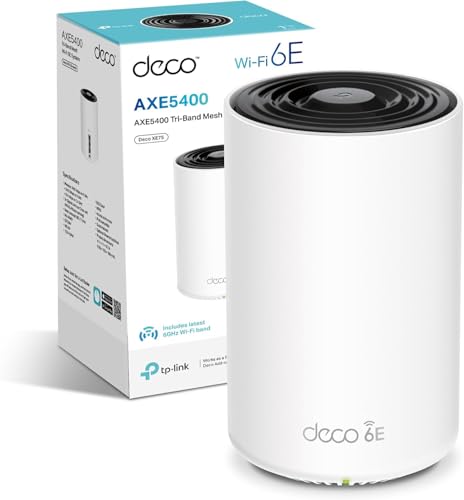
Who should skip it? If your home is genuinely multi-storey with thick walls and you have persistent dead zones, a single router of any kind isn't the right answer. Look at the NETGEAR Orbi mesh system or the TP-Link Deco range instead. If you're on a multi-gig broadband connection, the lack of a 2.5GbE port is a real limitation and the ASUS RT-AX86U is worth the extra spend. And if budget is tight, the TP-Link Archer AX73 gives you a very similar Wi-Fi 6 spec at a lower price point. The RAX50 is good, but it's not so good that the cheaper alternative isn't.
One honest note on value: if your broadband connection is under 500 Mbps and your home is average-sized, the TP-Link Archer AX73 will give you 90% of what the RAX50 offers at a lower outlay. The RAX50's extra spend buys you the NETGEAR brand, the quad-core processor headroom, and the Nighthawk ecosystem. Those things have value, but they're not essential for everyone. Buy the RAX50 if they matter to you. Buy the AX73 if they don't.
Our rating: 7.5 out of 10. A capable, reliable Wi-Fi 6 router that does the job well for most households. Held back by the missing 2.5GbE port, the subscription-gated security, and a price that puts it in direct competition with the more capable ASUS RT-AX86U.
What works. What doesn’t.
5 + 4What we liked5 reasons
- Quad-core processor handles 30-plus device households without stuttering
- Full Wi-Fi 6 feature set: OFDMA, MU-MIMO, WPA3 all present
- Strong owner satisfaction across 4,600-plus reviews
- Good coverage for typical UK three-bedroom homes when centrally positioned
- USB 3.0 ReadySHARE and four Gigabit LAN ports are genuinely useful
Where it falls4 reasons
- No 2.5GbE WAN port limits future multi-gig broadband compatibility
- NETGEAR Armor security suite requires a paid subscription after year one
- Nighthawk app is slower and less reliable than the web interface
- Single router only: no mesh capability without adding separate hardware
Full specifications
7 attributes| Antennas | 4 |
|---|---|
| Coverage SQM | 232 |
| Launch year | 2020 |
| Mesh capable | true |
| TOP speed mbps | 5400 |
| Type | router |
| Wifi standard | Wi-Fi 6 |
If this isn’t right for you
2 options

Frequently asked
5 questions01Will the NETGEAR Nighthawk 6-Stream AX5400 WiFi 6 Router (RAX50) cover my whole house?+
NETGEAR rates the RAX50 for up to 2,500 square feet, but that's a best-case figure measured in ideal conditions. For a typical UK three-bedroom semi or terrace with the router positioned centrally, owners consistently report whole-house coverage. Larger homes, multi-storey properties with thick walls, or L-shaped layouts will see signal drop off at the extremes. If your home has persistent dead zones that a better-positioned single router won't solve, a mesh system is the more appropriate solution.
02Do I really need Wi-Fi 6E or Wi-Fi 7 instead of the NETGEAR Nighthawk 6-Stream AX5400 WiFi 6 Router?+
For most people, no. Wi-Fi 6E and Wi-Fi 7 are real improvements but require client devices that support those standards. Most phones, laptops, and tablets in UK homes today support Wi-Fi 6 at most. Wi-Fi 6 has been mainstream since 2019 to 2020, so the RAX50 will work with the majority of your existing devices. Wi-Fi 6E and Wi-Fi 7 routers cost significantly more, and you won't see the benefit until your devices catch up. Wi-Fi 6 is the sensible sweet spot for most buyers right now.
03Is the NETGEAR Nighthawk RAX50 a mesh system or a single router?+
It's a single router, not a mesh system. There are no satellite nodes and no dedicated backhaul band because there's nothing to connect to. If you want to extend coverage, you can add a wired access point using one of the four LAN ports, which is the cleanest solution. Adding a cheap wireless extender is a compromise that often halves your effective throughput. If you genuinely need multi-node mesh coverage, NETGEAR's Orbi range is the brand's own mesh solution.
04Is the NETGEAR Nighthawk RAX50 easy to set up and reliable day to day?+
Setup is generally described by owners as straightforward: plug it in, use the Nighthawk app or the web interface at routerlogin.net, and follow the wizard. Most owners report being up and running in under fifteen minutes. Day-to-day reliability is good for the majority of owners, with the positive overall rating from thousands of reviews reflecting genuine satisfaction. A small subset of owners mention that occasional reboots help after extended uptime, which is common for consumer routers. The web interface is more reliable than the app for ongoing management.
05What warranty and returns apply to the NETGEAR Nighthawk RAX50?+
NETGEAR typically provides a one-year limited hardware warranty on the RAX50, but check the current warranty terms on NETGEAR's official support page for confirmation. When buying through Amazon UK, you also benefit from Amazon's standard 30-day returns policy and the A-to-Z guarantee, which covers you if the item isn't as described or doesn't arrive.