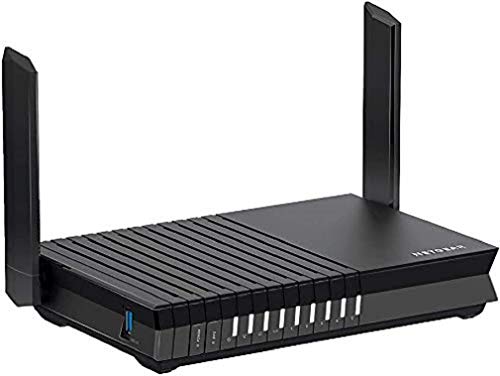
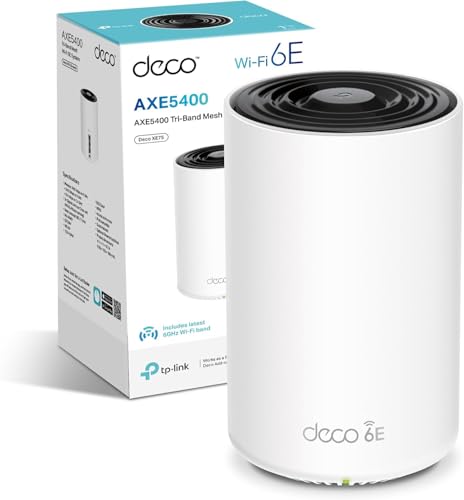
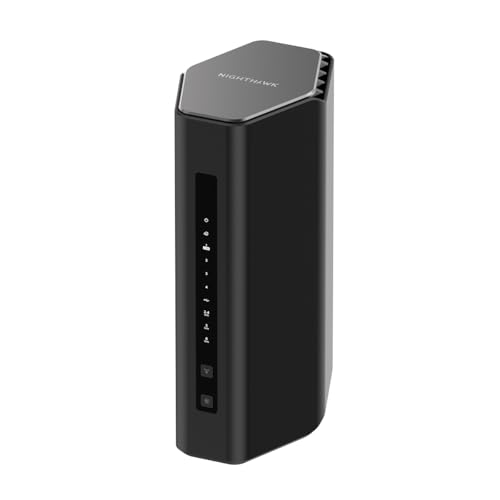
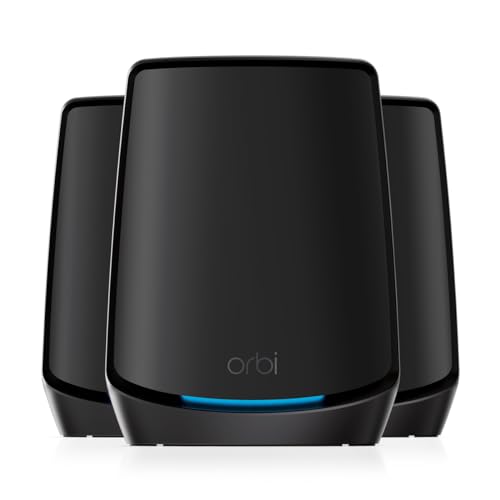
Mesh networking is one of those things that sounds brilliant on paper and then, in practice, either transforms your home Wi-Fi or just adds another box to your setup without actually fixing anything. The difference almost always comes down to one thing: how the nodes talk to each other. If the backhaul (that's the link between the router node and the satellite) is sharing the same band your devices use, you're essentially cutting your usable bandwidth in half to run the system. So before you spend serious money on any mesh kit, that's the question worth asking first.
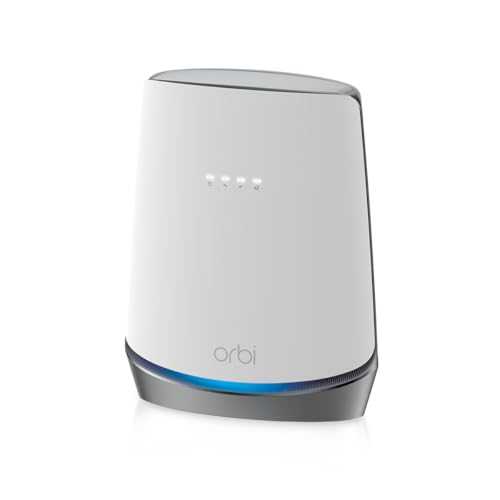
The NETGEAR CBK752-100NAS Wifi System with Built-In Cable Modem is a bit of an unusual beast in this space, because it bundles a DOCSIS 3.1 cable modem directly into the Orbi router node. That means one fewer box from your cable provider, potentially lower monthly rental fees, and a cleaner setup. On paper, it's a genuinely clever idea. Whether it's worth the price tag is a different question, and that's what we're going to get into properly here, based on what the specs tell us and what the thousand-plus owners who've reviewed it actually say.
Quick verdict up front: this is a solid, well-thought-out bit of kit for cable broadband households in the right situation, but it's expensive, US-centric in its modem compatibility, and not the right choice for everyone in the UK. Read on for the full picture.
Core Specifications: NETGEAR CBK752-100NAS Wifi System with Built-In Cable Modem
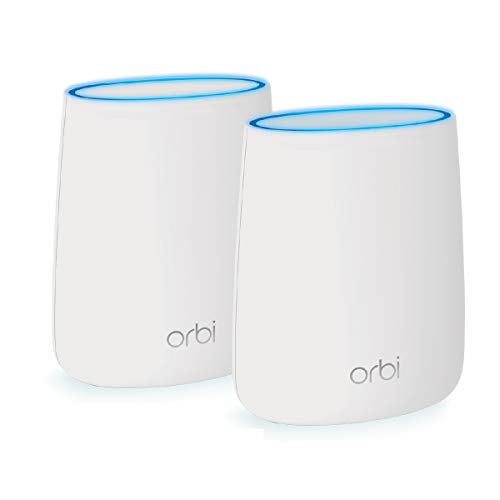
The CBK752 is a two-piece Wi-Fi 6 mesh networking system. The main unit is the Orbi router with a built-in DOCSIS 3.1 cable modem, and it comes paired with a second Orbi satellite node. Both run Wi-Fi 6 (802.11ax), which is the current mainstream standard and genuinely useful for busy households with lots of devices. The system is tri-band: 2.4GHz for older devices and long-range coverage, 5GHz for your main client devices, and a dedicated second 5GHz band used exclusively as the backhaul between the router and satellite. That dedicated backhaul is a big deal, and we'll dig into why in the mesh section.
On the modem side, DOCSIS 3.1 is the current gold standard for cable internet, supporting speeds well into the gigabit range. The router node includes a 2.5Gbps WAN port for the cable connection and Gigabit Ethernet LAN ports. The satellite node also has Gigabit LAN ports, which is useful if you want to wire in a TV or games console at the far end of the house. NETGEAR rates the combined coverage at up to 5,000 square feet across both nodes, which in real-world terms translates to a decent-sized UK semi or detached house, though we'll talk about what that actually means in practice shortly.
The system supports MU-MIMO (Multi-User, Multiple Input, Multiple Output) and OFDMA (Orthogonal Frequency Division Multiple Access). In plain English: MU-MIMO lets the router talk to multiple devices at the same time rather than queuing them up, and OFDMA breaks each channel into smaller sub-channels so it can serve lots of devices more efficiently. Both are Wi-Fi 6 features that genuinely matter in a home with thirty-plus connected devices, which is most homes now when you count the smart bulbs, thermostats, and doorbells alongside the phones and laptops.
| Specification | Detail |
|---|---|
| Wi-Fi Standard | Wi-Fi 6 (802.11ax) |
| Band Configuration | Tri-band (2.4GHz + 5GHz + 5GHz dedicated backhaul) |
| Backhaul Type | Dedicated 5GHz band (wireless) or wired Ethernet |
| Modem Standard | DOCSIS 3.1 (built-in, cable only) |
| WAN Port | 2.5Gbps |
| LAN Ports | 3x Gigabit Ethernet (router node) + 3x Gigabit Ethernet (satellite) |
| Coverage Rating | Up to 5,000 sq ft (manufacturer claim, both nodes combined) |
| MU-MIMO | Yes (8-stream) |
| OFDMA | Yes |
| Nodes Included | 2 (router + satellite) |
| App | Orbi app (iOS and Android) |
| Security | WPA3 support, NETGEAR Armor (subscription) |

Real-World Coverage
NETGEAR's 5,000 square foot coverage claim is, like every manufacturer coverage figure, measured in ideal conditions. Think open-plan, single-storey, no thick walls, no interference. That's not your house. In a typical UK home with brick walls, multiple floors, and a kitchen full of appliances creating 2.4GHz interference, you'll see less than the headline figure. That's not a criticism specific to Orbi; it's just physics.
What the spec does support, and what owners consistently back up, is that the two-node setup handles a standard UK semi-detached or detached house well. Owners in three and four-bedroom homes regularly report that the satellite node picks up where the router drops off, and that the coverage genuinely reaches upstairs bedrooms and garden areas that their previous single router couldn't touch. A few owners in larger Victorian properties with very thick walls mention needing the satellite positioned carefully to bridge the gap, which is sensible advice for any mesh system in older builds.
The dedicated backhaul band is what makes the coverage quality hold up at range. Because the router and satellite talk to each other on their own reserved 5GHz band, the signal your devices get from the satellite isn't being throttled by the router-to-satellite traffic. This is the difference between a proper mesh system and a cheap extender that just repeats the signal and halves your speed in the process. Owners in the review pool who've upgraded from single-router setups or basic extenders consistently mention the improvement in signal quality at the edges of their homes, not just signal presence.
One thing: the placement of the satellite matters more than people expect. Too close to the router and it's redundant; too far and the wireless backhaul link weakens, which defeats the point. The Orbi app does give you placement feedback, which helps. And if you've got Ethernet cable running between floors (or you're willing to run some), wired backhaul is an option here, which completely solves the backhaul quality question.
Sustained Speed Under Load
The headline combined speed figure for this system is 6Gbps (hence the RBK752 branding sometimes seen alongside it). That number is the theoretical maximum of all three bands added together, measured at arm's length from the antenna in a radio-frequency-silent room. Your phone will not see 6Gbps. Nobody's phone will see 6Gbps. What matters is what you actually keep when you're in the bedroom two floors up, or when four people are streaming simultaneously while someone else is on a video call.
What the tri-band architecture with dedicated backhaul does is protect the client-facing bandwidth. Because the 5GHz backhaul band isn't shared with your devices, the satellite node can deliver near-full speeds to devices connected to it, rather than the halved throughput you'd get from a dual-band mesh where the backhaul and client traffic fight over the same band. Owners with gigabit cable connections report being able to pull genuinely fast speeds from the satellite node, not just from the router node. That's the real-world benefit of the architecture.
Under heavy load, meaning the sort of evening where multiple 4K streams, a gaming session, and a few smart home devices are all running at once, owners generally report the system handles it without obvious degradation. There are some reports of occasional slowdowns during peak usage, but these tend to be in the minority and often correlate with ISP congestion rather than the router itself. The 8-stream MU-MIMO and OFDMA support genuinely help here; the system can serve multiple devices simultaneously rather than making them queue, which is where older Wi-Fi 5 routers start to struggle in busy homes.
One honest caveat: the built-in modem, while convenient, does mean that if the modem side of things has an issue, you lose both your internet connection and your router in one go. With a separate modem and router, you can swap one out independently. It's a minor point, but.
Mesh and Backhaul
The backhaul setup here is genuinely one of the CBK752's strongest points. Tri-band Orbi systems use the third band (a second 5GHz radio) exclusively for node-to-node communication. Your devices never touch that band. This means the satellite node isn't constantly negotiating with the router for bandwidth on the same channel your laptop is using, which is exactly the problem with cheaper dual-band mesh systems and range extenders. Those devices are essentially repeating the signal on the same frequency they receive it on, which cuts throughput roughly in half at each hop.
The dedicated wireless backhaul in the CBK752 keeps that problem away from your devices. The router and satellite maintain their own private link, and your phones, laptops, and consoles get the full available bandwidth on the client-facing bands. In practice, this means the satellite node behaves much more like a second router than a repeater, which is the whole point of proper mesh. The mesh networking principle only really works well when the backhaul isn't stealing from your usable capacity.
There's also the option of wired backhaul if you have Ethernet between the two nodes. Plug a cable into one of the LAN ports on the router node and into the satellite, and the system detects it automatically and switches to wired backhaul. This is the best possible setup if you can manage it: the wireless backhaul band then becomes available as a third client-facing band, and the node-to-node link is as fast and stable as your cable. Not everyone can run Ethernet through their walls, but if you can, it's worth doing. Owners who've set it up this way report rock-solid performance.
One thing to note: the system is designed as a two-node setup out of the box. You can add additional Orbi RBS750 satellite nodes if you need to cover a larger property, but that's an additional cost. For most UK homes, two nodes should be sufficient.
Device Capacity
The average UK home has somewhere between 20 and 40 connected devices now. That's not an exaggeration. Count your phones, tablets, laptops, smart TV, streaming sticks, games consoles, smart speakers, robot vacuum, doorbell, security cameras, smart plugs, smart bulbs, and thermostat. You're probably already at 25 before you've counted the kids' devices. This is where Wi-Fi 5 routers, and especially ISP-supplied routers, start to crack. They weren't designed for this many simultaneous clients.
The CBK752 is rated for up to 40 devices simultaneously, and the combination of Wi-Fi 6, 8-stream MU-MIMO, and OFDMA is genuinely built for this kind of load. OFDMA in particular is the technology that makes a real difference in dense device environments: instead of serving each device in turn (the Wi-Fi 5 approach), it can split a channel into sub-channels and serve multiple devices in the same transmission window. The result is lower latency and more consistent throughput when lots of devices are active at once, not just when the network is quiet.
Owners with large families and smart home setups report the system handles the device count without the slowdowns they experienced with previous routers. A few owners with particularly large IoT deployments (20-plus smart home devices in addition to regular clients) note that keeping IoT devices on the 2.4GHz band and separating them onto a guest network helps with stability, which is good practice regardless of which router you're using. The guest network feature is available here, so you can do exactly that.
Wi-Fi Standard and Future-Proofing
Wi-Fi 6 (802.11ax) is the right standard for most people buying a router right now. Not Wi-Fi 6E, not Wi-Fi 7. Those are real and they're genuinely faster, but the vast majority of devices in most UK homes, phones, laptops, tablets bought in the last three years, support Wi-Fi 6 at most. Wi-Fi 6E requires a 6GHz-capable client, and while newer flagship phones and some recent laptops support it, most households don't have enough 6E-capable devices to justify the premium for a 6E system yet.
Wi-Fi 6 itself offers meaningful improvements over Wi-Fi 5: better efficiency in congested environments (which is what OFDMA delivers), improved battery life on client devices through Target Wake Time (TWT), and higher theoretical throughput in ideal conditions. In a busy home, the congestion-handling improvements are the ones you actually notice. The CBK752 delivers all of these, and for most UK households, that's genuinely enough for the next several years.
The honest future-proofing question is whether Wi-Fi 6 will feel dated in three years. Probably not for most people. Wi-Fi 7 is coming and it's faster, but the bottleneck for most households isn't the Wi-Fi standard; it's the broadband connection speed, the quality of the backhaul, and the router's ability to handle many simultaneous devices. The CBK752 is solid on all three of those. If you're the kind of person who upgrades every two years anyway, don't worry about it. If you want to buy something and keep it for five-plus years, you might eventually want Wi-Fi 6E or 7, but you'll be fine on Wi-Fi 6 for the foreseeable future.
One note on the DOCSIS 3.1 modem: this is the current standard for cable broadband and supports multi-gigabit speeds. If your cable provider ever upgrades to multi-gig tiers, this modem can handle it. That's genuinely good future-proofing on the modem side.

Features and QoS
The Orbi app gives you access to QoS (Quality of Service) controls, which let you prioritise certain devices or types of traffic. In practice, this means you can tell the router to always give your work laptop priority over the smart TV, or to prioritise gaming traffic over background downloads. It's not the most granular QoS implementation available (you won't be writing custom rules at the packet level), but it's accessible enough for non-technical users and it does make a real difference in households where someone's Netflix is regularly killing someone else's video call.
Parental controls are available through the Orbi app, including content filtering and the ability to pause internet access for specific devices or profiles. NETGEAR also offers its Armor security subscription (powered by Bitdefender), which adds network-level threat protection, device vulnerability scanning, and more granular content filtering. Armor is a paid subscription after the trial period, which is a point of frustration for some owners who feel these features should be included. It's a legitimate criticism. The basic parental controls without Armor are functional but limited compared to what you get with, say, a router running dedicated parental control firmware.
Guest networks are supported on both the 2.4GHz and 5GHz bands, which is useful for keeping IoT devices isolated from your main network, or for giving visitors access without exposing your main network. The system also supports WPA3 security, which is the current Wi-Fi security standard and an improvement over WPA2 in terms of resistance to brute-force attacks. Buffer bloat, the latency spike that happens when your connection is saturated, is handled reasonably well according to owner reports, though it's not the primary marketing focus of the product.
Firmware, App and Security Updates
NETGEAR has a mixed reputation for long-term firmware support. The good news is that the Orbi line is one of their flagship product families, and the CBK752 has received firmware updates since launch. The less good news is that NETGEAR has historically been slower than some competitors (notably Asus) to push security patches, and their track record on supporting older hardware for extended periods is patchy. For a product at this price point, you'd reasonably expect five-plus years of firmware support, and whether NETGEAR delivers that is something to keep an eye on.
The Orbi app itself gets generally positive reviews for ease of use. Setup is guided and accessible, the dashboard is clear, and the app handles things like node placement feedback and device management without requiring you to log into a web interface. There are occasional reports of the app losing connection to the router or requiring a restart to reconnect, but these seem to be intermittent rather than systematic. The web interface (accessed via a browser) is available as a fallback and gives you more granular control if you want it.
The reboot question, which is always worth asking about any router, gets a mixed answer from owners here. Most report the system running stably for weeks without needing a restart. A minority report occasional dropouts or slowdowns that a reboot fixes. This is fairly typical for consumer mesh systems and not a red flag specific to the CBK752, but Some owners do have their systems on a scheduled weekly reboot via a smart plug, just as a precaution. NETGEAR Armor, if you subscribe, adds an extra layer of security monitoring, but the underlying firmware update cadence is the more important factor for long-term security.
Setup and Management
Setup is handled through the Orbi app, and by most accounts it's genuinely straightforward. You plug in the router node, connect it to your cable outlet, download the app, and follow the guided process. The app walks you through connecting the satellite node and checks placement before you commit to a location. For a product aimed at people who are frustrated with their current setup and don't want to faff around with configuration, this is the right approach.
The one complication for UK buyers is the modem side. The built-in DOCSIS 3.1 modem needs to be provisioned by your cable provider, which in the UK means Virgin Media. You'll need to contact Virgin Media to have the modem's MAC address registered on their network before it'll work. This is a standard process for cable modems, but it's an extra step that some owners find confusing, and Virgin Media's customer service experience varies. Once it's set up, it works, but the initial activation can take a call or two to get sorted.
Ongoing management through the app covers the basics: device list, speed test, QoS settings, parental controls, and guest network management. For most users, this is enough. If you want more advanced features like custom DNS, detailed traffic logs, or VPN server configuration, the web interface gives you more options, though it's not as polished as the interfaces on some competing products. The system does support automatic firmware updates, which is worth enabling so you're not manually checking for patches.
Ports and Connectivity
The router node has a 2.5Gbps WAN port for the cable connection and three Gigabit Ethernet LAN ports. The 2.5Gbps WAN port is genuinely useful here because DOCSIS 3.1 can deliver speeds that exceed 1Gbps, and a 1Gbps WAN port would be the bottleneck on faster cable tiers. Having 2.5Gbps on the WAN side means the modem-router isn't throttling your connection if your cable provider offers (or eventually offers) multi-gig speeds.
The satellite node has three Gigabit Ethernet LAN ports, which is a useful feature that cheaper mesh satellites often omit. This means you can wire in a smart TV, games console, or NAS drive at the satellite end of your house without running cable all the way back to the router. Wired connections at the satellite also free up wireless bandwidth for other devices, which is a worthwhile optimisation in a busy home.
There's no USB port on either node, so if you were hoping to share a printer or external drive over the network, this isn't the system for it. There's also no 10GbE port, but at this price point that's not a realistic expectation, and most home broadband connections don't need it yet. Link aggregation isn't supported. For most households, the port configuration here is perfectly adequate; it's only if you have specific USB sharing or link aggregation requirements that you'd need to look elsewhere.
How It Compares
The two most relevant comparisons for the CBK752 are the standalone Orbi RBK752 (the same system without the built-in modem) and the TP-Link Deco XE75 Pro. These represent the two main questions a buyer at this price point is asking: is the built-in modem worth the premium over a separate modem-plus-mesh setup, and how does Orbi stack up against the main alternative?
The standalone Orbi RBK752 is the same Wi-Fi 6 tri-band mesh system without the integrated DOCSIS 3.1 modem. If you're already renting a modem from Virgin Media and want to stop paying the monthly rental fee, the CBK752 makes sense over time, as the modem rental savings can offset the higher upfront cost. If you're on a fibre connection (FTTP, which uses a different connection type entirely and doesn't use a cable modem), the CBK752 is simply the wrong product. The built-in modem is only useful for cable broadband.
TP-Link's Deco XE75 Pro is a Wi-Fi 6E system at a similar price point. It adds the 6GHz band, which the CBK752 doesn't have. On paper that sounds like a clear win for TP-Link, but in practice, most devices in most UK homes don't support 6GHz yet, so you're paying for a band your devices probably can't use. There's also the question of TP-Link's current situation: the brand has faced scrutiny from US government agencies over security concerns related to its Chinese ownership, which has made some buyers cautious. NETGEAR, by contrast, is an American company headquartered in San Jose, California, which some buyers consider relevant when choosing networking hardware that handles all their internet traffic.
| Feature | NETGEAR CBK752 Orbi Wi-Fi 6 | NETGEAR Orbi RBK752 (no modem) | TP-Link Deco XE75 Pro |
|---|---|---|---|
| Wi-Fi Standard | Wi-Fi 6 (802.11ax) | Wi-Fi 6 (802.11ax) | Wi-Fi 6E (802.11axe) |
| Bands | Tri-band (2.4 + 5 + 5GHz backhaul) | Tri-band (2.4 + 5 + 5GHz backhaul) | Tri-band (2.4 + 5 + 6GHz) |
| Built-in Modem | DOCSIS 3.1 (cable) | None | None |
| Dedicated Backhaul | Yes (dedicated 5GHz) | Yes (dedicated 5GHz) | Yes (6GHz used as backhaul) |
| WAN Port | 2.5Gbps | 2.5Gbps | 2.5Gbps |
| LAN Ports per Node | 3x Gigabit | 3x Gigabit | 2x Gigabit |
| Nodes Included | 2 | 2 | 2 |
| Coverage Claim | 5,000 sq ft | 5,000 sq ft | 5,500 sq ft |
| MU-MIMO / OFDMA | Yes / Yes | Yes / Yes | Yes / Yes |
| WPA3 | Yes | Yes | Yes |

Final Verdict: NETGEAR CBK752-100NAS Wifi System with Built-In Cable Modem
The NETGEAR CBK752-100NAS Wifi System with Built-In Cable Modem is a genuinely good product for a specific buyer in a specific situation. If you're on Virgin Media cable broadband, you're currently renting their modem, you've got a medium-to-large home with dead zones, and you want a proper mesh system with dedicated backhaul rather than a cheap extender bodge, this makes a lot of sense. The modem rental savings add up over a couple of years, the dedicated backhaul keeps the satellite node performing well, and the Wi-Fi 6 feature set handles busy households properly. The thousand-plus owners who've reviewed it average four stars, and the consistent themes in the positive reviews are better whole-home coverage, easier setup than expected, and a noticeable improvement over whatever they replaced.
The honest criticisms are real, though. The Armor security subscription is an additional cost that feels like it should be included at this price. The app has occasional connectivity quirks. NETGEAR's long-term firmware support track record isn't class-leading. And the built-in modem, while convenient, is only relevant if you're on cable broadband; if you're on FTTP fibre (which is increasingly common in the UK as Openreach and Virgin's own fibre rollout progresses), this product is simply wrong for you because you don't need a cable modem at all.
On the TP-Link question: TP-Link makes good hardware, and the Deco range is competitive. But if you're uncomfortable with the ownership and security scrutiny the brand has faced, NETGEAR is the straightforward American alternative. NETGEAR is headquartered in San Jose, California, and has been an independent publicly traded company since 2000. That's a relevant consideration for some buyers, and it's a legitimate one.
Is Orbi worth the money? For the right buyer, yes. For someone who just needs better coverage in a flat or small house, probably not. A single Wi-Fi 6 router, something like the NETGEAR RAX50 or the TP-Link Archer AX73, will cover most smaller homes without the mesh overhead and at a fraction of the cost. Mesh only really earns its keep in larger homes where a single router genuinely can't reach everywhere, or in properties with challenging walls and layouts. If that's your situation, the CBK752 is a proper solution. If it's not, you're paying for capability you don't need.
Rating: 8 out of 10. Excellent mesh architecture, genuinely useful built-in modem for cable households, and solid Wi-Fi 6 performance for busy homes. Held back slightly by the Armor subscription model, the US-market modem focus, and a price that only makes sense for a specific set of buyers. If you're not on cable broadband, look at the standalone RBK752 or a competing Wi-Fi 6 mesh system instead.
What works. What doesn’t.
5 + 4What we liked5 reasons
- Dedicated 5GHz backhaul keeps satellite node speeds high without stealing client bandwidth
- Built-in DOCSIS 3.1 modem eliminates cable provider rental fees over time
- 2.5Gbps WAN port future-proofs for multi-gig cable tiers
- Three Gigabit LAN ports on both nodes, including the satellite
- Wi-Fi 6 with MU-MIMO and OFDMA handles 30-plus device homes properly
Where it falls4 reasons
- NETGEAR Armor security features require a paid subscription after trial
- Built-in modem only useful for cable broadband; useless on FTTP fibre
- NETGEAR's long-term firmware support track record is inconsistent
- App has occasional connectivity quirks reported by some owners
Full specifications
7 attributes| Antennas | 0 |
|---|---|
| Coverage SQM | 465 |
| Launch year | 2020 |
| Mesh capable | true |
| TOP speed mbps | 4200 |
| Type | mesh_router |
| Wifi standard | Wi-Fi 6 |
Frequently asked
5 questions01Will the NETGEAR CBK752-100NAS Wifi System with Built-In Cable Modem, Orbi Wifi 6 Docsis 3.1 Mesh cover my whole house?+
NETGEAR rates the two-node system at up to 5,000 square feet combined, but that's a best-case figure measured in open conditions. In a real UK home with brick walls and multiple floors, you'll see less. That said, owners in three and four-bedroom semis and detached houses consistently report the system covering the whole property, including upstairs bedrooms and gardens, better than their previous single-router setups. Larger Victorian properties with very thick walls may need the satellite positioned carefully. If you have an unusually large or complex home, a third Orbi satellite node can be added.
02Do I really need Wi-Fi 6E or Wi-Fi 7 for the NETGEAR CBK752-100NAS Wifi System with Built-In Cable Modem, Orbi Wifi 6 Docsis 3.1 Mesh?+
No, you almost certainly don't. Wi-Fi 6 is the current mainstream standard and the vast majority of devices sold in the last three years support it. Wi-Fi 6E adds a 6GHz band, but most phones, laptops, and tablets in UK homes don't support 6GHz yet, so you'd be paying for a band your devices can't use. Wi-Fi 7 is faster still but even fewer client devices support it. For a busy household right now, Wi-Fi 6 with proper MU-MIMO and OFDMA support, which the CBK752 has, is genuinely enough.
03Is the NETGEAR CBK752-100NAS Wifi System with Built-In Cable Modem, Orbi Wifi 6 Docsis 3.1 Mesh mesh worth it over a single router or extender?+
It depends on your home. If a single router covers your whole house adequately, mesh is overkill and you'd be better off with a good Wi-Fi 6 single router at a lower price. If you have dead zones that a single router can't reach, a cheap range extender is tempting but usually disappointing because it halves your speed at each hop. The CBK752's dedicated backhaul band avoids that problem, so the satellite node delivers near-full speeds rather than a degraded repeat of the main signal. Proper mesh earns its cost in larger or more complex homes; in smaller ones, it doesn't.
04Is the NETGEAR CBK752-100NAS Wifi System with Built-In Cable Modem, Orbi Wifi 6 Docsis 3.1 Mesh easy to set up and reliable?+
Setup through the Orbi app is generally described as straightforward by owners, with guided steps and placement feedback for the satellite node. UK buyers on Virgin Media will need to contact Virgin to provision the modem's MAC address, which is standard for cable modems but can take a call to sort. Reliability is good for most owners, with the system running stably for weeks at a time. A minority report occasional dropouts fixed by a reboot, which is fairly typical for consumer mesh systems. The app has occasional connectivity quirks but the web interface works as a fallback.
05What warranty and returns apply to the NETGEAR CBK752-100NAS Wifi System with Built-In Cable Modem, Orbi Wifi 6 Docsis 3.1 Mesh?+
NETGEAR typically includes a one-year limited hardware warranty with Orbi products, but check the specific terms on the product listing for your purchase. If bought through Amazon, you also have Amazon's standard 30-day return window and the A-to-Z Guarantee, which covers you if the item isn't as described or doesn't arrive. For warranty claims after the return window, you'd contact NETGEAR support directly.