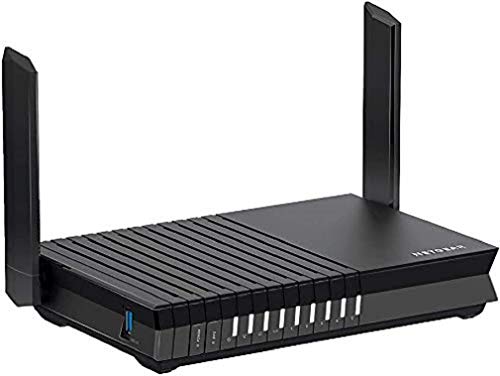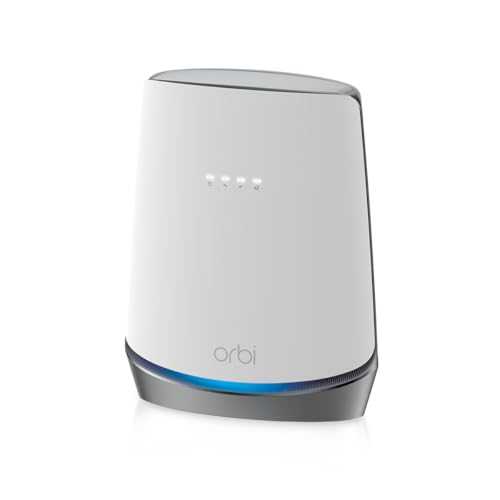
There's a particular kind of networking frustration that hits when you're paying for a fast broadband connection and your router is quietly strangling it. Not dramatically, not in a way that's easy to diagnose, just... slowly. The far bedroom gets half the speed. The garden? Forget it. And the ISP-supplied box sitting in the hall is technically doing its job, in the same way a 1990s Ford Fiesta technically gets you from A to B. The NETGEAR Orbi CBR750 is aimed squarely at people who've had enough of that. It's a combined DOCSIS 3.1 cable modem and Wi-Fi 6 router in one box, rated for 2,500 square feet and 40-plus devices, sitting at a premium price point that demands serious justification.
So here's the verdict up front, because that's what you're actually here for: the CBR750 is genuinely clever hardware that solves a real problem for cable broadband subscribers who want to ditch their ISP's modem-router combo. The Wi-Fi 6 performance is solid, the device capacity is proper, and the Orbi platform has a decent enough track record. But it's a single-unit product at a price that makes you wonder whether a separate modem plus a better mesh system might serve you more flexibly. Owner feedback across thousands of reviews has a positive overall rating, which is a meaningful signal. Not perfect, but genuinely well-regarded. The caveats are real though, and we'll get into them.
Core Specifications: NETGEAR B08GW3H9BK at a Glance
The CBR750 is a tri-band Wi-Fi 6 (802.11ax) router with a built-in DOCSIS 3.1 cable modem. That combination is the whole point of this product. Instead of having a modem from your ISP taking up shelf space and a separate router plugged into it, you get one unit that does both. The Wi-Fi 6 spec brings OFDMA (orthogonal frequency-division multiple access, which basically means the router can talk to multiple devices simultaneously rather than taking turns) and MU-MIMO (multi-user, multiple input, multiple output, same idea but for spatial streams). Both matter in a busy home. The AX4200 rating refers to the theoretical combined throughput across all three bands: 600Mbps on the 2.4GHz band and 1,200Mbps plus 2,400Mbps across the two 5GHz bands. Nobody will ever see 4.2Gbps in practice. That's not a criticism, it's just how Wi-Fi marketing works.
The coverage claim is 2,500 square feet, which in UK terms translates to a generously sized detached home or a mid-sized semi with decent signal penetration. NETGEAR rates it for 40-plus simultaneous devices. The tri-band design is significant because one of those 5GHz bands can be dedicated to backhaul if you add Orbi satellite nodes, keeping the other bands free for your actual devices. More on that in the mesh section.
On the modem side, DOCSIS 3.1 is the current gold standard for cable broadband. It supports multi-gigabit downstream speeds, which means this hardware won't bottleneck you even if your cable provider upgrades to gigabit-plus tiers. That's a genuine future-proofing argument. The verified port configuration gives you four 1GbE LAN ports and one WAN/LAN combo port, which handles both the cable connection and can flex to a wired WAN source if needed.
| Specification | Detail |
|---|---|
| Wi-Fi Standard | Wi-Fi 6 (802.11ax), AX4200 |
| Band Configuration | Tri-band (2.4GHz + 5GHz + 5GHz) |
| Theoretical Peak Speed | Up to 4.2Gbps (combined, all bands) |
| Built-in Modem | DOCSIS 3.1 cable modem |
| Coverage Rating | Up to 2,500 sq. ft. |
| Device Capacity | 40+ simultaneous devices |
| LAN Ports | 4x 1GbE |
| WAN/LAN | 1x WAN/LAN combo port |
| Mesh Compatible | Yes (Orbi satellite nodes) |
| Key Wi-Fi Features | OFDMA, MU-MIMO, BSS Coloring |
| Price | £459.00 · Details |

Real-World Coverage: What the Spec Actually Delivers
The 2,500 square foot coverage claim deserves some honest unpacking. That figure comes from NETGEAR's own testing conditions, which means line-of-sight, minimal interference, and ideal placement. Your actual home has walls, floors, furniture, a microwave that occasionally nukes the 2.4GHz band, and a neighbour whose router is broadcasting on the same channel. The real-world coverage will be less than the headline number. That's true of every router on the market, not just this one.
What owner reports consistently suggest is that the CBR750 handles a typical UK three or four-bedroom detached house reasonably well as a single unit. Signal to the far end of a ground floor, up through a standard timber-joisted floor to bedrooms, and into a rear garden within about 10 to 15 metres of the unit, all of that tends to work. Where it starts to struggle, according to owners, is older properties with thick stone or brick walls, or multi-storey homes where the router is on the ground floor and bedrooms are two flights up. That's not unusual for a single-unit router at any price point. The physics of RF propagation don't care how much you spent.
The tri-band design does help with coverage quality even in a single-unit setup, because the dedicated 5GHz backhaul band means that if you add an Orbi satellite, you're not cannibalising your client bandwidth. And the 2.4GHz band, which travels further and penetrates walls better than 5GHz, is a genuine asset for IoT devices and far-room coverage even if it's slower. Owners who place the unit centrally in their home report noticeably better whole-home coverage than they got from ISP-supplied equipment. That tracks with what the spec supports.
Sustained Speed Under Load: NETGEAR B08GW3H9BK in a Busy Home
The 4.2Gbps headline is the combined theoretical maximum of all three bands under perfect conditions. Your phone will never see that number. What actually matters is the throughput you keep when you're five metres from the router with two walls in the way and fifteen other devices active on the network. Wi-Fi 6's OFDMA and MU-MIMO features are specifically designed to help with exactly this scenario, by letting the router serve multiple clients in parallel rather than making them queue. In practice, this shows up as more consistent speeds under load rather than dramatically higher peak speeds.
Owner reports back this up. People upgrading from Wi-Fi 5 (802.11ac) routers, particularly ISP-supplied ones, consistently report that the improvement isn't just in peak speed but in how stable the connection feels when the whole household is online simultaneously. Streaming, gaming, and video calls coexisting without one killing another is exactly what OFDMA is supposed to deliver, and owners report it generally does. The 2.4GHz band at 600Mbps theoretical is plenty for smart home devices and the occasional far-room connection. The 5GHz bands, at 1,200Mbps and 2,400Mbps theoretical, handle the heavy lifting for phones, laptops, and streaming boxes.
Where sustained speed gets interesting is the DOCSIS 3.1 modem integration. If your cable broadband provider offers gigabit speeds and your ISP-supplied modem-router is a DOCSIS 3.0 device, you're likely leaving performance on the table at the WAN side before Wi-Fi even enters the picture. DOCSIS 3.1 supports multi-gigabit downstream, so the CBR750's modem won't be your bottleneck even as cable providers upgrade their infrastructure. That's a meaningful real-world advantage over older combined units, and it's one of the stronger arguments for this product specifically over a standalone Wi-Fi 6 router paired with an ageing ISP modem.
Mesh and Backhaul: How the Orbi System Works
The CBR750 is designed as the hub of the Orbi mesh system, and understanding the backhaul arrangement is genuinely important here. The tri-band design means there are two 5GHz radios. One handles client devices, the other is reserved for the wireless backhaul link between the CBR750 and any Orbi satellite nodes you add. This dedicated backhaul approach is significantly better than the alternative, which is a dual-band mesh system that has to share a single 5GHz band between client traffic and node-to-node communication. In a shared-backhaul system, adding a satellite node can actually reduce the speed available to your devices because the router is spending half its 5GHz capacity talking to itself.
With a dedicated backhaul band, the satellite node gets its own channel to talk to the CBR750, and your client devices get the other 5GHz band plus the 2.4GHz band to themselves. In practice, this means a far satellite node can maintain much closer to full speed rather than the halved throughput you'd see with a cheaper shared-backhaul mesh. Mesh networking done properly is genuinely transformative for larger homes. Done badly, it's a downgrade dressed up as an upgrade. The Orbi tri-band approach is done properly.
The wired backhaul option is too. If you can run an Ethernet cable between the CBR750 and a satellite node, you should absolutely do it. Wired backhaul eliminates the wireless link entirely and gives you full gigabit throughput between nodes regardless of distance or wall interference. The CBR750's four 1GbE LAN ports support this. Owners who've gone wired backhaul report it as a significant upgrade in consistency, particularly for the node furthest from the main unit. The limitation here is that all LAN ports are 1GbE rather than 2.5GbE or 10GbE, which caps wired backhaul at 1Gbps. For most UK broadband connections that's fine, but it's a constraint about if you're on a multi-gigabit service.
Device Capacity: Handling the Modern Home's Gadget Pile
NETGEAR rates the CBR750 for 40-plus simultaneous devices. That sounds like a lot until you actually count what's on a typical modern home network: phones, laptops, tablets, smart TVs, streaming sticks, games consoles, smart speakers, robot vacuums, security cameras, video doorbells, smart plugs, smart bulbs, thermostats. A family of four can easily have 30 to 40 devices without trying particularly hard. A gadget-heavy household can blow past 50.
This is where Wi-Fi 6's OFDMA genuinely earns its keep. The technology, which you can read more about at the Wi-Fi Alliance's Wi-Fi 6 certification page, allows a single transmission to carry data for multiple clients simultaneously by subdividing channels into smaller resource units. The practical effect is that adding your fifteenth smart bulb doesn't meaningfully degrade the experience for the laptop streaming video in the same room. Older Wi-Fi 5 routers handle this by taking turns between devices, which works fine until you have enough devices that the queue gets long.
Owner reports for the CBR750 are generally positive on device handling. People with 30 to 40 active devices report stable performance, and the Orbi platform's band steering (automatically directing devices to the most appropriate band) tends to work without requiring manual intervention. Where some owners flag issues is with particularly large numbers of IoT devices that are chatty on the 2.4GHz band. This is a common challenge across all consumer routers and isn't specific to the CBR750. The 2.4GHz band at 600Mbps theoretical has plenty of capacity for IoT traffic, but the sheer number of devices can create management overhead. Not a dealbreaker, just something to be aware of in a very heavily automated home.
Wi-Fi Standard and Future-Proofing
Wi-Fi 6 (802.11ax) is the right standard for most people buying a premium router right now. Not Wi-Fi 6E, which adds the 6GHz band but requires devices that can use it (and most current phones and laptops can't), and not Wi-Fi 7, which is genuinely fast but commands a significant price premium and again requires client devices that most people don't own yet. Wi-Fi 6 is the sweet spot where the router hardware is mature, the client device support is widespread (most phones and laptops sold in the last three years support it), and the price-to-performance ratio makes sense.
The CBR750 was released in 2020, which means it's been on the market for a while. That's not necessarily a problem. Wi-Fi 6 is still the mainstream standard, and the hardware is perfectly capable. But it does mean that if you're buying this at a premium price today, you're paying for a product that's approaching the middle of its lifecycle rather than the beginning. Wi-Fi 6E and Wi-Fi 7 routers exist at comparable price points now. Whether that matters depends on whether you have Wi-Fi 6E or Wi-Fi 7 capable devices, and honestly, most people don't. Yet.
The DOCSIS 3.1 modem side of the equation is more straightforwardly future-proof. Cable broadband providers are still rolling out DOCSIS 3.1 infrastructure in many areas, and the standard supports downstream speeds well beyond what any current home broadband package offers. So while the Wi-Fi side will eventually feel dated, the modem side should remain relevant for longer. That's a reasonable trade-off. The combination of a solid DOCSIS 3.1 modem with Wi-Fi 6 is a meaningful upgrade over the DOCSIS 3.0 plus Wi-Fi 5 gear that most ISPs still hand out.
Features and QoS: What's Actually Useful
The Orbi platform comes with NETGEAR's Armor security suite, which provides network-wide threat protection, vulnerability scanning, and content filtering. It's powered by Bitdefender technology, which is a legitimate security vendor rather than a marketing badge. The catch is that Armor requires a subscription after the initial trial period. If you're not going to pay for it, you're essentially leaving a feature on the table. Whether it's worth the subscription cost depends on how much you care about network-level security filtering versus just keeping your devices updated and running a decent DNS resolver.
QoS (Quality of Service, which lets the router prioritise certain types of traffic like gaming or video calls over background downloads) is available through the Orbi app. The implementation is relatively straightforward rather than the granular per-device, per-application control you'd get from prosumer firmware like DD-WRT or OpenWrt. For most people, the preset priority options are enough. If you're the kind of person who wants to manually configure QoS rules at 11pm to stop someone's Netflix killing your gaming session with precise traffic shaping, you might find the Orbi app a bit limited. But that's a niche requirement.
Guest network support is present and works as you'd expect. Parental controls are available through the app and let you set schedules and content filters per device. Smart Connect, which handles automatic band steering, is included. There's also Circle parental controls integration for more detailed content management, though again that's a subscription product. The feature set is comprehensive for a consumer device. Nothing here is missing that a typical family would need. The subscription upsells are a bit grating at this price point, but they're optional rather than forced.
Firmware, App and Security Updates
The Orbi app is the primary management interface for most users, and owner reports are broadly positive about its usability. Setup is guided and doesn't require any technical knowledge. Ongoing management, things like checking which devices are connected, setting up guest networks, or adjusting parental controls, is accessible without needing to touch a web interface. Once it is running it is worth adding a good VPN on top for an extra privacy and security layer, which also protects you on public Wi-Fi when you are away from home. The web interface exists for more advanced configuration and is the right choice if you want to do anything the app doesn't expose.
The firmware update track record for the CBR750 is reasonable. NETGEAR has pushed security patches and feature updates since launch, and the product is still receiving attention. That said, the CBR750 is now a few years old, and there's always a question with consumer networking hardware about how long active firmware support continues. NETGEAR's track record here is mixed across their product range. Some products get updates for years, others get dropped relatively quickly. The CBR750 has benefited from being part of the Orbi platform, which NETGEAR continues to develop, rather than a standalone product that might be easier to abandon.
The reboot question is a real one. Some owners report needing to restart the unit periodically, particularly after firmware updates or during periods of heavy use. This is frustratingly common across consumer networking hardware at all price points, and the CBR750 is not immune. The majority of the thousands of owner reviews don't flag this as a persistent problem, but a meaningful minority do mention occasional instability. It's whether your specific cable provider's infrastructure plays nicely with the CBR750's modem, since modem-router compatibility can be a source of instability that's nothing to do with the Wi-Fi hardware.
Setup and Management
Setting up a combined modem-router is slightly more involved than a pure router, because you need to register the CBR750's cable modem MAC address with your ISP before it'll get a signal. This is a one-time process that cable providers handle over the phone or through an online portal, and it's well-documented in NETGEAR's setup guides. It's not difficult, but it's an extra step that pure router setups don't require. If you're not comfortable calling your ISP and asking them to provision a new modem, factor that into your decision.
Once that's sorted, the Orbi app walks you through the rest of the setup in a guided flow that most owners describe as straightforward. The app is available on iOS and Android, and the initial configuration, setting your network name, password, and basic preferences, takes around 15 minutes according to owner reports. More advanced settings, like static IP assignments, port forwarding, or VLAN configuration, are handled through the web interface at orbilogin.com rather than the app. The web interface is functional if not particularly modern-looking.
Day-to-day management through the app is where the experience is most polished. You can see connected devices, check network health, run speed tests, and manage parental controls without ever touching the web interface. For a non-technical buyer, this is genuinely good. The app doesn't require you to understand subnets or DHCP to keep things running. Push notifications for new device connections and security events are a nice touch. The management experience is one of the stronger aspects of the Orbi platform overall.
Ports and Connectivity
The verified port configuration on the CBR750 is four 1GbE LAN ports and one WAN/LAN combo port. That's a solid complement of wired connections for most homes. Four LAN ports covers a typical setup of wired desktop, NAS, smart TV, and a network switch for a home office without needing an additional switch. The WAN/LAN combo port is clever, because it means the same physical port handles the cable modem connection in modem-router mode but can also function as an additional wired WAN input if you're using the unit in router-only mode with a separate modem.
The 1GbE port speed is honestly. For most UK broadband connections, gigabit Ethernet is more than sufficient. But if you're on a multi-gigabit cable service, or if you're running wired backhaul to an Orbi satellite and want maximum throughput between nodes, 1GbE is a ceiling. Some competing products at this price point offer 2.5GbE ports, which would be a meaningful advantage in those specific scenarios. For the majority of users on standard gigabit or sub-gigabit broadband, the 1GbE ports are perfectly adequate and this won't be a practical limitation.
There's no USB port listed in the verified specifications, so file sharing or printer sharing via USB is not confirmed as a feature of this unit. If network-attached storage via USB is something you need, a separate NAS device or a router that explicitly lists USB functionality would be the right choice. The absence of higher-speed LAN ports (2.5GbE or 10GbE) is the more meaningful limitation for power users, particularly those planning a wired backhaul setup to a satellite node and wanting headroom beyond gigabit.
How It Compares: NETGEAR B08GW3H9BK vs the Competition
The CBR750's main competition comes from two directions. First, the obvious alternative: a separate DOCSIS 3.1 modem paired with a standalone Wi-Fi 6 mesh router. This approach costs more in total but gives you flexibility to upgrade either component independently. If your modem works fine and your Wi-Fi is the problem, you upgrade the Wi-Fi. If your ISP upgrades their infrastructure and you need a new modem, you replace just that. The CBR750's all-in-one approach trades that flexibility for simplicity and a smaller footprint.
Second, within the combined modem-router category, the ASUS CM-AX6000 is a direct competitor. It's also a DOCSIS 3.1 plus Wi-Fi 6 combined unit, but with higher-spec Wi-Fi (AX6000 versus AX4200) and a more feature-rich firmware in ASUS's ASUSWRT platform, which offers better QoS granularity, native VPN server support, and more advanced network configuration for users who want it. The ASUS tends to appeal to more technically inclined users. The Orbi CBR750 appeals to people who want a polished app experience and the option to expand with Orbi satellites later.
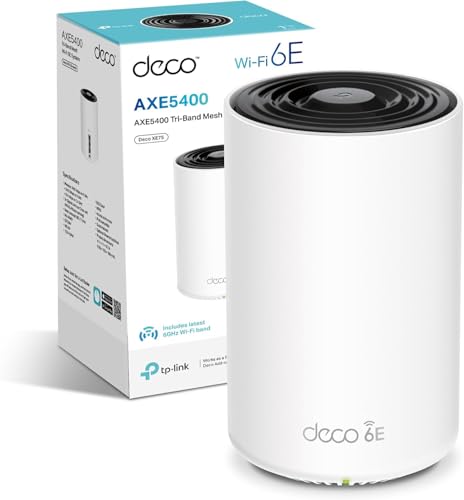
The TP-Link Deco XE75 Pro is as a mesh-first alternative. It's a Wi-Fi 6E tri-band mesh system that doesn't include a built-in modem, but at a comparable price point delivers a more future-proof Wi-Fi standard and the 6GHz band for devices that can use it. If you're on a cable connection and already have a working modem, or if your ISP provides one you're happy with, the Deco XE75 Pro represents a different set of trade-offs: better Wi-Fi specification, no modem integration, but a genuine mesh system rather than a single router with mesh expansion capability.
| Feature | NETGEAR Orbi CBR750 | ASUS CM-AX6000 | TP-Link Deco XE75 Pro (2-pack) |
|---|---|---|---|
| Wi-Fi Standard | Wi-Fi 6 (AX4200) | Wi-Fi 6 (AX6000) | Wi-Fi 6E (AX5400) |
| Built-in Modem | DOCSIS 3.1 | DOCSIS 3.1 | None |
| Band Config | Tri-band (2x5GHz + 2.4GHz) | Dual-band (5GHz + 2.4GHz) | Tri-band (6GHz + 5GHz + 2.4GHz) |
| LAN Ports | 4x 1GbE | 4x 1GbE + 1x 2.5GbE | 2x 2.5GbE per node |
| Mesh Expansion | Yes (Orbi satellites) | Limited | Native mesh (2 nodes included) |
| Coverage (rated) | 2,500 sq. ft. | Not specified | Up to 5,500 sq. ft. (2-pack) |
| Price | £459.00 · Details | Check Amazon | Check Amazon |

Final Verdict
The NETGEAR Orbi CBR750 is a well-executed product that solves a specific problem really well: it replaces the ISP's ageing DOCSIS 3.0 modem-router combo with a single unit that has a proper DOCSIS 3.1 modem, solid Wi-Fi 6 coverage, and the foundation of the Orbi mesh ecosystem if you need to expand. For cable broadband subscribers in a medium to large home who are sick of ISP-supplied equipment and want something that just works without a degree in networking, this is a genuinely good option.
The positive overall rating across thousands of reviews is an honest reflection of the product's quality. It's not flawless. The occasional firmware stability issue is real. The 1GbE-only wired ports are a limitation for multi-gigabit setups. The Armor security subscription is a bit cheeky at this price. And buying a 2020-era Wi-Fi 6 product at a premium price in 2026 requires you to be honest with yourself about whether the modem integration justifies the cost versus a more current standalone mesh system.
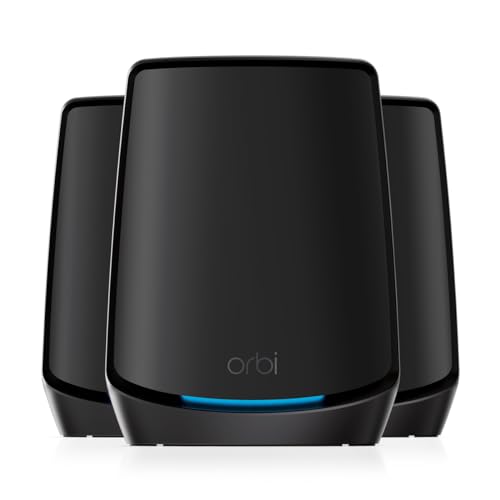
The honest don't-overspend note: if you don't need the built-in DOCSIS 3.1 modem, because you're on fibre or your ISP's modem is working fine, then you're paying a significant premium for a feature you don't need. In that case, a standalone Wi-Fi 6 or Wi-Fi 6E standalone mesh system at a lower price point will serve you better. The TP-Link Deco XE75 Pro or even the Orbi RBK763S (a pure Wi-Fi 6 mesh system without the modem) would be smarter buys. The CBR750's value proposition lives and dies by that modem integration. If you need it, it's worth it. If you don't, it isn't.
Score: 7.5 out of 10. Clever, capable, and genuinely useful for the right buyer. Just make sure you're actually that buyer before committing at this price.
What works. What doesn’t.
5 + 4What we liked5 reasons
- DOCSIS 3.1 modem integration eliminates ISP-supplied hardware and future-proofs cable broadband performance
- Tri-band Wi-Fi 6 with dedicated backhaul band keeps mesh performance clean when satellites are added
- OFDMA and MU-MIMO handle 40-plus device homes without the throughput collapse of older hardware
- Orbi app setup and management is genuinely accessible for non-technical users
- Four LAN ports plus WAN/LAN combo gives solid wired connectivity for most homes
Where it falls4 reasons
- All LAN ports are 1GbE only, which limits wired backhaul and multi-gigabit setups
- Premium price for 2020-era hardware in a market where Wi-Fi 6E and Wi-Fi 7 alternatives now exist
- Armor security subscription is an upsell at a price point where it should arguably be included
- Occasional firmware stability issues reported by a minority of owners
Full specifications
9 attributes| Antennas | 0 |
|---|---|
| Coverage SQM | 230 |
| Launch year | 2020 |
| Mesh capable | true |
| Ports | 4x 1GbE LAN, 1x WAN/LAN combo |
| Security protocols | WPA3 |
| TOP speed mbps | 4200 |
| Type | mesh_router |
| Wifi standard | Wi-Fi 6 |
If this isn’t right for you
2 options

Frequently asked
5 questions01Will the NETGEAR Orbi WiFi 6 Router with DOCSIS 3.1 Built-in Cable Modem (CBR750) cover my whole house?+
NETGEAR rates the CBR750 for up to 2,500 square feet, which covers a generously sized UK detached home or a mid-sized semi under reasonable conditions. Owner reports suggest it handles typical three to four-bedroom homes well when placed centrally, with good signal to far rooms and gardens within about 10 to 15 metres. Older properties with thick stone or brick walls, or multi-storey homes where the unit is on the ground floor, may see weaker coverage at extremes. If your home is larger or harder to penetrate, adding an Orbi satellite node via the mesh expansion option is the right solution rather than expecting a single unit to do everything.
02Do I really need Wi-Fi 6E or Wi-Fi 7 instead of the Wi-Fi 6 in the NETGEAR CBR750?+
For most households in 2026, Wi-Fi 6 is still the practical mainstream standard. Wi-Fi 6E adds the 6GHz band, which offers less congestion and higher potential speeds, but requires client devices that support it, and the majority of phones and laptops in active use today do not. Wi-Fi 7 is faster still but commands a significant price premium and again needs compatible devices. If your household has a mix of devices bought over the last several years, Wi-Fi 6 is what most of them can actually use. The CBR750's Wi-Fi 6 hardware is mature, well-supported by current devices, and a genuine upgrade over the Wi-Fi 5 kit most ISPs still supply. The main reason to consider Wi-Fi 6E or Wi-Fi 7 alternatives is if you have newer devices that support those standards and want the additional headroom.
03Is the NETGEAR CBR750 mesh worth it over a single router or extender?+
The CBR750 is a single-unit router that can be expanded with Orbi satellite nodes to form a proper mesh system. As a standalone router, it covers a typical medium to large home reasonably well. Where mesh genuinely helps is in larger homes, multi-storey properties, or anywhere with thick walls that block signal. The CBR750's tri-band design with a dedicated backhaul band means that when you do add a satellite, you're not sacrificing client bandwidth for the node-to-node link, which is the main failure mode of cheaper mesh systems. Range extenders, by contrast, typically halve your throughput because they have to both receive and retransmit on the same band. If you need coverage beyond what a single unit provides, adding an Orbi satellite is a cleaner solution than a range extender.
04Is the NETGEAR CBR750 easy to set up and reliable?+
Setup involves one extra step compared to a pure router: you need to register the unit's cable modem MAC address with your ISP, which is typically done over the phone or through their online portal. Once that's done, the Orbi app guides you through the rest in a straightforward flow that most owners describe as taking around 15 minutes. Day-to-day management through the app is accessible and doesn't require technical knowledge. Reliability is generally good across the thousands of owner reviews, with a positive overall rating. A minority of owners do report occasional firmware stability issues requiring a restart, which is not unusual for consumer networking hardware. Checking compatibility between the CBR750's modem and your specific cable provider's infrastructure before buying is worthwhile, as modem-ISP compatibility can occasionally be a source of instability.
05What warranty and returns apply to the NETGEAR CBR750?+
Warranty details for the CBR750 are not specified in the verified product data available to us. For purchases made through Amazon UK, the standard 30-day return window applies under Amazon's returns policy, and the Amazon A-to-Z Guarantee provides additional buyer protection. For specific warranty terms, check the NETGEAR support pages directly or confirm with the seller at the point of purchase.