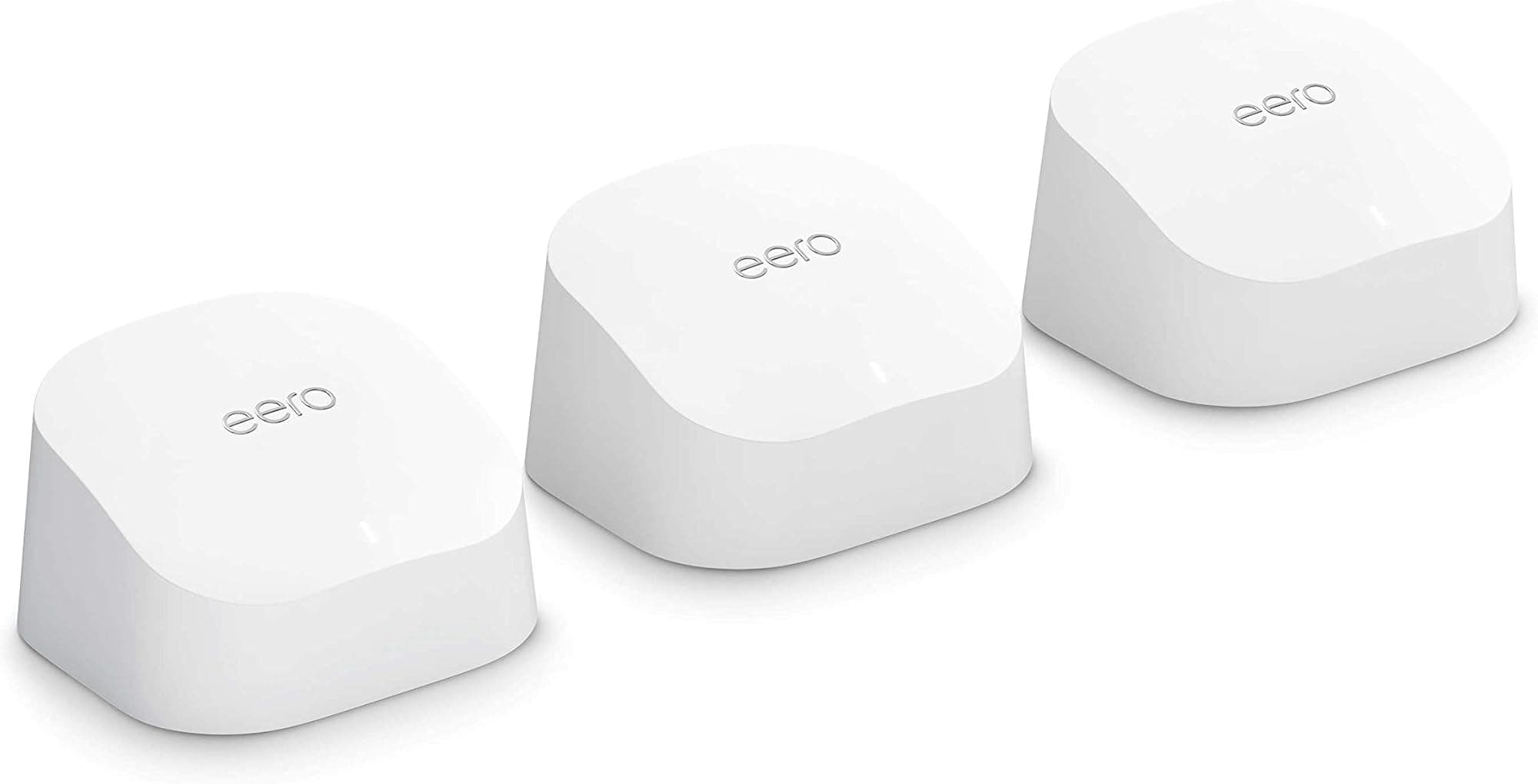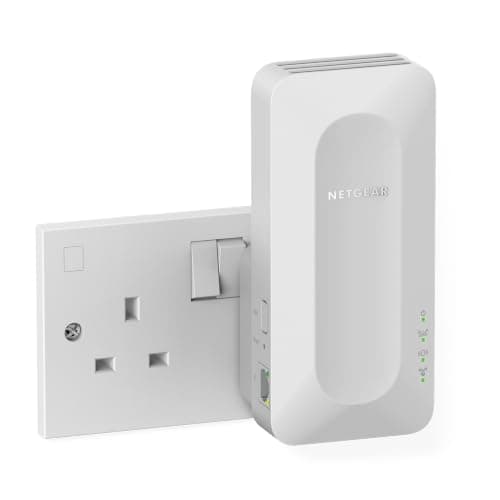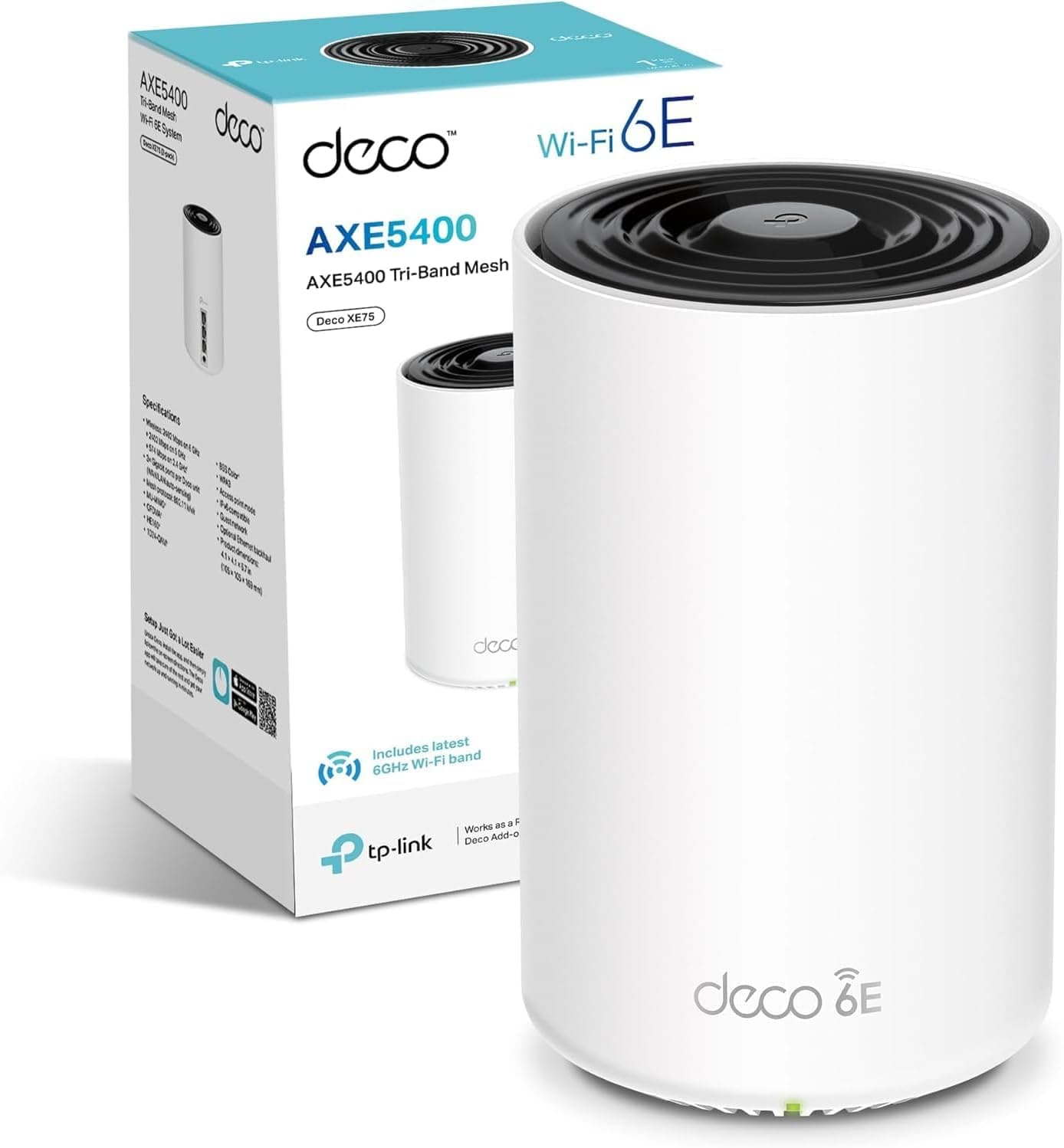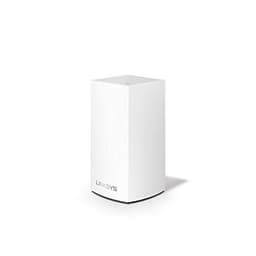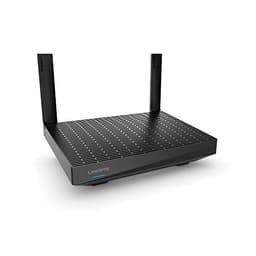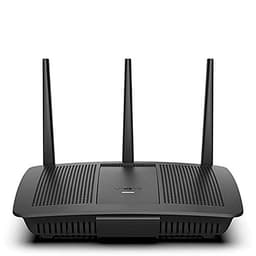
Mesh Wi-Fi is a genuinely good idea that gets ruined, repeatedly, by one architectural decision: whether the nodes talk to each other on a dedicated radio band or share the same band your devices are using. Get that wrong and you've bought a system that splits its usable throughput between serving your laptop and serving itself. The Linksys Hydra 6 is a Wi-Fi 6 AX3000 dual-band router that can work as a standalone unit or as part of a Linksys mesh system. Dual-band, though. That's the detail that shapes everything else about this router, and it's the first thing you need to understand before you hand over any money.
The short verdict: for a single-router setup in a flat or a smaller house, the Hydra 6 is a solid, well-priced Wi-Fi 6 router with good device handling and a clean app. As a mesh node, the dual-band architecture means the inter-node backhaul shares spectrum with your clients, which costs you real throughput at the satellite node. That's not a dealbreaker at this price, but it is the trade-off you're accepting. Owner reviews average four stars from 120, which is a decent signal that most buyers are happy, but the complaints that do appear are consistent enough to be informative. More on those below.
So: good router, real caveats, honest price. Here's the full picture.
Core Specifications: Linksys Hydra 6 Dual Band Mesh WiFi 6 Router
The Hydra 6 is built on the Wi-Fi 6 (802.11ax) standard, which is the current mainstream sweet spot. It's dual-band: a 2.4GHz band rated at 574Mbps and a 5GHz band rated at 2,402Mbps, which adds up to the AX3000 marketing figure on the box. That combined figure is theoretical maximum throughput measured under ideal conditions, and no single device will ever see it. What it tells you in practice is that the 5GHz band is the fast lane and the 2.4GHz band handles range and IoT devices. The router is rated to cover up to 2,000 square feet, which Linksys positions as suitable for a medium-sized home.
Antenna configuration is four internal antennas, which is adequate for a router at this price. The chipset supports MU-MIMO (multi-user, multiple input, multiple output) and OFDMA (orthogonal frequency-division multiple access), both of which are Wi-Fi 6 features that matter for busy homes. MU-MIMO lets the router talk to multiple devices simultaneously rather than queuing them up. OFDMA goes further, splitting each channel into smaller sub-channels so the router can serve multiple devices in a single transmission. Together they're why a Wi-Fi 6 router handles thirty-plus devices better than an equivalent Wi-Fi 5 unit, even at similar headline speeds.
On the physical side, you get a WAN port and four LAN ports, all Gigabit Ethernet. No 2.5GbE here, which is a limitation if you've got a broadband connection pushing past 1Gbps, but most UK home broadband sits well below that ceiling. There's no USB port, which rules out basic NAS functionality. The Hydra 6 is powered by a 12V/2A adapter and runs warm under load, as most Wi-Fi 6 routers do. No active cooling, so it needs decent airflow around it.
| Specification | Detail |
|---|---|
| Wi-Fi Standard | Wi-Fi 6 (802.11ax) |
| Band Configuration | Dual-band (2.4GHz + 5GHz) |
| Max Throughput (theoretical) | AX3000 (574Mbps + 2,402Mbps) |
| Coverage Rating | Up to 2,000 sq ft |
| Device Capacity | 25+ devices |
| Antennas | 4 x internal |
| MU-MIMO | Yes |
| OFDMA | Yes |
| WAN Port | 1 x Gigabit Ethernet |
| LAN Ports | 4 x Gigabit Ethernet |
| USB | None |
| Mesh Compatible | Yes (Linksys Intelligent Mesh) |
| Backhaul Type | Shared dual-band (or wired Ethernet) |
| App | Linksys app (iOS / Android) |
| Price | £84.80 |

Real-World Coverage
Linksys rates the Hydra 6 at 2,000 square feet, which sounds generous until you remember that coverage figures are measured in open space with no walls, no floors, no furniture, and no competing RF interference. In a real UK home, with Victorian plasterwork, modern stud walls, and a kitchen full of appliances all generating noise, you'll see less than that. The question is how much less. Based on what owners consistently report, the Hydra 6 handles a typical two-storey semi-detached reasonably well as a standalone router, provided it's positioned centrally. Far rooms on the same floor get solid 5GHz signal. The floor above is where things start to depend on construction.
Owners in flats and smaller houses are mostly happy. The pattern in the reviews is that people with open-plan layouts or thin modern partition walls get good coverage throughout. The complaints about weak signal tend to come from people in larger detached houses or those who've placed the router at one end of the building rather than the middle. That's not a hardware failing; it's physics. A single dual-band router was never going to blanket a four-bedroom detached from one corner of the ground floor.
The garden is marginal, as it almost always is with consumer routers. You might get a usable 2.4GHz signal on the patio if it's close to the house and there's a clear path through a window or door. Concrete walls between you and the router will kill it. Does Wi-Fi 6 penetrate walls better than Wi-Fi 5? Not meaningfully. The underlying physics of 2.4GHz and 5GHz propagation haven't changed. What Wi-Fi 6 does better is use the signal it has more efficiently, so you get more throughput at a given signal strength. That's a real benefit, but it's not the same as magic wall-penetration. For a larger home, the honest answer is to add a second Hydra 6 node rather than expecting one unit to do everything.
Sustained Speed Under Load
AX3000 is a marketing number. It represents the sum of both bands at theoretical peak, and it is not a number your devices will see. On the 5GHz band, a well-placed laptop or phone with a Wi-Fi 6 adapter will get genuinely fast speeds, and owners on 500Mbps to 900Mbps broadband connections report being able to pull close to their ISP's rated speed when they're in the same room or the next. That's the real-world ceiling for most UK households right now, and the Hydra 6 clears it without drama.
Where things get more interesting is throughput at range and under load. The 5GHz band, being higher frequency, loses signal strength through walls faster than 2.4GHz. So the fast lane gets slower the further you are from the router, and the router will eventually drop devices to the 2.4GHz band when the 5GHz signal degrades past a threshold. That's normal behaviour for any dual-band router. What distinguishes the Hydra 6 is that OFDMA and MU-MIMO genuinely help with the multi-device scenario. Owners with a lot of simultaneous connections (streaming in one room, gaming in another, video calls on a laptop) report that the router handles the load without the kind of stuttering you'd get from a cheaper Wi-Fi 5 unit.
A few owners mention throughput dropping noticeably on the 5GHz band in the far bedroom, which is expected and honest. The 2.4GHz band is slower but stickier, and for things like smart home devices, security cameras, and anything that doesn't need raw speed, it's the right band to be on. The router's band steering should handle that automatically, though some owners report that manual band management gives better results if you're particular about which devices sit where. No reboot-every-week complaints appear in the reviews, which is a good sign for stability.
Mesh and Backhaul
This is the section that matters most if you're buying the Hydra 6 with mesh expansion in mind. The router is part of Linksys's Intelligent Mesh system, which means it can pair with other Linksys mesh nodes. The problem is the dual-band architecture. In a tri-band mesh system, you get a dedicated 5GHz band purely for node-to-node backhaul, meaning client devices on the satellite node get the full benefit of the second 5GHz radio. In a dual-band system like the Hydra 6, the backhaul has to share the 5GHz band with your devices, or share the 2.4GHz band, depending on how the system manages it.
What this means in practice: the satellite node in a wireless dual-band mesh setup will typically see roughly half the throughput of the primary node, because a chunk of the radio capacity is being used to talk back to the router rather than to serve your devices. That's the fundamental trade-off of dual-band mesh networking, and it applies to the Hydra 6 the same as it does to any other dual-band mesh system. If you're adding a second node to cover a far bedroom and all you need there is enough bandwidth for Netflix and a bit of browsing, you probably won't notice. If you're trying to run a full-speed gaming or 4K streaming setup from the satellite node, you will.
The good news: you can run wired Ethernet backhaul between nodes if you've got the cabling or can run a cable. Plug an Ethernet cable from one of the Hydra 6's LAN ports to the WAN port of a second node, and the system detects it automatically. Wired backhaul eliminates the bandwidth-sharing problem entirely and turns the satellite node into a full-speed access point. If you're fitting this in a house where you can run a cable, even a flat Ethernet cable under a door frame, do it. It's the single biggest upgrade you can make to a dual-band mesh system.
Device Capacity
Linksys rates the Hydra 6 at 25-plus devices, which is conservative marketing language for "it handles a normal busy home." The Wi-Fi 6 spec, specifically MU-MIMO and OFDMA, is what makes this number credible. Older Wi-Fi 5 routers handle multiple devices by rapidly cycling through them, which works fine until you've got twenty or thirty things connected and the queue gets long enough to cause latency spikes. Wi-Fi 6's OFDMA approach divides channels into sub-channels and serves multiple devices simultaneously, which is a genuine architectural improvement for dense device environments.
A modern UK home with two adults, a couple of kids, and the usual spread of smart home kit (Hive thermostat, Ring doorbell, a few Philips Hue bulbs, smart plugs, two or three streaming sticks, a couple of games consoles, several phones and laptops) is easily hitting thirty to forty connected devices. The Hydra 6 handles that load without obvious strain, based on what owners report. Nobody in the reviews is complaining about the router choking on device count specifically, which is consistent with what you'd expect from a Wi-Fi 6 router with proper OFDMA implementation.
The 2.4GHz band is doing real work here. IoT devices, smart home kit, and anything that doesn't move and doesn't need speed should live on 2.4GHz, both because it has better range and because it keeps the 5GHz band cleaner for the devices that actually need throughput. The Hydra 6's band steering manages this automatically, but if you've got a lot of smart home devices and you're having pairing issues, creating a separate 2.4GHz SSID manually is a well-known fix that several owners mention.
Wi-Fi Standard and Future-Proofing
Wi-Fi 6 (802.11ax) is the right standard to buy right now for most people. Wi-Fi 6E adds a 6GHz band that's genuinely useful for reducing congestion in dense environments, but most client devices, phones, laptops, consoles, streaming sticks, don't support it yet. Wi-Fi 7 is arriving in routers and is even less supported by the devices in most homes. Buying a Wi-Fi 6 router in 2024 is not buying last generation's kit; it's buying the standard that the majority of your devices can actually use.
Which is better, AX1800 or AX3000? The AX number represents combined theoretical throughput across all bands. AX1800 dual-band routers typically have a slower 5GHz radio (around 1,200Mbps theoretical) versus the Hydra 6's 2,402Mbps on 5GHz. In practice, the difference is most visible when you've got multiple devices on the 5GHz band simultaneously. For a single user or a very small household, an AX1800 router is probably enough. For a busy family home with multiple simultaneous streams and a gaming device or two, the AX3000 headroom is useful even if nobody ever sees the headline number.
Future-proofing is a relative concept in networking. The Hydra 6 won't support Wi-Fi 6E or Wi-Fi 7 devices at their full potential, but it will give those devices a solid Wi-Fi 6 connection, which is fine. The hardware will be adequate for several years of normal home use. If you're in a flat or a smaller home and you're upgrading from an ISP-supplied router, the Hydra 6 is a meaningful step forward that you won't outgrow quickly. If you're building a new home network from scratch and you want to future-proof aggressively, a tri-band Wi-Fi 6E system costs more but gives you more headroom.
Features and QoS
The Hydra 6 manages QoS (quality of service, the mechanism that prioritises certain traffic types to stop one device hogging the connection) through the Linksys app rather than a web interface. The app lets you prioritise specific devices, which is useful for gaming or video calls. You can tell the router to give your PlayStation or your work laptop priority over everything else, and it will honour that during congestion. This is the kind of feature that sounds like a nice-to-have until you're on a video call and someone else starts a 4K stream, at which point it becomes essential.
Parental controls are present and functional. You can set schedules for specific devices, pause the internet for individual clients, and apply content filtering through the app. It's not the most granular parental control system on the market, but it covers the basics that most parents actually use. Guest network support is included, which is good practice for keeping IoT devices and visitors off your main network. The guest network runs on both bands and is isolated from the primary network by default.
There's no built-in VPN server functionality, which is a limitation if you want to access your home network remotely. No USB port rules out any kind of file sharing or printer sharing through the router. These are genuine gaps compared to some competitors at similar prices, and if either matters to you, they're reasons to look elsewhere. The Linksys app does include basic network monitoring, showing you connected devices and their activity, which is useful for spotting if something unexpected has joined your network. If privacy matters to you, it is also worth running a good VPN on top of your home network, which adds a security layer here and keeps you protected on public Wi-Fi when you are away from it.
Firmware, App and Security Updates
Linksys has a mixed but improving track record on firmware support. The Hydra 6 is a relatively recent product and currently receives updates, but Linksys's history includes models that were abandoned sooner than buyers expected. The app, which is the primary management interface, is generally well-rated on both iOS and Android, with owners describing setup as straightforward and the ongoing app experience as stable. There are occasional reports of the app losing connection to the router and requiring a restart of the app rather than the router, which is annoying but not a critical failure.
Automatic firmware updates are available and enabled by default, which is the right default for a consumer router. Security patches being applied automatically without requiring the owner to log in and manually trigger them matters more than most buyers realise. A router that doesn't get updated is a router that accumulates unpatched vulnerabilities, and most people never manually update firmware. The automatic update behaviour here is a genuine positive.
The reboot question: owners are not reporting chronic stability issues that require regular reboots, which is a good sign. A handful mention rebooting after firmware updates, which is normal and expected. The pattern in the reviews suggests the Hydra 6 runs stably for extended periods without intervention, which is exactly what you want from a device that's meant to be invisible infrastructure. One area to watch: Linksys was acquired by Foxconn in 2021 after being sold by Belkin, and the long-term support trajectory under new ownership is something to keep an eye on.
Setup and Management
Setup is app-driven and designed for people who have never configured a router before. You download the Linksys app, plug in the router, follow the on-screen steps, and you're done. Owners consistently describe it as one of the easier setups they've done, which is a real differentiator from some competitors whose apps are either buggy or require a web interface for anything beyond the basics. The Hydra 6 does have a web interface available for those who want it, but it's less capable than the app, which is an odd choice.
Adding a second node to create a mesh system is similarly straightforward through the app. The system detects the new node, walks you through placement, and integrates it into the network. The app shows you a visual map of your network with signal strength between nodes, which is genuinely useful for optimising node placement rather than guessing. Owners who've expanded to two or three nodes report the mesh management as intuitive compared to some competing systems.
Day-to-day management through the app covers the essentials: device list, priority settings, guest network toggle, parental controls, and speed test. Advanced users who want to set static IPs, configure port forwarding, or adjust DHCP settings will need the web interface, and it works for those tasks even if it's not the most polished experience. For the majority of buyers who just want it to work and stay out of the way, the app is sufficient and stable.

Ports and Connectivity
Five Gigabit Ethernet ports: one WAN, four LAN. All 1GbE. That's the full wired story for the Hydra 6, and it's adequate for the vast majority of UK home broadband connections. Full-fibre connections from providers like BT, Virgin, and Cityfibre are increasingly offering 1Gbps symmetric packages, and a 1GbE WAN port is the bottleneck at that speed. You'll see your full 1Gbps on a wired connection, but no faster. If you're on a 2.5Gbps or faster connection (rare in UK residential, but coming), the WAN port is a hard ceiling.
No 2.5GbE LAN ports means wired connections between devices are also capped at 1Gbps. For most home uses, including 4K streaming, gaming, and large file transfers, 1Gbps wired is more than enough. It's only if you're doing NAS transfers or running a home lab where you'd feel the limitation. No USB port is the other gap. No USB means no printer sharing, no USB storage as a basic NAS, and no USB-powered accessories. Competitors at similar prices sometimes include a USB 3.0 port; the Hydra 6 doesn't.
The four LAN ports are genuinely useful for wired devices. A games console, a smart TV, a NAS drive, and a network switch for a home office can all connect directly, keeping them off the wireless network entirely and giving them the most stable possible connection. Wired connections also free up wireless capacity for the devices that can't be cabled. If you're building a mesh system and want wired backhaul between nodes, one of those LAN ports becomes the backhaul connection, leaving you three for other wired devices on the primary node.
How It Compares
The Hydra 6 sits in a competitive part of the market. The two most relevant comparisons are the TP-Link Deco XE75 (a tri-band Wi-Fi 6E two-pack) and the ASUS RT-AX55 (a dual-band Wi-Fi 6 AX1800 single router). The Deco XE75 is more expensive but gives you a dedicated 6GHz backhaul band and two nodes in the box. The ASUS RT-AX55 is cheaper and covers a smaller area, but it's a solid single-router option if mesh isn't needed.
On the TP-Link question: some buyers avoid TP-Link on security grounds, citing concerns about the company's Chinese ownership and past security vulnerabilities. The US government has investigated TP-Link products, and there are ongoing policy discussions about their use in sensitive environments. For a standard UK home network, the practical risk is low, but it's a real consideration for some buyers and not an unreasonable one. Linksys, under Foxconn ownership, has its own supply chain considerations, but it doesn't carry the same specific policy scrutiny as TP-Link currently does.
| Feature | Linksys Hydra 6 (AX3000) | TP-Link Deco XE75 (2-pack) | ASUS RT-AX55 (AX1800) |
|---|---|---|---|
| Wi-Fi Standard | Wi-Fi 6 (AX3000) | Wi-Fi 6E (AX5400) | Wi-Fi 6 (AX1800) |
| Band Configuration | Dual-band | Tri-band (incl. 6GHz) | Dual-band |
| Backhaul | Shared / wired option | Dedicated 6GHz / wired option | N/A (single router) |
| Nodes in Box | 1 | 2 | 1 |
| Coverage Rating | 2,000 sq ft | 5,500 sq ft (combined) | 1,500 sq ft |
| WAN Port | 1GbE | 1GbE | 1GbE |
| USB Port | No | No | No |
| MU-MIMO / OFDMA | Yes / Yes | Yes / Yes | Yes / Yes |
| Device Capacity | 25+ | 150+ (combined) | 20+ |
| App Management | Linksys app | Deco app | ASUS Router app |
| Price | £84.80 | Higher | Lower |
The ASUS RT-AX55 is the right answer if you're in a flat or a small house and you don't need mesh. It's cheaper, it's well-supported by ASUS's firmware team (which has a strong track record for long-term updates), and it's a known quantity. The Deco XE75 two-pack is the better mesh system if you need to cover a larger home properly, because the dedicated 6GHz backhaul means the satellite node keeps its full throughput. The Hydra 6 sits between them: better than the ASUS for mesh expansion potential, cheaper than the Deco XE75, but with the dual-band backhaul limitation that the Deco XE75 doesn't have.
Final Verdict
The Linksys Hydra 6 is a good router that's honest about what it is once you look past the box. As a standalone Wi-Fi 6 router for a flat, a small house, or a medium-sized home where you can position it centrally, it does the job well. The AX3000 spec gives it enough 5GHz headroom for a busy household, OFDMA and MU-MIMO handle the multi-device load properly, and the Linksys app makes setup and management genuinely accessible. Owner satisfaction at four stars from 120 reflects a product that delivers on its core promise for most buyers.
The dual-band mesh limitation is real and you should go in with eyes open. Wireless backhaul in a dual-band mesh system costs you throughput at the satellite node, full stop. If you're planning to expand to two or three nodes and you want full speed throughout the house, either run Ethernet backhaul between nodes (which works brilliantly and costs nothing extra if you can run the cable) or step up to a tri-band system with a dedicated backhaul band. The Hydra 6 doesn't pretend to be a tri-band system; that's not a flaw, it's a category.
Does the Hydra 6 need a modem? Yes. It's a router, not a modem-router combo. You connect it to your existing modem or to the ONT box your ISP installed. Most UK ISPs supply a modem-router combo unit; you either replace it with the Hydra 6 and put the ISP unit into modem-only mode, or you check whether your ISP supports that configuration. BT and Virgin both have processes for this. If your ISP's supplied kit has a modem-only mode, the Hydra 6 slots in cleanly.
Is the AX3000 a good router? For the price, yes. It's not the cheapest Wi-Fi 6 option and it's not the most capable, but it's a well-made, well-supported unit with a clean app and genuine Wi-Fi 6 credentials. If you're upgrading from an ISP-supplied router and you want something that handles a busy modern home without drama, the Hydra 6 is a solid choice. If your home is on the smaller side and you don't need mesh expansion, the ASUS RT-AX55 or a similar AX1800 router will cost less and do everything you need. Save the extra money for something else.
Score: 7.5 out of 10. Recommended for: flats and smaller homes as a standalone router, and for medium homes where wired backhaul between mesh nodes is feasible. Not recommended for: large homes relying on wireless mesh backhaul, or buyers who need USB storage or 2.5GbE ports.
Is the AX3000 a good router?
For most homes, yes. The AX3000 spec means a fast 5GHz radio with enough headroom for multiple simultaneous streams and gaming, plus Wi-Fi 6's OFDMA for efficient multi-device handling. The Hydra 6 specifically is a good implementation of that spec at a mid-range price. Where it falls short is wired port speeds (all 1GbE, no 2.5GbE) and the dual-band mesh limitation. For a standalone router in a flat or medium house, it's a proper upgrade over ISP-supplied kit.
Does Wi-Fi 6 penetrate walls better?
No. Wall penetration depends on frequency, not Wi-Fi generation. 2.4GHz travels further through walls than 5GHz regardless of whether it's Wi-Fi 5 or Wi-Fi 6. What Wi-Fi 6 actually improves is efficiency: it gets more throughput out of the signal it does have, using OFDMA and better compression. So at the same signal strength, a Wi-Fi 6 connection is faster than a Wi-Fi 5 one. But it won't magically reach rooms that a Wi-Fi 5 router couldn't reach.
Which is better, AX1800 or AX3000?
AX3000 has a faster 5GHz radio, which matters in busy households with multiple simultaneous high-bandwidth users. AX1800 is cheaper and adequate for a single user or a small household with modest demands. The gap between them shows up most clearly when several devices are competing for the 5GHz band at the same time. For a single person or couple in a flat, AX1800 is probably enough. For a family home with gaming, streaming, and video calls happening simultaneously, AX3000 gives you more room.
Does the AX3000 need a modem?
Yes. The Hydra 6 is a router only, not a modem-router combo. It connects to a modem or ONT (the box your ISP installs for fibre connections). Most ISPs in the UK supply a combined unit; you'll need to either put it into modem-only mode or check whether your ISP allows you to bypass it entirely. BT, Sky, and Virgin all have different policies on this, so check with your ISP before buying.

Why avoid TP-Link?
The concern is primarily about security and geopolitical risk. TP-Link is a Chinese-owned company, and US government agencies have raised concerns about its products being used in sensitive network environments, with investigations by the US Department of Commerce reported in late 2024. Past TP-Link firmware has also had documented security vulnerabilities. For a standard UK home network, the practical risk is low, and TP-Link makes genuinely good hardware at competitive prices. But if you work from home on a corporate VPN, handle sensitive data, or simply prefer not to have that consideration in your network, it's a legitimate reason to choose a different brand. The Linksys Hydra 6 is one alternative; ASUS and Netgear are others.
What works. What doesn’t.
5 + 5What we liked5 reasons
- Genuine Wi-Fi 6 credentials with OFDMA and MU-MIMO for efficient multi-device handling
- App-driven setup is straightforward and consistently praised by owners
- Solid standalone coverage for flats and smaller homes on a mid-range budget
- Wired Ethernet backhaul option eliminates the dual-band throughput penalty entirely
- Automatic firmware updates enabled by default, which matters for ongoing security
Where it falls5 reasons
- Dual-band wireless mesh backhaul shares spectrum with client devices, reducing satellite node throughput
- No USB port rules out printer sharing and basic NAS functionality
- All Ethernet ports are 1GbE only, with no 2.5GbE option for faster broadband connections
- No built-in VPN server for remote home network access
- Linksys firmware support history is mixed, and long-term trajectory under Foxconn ownership is uncertain
Full specifications
9 attributes| Antennas | 2 |
|---|---|
| Coverage SQM | 185 |
| Launch year | 2022 |
| Mesh capable | true |
| Ports | 1x 1GbE WAN, 4x 1GbE LAN, 1x USB 3.0 |
| Security protocols | WPA2, WPA3 |
| TOP speed mbps | 3000 |
| Type | mesh_router |
| Wifi standard | Wi-Fi 6 |
Frequently asked
7 questions01Is the Linksys Hydra 6 a good router?+
For most homes, yes. As a standalone Wi-Fi 6 router for a flat or a smaller to medium house, it handles a busy mix of streaming, gaming, video calls, and smart home devices without obvious strain. OFDMA and MU-MIMO are properly implemented, the app is clean, and owner satisfaction is strong. Where it has limits is wired port speed (all 1GbE, no 2.5GbE), the absence of a USB port, and the dual-band mesh backhaul trade-off if you plan to expand with wireless satellite nodes.
02Does Wi-Fi 6 penetrate walls better than Wi-Fi 5?+
Not meaningfully. Wall penetration is determined by signal frequency, not Wi-Fi generation. At 2.4GHz, a signal travels further through walls than at 5GHz, and that is true whether you are using Wi-Fi 5 or Wi-Fi 6. What Wi-Fi 6 genuinely improves is efficiency: using OFDMA and improved compression, it extracts more usable throughput from the signal it already has. At the same signal strength, a Wi-Fi 6 connection is faster than a Wi-Fi 5 one. But it will not reach rooms that a Wi-Fi 5 router could not reach.
03Which is better, AX1800 or AX3000?+
AX3000 gives you a faster 5GHz radio, which shows up most clearly when several devices are competing for bandwidth simultaneously. For a single person or a couple in a flat with modest demands, an AX1800 router is probably sufficient and will cost less. For a busy family home with gaming, 4K streaming, and video calls happening at the same time, the AX3000's extra headroom is genuinely useful, even though no single device will ever see the headline combined figure.
04Does the Linksys Hydra 6 need a modem?+
Yes. The Hydra 6 is a router only, not a modem-router combination. It connects to the modem or ONT box that your ISP installs. Most UK ISPs supply a combined unit; you will need to put that unit into modem-only mode or check whether your ISP allows you to bypass it. BT, Sky, and Virgin all handle this differently, so it is worth confirming with your ISP before purchasing. If your ISP unit supports modem-only mode, the Hydra 6 connects to it in place of the ISP's built-in router.
05Why do some people avoid TP-Link routers?+
The main concern is security and geopolitical risk. TP-Link is Chinese-owned, and US government agencies have raised formal concerns about its products, with investigations reported in late 2024. Past TP-Link firmware versions have also had documented security vulnerabilities. For a typical UK home network, the practical risk is low, and TP-Link produces capable hardware at competitive prices. However, people who work from home on corporate VPNs, handle sensitive data, or prefer to avoid those associations have legitimate reasons to choose an alternative. The Linksys Hydra 6, along with routers from ASUS and Netgear, is a common alternative.
06Can the Linksys Hydra 6 be used with wired mesh backhaul?+
Yes, and it is strongly recommended if you can run the cable. Connect an Ethernet cable from one of the primary node's LAN ports to the WAN port of a second node, and the Linksys system detects the wired connection automatically. This eliminates the bandwidth-sharing problem that affects wireless dual-band mesh backhaul entirely, giving the satellite node full throughput rather than roughly half. Even a flat Ethernet cable routed under a door frame is enough to make a significant difference to satellite node performance.
07How does the Linksys Hydra 6 compare to the ASUS RT-AX55?+
The ASUS RT-AX55 is an AX1800 dual-band Wi-Fi 6 router that costs less and covers a smaller area. It is the right choice if you are in a flat or small house and do not need mesh expansion, particularly given ASUS's strong track record for long-term firmware support. The Hydra 6 offers a faster 5GHz radio, more LAN ports, and mesh expansion capability, making it the better fit for a medium-sized home or for anyone who might want to add a second node later. Neither router has a 2.5GbE port or USB storage.