If your PC runs hot and you're wondering whether the case is partly to blame, the answer is probably yes. Case selection matters more than most builders admit, and the difference between a solid mesh front and a tempered glass slab up front can translate to genuinely meaningful temperature differences under sustained load. The MSI MPG GUNGNIR 300R AIRFLOW WHITE is built around the idea that airflow shouldn't be an afterthought, and the spec sheet backs that up with a full-length mesh front, mesh top, four included ARGB fans, and clearances that accommodate serious hardware. At an entry-level price point, that's a lot to promise.
The 157 owner reviews averaging ★★★★½ (4.8) suggest MSI has largely delivered. That kind of rating on Amazon, where people are not shy about complaining, is genuinely hard to argue with. But a high rating doesn't mean the case is perfect for everyone, and there are practical build considerations worth knowing before you commit. So here's what the specs and owner feedback actually tell you, laid out plainly.
This review covers the MSI Premium Mid-Tower PC Gaming Case with Tempered Glass Side Panel, 4X ARGB 120mm Fan, Liquid Cooling Support up to 360mm Radiator, Cable Management System, and MPG GUNGNIR 300R Airflow White branding. Let's get into the specifics.
Core Specifications
The GUNGNIR 300R AIRFLOW WHITE is a mid-tower chassis measuring 505 x 235 x 510mm. That puts it in the standard mid-tower footprint, not particularly wide, not particularly tall, and it'll sit comfortably on most desks or under them without drama. It supports E-ATX, ATX, micro-ATX, and mini-ITX motherboards, which covers basically everything short of server boards. The GPU clearance is 360mm maximum, CPU cooler height is capped at 175mm, and the PSU bay takes units up to 220mm in length.
Fan support is generous. The front panel takes up to three 120mm fans or a 360mm radiator. The top panel does the same, three 120mm fans or a 360mm radiator. The rear supports one 120mm fan or radiator. Out of the box you get four 120mm PWM ARGB fans and a six-fan hub, which is a solid starting point. The tempered glass side panel is 4mm thick, which is a proper measurement and not the thin stuff that flexes when you look at it funny. There are dust filters on the front, top, side, and bottom, so you're covered on all the main intake points.
The front I/O sits at the top of the case and includes a USB 3.2 Gen 2x2 Type-C port running at 20Gbps, two USB 3.2 Gen 1 Type-A ports at 5Gbps each, mic and audio jacks, power and reset buttons, and an LED switch that connects through the ARGB hub for manual lighting control. The storage side is handled by a sliding 3.5" HDD cage in the PSU bay, with the PSU bay itself offering top, side, and bottom inlets for flexible power supply orientation.
| Specification | Detail |
|---|---|
| Form Factor | Mid-Tower |
| Dimensions | 505 x 235 x 510mm |
| Motherboard Support | E-ATX, ATX, micro-ATX, mini-ITX |
| Max GPU Length | 360mm |
| Max CPU Cooler Height | 175mm |
| Max PSU Length | 220mm |
| Front Fan/Radiator Support | 3 x 120mm / 360mm radiator |
| Top Fan/Radiator Support | 3 x 120mm / 360mm radiator |
| Rear Fan/Radiator Support | 1 x 120mm |
| Included Fans | 4 x 120mm PWM ARGB |
| Fan Hub | 6-port ARGB hub |
| Side Panel | 4mm tempered glass |
| Dust Filters | Front, top, side, bottom |
| Drive Bays | Sliding 3.5" HDD cage |
| PCIe Slots | 7 (rear), optional 4-slot vertical bracket |
| Front I/O | USB 3.2 Gen 2x2 Type-C (20Gbps), 2x USB 3.2 Gen 1 Type-A (5Gbps), mic/audio, power, reset, LED switch |
| Lighting | Mystic Light ARGB pre-installed |
| Rating | ★★★★½ (4.8) (164 reviews) |

Form Factor and Dimensions
At 505 x 235 x 510mm, the GUNGNIR 300R AIRFLOW WHITE is a proper mid-tower. Not a compact one, not an oversized one trying to pass itself off as mid. The 235mm width is on the slimmer side for a case that claims E-ATX support, which is worth keeping in mind. E-ATX boards can vary quite a bit in actual size, so if you're running a genuinely wide E-ATX board, double-check your specific board's dimensions against the case interior before ordering.
On a standard desk it'll sit without dominating the space, and under a desk it'll fit in most setups without issue. The white finish is a nice option for builds where aesthetics matter, and it's a clean, matte-style exterior rather than the glossy white that shows every fingerprint the moment you touch it. Owners generally comment positively on the build's appearance out of the box, particularly with the ARGB fans lit up through the mesh front.
The tempered glass side panel is offset slightly from the chassis, which MSI says improves airflow. That's not just marketing. A small gap between the panel and the case body means warm air isn't completely trapped inside. It's a minor detail, but it shows someone was thinking about thermals rather than just aesthetics when designing this. The offset does mean the panel doesn't sit completely flush, which some owners notice but very few seem to object to once they understand why it's there.
Motherboard Compatibility
The GUNGNIR 300R AIRFLOW WHITE supports E-ATX, ATX, micro-ATX, and mini-ITX motherboards. That's the full range of common consumer form factors covered. ATX is the standard for most desktop builds, micro-ATX suits compact builds that still want expansion slots, and mini-ITX is for people who want the smallest possible footprint. E-ATX support is the headline here, because not every mid-tower bothers with it.
For most builders, ATX is the relevant spec. You get the full standard standoff layout, and there's nothing unusual reported in owner feedback about fitment issues with standard ATX boards. Micro-ATX and mini-ITX boards will have more room around them, which can actually make cable routing easier in some respects. The extra space means you're not fighting the board's edge connectors when trying to route cables cleanly behind the tray.
The E-ATX compatibility is worth a mention because it genuinely expands the case's usefulness for high-end platform builds, particularly anything on AMD's Threadripper ecosystem or Intel's HEDT platforms. That said, E-ATX boards are a niche, and most people reading this are probably looking at a standard ATX build. The point is that the case doesn't artificially limit your options, which is a good thing at any price point.
GPU Clearance
The maximum GPU length is 360mm, and that covers the vast majority of current graphics cards. An RTX 4090 Founders Edition sits at 336mm, so it fits. Most AIB triple-fan RTX 4080 and RX 7900 XTX cards come in under 360mm too, though some of the chunkier triple-slot designs from certain manufacturers push close to that limit. Worth checking your specific card's dimensions if you're going large.
What's genuinely useful here is the four-way adjustable ARGB GPU support bracket. MSI has included a proper stand for the graphics card, which matters more than people give it credit for. Heavy AIB cards with three fans and large heatsinks can cause GPU sag that stresses the PCIe slot over time. Having an adjustable support built in, rather than having to bodge something together, is a practical detail that owners appreciate. Several reviews specifically mention it as a reason they picked this case over alternatives.
There's also a vertical GPU mount option. The rear 7-slot PCIe bracket can be swapped for a 4-slot vertical bracket, letting you show off the GPU through the glass panel. The catch, and it's a fair one, is that the riser cable and fans needed for vertical mounting aren't included. You'll need to buy a PCIe riser cable separately, and they vary in quality. Budget ones can cause stability issues. If vertical mounting is important to you, factor in the extra cost of a decent riser cable when pricing this build out.
CPU Cooler Clearance
The 175mm CPU cooler height clearance is solid for an entry-level mid-tower. Most popular air coolers sit comfortably under that. The Noctua NH-D15 comes in at 165mm, which fits. The be quiet! Dark Rock Pro 4 is 162.8mm. The DeepCool AK620 is 155mm. So you're not being pushed toward a smaller cooler than you'd want. That said, if you're running something truly massive like the Thermalright Peerless Assassin 120 SE (155mm) you're fine, but check anything that claims to be a "tall" tower before assuming it'll clear.
For liquid cooling, the situation is even better. Both the front and top panels support a 360mm radiator, which means you can fit a high-end 360mm AIO on either panel. That's proper flexibility. Most builders will put a 360mm AIO on the front as intake and potentially add more fans on top as exhaust, or vice versa. The rear supports a single 120mm fan or radiator, which works well as a supplementary exhaust point. Having 360mm support on both front and top is not a given at this price, and it's one of the stronger selling points of this case.
The internal brackets for up to three additional fans add further flexibility. So if you want to go beyond the four included fans and really stack airflow, the case has the mounting points for it. Whether you need that many fans depends on your components, but it's good to have the option rather than hitting a hard limit. Owners running high-TDP processors and power-hungry GPUs tend to appreciate this headroom, particularly for sustained workloads like rendering or gaming sessions that run hot over time.
Storage Bay Options
Storage is where the GUNGNIR 300R AIRFLOW WHITE shows its entry-level positioning most clearly. The primary storage solution is a sliding 3.5" HDD cage in the PSU bay. It's there, it works, but it's not a case that's going to satisfy someone with a large mechanical drive collection. If you're running two or three HDDs alongside your SSDs, this case will feel limiting.
For most modern builds though, this is less of an issue than it used to be. The typical setup today is one or two NVMe M.2 drives on the motherboard itself, maybe a 2.5" SATA SSD tucked behind the motherboard tray, and possibly one HDD for bulk storage. That workflow fits fine here. The sliding HDD cage is a practical design because it can be removed if you don't need it, freeing up space in the PSU area and potentially improving airflow around the power supply.
What's missing from the spec sheet is specific detail on 2.5" SSD mounting points in the main chamber. The PSU bay area and behind-tray mounting are common locations in cases at this level, and owner feedback doesn't raise storage mounting as a complaint. But if you're planning a storage-heavy build with multiple drives, it's worth checking MSI's full interior layout documentation before committing. The case is clearly designed with the modern NVMe-primary build in mind, which is the right call for 2024 and beyond.

Cable Management
Cable management in a case like this lives or dies on a few things: how much room there is behind the motherboard tray, whether there are enough routing cutouts in the right places, and whether the PSU shroud keeps the bottom of the case looking tidy. The GUNGNIR 300R AIRFLOW WHITE has a PSU shroud covering the power supply and the lower section of the case, which immediately helps the finished build look cleaner through the glass panel.
The six-fan hub is worth mentioning here too, because it directly affects cable tidiness. Instead of running individual fan cables to the motherboard and daisy-chaining headers, you run everything to the hub and then a single connection to the board. That's fewer cables flopping around the main chamber, which makes a real difference to how the build looks and how much time you spend managing it. The ARGB hub for lighting works the same way, consolidating what would otherwise be a spaghetti situation.
Owner feedback on cable management is generally positive. Multiple reviews mention that the rear panel has enough clearance to tuck cables away without forcing the panel closed. That's not always the case (no pun intended) at this price point, where thin rear gaps are a common frustration. The PSU bay's top, side, and bottom inlets also give you flexibility in how you route the main power cables, which helps when you're trying to keep things tidy. If you're building with a modular PSU, which you should be, the cable management experience here is genuinely decent.
Airflow and Thermal Design
This is where the case earns its "AIRFLOW" name. The full-length mesh front panel is the main event. Unlike cases where the mesh is decorative or partially blocked by a shroud, the GUNGNIR 300R AIRFLOW WHITE has a proper open mesh across the entire front face. Combined with the mesh top panel, you've got two major unrestricted intake and exhaust paths. That's a meaningful advantage over cases with glass or solid fronts, which can restrict airflow enough to push temperatures up noticeably under load.
The four included 120mm PWM ARGB fans are a genuine bonus at this price. Four fans is a lot to include in the box, and PWM control means your motherboard or fan controller can adjust speeds based on temperature rather than running everything at full blast constantly. The ARGB lighting is a nice touch, but the PWM functionality is the practically important bit. Owners running high-end GPUs and processors report that the case keeps things manageable, which tracks with the airflow design.
The slightly offset tempered glass panel is a small but considered detail. By not sitting flush against the chassis, it allows warm air from inside the case to escape around the panel edge rather than being completely sealed in. It's not a substitute for proper exhaust fans, but it shows that the thermal design was thought about at every stage. Dust filters on all four main surfaces, front, top, side, and bottom, mean you can keep the airflow going without turning the inside of your case into a dust museum within six months. Just remember to actually clean them occasionally.
Front I/O and Connectivity
The I/O panel is at the front of the top panel, which is a sensible placement for a case sitting on a desk. You're not reaching around to the front fascia or fumbling at the side. Everything is right there on top, angled toward you. The power and reset buttons, mic and audio jacks, and the LED switch are all accounted for. Standard stuff, but it's all present and in a logical layout.
The USB situation is genuinely good for this price tier. The USB 3.2 Gen 2x2 Type-C port runs at 20Gbps, which is the USB-IF specification for the fastest single-lane USB 3.2 implementation. That's fast enough for external SSDs, modern peripherals, and fast charging compatible devices. The two USB 3.2 Gen 1 Type-A ports at 5Gbps each handle the standard USB-A peripherals, mice, keyboards, USB sticks, and the like. Three USB ports total on the front panel is a reasonable count, and the inclusion of a proper high-speed Type-C rather than a slower Gen 1 Type-C is a detail that matters for longevity.
The LED switch connecting through the ARGB hub is a practical touch for people who want to control their lighting without going into software. Not everyone wants to open MSI's Mystic Light software every time they want to change the lighting mode. Having a physical switch on the case itself means you can cycle through lighting effects or turn them off entirely without touching the PC. Owners who use their machines in varied lighting conditions, or who just get bored of the same lighting pattern, appreciate having that manual control. Small thing, but thoughtful.
Build Quality and Materials
The 4mm tempered glass side panel is a proper spec. A lot of budget cases ship with 3mm glass or thinner acrylic panels that flex and scratch easily. 4mm tempered glass has real weight to it, it doesn't flex when you handle it, and it's much more resistant to the kind of minor knocks that happen during a build or when moving the PC. Owner feedback consistently mentions the glass as a highlight, which suggests it delivers in practice rather than just on paper.
The steel chassis itself gets a generally positive reception from owners. No widespread reports of sharp edges, which is a genuine concern with cheaper cases where the steel stamping isn't finished cleanly. Sharp edges inside a case are not just annoying, they're a safety issue when you're routing cables and reaching into tight spaces. MSI appears to have done a reasonable job on the finishing here, though as with any mass-produced case, individual units can vary slightly.
The white finish holds up well according to owner reports. White cases can be tricky because some manufacturers use paint that yellows or chips over time. The GUNGNIR 300R AIRFLOW WHITE's white exterior seems to be a proper finish rather than a thin coat, and owners who've had the case for a while don't raise discolouration as an issue. The panel alignment, how well the side panel, front panel, and top panel line up when closed, gets positive marks too. Misaligned panels are a common complaint on budget cases and it doesn't seem to be a problem here. That 4.8 rating across 164 is doing a lot of talking on the build quality front.
How It Compares
The main competition at this price tier comes from the Corsair 4000D AIRFLOW and the Fractal Design Focus 2. Both are well-regarded mid-towers with mesh fronts, and both get recommended regularly in builder communities. So how does the GUNGNIR 300R AIRFLOW WHITE stack up against them?
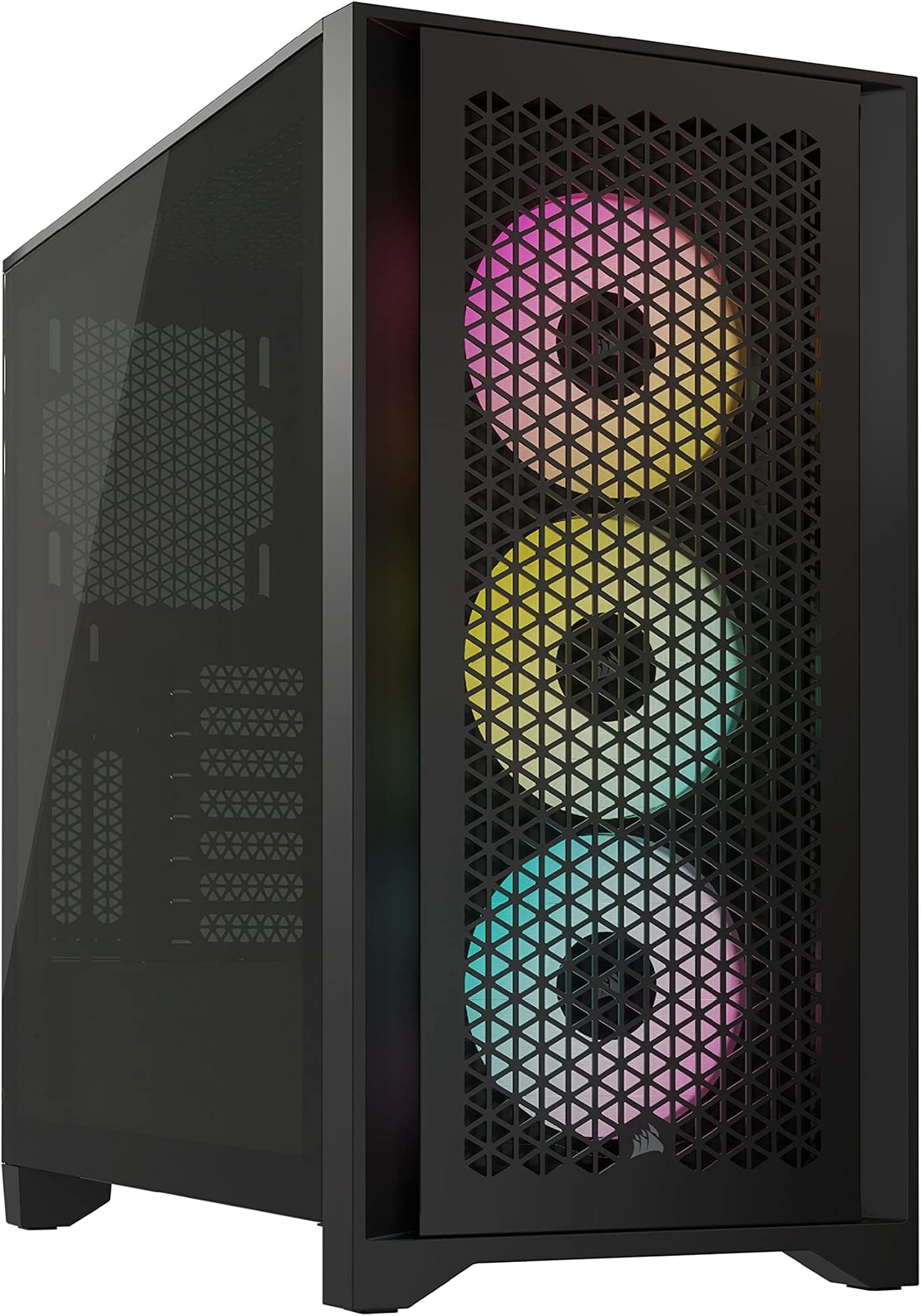
The Corsair 4000D AIRFLOW is probably the most direct comparison. It's a clean, well-built case with a mesh front and a strong reputation for airflow. But it typically ships with two fans rather than four, and the front I/O is solid but doesn't include a USB 3.2 Gen 2x2 Type-C. The Fractal Design Focus 2 is a newer entry that punches well above its price on build quality and interior layout, with excellent cable management options, but again ships with fewer fans and doesn't match the GUNGNIR's GPU support bracket or the dual 360mm radiator capability.
The GUNGNIR 300R AIRFLOW WHITE's strongest arguments over the competition are the four included PWM ARGB fans, the dual 360mm radiator support (front and top), the integrated GPU support stand, and the 20Gbps USB Type-C front port. That's a lot of value packed into one box. The Corsair and Fractal alternatives may have slightly more refined interior layouts or marginally better cable management routing, but neither ships with as much hardware out of the box. At entry-level pricing, that matters.
| Feature | MSI GUNGNIR 300R Airflow White | Corsair 4000D AIRFLOW | Fractal Design Focus 2 |
|---|---|---|---|
| Form Factor | Mid-Tower | Mid-Tower | Mid-Tower |
| Motherboard Support | E-ATX / ATX / mATX / mITX | ATX / mATX / mITX | ATX / mATX / mITX |
| Max GPU Length | 360mm | 360mm | 467mm |
| Max CPU Cooler Height | 175mm | 170mm | 185mm |
| Front Radiator Support | 360mm | 360mm | 360mm |
| Top Radiator Support | 360mm | 360mm | 280mm |
| Included Fans | 4 x 120mm PWM ARGB | 2 x 120mm | 3 x 140mm |
| Front USB Type-C | USB 3.2 Gen 2x2 (20Gbps) | USB 3.1 Gen 1 (5Gbps) | USB 3.2 Gen 2 (10Gbps) |
| GPU Support Bracket | Yes (4-way adjustable ARGB) | No | No |
| Vertical GPU Mount | Yes (bracket included, riser cable not included) | No | No |
| Side Panel | 4mm Tempered Glass | Tempered Glass | Tempered Glass |
| Dust Filters | Front, top, side, bottom | Front, top, bottom | Front, top, bottom |
| Price Tier | Entry | Mid-Range | Entry/Mid |

Final Verdict
The MSI MPG GUNGNIR 300R AIRFLOW WHITE is a genuinely good case for the money. That's not a hedged compliment, it's a direct assessment based on what the spec sheet promises and what 157 owners confirm. Four PWM ARGB fans included, dual 360mm radiator support, a 20Gbps USB Type-C front port, an adjustable GPU support bracket, dust filters everywhere, E-ATX compatibility, and a 4mm tempered glass panel. At an entry-level price point, that list is hard to argue with.
Who is this for? It's for first-time builders who want a case that's ready to go without immediately needing extra fans or a GPU bracket. It's for anyone building an ARGB showcase system on a budget, because the Mystic Light integration and the included fans mean you're not spending extra to get the lights working. It's for builders planning a 360mm AIO, because the front and top both accommodate one. And it's for anyone who's been burned by cases with glass fronts and hot components, because the mesh here is the real thing.
Who should skip it? If you're running a lot of mechanical hard drives, the storage options are limited and you'll want a case with more drive bays. If you want vertical GPU mounting out of the box, budget for a riser cable on top of the case price, because it's not included. And if you're deeply into cable management aesthetics and want a case designed primarily around a pristine interior layout, something like the Fractal Design Focus 2 might suit you better on that specific front. But for most builders? This case sorts you out properly.
The 4.8 rating across 164 is the kind of social proof that's hard to fake. People who buy cases and then have a frustrating build experience leave one-star reviews. The fact that almost nobody has done that here suggests the GUNGNIR 300R AIRFLOW WHITE delivers on its promises in practice, not just on paper. For an entry-level mid-tower, that's the verdict: buy it with confidence, check your specific GPU and CPU cooler dimensions first, and budget for a riser cable if vertical mounting matters to you.
Overall score: 8.5 out of 10. Strong airflow design, excellent value for the hardware included, minor limitations on storage and vertical mount accessories. For the price, it's one of the better mid-towers available right now.
What works. What doesn’t.
6 + 5What we liked6 reasons
- Four 120mm PWM ARGB fans included in the box, along with a six-port hub, meaning you can start with a complete airflow setup without extra purchases
- Full-length mesh front and mesh top provide genuine unrestricted airflow, with dust filters on front, top, side, and bottom surfaces
- Dual 360mm radiator support across both the front and top panels offers real flexibility for high-end liquid cooling setups
- USB 3.2 Gen 2x2 Type-C front port running at 20Gbps is ahead of most competitors at this price tier
- Four-way adjustable ARGB GPU support bracket is included, addressing GPU sag without requiring a separate purchase
- 4mm tempered glass side panel is thicker and more substantial than the 3mm glass or acrylic found on many budget alternatives
Where it falls5 reasons
- Storage options are limited to a single sliding 3.5-inch HDD cage, making this case unsuitable for builds with multiple mechanical hard drives
- Vertical GPU mounting requires a separate PCIe riser cable that is not included, adding cost for buyers who want that feature
- The slightly offset tempered glass panel does not sit completely flush with the chassis, which some builders may notice aesthetically
- E-ATX compatibility should be verified against your specific board dimensions, as the 235mm width may be tight for wider E-ATX boards
- Interior cable management, while adequate, is not as refined as dedicated cable-management-focused cases such as the Fractal Design Focus 2
Full specifications
11 attributes| Form factor | Mid-Tower |
|---|---|
| CPU cooler clearance MM | 175 |
| Dimensions MM | 505 x 235 x 510 |
| Fans included | 4 |
| GPU clearance MM | 360 |
| MAX FAN count | 10 |
| MAX radiator MM | 360 |
| PSU support | ATX above 220mm |
| Side panel | tempered glass |
| Supported motherboard | E-ATX (up to 280 x 305 mm), ATX, Micro-ATX, Mini-ITX |
| Weight KG | 10.9 |
Frequently asked
8 questions01How many fans does the MSI MPG GUNGNIR 300R AIRFLOW WHITE include in the box?+
The case ships with four 120mm PWM ARGB fans and a six-port ARGB hub. Three fans are typically mounted at the front and one at the rear, giving you a complete intake and exhaust setup without needing additional purchases.
02Does the MSI GUNGNIR 300R AIRFLOW WHITE support a 360mm radiator?+
Yes, it supports a 360mm radiator on both the front and top panels. This means you can fit a 360mm AIO cooler on either surface, or run separate radiators on both if your cooling setup requires it.
03Will a full-size RTX 4090 fit in the GUNGNIR 300R AIRFLOW WHITE?+
The maximum GPU length is 360mm. The RTX 4090 Founders Edition measures 336mm, so it fits. Most triple-fan AIB cards from AMD and Nvidia also come in under the 360mm limit, though it is worth checking your specific card's dimensions before ordering.
04Is a PCIe riser cable included for vertical GPU mounting?+
No. The case includes a vertical GPU mount bracket option using the rear PCIe slots, but the riser cable required to actually use vertical mounting is not included. You will need to purchase a compatible PCIe riser cable separately, and it is worth spending on a quality one to avoid stability issues.
05How does the GUNGNIR 300R AIRFLOW WHITE compare to the Corsair 4000D AIRFLOW?+
The MSI case includes four PWM ARGB fans versus two plain fans with the Corsair, adds a USB 3.2 Gen 2x2 Type-C port running at 20Gbps versus a slower 5Gbps Type-C on the Corsair, includes an adjustable GPU support bracket, and offers the same dual 360mm radiator capability. The Corsair 4000D AIRFLOW has a strong reputation for build quality and interior layout refinement, but typically costs more and ships with less hardware out of the box.
06What CPU cooler height does the GUNGNIR 300R AIRFLOW WHITE accommodate?+
The maximum CPU cooler height is 175mm. This is sufficient for most popular air coolers, including the Noctua NH-D15 at 165mm, the be quiet! Dark Rock Pro 4 at 162.8mm, and the DeepCool AK620 at 155mm. If you are considering a particularly tall tower cooler, check its specifications against the 175mm limit before purchasing.
07Are there dust filters on the MSI GUNGNIR 300R AIRFLOW WHITE?+
Yes, dust filters are fitted on all four main surfaces: front, top, side, and bottom. This provides filtration on every significant intake and potential ingress point. Cleaning them periodically is recommended to maintain airflow performance over time.
08Does the white finish on the GUNGNIR 300R AIRFLOW WHITE hold up over time?+
Owner feedback suggests the white finish is durable and does not show the yellowing or chipping sometimes associated with budget white cases. The exterior appears to use a proper finish rather than a thin paint coat, and long-term owners have not reported discolouration as an issue in reviews.