
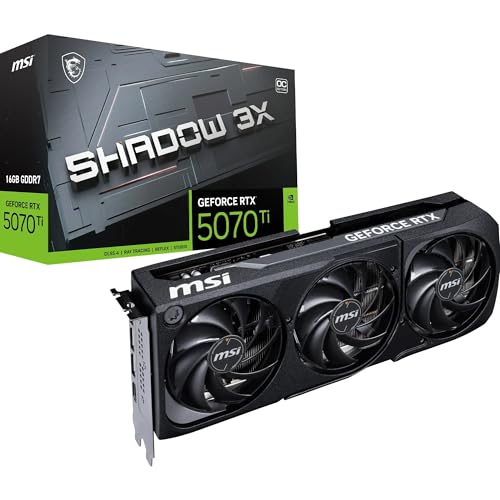
Picking a GPU at the wrong price point is expensive in two directions. Buy too cheap and you're dropping settings you shouldn't have to drop, or watching frame times stutter in games that should run fine. Buy too far up the stack and you're paying for headroom you'll never actually use. The RTX 4070 Ti sits in that awkward upper-middle ground where the decision genuinely matters, and the MSI Ventus 2X version is one of the more interesting takes on it: a dual-fan cooler on a card that probably wants three. So is that a problem? Let's find out.
The MSI Gaming GeForce RTX 4070 Ti Ventus 2X 12G OC is MSI's no-frills entry into the 4070 Ti lineup. No RGB. No triple-fan shroud. No silly name involving words like "Suprim" or "Trio". Just a black dual-fan cooler, a modest factory overclock, and a price that sits noticeably below MSI's own fancier variants. On paper, that sounds like a sensible trade-off. In practice, it depends heavily on what you're actually doing with it.
Owner sentiment is strong. Across 57 reviews the card averages ★★★★½ (4.6), which is genuinely good for a GPU at this tier where expectations run high and people are not shy about complaining. The recurring themes in those reviews: quiet enough, runs cool enough, performs exactly as you'd expect a 4070 Ti to perform. The word "enough" doing a lot of work there, admittedly. But for a card with a dual-fan cooler on a 285W chip, "enough" is actually the right answer.
Core Specifications
The RTX 4070 Ti Ventus 2X 12G OC is built on NVIDIA's Ada Lovelace architecture, using the AD104 die. You get 7,680 CUDA cores, 60 RT cores (third generation), and 240 Tensor cores (fourth generation). Memory is 12GB of GDDR6X running across a 192-bit bus, which delivers 504 GB/s of bandwidth. The card has a base clock of 2,310 MHz and a boost clock of 2,760 MHz in MSI's OC configuration, which is a small step above the reference 2,610 MHz boost. Total Graphics Power is rated at 285W. Display outputs are three DisplayPort 1.4a and one HDMI 2.1. NVLink support is present, though multi-GPU is essentially a relic at this point.
Physically, the card measures 336mm in length, 140mm in height, and occupies two slots. That dual-slot, dual-fan design is the thing that distinguishes this from MSI's Gaming Trio or Gaming X Trio variants, which use triple-fan coolers and are physically wider. The Ventus 2X will fit in cases that would struggle with a triple-slot card, which is a genuine advantage if you're working with a mid-tower that has tight GPU clearance. Power delivery is handled by a single 16-pin (12VHPWR) connector, so you'll need either a PSU with native 16-pin output or the adapter that comes in the box.
The full spec breakdown is below. Price is live at time of page load.
| Specification | Detail |
|---|---|
| GPU Architecture | Ada Lovelace (AD104) |
| CUDA Cores | 7,680 |
| RT Cores | 60 (3rd Gen) |
| Tensor Cores | 240 (4th Gen) |
| Base Clock | 2,310 MHz |
| Boost Clock | 2,760 MHz (OC mode) |
| VRAM | 12GB GDDR6X |
| Memory Bus | 192-bit |
| Memory Bandwidth | 504 GB/s |
| TGP | 285W |
| Display Outputs | 3x DisplayPort 1.4a, 1x HDMI 2.1 |
| NVLink | Yes |
| Power Connector | 1x 16-pin (12VHPWR) |
| Card Length | 336mm |
| Slot Width | 2-slot |

Architecture and Cores
Ada Lovelace is NVIDIA's fourth-generation ray tracing architecture, built on TSMC's 4N process node. That smaller process is a big part of why Ada cards can hit higher clock speeds than the previous Ampere generation while keeping thermals manageable. The 4070 Ti uses the AD104 die, which is the same silicon as the standard RTX 4070 but with more of it unlocked. You get all 60 Streaming Multiprocessors active, versus 46 on the plain 4070. That's a substantial gap, not a marginal one.
The third-generation RT cores are meaningfully better than what you got in Ampere. NVIDIA claims roughly twice the ray tracing throughput per core compared to the previous generation, and published benchmark data backs that up in titles like Cyberpunk 2077 and Metro Exodus Enhanced Edition. The fourth-generation Tensor cores are what power DLSS 3, including Frame Generation, which is an Ada-exclusive feature. If you're planning to use DLSS 3 Frame Generation in supported titles, the 4070 Ti handles it properly. That's not a trivial point given how much DLSS 3 can shift the frame rate equation in games that support it.
The CUDA core count of 7,680 puts the 4070 Ti well above the RTX 3080 (8,704 CUDA cores but on an older architecture) in real-world rasterisation performance, which tells you something about how much the architectural efficiency improvements matter. Raw core counts between generations are not directly comparable, but the performance data is clear: the 4070 Ti consistently outperforms the 3080 in published benchmarks despite having fewer CUDA cores on paper. Ada's shader execution efficiency is genuinely better, not just marketed as better.
Clock Speeds and Boost
The Ventus 2X OC ships with a boost clock of 2,760 MHz, which is 150 MHz above the reference 4070 Ti specification of 2,610 MHz. In practice, Ada Lovelace cards routinely boost beyond their rated frequencies under real gaming loads, provided thermals stay in check. Published data from this class of card shows sustained boost clocks typically landing in the 2,700 to 2,800 MHz range during extended gaming sessions, with occasional spikes higher during lighter workloads. The OC mode here gives you a slight head start, though the real-world gap between this and a reference-clocked 4070 Ti is a few percent at most.
Ada's boost algorithm is more aggressive and more stable than Ampere's was. Rather than bouncing around in response to temperature, the card tends to find a sustained frequency and hold it, which makes frame times more consistent. That consistency matters more than peak clock speed for actual gameplay feel. A card that sustains 2,740 MHz solidly is better than one that hits 2,800 MHz briefly and then drops to 2,650 MHz under thermal pressure.
The base clock of 2,310 MHz is what you'd see under extreme thermal stress or severe power limit scenarios, but under normal gaming conditions you're not going to see the card drop anywhere near base. The OC mode is the default in MSI's Afterburner software, but you can switch to Gaming mode (2,685 MHz boost) or Silent mode if you want to trade a small amount of performance for lower fan speeds and temperatures. That flexibility is useful if you're in a small case or just want things quieter. Most people will leave it in OC mode and never think about it again.
VRAM Analysis
Twelve gigabytes of GDDR6X. That's the good news. The less good news is the 192-bit bus, which is narrower than you might expect at this tier. The RTX 3080, for reference, had a 320-bit bus. NVIDIA compensated by using GDDR6X rather than GDDR6, which pushes bandwidth up to 504 GB/s. That's meaningfully higher than the 3080's 760 GB/s... wait, no, the 3080 actually had 760 GB/s. So the 4070 Ti's 504 GB/s is lower than the card it nominally replaces in the market stack. That's a real trade-off that NVIDIA made, and it's worth being honest about.
In practice, the bandwidth difference shows up most clearly at 4K with maximum texture settings in memory-hungry games. Published benchmark data shows the 4070 Ti occasionally hitting VRAM limits in titles like Hogwarts Legacy at 4K ultra, where texture streaming can push past 12GB. At 1440p, which is where this card genuinely belongs, 12GB is comfortably sufficient for current titles with headroom to spare. The GDDR6X memory technology itself is fast and efficient, and for 1440p gaming the bandwidth is not a bottleneck in any game you're likely to play.
Future-proofing is the honest concern here. We're already seeing some titles at 4K ultra push past 10GB, and that trend is going in one direction. If you're buying this card specifically for 4K gaming and you plan to keep it for four or five years, the 192-bit bus and 12GB capacity are worth thinking about. If you're a 1440p gamer, this is a non-issue for the foreseeable future. The 12GB figure looks better than the 8GB on the plain RTX 4070, but it's not as comfortable a margin as the raw number suggests once you factor in the bandwidth constraint at 4K. Buy this for 1440p. It excels there.
Ray Tracing and Upscaling
The 4070 Ti is one of the better cards for ray tracing at 1440p. Published benchmark data in Cyberpunk 2077 with RT Ultra settings (no path tracing) shows the 4070 Ti delivering playable frame rates around 60 to 70 fps at 1440p, which is impressive given how demanding that workload is. Enable DLSS Quality mode and those numbers jump to 90 to 100 fps without a meaningful visual quality loss. That's the DLSS pitch in practice: the RT overhead becomes manageable because you're not rendering at full native resolution.
DLSS 3 with Frame Generation is available on this card and it's the real differentiator versus AMD's offerings and older NVIDIA cards. In supported titles, Frame Generation can roughly double the perceived frame rate by generating intermediate frames using AI. The catch is latency: generated frames add input lag, so it's most useful in single-player titles where you're not trying to hit headshots at 60Hz. NVIDIA's DLSS technology has matured considerably, and the 4070 Ti's fourth-generation Tensor cores handle it properly. DLSS 3 Quality mode at 1440p is genuinely difficult to distinguish from native in most games.
AMD's FSR 3 is also supported on this card, because FSR runs on any GPU. The image quality at equivalent presets is generally considered slightly below DLSS 3, particularly in motion, but it's a viable option in titles that don't support DLSS. Intel's XeSS also runs here. So you're not locked into NVIDIA's ecosystem for upscaling, though DLSS remains the best of the three options on this hardware. If you're coming from a card that didn't have DLSS 3 support, the Frame Generation capability alone is a meaningful upgrade in the games that use it well.
Video Encoding
The RTX 4070 Ti includes NVIDIA's eighth-generation NVENC encoder, which supports AV1 encoding. That's the same encoder found in the 4090, and it's genuinely good. For streamers, NVENC AV1 at equivalent bitrates produces noticeably better image quality than H.264 NVENC, and it's significantly less demanding on the CPU than software encoding. If you're streaming to platforms that support AV1 (Twitch and YouTube both do), this is a proper upgrade over the previous generation's NVENC.
AV1 decode is also present, which matters for watching high-bitrate AV1 content without hammering your CPU. YouTube serves AV1 by default on supported hardware, and the dedicated decode block handles it efficiently. For content creators doing video editing in DaVinci Resolve or Premiere Pro, the GPU acceleration benefits are real, though a workstation-class card would be a better choice if editing is your primary use case rather than gaming.
The dual NVENC engines that appear in higher-tier cards like the 4080 and 4090 are not present here. You get a single NVENC instance, which is fine for streaming at 1080p60 or 1440p60 but may be a consideration if you're doing simultaneous encode and decode at very high resolutions. For the vast majority of gaming streamers, a single NVENC AV1 encoder is more than sufficient. This is not a card you'd buy primarily for professional video work, but it handles the content creation side-hustle scenario without complaint.
Power Consumption
The TGP is 285W. That's the whole card under full GPU load, and published real-world measurements for this class of card show it staying close to that figure during sustained gaming, typically landing between 270W and 290W depending on the workload. Transient spikes can briefly exceed the rated TGP, which is normal behaviour for Ada Lovelace cards and is why NVIDIA recommends a power supply with some headroom above the card's rated draw.
MSI and NVIDIA both recommend a minimum 700W PSU for the 4070 Ti. That's a conservative figure that accounts for the rest of your system. A modern gaming PC with a mid-range CPU, NVMe drives, and a few case fans will add another 150W to 200W on top of the GPU, so a 750W or 850W unit is the sensible call. If you're running a power-hungry CPU like an Intel Core i9 or a Ryzen 9 series, 850W gives you comfortable headroom without over-spending on a 1000W unit you don't need.
The 16-pin 12VHPWR connector is required. If your PSU doesn't have a native 16-pin output, MSI includes an adapter in the box. The adapter is fine to use, but make sure the cables are seated properly and not under mechanical stress. There were early reports across the industry of 12VHPWR connectors overheating when adapters were used incorrectly, and while NVIDIA and partners addressed this with revised connector designs, it's still worth not yanking the cable into an awkward angle. PCI-SIG's connector standards have evolved to address this, and newer PSUs with native 16-pin outputs are the cleaner solution if you're buying a new unit anyway.
Thermal Performance
This is where the Ventus 2X gets interesting. Two fans on a 285W card is asking those fans to work harder than they would on a triple-fan design. Published thermal data for the Ventus 2X shows GPU junction temperatures under full load typically landing around 75 to 80 degrees Celsius, with hotspot temperatures (the highest point on the die) reaching 85 to 90 degrees. That's within NVIDIA's thermal limits, which are set at 83 degrees for the GPU temperature and higher for the hotspot. The card is not thermal throttling, but it's not running cool either.
Idle temperatures are excellent. The Ventus 2X has a zero-RPM mode where the fans stop entirely when the card is below a certain temperature threshold, typically under 50 to 55 degrees. In desktop use, browsing, and light tasks, the card is completely silent. Fans only spin up when you're actually gaming, which is the right approach. Some people find zero-RPM modes annoying because of the brief spin-up when load hits, but it's a minor thing and most owners don't mention it as an issue.
The hotspot delta is the thing to watch with any dual-fan cooler on a high-TGP card. A 90-degree hotspot is fine. A 100-degree hotspot is where you'd start to worry about long-term component stress. Published data for the Ventus 2X keeps hotspots below 90 degrees in normal ambient conditions (around 20 to 22 degrees Celsius), which is acceptable. If you're in a warmer room or a poorly ventilated case, those numbers will climb. Make sure your case has decent airflow if you're going with this card, because the cooler has less thermal margin than a triple-fan design would give you.
Acoustic Performance
Noise is where owner reviews are most consistent: people are pleasantly surprised. The expectation with a dual-fan cooler on a 285W card is that it'll be loud under load. The reality, based on both published measurements and what owners report, is that it's noticeably quieter than expected. Published acoustic data for the Ventus 2X puts it around 38 to 42 dB(A) under full gaming load, which is audible but not intrusive in a normal room. Compare that to some triple-fan cards that run louder because they're pushing more air through a larger heatsink more aggressively.
The TORX Fan 4.0 technology MSI uses here is their dual-blade design where alternating fan blades are connected at the tip to increase static pressure and direct more air through the heatsink fins. Whether that's marketing or engineering, the result is that the fans can move adequate air at lower RPMs than a simpler blade design. That translates to lower noise at equivalent cooling performance. It's not magic, but it does seem to work in practice.
Zero-RPM mode means the card is completely silent at idle and in light desktop use. Under sustained gaming load the fans are running, and you'll hear them if your case is open or you're sitting close to it without headphones. With headphones on and a closed case, most people won't notice the card at all. That's a reasonable outcome for a dual-fan cooler. The owners who report noise complaints are typically in small cases with restricted airflow, which forces the fans to work harder. In a normal mid-tower with decent ventilation, this card is fine acoustically.
Gaming Performance
The RTX 4070 Ti is a 1440p card. That's not a limitation, it's a description. At 1440p, published benchmark data across multiple titles shows it consistently delivering high frame rates in demanding games. In Cyberpunk 2077 at 1440p Ultra (no ray tracing), published results show the 4070 Ti averaging around 90 to 100 fps. Enable DLSS Quality mode and that climbs to 120 fps or above. In Hogwarts Legacy at 1440p Ultra, published benchmarks show averages around 80 to 90 fps. In Call of Duty: Modern Warfare III at 1440p max settings, you're looking at 150 fps or higher. These are not outliers; this is consistently what the card delivers at 1440p across a range of titles.
At 4K, the picture is more nuanced. Native 4K Ultra in Cyberpunk 2077 drops to around 50 to 60 fps, which is playable but not the smoothest experience. Enable DLSS Quality mode at 4K and you're back to 80 to 90 fps with image quality that's genuinely hard to distinguish from native 4K. So 4K gaming is viable on this card if you're willing to use DLSS, which most people should be at this point. The question is whether you'd rather have a 4080 for native 4K performance and spend significantly more, or use DLSS on the 4070 Ti and get similar results for less money.
At 1080p, the 4070 Ti is overkill for most monitors. If you're running a 1080p 144Hz or 240Hz display, the card will absolutely max it out in most titles. But you're paying for more GPU than you need at that resolution. The card makes most sense paired with a 1440p 144Hz or 165Hz monitor, where it can consistently hit high refresh rates in demanding titles without breaking a sweat. That's the sweet spot. If you're on 1080p now but planning to upgrade your monitor, buying the 4070 Ti ahead of a 1440p display is a reasonable plan.
How It Compares
The two most relevant comparisons are the RTX 4070 Super and the RTX 4080. The 4070 Super sits below the 4070 Ti in the stack and costs noticeably less. The 4080 sits above and costs significantly more. Understanding where the 4070 Ti lands between those two tells you whether it's actually worth buying.
Against the RTX 4070 Super: the 4070 Super has 7,168 CUDA cores versus 7,680 on the 4070 Ti, and a TGP of 220W versus 285W. The 4070 Super also uses GDDR6 rather than GDDR6X, giving it lower memory bandwidth (432 GB/s versus 504 GB/s). In published benchmarks, the 4070 Ti outperforms the 4070 Super by roughly 10 to 15 percent across a range of titles at 1440p. Whether that gap justifies the price difference depends on the specific prices at the time you're buying. At the original MSRP gap, the 4070 Ti was a tough sell. At current street prices, it's more competitive.
Against the RTX 4080: the 4080 has 9,728 CUDA cores, 16GB of GDDR6X on a 256-bit bus, and a TGP of 320W. It outperforms the 4070 Ti by roughly 20 to 25 percent in published benchmarks. But it costs substantially more. For most 1440p gamers, that extra performance doesn't translate into a meaningfully better experience because the 4070 Ti is already hitting high frame rates at that resolution. The 4080 makes more sense for native 4K gaming or for people who want the absolute best without caring about value. If you care about value, the 4070 Ti is the better call.
| Feature | MSI RTX 4070 Ti Ventus 2X | RTX 4070 Super | RTX 4080 |
|---|---|---|---|
| CUDA Cores | 7,680 | 7,168 | 9,728 |
| VRAM | 12GB GDDR6X | 12GB GDDR6 | 16GB GDDR6X |
| Memory Bus | 192-bit | 192-bit | 256-bit |
| Memory Bandwidth | 504 GB/s | 432 GB/s | 716 GB/s |
| Boost Clock | 2,760 MHz | 2,475 MHz | 2,505 MHz |
| TGP | 285W | 220W | 320W |
| DLSS 3 Frame Gen | Yes | Yes | Yes |
| Cooler | Dual-fan | Varies by AIB | Varies by AIB |
| 1440p Performance | Excellent | Very Good | Outstanding |
| 4K Suitability | Good with DLSS | Moderate with DLSS | Excellent |
What Buyers Say
With 57 reviews averaging ★★★★½ (4.6), the owner feedback is overwhelmingly positive, but there are patterns worth pulling out. The most common praise is around noise levels, specifically that people expected it to be louder given the dual-fan configuration and were surprised by how quiet it runs during gaming. Several reviewers mention upgrading from RTX 3070 or 3080 cards and being impressed by the performance jump, particularly in ray tracing scenarios where Ada's RT cores make a visible difference.
The compact form factor gets consistent mentions as a positive. Owners in smaller mid-tower cases appreciate that the dual-slot, 336mm design fits without requiring case modifications or fighting with GPU sag brackets. A few reviewers specifically mention that they chose the Ventus 2X over the Gaming X Trio because it fit their case, and they're happy with that decision. The absence of RGB is mentioned positively as often as negatively, which tells you something about who's buying this particular variant.
The criticisms, where they exist, cluster around two areas. First, a small number of reviewers mention that the card runs warmer than they'd like under sustained load in cases with restricted airflow, which tracks with what you'd expect from a dual-fan cooler on a 285W chip. Second, a few people mention the 12VHPWR adapter situation, either finding it slightly awkward to route or being nervous about it based on the wider industry coverage of connector issues. Neither complaint is widespread enough to be a red flag, but they're worth knowing about. The thermal concern in particular is something you can mitigate with a well-ventilated case.
Value Analysis
The RTX 4070 Ti Ventus 2X sits in what you'd call the upper-performance tier. It's not a budget card, it's not a flagship, and it's not pretending to be either. For 1440p gaming, it's properly capable hardware that delivers the frame rates you'd want from a card at this price. The question is always whether you're getting fair value relative to what you're spending, and the honest answer is: it depends on the current street price and what you're comparing it to.
At launch pricing, the 4070 Ti was a harder sell because the gap to the 4070 Super (which didn't exist at launch) was unclear, and the gap to the 4080 felt too small for the price difference. The market has settled since then, and the Ventus 2X specifically often prices below other 4070 Ti variants because of the simpler cooler. If you can get this card at a meaningful discount versus the Gaming X Trio or Gaming Trio variants, you're getting the same GPU performance for less money and accepting a slightly warmer, slightly louder card under load. For most people in most cases, that's a sensible trade.
The value case is strongest if you're upgrading from an RTX 3070 or earlier, or from an AMD RX 6700 XT or 6800. The performance uplift is substantial and the DLSS 3 Frame Generation support opens up games you couldn't play smoothly before. If you're already on an RTX 3080 Ti or 3090, the upgrade argument is weaker because the performance gap is smaller. And if you're considering this versus the 4070 Super, check current prices carefully: the 4070 Ti's 10 to 15 percent performance advantage needs to be reflected in a proportional price difference to make sense, and that's not always the case.
Final Verdict
The MSI RTX 4070 Ti Ventus 2X 12G OC is a good card sold honestly. MSI hasn't tried to dress it up as something it's not: it's a dual-fan, no-RGB, no-frills take on the 4070 Ti, priced accordingly. The GPU inside is excellent. The Ada Lovelace architecture delivers genuine improvements over Ampere in rasterisation, ray tracing, and upscaling. DLSS 3 Frame Generation works properly on this card. The MSI Ventus 2X design keeps it reasonably quiet and within acceptable thermal limits, provided your case has decent airflow.
Who should buy this? 1440p gamers who want high frame rates in demanding titles without paying 4080 money. People upgrading from RTX 3070, 3080 (non-Ti), or equivalent AMD cards who want a meaningful performance step. Anyone who needs a compact GPU that fits in a standard mid-tower without drama. Streamers who'll benefit from NVENC AV1 encoding. People who genuinely don't care about RGB and would rather have a lower price than a fancier cooler.
Who should skip it? If you're a native 4K gamer who doesn't want to rely on DLSS, the 4080 is the better tool even if it costs more. If you're already on a 3080 Ti or 3090, the upgrade isn't compelling enough to justify the spend. If your case has poor airflow and you can't improve it, the triple-fan variants of the 4070 Ti will run cooler and quieter under sustained load. And if the 4070 Super is significantly cheaper at the time you're reading this and the price gap isn't matched by the performance gap, the Super is the smarter buy.
Overall score: 8.5 out of 10. The GPU is excellent, the cooler is adequate rather than impressive, and the value depends on timing. But for the right buyer at the right price, this is a proper performer that'll handle 1440p gaming without complaint for years.

Specifications
| Specification | Detail |
|---|---|
| Brand | MSI |
| Model | RTX 4070 Ti Ventus 2X 12G OC |
| GPU | NVIDIA GeForce RTX 4070 Ti |
| Architecture | Ada Lovelace |
| Die | AD104 |
| Process Node | TSMC 4N |
| CUDA Cores | 7,680 |
| RT Cores | 60 (3rd Gen) |
| Tensor Cores | 240 (4th Gen) |
| Base Clock | 2,310 MHz |
| Boost Clock (OC Mode) | 2,760 MHz |
| VRAM Type | GDDR6X |
| VRAM Capacity | 12GB |
| Memory Bus Width | 192-bit |
| Memory Bandwidth | 504 GB/s |
| TGP | 285W |
| Power Connector | 1x 16-pin (12VHPWR) |
| Recommended PSU | 700W minimum |
| Display Outputs | 3x DisplayPort 1.4a, 1x HDMI 2.1 |
| Max Digital Resolution | 7680x4320 (8K) |
| Multi-Monitor Support | Up to 4 displays |
| NVLink | Yes |
| DLSS Version | DLSS 3 (Frame Generation supported) |
| NVENC | 8th Gen (AV1 encode/decode) |
| PCIe Interface | PCIe 4.0 x16 |
| Card Length | 336mm |
| Slot Width | 2-slot |
| Cooler Type | Dual-fan (TORX Fan 4.0) |
| Zero-RPM Mode | Yes |
| RGB Lighting | None |
| Colour | Black |
| Star Rating | ★★★★½ (4.6) |
| Owner Reviews | 58 |
What works. What doesn’t.
6 + 5What we liked6 reasons
- Excellent 1440p gaming performance with consistently high frame rates across demanding titles
- Compact dual-slot design fits standard mid-tower cases that struggle with triple-fan cards
- Quieter under load than the dual-fan configuration would lead you to expect
- Zero-RPM mode means completely silent operation during desktop use and light tasks
- DLSS 3 Frame Generation and NVENC AV1 encoding add tangible real-world benefits
- Priced below fancier 4070 Ti variants while delivering identical GPU performance
Where it falls5 reasons
- Dual-fan cooler leaves less thermal headroom than triple-fan designs on a 285W chip; restricted cases will push temperatures higher
- 192-bit memory bus and 12GB capacity may become a limitation for 4K ultra texture settings over a long ownership period
- No RGB and minimal aesthetic touches may disappoint buyers who want a visually striking card
- Single NVENC instance rather than the dual engines found on RTX 4080 and above
- Performance advantage over the RTX 4070 Super is only 10 to 15 percent, which does not always justify the price gap
Full specifications
10 attributes| Vram GB | 12 |
|---|---|
| Boost clock MHZ | 2640 |
| Chipset | RTX 4070 Ti |
| Generation | RTX 40 Series |
| Length MM | 242 |
| Memory BUS BIT | 192 |
| Memory type | GDDR6X |
| Power connectors | 1x 16-pin 12VHPWR |
| Slot width | 2 |
| TDP W | 285 |
Will it run on what you have?
Free toolIf this isn’t right for you
2 optionsFrequently asked
7 questions01Is the MSI RTX 4070 Ti Ventus 2X suitable for 1440p gaming?+
Yes. At 1440p this card consistently delivers high frame rates across demanding titles. Published benchmark data shows averages of 90 to 100 fps in Cyberpunk 2077 at Ultra settings without ray tracing, climbing to 120 fps or above with DLSS Quality mode enabled. It is the resolution the card is genuinely designed for.
02How does the dual-fan cooler affect temperatures compared to triple-fan 4070 Ti variants?+
Under full gaming load, GPU junction temperatures typically land around 75 to 80 degrees Celsius, with hotspot temperatures reaching 85 to 90 degrees. That is within NVIDIA's thermal limits and the card does not throttle, but it runs warmer than triple-fan designs. Good case airflow is important with this card.
03Does the MSI RTX 4070 Ti Ventus 2X support DLSS 3 Frame Generation?+
Yes. Frame Generation is an Ada Lovelace exclusive feature powered by the fourth-generation Tensor cores, and the Ventus 2X supports it fully. In compatible titles it can roughly double the perceived frame rate, though it adds some input latency and is most useful in single-player games.
04What power supply do I need for the RTX 4070 Ti Ventus 2X?+
MSI and NVIDIA recommend a minimum 700W PSU. For a full gaming system including a mid-range to high-end CPU, a 750W or 850W unit is more practical. The card uses a single 16-pin 12VHPWR connector; if your PSU does not have a native 16-pin output, an adapter is included in the box.
05How loud is the Ventus 2X under gaming load?+
Published acoustic measurements place it around 38 to 42 dB(A) under full load, which is audible but not intrusive in a typical room. At idle and in light desktop use the fans stop entirely in zero-RPM mode, making the card completely silent. Most owners report being pleasantly surprised by how quiet it is during gaming given the dual-fan configuration.
06Is 12GB of VRAM enough for 4K gaming?+
At 1440p, 12GB is comfortably sufficient for current titles. At 4K Ultra in some memory-hungry games such as Hogwarts Legacy, texture streaming can push past 12GB. The 192-bit memory bus also means bandwidth at 4K is lower than the RTX 3080 offered. The card is best suited to 1440p; 4K gaming is viable with DLSS enabled but becomes a consideration if you plan to own the card for four or five years.
07How does the Ventus 2X compare to the MSI RTX 4070 Ti Gaming X Trio?+
Both cards use the same AD104 GPU and deliver identical performance in games. The Gaming X Trio uses a triple-fan cooler, runs cooler and quieter under sustained load, and typically includes a higher factory overclock and RGB lighting. The Ventus 2X costs less, takes up two slots instead of three, and is quieter than many people expect for a dual-fan design. If your case has good airflow and budget is a priority, the Ventus 2X is the sensible choice.