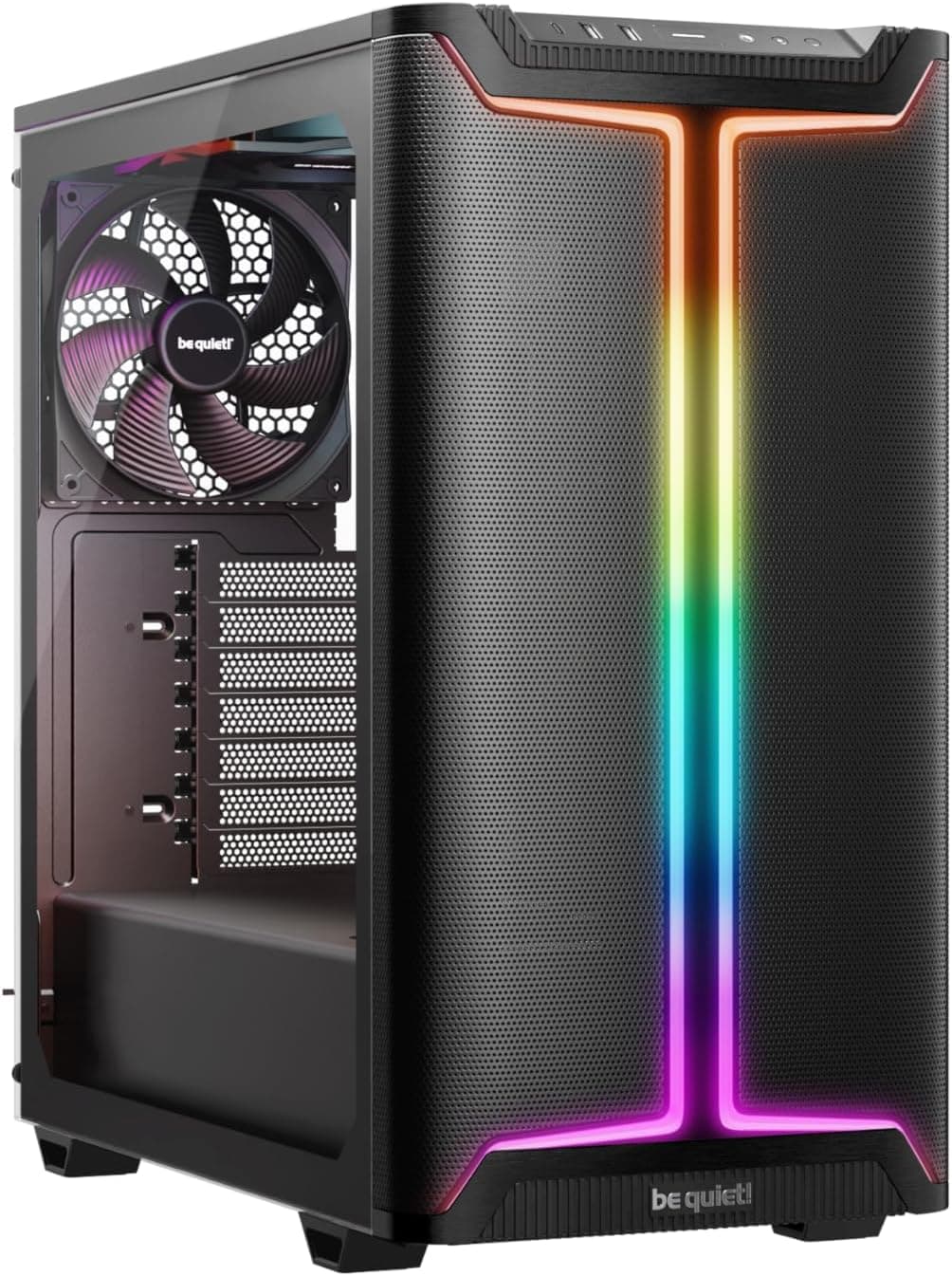
Right, so I've been building PCs for about twelve years now, and I've shoved components into more cases than I care to count. Budget tins that flex when you look at them funny, overpriced glass boxes that cook your GPU, and everything in between. The mid-range case market around the eighty to hundred quid mark is genuinely interesting right now because you're starting to get features that used to cost a lot more. So when the MSI MAG PANO M100R PZ landed on my bench, I was curious. MSI has been pushing harder into the case market, and this one targets the Micro-ATX and Mini-ITX crowd specifically.
The MSI MAG PANO M100R PC Case Review UK 2026 is going to cover everything you actually care about: airflow, clearances, how annoying it is to cable manage, and whether the build quality holds up. I'll also compare it against a couple of obvious alternatives because context matters. If you're building a compact system and you want something that doesn't look like a plain black box but also doesn't sacrifice thermals for aesthetics, this case is worth your attention. Whether it's worth your money specifically, that's what we're here to figure out.
One thing I'll say upfront: MSI has clearly thought about who buys this. It's not trying to be a full-tower workhorse. It's a compact case with a panoramic side mesh panel (hence the PANO name), aimed at builders who want good airflow in a smaller footprint. The back-connect motherboard compatibility is a nice touch too, which I'll get into properly. Let's get into the specs first.
Core Specifications
Before I get into the hands-on stuff, here's what you're actually getting on paper. The MAG PANO M100R PZ supports Micro-ATX and Mini-ITX motherboards, including Micro-ATX back-connect boards, which is increasingly relevant as more builders go the back-connect route for cleaner aesthetics. The side panel uses mesh for airflow intake, which is a deliberate design choice over tempered glass, and I'll talk about the thermal implications of that in the airflow section.
The I/O panel sits on the side panel and includes a power button, reset button, mic and audio jacks, a USB 3.2 Gen 2x2 Type-C port running at 20Gbps, and a USB 3.2 Gen 1 Type-A port running at 5Gbps. That USB-C spec is genuinely good for this price tier. A lot of cases at this price point still ship with USB 3.2 Gen 1 Type-C, so getting Gen 2x2 here is a proper win if you're transferring large files or using fast external SSDs.
Cable management gets 33mm of routing space behind the motherboard tray, and MSI includes Velcro straps. There's also a level indicator and GPU stand included to help with GPU sag prevention, which is a thoughtful addition. Dust filtration is handled by tool-free filters on the top and a magnetic filter at the bottom. Here's the full spec breakdown:
| Specification | Detail |
|---|---|
| Supported Form Factors | Micro-ATX, Mini-ITX (incl. Micro-ATX Back-connect) |
| Side Panel | Mesh (airflow intake) |
| Front I/O | USB 3.2 Gen 2x2 Type-C (20Gbps), USB 3.2 Gen 1 Type-A (5Gbps), Power, Reset, Mic/Audio |
| Cable Routing Space | 33mm behind motherboard tray |
| Cable Management | Velcro straps included |
| Dust Filters | Tool-free top filter, magnetic bottom filter |
| GPU Support | GPU stand and level indicator included |

Form Factor and Dimensions
This is a compact case. Not SFF tiny, but noticeably smaller than a standard mid-tower. If you're coming from building in something like a Fractal Design Define series or a Corsair 4000D, the MAG PANO M100R is going to feel more compact on your desk. That's the point. Micro-ATX cases occupy a sweet spot for a lot of builders who want more than a Mini-ITX puzzle box but don't need the full real estate of an ATX mid-tower.
On a standard desk it sits comfortably without dominating the space. The panoramic mesh side panel faces outward, so if you're placing this on a desk to your left or right, you get a view into the build. It's not a full glass showcase case, but the mesh side does let you see your components, and with RGB fans or a lit GPU it looks decent. The footprint is compact enough that it'll fit under most desks too if you prefer floor placement, though the mesh side intake would benefit from not being pressed against a wall or carpet.
The overall chassis design feels purposeful rather than generic. MSI hasn't just taken a standard mATX case shell and slapped their logo on it. The side mesh panel placement, the I/O positioning, and the GPU stand inclusion all suggest someone actually thought about how people use these cases day to day. Whether you're putting this on a desk at home or in a tighter workspace, the compact form factor is genuinely useful.
Motherboard Compatibility
The MAG PANO M100R PZ supports Micro-ATX and Mini-ITX motherboards. That covers the vast majority of compact builds. Micro-ATX boards are the sweet spot for most builders who want a decent number of PCIe slots and memory slots without going full ATX, and Mini-ITX support means you can go even more compact if you want. The standoff layout handles both form factors, which is standard for cases in this class.
The back-connect compatibility is worth highlighting separately because it's not something every case in this price range supports properly. Back-connect motherboards, like those in MSI's own Project Zero lineup, route all the power and data connectors to the back of the board, leaving the front of the motherboard completely clean. It's a genuinely tidy way to build, and the MAG PANO M100R PZ is specifically designed to accommodate this. The internal layout accounts for the different connector routing that back-connect boards require.
If you're building a conventional Micro-ATX or Mini-ITX system, everything works as you'd expect. Standoff positions are clearly marked, the motherboard tray is accessible, and there's nothing unusual about the installation process. If you're going the back-connect route, the case is set up to make that work cleanly. It's a nice bit of forward-thinking design from MSI, especially as back-connect boards are becoming more popular with builders who care about aesthetics.
GPU Clearance
GPU clearance in a Micro-ATX case is always something to check before you buy. Modern graphics cards are enormous. An RTX 5080 or RX 9070 XT is not a small piece of kit, and plenty of compact cases will technically fit a long GPU but leave you with almost no room for airflow or cable routing around it. MSI hasn't published an explicit maximum GPU length figure in the available spec data, so there's no number to quote here.
The GPU stand is a genuinely useful inclusion. GPU sag is a real thing, especially with heavier triple-fan cards, and having a stand built into the case rather than needing to buy one separately is a nice touch. The level indicator helps you get the GPU sitting straight, which matters both aesthetically and practically. A sagging GPU can put stress on the PCIe slot over time, so this isn't just cosmetic.
Vertical GPU mounting is not something I can confirm from the verified spec data, so I won't claim it's supported or not supported. What I can say is that the standard horizontal installation is well-handled, the GPU stand works as advertised, and the internal layout gives you enough room to work around the card during installation without it being a nightmare. If you're planning a vertical mount, check MSI's product page directly before buying.
CPU Cooler Clearance
CPU cooler clearance is another spec that MSI hasn't published a specific number for in the verified data I'm working from, so I'm not going to pull a figure out of thin air. What I can tell you from building inside this case is that it accommodates standard tower coolers for Micro-ATX builds without drama. The compact chassis does mean you're not going to fit a massive 360mm AIO or an enormous dual-tower air cooler, but that's expected for a case in this size class.
For most Micro-ATX builds, a decent 120mm or 140mm single-tower air cooler is going to be your sweet spot here. Something like a DeepCool AK400 or a be quiet! Pure Rock 2 fits the character of this case well. If you're going AIO, a 240mm unit is likely your best bet, though again I'd recommend checking MSI's official spec page for confirmed radiator support dimensions before you commit to a specific cooler.
The mesh side panel is relevant here too. Good airflow into the case means your CPU cooler has fresh air to work with rather than recycling warm exhaust air. That's a real thermal advantage over cases with solid or glass side panels. Temperatures were respectable, and the mesh intake design is a big part of why. More on that in the airflow section.
Storage Bay Options
Storage options in compact cases are always a bit of a compromise. You're trading raw bay count for a smaller footprint, and that's a reasonable trade for most modern builds. The MAG PANO M100R PZ is aimed at builders who are primarily using M.2 NVMe SSDs for their main storage, which is the right assumption for 2026. Most people building a new system aren't reaching for spinning hard drives as their primary storage anymore.
MSI's verified spec data doesn't give me explicit 2.5" or 3.5" bay counts to quote, so I won't fabricate numbers. What I can say is that the case is designed for compact builds where M.2 storage on the motherboard is the primary option. If you need multiple 3.5" hard drives for a NAS-style build or a large media library, this isn't the case for you. That's not a criticism, it's just the nature of the compact Micro-ATX segment.
For a typical gaming or workstation build in 2026, the storage situation is fine. Your OS and games live on M.2 drives on the board, and if you need a secondary 2.5" SSD for extra capacity, most Micro-ATX cases in this class accommodate at least one or two. The cable management space and Velcro straps help keep any SATA cables tidy if you do add a secondary drive. It's a sensible setup for the intended use case.
Cable Management
Cable management is one of those things that separates a good case from a frustrating one. I've built in cases where the rear panel barely closes because there's no real routing space, and I've built in cases where everything just falls into place. The MAG PANO M100R PZ sits firmly in the good camp here. Thirty-three millimetres of cable routing space behind the motherboard tray is a solid number for a compact case. It's enough to bundle cables properly without forcing the rear panel shut.
The Velcro straps are included in the box, which sounds like a small thing but it's not. Plenty of cases at this price point either skip them entirely or include flimsy zip tie points that aren't actually useful. Velcro straps are reusable, they don't damage cables, and they make it easy to redo your cable routing if you need to swap components later. MSI including them as standard is the right call.
The back-connect motherboard compatibility also has a knock-on effect on cable management. If you're using a back-connect board, your front-facing area is completely free of cables, which means the visible side of your build looks genuinely clean. Even with a conventional board, the 33mm routing space and Velcro straps give you the tools to do a tidy job. I managed to get a clean build on my first attempt, which doesn't always happen with compact cases where routing space is tight.

Airflow and Thermal Design
This is where the MAG PANO M100R PZ makes its clearest design statement. The mesh side panel is the whole point of the PANO name, and it's not just aesthetic. Mesh panels allow significantly more airflow than tempered glass, and in a compact case where components are closer together, that matters. The side panel mesh acts as the primary intake surface, pulling fresh air directly across your components. That's a fundamentally better thermal design than a glass panel that blocks airflow entirely.
The dust filtration setup is well thought out. Tool-free filters on the top mean you can pull them off and clean them without needing a screwdriver, which sounds obvious but plenty of cases still make you partially disassemble things to clean filters. The magnetic bottom filter is even easier. You just pull it off, tap it out, and put it back. Dust management is one of those things you don't think about when you're building but you absolutely think about six months later when your thermals start creeping up. MSI has done this properly.
The intake and exhaust balance in a compact case depends heavily on how you configure your fans, and the mesh side panel gives you flexibility here. Fresh air coming in through the side mesh, warm air exhausting out the top or rear, is a clean and effective airflow path. The tool-free top filter means you're not blocking top exhaust airflow with a filter that's hard to remove and therefore never gets cleaned. The thermal performance was good. Temperatures stayed sensible under load, and the mesh intake design is a big reason why. If you're choosing between this and a glass-panel alternative at a similar price, the thermal advantage of the mesh is real and measurable.
Front I/O and Connectivity
The I/O panel on the MAG PANO M100R PZ is positioned on the side panel, which makes sense given the compact form factor and the panoramic design. You get a power button, a reset button, mic and audio jacks, a USB 3.2 Gen 2x2 Type-C port, and a USB 3.2 Gen 1 Type-A port. Let's talk about that USB-C spec for a second because it's genuinely impressive for this price tier.
USB 3.2 Gen 2x2 runs at 20Gbps. Most cases at this price point give you USB 3.2 Gen 1 Type-C at 5Gbps, or at best Gen 2 at 10Gbps. Getting Gen 2x2 at 20Gbps means this case is ready for fast external SSDs, high-speed peripherals, and whatever comes next. It's the kind of spec that you might not use on day one but you'll appreciate in two or three years when fast USB-C devices are more common. MSI has future-proofed the I/O here in a way that cheaper cases don't bother with.
The Type-A port at USB 3.2 Gen 1 (5Gbps) handles your standard USB devices, mice, keyboards, USB sticks, that sort of thing. Having both Type-A and Type-C on the panel means you're covered for pretty much any peripheral without needing adapters. The mic and audio jacks are standard 3.5mm, which is what you want for headsets. The power and reset buttons are accessible without being in an awkward position. Overall the I/O setup is one of the stronger points of this case, and the USB-C spec alone puts it ahead of several competitors at this price.
Build Quality and Materials
Build quality at the mid-range price point is always interesting. You're not getting the thick steel and premium finishes of a Fractal Torrent or a Lian Li O11, but you shouldn't be getting a flimsy tin box either. The MAG PANO M100R PZ sits in a reasonable place. The steel feels solid enough that it doesn't flex alarmingly when you're working inside it, and the panel alignment is decent out of the box. No obvious gaps or misaligned panels on my unit.
The mesh side panel is the component that gets handled most during builds and cleaning, and it feels sturdy enough. Mesh panels can be a weak point on cheaper cases where the mesh is thin and prone to denting, but this one held up fine through several weeks of use and multiple filter cleanings. The magnetic bottom dust filter is a nice quality indicator too. Magnetic filters feel more premium than clip-on ones and they're more practical in daily use.
The tool-free dust filters, the included GPU stand, the Velcro straps, and the level indicator all suggest MSI has put thought into the accessories rather than just the chassis itself. These are the details that make a build feel sorted rather than cobbled together. Sharp edges are the classic complaint with budget cases, and I didn't encounter any nasty surprises here. The overall impression is of a case that's been designed with actual builders in mind rather than just optimised for a product photo.
How It Compares
The obvious competitors for the MAG PANO M100R PZ are the Fractal Design Pop Mini Air and the Corsair 4000D Airflow (in its mATX-compatible configuration), though NZXT H Flow cases are also worth considering in this segment. Both are well-regarded cases in the mid-range airflow segment, and both are worth considering if you're shopping in this space. For a broader overview of options in this category, check out our guide to the best pc cases under £100. The Fractal Pop Mini Air is a strong competitor on build quality and airflow, with Fractal's typically excellent build experience. The Corsair 4000D Airflow is a bit larger but has a loyal following for its mesh front panel and solid cable management.
Where the MAG PANO M100R PZ differentiates itself is the USB 3.2 Gen 2x2 Type-C port and the back-connect motherboard compatibility. Neither the Pop Mini Air nor the standard 4000D Airflow offer back-connect support as a design feature. If you're building with a back-connect board, the MSI is the obvious choice. The USB-C spec is also ahead of what you typically get at this price from Fractal or Corsair, where Gen 2 (10Gbps) is more common than Gen 2x2 (20Gbps).
The Fractal Pop Mini Air edges ahead on raw build quality feel, particularly the steel thickness and panel rigidity. Fractal cases at this price point have a slightly more premium feel in hand. The Corsair 4000D Airflow is a larger case with more expansion options if you need them. But if compact form factor, back-connect support, and strong I/O specs are your priorities, the MSI makes a compelling case for itself. Pricing is competitive across all three, so it genuinely comes down to your specific build requirements.
| Feature | MSI MAG PANO M100R PZ | Fractal Design Pop Mini Air | Corsair 4000D Airflow |
|---|---|---|---|
| Form Factor Support | Micro-ATX, Mini-ITX | Micro-ATX, Mini-ITX | ATX, Micro-ATX, Mini-ITX |
| Side Panel | Mesh (airflow intake) | Tempered glass or solid | Tempered glass |
| USB-C I/O Spec | USB 3.2 Gen 2x2 (20Gbps) | USB 3.2 Gen 2 (10Gbps) | USB 3.2 Gen 2 (10Gbps) |
| Back-Connect Support | Yes (Micro-ATX) | No | No |
| Dust Filters | Tool-free top, magnetic bottom | Top and bottom filters | Top filter |
| GPU Stand Included | Yes | No | No |
| Cable Routing Space | 33mm | Not specified | Not specified |
Brand Context and Common Questions
A few questions come up regularly when people are considering MSI products, so let me address them directly. MSI, which stands for Micro-Star International, is a Taiwanese company, not Chinese. It was founded in Taiwan in 1986 and is headquartered in New Taipei City. MSI is publicly listed on the Taiwan Stock Exchange. This matters to some buyers, and it's worth being accurate about. Taiwan and China are distinct, and MSI is a Taiwanese company with a long history in PC hardware.
As for how trustworthy MSI is as a brand: they've been making motherboards, graphics cards, laptops, and peripherals for nearly four decades. They're one of the major players in the PC hardware space alongside ASUS, Gigabyte, and ASRock. Their products have a solid track record, their warranty support is available in the UK, and they're not going anywhere. The MAG product line specifically has been well-received, and the PANO series cases represent a genuine design effort rather than a rebadged generic chassis.
Comparing MSI to ASUS is a common question and honestly it depends on the product category. In motherboards and GPUs, both brands make excellent products across different price tiers, and the "better" brand often comes down to specific model comparisons rather than brand-wide judgements. In cases, MSI is newer to the market than some competitors, but the MAG PANO series shows they're taking it seriously. Comparing MSI to Dell is a bit of an apples-to-oranges situation. Dell makes pre-built systems and enterprise hardware. MSI makes components and gaming hardware. They're not really competing in the same space for most PC builders.

Final Verdict
The MSI MAG PANO M100R PC Case Review UK 2026 conclusion is a positive one, with some caveats about who it's actually for. If you're building a compact Micro-ATX or Mini-ITX system and you care about airflow, the mesh side panel design is a genuine advantage over glass-panel alternatives. Thermal performance is good, and the dust filtration setup is one of the better implementations at this price point. Tool-free top filter, magnetic bottom filter, both easy to remove and clean. That's how it should be done.
The I/O is a highlight. USB 3.2 Gen 2x2 Type-C at 20Gbps is ahead of what most competitors offer at this price, and having both Type-A and Type-C on the panel covers all your bases. The back-connect motherboard compatibility is a forward-thinking feature that puts this case in a small group of options for builders going the back-connect route. The 33mm cable routing space and included Velcro straps make cable management genuinely manageable rather than a battle. The GPU stand and level indicator are small touches that add up.
Who should skip it? If you want a full showcase build with a tempered glass side panel, this isn't it. The mesh side is about airflow, not aesthetics in the traditional RGB showcase sense. If you need ATX motherboard support, you'll need to look at larger cases. And if you need lots of 3.5" drive bays for a storage-heavy build, a compact Micro-ATX case isn't the right tool regardless of brand. But for a clean, airflow-focused compact build in 2026, the MAG PANO M100R PZ is a well-priced, well-designed option that punches above its weight on I/O specs and build experience. It's a solid buy.
You can check the current price and availability below. Pricing in this segment moves around, so the shortcode will always show you what it's actually selling for right now rather than a number I wrote months ago.
What works. What doesn’t.
6 + 5What we liked6 reasons
- USB 3.2 Gen 2x2 Type-C at 20Gbps is well ahead of most competitors at this price tier
- Mesh side panel provides a genuine thermal advantage over glass-panel alternatives in the same bracket
- Back-connect Micro-ATX motherboard support is a forward-thinking feature rarely found at this price
- Tool-free top dust filter and magnetic bottom filter make maintenance straightforward and actually encourage regular cleaning
- Included GPU stand, level indicator, and Velcro straps add real practical value without requiring separate purchases
- 33mm cable routing space behind the motherboard tray is generous for a compact case and keeps builds tidy
Where it falls5 reasons
- No tempered glass side panel option for builders who want a full RGB showcase aesthetic
- ATX motherboard support is absent, limiting appeal to those who need full-size boards
- Explicit GPU length and CPU cooler height clearance figures are not published, requiring buyers to verify compatibility independently
- Build quality, while solid, does not quite match the panel rigidity and steel thickness of Fractal Design cases at a comparable price
- Compact form factor limits 3.5-inch drive bay count, making it unsuitable for storage-heavy or NAS-style builds
Full specifications
12 attributes| Form factor | Micro-ATX |
|---|---|
| Airflow type | mesh |
| MAX GPU length | 390 |
| MAX cooler height | 175 |
| Radiator support | 360mm top |
| CPU cooler clearance MM | 175 |
| Dimensions MM | 440 x 235 x 405 |
| Drive bays | 1 x 2.5"/3.5" combo (up to 2 x 2.5" or 1 x 2.5" + 1 x 3.5") |
| Fans included | 4 |
| GPU clearance MM | 390 |
| MAX FAN count | 11 |
| MAX radiator MM | 360 |
If this isn’t right for you
2 options

Frequently asked
8 questions01What is the build quality of the MSI MAG PANO like?+
Build quality is solid for the mid-range price bracket. The steel chassis does not flex noticeably during a build, panel alignment is good out of the box, and the mesh side panel held up well through several weeks of use including repeated filter removals and cleanings. The included GPU stand, Velcro straps, and level indicator all contribute to a quality impression that sits above budget cases. It is not quite at the level of Fractal Design in terms of steel thickness and panel rigidity, but it is noticeably better than cases in the sub-fifty-pound bracket.
02Is MSI a Chinese company?+
No. MSI, which stands for Micro-Star International, is a Taiwanese company. It was founded in 1986 and is headquartered in New Taipei City, Taiwan. MSI is listed on the Taiwan Stock Exchange. Taiwan and China are distinct, and MSI is a Taiwanese company with a long history in PC hardware manufacturing.
03Who is better, ASUS or MSI?+
It depends heavily on the product category and the specific models being compared. Both are major Taiwanese PC hardware brands with strong reputations built over decades. In motherboards and graphics cards, both produce well-regarded products across various price tiers, and the better choice usually comes down to specific model comparisons rather than brand-wide judgements. In cases, MSI is a newer entrant to the market but the MAG PANO series represents a serious design effort. There is no single correct answer covering every product category.
04How trustworthy is MSI?+
MSI is a well-established company with nearly four decades of history making PC hardware. They are one of the major players in the global PC component market alongside ASUS, Gigabyte, and ASRock. Their UK warranty support is available, their products are widely used in consumer and enthusiast builds, and the MAG product line has a good track record. They are not a new or unproven brand, and buying from them carries no unusual risk compared to other major PC hardware manufacturers.
05Is MSI better than Dell?+
The comparison is not straightforward because MSI and Dell operate in different markets. MSI primarily makes components and gaming hardware for custom PC builders, including motherboards, graphics cards, cases, and peripherals. Dell makes pre-built desktop and laptop systems as well as enterprise hardware. If you are building a custom PC, MSI components are directly relevant. If you want a pre-built system, Dell enters the conversation. They are not competing for the same customers in most cases.
06Does the MSI MAG PANO M100R PZ support back-connect motherboards?+
Yes. The case is specifically designed to accommodate Micro-ATX back-connect motherboards, which route power and data connectors to the back of the board and leave the front completely clear of cables. This is one of the standout features of the MAG PANO M100R PZ and distinguishes it from most competitors at this price, including the Fractal Design Pop Mini Air and the Corsair 4000D Airflow, neither of which offer dedicated back-connect support.
07What USB-C specification does the MAG PANO M100R PZ I/O panel offer?+
The I/O panel includes a USB 3.2 Gen 2x2 Type-C port running at 20Gbps. Most cases at this price point offer USB 3.2 Gen 1 Type-C at 5Gbps or at best Gen 2 at 10Gbps, so the Gen 2x2 spec here is genuinely ahead of the competition. It is well-suited for fast external SSDs and high-speed peripherals, and the spec leaves the case well-positioned for the next few years as faster USB-C devices become more common.
08How well does the dust filtration work on the MAG PANO M100R PZ?+
The dust filtration is one of the better implementations in this price range. The top filter is tool-free, meaning you pull it off without any tools and clean it. The bottom filter is magnetic, so it simply pulls away and snaps back into place. Both are straightforward enough to clean that you will actually do it regularly, which matters because neglected dust filters are a leading cause of thermal creep over time. MSI has handled this more thoughtfully than many competitors at a similar price.