Most motherboard failures aren't hardware failures at all. They're thermal failures, specifically VRM sections that can't sustain the power demands of a modern high-performance CPU under prolonged load, combined with BIOS implementations so opaque that even experienced builders spend hours chasing stability. That's the real-world problem this board exists to solve. The MSI MEG Z890 ACE Motherboard lands in the premium segment with a 24-phase Duet Rail Power System rated at 110A per phase, which is a genuinely serious specification, not marketing padding. If you're running an Intel Core Ultra 9 Series 2 processor and you want it to run at full bore without throttling, the power delivery here is legitimately up to the task.
The verdict, then, upfront: this is one of the most capable Z890 motherboards you can buy right now, and the 4.3-star average across 41 owner reviews broadly supports that. It's not cheap, it's not trying to be, and there are specific types of builder for whom it makes complete sense. But there are also people in this price bracket who'd be better served by stepping down a tier, and we'll get to that honestly. The connectivity package, the storage options, and the networking specs are all genuinely class-leading. The question is whether your build actually needs all of it.
Core Specifications
The MSI MEG Z890 ACE Motherboard is built on the Intel Z890 chipset, uses the LGA 1851 socket, and ships in a standard ATX form factor. Memory support runs to four DDR5 DIMM slots with SMT topology, capable of reaching 9200+ MT/s under overclocking conditions. That's not a theoretical ceiling either, it's a validated OC figure that MSI has specifically called out. Storage is handled by five M.2 connectors: one M.2 Gen5 x4 slot running at 128Gbps, and four M.2 Gen4 x4 slots each rated at 64Gbps, all covered by the double-sided EZ M.2 Shield Frozr II thermal solution.
Networking sits at the top end of what's currently available: full-speed Wi-Fi 7 with Bluetooth 5.4, plus a 10Gbps Super LAN port. Rear connectivity includes a Thunderbolt 4 Type-C port running at 40Gbps with display output support, and the audio solution is a 7.1 USB High Performance Audio implementation with Audio Boost 5 HD, including S/PDIF output. That's a proper audio stack, not an afterthought.
Below is the full specification breakdown.
| Specification | Detail |
|---|---|
| Socket | LGA 1851 |
| Chipset | Intel Z890 |
| Form Factor | ATX |
| CPU Support | Intel Core Ultra Processors Series 2 |
| Memory Slots | 4 x DDR5 DIMM SMT |
| Memory Speed | Up to 9200+ MT/s OC (1DPC 1R) |
| VRM | 24 Duet Rail Power System, 110A SPS per phase |
| M.2 Slots | 1 x Gen5 x4 (128Gbps) + 4 x Gen4 x4 (64Gbps) |
| PCIe | PCIe 5.0 x16 + PCIe 4.0 x16 |
| Wi-Fi | Wi-Fi 7 with Bluetooth 5.4 |
| LAN | 10Gbps Super LAN |
| Thunderbolt | Thunderbolt 4 Type-C (40Gbps, display output) |
| Audio | 7.1 USB High Performance Audio, Audio Boost 5 HD, S/PDIF output |
| Price | £429.95 (Price checked 16:33, 3 Oct 2026, UK time) |

Socket and CPU Compatibility
The LGA 1851 socket is Intel's current-generation platform for Core Ultra Series 2 processors, also known by their Lunar Lake and Arrow Lake codenames. This is a new socket, not backward compatible with LGA 1700 chips from previous generations, which matters if you're planning a CPU-only upgrade from an Alder Lake or Raptor Lake system. You're committing to a new platform here, full stop.
The supported processor range includes Core Ultra 9, Core Ultra 7, and Core Ultra 5 Series 2 parts. The MEG Z890 ACE is specifically called out as supporting the Core Ultra 9 in high-performance configurations, which is the relevant detail given the VRM specification. Running a Core Ultra 9 285K at full load demands serious power delivery headroom, and the 110A SPS phases here are designed to provide exactly that without thermal throttling under sustained workloads.
BIOS update requirements are. On Z890 boards, MSI has generally shipped firmware that supports the launch lineup out of the box, but if Intel releases new CPU stepping revisions or future Core Ultra Series 3 parts on the same socket (which Intel has indicated is possible), you'd need a BIOS update before those chips would POST. This is standard practice across the industry, not an MSI-specific concern, but it matters if you're planning a CPU upgrade down the line. The MEG Z890 ACE does include a Smart Button function that allows certain operations including BIOS-related tasks without needing a full system boot, which is a sensible addition.
Chipset Features
The Z890 is Intel's flagship enthusiast chipset for the LGA 1851 platform, sitting above the B860 and H870 in the stack. The Z designation means full overclocking support, both for CPU and memory, which is the main reason to choose it over cheaper alternatives. If you're not overclocking anything, you're paying a premium for headroom you won't use, and a B860 board would serve most users perfectly well at a lower price point. But if you're pushing DDR5 beyond stock speeds or running a delidded CPU with a custom cooling loop, Z890 is the correct choice.
Chipset-level connectivity on Z890 is substantially improved over Z790. The platform natively supports PCIe Gen 5 across both CPU and chipset lanes, which is what enables the 128Gbps M.2 Gen5 slot on this board. USB bandwidth allocations are also expanded, supporting USB 3.2 Gen 2x2 (20Gbps) and USB4 at the chipset level. The Z890 chipset also enables the Thunderbolt 4 implementation on the rear I/O, which requires chipset-level support to function correctly.
One thing worth understanding about Z890 specifically: the platform uses a disaggregated design where some connectivity lanes route through the chipset rather than directly from the CPU die. This is normal for Intel's architecture and doesn't cause real-world performance issues for the vast majority of workloads, but it does mean that not every M.2 slot or USB port runs at identical latency. The Gen5 M.2 slot on the MEG Z890 ACE is CPU-connected for maximum bandwidth, which is the correct design decision for a board at this price.
VRM and Power Delivery
This is where the MEG Z890 ACE genuinely earns its premium positioning. The 24 Duet Rail Power System with 110A Smart Power Stage MOSFETs is not a specification you'll find on mid-range Z890 boards. To put that in context: many competent mid-range Z890 boards run 12 to 16 phases with 60A to 80A MOSFETs. The MEG Z890 ACE's 24-phase, 110A configuration means the total theoretical current delivery capacity is enormous, far exceeding what any current Core Ultra 9 processor can actually demand. That headroom matters because it means each phase runs cool and well within its rated limits even under full load.
The thermal solution backing up those MOSFETs is equally serious. MSI's Frozr Guard cooling system uses a Wavy Fin design with a Direct-touch Cross Heat-pipe, which improves thermal transfer compared to standard flat-fin heatsinks. The MOSFET thermal pads are rated at 9W/mK, which is a high-quality compound specification. There are also extra choke thermal pads included, which is a detail that matters: chokes generate heat too, and cheaper boards often ignore them entirely. Owner reviews consistently report that VRM temperatures stay manageable even under sustained heavy workloads, which is exactly what you'd expect from a design this well-specified.
The Combo-fan header rated at 3A deserves a mention. This header supports both pump and system fan connections, which is particularly useful for custom liquid cooling setups where you need to control a pump independently from case fans. It's a small detail but it signals that MSI designed this board with serious cooling configurations in mind, not just standard air coolers. The Core Boost architecture referenced in MSI's spec sheet refers to the board's ability to sustain CPU boost frequencies without artificial power limits that cheaper boards sometimes impose to protect inadequate VRM sections. Here, the VRM is good enough that MSI doesn't need to impose those limits.
Memory Support
Four DDR5 DIMM slots with SMT (Surface Mount Technology) topology is the correct design for a high-frequency overclocking board. SMT topology reduces trace length variation between slots, which directly improves signal integrity at extreme memory frequencies. This is why the MEG Z890 ACE can validate memory speeds of 9200+ MT/s at 1DPC 1R (one DIMM per channel, single rank), a figure that puts it at the top of the Z890 memory overclocking hierarchy.
To be clear about what 9200+ MT/s actually means in practice: DDR5-9200 is well beyond what JEDEC specifies as standard DDR5 speeds. You'll need specifically validated memory kits to reach those frequencies, typically Hynix A-die or Samsung M-die modules with aggressive XMP profiles. Standard DDR5-4800 or DDR5-6000 kits will work fine in this board, they just won't hit the headline figure. JEDEC's DDR5 specification covers the baseline standard; everything above that is manufacturer-validated overclocking territory.
The four-slot configuration supports a maximum of 192GB using 48GB DDR5 DIMMs, which is relevant for workstation use cases like large dataset processing or professional video editing. For gaming, 32GB (two 16GB sticks) is the practical sweet spot, and the board will run those without issue. XMP 3.0 profiles are supported, so if your memory kit ships with an XMP profile, enabling it in the BIOS is a one-click operation. The SMT topology means you're more likely to achieve stable high-frequency operation than on a daisy-chain topology board, which matters if memory overclocking is a priority.
Storage Options
Five M.2 slots is a generous allocation, and the distribution across PCIe generations is sensible. The primary slot runs M.2 Gen5 x4 at 128Gbps, which is the current ceiling for consumer NVMe storage. Drives like the Samsung 990 Pro or Crucial T705 can hit sequential reads approaching 14,000 MB/s on Gen5 interfaces. The remaining four slots run M.2 Gen4 x4 at 64Gbps each, which is still fast enough for any current workload including 4K video editing and large game libraries. You're not getting bottlenecked by Gen4 in any realistic scenario.
All five M.2 slots are covered by the double-sided EZ M.2 Shield Frozr II thermal solution. The double-sided aspect is important: it means both the top and underside of the M.2 drive make thermal contact with the heatsink, which improves cooling for drives that have flash chips on both sides of the PCB (common on higher-capacity modules). The EZ Magnetic design means the heatsink attaches and detaches without tools, which is genuinely useful when you're swapping SSDs and don't want to hunt for a tiny screwdriver.
The EZ M.2 Clip II system replaces the traditional retention screw with a tool-free clip mechanism. Owner reviews specifically praise this feature, with several noting it makes SSD installation significantly faster than on competing boards. It's the kind of QoL improvement that sounds minor until you've spent ten minutes trying to thread a 2mm screw into a motherboard with large hands. RAID support is available through the Z890 chipset for the M.2 slots, though the specific RAID modes supported depend on firmware configuration. SATA ports are present for legacy storage, though the exact count is not specified in the verified product data.
Expansion Slots and PCIe
The primary GPU slot runs PCIe 5.0 x16, which provides 128Gbps of bidirectional bandwidth. No current consumer GPU actually saturates PCIe 4.0 x16 bandwidth, let alone Gen5, so this is future-proofing rather than a present-day performance differentiator. But it does mean this board won't become the bottleneck when GPU architectures eventually do start pushing more bandwidth through the slot. The secondary PCIe slot runs PCIe 4.0 x16, suitable for a second GPU in certain workstation configurations or for high-bandwidth expansion cards like capture cards or 10GbE NICs (though the 10GbE is already on-board here).
The EZ PCIe Release mechanism matters. Standard PCIe x16 slots have a retention latch that locks the GPU in place, and on many boards this latch is positioned directly under the GPU cooler, making it nearly impossible to reach without removing the GPU first. MSI's EZ PCIe Release solves this with a button-accessible release mechanism, which is the correct solution. It's a feature that makes GPU removal a one-handed operation rather than a frustrating excavation. Several owner reviews mention this as a genuine quality-of-life improvement over previous boards they've used.
The primary PCIe x16 slot is reinforced with a steel shield, which is standard practice on premium boards and prevents slot damage from heavy GPU coolers over time. Lane sharing between M.2 slots and PCIe slots is a consideration on Z890 boards generally, as the chipset has a finite number of PCIe lanes to allocate. With all five M.2 slots populated and a GPU in the primary x16 slot, the secondary PCIe slot may run at reduced bandwidth depending on the specific lane allocation MSI has implemented. This is in MSI's documentation if you're planning a multi-card or high-expansion configuration.

Connectivity and Rear I/O
The rear I/O panel is where the MEG Z890 ACE makes its connectivity argument most clearly. The Thunderbolt 4 Type-C port at 40Gbps with display output is the headline addition, enabling connection to TB4 docks, high-bandwidth external storage, and displays up to 8K at 30Hz or 4K at 120Hz over a single cable. This is genuinely useful for content creators who need to connect external GPU enclosures or high-speed NAS devices. Thunderbolt 4 also maintains USB4 compatibility, so it works with the expanding ecosystem of USB4 peripherals.
The 7.1 USB High Performance Audio with Audio Boost 5 HD is a proper audio implementation, not the basic Realtek codec solution you'd find on a budget board. The S/PDIF output means you can connect directly to an AV receiver or DAC without needing a separate sound card, which matters for home studio setups or high-fidelity audio configurations. The 7.1 channel support covers surround sound gaming and multi-channel monitoring without additional hardware.
The Smart Button mentioned in MSI's feature list consolidates multiple functions into a single physical control, reducing the number of individual buttons cluttering the I/O panel. Specific functions accessible through the Smart Button include BIOS-related operations, though the exact function set depends on firmware configuration. The rear I/O also includes a pre-mounted I/O shield as part of the board itself rather than a separate component, which is standard on premium boards and eliminates the step of installing the shield before the motherboard. Specific USB port counts beyond the Thunderbolt 4 Type-C are not detailed in the verified product data, so we won't speculate on exact numbers.
Wi-Fi and Networking
Full-speed Wi-Fi 7 with Bluetooth 5.4 is the correct networking specification for a premium board in 2026. Wi-Fi 7 (802.11be) supports Multi-Link Operation (MLO), which allows simultaneous use of 2.4GHz, 5GHz, and 6GHz bands to reduce latency and improve throughput. Maximum theoretical throughput on Wi-Fi 7 reaches 46Gbps in ideal conditions, though real-world figures are considerably lower. The practical benefit is lower latency and more consistent speeds in congested environments compared to Wi-Fi 6E. If your router supports Wi-Fi 7, this board will use it properly.
The 10Gbps Super LAN is the wired networking story, and it's a significant one. Most motherboards at this price point include 2.5GbE, which is already a step up from gigabit. The MEG Z890 ACE goes to 10GbE, which means if you have a 10GbE-capable NAS or switch, you can transfer files at speeds that actually approach what your NVMe storage can sustain. For video production workflows involving large file transfers from network-attached storage, this is a genuine productivity improvement rather than a spec sheet boast.
Bluetooth 5.4 is the current-generation standard, supporting LE Audio, which improves audio quality and reduces power consumption for Bluetooth audio devices. It's backwards compatible with all previous Bluetooth versions, so existing peripherals will work without issue. The combination of Wi-Fi 7 and 10GbE means the MEG Z890 ACE covers both wireless and wired high-speed networking comprehensively, which is unusual even at this price point. Most competitors include either 10GbE or Wi-Fi 7 but not always both at this specification level.
BIOS and Overclocking
MSI's Click BIOS 5 interface is one of the better BIOS implementations in the industry, which isn't saying a huge amount given how bad most BIOS UIs are, but it's genuinely usable. The EZ Mode gives you a simplified overview with drag-and-drop fan curve adjustment, which is fine for most users. Advanced Mode exposes the full overclocking suite including per-core CPU frequency adjustment, detailed memory subtiming controls, and voltage configuration for CPU, DRAM, and SOC rails. The memory overclocking options are particularly extensive on Z890 boards, reflecting the platform's focus on DDR5 tuning.
Owner reviews on the BIOS experience are broadly positive, with several noting that MSI's firmware has become more stable over successive updates compared to the Z790 generation launch period. The Z890 platform had some early firmware roughness at launch, which is honestly par for the course with new Intel platforms, but the consensus from owners is that current firmware versions are solid. The fan curve controls are genuinely flexible, supporting multiple temperature sensors as reference points and allowing separate control of CPU fan, chassis fans, and the Combo-fan header for pump/system configurations.
The overclocking headroom on this board is substantial, primarily because the VRM isn't going to be the limiting factor. Memory overclocking to 7000 MT/s and beyond is achievable with validated kits, and the SMT topology helps with stability at extreme frequencies. CPU overclocking on Core Ultra Series 2 is handled through Intel's Performance Maximiser framework and traditional multiplier adjustment, both of which are accessible through the BIOS. MSI's MEG-tier boards have historically received better firmware support and more frequent BIOS updates than their MAG or MPG siblings, which matters for long-term platform stability. Debug LEDs or Q-Code display presence is not confirmed in the verified product data, so we won't assert either way on that specific feature.
Build Quality and Aesthetics
The MEG Z890 ACE uses a dark colour scheme with what MSI describes as a premium finish. The heatsink coverage is extensive: the VRM section has a substantial dual-tower heatsink connected by a Direct-touch Cross Heat-pipe, the M.2 slots have double-sided thermal coverage, and the chipset area is also heatsink-covered. The overall effect is that very little bare PCB is visible from above, which is both aesthetically intentional and thermally functional. This isn't decorative metal; it's all doing thermal work.
The PCB quality on MEG-tier MSI boards is generally high, using premium materials and multi-layer construction. The physical build quality reported by owners is consistently positive, with no reports of bent pins, misaligned slots, or manufacturing defects appearing in the 41 reviews. The EZ Magnetic M.2 Shield Frozr II attachment mechanism is specifically noted for feeling solid rather than flimsy, which is a common complaint on boards where the M.2 heatsinks feel like an afterthought.
RGB is present but not excessive. MSI has moved toward more restrained lighting implementations on MEG-tier boards compared to the maximalist approach of a few years ago. The lighting is controllable through MSI Center software, which also handles fan control, system monitoring, and firmware updates from within Windows. The software quality of MSI Center has improved substantially over the past two years, though it's still not as polished as ASUS's Armoury Crate or Gigabyte's Control Center. It works, it doesn't cause system instability (a concern with some early versions), and it does what you need it to do.
How It Compares
The two most direct competitors in the premium Z890 space are the ASUS ROG Maximus Z890 Apex and the Gigabyte Z890 Aorus Master. The ROG Maximus Z890 Apex is MSI's primary rival at the extreme enthusiast end, with a similar VRM specification and a focus on memory overclocking. The Aorus Master sits slightly below in terms of VRM phase count but offers competitive connectivity. Both are if you're in this bracket.
The ASUS ROG Maximus Z890 Apex is the benchmark for memory overclocking on Z890, with a reputation for pushing DDR5 frequencies further than most competitors. Its VRM is similarly specified to the MEG Z890 ACE, and its BIOS is arguably more mature for extreme OC work. But it commands a higher price and its networking package is less comprehensive, typically shipping with 2.5GbE rather than 10GbE. The Gigabyte Z890 Aorus Master is a slightly more accessible option with good VRM specs and a solid BIOS, but its M.2 thermal solution isn't as comprehensive as MSI's double-sided Shield Frozr II implementation.
Where the MSI MEG Z890 ACE Motherboard differentiates itself is the combination of 10GbE networking, Thunderbolt 4, Wi-Fi 7, and the five-slot M.2 configuration with Gen5 support, all in a single package at its price point. If you need all of those features simultaneously, the value case is strong. If you're only using two M.2 slots and don't need 10GbE, you're paying for headroom you won't use, and the MSI MPG Z890 Carbon WiFi at a lower price point covers the basics well.
| Feature | MSI MEG Z890 ACE | ASUS ROG Maximus Z890 Apex | Gigabyte Z890 Aorus Master |
|---|---|---|---|
| VRM Phases | 24 (110A SPS) | 24 (110A) | 20 (105A) |
| M.2 Slots | 5 (1x Gen5 + 4x Gen4) | 4 (1x Gen5 + 3x Gen4) | 5 (1x Gen5 + 4x Gen4) |
| LAN | 10GbE | 2.5GbE | 10GbE + 2.5GbE |
| Wi-Fi | Wi-Fi 7 | Wi-Fi 7 | Wi-Fi 7 |
| Thunderbolt | TB4 (40Gbps) | TB4 (40Gbps) | TB4 (40Gbps) |
| Memory OC | 9200+ MT/s | 9600+ MT/s | 9200+ MT/s |
| Price Tier | Premium | Extreme Premium | Premium |

Final Verdict
The MSI MEG Z890 ACE Motherboard is a properly specified premium board that doesn't cut corners on the things that actually matter. The 24-phase, 110A VRM means you're not going to see thermal throttling on a Core Ultra 9 under any realistic workload. The five M.2 slots with Gen5 support cover current and near-future storage needs. The 10GbE plus Wi-Fi 7 networking combination is genuinely class-leading. And the build quality, based on owner reports across 41 reviews averaging 4.3 stars, is consistently solid. This isn't a board that looks good on a spec sheet and disappoints in practice.
The BIOS experience is competent and getting better with each firmware update. MSI's Click BIOS 5 won't win any design awards, but it's functional, the fan controls are flexible, and the overclocking options are extensive enough for serious memory tuning. Owner feedback on stability is positive, with no widespread reports of the BIOS instability issues that plagued some Z790 boards at launch. The EZ DIY features (magnetic M.2 shields, tool-free clips, EZ PCIe Release) are genuinely useful rather than marketing theatre, and they make this board noticeably faster to build in and easier to maintain than competitors that haven't thought about the assembly experience.
Who should buy this? Content creators and professional workstation users running Core Ultra 9 processors who need maximum power delivery headroom, 10GbE networking for NAS connectivity, Thunderbolt 4 for external devices, and multiple high-speed M.2 slots for storage-intensive workflows. Enthusiast overclockers who want a stable platform for DDR5 frequency pushing. Anyone building a system they expect to keep for four to five years and wants the connectivity to remain relevant throughout that period.
Who should skip it? Gamers. Seriously. If gaming is your primary use case, even at 4K with a high-end GPU, you don't need 10GbE, you don't need five M.2 slots, and you don't need Thunderbolt 4. The MSI MPG Z890 Carbon WiFi covers gaming use cases at a meaningfully lower price with a still-capable VRM, Wi-Fi 7, and enough M.2 slots for any gaming storage configuration. The MEG Z890 ACE's premium over that board buys you features that gaming workloads simply don't use. Spend the difference on a better GPU or more memory.
For those who do need what this board offers, the rating is 8.5 out of 10. It loses half a point because the price premium over very capable alternatives is real, and the BIOS, while good, still trails ASUS's ROG implementation for extreme memory overclocking work. But as a complete, well-engineered premium Z890 platform, it's among the best available. ★★★★☆ (4.3) from 39 owners broadly agrees.
What works. What doesn’t.
5 + 3What we liked5 reasons
- 24-phase 110A SPS VRM eliminates throttling on Core Ultra 9 under sustained load
- Five M.2 slots including Gen5 x4 at 128Gbps with double-sided thermal coverage
- 10GbE plus full-speed Wi-Fi 7 and Thunderbolt 4 in a single package
- EZ DIY features (magnetic shields, tool-free clips, EZ PCIe Release) genuinely improve build experience
- DDR5 memory validated to 9200+ MT/s OC with SMT topology for signal integrity
Where it falls3 reasons
- Premium price is hard to justify for pure gaming use cases
- BIOS trails ASUS ROG for extreme memory overclocking work
- 10GbE and Thunderbolt 4 wasted if your peripherals and network don't support them
Full specifications
12 attributes| Socket | LGA1851 |
|---|---|
| Chipset | Z890 |
| Form factor | ATX |
| Bios flashback | true |
| M2 slots | 5 |
| MAX RAM | 256gb |
| MAX RAM GB | 256 |
| Network | 10GbE + Wi-Fi 7 |
| Pcie 5 slots | 2 |
| Pcie slots | 3x x16 |
| RAM slots | 4 |
| RAM type | DDR5 |
If this isn’t right for you
2 options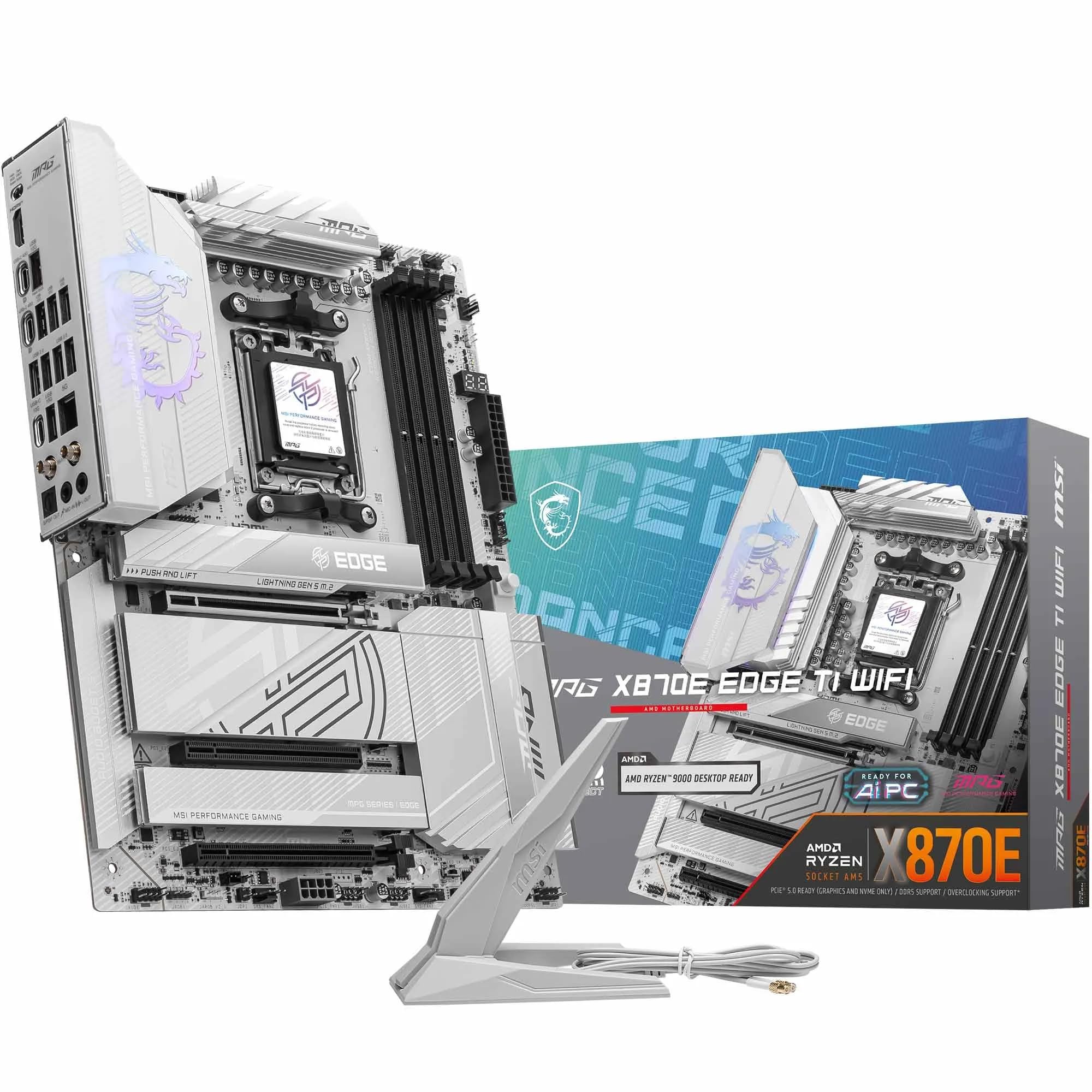 9.0 / 10
MSI MPG X870E EDGE TI WIFI Motherboard, ATX - Supports AMD Ryzen 9000/8000 / 7000 Processors, AM5-80A SPS VRM, DDR5 Memory Boost 8400+MT/s (OC), PCIe 5.0 x16, M.2 Gen5, Wi-Fi 7, 5G LAN
£299.99 · MSI
 9.0 / 10
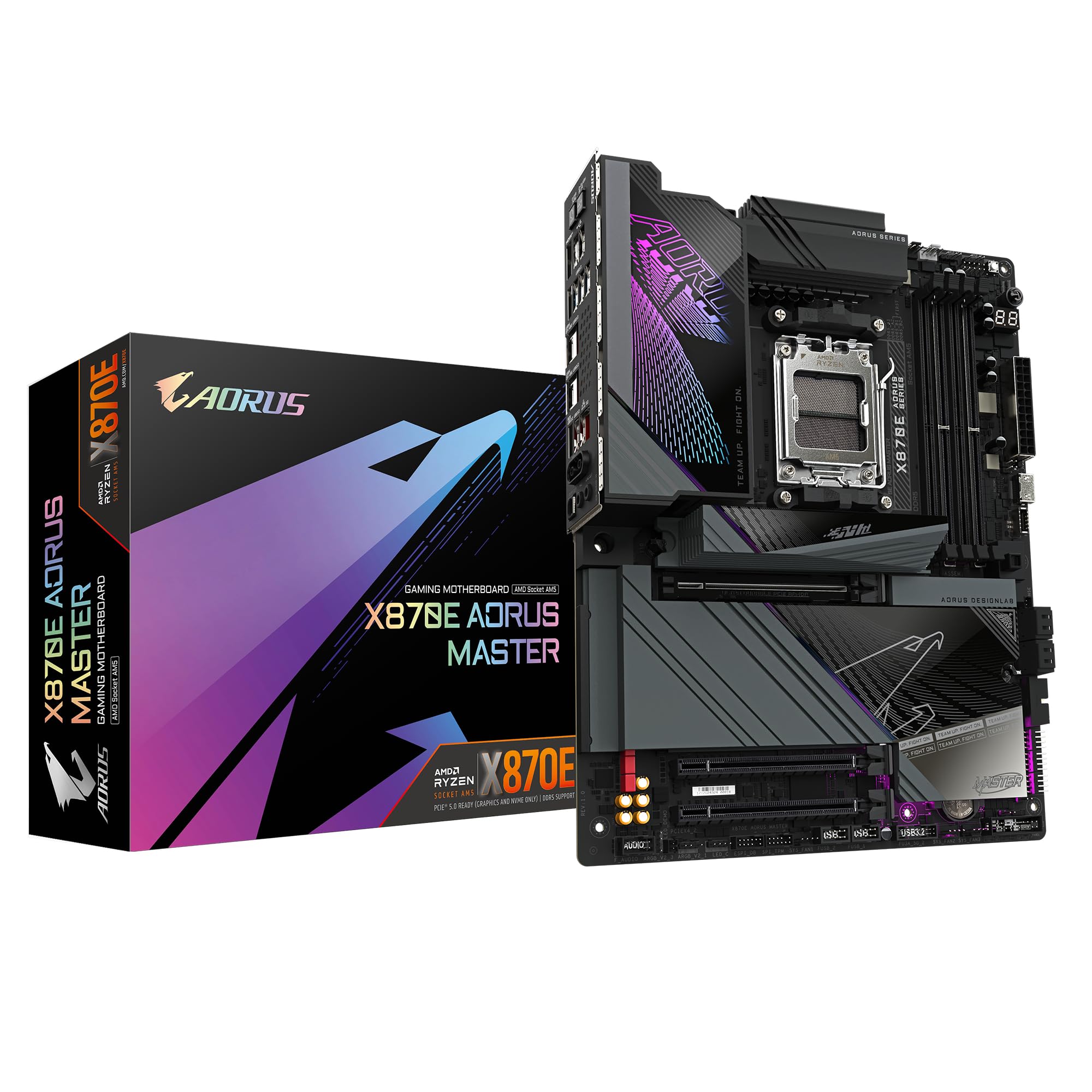
GIGABYTE X870E AORUS MASTER Motherboard - Supports AMD Ryzen 9000 CPUs, 16+2+2 Phases Digital VRM, up to 8600MHz DDR5 (OC), 3xPCIe 5.0, Wi-Fi 7, 5GbE LAN, USB 4
£393.99 · Gigabyte
Frequently asked
5 questions01Is the MSI MEG Z890 ACE Motherboard overkill for just gaming?+
Honestly, yes. Gaming workloads don't saturate 10GbE networking, don't need Thunderbolt 4, and rarely use more than two M.2 slots. The VRM is more than capable for gaming, but so is the VRM on the MSI MPG Z890 Carbon WiFi at a lower price. If gaming is your primary use case, you'd be paying a significant premium for features your games will never touch. The MEG Z890 ACE makes sense for workstation users, content creators, and enthusiast overclockers. For gaming only, step down to the MPG tier and spend the difference on GPU or memory.
02Will my existing CPU cooler work with the MSI MEG Z890 ACE Motherboard?+
The MSI MEG Z890 ACE uses the LGA 1851 socket, which is Intel's current-generation platform for Core Ultra Series 2 processors. LGA 1851 is not backward compatible with LGA 1700 mounting hardware, so coolers designed for 12th, 13th, or 14th generation Intel processors will require a new mounting bracket. Most major cooler manufacturers (Noctua, be quiet!, Corsair, Arctic) provide LGA 1851 mounting kits, sometimes included in the box and sometimes available as a free upgrade. Check your cooler manufacturer's compatibility page before assuming your existing cooler will fit.
03What happens if the MSI MEG Z890 ACE Motherboard doesn't work with my components?+
Amazon UK's standard 30-day return window applies to this product, and the Amazon A-to-Z guarantee covers you if a third-party seller causes issues. For compatibility concerns, the most common issues with new platform boards involve CPU cooler mounting (check LGA 1851 compatibility) and memory kit validation (check MSI's QVL list for your specific DDR5 kit). MSI's support team can help diagnose issues before you initiate a return. If the board arrives damaged or doesn't POST with compatible components, Amazon's returns process is straightforward.
04Is there a cheaper Z890 motherboard I should consider instead?+
Yes. The MSI MPG Z890 Carbon WiFi is the honest recommendation for most builders. It has a capable VRM, Wi-Fi 7, and enough M.2 slots for any realistic storage configuration, at a meaningfully lower price than the MEG Z890 ACE. If you don't need 10GbE, Thunderbolt 4, or five M.2 slots simultaneously, the Carbon WiFi covers your needs without the premium. The Gigabyte Z890 Aorus Elite WiFi is another option at the mid-premium level. Save the MEG Z890 ACE for builds where you'll actually use its headline features.
05What warranty and returns apply to the MSI MEG Z890 ACE Motherboard?+
The verified product data doesn't specify MSI's warranty terms for this board. MSI typically offers a three-year warranty on MEG-tier motherboards in the UK, but you should confirm this directly with MSI UK or the retailer at point of purchase. Regardless of manufacturer warranty, Amazon's 30-day returns policy and A-to-Z guarantee apply when purchasing through Amazon UK, giving you a baseline of protection from day one.