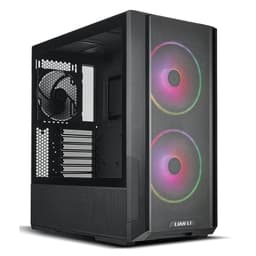
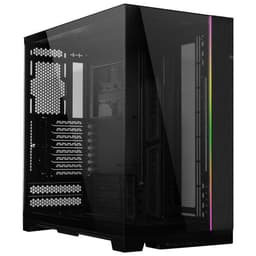
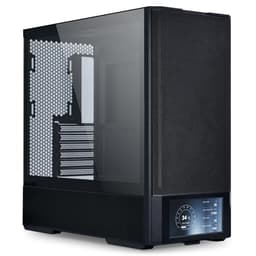
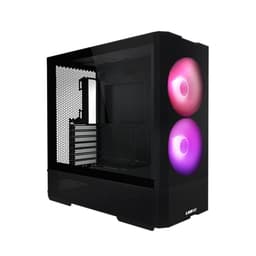
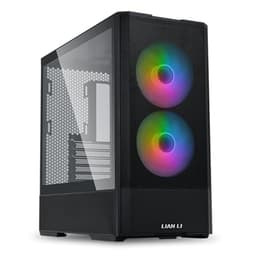
Right, let me be straight with you. The mid-range case market is a bit of a minefield. You've got cases that look stunning on a shelf but turn into a sweaty, cable-tangled nightmare the moment you actually try to build in them. And then you've got the opposite problem: cases with decent airflow but panels that flex like cardboard and edges sharp enough to draw blood. I've cut my knuckles on more than a few "budget-friendly" chassis over the years, and I've got the scars to prove it. So when something lands in the mid-range bracket and claims to offer the full package, I want to know exactly where the compromises are hiding.
The Lian Li O11 Dynamic Mini is a case I've been genuinely curious about for a while. The full-size O11 Dynamic has been a staple recommendation in the enthusiast community for years, and for good reason. But the Mini version is a different proposition entirely. It's aimed at builders who want that same dual-chamber design philosophy in a smaller footprint, which sounds brilliant in theory.
This is my full Lian Li O11 Dynamic Mini PC Case Review UK (2026), Build Tested, and I'm going to walk you through every aspect of this case the way I'd explain it to a mate who's about to spend their money on it. No fluff, no marketing speak. Just what it's actually like to build in, live with, and push thermally.
Core Specifications
Before we get into the hands-on stuff, let's get the numbers down. The O11 Dynamic Mini is a mid-tower cube-style case built around a dual-chamber layout. The main chamber houses your motherboard, GPU, and cooling, while the secondary chamber behind the motherboard tray handles the PSU and cable management. This is the same fundamental design language as the full-size O11, just compressed. And that compression matters quite a bit when you're trying to fit modern hardware in here.
The case supports Mini-ITX and Micro-ATX motherboards, which immediately tells you something about the target audience. This isn't a case for someone building a workstation with eight drives and a full ATX board. It's for compact enthusiast builds, small form factor gaming rigs, and anyone who wants a clean desk presence without going full ITX-only territory. The external dimensions come in at roughly 285mm wide, 293mm tall, and 374mm deep, which is genuinely compact for what it offers internally. It weighs around 5.6kg without any hardware, which feels solid without being ridiculous to move around.
Fan support is where things get interesting. You've got mounts for up to three 120mm or two 140mm fans on the bottom, three 120mm on the side panel, and one 120mm at the rear. That's a lot of potential airflow for a case this size. Radiator support follows suit, with 360mm compatibility on the bottom and side, and 120mm at the rear. The case ships without any included fans, which is worth knowing before you budget. Here's the full spec breakdown:
| Specification | Detail |
|---|---|
| Form Factor | Mini Tower / Cube |
| Motherboard Support | Mini-ITX, Micro-ATX |
| Dimensions (W x H x D) | 285 x 293 x 374mm |
| Weight | 5.6kg (without hardware) |
| Max GPU Length | 320mm |
| Max CPU Cooler Height | 83mm (air cooler) |
| Radiator Support | Bottom: 360mm, Side: 360mm, Rear: 120mm |
| Fan Mounts | Bottom: 3x 120mm / 2x 140mm, Side: 3x 120mm, Rear: 1x 120mm |
| Drive Bays (3.5") | 2 |
| Drive Bays (2.5") | 4 |
| PSU Support | SFX, SFX-L, ATX (up to 130mm) |
| Front I/O | 2x USB 3.0 Type-A, 1x USB 3.1 Type-C, HD Audio |
| Side Panel | Tempered Glass (left), Steel (right) |
| Material | Steel chassis, tempered glass panel |
| Included Fans | None |
| Current Price | £114.41 |
Form Factor and Dimensions
The O11 Dynamic Mini sits in that interesting space between a proper small form factor case and a standard mid-tower. It's not tiny by any stretch, but it's noticeably smaller than something like a Fractal Design Meshify C or an NZXT H510. On my desk, it takes up a footprint that feels manageable without being cramped. The cube-ish proportions mean it's taller relative to its depth than a traditional tower, which some people love and others find a bit odd-looking. Personally, I think it looks great, especially with the tempered glass side panel showing off the internals.
The 374mm depth is the dimension that catches people out. It's deeper than it looks in photos, and you need to account for that on a desk with limited front-to-back space. Width at 285mm is genuinely compact though, and that's the dimension that matters most for desk real estate in most setups. The 293mm height is modest enough that it'll sit comfortably under a monitor without blocking your view, which is something I always check because I've seen people buy cases that end up acting as a wall between them and their screen.
One thing I want to flag early: the dual-chamber design does add to the overall footprint compared to a single-chamber case of similar internal volume. You're essentially paying a size premium for the cleaner cable management and thermal separation that the dual-chamber layout provides. Whether that trade-off is worth it depends entirely on your priorities. For a build where you want the internals to look clean through that glass panel, it absolutely is. For someone who just wants the smallest possible box, there are more compact options at this price point.
Motherboard Compatibility
The O11 Dynamic Mini supports Mini-ITX and Micro-ATX boards, and that's it. No ATX support here, which is a deliberate design choice rather than a limitation. The internal dimensions are sized around mATX as the maximum, and honestly, an mATX board fills the space nicely. I built my primary test system in here using an mATX board and it felt like the case was designed around exactly that configuration. The standoff layout is clean, the I/O shield area is easy to access, and there's no awkward dead space around the board.
For Mini-ITX builds, the case feels slightly oversized, but that's not necessarily a bad thing. You get more room for cable management, more fan mounting options, and generally a less stressful build experience than you'd get in a dedicated ITX case. I've built in cases like the Lian Li O11 Air Mini and similar compact chassis, and the extra breathing room in the Dynamic Mini makes a real difference when you're trying to route cables without everything looking like a bird's nest.
The motherboard tray itself is solid. No flex when you're pressing in RAM or seating the CPU cooler, which sounds like a basic requirement but you'd be surprised how many cases in this price range have trays that wobble. The cutout behind the CPU socket is a good size, giving you easy access for backplate installation without removing the motherboard. That's a detail worth appreciating, because fishing a backplate into position through a too-small cutout makes for a frustrating evening. Lian Li got this right.
GPU Clearance
Maximum GPU length is 320mm, and that's a meaningful limitation in 2026. The current generation of flagship cards from both AMD and NVIDIA can push well past that, with some triple-slot designs stretching to 340mm or beyond. So if you're planning to drop an RTX 5090 or an RX 9900 XTX in here, check your specific card's dimensions before you buy. Most mid-range and upper-mid-range cards will fit fine, but the very top-end AIB designs with extended PCBs and triple-fan shrouds might not.
An RTX 4070 Super (around 305mm) slots in with room to spare. The GPU sits in the main chamber with the tempered glass panel right next to it, which gives you a great view of the card but also means you want to think about airflow direction. The side panel glass is essentially flush with the GPU, so there's no intake from that side. Your cooling strategy needs to account for this, and I'll go into more detail in the airflow section.
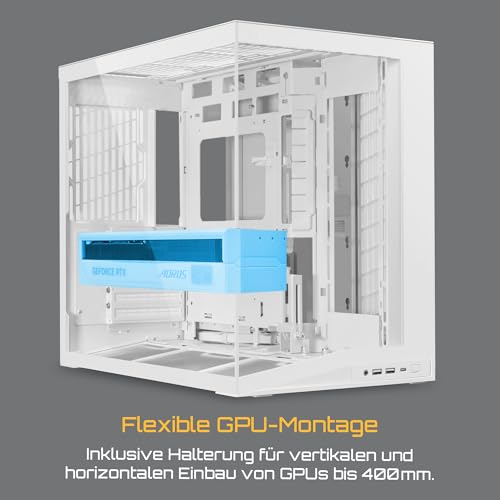
There's no native vertical GPU mount option in the standard configuration, which is a shame given how popular riser cables have become for showcase builds. You can potentially adapt one in, but it's not a supported out-of-the-box feature. For a case at this price point and with this design aesthetic, I'd have liked to see at least an optional vertical mount bracket in the box. The O11 Dynamic XL supports this, so it's not like Lian Li doesn't know how to do it. Worth noting if a vertical GPU display is important to your build.
CPU Cooler Clearance
Here's where the Mini designation really bites. Maximum air cooler height is 83mm. That's not a lot. To put it in context, a Noctua NH-U12S is 158mm tall, a be quiet! Dark Rock 4 is 162mm, and even the compact Noctua NH-U9S sits at 125mm. None of those fit. What you're looking at is low-profile coolers like the Noctua NH-L9i (37mm), the Noctua NH-L12S (70mm), or the be quiet! Shadow Rock LP (75mm). The 83mm limit does give you a bit more headroom than a true SFF case, but it's still quite restrictive.
The practical implication is that most people building in the O11 Dynamic Mini are going to be running an AIO liquid cooler, and the case supports this well. A 240mm or 360mm AIO can go on the bottom, a 240mm or 360mm on the side, and a 120mm at the rear. The bottom mount is the most popular choice for intake, pulling cool air up through the radiator and into the case. A 240mm AIO fits on the bottom and the installation is straightforward, though routing the pump head cables back to the motherboard takes a bit of patience.
One thing to watch with bottom-mounted radiators: the case sits on rubber feet that give you about 15mm of clearance from the desk surface. That's enough for airflow, but if you're on carpet, you'll want to think about whether you're restricting that intake. On a hard desk surface temperatures are good, but carpet users might want to consider a small riser or make sure the case sits on a hard mat. It's the kind of thing that doesn't come up in spec sheets but matters in real-world use.
Storage Bay Options
Storage is handled through a combination of 3.5-inch and 2.5-inch bays, with two 3.5-inch slots and four 2.5-inch slots available. The 3.5-inch bays live in the secondary chamber behind the motherboard tray, which keeps them out of the main airflow path and out of sight through the glass panel. This is the right call aesthetically, but it does mean your HDDs are in the warmer rear chamber. For most people running SSDs as their primary storage, this is a non-issue. If you're running multiple spinning drives for a NAS-adjacent setup, you might want to think about that.
The 2.5-inch bays are distributed around the case, with some behind the motherboard tray and some accessible from the main chamber. Tool-less mounting is available for the 2.5-inch drives, using a simple slide-and-click mechanism that works reliably. I've used tool-less drive mounts that feel like they're going to drop your drive the moment you tilt the case, but these feel secure. The 3.5-inch bays use traditional screw mounting, which is fine. You're not swapping HDDs in and out regularly enough for tool-less to matter much there.
For a modern build, the storage situation is perfectly adequate. Most people are running one or two NVMe SSDs on the motherboard and maybe a 2.5-inch SATA SSD for secondary storage. The O11 Dynamic Mini handles that configuration without any issues. Where it starts to feel limited is if you're trying to run a media server or content creation rig with four or more large drives, but honestly, that's not the target use case for this chassis. If you need a drive farm, you need a different case entirely.

Cable Management
The dual-chamber design is the O11 Dynamic Mini's biggest selling point for cable management, and it largely delivers. The PSU sits in the secondary chamber along with your HDDs and most of your cables, which means the main chamber stays clean. The gap between the two chambers is where you route everything through, and Lian Li has included a decent set of cable routing holes with rubber grommets. Not every hole has a grommet, which is a minor annoyance, but the ones that matter most do.
Rear panel clearance, meaning the space between the back of the motherboard tray and the right-side panel, is around 20-25mm depending on where you measure. That's enough for most cable bundles, but if you're running a lot of fan cables, RGB headers, and a chunky 24-pin ATX cable, it can get tight. I had to do a bit of creative bundling on my second test build, which had more peripherals connected than the first. Velcro straps are included, and they're actually decent quality rather than the flimsy ones you sometimes get.
The PSU shroud situation is a bit different here compared to a traditional mid-tower. Because the PSU lives in the secondary chamber, you don't have the usual shroud covering the bottom of the main chamber. This gives you a cleaner look in the main chamber but means your cable routing discipline needs to be on point. Sloppy cable management in the secondary chamber will show if you open the right-side panel, but since that's a solid steel panel rather than glass, most people won't care. The 24-pin ATX cable routing is the trickiest part of the build, and I'd recommend a right-angle 24-pin adapter if you want a really clean result.
Airflow and Thermal Design
This is where the O11 Dynamic Mini gets genuinely interesting, and also where it requires more thought than a straightforward mesh-front case. The side panel is tempered glass, which means zero airflow from that side. The bottom has mesh with a removable dust filter, which is your primary intake. The rear has a single 120mm exhaust position. There's no front panel as such in the traditional sense, because the front face is solid with just the I/O ports and power button.
The intended airflow path is bottom-to-top or bottom-and-side-to-rear, depending on your fan configuration. With a 360mm radiator on the bottom pulling air in and fans exhausting at the rear and potentially through the side panel (which can be configured as intake or exhaust depending on your setup), you can get good thermal performance. With a Ryzen 7 7700X and RTX 4070 Super, CPU temperatures under sustained load sit around 72-75 degrees Celsius with a 240mm AIO on the bottom, which is perfectly acceptable.
GPU temperatures are where you need to pay attention. Because the glass panel is right next to the GPU with no intake, the card is relying on the general airflow within the main chamber. My RTX 4070 Super hit around 78-80 degrees under sustained gaming load, which is within spec but warmer than I'd see in a mesh-front case with direct GPU intake. If you're running a power-hungry GPU and you care about temperatures, you'll want to maximise your bottom intake fans and make sure your exhaust is keeping up. The case can do it, but it requires a more deliberate fan setup than just chucking three fans in and calling it done. Lian Li's own product page shows the recommended fan configurations, and I'd suggest following those guidelines closely.
Front I/O and Connectivity
The front I/O is located on the top of the case, which is a common placement for cube-style designs and works well in practice. You get two USB 3.0 Type-A ports, one USB 3.1 Gen 2 Type-C port, and a combined headphone/microphone jack. The power button is also up here, along with a reset button that's small enough to avoid accidental presses. The USB Type-C port requires a USB 3.1 Gen 2 header on your motherboard, which most modern mATX and ITX boards have, but it's worth confirming before you buy.
The placement on the top panel is genuinely convenient for a desk build. Plugging in headphones or a USB drive doesn't require reaching around to the front of the case or bending down to floor level. It's one of those quality-of-life details that you don't think about until you've used a case where the I/O is in a terrible position. I've reviewed cases where the front I/O is on the very bottom edge of the front panel, which is essentially useless unless your case is at eye level. Top-mounted I/O is the right call here.
The absence of a USB 2.0 header connection might bother some people who have older peripherals or all-in-one cooler USB connections that use 2.0 headers. The case itself doesn't require any USB 2.0 connections from the front I/O, but if your AIO cooler's USB controller needs a 2.0 header (some do for RGB sync), you'll need to plan your header usage carefully. It's not a dealbreaker, but it's something to be aware of. The overall I/O selection is solid for a case in this category, and the Type-C inclusion is appreciated given how many peripherals now use that connection.
Build Quality and Materials
Lian Li has a reputation for quality construction, and the O11 Dynamic Mini largely lives up to it. The steel chassis feels solid, with no panel flex that would make you wince. The tempered glass side panel is 4mm thick and attaches with four thumbscrews, which is standard but reliable. The glass itself has a slight tint that makes the internals look a bit more dramatic without obscuring the view. Panel alignment is good out of the box, with no obvious gaps or misalignment on my review unit.
The finish on the steel panels is clean, with no sharp edges on the interior that would threaten your hands during a build. I genuinely checked this carefully because I've been caught out by cheap cases with stamped edges that haven't been properly deburred. The O11 Dynamic Mini passes that test. The thumbscrews throughout the case have a decent knurling pattern that makes them easy to tighten and loosen by hand, and they don't feel like they're going to strip after a few uses.
The rubber feet are a good size and grip the desk well. The dust filter on the bottom is magnetic, which is the right design choice. Magnetic filters are so much easier to clean than the clip-in or slide-out designs that require you to move the case or contort yourself to access them. You just pull it out from the front, rinse it, let it dry, and pop it back. Simple. The overall build quality sits comfortably above what you'd expect from a case at this price point, and it's noticeably better than similarly-priced options from some other brands. The Lian Li brand consistently delivers on material quality, and this case is no exception.
How It Compares
The two most obvious competitors for the O11 Dynamic Mini are the Fractal Design Pop Mini Air and the Corsair 4000D Airflow. These are both popular mid-range cases that regularly come up in the same conversations, and they represent genuinely different approaches to the same problem. The Fractal Pop Mini Air is a more traditional small mid-tower with a mesh front and straightforward single-chamber design. The Corsair 4000D Airflow is a full mid-tower with excellent airflow credentials and a slightly higher price tag. Neither is a direct like-for-like comparison, but they're what most buyers are choosing between.
The Fractal Design Pop Mini Air is smaller and lighter, making it a better choice if desk space is genuinely at a premium. It also supports ATX motherboards in its full-size version, giving you more flexibility. But the cable management experience is noticeably worse than the O11 Dynamic Mini's dual-chamber setup, and the aesthetic is more utilitarian. If you care about how your build looks through a glass panel, the O11 wins fairly easily. The Fractal is the practical choice; the Lian Li is the enthusiast choice.
The Corsair 4000D Airflow is a genuinely excellent case with better out-of-the-box airflow thanks to its mesh front panel. It supports ATX boards, has more drive bays, and comes with two included fans. But it's bigger, heavier, and the cable management, while good, doesn't have the clean separation of the dual-chamber design. If thermals are your absolute top priority and you don't mind the larger footprint, the 4000D Airflow is worth serious consideration. But for a compact enthusiast build where aesthetics and build experience matter, the O11 Dynamic Mini holds its own.
| Feature | Lian Li O11 Dynamic Mini | Fractal Design Pop Mini Air | Corsair 4000D Airflow |
|---|---|---|---|
| Form Factor | Mini Tower / Cube | Mini Tower | Mid Tower |
| Motherboard Support | mITX, mATX | mITX, mATX, ATX | mITX, mATX, ATX |
| Max GPU Length | 320mm | 341mm | 360mm |
| Max Air Cooler Height | 83mm | 169mm | 170mm |
| Radiator Support (max) | 360mm (bottom/side) | 280mm (top) | 360mm (front) |
| Included Fans | None | 2x 140mm | 2x 120mm |
| Front Panel Type | Solid (no intake) | Mesh | Mesh |
| Cable Management | Dual-chamber, excellent | Single-chamber, good | Single-chamber, very good |
| Drive Bays (3.5") | 2 | 2 | 2 |
| USB Type-C Front I/O | Yes (Gen 2) | Yes (Gen 2) | Yes (Gen 1) |
| Price Tier | Mid-range | Mid-range | Mid-range / Upper-mid |

Final Verdict
The Lian Li O11 Dynamic Mini is a case that rewards builders who know what they want and plan their build around its strengths. It's not the right choice for everyone, and I want to be clear about that. If you need ATX motherboard support, want to run a tall air cooler, or need a GPU longer than 320mm, this case will frustrate you. The 83mm CPU cooler limit alone rules it out for a huge chunk of builders who prefer air cooling, and that's a real limitation worth taking seriously.
But for the builder who's going AIO, running mATX or ITX, and cares about having a clean-looking build that's genuinely pleasant to work in, this case is excellent. The dual-chamber design makes cable management so much more manageable than a traditional single-chamber layout. The build quality is above average for the price. The I/O is well-placed and includes a proper Gen 2 Type-C port. And the overall aesthetic, that cube-ish profile with the tempered glass panel showing off your components, is genuinely appealing in a way that a lot of cases at this price point aren't. Lian Li's official product page gives you the full spec breakdown if you want to cross-reference your component dimensions before committing.
The thermal performance requires more thought than a mesh-front case. You can't just throw some fans in and expect great results. You need to plan your fan configuration, ideally with a 360mm radiator on the bottom and exhaust at the rear and side. Done right, temperatures are perfectly acceptable for enthusiast hardware. Done lazily, you'll see higher-than-ideal GPU temperatures. The case rewards the builder who thinks about airflow, which is probably the right person to be buying a case like this anyway.
Priced in the mid-range bracket, it's competitively positioned against the Corsair 4000D Airflow and sits at a similar level to the Fractal Pop Mini Air, though if you're exploring best PC cases at this price point more broadly, there are several other solid options worth considering. You're not getting included fans, which does add to the total build cost, and that's a genuine consideration. But the build quality and design thoughtfulness justify the price. For a compact enthusiast build in 2026, this is one of the better options available. Just go in with your eyes open about the cooler height limitation and GPU length cap, and you'll have a great time building in it.
Who should buy this: mATX or ITX builders going AIO, anyone who wants a clean showcase build in a compact footprint, builders who've been frustrated by cable management in traditional cases. Who should skip it: anyone needing ATX support, builders with tall air coolers, anyone with a flagship-tier GPU that exceeds 320mm. Solid case. Recommended with the caveats noted.
What works. What doesn’t.
6 + 6What we liked6 reasons
- Dual-chamber design makes cable management significantly cleaner than single-chamber rivals at this price point
- Build quality is noticeably above average for the mid-range bracket, with no sharp interior edges and solid panel alignment
- Top-mounted I/O with a genuine USB 3.1 Gen 2 Type-C port is well-placed and practical for desk use
- Supports 360mm radiators on both the bottom and side, giving AIO builders plenty of flexibility
- Magnetic bottom dust filter is easy to remove and clean without moving the case
- Tempered glass panel and cube-style proportions produce an aesthetically strong showcase build
Where it falls6 reasons
- 83mm maximum air cooler height effectively forces an AIO, ruling out the vast majority of popular tower coolers
- No fans are included in the box, adding meaningful cost to the total build budget
- 320mm GPU length limit may exclude some high-end AIB cards with extended PCBs
- No native vertical GPU mounting bracket, despite the design being well-suited to showcase builds
- The solid front and glass side panel mean airflow requires deliberate planning; lazy fan configs produce warmer GPU temperatures
- No ATX motherboard support, limiting the case to mATX and Mini-ITX builders only
Full specifications
12 attributes| Form factor | Mid-Tower |
|---|---|
| Airflow type | mesh |
| MAX GPU length | 400 |
| MAX cooler height | 160 |
| Radiator support | 360mm top, 240mm side |
| CPU cooler clearance MM | 170 |
| Dimensions MM | 425 x 269.5 x 380 |
| Drive bays | 4x 2.5", 2x 3.5" |
| Fans included | 0 |
| GPU clearance MM | 395 |
| MAX FAN count | 9 |
| MAX radiator MM | 360 |
If this isn’t right for you
2 options 8.5 / 10
SilverStone GD11 HTPC Micro-ATX/ATX Case – Horizontal Desktop Computer Case with USB-C, ATX PSU Support, 240mm Radiator Support, Supports up to 340mm Graphics Cards | SST-GD11B
£144.49 · SilverStone
 8.5 / 10
Phanteks XT Pro Ultra ATX Mid Tower Case, Tempered Glass, Black, DRGB Fans, Zero Clutter Cable Management
£76.99 · Phanteks
Frequently asked
7 questions01Does the Lian Li O11 Dynamic Mini support ATX motherboards?+
No. The O11 Dynamic Mini is designed for Mini-ITX and Micro-ATX boards only. If you need ATX support, you would need to look at the full-size O11 Dynamic or a different case entirely.
02What is the maximum CPU air cooler height in the O11 Dynamic Mini?+
The maximum air cooler height is 83mm. This rules out virtually all popular tower coolers such as the Noctua NH-U12S or be quiet! Dark Rock 4. Most builders using this case opt for an AIO liquid cooler instead. Low-profile coolers like the Noctua NH-L12S (70mm) or be quiet! Shadow Rock LP (75mm) will fit.
03What is the maximum GPU length supported?+
The O11 Dynamic Mini supports GPUs up to 320mm in length. Many current mid-range and upper-mid-range cards will fit comfortably, but some high-end AIB designs with extended PCBs can exceed this limit, so it is worth checking your specific card's dimensions before purchasing.
04Does the O11 Dynamic Mini come with fans included?+
No, the case ships without any included fans. You will need to purchase fans separately, which should be factored into your total build budget. The case supports up to three 120mm or two 140mm fans on the bottom, three 120mm on the side, and one 120mm at the rear.
05Can you mount a 360mm radiator in the Lian Li O11 Dynamic Mini?+
Yes. The case supports a 360mm radiator on the bottom and a 360mm radiator on the side panel, as well as a 120mm at the rear. The bottom mount is the most commonly used position for AIO builds, drawing cool air up through the radiator into the main chamber.
06How does cable management work in the O11 Dynamic Mini?+
The dual-chamber design separates the PSU and cabling into a secondary chamber behind the motherboard tray, keeping the main chamber clean. Lian Li includes velcro straps and rubber-grommeted cable routing holes. Rear panel clearance is approximately 20 to 25mm, which is sufficient for most builds though tight if you have a large number of cables.
07Is the front I/O on the O11 Dynamic Mini adequate for modern builds?+
The front I/O is located on the top of the case and includes two USB 3.0 Type-A ports, one USB 3.1 Gen 2 Type-C port, and a combined headphone and microphone jack. The Type-C port requires a USB 3.1 Gen 2 header on your motherboard. There is no USB 2.0 front I/O, which may require planning if your AIO cooler's USB controller uses a 2.0 header.