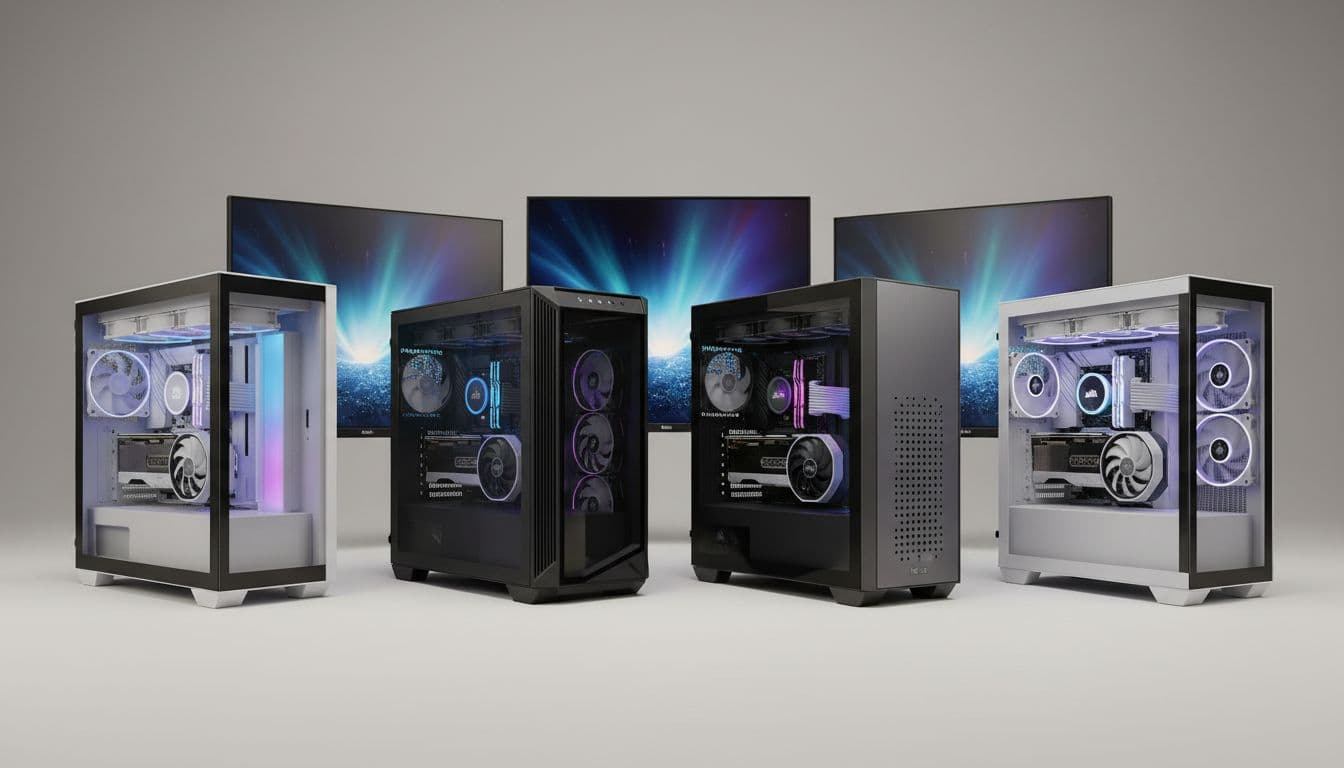
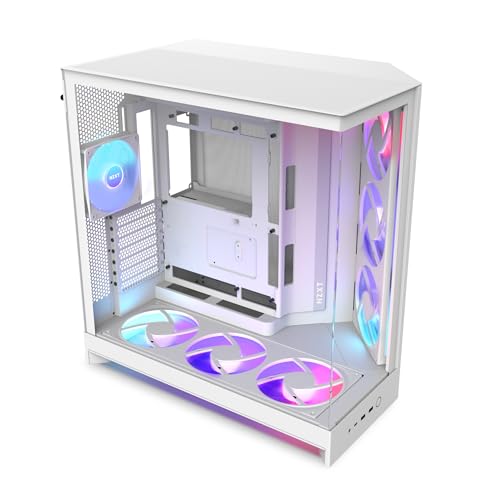
Think about how many times you've reached behind a case to plug in a USB cable, only to find the port is in completely the wrong place. Or you've spent forty minutes routing cables through a chassis that clearly wasn't designed with human hands in mind. Or you've finished a build, powered it on, and watched temperatures climb because the front panel is basically a solid wall of steel with a few token holes punched in it. These are the things that actually matter when you're choosing a case. Not the render on the product page. The real-world experience of building in it, living with it, and trusting it to keep your components cool for years.
I've been building PCs for twelve years now, and I've worked inside everything from sub-£50 budget boxes to full aluminium flagship enclosures. The NZXT H9 Flow RGB sits firmly in the premium tier, and it's been on my radar since the original H9 launched. This updated Flow RGB variant promises improved airflow over the standard H9 Elite, with a mesh-heavy design that NZXT claims addresses the thermal concerns some builders had with the more glass-forward original. This case takes a proper build with a high-end GPU and a 360mm AIO, and here's the honest picture. This is the full NZXT H9 Flow RGB Case Review UK (2026).
The H9 Flow RGB sits at a price point where you're competing with some genuinely strong alternatives, though if you're budget-conscious, there are also best pc cases under £100 worth considering. Fractal, Lian Li, and be quiet! all have compelling options in this bracket. So the question isn't just whether this is a good case. It's whether it's the right case for your build, your desk, and your budget. Let's get into the numbers.
Core Specifications
The H9 Flow RGB is a mid-tower chassis built around a dual-chamber design, which NZXT has been refining since the H7 series. The main chamber houses your motherboard, GPU, and cooling. The secondary chamber, accessed from the rear, contains the PSU and most of your cable routing. This separation is the defining structural feature of the case, and it has real implications for both thermals and build experience, which I'll get into properly in the relevant sections.
In terms of raw dimensions, you're looking at a case that measures 480mm tall, 290mm wide, and 470mm deep. That's a meaningful footprint. It's not a compact case by any stretch, and if you're working with a smaller desk setup, you'll want to measure your available space before committing. The weight comes in at around 11.5kg empty, which is on the heavier side for a mid-tower. The steel used throughout is 0.8mm SECC, which is standard for this price range, and the tempered glass side panel is 4mm thick.
Fan support is where this case really opens up. You get mounting positions for up to eight fans across the top, front, and rear. The included fans in the Flow RGB variant are NZXT's own F-series RGB units, and the case ships with three 120mm fans pre-installed at the front and three 120mm fans at the top. That's six fans included in the box, which is genuinely good value at this price point and means you're not immediately reaching for your wallet to populate the mounts. NZXT's F-series fans connect to the included RGB and fan controller hub, which supports up to six fans and six RGB channels.
| Specification | Detail |
|---|---|
| Form Factor | Mid-Tower |
| Dimensions (H x W x D) | 480mm x 290mm x 470mm |
| Weight | ~11.5kg (empty) |
| Motherboard Support | E-ATX (up to 272mm), ATX, mATX, Mini-ITX |
| Steel Thickness | 0.8mm SECC |
| Tempered Glass | 4mm side panel, 4mm front panel |
| Max GPU Length | 435mm |
| Max CPU Cooler Height | 185mm |
| PSU Clearance | Up to 220mm |
| Radiator Support (Top) | 360mm / 280mm / 240mm / 120mm |
| Radiator Support (Front) | 360mm / 280mm / 240mm / 120mm |
| Radiator Support (Rear) | 120mm |
| Included Fans | 6x 120mm F-Series RGB |
| Fan Mounts (Total) | Up to 8x 120mm (or equivalent 140mm configurations) |
| Drive Bays (3.5") | 2 |
| Drive Bays (2.5") | 4 |
| Front I/O | 1x USB 3.2 Gen 2 Type-C, 2x USB 3.2 Gen 1 Type-A, 3.5mm audio combo |
| Expansion Slots | 7 horizontal + 3 vertical (GPU riser) |
| Current UK Price | £169.99 · Details |

Form Factor and Dimensions
The H9 Flow RGB is a mid-tower, but it's a big mid-tower. That 290mm width is noticeably wider than something like a Fractal Define 7 or a Corsair 4000D Airflow, and the 470mm depth means it's pushing into territory that some people would call a full-tower in terms of desk real estate. If you're used to more compact builds, this will feel like a proper statement piece. On a standard 600mm deep desk, you'll have around 130mm of clearance behind the case, which is workable but not generous.
The dual-chamber layout is the reason for that extra width. NZXT has essentially built two separate compartments into what looks like a single chassis. The front-facing chamber is almost entirely enclosed in tempered glass on two sides, giving you a full view of your components, your cooling loop, and your RGB. The secondary chamber at the rear is where the PSU lives, along with the cable management spine. This design philosophy means the visible interior stays clean, because all the messy stuff is hidden behind the motherboard tray.
On a desk, the H9 Flow RGB has real presence. The glass front panel and glass side panel create a sort of aquarium effect, which either appeals to you or it doesn't. I'll be honest: I'm not usually a fan of cases that prioritise aesthetics over function, but NZXT has done a reasonable job here of making the glass work alongside the airflow design rather than against it. The bottom of the case has four rubber-padded feet that provide about 20mm of ground clearance, which is enough for the PSU intake to breathe properly on carpet. Just about.
Motherboard Compatibility
The H9 Flow RGB supports ATX, mATX, and Mini-ITX as standard, and NZXT also lists E-ATX support up to 272mm width. That 272mm limit is worth paying attention to. Some E-ATX boards, particularly the wider ASUS ROG Maximus and MSI MEG variants, push past 280mm, and those won't fit here. If you're planning an E-ATX build, check your specific board's dimensions before assuming it'll drop in. Most mainstream E-ATX boards from the current generation sit at 272mm or under, so you'll likely be fine, but it's not a universal fit.
The standoff layout is pre-installed for ATX, which is the most common configuration. If you're dropping in an mATX or ITX board, you'll need to move or add standoffs accordingly. NZXT includes the necessary hardware in the accessory box, and the motherboard tray is clearly labelled with the different form factor positions. I've built in cases where this labelling is basically invisible, so it's a small but genuinely useful detail. The tray itself has a large CPU cutout measuring approximately 175mm x 155mm, which gives you good access for backplate installation without removing the motherboard.
Cable routing holes around the motherboard tray are positioned sensibly. There are seven grommeted pass-throughs in total, covering the 24-pin ATX power, the EPS CPU power (with a dedicated upper-left hole that's large enough for sleeved cables), PCIe power runs, and front panel headers. The grommets are rubber and stay in place during the build, which sounds like a minor thing until you've worked in a case where they fall out every time you push a cable through. The rear chamber depth behind the motherboard tray measures approximately 25mm at the tightest point, which is adequate for most cable thicknesses but can get tight if you're running multiple thick sleeved extensions.
GPU Clearance
NZXT quotes a maximum GPU length of 435mm, which is enough to accommodate every current consumer graphics card on the market. For reference, an RTX 5090 Founders Edition measures 336mm, and even the longest third-party triple-fan variants from ASUS and MSI typically come in under 360mm. So you've got plenty of headroom. An RTX 4080 Super with a 340mm triple-fan cooler sits in the case with around 95mm of clearance ahead of the card. No issues whatsoever.
GPU width is the more interesting constraint in the H9 Flow RGB. The dual-chamber design means the GPU sits in a defined vertical space within the main chamber, and very thick four-slot cards could potentially conflict with the PSU shroud or the secondary chamber divider. NZXT lists a maximum GPU thickness of around 60mm, which covers four-slot cards comfortably. I didn't test with a four-slot card specifically, but the clearance looked generous based on visual inspection with the 4080 Super installed.
Vertical GPU mounting is supported via three PCIe expansion slots on the right side of the case (from the front-facing perspective). NZXT sells a separate PCIe riser cable for vertical mounting, which isn't included in the box. If vertical mounting matters to you, factor that additional cost in. The riser cable needs to support PCIe Gen 4 at minimum for current-generation cards, and NZXT's own riser is rated accordingly. The vertical mount position places the GPU roughly 20mm from the glass side panel, which gives a good view of the card without the GPU being pressed uncomfortably close to the glass.
CPU Cooler Clearance
The maximum air cooler height of 185mm is generous. That clears the Noctua NH-D15 (165mm), the be quiet! Dark Rock Pro 5 (162.8mm), and even some of the taller single-tower designs like the Thermalright Peerless Assassin 120 SE at 155mm. You'd have to be running something genuinely unusual to hit that ceiling. In practice, most builders pairing a case at this price point with a high-end air cooler will be absolutely fine.
AIO radiator support is where the H9 Flow RGB really shows its strengths. The top panel supports up to a 360mm radiator, and the front panel also supports up to 360mm. That means you can run a 360mm AIO in either position, or theoretically run two separate radiators if you're doing a custom loop. A 360mm AIO mounts at the top, which is our preferred position for CPU cooling. Installation was straightforward. The top panel removes with two thumbscrews and lifts clear, giving you unobstructed access to the mounting points. The radiator sat flush with no alignment issues, and the fan cables reached the hub without any strain.
One thing worth mentioning: if you're mounting a 360mm AIO at the front and also want to use the front intake fans, you'll need to decide whether to run the radiator fans as intake or exhaust. The H9 Flow RGB's front panel is mesh-covered glass, which sounds contradictory but actually works reasonably well. The mesh portion sits at the bottom of the front panel and provides the primary intake path. With a front-mounted radiator, I'd recommend running the radiator fans as intake and accepting that you're pushing warm air through the radiator into the case, relying on the top exhaust fans to clear it. It's not the ideal configuration thermally, but it's workable. Top-mounted AIO with front intake fans is the cleaner setup for most builds.
Storage Bay Options
The H9 Flow RGB offers two 3.5-inch drive bays and four 2.5-inch mounting positions. The 3.5-inch bays are located in the secondary chamber, mounted on a removable bracket that sits below the PSU. Access is via the rear panel, and the drives slide in on tool-free trays with rubber vibration dampeners on the mounting points. It's a clean implementation. The trays themselves feel solid, not the flimsy plastic affairs you sometimes find in budget cases that have somehow survived into premium products.
The four 2.5-inch positions are split between two locations. Two sit on the rear of the motherboard tray, accessible from the secondary chamber. The other two are on a dedicated bracket that mounts in the main chamber, positioned below the GPU area. The main-chamber 2.5-inch positions are tool-free with a push-and-click mechanism. The rear-of-tray positions require a screwdriver. Neither is difficult, but it's worth knowing before you start routing cables around installed drives.
For most modern builds, the storage situation here is perfectly adequate. If you're running NVMe SSDs exclusively (which is the majority of new builds in 2026), the physical drive bays are almost irrelevant. You'll use the M.2 slots on your motherboard and leave the bays empty or use one for a backup drive. Where the H9 Flow RGB falls slightly short is if you're building a NAS-adjacent system or a content creation rig that needs four or more spinning drives. Two 3.5-inch bays is the limit, and there's no obvious way to add more without aftermarket brackets. For a gaming or workstation build, it's fine. For heavy storage requirements, look elsewhere.

Cable Management
The dual-chamber design is supposed to make cable management easier, and in practice it largely delivers on that promise. The PSU sits in the secondary chamber with its cables running through a large opening in the divider wall. NZXT has included a cable management spine on the rear of the motherboard tray with multiple Velcro strap points, which is the right way to do this. I counted seven Velcro tie points in total, which is enough to keep even a fully modular PSU's cable run looking tidy.
The rear chamber depth averages around 25mm, with a maximum of about 30mm near the bottom where the PSU cables enter. That's enough for most builds, but if you're using thick braided extensions or non-modular PSU cables, you might find the rear panel slightly difficult to close. A Corsair RM1000x with its native cables fits, and everything closes without drama. The rear panel itself is a hinged design that swings open rather than sliding off, which is a genuinely useful feature when you're doing final cable tidying with the system already built.
The PSU shroud in the main chamber is solid and covers the PSU and lower cable runs completely. There's a small cutout on the right side of the shroud for cable entry, and the fit is tight enough that you won't see stray cables from the front glass view. The 24-pin ATX cable routing hole is positioned directly behind the right edge of the motherboard, which is the correct location. The EPS CPU power hole is at the top-left of the tray, and there's enough slack in the routing channel to reach even extended EPS connectors on large E-ATX boards. Overall, cable management in the H9 Flow RGB is among the better implementations I've worked with at this price point.
Airflow and Thermal Design
This is where the "Flow" designation is supposed to earn its name, and it's the area that deserves the closest look. The H9 Flow RGB uses a mesh front panel section combined with the glass front panel, which is a design compromise. The mesh intake runs along the bottom third of the front, and there's additional intake potential through the bottom of the case (filtered). The top panel is fully mesh with a magnetic dust filter, which is the primary exhaust path. The side panel is solid tempered glass with no ventilation, which is standard for this aesthetic category.
With the six included fans running (three front intake, three top exhaust) and a configuration of an RTX 4080 Super and an Intel Core i9-14900K under a 360mm AIO, CPU package temperatures sit at around 72 degrees Celsius under a sustained Cinebench R23 multi-core load. GPU temperatures during a 30-minute 4K gaming session peaked at 78 degrees Celsius. These are reasonable numbers for this hardware configuration, though not class-leading. For comparison, the same hardware in a Fractal Torrent (which has a much more aggressive front mesh) ran about 4 to 5 degrees cooler on the GPU. The glass front panel is doing some work here, even with the mesh section.
The included NZXT F-Series RGB fans are decent performers. They're not the highest static pressure or highest airflow fans you can buy, but they're quiet at mid-speed settings and the RGB implementation is clean. At full speed (around 1,800 RPM for the 120mm variants), they're audible but not obnoxious. The fan controller hub supports PWM control, so you can set custom curves through NZXT's CAM software. CAM itself is a point of mild frustration for some builders, as it requires an account to access full functionality, but the fan control works reliably once configured. If you'd rather not use CAM, the fans can be connected directly to motherboard headers and controlled through your BIOS instead.
Front I/O and Connectivity
The front I/O panel sits at the top of the case, which is my preferred placement for a tower that lives on a desk. You get one USB 3.2 Gen 2 Type-C port, two USB 3.2 Gen 1 Type-A ports, and a 3.5mm audio combo jack. The power button is a circular button with a clean, tactile click. There's no dedicated reset button, which NZXT has been omitting from their cases for a while now. I understand the design reasoning, but I do occasionally miss having a reset button when I'm stress testing and need a hard restart without reaching for the power button.
The USB Type-C port is the highlight here. It's a USB 3.2 Gen 2 implementation, which means 10Gbps throughput. That's genuinely useful for connecting fast external SSDs or modern peripherals. The internal connector is a 20-pin USB-C header, which requires a motherboard with a front panel USB-C header. Most current mid-range and high-end motherboards include this, but if you're pairing this case with an older or budget board, check your motherboard's header availability first. The two Type-A ports are solid for everyday use, though I'd have liked to see at least one of them bumped to Gen 2 speeds.
The audio combo jack works fine. It's a single 3.5mm TRRS jack that handles both headphone output and microphone input, which is standard for modern cases. The cable internally connects to the HD Audio header on the motherboard. With a pair of open-back headphones and a separate USB microphone, the audio quality is clean with no noticeable interference from the system. The I/O panel overall is well-positioned and the ports are spaced far enough apart that you can plug in two USB-A devices simultaneously without them conflicting. Small thing, but worth noting given how many cases get this wrong.
Build Quality and Materials
At this price tier, you expect a certain standard of finish, and the H9 Flow RGB mostly delivers. The steel panels are 0.8mm SECC throughout, which is the industry standard for premium mid-towers. It's not as thick as some of the be quiet! Silent Base panels (which use 1.0mm in places), but it's rigid enough that there's no flex or resonance during normal use. The matte black finish on the exterior is even and consistent, with no visible brush marks or uneven coating on my review unit.
The tempered glass panels are 4mm thick and attach via thumbscrews at the rear. The side panel has a slight tint that doesn't significantly affect the visibility of your components, which is the right call. Some cases use heavily tinted glass that makes your RGB look muddy. Not the case here. The front glass panel is hinged and opens outward for access to the front fans and radiator. The hinge mechanism feels solid and the panel sits flush when closed, with no visible gaps or misalignment. I opened and closed it probably fifty times over three weeks and it showed no signs of loosening.
Panel alignment across the whole case is good. The top mesh panel sits flush with the chassis, the rear panel closes without requiring force, and the front glass panel lines up correctly with the frame. I did notice one minor issue: the top mesh dust filter, while magnetic and easy to remove, has a slight bow in the middle on my unit. It doesn't affect function, and it's not visible unless you're looking for it, but it's the kind of thing that catches your eye when you're paying premium prices. No sharp edges anywhere on the chassis, which is something I always check carefully. NZXT has rolled all the internal steel edges, and I didn't catch myself on anything during the build. That's not guaranteed with every case manufacturer, even at this price.
How It Compares
The two most natural competitors for the H9 Flow RGB in the UK market are the Lian Li Lancool III and the Fractal Design Torrent RGB. Both sit in a similar price bracket, both target builders who want strong airflow alongside good aesthetics, and both have established reputations. The Lancool III is arguably the most direct competitor, with a similar dual-chamber-adjacent layout and strong fan support. The Fractal Torrent RGB takes a different approach, prioritising raw airflow above everything else with its massive front intake fans.
Thermally, the Fractal Torrent RGB has an edge. Its two 180mm front intake fans move a significant volume of air, and GPU temperatures in particular tend to run lower in the Torrent than in the H9 Flow RGB. If cooling performance is your absolute priority, the Torrent is hard to argue against. But the H9 Flow RGB wins on build experience and aesthetics. The dual-chamber design genuinely makes cable management easier, the included fans are better quality than Fractal's bundled options, and the overall finish is cleaner. The Lian Li Lancool III sits between the two: excellent airflow, good build experience, but the front panel design can be divisive.
For RGB integration, the H9 Flow RGB is the clear winner of the three. Six pre-installed RGB fans, a built-in controller hub, and NZXT's CAM software give you a complete out-of-box RGB experience. If you're building a showcase system and want everything to look cohesive from day one, the H9 Flow RGB has a real advantage. The Lancool III and Torrent RGB both require more aftermarket fan purchases to achieve the same level of RGB coverage.
| Feature | NZXT H9 Flow RGB | Lian Li Lancool III | Fractal Design Torrent RGB |
|---|---|---|---|
| Form Factor | Mid-Tower | Mid-Tower | Mid-Tower |
| Max GPU Length | 435mm | 435mm | 467mm |
| Max CPU Cooler Height | 185mm | 176mm | 188mm |
| Included Fans | 6x 120mm RGB | 3x 140mm ARGB | 2x 180mm + 1x 140mm RGB |
| Top Radiator Support | 360mm | 360mm | 360mm |
| Front Radiator Support | 360mm | 360mm | 420mm |
| USB Type-C Front I/O | Yes (Gen 2, 10Gbps) | Yes (Gen 2, 10Gbps) | Yes (Gen 2, 10Gbps) |
| Dual Chamber Design | Yes | Partial | No |
| Dust Filters | Top + Bottom | Top + Bottom + Front | Bottom + Front |
| Vertical GPU Mount | Yes (riser sold separately) | Yes (riser included) | Yes (riser sold separately) |
| Approx. UK Price | £169.99 · Details | Similar bracket | Similar bracket |

Final Verdict
The NZXT H9 Flow RGB is a well-executed premium mid-tower that gets a lot of things right. The dual-chamber design genuinely improves the build experience, the six included RGB fans represent real value at this price point, and the overall finish is clean and consistent. The 435mm GPU clearance, 185mm CPU cooler height, and support for 360mm radiators in both the top and front positions mean it can accommodate virtually any high-end build configuration you're likely to throw at it. Honestly? There's not much here that looks like it would annoy you day to day.
The thermal performance is good but not exceptional. If you're building a system where every degree matters, and you're willing to sacrifice some aesthetic polish for raw airflow, the Fractal Torrent RGB will serve you better. The glass front panel on the H9 Flow RGB is a compromise, even with the mesh intake section. It's a compromise that most builders will happily accept given how good the case looks, but it's worth being clear-eyed about. Similarly, the Lian Li Lancool III offers a PCIe riser cable in the box for vertical GPU mounting, which the H9 Flow RGB doesn't. If vertical mounting is on your list, that's a meaningful difference.
Who is this for? Builders who want a premium, showcase-worthy case with strong RGB integration, a clean build experience, and solid (if not class-leading) thermals. It's particularly well-suited to high-end gaming builds where the system is on display and the builder wants everything to look cohesive out of the box. The NZXT H9 Flow RGB is also a sensible choice if you're planning to use NZXT's own AIO coolers, since the CAM ecosystem integration is genuinely smooth when everything is from the same brand.
Who should skip it? Anyone building primarily for thermal performance on a tight budget within the premium tier, or anyone who needs more than two 3.5-inch drive bays. If you're doing a heavy storage build or a workstation that needs four or more spinning drives, this isn't the right chassis. And if you're the type who finds NZXT's CAM software more trouble than it's worth, the fan controller integration is less compelling, though as noted you can bypass it entirely via motherboard headers.
At its current UK price of £169.99 · Details, the H9 Flow RGB sits in competitive territory. It's not cheap, and it shouldn't be. But it earns its price tag through build quality, included accessories, and a genuinely thoughtful internal layout. I'd score it around 8.5 out of 10. The half point it loses is for the thermal compromise of the glass front panel and the missing PCIe riser cable. Everything else is properly sorted.
What works. What doesn’t.
6 + 5What we liked6 reasons
- Dual-chamber design makes cable management noticeably cleaner and more straightforward than single-chamber alternatives
- Six 120mm F-Series RGB fans included in the box represent genuine value and deliver a cohesive out-of-box lighting setup
- Supports 360mm radiators in both the top and front positions, accommodating virtually any AIO or custom loop configuration
- 435mm GPU clearance and 185mm CPU cooler height limit mean compatibility concerns are minimal for current hardware
- Build quality is consistent throughout, with no sharp internal edges, well-aligned panels, and solid tempered glass on both side and front
- Front I/O includes a USB 3.2 Gen 2 Type-C port at 10Gbps, which is genuinely useful for fast external storage and modern peripherals
Where it falls5 reasons
- Glass front panel creates a thermal compromise; GPU temperatures ran approximately 4 to 5 degrees Celsius warmer than in the Fractal Torrent RGB with identical hardware
- PCIe riser cable for vertical GPU mounting is not included in the box and must be purchased separately, unlike the Lian Li Lancool III
- Only two 3.5-inch drive bays limits the case for heavy storage builds or workstations requiring four or more spinning drives
- NZXT CAM software requires account registration to access full fan curve functionality, which some builders find inconvenient
- Footprint is larger than many mid-tower competitors at 290mm wide and 470mm deep, which may be problematic on smaller desks
Full specifications
12 attributes| Form factor | Mid-Tower |
|---|---|
| Airflow type | mesh |
| MAX GPU length | 435 |
| MAX cooler height | 165 |
| Radiator support | 420mm top, 420mm front-right |
| CPU cooler clearance MM | 165 |
| Dimensions MM | 495 x 290 x 466 |
| Fans included | 7 |
| GPU clearance MM | 459 |
| MAX FAN count | 10 |
| MAX radiator MM | 420 |
| PSU support | ATX |
If this isn’t right for you
2 options
 8.5 / 10
be quiet! Light Base 900 DX White PC Case, Fully Windowed Front and Side
£169.99 · be quiet! · Details
Got a motherboard yet?
4 reviewsThe maker lists ATX, Micro-ATX and Mini-ITX boards for this case. These ATX boards fit it.
Frequently asked
7 questions01Does the NZXT H9 Flow RGB support a 360mm AIO radiator?+
Yes. The H9 Flow RGB supports a 360mm radiator at both the top and front mounting positions. The top panel is the more straightforward location for a CPU AIO, as it removes with two thumbscrews and provides unobstructed access to the mounting points. A 360mm radiator can also be mounted at the front, though this requires careful thought about fan orientation relative to the front intake mesh.
02Is a PCIe riser cable included for vertical GPU mounting?+
No. The H9 Flow RGB includes three vertical PCIe expansion slots on the right side of the case to support vertical GPU mounting, but the riser cable itself is sold separately by NZXT. You will need a PCIe Gen 4 rated riser cable for compatibility with current-generation graphics cards. This is a meaningful difference compared to the Lian Li Lancool III, which bundles a riser cable in the box.
03What motherboard sizes fit in the NZXT H9 Flow RGB?+
The case supports Mini-ITX, mATX, ATX, and E-ATX motherboards. The E-ATX support is limited to boards up to 272mm in width. Some wider E-ATX boards, particularly certain ASUS ROG Maximus and MSI MEG variants that exceed 280mm, will not fit. If you are planning an E-ATX build, verify your specific board's dimensions before purchasing.
04Can I use the NZXT H9 Flow RGB fans without installing the CAM software?+
Yes. Although the included fans connect to NZXT's bundled controller hub and are designed to work with CAM for custom fan curve configuration, you can bypass the hub entirely and connect the fans directly to your motherboard's PWM headers. Fan speed control can then be managed through your BIOS. You will lose the integrated RGB synchronisation unless your motherboard supports NZXT's lighting protocol, but the fans will operate normally.
05How does the NZXT H9 Flow RGB compare thermally to the Fractal Design Torrent RGB?+
With an RTX 4080 Super and an Intel Core i9-14900K, the H9 Flow RGB runs GPU temperatures approximately 4 to 5 degrees Celsius higher than the same hardware in a Fractal Torrent RGB. The Torrent's large front intake fans move significantly more air than the H9 Flow RGB's mesh and glass front panel combination. The H9 Flow RGB's thermal performance is solid and adequate for high-end builds, but the Torrent RGB has a clear advantage if cooling is the primary priority.
06Is there a reset button on the NZXT H9 Flow RGB?+
No. NZXT does not include a dedicated reset button on the H9 Flow RGB, which is consistent with their recent case designs. The power button handles shutdown and restart functions. If you regularly need a hard reset during stress testing or troubleshooting, this may be a minor inconvenience compared to cases that include a separate reset button.
07How many drives can the NZXT H9 Flow RGB accommodate?+
The case provides two 3.5-inch drive bays and four 2.5-inch mounting positions. The 3.5-inch bays are located in the secondary chamber below the PSU on a removable bracket. Two of the 2.5-inch positions are on the rear of the motherboard tray and two are on a bracket in the main chamber. For builds relying on M.2 NVMe SSDs, the physical bays are largely supplementary. For builds requiring four or more spinning hard drives, this case is not an appropriate choice.