Pick the wrong case and you'll know about it the moment you try to seat a 340mm GPU, wrestle a 280mm radiator into a top that was never going to accept one, or discover your 170mm air cooler clears the side panel by about two millimetres of pure anxiety. Clearances aren't exciting to read about, but they're the difference between a build that goes together in an afternoon and one that has you on Reddit at midnight asking why your Noctua won't fit. So before anything else: the MSI MPG GUNGNIR 110R WHITE supports GPUs up to 340mm, CPU coolers up to 170mm, and radiators up to 360mm at the front. Those numbers matter, and we'll get into exactly what they mean for your build throughout this review.
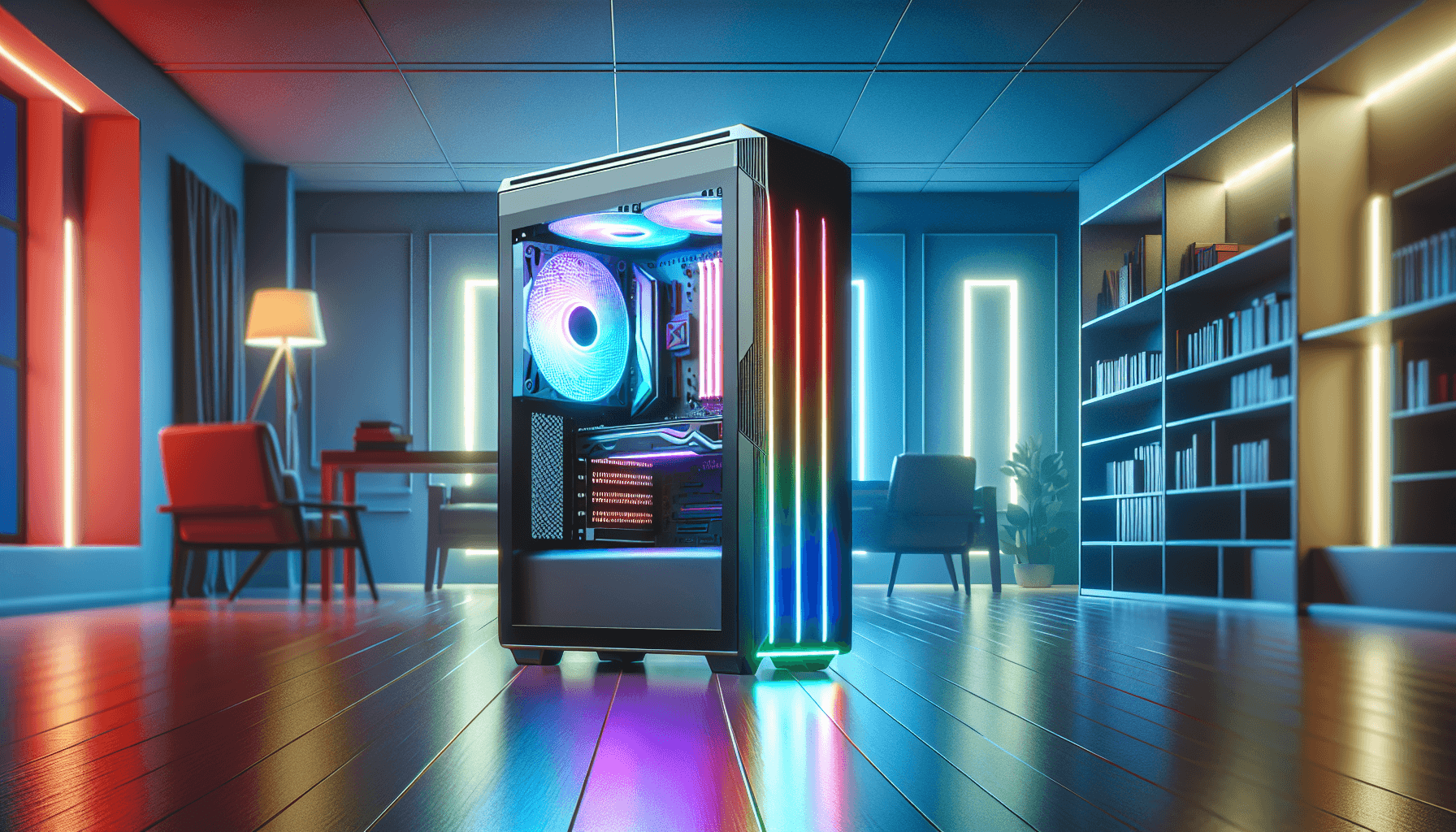
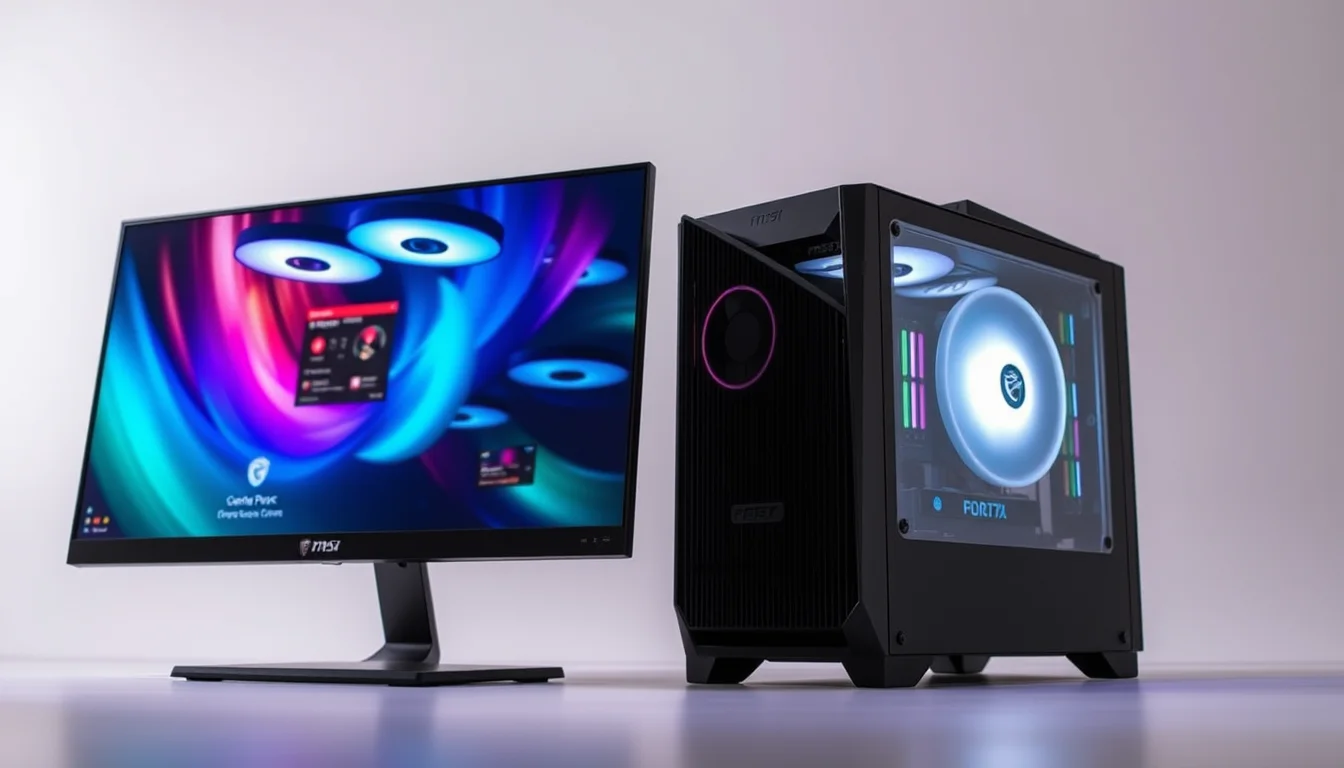
The Gungnir 110R has been around long enough to have a reputation, and that reputation is broadly positive. It's a mid-tower aimed squarely at the mid-range builder who wants ARGB lighting, proper airflow, and a tempered glass side panel without spending premium-case money. MSI has dressed it up in white here, which looks clean, and the four pre-installed ARGB fans mean you're not immediately reaching for your wallet on day one. But does the spec sheet hold up under scrutiny? And how does it stack up against the Corsair 4000D Airflow and the Fractal Design Meshify C, which are fighting for the same money and the same builders?
There are no owner reviews to draw on for this listing at the time of writing, so this assessment is built entirely from the verified spec data and what the design choices tell you if you know what to look for. And actually, sometimes the spec sheet tells you everything you need to know.
Core Specifications
The Gungnir 110R WHITE is a mid-tower chassis measuring 430 x 215 x 450mm. That's a fairly standard mid-tower footprint, not particularly wide, not particularly tall, and it'll sit on most desks without dominating them. It supports ATX, micro-ATX, and mini-ITX motherboards, which covers the vast majority of consumer builds. The chassis ships with four ARGB fans pre-installed: three 120mm units at the front and one 120mm unit at the rear. That's a proper four-fan setup out of the box, which is genuinely useful at this price point.
Fan and radiator support is where this case earns some real credit. You can run up to six 120mm fans total across the front, rear, and top. Radiator support covers a 360mm at the front, a 240mm at the top, and a 120mm at the rear. That's a lot of cooling flexibility for a mid-tower in this price bracket. The I/O panel includes a USB 3.2 Gen 2x2 Type-C port running at 20Gbps, two USB 3.2 Gen 1 Type-A ports at 5Gbps each, and mic and audio jacks. The front panel also has a dedicated LED switch for manual ARGB control through the built-in hub.
Storage options include two dedicated 2.5" bays and two combo bays that take either 2.5" or 3.5" drives. So you've got room for two SSDs and two HDDs simultaneously, or four SSDs if you're all-flash. The PSU shroud accommodates power supplies up to 220mm in length, which covers most standard ATX units comfortably. Tempered glass on the side panel is 4mm thick, which is solid for this price tier.
| Specification | Detail |
|---|---|
| Form Factor | Mid-Tower |
| Dimensions | 430 x 215 x 450mm |
| Motherboard Support | ATX, Micro-ATX, Mini-ITX |
| Included Fans | 4 x 120mm ARGB (3 front, 1 rear) |
| Max Fan Support | 6 x 120mm |
| Radiator Support | Front: 360mm / Top: 240mm / Rear: 120mm |
| GPU Clearance | Up to 340mm |
| CPU Cooler Clearance | Up to 170mm |
| PSU Length | Up to 220mm |
| Expansion Slots | 7 |
| Drive Bays | 2 x 2.5" + 2 x 2.5"/3.5" combo |
| Side Panel | 4mm Tempered Glass |
| Front I/O | USB 3.2 Gen 2x2 Type-C (20Gbps), 2 x USB 3.2 Gen 1 Type-A (5Gbps), Mic/Audio |
| ARGB Controller | 1-to-6 hub, 26 lighting effects, Mystic Light compatible |

Form Factor and Dimensions
At 430 x 215 x 450mm, the Gungnir 110R sits comfortably in the mid-tower sweet spot. It's not one of those cases that claims to be a mid-tower but is actually the size of a small wardrobe. The 215mm width is fairly lean, which is good news if you're working with a desk that doesn't have unlimited horizontal space. The 450mm height is standard, and the 430mm depth means it'll fit on most mid-tower desk mounts and in most ATX cases spots under a desk without issue.
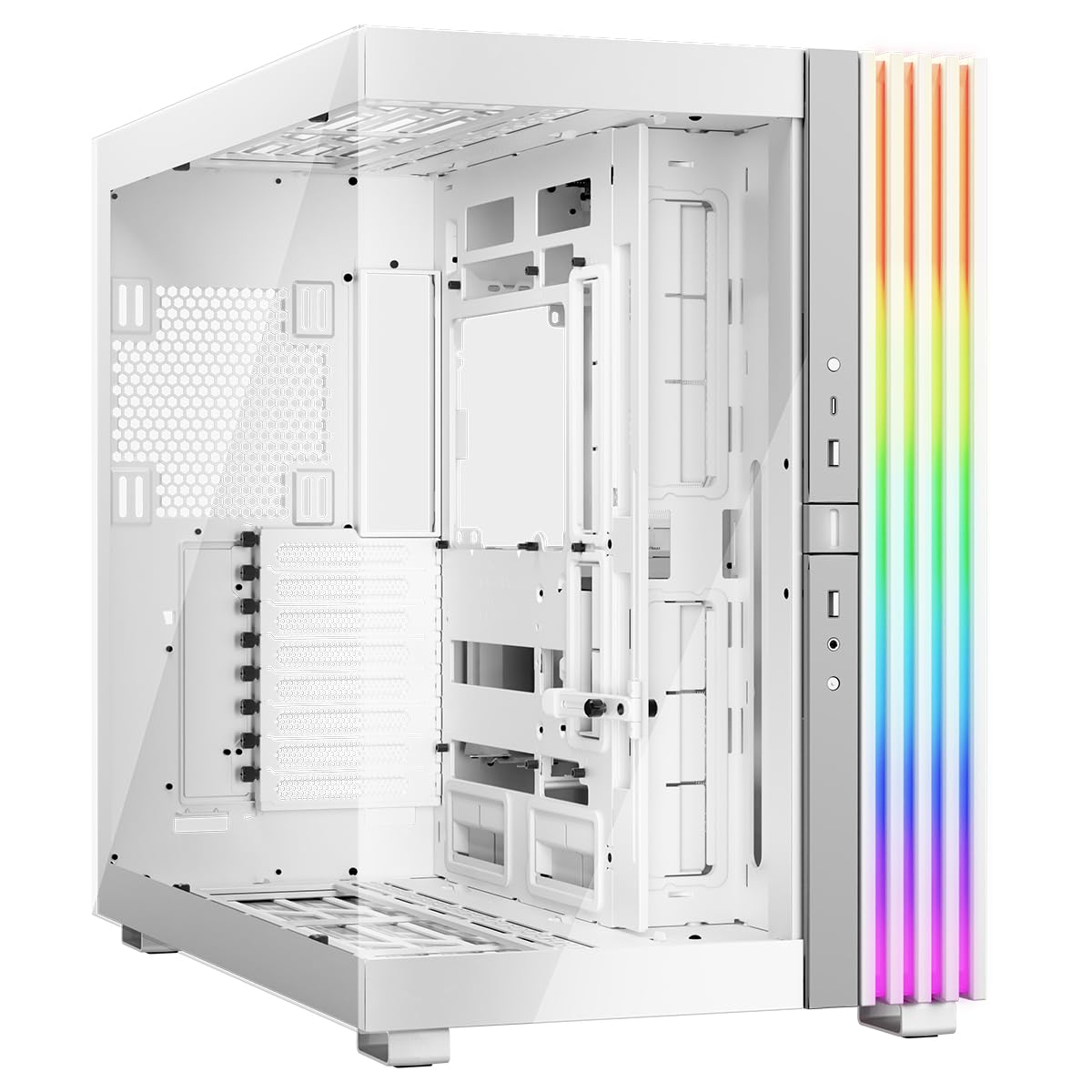
The white finish is the talking point here aesthetically. MSI has gone with a clean white exterior that looks genuinely good with ARGB lighting visible through the front mesh and side panel. Whether white stays looking clean over a few years depends entirely on how dusty your environment is and whether you're the kind of person who touches their case regularly. It's a valid concern with white cases, but it's the same conversation you'd have with any white chassis.
The footprint is manageable enough that this won't feel like it's eating your desk. And because it supports ATX, micro-ATX, and mini-ITX, you're not locked into a specific motherboard size. That flexibility is useful if you're planning to repurpose the case down the line with a different platform. Most builders won't think about that when buying, but it's a nice bit of future-proofing baked in by default.
Motherboard Compatibility
The Gungnir 110R supports ATX, micro-ATX, and mini-ITX motherboards. That's the standard mid-tower trio and it covers pretty much every mainstream consumer build you'd want to put together. Full E-ATX boards are not listed as supported, so if you're going down the HEDT or workstation route with an oversized board, this isn't your case. But for gaming builds, productivity rigs, and home servers running standard ATX, you're sorted.
The standoff layout for all three form factors means the case ships with the hardware you need to mount any of the supported board sizes. ATX builders get the full use of the interior volume, which at 430mm deep gives you decent room to route cables behind the motherboard tray without everything being a fight. Micro-ATX and mini-ITX builds will have more empty space in the lower section of the case, which actually helps with airflow and makes cable management easier since you've got more room to work with.
One thing worth flagging: the 215mm width of the chassis is on the narrower side for a mid-tower. Most ATX builds will be absolutely fine, but if you're running a particularly large motherboard with tall VRM heatsinks or oversized capacitors near the edge of the board, it's worth double-checking clearances on the specific board you're using. This is less of a concern with standard ATX boards from the major manufacturers, but it's the kind of thing that catches people out occasionally.
GPU Clearance
The Gungnir 110R supports GPUs up to 340mm in length across seven expansion slots. That 340mm figure is the number you need to check against your graphics card before buying. The good news is that most current flagship cards fit comfortably within that limit. The RTX 4080 Super, for instance, has a reference length well under 340mm on most AIB designs. The RTX 4090 is where things get tighter, with some three-slot, triple-fan designs pushing past 340mm on certain models. Worth measuring before you commit.
Seven expansion slots is the standard ATX count, so you're not losing anything there. Multi-GPU is largely irrelevant in 2026, but the slots are there if you need them for capture cards, sound cards, or other PCIe expansion. The PCIe slot layout is standard, and with 340mm of clearance you're covering the vast majority of cards on the market without issue. Budget and mid-range cards like the RX 7600 or RTX 4060 are nowhere near the limit.
Vertical GPU mounting isn't listed in the verified spec data, so we won't claim it's there or isn't there. If that's something you specifically want, verify with MSI directly before buying. What the spec does confirm is that horizontal mounting is fully supported up to 340mm, and the PSU shroud design keeps the lower chamber tidy. The combination of a proper PSU shroud and 340mm of clearance means even mid-to-high-end triple-fan cards should sit cleanly without the PSU cables becoming a visibility issue through the glass.
CPU Cooler Clearance
170mm of CPU cooler clearance is genuinely good for a mid-tower in this price range. To put that in context: the Noctua NH-D15, which is one of the tallest and most popular high-end air coolers around, measures 165mm. It fits. The be quiet! Dark Rock Pro 4 comes in at 162.8mm. Also fits. You'd have to be going for something genuinely unusual to exceed 170mm in a standard consumer build. So if you're planning an air-cooled build, this case isn't going to force you into a compromise on cooler selection.
AIO radiator support is where the Gungnir 110R really opens up. A 360mm radiator at the front is the headline number, and that's a big deal. Front-mounted 360mm AIOs are the go-to for serious cooling setups, and the fact that the three pre-installed 120mm fans are already positioned at the front means you're essentially set up for a 360mm AIO from the moment the case arrives. You'd swap out the included fans for your AIO's pump head and radiator fans, but the mounting points are already there.
The top supports a 240mm radiator and the rear handles a 120mm unit, so if you wanted to run a 360mm front AIO plus a 240mm top AIO simultaneously, the case supports it. That's overkill for most builds, but it shows there's real thermal headroom here. The magnetic dust filter on the top panel is a thoughtful touch for top-mounted radiator setups, where dust ingestion through an exhaust configuration can be an issue over time. The front dust filter is non-magnetic, which is slightly less convenient to remove and clean, but functional.
Storage Bay Options
Storage in the Gungnir 110R is a mixed picture. You get two dedicated 2.5" bays and two combo bays that accept either 2.5" SSDs or 3.5" HDDs. So the maximum configuration is four drives: two 2.5" SSDs in the dedicated bays and two more drives (SSD or HDD) in the combo bays. That's four drives total, which is fine for most gaming and workstation builds in 2026 where M.2 NVMe drives handle the primary storage and you might want one or two SATA drives for bulk storage.
The positioning of the drive bays matters as much as the count. The bays in the Gungnir 110R sit in the lower section of the case behind the PSU shroud, which keeps them hidden and contributes to the clean aesthetic visible through the tempered glass side panel. This is standard practice for cases at this price point and above, and it works well. You're not looking at a cage full of drives when you glance at your build.
What the spec doesn't confirm is whether the drive mounting is tool-free or screw-based. Given the price point and MSI's positioning of this as a premium mid-range case, tool-free trays would be expected, but we won't assert it definitively. What we can say is that four drive bays, split across two dedicated 2.5" and two combo bays, is a reasonable provision for a case targeting gaming and enthusiast builders who are primarily running M.2 storage anyway. If you're building a NAS or a storage-heavy workstation, you'd want to look at cases with more 3.5" bay capacity.

Cable Management
The verified spec data describes a "clean cable-management layout," which is the kind of phrase that can mean anything from genuinely thoughtful routing channels to a single rubber grommet and a prayer. What the spec does confirm is that the PSU is housed in a shrouded lower chamber, which immediately improves the visible side of cable management by hiding the power supply and its rats' nest of modular cables behind a solid panel. That alone makes a big difference to how a finished build looks through the glass.
The rear panel clearance is something the spec doesn't quantify precisely, but the 215mm chassis width suggests this is on the tighter side. Mid-towers in the 210 to 220mm width range often have less rear-panel depth than wider cases, which can make it harder to route thick 24-pin ATX cables and CPU EPS cables cleanly behind the tray. It's manageable with a modular PSU and some patience, but it's worth being aware of if you're planning a particularly cable-heavy build.
The ATX PSU length limit of 220mm is worth noting in the context of cable management too. Most standard ATX PSUs from the major brands, including Corsair, be quiet!, and Seasonic, fall well within 220mm. A 220mm limit gives you access to virtually the entire market of quality ATX power supplies without restriction. Longer PSUs, sometimes found in very high-wattage units, could be an issue, but for anything under 1000W you're unlikely to encounter a problem. Combined with the shroud and the clean interior layout, the cable management situation here is solid for the price.
Airflow and Thermal Design
This is where the Gungnir 110R makes its strongest argument. Four ARGB fans pre-installed, three at the front and one at the rear, is a proper airflow setup out of the box. Most cases at this price either ship with two fans or charge you extra for the ARGB versions. MSI has included four, which means positive pressure airflow from day one without any additional spend. The front intake feeds directly through the mesh panel, and the rear exhaust pulls air through the case in a straightforward front-to-back configuration.
The front panel design is described as featuring "high-volume front-intake airflow," which points to a mesh or perforated front rather than a solid glass panel. This is the right call. Cases with solid glass fronts look great in photos but restrict airflow significantly, forcing air in through tiny gaps at the sides and bottom. A mesh front means the three 120mm fans can actually breathe, and with three fans pulling air in simultaneously, you've got meaningful intake volume. The non-magnetic front dust filter is there to keep the mesh clean, though you'll need to take it off properly to clean it rather than just popping it off like the magnetic top filter.
The built-in 1-to-6 ARGB controller hub is a genuinely useful feature that goes beyond just lighting. Having a centralised hub means all six fan headers (four included fans plus two more if you add them) run through a single point of control, either manually via the LED switch on the I/O panel or through MSI Mystic Light software via the 3-pin 5V motherboard connector. That keeps the motherboard fan headers free for actual fan speed control rather than being consumed by ARGB headers. It's a thoughtful bit of design that makes the build cleaner electrically as well as aesthetically.
Front I/O and Connectivity
The front I/O on the Gungnir 110R is genuinely impressive for a mid-range case. The headline port is a USB 3.2 Gen 2x2 Type-C running at 20Gbps. That's not something you see on every case in this bracket. Gen 2x2 at 20Gbps means fast external SSD transfers, quick phone charging, and future-proofing for devices that can use the bandwidth. The catch, as always with high-speed front-panel Type-C, is that your motherboard needs a USB 3.2 Gen 2x2 internal header to drive it. Mid-range and high-end boards from the last couple of years typically have one, but budget boards and older platforms may not. Worth checking your motherboard spec sheet before assuming you'll get 20Gbps out of it.
Alongside the Type-C port, you get two USB 3.2 Gen 1 Type-A ports at 5Gbps each. That's the standard USB 3.0 speed most people are familiar with, and it's fast enough for mice, keyboards, USB drives, and most peripherals. Two Type-A plus one Type-C is a solid front I/O complement. The mic and audio jacks round it out for headset users, and the power and reset buttons are on the top panel alongside the I/O ports, which is the standard layout for mid-towers.
The LED switch on the I/O panel deserves a mention because it's more useful than it sounds. Being able to cycle through the 26 ARGB lighting effects or turn the lighting off entirely without opening software is genuinely handy. If you're the kind of person who sometimes wants the lights off (during films, late-night sessions, or just when you're not in the mood), having a physical switch means you don't have to dig through Mystic Light or find a keyboard shortcut. Small thing, but appreciated.
Build Quality and Materials
The 4mm tempered glass side panel is the quality headline here. At this price point, some cases cut corners with thinner glass or lower-grade panels that flex slightly or have visible distortion. Four millimetres is thick enough to feel solid and to show your components without any of the cheap fish-eye effect you get from thinner panels. It frames the interior hardware cleanly, and with four ARGB fans and whatever lighting your components are running, it's going to look good.
The steel chassis itself isn't given a specific gauge in the spec data, so we won't guess at it. What the dimensions and design suggest is a standard mid-tower steel construction, which at 215mm wide will be reasonably rigid without being particularly heavy. The white finish is a painted exterior, and paint quality on white cases varies. Some manufacturers do a thin coat that chips easily; others do a proper powder coat that holds up well. MSI's finish quality on the Gungnir range has generally been reported as good, but white cases do show marks more readily than black ones.
The magnetic dust filter on the top panel is a quality-of-life detail that matters more than it might seem. Magnetic filters are significantly easier to remove and clean than clip-on or slide-out designs, and if you're running a top-mounted radiator or fans, you'll be cleaning that filter regularly. The front filter being non-magnetic is a slight step down in convenience, but it's a common compromise at this price point. Overall, the material choices here, 4mm glass, magnetic top filter, ARGB hub, white finish, suggest a case that MSI has put some genuine thought into rather than just slapping ARGB on a budget chassis and calling it done.
How It Compares
The two obvious competitors at this price point are the Corsair 4000D Airflow and the Fractal Design Meshify C, though if you're exploring best pc cases under £100 more broadly, there are other solid options worth considering, including NZXT H Flow cases. Both are well-established cases with strong reputations, and both are fighting for the same mid-range builder. The 4000D Airflow is arguably the most popular case in this bracket right now, with a large front mesh intake, excellent build quality, and a clean interior layout. The Meshify C is older but still relevant, known for its angular mesh front and excellent airflow performance relative to its compact footprint.
Where the Gungnir 110R wins outright is on included fans and front I/O. Four ARGB fans pre-installed versus the 4000D Airflow's two (non-ARGB) fans is a meaningful difference if you factor in the cost of upgrading. And the USB 3.2 Gen 2x2 Type-C port at 20Gbps is ahead of what either competitor offers on their standard versions. The Corsair 4000D Airflow ships with a USB 3.2 Gen 1 Type-C at 10Gbps on most variants, and the Meshify C doesn't offer a front Type-C at all on its standard configuration.
Where the competitors push back is on build quality reputation and ecosystem. Corsair and Fractal Design have long track records with consistent quality control. MSI's case division is newer, with less long-term owner feedback available. The Meshify C also has a slightly more compact footprint if desk space is at a premium. But for a builder who wants ARGB lighting, a 360mm front radiator option, a 20Gbps Type-C port, and four fans included in the box, the Gungnir 110R makes a strong case for itself.
| Feature | MSI MPG Gungnir 110R White | Corsair 4000D Airflow | Fractal Design Meshify C |
|---|---|---|---|
| Form Factor | Mid-Tower | Mid-Tower | Mid-Tower (Compact) |
| Motherboard Support | ATX / mATX / mITX | ATX / mATX / mITX | ATX / mATX / mITX |
| Included Fans | 4 x 120mm ARGB | 2 x 120mm (non-ARGB) | 2 x 120mm (non-ARGB) |
| GPU Clearance | 340mm | 360mm | 315mm |
| CPU Cooler Clearance | 170mm | 170mm | 172mm |
| Max Front Radiator | 360mm | 360mm | 360mm |
| Front USB Type-C | USB 3.2 Gen 2x2 (20Gbps) | USB 3.2 Gen 1 (10Gbps) | Not included (standard) |
| ARGB Hub | Yes (1-to-6, 26 effects) | No | No |
| Tempered Glass | 4mm | Yes | Yes |
| Drive Bays | 2 x 2.5" + 2 x 2.5"/3.5" | 2 x 3.5" + 2 x 2.5" | 2 x 3.5" + 3 x 2.5" |

Final Verdict
The MSI MPG GUNGNIR 110R Review UK picture is pretty clear once you look at what you're actually getting for the money. This is a mid-range case that punches above its weight on front I/O, fan inclusion, and lighting infrastructure. Four ARGB fans pre-installed, a 20Gbps USB Type-C port, a built-in 1-to-6 ARGB hub with 26 lighting effects, 360mm front radiator support, and 170mm CPU cooler clearance is a strong package. The 4mm tempered glass and clean white aesthetic make it a genuinely attractive build platform.
Who is this for? Builders who want an ARGB-heavy setup without buying fans separately, anyone running a 360mm AIO at the front, and people who actually use their front USB Type-C port for fast external storage or device charging. It's also a solid pick for anyone building on a mid-range MSI ATX motherboard who wants Mystic Light integration across the whole system without fussing with multiple software packages.
Who should look elsewhere? If you're building a storage-heavy rig and need more than four drive bays, look at something with more 3.5" capacity. If you're planning a 4090 build with a particularly long triple-fan card, double-check the exact card dimensions against the 340mm limit before buying. And if you're the kind of builder who genuinely doesn't care about ARGB and just wants the best airflow per pound, the Corsair 4000D Airflow is still a tough benchmark to beat on pure thermal performance grounds, and it has the longer track record to back it up.
But for a mid-range builder who wants the full package, lighting, airflow, modern I/O, and radiator flexibility, the Gungnir 110R WHITE delivers it in one box at a competitive price. The MSI MPG GUNGNIR 110R Review UK verdict: buy it if the spec fits your build. It almost certainly does.
What works. What doesn’t.
6 + 6What we liked6 reasons
- Four 120mm ARGB fans included in the box, saving meaningful cost over buying them separately
- USB 3.2 Gen 2x2 Type-C front port at 20Gbps is ahead of most competitors in this price bracket
- 360mm front radiator support plus 240mm top and 120mm rear gives genuine cooling flexibility
- Built-in 1-to-6 ARGB hub with 26 lighting effects and Mystic Light compatibility keeps motherboard headers free
- 170mm CPU cooler clearance accommodates the tallest mainstream air coolers including the Noctua NH-D15
- 4mm tempered glass side panel feels solid and displays components without visible distortion
Where it falls6 reasons
- 340mm GPU clearance is adequate for most cards but may exclude certain triple-fan RTX 4090 designs
- Front dust filter is non-magnetic, making it less convenient to remove and clean than the magnetic top filter
- 215mm chassis width is on the narrower side and may create tighter rear-panel cable routing with thick ATX power cables
- Only four drive bays total, which is limiting for storage-heavy or NAS-oriented builds
- MSI's case division has a shorter track record than Corsair or Fractal Design, with less long-term owner feedback available
- Vertical GPU mounting is not confirmed in the verified spec data
Full specifications
12 attributes| Form factor | Mid-Tower |
|---|---|
| MAX GPU length | 340 |
| MAX cooler height | 170 |
| Radiator support | Front: 120/140/240/280/360mm, Top: 120/240mm, Rear: 120mm |
| CPU cooler clearance MM | 170 |
| Dimensions MM | 215 x 430 x 450 |
| Drive bays | 2x 2.5" + 2x 3.5" |
| Fans included | 4 |
| GPU clearance MM | 340 |
| MAX FAN count | 6 |
| MAX radiator MM | 360 |
| PSU support | ATX up to 250mm (without 3.5" HDD tray) |
If this isn’t right for you
2 options
Frequently asked
7 questions01Does the MSI MPG GUNGNIR 110R WHITE support a 360mm AIO radiator?+
Yes. The case supports a 360mm radiator at the front, which is where the three pre-installed 120mm ARGB fans are located. A 240mm radiator is supported at the top and a 120mm unit fits at the rear.
02Will an RTX 4090 fit in the MSI MPG GUNGNIR 110R WHITE?+
The case supports GPUs up to 340mm in length. Many RTX 4090 AIB designs fall within that limit, but some triple-fan, three-slot models exceed 340mm. You should check the exact dimensions of your specific card before buying.
03What motherboard sizes are compatible with the GUNGNIR 110R WHITE?+
The case supports ATX, micro-ATX, and mini-ITX motherboards. Full E-ATX boards are not listed as supported, so HEDT and oversized workstation boards are not compatible.
04Do I need a motherboard with a USB 3.2 Gen 2x2 internal header to use the front Type-C port at full speed?+
Yes. To get the full 20Gbps from the front USB 3.2 Gen 2x2 Type-C port, your motherboard needs a corresponding internal USB 3.2 Gen 2x2 header. Mid-range and high-end boards from recent years typically include one, but budget or older platforms may not. Check your motherboard specification sheet before assuming the port will operate at 20Gbps.
05How many drives can I install in the MSI MPG GUNGNIR 110R WHITE?+
The case provides two dedicated 2.5-inch bays and two combo bays that accept either 2.5-inch SSDs or 3.5-inch HDDs. The maximum configuration is four drives simultaneously.
06Can the Noctua NH-D15 fit inside the MSI MPG GUNGNIR 110R WHITE?+
Yes. The Noctua NH-D15 measures 165mm in height, which falls within the 170mm CPU cooler clearance the case provides. The be quiet! Dark Rock Pro 4 at 162.8mm also fits comfortably.
07Does the GUNGNIR 110R WHITE have a physical control for the ARGB lighting?+
Yes. There is a dedicated LED switch on the front I/O panel that lets you cycle through the 26 built-in lighting effects or turn the lights off entirely without opening any software. The ARGB hub also supports control via MSI Mystic Light through a 3-pin 5V motherboard connector.