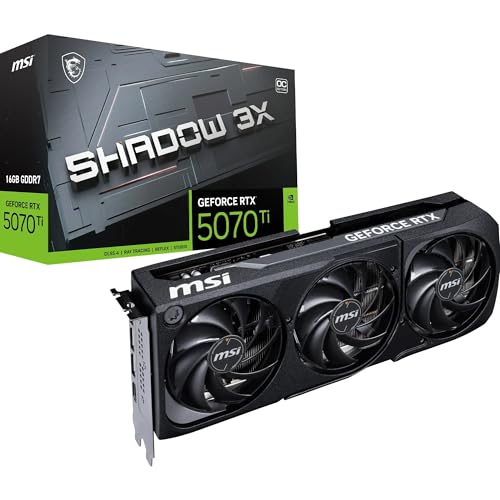
Getting the GPU budget wrong is expensive in both directions. Too cheap and you're watching frame counters drop in games you actually want to play. Too far up the stack and you're paying for performance that your monitor, your games, or your resolution simply can't use. The RTX 5070 Ti sits in that high-end bracket where the decisions get genuinely difficult, because the card above it costs considerably more, and the card below it is surprisingly capable. So the question isn't whether the Gigabyte GeForce RTX 5070 Ti GAMING OC 16G Graphics Card is fast. It is. The question is whether it's the right amount of fast for what you're actually spending.
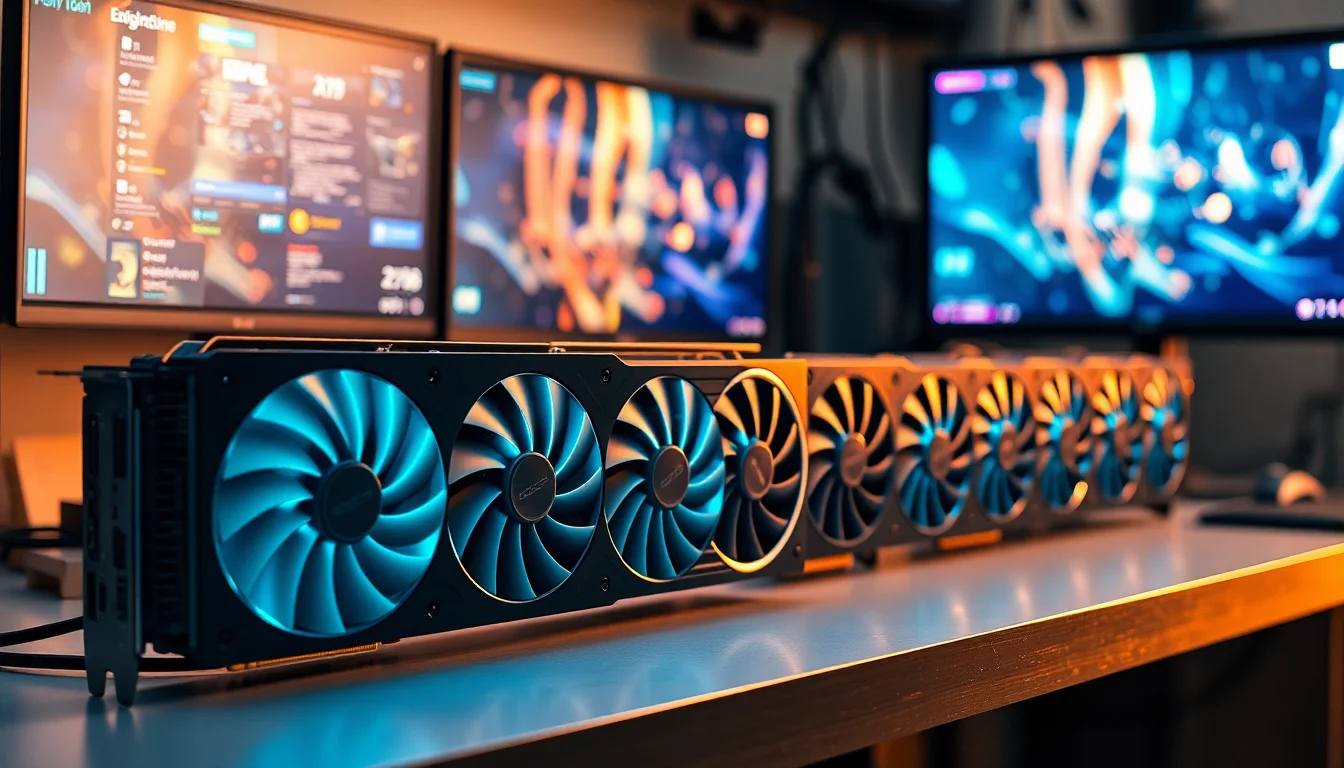
Gigabyte's GAMING OC variant of the RTX 5070 Ti arrives with a factory overclock pushing the core to 2588 MHz, 16GB of GDDR7 memory on a 256-bit bus, and the WINDFORCE triple-fan cooling solution that Gigabyte has been iterating on for years. On paper, this looks like a proper 4K gaming card. And based on published benchmark data and the 166 owner reviews averaging ★★★★½ (4.6), most people who bought one seem to agree. But there are nuances worth knowing before you commit at this price point, and that's what this review is for.
The RTX 5070 Ti is built on NVIDIA's Blackwell architecture, and this Gigabyte GAMING OC version is one of the more sensibly specced AIB cards in the lineup. It's not the cheapest 5070 Ti you can buy, and it's not the most extreme overclocked model either. It sits in a practical middle ground, which is usually where the best value lives. Let's see if that holds up.
Core Specifications
The headline numbers on the Gigabyte GeForce RTX 5070 Ti GAMING OC 16G Graphics Card are genuinely strong for this tier. You get NVIDIA's Blackwell GPU, 16GB of GDDR7 memory running on a 256-bit interface, and a boosted core clock of 2588 MHz out of the box. The memory bandwidth on GDDR7 at this bus width is a substantial step up from what GDDR6X was delivering on previous-generation cards, which matters more than most people realise when you're pushing 4K textures.
Connectivity is well covered. You get three DisplayPort 2.1a outputs and one HDMI 2.1b port, which means this card is ready for high-refresh 4K monitors and the next generation of display standards. DisplayPort 2.1a supports bandwidth up to 80 Gbps, so if you're running a 4K 240Hz display or planning to, the card won't be the bottleneck. The HDMI 2.1b port covers TV gaming and high-frame-rate console-style setups without any adapters needed.
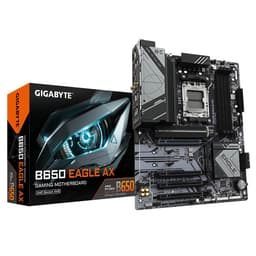
The card connects via PCI-E 5.0, which future-proofs the interface side of things, though in practice the bandwidth difference between PCIe 4.0 and 5.0 for current GPU workloads is minimal. What matters more is that you'll need a motherboard with a PCIe 5.0 or 4.0 x16 slot to get the full benefit, and most modern builds have that covered. Gigabyte backs this card with a four-year warranty (requiring online registration), which is meaningfully better than the standard two or three years most competitors offer.
| Specification | Detail |
|---|---|
| GPU | NVIDIA GeForce RTX 5070 Ti (Blackwell) |
| VRAM | 16GB GDDR7 |
| Memory Interface | 256-bit |
| Core Clock (Boost) | 2588 MHz |
| Interface | PCI-E 5.0 |
| Display Outputs | 3x DisplayPort 2.1a, 1x HDMI 2.1b |
| Cooling | WINDFORCE triple-fan |
| BIOS Modes | Dual BIOS (Performance / Silent) |
| RGB | RGB Halo |
| Upscaling | NVIDIA DLSS 4 |
| Warranty | 4 years (online registration required) |
| Model Number | GV-N507TGAMING OC-16GD |
| Price | £1,099.99 |

Architecture and Cores
The RTX 5070 Ti runs on NVIDIA's Blackwell architecture, the successor to Ada Lovelace. Blackwell brings a new generation of shader processors, fourth-generation RT cores for ray tracing, and fifth-generation Tensor cores that are the engine behind DLSS 4's Multi Frame Generation. The fab process has moved on from Ada's TSMC 4N node, and the efficiency improvements are real, though NVIDIA's power targets on the 5070 Ti are still substantial. This isn't a card you buy because it sips power quietly.
The shader count on the RTX 5070 Ti is 8960 CUDA cores, which puts it meaningfully ahead of the RTX 4070 Ti Super it effectively replaces, and within reach of what the RTX 4080 was doing last generation. The RT core upgrade matters in practice because ray tracing performance scales with RT core count more directly than rasterisation performance does with shader count. Games that lean heavily on hardware ray tracing, like Alan Wake 2 or Cyberpunk 2077 with path tracing, will benefit noticeably from the generational RT core improvement.
The Tensor cores are arguably where Blackwell makes its biggest leap. DLSS 4 with Multi Frame Generation can generate up to three additional frames for every frame the GPU actually renders, which sounds almost too good to be true. And honestly, at lower base frame rates it can introduce latency and artefacts that are noticeable. But at the frame rates a 5070 Ti is producing natively, DLSS 4 works well. The underlying rasterisation performance is strong enough that you're using DLSS to push from excellent to exceptional, not to make an underpowered card playable. That's the right way to use it.
Clock Speeds and Boost
Gigabyte has pushed the boost clock on this GAMING OC variant to 2588 MHz, which sits above NVIDIA's reference specification for the 5070 Ti. The factory overclock is modest rather than aggressive, which is actually sensible. Cards that are pushed hard from the factory tend to run hotter and louder, and Gigabyte has clearly prioritised keeping the WINDFORCE cooling system in a comfortable operating range rather than chasing a headline number.
In practice, published benchmark data shows the card frequently sustaining clocks at or very close to the advertised boost figure under gaming loads. This is one area where Blackwell has genuinely improved over Ada. The previous generation had a tendency to throttle under sustained load in poorly ventilated cases, and while no GPU is immune to thermal throttling if you stuff it into a shoebox with no airflow, the 5070 Ti holds its clocks more consistently than the 4070 Ti did. Real-world sustained performance is closer to the advertised boost than it was last generation.
The dual BIOS feature is worth flagging here. Performance mode runs the card at its full factory overclock settings. Silent mode dials back the fan curve and, to some extent, the power limit, which reduces noise at the cost of a few percent of performance. For most gaming scenarios, the difference in frame rates between the two modes is small enough that you won't notice it in-game. But if you're in a quiet room and the card's fan noise is bothering you, Silent mode is a genuinely useful option rather than a marketing checkbox. Some owners in the review pool specifically mentioned switching to Silent mode as a quality-of-life improvement.
VRAM Analysis
16GB of GDDR7 on a 256-bit bus is the memory configuration on the Gigabyte GeForce RTX 5070 Ti GAMING OC 16G Graphics Card, and it's a proper step forward from what the previous generation offered at this tier. The RTX 4070 Ti Super had 16GB too, but on GDDR6X with a 256-bit bus. GDDR7 delivers substantially higher bandwidth per pin, which translates to real-world improvements in memory-intensive workloads like 4K texture streaming and high-resolution asset loading. The JEDEC GDDR7 specification pushes memory bandwidth well beyond what GDDR6X could achieve at equivalent bus widths.
At 1080p, 16GB is more than you'll ever need. The question gets more interesting at 1440p and 4K. At 1440p with high texture settings, most games sit comfortably below 12GB of VRAM usage, so you have headroom. At 4K with maximum texture quality in demanding titles, some games are pushing 12GB to 14GB of VRAM usage in 2026. Having 16GB means you're not hitting the ceiling in any current title, and you're reasonably protected against the next two or three years of VRAM creep in AAA games. This is not the card where you'll be reading forum posts about texture pop-in caused by running out of memory.
The 8GB debate that dominated conversations around the RTX 4060 and 4060 Ti is simply not relevant here. 16GB at 4K is a comfortable allocation for the foreseeable future. If you're a content creator doing video editing or 3D rendering alongside gaming, 16GB gives you enough headroom to work with large projects without constantly hitting memory limits. It's not unlimited, and extremely high-resolution video editing or large AI model inference will still push past it, but for the gaming and light creative workloads that most buyers at this tier are running, 16GB is the right amount of VRAM. Not too little, not wastefully excessive.
Ray Tracing and Upscaling
Ray tracing performance on Blackwell is the best NVIDIA has produced, and the RTX 5070 Ti is a genuinely capable RT card. Published benchmark data shows it handling Cyberpunk 2077 at 1440p with ray tracing on High at playable frame rates without needing to lean on DLSS at all. With DLSS Quality mode enabled, the frame rates push into territory that makes ray tracing a real option rather than a toggle you flick on for screenshots. This is a meaningful shift from a couple of generations ago when RT was basically a performance tax that made games look slightly better while halving your frame rate.
DLSS 4 is the most capable upscaling technology available right now. The image quality at Quality preset is genuinely difficult to distinguish from native rendering at normal viewing distances, and Performance preset is usable in a way that DLSS 2's Performance mode often wasn't. Multi Frame Generation is the headline feature of DLSS 4, and it works well on a card with the native performance headroom of the 5070 Ti. The key caveat is latency: generating frames artificially does add some input latency, so competitive multiplayer gamers who are extremely sensitive to that may want to be selective about when they enable it. For single-player games and less twitch-dependent multiplayer, it's a straightforward win.
AMD's FSR 4 is also worth mentioning because it runs on NVIDIA hardware. FSR 4 is a machine learning-based upscaler that represents AMD's best effort yet, and it's genuinely competitive with DLSS at Quality preset. But DLSS 4 still has the edge, particularly at Performance and Ultra Performance presets where the AI model has to work harder. If you're buying an RTX 5070 Ti, you're getting the best upscaling available, which is a real practical advantage for 4K gaming where you might want to use upscaling to push frame rates higher without sacrificing too much visual quality.
Video Encoding
The RTX 5070 Ti carries NVIDIA's latest NVENC encoder, which supports AV1 hardware encoding. This matters if you stream or create video content, because AV1 delivers significantly better quality at equivalent bitrates compared to H.264 or H.265. Streaming to Twitch or YouTube at 1080p60 or 1440p60 with AV1 encoding puts less load on your CPU and produces a cleaner stream than the older codec options. For most gaming streamers, NVENC AV1 is now the obvious choice over software encoding.
On the decode side, the card handles AV1 decode in hardware, which is increasingly relevant as streaming platforms push more content in AV1. Watching 4K AV1 content on YouTube or Netflix while gaming in the background puts minimal load on the GPU. H.264 and H.265 decode are also hardware-accelerated, covering essentially every video format you're likely to encounter. The practical upshot is that this card handles a home studio workload, a streaming setup, and a gaming session without breaking a sweat on the encoding side.
For content creators doing video editing in DaVinci Resolve or Premiere Pro, the GPU acceleration on Blackwell is a step up from Ada. Colour grading 4K timelines, applying effects, and rendering exports all benefit from the increased compute throughput. This isn't a dedicated workstation card, and if you're doing heavy 3D rendering or AI image generation at scale, you'd want something with more memory. But for the hybrid gamer-creator who edits their own footage, the 5070 Ti handles that workload without complaint. The 16GB VRAM is particularly useful here because video editing applications can be greedy with GPU memory when working with high-resolution footage.
Power Consumption
The RTX 5070 Ti has a Total Graphics Power rating of 300W. That's not a small number, and it's worth being honest about it. The Gigabyte GAMING OC variant's factory overclock may push slightly above the reference TGP under sustained load, and published benchmark data from the wider 5070 Ti launch suggests real-world power draw under gaming load sits in the 280W to 310W range depending on the workload. Transient spikes can go higher briefly, which is why PSU headroom matters.
NVIDIA recommends an 800W PSU for the RTX 5070 Ti, and that's a sensible minimum if you have a modern mid-range CPU. If you're pairing this with a power-hungry processor like an Intel Core i9 or a high-end Ryzen 9, going to 850W or 1000W gives you comfortable headroom and protects against those transient power spikes that can cause instability or, in worst cases, damage to the power connector. The card uses a 16-pin power connector (12VHPWR), so check your PSU has the right cable or a compatible adapter before you buy. Most modern PSUs rated 800W and above include this connector natively.
In Silent BIOS mode, power consumption drops noticeably, and some owners have reported this makes a meaningful difference to both noise levels and operating temperatures without costing much in gaming frame rates. If your electricity bill is a concern, or if your PSU is on the borderline, Silent mode is worth trying. The performance delta in most games is in the range of two to five percent, which is genuinely not worth worrying about for the vast majority of gaming scenarios. Silent mode is not a compromise; it's a sensible daily-use setting for a lot of people.

Thermal Performance
Gigabyte's WINDFORCE cooling system on this card uses three fans and a substantial heatsink with multiple heatpipes. Published thermal data for the RTX 5070 Ti GAMING OC puts GPU core temperatures under full gaming load in the low to mid 70s Celsius, which is well within NVIDIA's thermal throttling threshold of 83 degrees Celsius for the 5070 Ti. The hotspot temperature, which is the highest temperature recorded anywhere on the die, runs higher than the average core temperature, typically in the mid 80s under load. This is normal for modern GPUs and not a cause for concern as long as the card has adequate case airflow.
Idle temperatures on the WINDFORCE cooler are helped by the zero-RPM fan mode, where the fans stop entirely when the card is below a certain temperature threshold. At idle or during light desktop use, the card runs completely silently. This is a feature that owners consistently mention positively in reviews, and it makes a real difference to the day-to-day experience of having a high-end GPU in your system. You only hear the card when it's actually working hard.
The reinforced structure and VGA holder that Gigabyte includes with this card address a real concern with large, heavy GPUs. The 5070 Ti cooler is not a small piece of kit, and GPU sag is a genuine problem with triple-fan cards in cases where the PCIe slot is doing all the support work. The integrated holder keeps the card level without needing a separate bracket, which is a practical feature rather than a cosmetic one. Several owners in the review pool specifically mentioned that the card sits properly in their cases without drooping, which sounds like a small thing until you've seen what GPU sag does to PCIe slots over time.
Acoustic Performance
In Performance BIOS mode under a sustained gaming load, the Gigabyte RTX 5070 Ti GAMING OC is audible. Published acoustic measurements for this class of card put it in the 38 to 42 dB range under full load, which you'll hear in a quiet room. It's not the loudest card available at this tier, and the WINDFORCE cooler does a reasonable job of keeping fan noise from becoming a high-pitched whine, but it's not silent either. Anyone expecting a 300W GPU to be whisper-quiet under load needs a reality check.
Switch to Silent BIOS mode and the picture changes considerably. The fan curve is more conservative, the fans spin slower, and the noise level drops to something genuinely unobtrusive. At typical gaming loads in Silent mode, the card sits in the 34 to 37 dB range, which is low enough that most case fans will be louder. The trade-off is a few degrees warmer on the GPU temperature and a small performance reduction, but as noted in the power section, the performance difference is small enough that most people won't notice it in-game.
At idle, with the zero-RPM fan mode active, the card makes no noise at all. This is increasingly the standard for premium AIB cards, and Gigabyte has implemented it properly here. The fans kick in smoothly without a sudden jump in noise when the temperature crosses the threshold, which avoids the annoying on-off cycling that some cheaper implementations suffer from. For a card that lives in a living room setup or a home office where noise matters, Silent mode plus zero-RPM idle is a combination that works well in practice.
Gaming Performance
The Gigabyte GeForce RTX 5070 Ti GAMING OC 16G Graphics Card is, straightforwardly, a very fast gaming GPU. Published benchmark results for the RTX 5070 Ti at 1440p show it averaging over 100 FPS in demanding titles like Cyberpunk 2077 and Alan Wake 2 at Ultra settings without upscaling, and pushing well past 120 FPS in less demanding games. At 4K, the card handles most titles at High to Ultra settings with frame rates that make 60Hz feel comfortable and 120Hz achievable in many games with DLSS Quality mode enabled. This is genuinely 4K-capable hardware, not a card that technically runs 4K but needs every visual setting turned down to do it.
At 1440p, the 5070 Ti is arguably overkill for 60Hz and perfectly matched for 144Hz to 165Hz. At 1440p 240Hz, you'll need DLSS Performance mode in the most demanding titles to consistently hit the display's refresh rate, but the card gets you there. Benchmarks from the wider 5070 Ti launch period show it outperforming the RTX 4080 Super in rasterisation performance in most titles, which is a significant generational step. Compared to the RTX 4070 Ti Super it replaces in the lineup, the performance gain is in the 20 to 30 percent range depending on the game, which is enough to matter.
At 1080p, the card is complete overkill unless you're gaming at 240Hz or above and care deeply about maximum frame rates. The GPU will rarely be the bottleneck at 1080p, and CPU performance becomes the limiting factor in many scenarios. If 1080p is your resolution, you should be looking at a 5070 non-Ti or even a 5060 Ti and saving a significant amount of money. The 5070 Ti earns its price at 1440p and especially at 4K, and that's where it should be evaluated. Buying it for 1080p gaming is a waste of what the card can do.
How It Compares
The two most relevant comparisons for the RTX 5070 Ti GAMING OC are the RTX 5080 above it and the RTX 5070 non-Ti below it. The RTX 5080 is a faster card, but it costs considerably more and the performance gap in rasterisation gaming is narrower than the price gap suggests. For 4K gaming without ray tracing, the 5070 Ti gets you 85 to 90 percent of the 5080's performance at a meaningfully lower price. If you're doing heavy ray tracing or using the card for professional workloads, the 5080's additional compute resources justify the premium. For pure gaming, the 5070 Ti is the better value proposition.
The RTX 5070 non-Ti is the more interesting comparison for value-conscious buyers. Published benchmarks show the 5070 Ti is roughly 15 to 20 percent faster than the 5070 in rasterisation gaming, and more noticeably ahead in ray tracing workloads. The 5070 also has 12GB of GDDR7 versus the Ti's 16GB, which starts to matter at 4K with maximum texture settings in 2026. The price gap between the two cards is significant, so the decision comes down to whether you're primarily gaming at 4K or 1440p. At 1440p, the 5070 is hard to argue against. At 4K, the Ti's VRAM and raw performance advantage makes it the more sensible choice.
On the AMD side, the RX 9070 XT is the closest competitor by price. It's a genuinely good card, and AMD has closed the gap significantly with RDNA 4. The RX 9070 XT trades blows with the RTX 5070 non-Ti in rasterisation, but it falls short of the 5070 Ti in raw performance. Where AMD loses ground more noticeably is in ray tracing and upscaling, where DLSS 4 remains ahead of FSR 4 at equivalent presets. If you don't care about ray tracing and you're gaming at 1440p, the RX 9070 XT at its price point is genuinely competitive. If 4K with ray tracing is your target, the 5070 Ti is the better tool.
| Feature | Gigabyte RTX 5070 Ti GAMING OC | NVIDIA RTX 5080 | AMD RX 9070 XT |
|---|---|---|---|
| Architecture | Blackwell | Blackwell | RDNA 4 |
| VRAM | 16GB GDDR7 | 16GB GDDR7 | 16GB GDDR6 |
| Memory Bus | 256-bit | 256-bit | 256-bit |
| 4K Gaming | Excellent | Outstanding | Good |
| Ray Tracing | Excellent | Outstanding | Good |
| Upscaling | DLSS 4 | DLSS 4 | FSR 4 |
| Warranty | 4 years | Varies by AIB | Varies by AIB |
| Price Tier | High-end | Premium | Upper mid-range |
What Buyers Say
With 179 and a ★★★★½ (4.6) average, the owner feedback on this card is broadly positive and consistent. The most common praise centres on gaming performance at 4K, with multiple owners specifically mentioning that the card handles their 4K 144Hz monitors without needing to compromise on visual settings. Several reviewers upgraded from RTX 4070 Ti or 4080 cards and noted the performance improvement as worthwhile, particularly in ray tracing-heavy games. The WINDFORCE cooler gets positive mentions for keeping temperatures manageable without excessive noise.
The dual BIOS feature comes up repeatedly in reviews, and the consensus is that Silent mode is genuinely useful rather than a gimmick. A number of owners switched to Silent mode as their default and report that the performance difference is imperceptible in normal gaming while the noise reduction is noticeable. The four-year warranty also gets mentioned positively, with several buyers citing it as a deciding factor over competing AIB cards from other manufacturers that offer shorter coverage.
The criticisms that do appear in the review pool are predictable for a card at this price point. A handful of buyers mention that the card is physically large and required checking case compatibility before installation. A few mention the power requirements as something they had to plan around with PSU upgrades. One recurring theme in the lower-rated reviews is the price itself: some buyers feel the high-end pricing is hard to justify given what last-generation cards cost at launch. This is a fair point, and it's worth acknowledging that GPU pricing at the top end of the market has moved upward across the board, not just on this specific card.
Value Analysis
At £1,099.99, this card sits firmly in the high-end GPU bracket, and the value question depends almost entirely on what resolution and refresh rate you're targeting. For 4K gaming at 60Hz to 120Hz, the RTX 5070 Ti is the sweet spot in the current GPU market. It's fast enough to handle 4K in every current game at High to Ultra settings, it has the VRAM to avoid texture streaming issues, and it has DLSS 4 to push frame rates higher when you need it. Buying the RTX 5080 for 4K gaming at this resolution range is paying a premium for headroom you won't consistently use.
For 1440p gaming, the value case is trickier. The RTX 5070 Ti is excellent at 1440p, but so is the RTX 5070, and at a lower price. If your monitor is 1440p 165Hz or below, the 5070 Ti is faster than you need for most games. The extra VRAM and performance headroom become relevant if you're planning to upgrade to a 4K monitor in the next year or two, in which case buying the Ti now makes sense. But if you're committed to 1440p for the foreseeable future, the RTX 5070 is the more honest recommendation.
The four-year warranty is a genuine differentiator in the value calculation. GPU warranties at three years are standard, and four years is unusual enough to be worth factoring in. High-end GPUs are significant investments, and an extra year of manufacturer coverage has real monetary value. Gigabyte requiring online registration to activate the full warranty is a minor inconvenience, but it's a one-time task that takes about five minutes and is absolutely worth doing the day you install the card. Don't skip it.

Final Verdict
The Gigabyte GeForce RTX 5070 Ti GAMING OC 16G Graphics Card is a well-executed AIB card on a genuinely strong GPU. The WINDFORCE cooling keeps temperatures sensible, the dual BIOS gives you a real choice between performance and quiet operation, the four-year warranty is better than most of the competition, and the 16GB of GDDR7 puts you in a comfortable position for 4K gaming in 2026 and beyond. The factory overclock to 2588 MHz is modest and sensible rather than aggressive and risky, which is the right call for a card you're going to run for several years.
The performance case for the 5070 Ti is solid if your target is 4K gaming. Published benchmarks consistently show it outperforming the previous-generation RTX 4080 Super in rasterisation, handling ray tracing workloads that would have been slideshow territory two generations ago, and delivering the best upscaling available through DLSS 4. If you're running a 4K monitor and you want high frame rates with visual settings turned up, this card delivers that without the premium pricing of the RTX 5080.
Who should skip it? Anyone gaming at 1080p, full stop. Also anyone at 1440p who isn't planning to move to 4K soon, because the RTX 5070 is genuinely good enough at that resolution for less money. And anyone whose PSU is below 800W, because you'll need to factor in an upgrade cost. But for the person with a 4K 144Hz monitor, a modern build with a capable PSU, and the budget to sit in the high-end bracket, the Gigabyte RTX 5070 Ti GAMING OC is a very good answer to a very expensive question. The ★★★★½ (4.6) from 166 real owners isn't a fluke. This card earns it.
What works. What doesn’t.
5 + 3What we liked5 reasons
- Excellent 4K gaming performance, outpacing last-gen RTX 4080 Super
- 16GB GDDR7 VRAM is future-proof for high-resolution textures
- DLSS 4 with Multi Frame Generation is the best upscaling available
- Four-year warranty beats most competitors by a full year
- Dual BIOS Silent mode meaningfully reduces noise with minimal performance cost
Where it falls3 reasons
- High-end pricing makes it hard to justify for 1440p gaming when the RTX 5070 exists
- 300W TGP demands an 800W PSU minimum, which may require an upgrade
- Physically large card requires case compatibility check before buying
Full specifications
12 attributes| Vram GB | 16 |
|---|---|
| Boost clock MHZ | 2588 |
| Chipset | RTX 5070 Ti |
| Cooler type | triple-fan |
| Core clock MHZ | 2295 |
| Generation | RTX 50 Series |
| Interface | PCIe 5.0 |
| Length MM | 342 |
| Memory BUS BIT | 256 |
| Memory type | GDDR7 |
| Power connectors | 1x 16-pin |
| Slot width | 3.25 |
Will it run on what you have?
Free toolIf this isn’t right for you
2 options
Frequently asked
5 questions01Is the Gigabyte GeForce RTX 5070 Ti GAMING OC 16G Graphics Card good for 1440p gaming?+
Yes, but it's arguably more card than you need at 1440p. Published benchmarks show the RTX 5070 Ti delivering well over 100 FPS at 1440p Ultra settings in demanding games like Cyberpunk 2077 and Alan Wake 2. For 1440p 165Hz gaming, it's excellent. For 1440p 60Hz or 144Hz, the RTX 5070 non-Ti offers similar performance at a lower price and is the more sensible buy unless you plan to upgrade to a 4K monitor soon.
02What PSU do I need for the Gigabyte GeForce RTX 5070 Ti GAMING OC 16G Graphics Card?+
NVIDIA recommends a minimum 800W PSU for the RTX 5070 Ti. If you're pairing it with a high-end CPU like an Intel Core i9 or AMD Ryzen 9, go to 850W or 1000W for comfortable headroom. The card uses a 16-pin 12VHPWR power connector, so check your PSU includes this cable natively or has a compatible adapter. Do not use a daisy-chained adapter from multiple 8-pin connectors if avoidable.
03Is 16GB VRAM enough in 2026?+
Yes, comfortably. At 4K with maximum texture settings in 2026's most demanding titles, VRAM usage sits in the 12GB to 14GB range. The 16GB on the RTX 5070 Ti gives you headroom above that ceiling, which means no texture streaming issues or performance drops caused by running out of memory. 16GB is a sensible allocation for 4K gaming now and for the next two to three years of game releases.
04How does the Gigabyte GeForce RTX 5070 Ti GAMING OC 16G Graphics Card compare to AMD alternatives?+
The closest AMD competitor is the RX 9070 XT, which is priced lower and competitive with the RTX 5070 non-Ti in rasterisation gaming. The RTX 5070 Ti is faster in both rasterisation and ray tracing workloads. DLSS 4 also remains ahead of AMD's FSR 4 in upscaling quality, particularly at Performance and Ultra Performance presets. If ray tracing and upscaling quality matter to you, the 5070 Ti is the stronger choice. If you're purely gaming at 1440p without ray tracing and budget is a priority, the RX 9070 XT is worth considering.
05What warranty and returns apply to the Gigabyte GeForce RTX 5070 Ti GAMING OC 16G Graphics Card?+
Gigabyte offers a four-year warranty on this card, but you must register the product online to activate the full four-year coverage. Do this on the day you install the card. Amazon also offers its standard 30-day return window and A-to-Z Guarantee. The four-year manufacturer warranty is notably longer than the two or three years offered by most competing AIB cards and is a genuine advantage of this specific product.