Best Overall Value
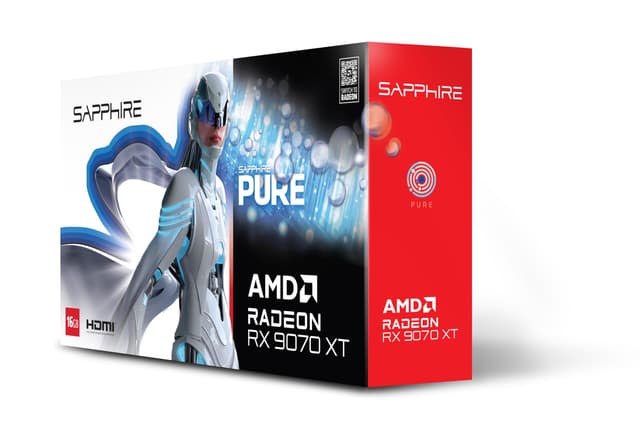
The XFX Mercury RX 9070 XT is our top pick for best graphics cards for 3D rendering right now, and it's not particularly close. AMD's RDNA 4 architecture brings a serious uplift in compute performance over RDNA 3, and the 16GB of GDDR6 on a 256-bit bus gives you proper headroom for complex Blender scenes, high-res texture work, and viewport rendering without constantly hitting VRAM limits.
For Blender users specifically, the HIP (Heterogeneous-compute Interface for Portability) backend has matured considerably. Cycles renders on this card are genuinely competitive with NVIDIA's OptiX performance in the same price bracket. If you're running DaVinci Resolve for compositing alongside your 3D work, AMD's OpenCL support is solid here too.
The XFX Mercury cooler is a proper triple-fan design with magnetic air routing. It keeps the card quiet under sustained rendering loads, which matters when you're running overnight bakes. Temperatures stay sensible even in a mid-tower with average airflow.
Look, the RGB is a bit much if you're building a workstation rather than a gaming rig. But it doesn't affect performance, and the magnetic air design is genuinely clever engineering. This is the card we'd buy with our own money for a 3D rendering workstation in 2026.
Pros
- RDNA 4 architecture delivers strong HIP/OpenCL rendering throughput
- 16GB GDDR6 on a 256-bit bus handles large scenes comfortably
- Quiet under sustained rendering loads
- Strong value compared to NVIDIA equivalents
Cons
- CUDA-only renderers like Octane won't run on AMD
- RGB branding feels more gaming than workstation
- RDNA 4 driver maturity still catching up in some niche tools
Buy on Amazon£798.00
Best Build Quality
If your rendering pipeline is NVIDIA-dependent, whether that's Octane, Redshift, or you simply want the fastest OptiX path tracing in Blender, the Gigabyte RTX 5070 Ti GAMING OC is the card to beat. Blackwell architecture brings meaningful improvements to ray tracing throughput, and the 256-bit memory bus paired with 16GB of GDDR7 means you're not going to hit bandwidth walls on demanding scenes.
DLSS 4 with Multi Frame Generation is primarily a gaming feature, but the underlying AI acceleration in Blackwell does benefit certain AI-assisted rendering and denoising workflows. Blender's OptiX denoiser runs exceptionally well here. For anyone doing architectural visualisation or product rendering where final image quality is paramount, the RTX 5070 Ti delivers.
Gigabyte's GAMING OC cooler is one of the better triple-fan designs on the market. Build quality is genuinely excellent, with a solid metal backplate and well-engineered fan shroud. It's a big card physically, so check your case clearance before ordering.
The price is steep. But if CUDA rendering is your livelihood, the performance justifies it.
Pros
- Best-in-class OptiX rendering performance in this roundup
- 16GB GDDR7 on a wide 256-bit bus
- Excellent build quality with premium cooler
- DLSS 4 AI denoising benefits rendering workflows
Cons
- Expensive, significantly more than the RX 9070 XT
- Large physical footprint
- Overkill for hobbyist rendering budgets
Buy on Amazon
Best for Beginners
The MSI RTX 5070 GAMING TRIO OC sits in an interesting spot for 3D rendering. Blackwell's architecture improvements mean it punches above its nominal tier in OptiX-accelerated rendering, and the TRI FROZR 4 cooling system is genuinely one of the best thermal solutions in this price range. Sustained rendering loads don't faze it.
The 12GB GDDR7 figure is the honest limitation here. For beginners learning Blender or Cinema 4D, 12GB is perfectly adequate. You can handle mid-complexity scenes, reasonable texture resolutions, and most tutorial-level projects without issue. But if you're planning to grow into professional-level work with dense geometry and 4K+ textures, you'll eventually want more VRAM. Consider this a strong starting point rather than a long-term professional tool.
The 192-bit bus is narrower than the 5070 Ti above, which shows in bandwidth-heavy rendering tasks. That said, GDDR7 at 28Gbps partially compensates. For someone new to GPU rendering who wants NVIDIA's ecosystem (CUDA, OptiX, DLSS denoising), this is a solid, well-built entry point.
Pros
- Blackwell architecture with fast OptiX rendering
- Excellent TRI FROZR 4 cooling for sustained workloads
- GDDR7 memory partially offsets narrower bus width
- Good starting point for NVIDIA rendering workflows
Cons
- 12GB VRAM limits headroom for complex professional scenes
- 192-bit bus is a step down from the 5070 Ti
- Price is higher than AMD alternatives with more VRAM
Buy on Amazon
Best Under £100 (Relative)
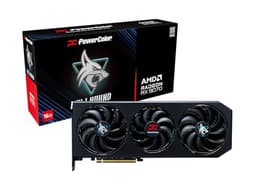
The PowerColor Hellhound RX 9070 (non-XT) is a proper rendering card that often gets overlooked in favour of its XT sibling. For 3D rendering, the difference between the 9070 and 9070 XT is smaller than the price gap suggests. You still get 16GB of GDDR6 on a 256-bit bus, RDNA 4 architecture, and solid HIP support for Blender Cycles.
Where the Hellhound earns its place is in the thermal and acoustic department. PowerColor's cooler on this card runs notably quiet, which matters for a workstation environment. It's not the flashiest design, but it's well-built and the PCIe 4.0 interface means it'll drop into any modern system without fuss.
For rendering workloads specifically, the RDNA 4 compute improvements over RDNA 3 are meaningful. Blender benchmark scores show a real generational leap, and the 16GB VRAM means you're not going to be constantly managing scene complexity to avoid out-of-memory errors. A sensible, no-nonsense choice.
Pros
- 16GB GDDR6 on a full 256-bit bus
- RDNA 4 rendering performance close to the 9070 XT
- Quiet cooler suited to workstation environments
- PCIe 4.0 compatibility is broad
Cons
- Slightly slower than the 9070 XT in compute-heavy renders
- No CUDA support for NVIDIA-exclusive renderers
- Less glamorous than competing designs at this price
Buy on Amazon£884.78
Best Under £50 (Relative)
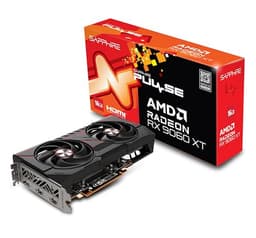
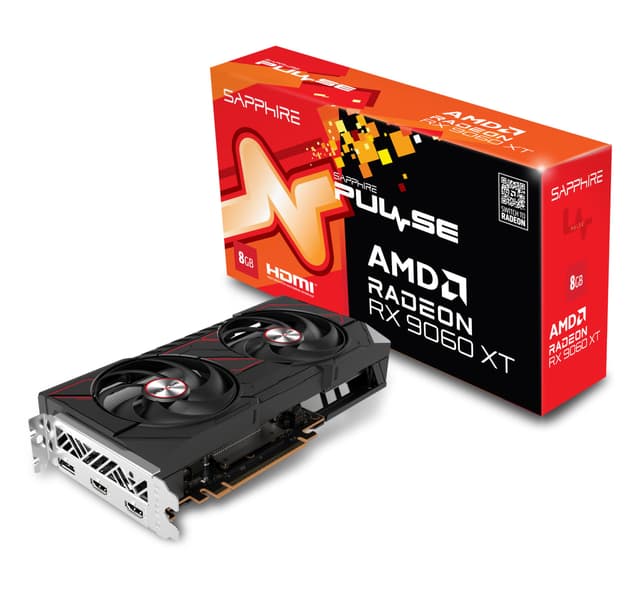
Here's the thing: the Sapphire Pulse RX 9060 XT is the most honest value proposition in this entire roundup for anyone starting out with GPU-accelerated 3D rendering. RDNA 4 architecture at this price point is remarkable. You get the same generational compute improvements as the 9070 series, just with lower clock speeds and reduced shader count.
The 16GB GDDR6 is the headline feature for rendering. Having 16GB on a card at this price tier means hobbyists and students can work with genuinely complex Blender scenes without constantly hitting memory limits. That's a bigger deal than raw compute speed for most learning workflows.
Sapphire's Pulse cooler is compact and sensibly designed. It's not the most aggressive thermal solution, so sustained heavy rendering will push temperatures higher than the bigger cards in this list. But for intermittent rendering sessions and learning workflows, it's absolutely fine. If you're new to 3D rendering and want to find out whether GPU rendering is for you without spending a fortune, start here.
Pros
- RDNA 4 architecture at the most accessible price in this roundup
- 16GB VRAM is exceptional for this price tier
- Compact design fits smaller cases
- Great entry point for Blender and DaVinci Resolve rendering
Cons
- Lower shader count limits performance on complex scenes
- Thermal headroom tighter than larger cards under sustained load
- No CUDA support
Buy on Amazon£469.99
Best Budget
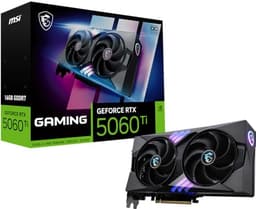
The MSI RTX 5060 Ti 16G is a complicated card to recommend for 3D rendering. On paper, 16GB of GDDR7 on a Blackwell chip sounds brilliant. In practice, the 128-bit memory bus is a genuine bottleneck for rendering workloads that stress memory bandwidth, and the UK launch pricing has been, frankly, a bit dodgy for what you get.
That said, for NVIDIA-committed users who want Blackwell's OptiX rendering and CUDA acceleration at a lower price than the 5070 series, this is the entry point. The 16GB VRAM does help with scene complexity even if bandwidth is constrained. Blender's OptiX denoiser and CUDA rendering still run well here, just not as fast as the wider-bus cards above.
MSI's GAMING OC cooler is solid. Build quality is fine. The card runs cool enough for rendering workloads. But be realistic: the 128-bit bus means this card will struggle more than the AMD alternatives in bandwidth-heavy rendering scenarios. If you're set on NVIDIA and this is your budget ceiling, it works. But the Sapphire RX 9060 XT offers better rendering value at a lower price.
Pros
- 16GB GDDR7 on a Blackwell chip
- CUDA and OptiX support for NVIDIA rendering pipelines
- Solid MSI build quality and cooling
- Lowest-priced Blackwell NVIDIA option in this roundup
Cons
- 128-bit memory bus is a real limitation for rendering bandwidth
- UK pricing at launch is high relative to AMD competition
- Performance specs listed as TBA at time of writing
Buy on Amazon£1208.03
Compact Rendering
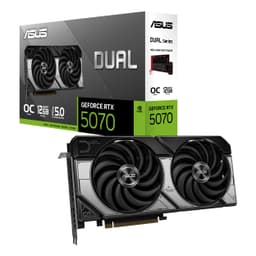
The ASUS DUAL RTX 5070 OC is specifically worth considering if you're building a compact workstation or small form factor rendering machine. Most high-performance rendering cards are enormous. This one isn't. It's SFF-ready, fits in cases that would reject the triple-slot monsters elsewhere in this list, and still delivers genuine Blackwell rendering performance.
For 3D rendering in Blender or Redshift, the RTX 5070 performs well. OptiX acceleration is fast, DLSS 4 denoising is available, and the 2572MHz boost clock means it's not holding back despite the compact design. The dual-fan cooler manages thermals adequately, though in a very tight case with poor airflow you'll want to monitor temperatures during long render sessions.
The 12GB VRAM is the honest limitation. For a compact workstation used for moderate-complexity 3D work, it's fine. For dense production scenes with heavy textures, you'll hit the ceiling. But if your priority is fitting a capable rendering GPU into a small build, this is the best option in this roundup for that specific need.
Pros
- SFF-ready compact design, rare at this performance level
- Blackwell architecture with full OptiX and CUDA support
- High 2572MHz boost clock for its size
- Three DisplayPort outputs useful for multi-monitor setups
Cons
- 12GB VRAM limits complex scene headroom
- Dual-fan cooling needs good case airflow in tight builds
- Premium price for the compact form factor
Buy on Amazon
Legacy CUDA Powerhouse
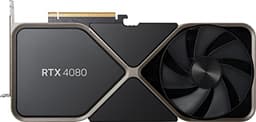
The RTX 4080 Founders Edition was a genuinely excellent rendering card when it launched. Ada Lovelace architecture, 16GB GDDR6X on a 256-bit bus, and fast OptiX performance made it a top choice for professional 3D artists. In 2026, it's still capable. But the UK price it's currently listed at is hard to justify when Blackwell cards exist.
For rendering workloads, the RTX 4080 performs well. CUDA acceleration, OptiX ray tracing, and the 16GB VRAM buffer all hold up. If you found one second-hand at a sensible price, it would be a strong rendering card. At the current new listing price, you're paying a significant premium for older architecture when the RTX 5070 Ti offers more for less.
The Founders Edition cooler is genuinely beautiful engineering, compact for a card of this power. But beauty doesn't justify the price premium in 2026. Buy this only if you find it at a substantial discount.
Pros
- 16GB GDDR6X with strong OptiX rendering performance
- Compact Founders Edition cooler design
- Mature Ada Lovelace driver support
Cons
- Current UK price is very hard to justify versus newer cards
- Ada Lovelace is a generation behind Blackwell
- Better rendering value available elsewhere in this roundup
Buy on Amazon£1875.56
Ada Mid-Range
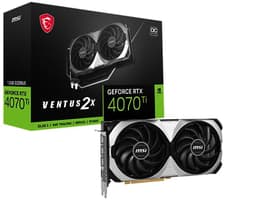
The MSI RTX 4070 Ti Ventus 2X OC was a reasonable rendering card at launch. For 3D rendering in 2026, the 12GB GDDR6X is its main weakness. Complex scenes in Blender, particularly those with dense geometry and high-resolution textures, will push against that ceiling. And the current UK asking price is genuinely difficult to defend.
CUDA rendering and OptiX acceleration work fine. The Ada Lovelace architecture is solid. But you're getting less VRAM than the AMD RDNA 4 cards in this roundup, older architecture than the Blackwell options, and a higher price than the PowerColor Hellhound RX 9070 which beats it on VRAM and rendering throughput. The TORX Fan 4.0 cooling is good, and the dual-fan Ventus design is compact. But those are secondary concerns when the value proposition is this weak.
If you already own this card, it'll serve you well for moderate rendering work. Buying it new in 2026 at current prices doesn't make sense.
Pros
- CUDA and OptiX support for NVIDIA rendering pipelines
- Compact dual-fan Ventus design
- Mature Ada driver support
Cons
- 12GB VRAM is limiting for serious 3D rendering work
- Current UK price is poor value versus RDNA 4 alternatives
- Older Ada architecture versus newer Blackwell options
Check availability
High VRAM Legacy
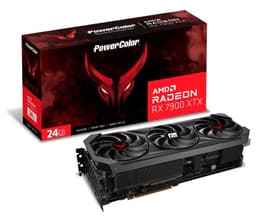
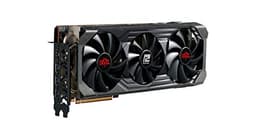
The 24GB GDDR6 on the RX 7900 XTX is genuinely useful for 3D rendering. More VRAM means larger scenes, more complex geometry, and higher-resolution textures without hitting out-of-memory errors. For that specific use case, the 7900 XTX has an argument. But the current UK asking price is, to put it plainly, absurd.
RDNA 3 is now two generations behind AMD's current RDNA 4. The RX 9070 XT in first place offers better compute performance per pound, and while it has less raw VRAM (16GB versus 24GB), the architectural improvements mean it handles most rendering workloads more efficiently. The only scenario where the 7900 XTX makes sense is if you genuinely need more than 16GB for specific large-scale production work and can't afford a workstation GPU. At current prices, that's a very narrow use case.
The Red Devil cooler is excellent. PowerColor builds quality hardware. But the pricing on this card in the UK market right now is not justified.
Pros
- 24GB GDDR6 is the most VRAM in this roundup
- Wide 384-bit memory bus
- Excellent Red Devil cooler build quality
Cons
- Current UK price is completely unjustifiable
- RDNA 3 is two generations behind current AMD architecture
- The RX 9070 XT offers better rendering performance for less money
Check availability
Avoid
The RX 6800 XT was a great card in 2021. For 3D rendering in 2026, RDNA 2 is showing its age considerably. The HIP rendering backend has improved since launch, but the compute performance is well behind RDNA 4 cards. And the current UK asking price is, frankly, baffling. You could buy the RX 9070 XT (which is dramatically faster for rendering) for less money.
The 16GB GDDR6 is still a reasonable VRAM amount, and the Red Devil cooler remains excellent hardware. But those positives don't overcome the fundamental problem: this card is priced as if it's still 2021. For anyone specifically looking at best graphics cards for 3D rendering, there is no scenario where this makes sense as a new purchase at current prices. Buy something else.
Pros
- 16GB GDDR6 VRAM
- Excellent Red Devil cooler (if you already own it)
Cons
- RDNA 2 is two full generations behind current AMD
- Current UK price is completely unjustifiable in 2026
- Significantly outperformed by cheaper RDNA 4 alternatives
Buy on Amazon£1377.32
Avoid
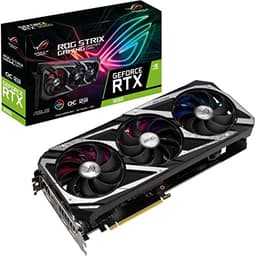
The RTX 3060 was a decent entry-level rendering card in its day. Ampere architecture, 12GB GDDR6, and CUDA support made it accessible for Blender beginners. In 2026, at the price it's currently listed in the UK, it makes no sense at all for 3D rendering. The ROG Strix premium on top of an already outdated GPU creates a value proposition that simply doesn't hold up.
For rendering specifically, the Ampere architecture is now two generations behind Blackwell. The 12GB VRAM is adequate but not generous. And the current asking price would buy you a card that renders significantly faster with more VRAM. The Axial-tech fan design and Super Alloy Power II build quality are genuinely good, but hardware quality can't overcome the fundamental pricing problem.
If you already own this card, it'll still render. But buying it new in 2026 at current prices is not a decision we can support.
Pros
- CUDA support for NVIDIA rendering pipelines
- Excellent ROG Strix build quality and cooling
- 12GB VRAM (adequate for basic rendering)
Cons
- Ampere architecture is two generations old
- Current UK price is completely unjustifiable
- Dramatically outperformed by cheaper modern alternatives
Buy on Amazon£817.36