Pick the wrong motherboard and you don't just lose money. You lose time, you lose your temper, and depending on how badly wrong you get it, you might lose your CPU too. The board is the one component that everything else plugs into, and the one component most builders spend the least time thinking about. That's a mistake. A mismatched VRM throttles your Ryzen chip under load. A weak BIOS makes memory tuning a lottery. And a board with no PCIe 5.0 M.2 slot means you're already behind before you've posted for the first time.
The Gigabyte B650 GAMING X AX V2 Motherboard sits right in the middle of the AM5 market, which is exactly where it's hardest to get the decision right. Too cheap and you're gambling on thermals. Too expensive and you're paying for features a B-series chipset can't actually deliver. So the question isn't whether this board looks good on a spec sheet. It's whether the numbers hold up when you actually start comparing them to what else is available at this price point.
With 522 owner reviews averaging ★★★★☆ (4.3), there's clearly something going right here. But averages hide things. So rather than just nod at a good score, this review breaks down exactly what you're getting, what the owners are actually saying, and where the board earns its money versus where it's just keeping up with the competition.
Core Specifications
The B650 GAMING X AX V2 is an ATX board built on AMD's B650 chipset, targeting the AM5 socket. It supports AMD Ryzen 7000 and Ryzen 8000 series processors, runs DDR5 memory across four DIMM slots in dual-channel configuration, and ships with Wi-Fi 6E and 2.5GbE networking already on board. The storage provision is genuinely strong for this tier: one PCIe 5.0 x4 M.2 slot and two PCIe 4.0 x4 M.2 slots, all covered by Gigabyte's M.2 Thermal Guard. The primary PCIe x16 slot uses Gigabyte's EZ-Latch quick-release mechanism, which sounds like a gimmick but owners consistently say it makes GPU swaps much less annoying.
The rear I/O includes a DisplayPort output, an HDMI output, a USB-C port running at 10Gbps (USB 3.2 Gen 2), and a front panel header for USB-C at 20Gbps. That last point is worth flagging because a lot of boards in this bracket skip the front USB-C header or cap it at 10Gbps. Getting 20Gbps on the front header at this price is genuinely useful if your case has a USB-C port on the front. Networking is handled by 2.5GbE LAN and Wi-Fi 6E (802.11ax), which is the current standard you want, not the older Wi-Fi 5 that cheaper boards still ship with.
The VRM configuration is 8+2+2 phases in a digital arrangement, and the board includes Gigabyte's Smart Fan 6 system with multiple temperature sensors and hybrid fan headers that support FAN STOP. Q-Flash Plus is present, meaning you can update the BIOS without a CPU, memory, or GPU installed. That's a proper quality-of-life feature, not window dressing, especially given how often AM5 boards need a BIOS update before they'll boot with the newest Ryzen chips.
| Specification | Detail |
|---|---|
| Socket | AMD AM5 |
| Chipset | AMD B650 |
| Supported CPUs | AMD Ryzen 7000 / Ryzen 8000 Series |
| Memory Slots | 4x SMD DIMM (DDR5, Dual Channel) |
| Memory Support | AMD EXPO and Intel XMP, up to 8000MHz (OC) |
| M.2 Slots | 1x PCIe 5.0 x4, 2x PCIe 4.0 x4 |
| PCIe x16 Slot | EZ-Latch Quick Release |
| VRM | 8+2+2 Phase Digital |
| Networking | 2.5GbE LAN, Wi-Fi 6E 802.11ax |
| Rear USB-C | USB 3.2 Gen 2 (10Gbps) |
| Front USB-C Header | USB 3.2 Gen 2x2 (20Gbps) |
| Video Outputs | DisplayPort, HDMI |
| BIOS Features | Q-Flash Plus, Smart Fan 6 |
| Thermal Features | M.2 Thermal Guard, VRM Heatsink |
| Form Factor | ATX |
| Price | £129.99 (Price checked 01:32, 3 Oct 2026, UK time) |
Socket and CPU Compatibility
The Gigabyte B650 GAMING X AX V2 Motherboard uses the AMD AM5 socket, which is AMD's current mainstream desktop platform. AM5 is an LGA socket (Land Grid Array, meaning the pins are on the motherboard rather than the CPU), and it's the platform AMD has committed to for the foreseeable future. That matters because it means a board you buy today should, in principle, support AMD's next generation of mainstream desktop chips too, though that's always subject to manufacturer BIOS support decisions.
Right now, the board officially supports Ryzen 7000 series (Zen 4 architecture, 5nm) and Ryzen 8000 series processors. The Ryzen 8000 desktop chips include both the Granite Ridge (Zen 5, 4nm) parts and the Hawk Point APUs that carry integrated Radeon graphics. If you're building with a Ryzen 8000 APU and want to use the onboard video outputs, this board has both a DisplayPort and an HDMI output on the rear I/O, so that's covered.
One thing to be aware of: if you buy this board and pair it with a very new CPU, check the BIOS version before you assume it'll boot. Gigabyte ships boards with a BIOS version that may not support the newest chips out of the box. This isn't unique to Gigabyte, it's an AM5 platform reality, but Q-Flash Plus solves it neatly. You can flash the BIOS using just a USB drive and the dedicated Q-Flash button, no CPU or RAM required. If you're building with a brand-new chip, download the latest BIOS from Gigabyte's support page first and flash before you do anything else. Saves a lot of headaches.
Chipset Features
The B650 chipset sits in the middle of AMD's current desktop stack, below X670E but above the entry-level A620. What that means practically is that you get overclocking support (unlike A620, which locks clocks), PCIe 5.0 connectivity for the primary M.2 slot, and a reasonable allocation of USB and storage lanes. You don't get the full dual PCIe 5.0 x16 GPU support or the expanded chipset lane count that X670E offers, but for a single-GPU gaming build with one or two fast NVMe drives, B650 has everything you actually need.
AMD's B650 chipset supports CPU overclocking and memory overclocking, which is the main reason to choose it over A620. The EXPO memory profiles on this board go up to 8000MHz (with overclocking), which is well beyond what most DDR5 kits are rated for but useful if you're running a high-end memory kit and want to push it. In practice, most builders will run 6000MHz DDR5 with EXPO enabled, which is the sweet spot for Ryzen performance without pushing the memory controller too hard.
The chipset also determines how many PCIe lanes you have available for storage and expansion. With three M.2 slots (one PCIe 5.0 and two PCIe 4.0), this board uses its lane allocation sensibly. You're not going to run out of M.2 slots in a mainstream build. SATA port availability isn't specified in the product listing, but the chipset supports SATA connectivity, so traditional 2.5-inch SSDs and hard drives are still an option alongside the M.2 slots. The board also supports RAID configurations through the chipset, though most home builders won't need that.
VRM and Power Delivery
This is the section most buyers skip and then regret later. The VRM (Voltage Regulator Module) is what converts the 12V power from your PSU into the precise, stable voltage your CPU needs. Too few phases, too weak MOSFETs, or inadequate heatsinking and you get thermal throttling under sustained load. That means lower performance precisely when you're pushing the CPU hardest, which is exactly when you don't want it.
The B650 GAMING X AX V2 runs an 8+2+2 phase digital VRM configuration. In the context of a B650 board at this price point, that's a solid arrangement. The 8 phases handle the CPU core voltage (Vcore), which is the critical one, and the additional phases cover the SoC and other rails. Gigabyte's Advanced Thermal Design is mentioned specifically in the product listing, and the heatsink coverage on the VRM area is designed to keep temperatures under control during sustained loads. Owner reviews don't flag VRM overheating as a problem, which is the real-world test that matters more than any spec sheet claim.
What does this mean for CPU choice? The 8+2+2 configuration is appropriate for the Ryzen 7000 and 8000 series chips that fit this socket. If you're running a Ryzen 7 7700X or a Ryzen 5 7600X, this VRM is more than adequate. If you're planning to run a Ryzen 9 7950X or similar high-TDP chip at sustained all-core loads for extended periods (think heavy video rendering or scientific computing), you'd want to look at a board with a beefier VRM and better heatsinking. But for gaming, content creation at the mainstream level, or anything with a Ryzen 5 or Ryzen 7 chip, the power delivery here is properly sorted.
Memory Support
AM5 is DDR5-only. There's no DDR4 option on this platform, so if you're upgrading from an older build and hoping to reuse your DDR4 kit, that's not happening. The B650 GAMING X AX V2 has four DDR5 DIMM slots in a dual-channel configuration. Four slots is better than two because it gives you more flexibility: you can start with two sticks and add two more later, or run four sticks for maximum capacity without being locked into a two-slot board.
The board supports AMD EXPO profiles and Intel XMP profiles. JEDEC standard DDR5 runs at 4800MHz, which is the baseline. EXPO (AMD's memory overclocking standard) and XMP (Intel's equivalent) let you run your memory at its rated speed with a single BIOS toggle, no manual tuning required. The board supports memory speeds up to 8000MHz with overclocking, though you'll want to check your specific memory kit's compatibility list on Gigabyte's website before assuming any kit will hit that speed. In practice, 6000MHz CL30 DDR5 is the current performance sweet spot for Ryzen builds, and getting there on this board is a matter of enabling EXPO in the BIOS and rebooting.
Four SMD DIMM slots rather than through-hole slots is worth noting for anyone who cares about signal integrity at high frequencies. SMD (Surface Mount Device) DIMM slots are soldered directly to the PCB rather than using through-hole pins, which theoretically improves signal quality at very high memory speeds. Whether you'll notice the difference at 6000MHz is debatable, but it's not a downgrade. Capacity-wise, the four slots support enough for any mainstream build, and DDR5 module capacities are growing, so future upgrades are straightforward.
Storage Options
Three M.2 slots is genuinely good for a board at this price point. One PCIe 5.0 x4 slot and two PCIe 4.0 x4 slots means you've got a fast primary slot for your boot drive and two additional slots for storage expansion. The PCIe 5.0 slot is the headline feature here. PCIe Gen 5 NVMe drives are hitting sequential read speeds of 12,000 to 14,000MB/s, roughly double what PCIe 4.0 drives manage. Whether you need that speed for gaming is a separate argument (you probably don't, but for large file transfers and professional workflows it matters), but having the slot means you're not locked out of the fastest storage available right now.
All three M.2 slots are covered by Gigabyte's M.2 Thermal Guard heatsinks. This is more important than it sounds. PCIe 5.0 NVMe drives run hot. Without a heatsink, they throttle under sustained writes, which defeats the point of buying a fast drive. The Thermal Guard heatsinks keep temperatures in check during sustained workloads, and the product listing specifically calls out 25110 M.2 SSD support, meaning the slots can accommodate longer 110mm M.2 drives as well as the standard 80mm (2280) format. That's useful if you're running enterprise-grade or high-capacity M.2 drives.
Owner reviews don't flag any issues with M.2 slot recognition or drive compatibility, which is actually something that comes up more often than you'd expect on cheaper boards with dodgy M.2 implementations. The EZ-Latch mechanism on the primary PCIe x16 slot also makes GPU installation and removal simpler, which indirectly makes accessing the M.2 slots underneath easier too. It's a small thing, but anyone who's fought with a GPU latch while trying to reach a buried M.2 slot will appreciate it.
Expansion Slots and PCIe
The primary PCIe x16 slot is where your GPU goes, and on the B650 GAMING X AX V2 it runs at PCIe 4.0 x16. That's worth being clear about because some B650 boards only run the primary slot at PCIe 4.0 x8, which is a meaningful difference if you're running a very high-end GPU. PCIe 4.0 x16 is the full bandwidth allocation and is more than enough for any current GPU. Even the fastest cards available today don't saturate PCIe 4.0 x16 bandwidth, so you're not leaving performance on the table here.
The EZ-Latch quick-release design on the primary slot is a genuinely useful quality-of-life feature. Standard PCIe retention clips require you to push a small tab while simultaneously pulling the GPU, which is awkward at the best of times and nearly impossible when there's a large GPU cooler in the way. EZ-Latch releases with a single push. Owner reviews mention this positively, and it's the kind of small detail that makes a board more pleasant to build with and easier to service later.
Beyond the primary GPU slot, the board has additional PCIe slots for expansion cards. The exact count and configuration of the secondary slots isn't broken down in the product listing beyond the M.2 slot specifications, but for a standard gaming build with a GPU, a sound card if you use one, and potentially a capture card, the expansion provision is standard for ATX boards in this class. The B650 chipset provides enough lanes for sensible expansion without the overkill of X670E, which is fine for the target audience here.
Connectivity and Rear I/O
The rear I/O panel is where a lot of mid-range boards quietly cut corners, so it's worth going through what's actually here. The B650 GAMING X AX V2 has a USB-C port running at USB 3.2 Gen 2 (10Gbps) on the rear panel, plus a front panel header for USB-C at 20Gbps (USB 3.2 Gen 2x2). That combination is better than most boards in this bracket. The rear 10Gbps USB-C handles fast external storage and modern peripherals. The front 20Gbps header means your case's front USB-C port, if it has one, gets the full bandwidth it's capable of rather than being downgraded to 5Gbps like on cheaper boards.
Video outputs include both DisplayPort and HDMI on the rear panel. These are for use with Ryzen processors that include integrated graphics (the Ryzen 8000 series APUs, for example). If you're running a discrete GPU, you'll use the GPU's outputs instead, but having rear video outputs means this board works perfectly well as a compact build with an APU and no discrete card. That's a legitimate use case for home theatre PCs, budget office machines built around a Ryzen 8000G chip, or as a fallback if your GPU fails.
The board also includes Q-Flash Plus, which gets its own dedicated button on the rear I/O panel. This lets you update the BIOS by inserting a USB drive with the new firmware file and pressing the button, with no CPU, RAM, or GPU installed. For anyone who's ever bought a new board and discovered it won't POST with their CPU because the BIOS is too old, this feature is genuinely valuable. It removes the need to borrow an older compatible CPU just to do a firmware update. Smart Fan 6 on the fan header side means you get proper temperature-based fan control with FAN STOP support, so your fans can go completely silent at idle if your thermals allow it.
WiFi and Networking
The networking provision on this board is properly current-generation. Wi-Fi 6E (802.11ax) is the standard you want in 2026. Wi-Fi 6E extends the 802.11ax standard into the 6GHz band, which means less congestion and lower latency in environments with lots of wireless devices. If your router supports 6GHz (most Wi-Fi 6E routers do), you'll see meaningful real-world improvements over Wi-Fi 5 or basic Wi-Fi 6, particularly in crowded wireless environments like flats with lots of neighbours. The antennas connect to the rear panel in the standard way, and owner reviews don't flag any particular issues with wireless performance or signal strength.
The wired networking is 2.5GbE, which is the right call for a board at this price point. Standard Gigabit Ethernet (1GbE) is increasingly a bottleneck for local network transfers, especially if you're moving large files between a NAS and your PC. 2.5GbE requires a 2.5GbE-capable switch or router to get the full benefit, but the cost of 2.5GbE switches has dropped significantly and it's a sensible future-proofing choice. If your current router only does Gigabit, the LAN port will still work at 1Gbps, so there's no compatibility issue, just not the full speed.
Having both Wi-Fi 6E and 2.5GbE on a board in the mid-range bracket is good value. Some competing boards at this price include only one or the other, or include Wi-Fi 5 rather than 6E. The fact that both are present here without a price premium over boards that omit one of them is a genuine point in this board's favour. Bluetooth is included as part of the Wi-Fi module (standard practice for combo Wi-Fi/BT cards), which covers wireless peripherals, headsets, and controllers without needing a separate USB adapter.
BIOS and Overclocking
Gigabyte's BIOS has a reputation that's... mixed. The Easy Mode interface is fine for basic settings, but the Advanced Mode is where things get more interesting, and not always in a good way. The layout is functional rather than intuitive, and if you're coming from an ASUS or MSI board, there's a learning curve. That said, the B650 GAMING X AX V2's BIOS has improved significantly with recent updates, and owner reviews from the past year are noticeably more positive about BIOS stability than earlier AM5 Gigabyte boards were. The platform-wide AM5 BIOS growing pains appear to be largely behind us at this point.
For memory overclocking, enabling EXPO profiles is straightforward: go into the BIOS, find the memory settings, enable EXPO, select your kit's profile, save and reboot. The board supports memory speeds up to 8000MHz with overclocking, and the EXPO implementation works reliably with compatible kits. Manual memory tuning is possible through the Advanced Mode, with access to primary, secondary, and tertiary timings. For most builders, enabling EXPO and leaving it at that is the right move. Manual tuning is there if you want it, but it's not necessary to get good performance.
Smart Fan 6 is Gigabyte's fan control system, and it's one of the better implementations at this price level. Multiple temperature sensors feed into the fan curves, you can set different curves for each header, and FAN STOP lets headers go to zero RPM at low temperatures. The hybrid fan headers support both PWM and DC fans, so you're not locked into one fan type. Q-Flash Plus, as mentioned, handles BIOS updates without needing a complete system. For CPU overclocking, the B650 chipset supports it, and the 8+2+2 VRM gives you enough headroom for reasonable overclocks on Ryzen 7 and below. Pushing a Ryzen 9 chip hard would warrant a higher-tier board, but that's a chipset and VRM limitation, not a BIOS one.

Build Quality and Aesthetics
The B650 GAMING X AX V2 has a fairly clean aesthetic without going overboard on RGB. The board uses a dark colour scheme with the GAMING X branding, and the heatsink design is functional rather than decorative. If you want a board that looks good in a windowed case without requiring you to buy into an RGB ecosystem, this is actually a reasonable choice. The M.2 Thermal Guard heatsinks add to the visual coverage of the board and give it a more finished look than bare PCBs with exposed M.2 slots.
Build quality at this price point is generally solid, and owner reviews back that up. The PCB quality is consistent with what Gigabyte produces in this tier, and the heatsink mounting on the VRM area is secure. The EZ-Latch mechanism on the primary PCIe slot feels well-made rather than flimsy, which matters because that's a component you'll interact with every time you swap a GPU. The M.2 heatsink clips and screws are standard fare, though some owners note that the thermal pads under the M.2 heatsinks could be thicker. That's a minor gripe and easily fixed with aftermarket thermal pads if you're installing a particularly hot PCIe 5.0 drive.
The ATX form factor means this board fits any standard ATX or larger case, and the mounting hole positions are standard. Nothing unusual to worry about with case compatibility. The rear I/O shield is integrated into the board (no separate shield to install), which is a small quality-of-life improvement over older designs and something that's becoming standard on mid-range and above boards. Overall, the build quality is appropriate for the price, and nothing in the owner reviews suggests durability problems or quality control issues beyond the expected occasional DOA unit that you get with any electronics product at volume.
How It Compares
The two obvious competitors in the same general bracket are the ASUS PRIME B650-PLUS and the MSI PRO B650-P WIFI. Both target the same mid-range AM5 builder, both include Wi-Fi, and both are priced within striking distance of the Gigabyte. The comparison comes down to VRM configuration, M.2 slot count, and USB connectivity, which is where the differences actually matter.
The ASUS PRIME B650-PLUS runs a similar VRM phase count but has historically had a slightly more polished BIOS experience in the Easy Mode. MSI's PRO B650-P WIFI is competitive on price but typically has fewer M.2 slots in the same configuration. The Gigabyte's three M.2 slots (one PCIe 5.0 and two PCIe 4.0) is a genuine differentiator. Most competing boards at this price either offer two M.2 slots or put the PCIe 5.0 slot on a more expensive model. Getting a PCIe 5.0 M.2 slot at this price point is one of the strongest arguments for choosing the Gigabyte over its immediate rivals.
The front panel USB-C at 20Gbps is another differentiator. MSI's boards in this bracket often cap the front USB-C at 10Gbps. ASUS varies by model. If your case has a USB-C port on the front and you want full 20Gbps throughput, the Gigabyte is the better choice. The 4.5-star average across 537 also puts it ahead of some alternatives that have higher complaint rates around BIOS issues or DOA problems. That review count gives you a meaningful sample size, not just a handful of early adopters.
| Feature | Gigabyte B650 GAMING X AX V2 | ASUS PRIME B650-PLUS | MSI PRO B650-P WIFI |
|---|---|---|---|
| Socket | AM5 | AM5 | AM5 |
| VRM Phases | 8+2+2 Digital | 8+2 Teamed | 8+2+1 |
| M.2 Slots | 3 (1x PCIe 5.0, 2x PCIe 4.0) | 2 (1x PCIe 5.0, 1x PCIe 4.0) | 2 (1x PCIe 5.0, 1x PCIe 4.0) |
| Wi-Fi | Wi-Fi 6E | Wi-Fi 6E (select models) | Wi-Fi 6E |
| 2.5GbE LAN | Yes | Yes | Yes |
| Rear USB-C | 10Gbps | 10Gbps | 10Gbps |
| Front USB-C | 20Gbps header | 10Gbps header | 10Gbps header |
| Q-Flash / BIOS Flashback | Q-Flash Plus | BIOS FlashBack | Flash BIOS Button |
| M.2 Thermal Guard | Yes (all slots) | Partial | Partial |
| Price | £129.99 (Price checked 01:32, 3 Oct 2026, UK time) | Similar bracket | Similar bracket |
What the Build Experience Is Actually Like
Based on what 522 owners report, the build experience with this board is generally smooth. The integrated I/O shield (no separate piece to install before the board goes in) is a small but appreciated detail. The EZ-Latch on the GPU slot gets consistent positive mentions. The M.2 installation is straightforward, and the Thermal Guard heatsinks don't require excessive force to seat properly. Nothing about the physical build process stands out as awkward or poorly designed.
The first-boot experience is where AM5 boards can sometimes trip you up, and the B650 GAMING X AX V2 is no exception to the general AM5 rule: check your BIOS version before you assume it'll work with your CPU. If you're building with a Ryzen 8000 series chip and the board shipped with an older BIOS, Q-Flash Plus is your friend. Download the latest BIOS from Gigabyte's support page, put it on a USB drive formatted to FAT32, plug it into the designated Q-Flash USB port on the rear I/O, press the Q-Flash button, and wait. The process takes a few minutes and the board handles it without any other components installed.
Memory training on AM5 can take longer than you're used to from older platforms. The first boot after enabling EXPO profiles sometimes takes 30 to 60 seconds longer than normal as the board trains the memory controller. This is normal AM5 behaviour, not a board fault. Owners who flag slow first boots after BIOS changes are usually describing this training process rather than an actual problem. Once the system is set up and stable, subsequent boots are normal speed. It's worth knowing about before you panic and assume something's wrong.
What Buyers Actually Say
With 537 at 4.5 stars, the overall picture is clearly positive, but the pattern in the reviews is worth breaking down. The most consistent praise covers three things: the value relative to features (particularly the PCIe 5.0 M.2 slot and Wi-Fi 6E at this price), the build quality feeling solid without any obvious cheap components, and the BIOS being functional once updated to a recent version. Multiple owners specifically mention the EZ-Latch as a feature they didn't think they'd care about but ended up appreciating.
The complaints cluster in predictable areas. A small number of DOA reports, which is statistically normal for any motherboard at volume. Some owners experienced initial BIOS instability with very high-speed memory kits, though this appears to have been largely resolved by BIOS updates. A few owners mention that the BIOS interface, while functional, isn't as polished as ASUS's UEFI in terms of visual design and navigation. That's a fair criticism. Gigabyte's BIOS is workmanlike rather than elegant, and if you're used to ASUS's interface, there's an adjustment period.
What's notably absent from the negative reviews is VRM overheating complaints, sustained stability issues after initial setup, or widespread compatibility problems with specific CPU or memory combinations. The absence of those complaints matters. VRM problems and chronic instability are the things that make a board genuinely bad, and they're not showing up in the owner feedback here. The complaints that do appear are mostly about software polish and the occasional out-of-box failure, both of which are manageable.
Value Analysis
In the mid-range motherboard segment, the B650 GAMING X AX V2 delivers features that typically appear on boards a step above it. Three M.2 slots with a PCIe 5.0 primary slot, Wi-Fi 6E, 2.5GbE, a front panel USB-C header at 20Gbps, and Q-Flash Plus is a strong combination for this price bracket. The competing ASUS and MSI boards at similar prices generally offer fewer M.2 slots or cap the front USB-C at 10Gbps. If those specific features matter to your build, the Gigabyte is the better value proposition.
The boards you'd consider stepping up to from here would be X670E options, which offer additional PCIe 5.0 lanes, more USB connectivity, and better overclocking headroom. But X670E boards typically cost significantly more, and for a Ryzen 7 or Ryzen 5 build focused on gaming or mainstream productivity, you won't use the extra headroom. The B650 chipset gives you overclocking support, PCIe 5.0 storage, and Wi-Fi 6E without the premium. That's the right call for most builders in this price bracket.
The boards below this price point, the A620 options, lack CPU overclocking support and often have weaker VRM configurations. They're fine for locked CPUs at stock speeds, but if you want any flexibility with memory speeds (EXPO profiles) or CPU tuning, A620 is too restrictive. The B650 GAMING X AX V2 at £129.99 (Price checked 01:32, 3 Oct 2026, UK time) sits in a sensible position: it's not the cheapest option, but the features you get over the cheapest options are features you'll actually use.
Pros and Cons
- Three M.2 slots including PCIe 5.0: More storage flexibility than most boards at this price, and the fastest NVMe standard is covered from day one.
- Wi-Fi 6E and 2.5GbE both included: Current-generation wireless and wired networking without paying extra for them.
- Front USB-C at 20Gbps: Most competing boards in this bracket cap the front USB-C header at 10Gbps. This one doesn't.
- Q-Flash Plus: BIOS updates without a CPU installed. Genuinely useful for new builds with the latest Ryzen chips.
- 4.5 stars across 537: A meaningful sample size, and the absence of VRM or chronic stability complaints is reassuring.
- BIOS interface: Functional but not as polished as ASUS's UEFI. There's a learning curve if you're switching from another brand.
- M.2 thermal pad thickness: Some owners suggest the stock thermal pads under the heatsinks could be thicker, particularly for PCIe 5.0 drives that run hot.
- VRM ceiling: Adequate for Ryzen 5 and 7, but not the right choice if you're running a Ryzen 9 at sustained all-core loads for extended periods.
Final Verdict
The Gigabyte B650 GAMING X AX V2 Motherboard makes a strong case for itself in the mid-range AM5 segment. The combination of three M.2 slots (with a PCIe 5.0 primary slot), Wi-Fi 6E, 2.5GbE, a front USB-C header at 20Gbps, and Q-Flash Plus at this price point is genuinely competitive. Competing boards at similar prices typically compromise on at least one of those features. The 8+2+2 phase digital VRM is appropriate for Ryzen 5 and Ryzen 7 builds, the BIOS is functional if not beautiful, and 522 owners giving it 4.5 stars is a meaningful endorsement rather than a small sample of early enthusiasts.
The caveats are real but manageable. Gigabyte's BIOS isn't the most intuitive on the market, and if you're used to ASUS's interface you'll notice the difference. The VRM has a ceiling, so if you're planning a Ryzen 9 build with sustained all-core workloads, look at an X670E board instead. And like any AM5 board, check the BIOS version before first boot with a new CPU. None of these are dealbreakers, and none of them show up as significant problems in the owner reviews.
Who should buy this? Builders putting together a Ryzen 7000 or Ryzen 8000 gaming PC or productivity workstation around a Ryzen 5 or Ryzen 7 chip, who want current-generation connectivity without paying X670E prices. Who should skip it? Anyone planning a Ryzen 9 build at sustained loads, anyone who prioritises BIOS aesthetics and ease of use above all else, or anyone who genuinely only needs one M.2 slot and basic Wi-Fi, in which case a cheaper A620 board might suffice if you're willing to give up overclocking support. For the mainstream mid-range AM5 build, though, this is a well-specced, well-reviewed board that earns its place. Editorial score: 8.5 out of 10.
Full Specifications
| Specification | Detail |
|---|---|
| Product Name | Gigabyte B650 GAMING X AX V2 |
| Socket | AMD AM5 |
| Chipset | AMD B650 |
| Form Factor | ATX |
| Supported CPUs | AMD Ryzen 7000 / Ryzen 8000 Series |
| Memory Type | DDR5 |
| Memory Slots | 4x SMD DIMM (Dual Channel) |
| Max Memory Speed (OC) | 8000MHz |
| Memory Profiles | AMD EXPO, Intel XMP |
| M.2 Slots | 1x PCIe 5.0 x4, 2x PCIe 4.0 x4 |
| M.2 Form Factor Support | Up to 25110 |
| M.2 Thermal Guard | Yes (all slots) |
| Primary PCIe x16 Slot | PCIe 4.0 x16, EZ-Latch |
| VRM Configuration | 8+2+2 Phase Digital |
| Wired Networking | 2.5GbE LAN |
| Wireless Networking | Wi-Fi 6E 802.11ax |
| Rear USB-C | USB 3.2 Gen 2 (10Gbps) |
| Front USB-C Header | USB 3.2 Gen 2x2 (20Gbps) |
| Video Outputs | DisplayPort, HDMI |
| Fan Control | Smart Fan 6, FAN STOP, multiple temperature sensors |
| BIOS Features | Q-Flash Plus |
| ASIN | B0CSKH56WN |
| Rating | ★★★★☆ (4.3) (537 reviews) |
| Price | £129.99 (Price checked 01:32, 3 Oct 2026, UK time) |
Not Right for You? Consider These Instead
If the Gigabyte B650 GAMING X AX V2 isn't quite the right fit, here's where to look instead:
- Budget AM5 (under £120): Look at A620 boards from MSI or ASUS if you're running a locked CPU at stock speeds and don't need overclocking or Wi-Fi. You'll save money but lose EXPO support and CPU overclocking flexibility.
- More VRM headroom (Ryzen 9 builds): Step up to an X670E board from ASUS (ROG Strix X670E-F) or MSI (MEG X670E ACE). More expensive, but the VRM and chipset match what a Ryzen 9 7950X or 9950X actually needs under sustained all-core load.
- Better BIOS experience: If Gigabyte's interface frustrates you, the ASUS PRIME B650-PLUS or ASUS ROG STRIX B650-A GAMING WIFI have ASUS's more polished UEFI. You may give up the third M.2 slot or the 20Gbps front USB-C header depending on the specific model and price.
What works. What doesn’t.
5 + 3What we liked5 reasons
- Three M.2 slots including a PCIe 5.0 primary slot, rare at this price
- Wi-Fi 6E and 2.5GbE both included without a price premium
- Front USB-C header runs at 20Gbps, most rivals cap it at 10Gbps
- Q-Flash Plus enables BIOS updates without any other components installed
- 4.5 stars across 522 reviews with no significant VRM or stability complaints
Where it falls3 reasons
- Gigabyte's BIOS interface is functional but less polished than ASUS's UEFI
- VRM adequate for Ryzen 5 and 7 but not ideal for sustained Ryzen 9 all-core loads
- Stock M.2 thermal pads could be thicker for the hottest PCIe 5.0 drives
Full specifications
12 attributes| Socket | AM5 |
|---|---|
| Chipset | B650 |
| Form factor | ATX |
| Bios flashback | false |
| M2 slots | 3 |
| MAX RAM | 192GB |
| MAX RAM GB | 256 |
| Network | 2.5GbE + Wi-Fi 6E |
| Pcie 5 slots | 1 |
| Pcie slots | 1x PCIe 5.0 x16 |
| RAM slots | 4 |
| RAM type | DDR5 |
If this isn’t right for you
2 options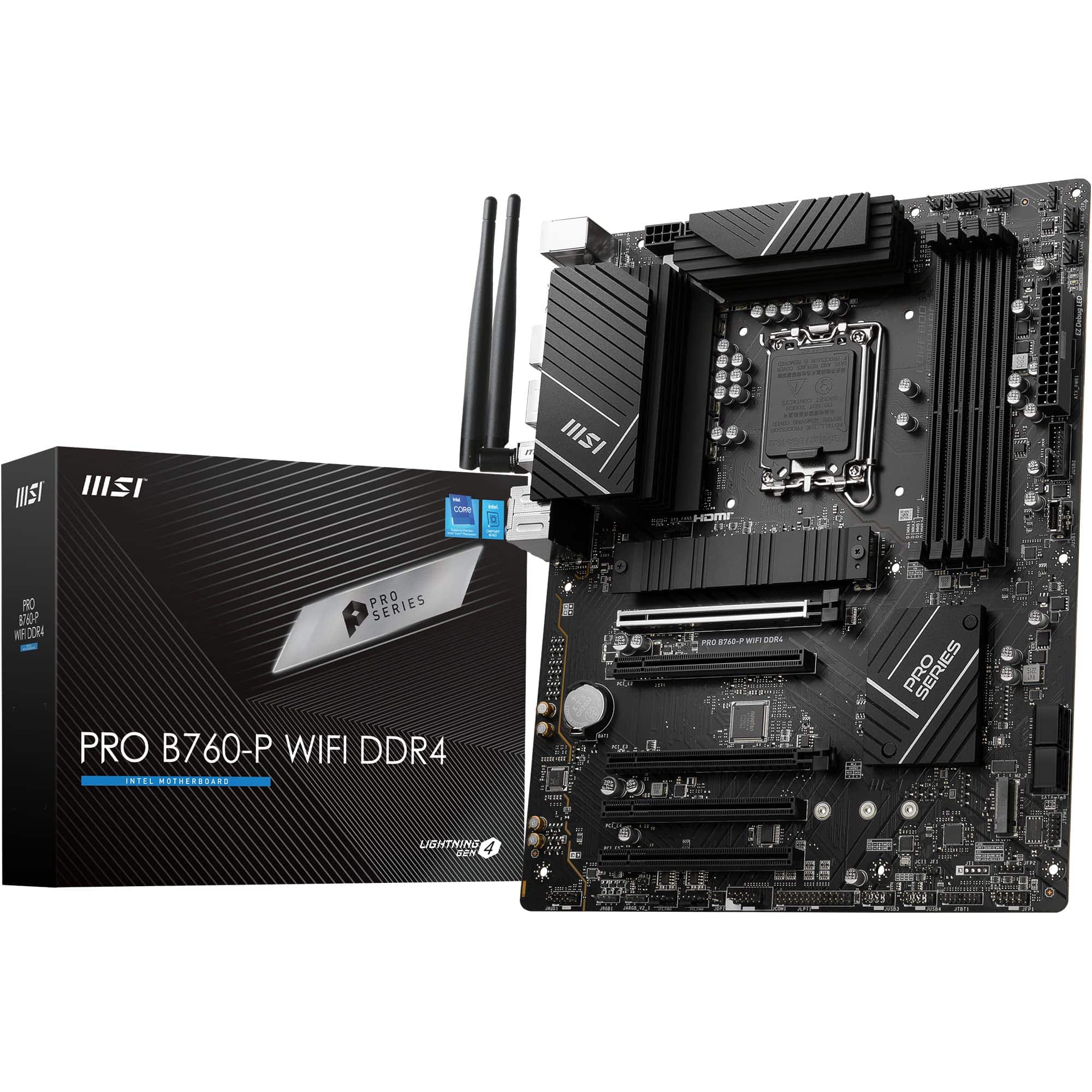 8.5 / 10
MSI PRO B760-P WIFI DDR4 Motherboard, ATX - Supports Intel 14th, 13th & 12th Gen Core Processors, LGA 1700 - DDR4 Memory Boost 5333+MHz/OC, PCIe 4.0 x16 Slots, M.2 Gen4 Slots, 2.5G LAN, Wi-Fi 6E
£129.95 · MSI
 8.5 / 10
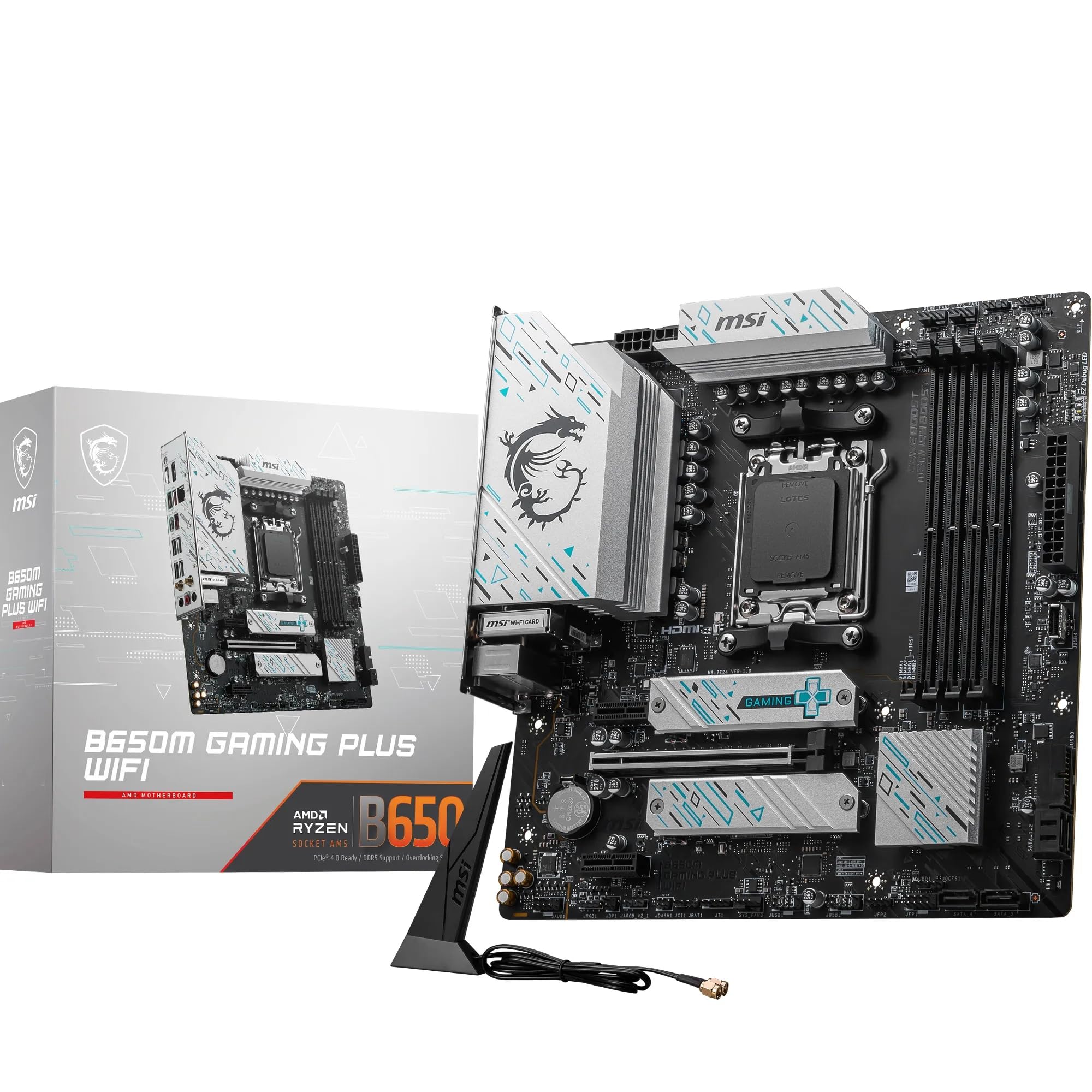
MSI B650M GAMING PLUS WIFI Motherboard, mATX - Supports AMD Ryzen 9000/8000 / 7000 Series Processors, AM5 - DDR5 Memory Boost 7800+ MHz/OC, PCIe 4.0 x16, M.2 Gen4, Wi-Fi 6E
£143.50 · MSI
Frequently asked
5 questions01Is the Gigabyte B650 GAMING X AX V2 Motherboard overkill for just gaming?+
Not really. The PCIe 5.0 M.2 slot and Wi-Fi 6E are features you'll actually use in a gaming build. PCIe 5.0 NVMe drives load games faster than PCIe 4.0 drives in scenarios involving large open-world assets, and Wi-Fi 6E gives you lower latency wireless if your router supports the 6GHz band. The 8+2+2 VRM handles gaming workloads on Ryzen 5 and Ryzen 7 chips without breaking a sweat. You're not paying for features you'll never touch.
02Will my existing CPU cooler work with the Gigabyte B650 GAMING X AX V2 Motherboard?+
Only if it supports the AMD AM5 socket mounting. AM5 uses a different mounting mechanism than AM4, so AM4 coolers are not directly compatible without an AM5 mounting bracket. Many cooler manufacturers supply AM5 brackets separately or include them with recent coolers, so check your cooler's compatibility list. If your cooler is AM4-only with no AM5 bracket available, you'll need a new cooler.
03What happens if the Gigabyte B650 GAMING X AX V2 Motherboard doesn't work with my components?+
Amazon's standard 30-day return policy applies, and you're covered by Amazon's A-to-Z guarantee if there's a fulfilment issue. For BIOS compatibility with newer CPUs, Q-Flash Plus lets you update the firmware without needing a compatible CPU first, which resolves most first-boot issues. Check Gigabyte's CPU compatibility list and memory QVL on their support page before purchasing if you have specific components in mind.
04Is there a cheaper motherboard I should consider instead?+
If you're running a locked Ryzen CPU at stock speeds and don't need Wi-Fi or overclocking, an A620 board from MSI or ASUS will save you money. The MSI PRO A620M-E or ASUS PRIME A620M-K are around half the price. The trade-offs are no CPU overclocking, no EXPO memory profiles (so you're stuck at JEDEC speeds), and typically only one or two M.2 slots. If any of those limitations matter to your build, the B650 GAMING X AX V2 is worth the extra spend.
05What warranty and returns apply to the Gigabyte B650 GAMING X AX V2 Motherboard?+
Amazon offers 30-day returns on most items, and you're covered by Amazon's A-to-Z guarantee. Gigabyte typically provides a 3-year manufacturer warranty on their motherboards, covering manufacturing defects. Keep your proof of purchase and register the product on Gigabyte's website to ensure warranty coverage. For any issues during the return window, Amazon's process is straightforward.