VIVID·REPAIRS/THE FIELD GUIDE/MONITORUpdated 17 October 2026Prices live from Amazon UK
Best of · UK · Field of 16
Best AOC Monitors Under £300
By the Vivid Repairs deskUpdated 17 October 202616 ranked picks8,636 owner ratings read
As an Amazon Associate we may earn from qualifying purchases. We have not handled these products. Everything below is judged on published specifications, the owner ratings on the UK listings and our own product reviews, and the ranking stays independent of what any of them pay.
As an Amazon Associate, we may earn from qualifying purchases. Our ranking is independent.
Amazon confirms the live price, seller, stock and delivery. Prices here are read from the live listing through the day; a pick Amazon cannot supply is marked as such, and where the list has one in stock it is offered.
vividrepairs.co.uk / best-aoc-monitors-under-300Updated 17 October 2026 · Prices from the live Amazon UK listing
§ The field
16 picks, on one page
Ranked on fit for the job in the title, not on raw specification. Tap any one to jump to the argument for it. Prices are the live Amazon UK figure, read today; a pick with no figure is out of stock and says so in its entry.
Genuine 180Hz refresh rate at a budget price point under £150 delivers smooth gameplay that is a clear step up from 60Hz or 75Hz panels
VA panel native contrast of 3000:1 or higher makes dark gaming environments look properly dark rather than washed-out grey
AMD FreeSync Premium certification with Low Framerate Compensation provides smooth adaptive sync across the full frame rate range
Where it gives up
1080p at 27 inches gives only 82 PPI, which feels soft for text-heavy work or detailed productivity tasks compared to a 1440p panel. Stand adjustability is basic, offering tilt only with no height, swivel, or pivot, requiring a monitor arm for precise ergonomic positioning.
280Hz refresh rate is genuinely rare at budget pricing
3000:1 native contrast ratio beats IPS rivals on dark scene depth
FreeSync Premium (not just basic FreeSync) with LFC support
Where it gives upVA ghosting visible in dark game environments on fast camera movements. 1080p on 27 inches is lower pixel density than 1440p alternatives.
3000:1 VA contrast ratio is exceptional at this price, making dark scenes genuinely impressive
240Hz refresh rate delivers real smoothness in competitive and fast-paced games
FreeSync Premium with LFC support is proper adaptive sync, not just a marketing checkbox
Where it gives upVA dark ghosting is a real concern in games with predominantly dark environments. Stand adjustability is limited, a monitor arm is the practical solution.
The rules this ranking ran under, in plain sight: what we read, what we weighed and what no merchant can move.
How we picked
Our editors evaluated 16 Monitor options against the criteria readers actually weigh up: price, real-world performance, build quality, warranty, and UK availability. Picks lean toward what we'd recommend to a friend buying today, not specs-on-paper winners.
Editorial contextEditor notes from individual reviews, not press releases.
Live UK pricingRefreshed from Amazon UK twice daily.
No paid placementsAffiliate commission doesn't change what wins.
The full guideEverything behind the shortlist above: the spec sheet, the write-ups in full, our method and the verdict.
§ Editorial · The full guide · five proofs, nothing hidden
The Doubt Index.
The shortlist told you what we picked; this zone shows the working. Come in through whichever doubt you’re carrying, or read straight down; we’d rather you checked us than trusted us.
Here’s the sheet the desk works from, kept deliberately factual. Every row is written to be checked against the retailer’s current listing, and you should check. The table scrolls sideways inside its own frame; the page underneath stays still.
Scroll sideways →12 rows · 5 columns · Prices swap to the live figure at render
You can, and you should. What follows is the part a sheet can’t do: the working between what these products have and what your desk actually needs, kept word for word.
AOC has quietly become the brand to beat when your budget stops at three figures. This guide to the Best AOC Monitors Under £300 pulls together 12 panels that actually sell, ranked in the order our editor settled on, from a 34-inch curved ultrawide down to a 22-inch VA second screen. You'll find 4K IPS for spreadsheets, 280Hz VA for shooters, and a few that punch well above their price on contrast. What you won't find is fluff. Every one of these has a compromise, usually a tilt-only stand or an HDR badge that does nothing, and we say so plainly. Star ratings here come from real Amazon UK owners, some panels with well over a thousand.
Buying Guide: What to Look For
The single biggest decision on a budget AOC panel is VA versus IPS, and it decides more than any spec figure. VA panels here (the CU34G2XPD, both 34-inch ultrawides, the C27G42E, C27G4ZXED, 25G3ZM and C32G2ZE) give you native contrast around 3000:1, so blacks look black and dark films and games have real depth. The cost is dark-scene smearing on fast motion. IPS panels (the 24B3HA2, U27B3A, 24G4ZR, 27G4ZR and Q32V4) give wider viewing angles and cleaner motion but weaker contrast, usually under 1000:1, so dark scenes look greyer. Play a lot of dark single-player or watch films? VA. Competitive FPS or colour work? IPS.
Refresh rate is the next lever. 60Hz to 75Hz is fine for office and casual use. 100Hz is a noticeable step. From 180Hz up you're in gaming territory, and 240Hz to 280Hz is for fast shooters. Don't be seduced by MPRT figures like 0.5ms or 0.3ms: those are backlight-strobing numbers, not true pixel response, so treat them as marketing rather than a guarantee of clean motion.
Pixel density matters more than people expect. 1080p on a 24-inch panel is fine. On a 27-inch it drops to 82 PPI, which looks soft for text. On a 32-inch (the C32G2ZE) it's around 70 PPI, softer still. If you do a lot of desktop or text work, step up to the QHD Q32V4 or the 4K U27B3A instead of a big 1080p panel.
Two common mistakes. First, ignoring the stand: most panels here are tilt-only, so factor in the cost of a VESA arm if you need height. The 24G4ZR, 27G4ZR and both 34-inch ultrawides are the exceptions with height adjustment. Second, buying for HDR. Every HDR10 and HDR400 badge here is checkbox-level at 300 to 400 nits with no local dimming. None of them will give you a real HDR experience, so don't pay a penny extra for it.
Twelve write-ups, none folded away. We don’t lab-test, so every line below sticks to what can be defended: the published sheet, the owner ratings on the UK listings and our own reviews.
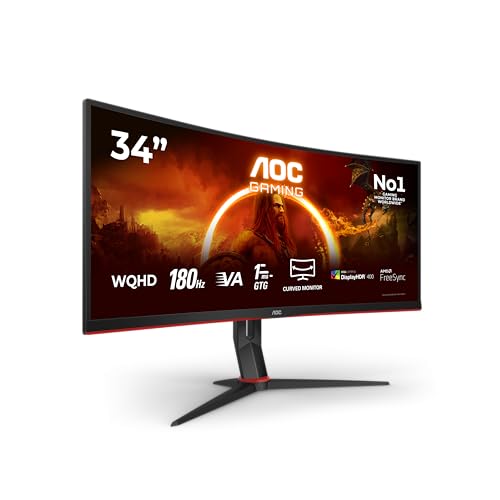
Four video inputs on a sub-£300 ultrawide. That's the line that puts this one on top. Two HDMI 2.0 and two DisplayPort 1.4 means you can hang a desktop, a laptop and a console off the same 34-inch panel and switch between them without crawling behind the desk. Most rivals at this price give you one HDMI and one DP and expect you to be grateful.
The panel is a 1800R curved VA running 3440x1440 at 180Hz, which is the sweet spot for cinematic single-player gaming and wide productivity work side by side. Our review calls out the VA contrast advantage over IPS for dark-room gaming as genuine, not marketing. Blacks look black. The 21:9 aspect ratio gives you room for two documents or a timeline plus a preview window, and FreeSync Premium with Low Framerate Compensation keeps frames smooth even when they dip.
Ergonomics are where cheap ultrawides usually fall apart, and this one doesn't. 130mm of height adjustment is better than most mid-range competitors, per our review, so you're not stacking books under the stand. There's a four-port USB 3.0 hub built in too, which is the sort of thing that quietly tidies a desk once you've routed a keyboard and a webcam through it. VESA 100x100 is there if you'd rather arm-mount it.
Now the honest part. Our review flags HDR as checkbox-level at 300 cd/m² with no local dimming, so don't buy it for HDR. VA dark-scene smearing is a real risk in fast, dark games, which is why competitive FPS players should look at the IPS 24G4ZR further down instead. The OSD is button-driven rather than a joystick, which is fiddlier. And viewing angles trail IPS, so if two people share the screen off-axis, colours shift.
Against its stablemate the CU34G2XP, this CU34G2XPD adds the second DisplayPort and the USB hub, which is why it ranks above it. Owners rate it 4.5 stars from 565 ratings. For the money, nothing else here gives you this much screen and this many ways to plug into it.
Pros
Four video inputs (2x HDMI 2.0, 2x DP 1.4) is rare at this price
130mm height adjustment beats most mid-range rivals
Built-in four-port USB 3.0 hub for desk cable tidying
Removable stand with VESA 100x100 for arm mounting
4.5 stars from 565 owners
Cons
HDR400 badge does little at 300 cd/m² with no local dimming
Button OSD navigation instead of a joystick
HDMI 2.0 caps refresh below the panel's peak at this resolution
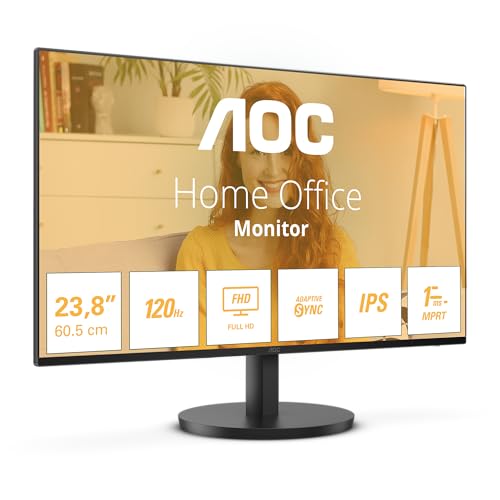
If the CU34G2XPD is the flagship, this is the panel you buy when the budget is genuinely tight and you still want AOC's VA contrast. It's a 21.5-inch (marketed as 22) 1080p VA running at 75Hz, and that VA panel is the whole point: our review notes the native contrast punches above its price, so dark content looks properly deep rather than grey.
75Hz over 60Hz is a small but real bump in smoothness for scrolling and windows work, and the flicker-free backlight is well suited to long sessions at a desk. The frameless design pairs cleanly in a dual-monitor setup, which is where a lot of these end up: a compact second screen next to a bigger main panel. It sits at 4.6 stars from 710 ratings, the joint-highest owner rating in this lineup alongside the C27G42E.
The compromises are clear. The stand offers tilt only, no height or swivel, so our review's advice to pair it with an aftermarket monitor arm is sound. There's HDMI and VGA but no DisplayPort, no USB hub and no audio output. And VA ghosting shows in dark-scene motion, so this isn't a gaming panel. For a basic desktop, a home-office second screen or a first monitor on a shoestring, it does exactly what it promises.
A genuine 180Hz curved panel for well under the price of most flat 165Hz screens. That's the pitch, and it holds. This is a 1500R curved VA at 27 inches, 1080p, and our review is direct: the step up from 60Hz or 75Hz is a clear one, and the VA contrast (3000:1 or higher) makes dark gaming environments look properly dark rather than washed-out grey.
The curve at 27 inches adds a bit of immersion and softens VA's weaker peripheral viewing angles. FreeSync Premium with LFC is proper adaptive sync across the full frame range, not a checkbox. It matches the 22B2H at 4.6 stars, here from 57 ratings.
The catch is pixel density. 1080p on 27 inches works out to 82 PPI, which our review says feels soft for text-heavy work compared to a 1440p panel. The 0.5ms figure is a backlight-strobing MPRT number, not a true pixel response, and VA black smearing shows in dark transitions. The stand is tilt-only, and there's no USB hub. Against the pricier 280Hz C27G4ZXED, this trades 100Hz of refresh for a lower price while keeping the same panel size and contrast character. If you want curved VA immersion on the smallest budget, start here.
Where the 22B2H and C27G42E lean on VA contrast, this one goes the other way: a genuine IPS panel with wide viewing angles and good colour for the price, per our review. That makes it the pick for a shared home-office desk where someone might glance at your screen off-axis, or where accurate colour matters more than deep blacks.
It's a 23.8-inch 1080p IPS at 100Hz, which our review notes is a meaningful upgrade over the 60Hz budget crowd for scrolling and casual gaming. The 3-year manufacturer warranty is better than most rivals at this price, built-in speakers and a headphone out add practical value, and VESA 100x100 is there for an arm.
Honest limits: the stand is tilt-only, 250 cd/m² is adequate but not bright in a sunny room, and there's no meaningful HDR at this brightness. HDMI 1.4 rather than 2.0 caps future flexibility. Against the faster 24G4ZR, this is the calmer, cheaper office choice; against the 22B2H, you trade VA contrast for IPS angles and 100Hz.
Buy this one if you don't game much and want pixels. It's the only 4K panel here, a 27-inch IPS at 3840x2160, and our review calls the sharpness genuine at a mid-range price. For spreadsheets, code and photo review, the pixel density is a different world from the 1080p panels above.
Connectivity is strong: two HDMI 2.0 ports plus DisplayPort 1.4, so a laptop and a desktop can both stay plugged in. The three-sided frameless bezel looks clean and works well for dual setups, and built-in speakers come at no extra cost.
But it's a productivity tool, full stop. Our review is blunt about the 60Hz refresh limiting gaming, HDR10 being checkbox-level, and IPS contrast leaving dark scenes grey rather than black. Stand adjustability isn't fully specified, so budget for a VESA arm if you need height. Against the QHD Q32V4, you gain resolution and lose screen size; against any of the gaming panels, you gain sharpness and lose refresh. Owners rate it 4.5 stars from 204 ratings.
280Hz. At this price, that's rare, and it's the reason to pick this over the 180Hz C27G42E: same 27-inch 1500R curved VA panel, same 3000:1-class contrast, but a big jump in refresh for the fast-twitch crowd. Our review pitches it squarely at competitive shooters on tight budgets.
The VA contrast still beats IPS rivals on dark-scene depth, FreeSync Premium with LFC is the real thing, and the box includes both HDMI and DisplayPort cables, which saves a separate order. Two HDMI 2.0 ports plus DisplayPort 1.4 cover a console-and-PC setup. VESA 100x100 is there for an arm.
The trade-offs are the usual VA ones our review lists: dark-game ghosting on fast camera movement, and 1080p on 27 inches at lower density than a 1440p screen. The stand is tilt-only, and HDR10 does little at 300 cd/m². Owners rate it 4.2 stars from 543 ratings, the lowest here, which likely reflects those VA motion quirks. If you want the same speed on IPS instead of VA, jump to the 27G4ZR.
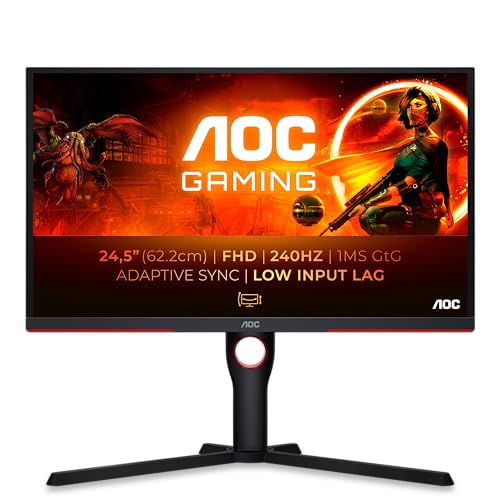
A flat 24.5-inch VA at 240Hz, which our review notes undercuts a lot of 165Hz competition on price. The draw here over the IPS speed panels is the 3000:1 native contrast: dark scenes look genuinely impressive rather than washed out, which VA does and budget IPS doesn't.
240Hz delivers real smoothness in fast games, FreeSync Premium with LFC is proper adaptive sync, and the port selection is useful: two HDMI 2.0 plus DisplayPort 1.2 and a 3.5mm out. It's the most-rated panel of the compact gaming trio at 4.4 stars from 1,124 ratings.
VA dark ghosting is the price of that contrast, a real concern in predominantly dark games. The stand is limited, so a monitor arm is the practical fix, and 1080p on 24.5 inches shows individual pixels up close. Against the 24G4ZR, you swap that IPS panel's clean motion and height stand for stronger VA contrast at a lower refresh.
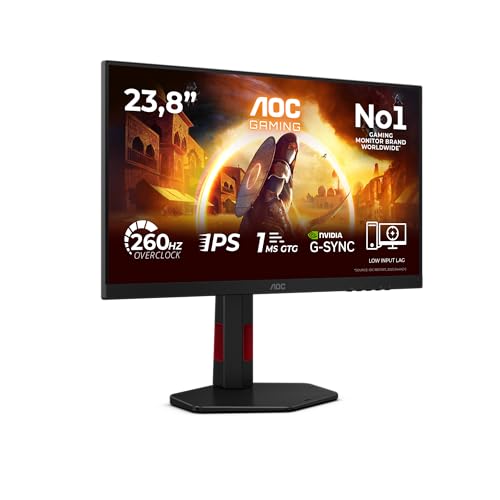
Height, tilt and swivel on a 260Hz gaming panel at this price is rare, and our review flags it as a genuine win. That's the reason to take this over the VA 25G3ZM: proper ergonomics out of the box, no monitor arm needed to get the eyeline right.
It's a 23.8-inch Fast IPS at 260Hz, G-Sync Compatible certified for reliable NVIDIA VRR, with clean motion clarity at the right overdrive setting per our review. 97 percent sRGB coverage is adequate for gaming and general use, and it runs 260Hz over DisplayPort 1.4 with stable VRR. Owners rate it 4.4 stars from 89 ratings.
The IPS trade-off is contrast: native around 950:1 is standard IPS and noticeably weaker than the VA panels here, so dark scenes look greyer. HDR10 is a checkbox at 300 nits, and there's no USB hub or USB-C. If you play competitively but hate a fixed stand, this is the pick.
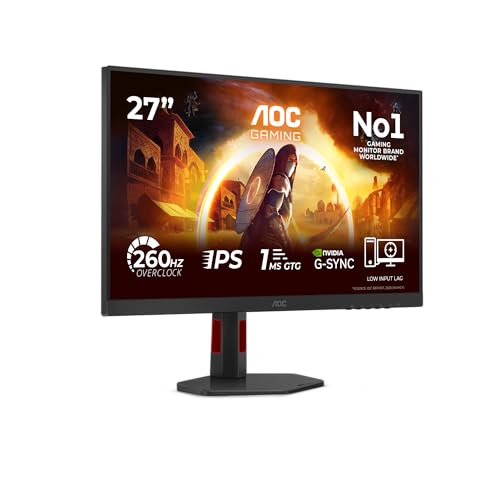
The 24G4ZR scaled up to 27 inches, with the same Fast IPS motion and a height-adjustable stand many rivals omit. Our review pitches it at FPS gamers who want speed over image quality, and G-Sync Compatible certification is validated for tear-free NVIDIA operation.
Two HDMI 2.0 plus DisplayPort 1.4 cover a multi-device setup, and the height stand is a real plus. Owners rate it 4.4 stars from 88 ratings.
The size is also the catch. 1080p at 27 inches gives a low 82 PPI, which our review says is noticeably soft for desktop and text work, and IPS glow shows in dark rooms. HDR10 is checkbox compatibility. Against the 24G4ZR, you gain screen size and lose pixel density: if you sit close and want the bigger panel, this; if text clarity matters, the 24-inch stays sharper.
A 32-inch curved VA at 240Hz, and the biggest immersion for gaming money here. Our review credits better-than-expected motion for a VA panel, with contrast that beats IPS alternatives at this price. It's the most-rated panel on the whole page at 4.4 stars from 1,740 owners. Two HDMI 2.0 plus DisplayPort 1.2 cover most setups. The catch at 32 inches and 1080p is a soft 70 PPI, plus VA dark-scene smearing and a tilt-only stand that almost demands an arm.
QHD on a 31.5-inch IPS at a budget price. That's the value here, and it makes this the productivity alternative to the 4K U27B3A when you want more physical screen and don't need 4K sharpness. Our review rates it a solid pick for productivity and casual gaming if you can add a monitor arm. Dual HDMI 1.4 plus DisplayPort 1.2 lets you run two sources, and DisplayPort handles full 1440p at 75Hz cleanly. Owners give it 4.4 stars from 268 ratings. The limits: 75Hz caps competitive gaming, 250 cd/m² struggles in bright light, and the stand is likely tilt-only with no HDR worth the name.
The ultrawide to consider if the top-ranked CU34G2XPD is out of stock. Same 34-inch VA at 3440x1440 and 180Hz, with a height-adjustable stand and strong VA contrast that makes dark scenes look impressive. It carries HDR400 and rates a brighter 400 cd/m². Owners give it 4.3 stars from 1,230 ratings. Where it falls behind its sibling: this one has one fewer DisplayPort in the practical multi-input sense and the same VA dark-scene ghosting that rules it out for competitive FPS. HDR400 is still a checkbox, and HDMI 2.0 holds you below 180Hz at this resolution.
This page carries affiliate links; they never set the order. We don’t lab-test: rankings come from published specifications, the owner ratings on the UK listings and our own reviews.
How We Compared These
We ranked these 12 AOC panels on published specifications, the seller's listing details, and verified Amazon UK owner ratings, which here run from 4.2 to 4.6 stars across sample sizes from 57 to 1,740. We weighed panel type, refresh rate, resolution against screen size for real pixel density, port selection, stand adjustment and the honest value of each HDR claim. We hold owners' star ratings and counts, not their words, so nothing here quotes an owner. Nobody at Vivid Repairs handled these monitors; the ranking reflects specs, listings and owner scores, not a bench or a meter.
A crown that can’t be argued with isn’t proof of quality; it’s proof nobody checked. So rather than restate the winner’s virtues, we defend the crown against the strongest cases to take it.
AOC Gaming CU34G2XPD
Cross-examination · Three challengers, taken seriously
The £180 argumentAOC 22B2H
At £69.97 today against the winner’s £249.99, its strongest case is the £180 it hands back. Owners rate it 4.6 from 717 ratings. Our review scores it 7.5 against the winner’s 8.0. If the cheaper pick covers the job you actually do, take the saving with a clear conscience. The crown stays where it is because rank follows fit for the job in the title, not the receipt, and its full argument is in the write-up above.
Prices checked (this pick) and (the winner) · Details
The owners’ argumentAOC Gaming C27G42E
Owners rate it 4.5 from 59 ratings. Our review scores it 8.0 against the winner’s 8.0. The crown holds on the ranking rules: the order above was set before any link was attached, and its case is argued in full in the write-up above.
The £185 argumentAOC 24B3HA2
At £65.00 today against the winner’s £249.99, its strongest case is the £185 it hands back. Owners rate it 4.5 from 552 ratings. Our review scores it 7.5 against the winner’s 8.0. If the cheaper pick covers the job you actually do, take the saving with a clear conscience. The crown stays where it is because rank follows fit for the job in the title, not the receipt, and its full argument is in the write-up above.
Prices checked (this pick) and (the winner) · Details
The original verdict, preserved in full
Final Verdict: Best AOC Monitors Under £300
For most buyers the AOC Gaming CU34G2XPD is the one to reach for: a 34-inch curved VA ultrawide with 180Hz, four video inputs, a USB hub and real height adjustment, all under three figures short of £300. If the budget is genuinely tight, the AOC 22B2H delivers VA contrast and 75Hz for very little and holds a 4.6-star owner rating. Competitive players should look at the 280Hz C27G4ZXED or the height-adjustable 260Hz 24G4ZR, while the 4K U27B3A and QHD Q32V4 cover sharp productivity. Match the panel type to what you actually do, budget for an arm if the stand is tilt-only, and ignore the HDR badges entirely.
IPS panels deliver superior colour accuracy and viewing angles, making them better for shared workspaces and content creation. VA panels provide better contrast and black levels, beneficial for film watching and dark gaming environments. For general office work, IPS outperforms VA due to colour consistency and viewing angle flexibility, whilst VA provides better visual impact for entertainment purposes.
A portable panel can turn a laptop into a dual-screen desk in a coffee shop or a client's office, but none of the AOC monitors on this page is portable: they are mains-powered desk monitors. If a second screen for a fixed desk is the need, the 22-inch and 24-inch AOC models here are the low-cost route; if it has to travel with the laptop, look at a dedicated portable monitor instead.
Standard 60Hz monitors feel noticeably choppy compared to 100Hz+ displays, particularly when scrolling lengthy documents or dragging windows. The jump from 60Hz to 100Hz represents the most significant smoothness improvement, whilst 144Hz+ offers diminishing returns for non-gaming tasks. The AOC 24B3HA2 at 100Hz provides the minimum for perceptibly smooth everyday computing without excessive cost.
AOC sits firmly in the value bracket, and the ratings back that up. Across this lineup you'll find panels rated between 4.2 and 4.6 stars from hundreds or thousands of owners. The trade-off is usually ergonomics and HDR: many use tilt-only stands and HDR badges that don't do much at 300 nits. But the core panels, refresh rates and contrast figures are genuinely competitive.
VA panels (like the CU34G2XPD, C27G4ZXED and 25G3ZM) give you far stronger native contrast, often 3000:1, so dark scenes look properly dark. The catch is dark-scene smearing on fast motion. IPS panels (the 24G4ZR, U27B3A, Q32V4) give wider viewing angles and cleaner motion but weaker contrast. Pick VA for immersive single-player and film, IPS for competitive FPS and colour work.
That’s the field: 16 aoc monitors under £300, ranked for the job in the title and nothing else. We read the published specifications, the owner ratings and our own reviews; we haven’t handled these products, and no maker moves the order. Figures checked against the live Amazon UK listings, page updated 17 October 2026.
The Vivid Repairs desk
1Our top pickAOC Gaming CU34G2XPD - 34 inch WQHD curved monitor, 180 Hz, 1ms, FreeSync Premium (3440x1440, HDMI, DisplayPort, USB Hub) black/redScored 8.0/10Compare all →Buy on Amazon →