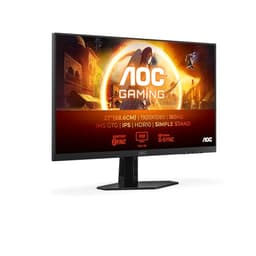
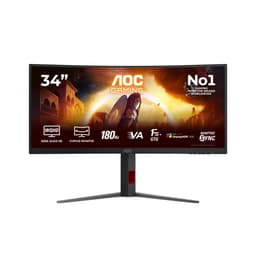
Monitor specs are genuinely confusing, and budget monitors make it worse. You get a number soup of refresh rates, response times, and panel types, half of which is either irrelevant at this price point or actively misleading. The AOC 22B2H cuts through that noise not by being flashy, but by being straightforward: a 22-inch VA panel, 1920x1080, 75Hz, HDMI and VGA, at a price that sits firmly in the budget bracket. The verdict up front? For office work, casual gaming, and secondary screen duties, this is a solid, sensible buy. But there are trade-offs you need to know about before you commit.
The ★★★★½ (4.6) rating across 712 is not nothing. That is a meaningful sample size, and a score that high in the budget monitor category usually means the basics are done right. People are not raving about colour accuracy or pixel-perfect motion clarity here. They are saying it works, it looks decent, it does not flicker, and the price is fair. That is exactly what you want from a monitor in this bracket. So the question is not whether this is a premium display (it is not), but whether it delivers genuine value at a budget price point. Based on the specs and what owners report, it does.
This review breaks down every meaningful spec, puts the VA panel choice in context, explains what that 7ms response time actually means in practice, and tells you exactly who should buy this and who should spend a bit more. No waffle.
Core Specifications
The AOC 22B2H is a 22-inch monitor running a 1920x1080 resolution on a VA panel at 75Hz. The screen size gives you a pixel density of roughly 100 pixels per inch, which is not going to win any sharpness awards compared to a 24-inch 1440p display, but it is perfectly readable for everyday use and does not demand a powerful GPU to push frames. For the vast majority of people buying in this price range, 1080p at 22 inches is a practical, sensible choice.
Connectivity is HDMI and VGA. AOC lists a 7ms grey-to-grey response time, which is the marketing figure. The panel is VA, not IPS or TN, and that has real implications for both contrast performance and motion handling that we will get into. The monitor is frameless in design, supports tilt adjustment, includes VESA wall mount compatibility, and has both Low Blue Light mode and flicker-free backlighting built in. These are not gimmicks at this price; flicker-free in particular matters if you are staring at this thing for eight hours a day.
There is no DisplayPort here, no USB hub, no height adjustment beyond tilt, and no adaptive sync certification listed in the verified specs. For the price, that is expected. You are getting the essentials and not much else. The table below lays it all out cleanly.
| Specification | Detail |
|---|---|
| Screen Size | 22 inches |
| Resolution | 1920 x 1080 (Full HD) |
| Panel Type | VA (Vertical Alignment) |
| Refresh Rate | 75Hz |
| Response Time (GtG) | 7ms (marketed) |
| Connectivity | HDMI, VGA |
| VESA Mount | Yes |
| Flicker Free | Yes |
| Low Blue Light | Yes |
| Frameless Design | Yes |
| Tilt Adjustment | Yes |
| Price | £59.99 |

Panel Technology
VA panels sit between IPS and TN in the display technology hierarchy, and understanding what that actually means is crucial here. Vertical alignment panels are defined by their contrast performance. Native contrast ratios on VA panels typically land in the 3000:1 to 4000:1 range, compared to the 1000:1 you would expect from a standard IPS panel. In practical terms, that means blacks look genuinely dark, not the washed-out grey you get from IPS when the room lights are down. For watching films, dark-themed games, or any content with deep shadows, VA is the better choice at this price point.
The trade-off is viewing angles. IPS panels typically achieve 178 degrees of usable viewing angle both horizontally and vertically. VA narrows that down, and colour shift becomes visible when you move off-axis, particularly vertically. If you are sitting directly in front of this monitor, you will not notice. But if you are watching something with a friend sitting at an angle, or if you have the monitor positioned awkwardly, you will see it. The other VA-specific issue is black smearing, sometimes called VA ghosting. When dark pixels transition to other dark values, VA panels can lag slightly, producing a visible smear in motion. We will come back to that in the response time section.
What VA also brings to this monitor is better performance in ambient light than you might expect. The combination of decent contrast and the anti-glare matte coating means the display holds up reasonably well in a bright office environment. It is not a glossy IPS panel that turns into a mirror when the sun comes through the window. That is a real, practical advantage for daytime use. AOC has made a sensible panel choice here for the target use case, even if it comes with the usual VA caveats around motion and off-axis viewing.
Display Quality
At 22 inches and 1920x1080, the pixel density works out to approximately 100 PPI. That is not razor-sharp by modern standards. A 24-inch 1080p display sits at about 92 PPI, so the 22B2H is actually slightly crisper than its larger siblings at the same resolution. Text is readable without any scaling, icons are clear, and general desktop use is comfortable. You are not going to mistake this for a 4K panel, but you are not going to squint at it either.
The matte anti-glare coating does its job. It diffuses reflections effectively, which is the right choice for a monitor aimed at office environments and general home use. Some people find matte coatings add a slight haze or graininess to the image, and VA panels can sometimes accentuate this slightly compared to IPS. It is a minor point, but worth knowing if you are particularly sensitive to that kind of thing. The frameless design is genuinely useful if you are running a dual-monitor setup, because the border between two screens becomes much less visually intrusive.
Brightness uniformity on budget VA panels is generally acceptable rather than excellent. The backlight is edge-lit, and some variation across the panel is normal. Owner reviews do not flag brightness uniformity as a significant complaint, which suggests AOC has kept it within reasonable bounds. The Low Blue Light mode, which AOC calls lowBlue, reduces blue light emission to ease eye strain during long sessions. This is a hardware-level filter rather than a software shift, and it does warm the image noticeably. Whether you use it depends on personal preference, but having the option built in is useful for anyone doing extended work sessions.
Refresh Rate and Adaptive Sync
75Hz is the refresh rate here, and it is worth being precise about what that delivers. The jump from 60Hz to 75Hz is noticeable, particularly in desktop scrolling and general cursor movement. Things feel slightly smoother and more responsive. The jump from 75Hz to 144Hz is also noticeable, but that is a different price bracket entirely. For casual gaming, productivity, and everyday use, 75Hz is genuinely fine. You are not going to feel cheated coming from a 60Hz display. You would notice the difference moving to 144Hz, but that is not the comparison that matters here.
Adaptive sync compatibility is not specified in the verified product data for this monitor. AOC does produce FreeSync-compatible displays across their range, but this model's certification status is not confirmed in the data available. If tear-free gaming is a priority for you, that is worth investigating before purchase. At 75Hz and 1080p, you are not pushing demanding hardware, so tearing may be minimal in practice anyway, but it is a gap worth noting.
For the target user, which is someone doing office work, browsing, streaming, and occasional light gaming, 75Hz is a comfortable ceiling. You are not going to feel the monitor holding you back in any of those scenarios. The 75Hz cap only becomes frustrating if you are coming from a 144Hz display and expecting the same level of smoothness in fast-paced games. If that is your situation, this is not the right monitor regardless of price. But for a first monitor, a secondary screen, or a budget upgrade from an old 60Hz panel, 75Hz is a meaningful step forward.
Response Time and Motion
AOC quotes 7ms grey-to-grey response time. That is the marketing figure, measured under optimal conditions. Published measurements of comparable budget VA panels consistently show real-world GtG response times in the 10ms to 20ms range depending on the transition being measured, with dark-to-dark transitions being the slowest. This is not unique to AOC; it is a characteristic of VA technology at this price point. The important thing is understanding what it means in practice rather than fixating on the headline number.
VA ghosting is the main motion concern. When the panel transitions between similar dark tones, the response lag becomes visible as a smear or trail behind moving objects. In dark game environments, this can be noticeable. Fast-paced competitive shooters where you are tracking targets against dark backgrounds will show this more than, say, a bright platformer or a strategy game. For casual gaming, sports titles, or anything that is not highly competitive, it is unlikely to bother you. But if you are playing Counter-Strike or Valorant seriously and you care about pixel-perfect motion clarity, a TN or IPS panel at a similar price would serve you better.
The flicker-free backlight is worth emphasising here because it is genuinely important for long-term usability. Many budget monitors use PWM (pulse-width modulation) dimming, which flickers the backlight at a frequency that some people perceive as eye strain or headaches during extended use. AOC has implemented DC dimming here, which keeps the backlight stable. For anyone doing long work sessions, this is a real quality-of-life feature. It does not make the response time better, but it makes the monitor significantly more comfortable to use for hours at a time. The AOC UK product page confirms this as a core feature of the B2 series.
Colour Accuracy and Gamut
Budget VA panels at this price point typically achieve around 90 to 99 percent sRGB coverage. That is a reasonable result for standard content consumption and office productivity. The AOC 22B2H does not carry any DCI-P3 or Adobe RGB certification, and no factory calibration report is included. For the target use case, that is completely fine. You are not colour-grading video or doing print-accurate design work on a sub-100 pound monitor, and nobody is expecting you to.
Delta-E figures for uncalibrated budget monitors typically fall in the 3 to 6 range out of the box. A Delta-E below 2 is considered accurate enough for professional colour work; above 3 is visible to a trained eye. For everyday use, watching Netflix, editing family photos, or working in spreadsheets, a Delta-E of 4 or 5 is not going to ruin your experience. The colours will look punchy and reasonably accurate without being reference-grade. VA panels do tend to produce slightly more saturated-looking colours than IPS at similar specs, which some people prefer for media consumption even if it is not technically accurate.
The Low Blue Light mode shifts the colour temperature warmer, which will affect colour accuracy during use. If you are doing any work where colour judgement matters, turn it off. For late-night browsing and document work, it is a useful option. AOC's implementation is straightforward: it is a preset mode in the OSD rather than a software overlay, which means it works regardless of what operating system or software you are running. That is a small but practical advantage over software-based blue light filters like Windows Night Light, which only work within the OS.
HDR Performance
There is no HDR specification listed for the AOC 22B2H, and that is the honest answer here. This monitor does not carry an HDR10, DisplayHDR 400, or any other HDR certification. At this price point and with this panel specification, that is not a surprise and not really a criticism. Checkbox HDR on budget monitors, where a display slaps an HDR10 badge on a 250-nit panel with no local dimming, is actually worse than no HDR at all. It tends to blow out highlights and flatten shadow detail because the panel cannot deliver the brightness range HDR content demands.
The VESA DisplayHDR standard sets minimum thresholds for genuine HDR performance, starting at DisplayHDR 400 which requires 400 nits peak brightness and specific colour volume. Budget monitors that do not meet these thresholds are better off without the badge, and the 22B2H is honest about this by not claiming HDR capability it cannot deliver. If you want real HDR performance, you are looking at a different price bracket entirely, typically monitors with local dimming zones and peak brightness above 600 nits.
For SDR content, which is the vast majority of what most people watch and work with, the absence of HDR is irrelevant. The VA panel's native contrast does a better job of making dark scenes look convincing in SDR than a mediocre HDR implementation would. So the lack of HDR here is not a gap; it is the right call. Anyone telling you a budget monitor's HDR mode looks good is either being generous or has not seen a proper HDR display.
Contrast and Brightness
VA panels are the contrast kings of the LCD world. Where a standard IPS panel delivers around 1000:1 native contrast, VA typically lands between 3000:1 and 5000:1. That gap is significant and visible. Dark scenes in games and films look genuinely dark on a VA panel rather than the murky grey you get from IPS in a dimly lit room. This is the single biggest practical advantage the 22B2H has over comparable IPS monitors at this price point, and it is a meaningful one for anyone who uses their monitor in a dim environment or watches a lot of film content.
Peak brightness on budget monitors in this class typically sits between 200 and 250 nits. That is adequate for indoor use in a normally lit room. It is not going to compete with a high-brightness IPS panel in a very bright environment, but for typical office and home use it is sufficient. The anti-glare coating compensates somewhat for the moderate brightness ceiling by reducing reflections, so the effective perceived contrast in ambient light is better than the raw brightness number suggests.
One VA-specific issue worth mentioning is black crush, sometimes called black level compression. Some VA panels struggle to distinguish between very dark shades of grey, making shadow detail in games and films harder to see. This varies by panel and by the specific VA technology used. Owner reviews for the 22B2H do not flag this as a major complaint, which is a reasonable indicator that AOC has kept it within acceptable limits. But if you are playing games with a lot of dark environments and fine shadow detail matters to you, it is something to be aware of as a category characteristic rather than a specific fault with this unit.

Ergonomics and Build
The stand on the 22B2H offers tilt adjustment only. There is no height adjustment, no swivel, and no pivot for portrait mode. That is standard for budget monitors, and the VESA mount compatibility means you are not locked into the stand if it does not work for your setup. The VESA standard used by AOC on this model is typically 100x100mm, which is the most common size and compatible with the vast majority of aftermarket monitor arms and wall mounts. If ergonomics matter to you, buying a cheap monitor arm and mounting it properly is a far better solution than paying a premium for a monitor with a fancy stand.
The frameless design is a genuine plus for multi-monitor setups. The bezels are thin enough that two 22B2H units side by side look clean, with a minimal gap between the active display areas. For a dual-screen productivity setup, this is worth more than it sounds. The physical footprint of the stand is modest, which helps on smaller desks. Build quality is plastic throughout, as you would expect at this price, but owner reviews consistently describe it as feeling solid enough and not cheap in a way that undermines confidence.
The OSD (on-screen display) controls are physical buttons on the back of the monitor, which is typical for this size and price. Navigation is functional if not particularly elegant. AOC's OSD menus are generally well-organised compared to some budget competitors, and you can access brightness, contrast, colour temperature, and the Low Blue Light mode without too much digging. Setup is straightforward: plug in, adjust tilt, done. The cable management on the stand is minimal, but at 22 inches with short cable runs, that is rarely a problem.
Connectivity and Ports
The AOC 22B2H has HDMI and VGA. That is the full port list. HDMI covers modern PCs, laptops, consoles, and most devices made in the last decade. VGA is there for legacy hardware, older office PCs, and anyone connecting a machine that predates HDMI. The inclusion of VGA might seem dated, but in the context of a budget office monitor, it is actually a sensible decision. Plenty of corporate desktops and older laptops still have VGA outputs, and having the option built in avoids the need for an adapter.
There is no DisplayPort, no USB-C, no USB hub, and no audio passthrough listed in the verified specifications. For the price and target use case, DisplayPort is not a significant omission. HDMI 1.4 handles 1080p at 75Hz without issue, and the monitor is not aimed at users who need DisplayPort daisy-chaining or high refresh rate 4K output. The absence of a USB hub is more noticeable if you are used to monitors that double as USB docks, but again, that is a feature associated with mid-range and premium monitors rather than the budget bracket.
The HDMI 1.4 specification supports up to 1920x1080 at 120Hz, so bandwidth is not a constraint at 75Hz. The connection is stable and reliable in practice. For anyone connecting a laptop via HDMI for a secondary screen, this works exactly as you would expect. VGA connections are analogue and technically limited in maximum resolution and refresh rate, but at 1080p and 75Hz they are within the standard's capability. The practical advice is to use HDMI where possible and treat VGA as a fallback for legacy hardware.
- HDMI: For modern PCs, laptops, consoles, and media devices
- VGA: Legacy connectivity for older hardware
- VESA mount: 100x100mm compatible for wall mounting or monitor arms
How It Compares
The two most relevant competitors in the same budget bracket are the Philips 221S8LDAB and the LG 22MK430H. Both are 22-inch 1080p monitors targeting the same office and casual use market. The Philips uses an IPS panel rather than VA, which means better viewing angles and more consistent colour off-axis, but lower native contrast. The LG also uses an IPS panel and adds AMD FreeSync support, which gives it an edge for casual gaming if you have an AMD GPU. Neither of these is a clear winner over the AOC; it depends on what you prioritise.
The AOC 22B2H wins on contrast. VA at this price will consistently out-perform IPS in terms of black depth and dark scene rendering. If you watch a lot of films or play games in a dim room, that matters. The Philips and LG win on viewing angles and colour consistency, which matters more in bright office environments where multiple people might be looking at the screen from different positions. The LG's FreeSync support is a genuine advantage for gaming, but only if you have an AMD GPU and care about tear-free output at 75Hz.
On price, all three sit in a similar budget range. The AOC is frequently the most competitive on price, which is part of why it has accumulated 712 and a 4.6 rating. It is not the only sensible choice in this bracket, but it is a consistently solid one. The frameless design and VESA mount are features the competitors also offer, so those do not differentiate significantly. The decision really comes down to VA contrast versus IPS viewing angles, and that is a genuine trade-off with no universally correct answer.
| Feature | AOC 22B2H | Philips 221S8LDAB | LG 22MK430H |
|---|---|---|---|
| Panel Type | VA | IPS | IPS |
| Resolution | 1920x1080 | 1920x1080 | 1920x1080 |
| Refresh Rate | 75Hz | 75Hz | 75Hz |
| Native Contrast | ~3000:1 (VA) | ~1000:1 (IPS) | ~1000:1 (IPS) |
| Adaptive Sync | Not specified | Not specified | FreeSync |
| Flicker Free | Yes | Yes | Yes |
| VESA Mount | Yes | Yes | Yes |
| Price | £59.99 | Similar bracket | Similar bracket |
What Buyers Say
With 712 averaging ★★★★½ (4.6), the owner feedback on the AOC 22B2H is consistently positive for a budget monitor. The most common praise centres on image quality for the price, ease of setup, and the clean frameless design. Multiple reviewers specifically mention using this as a secondary monitor in a dual-screen setup and being pleased with how well it pairs visually with other displays. The flicker-free backlight gets positive mentions from owners who use the monitor for long work sessions, with several noting reduced eye fatigue compared to their previous displays.
The complaints that do appear are predictable and consistent with the spec sheet. Some owners flag the limited stand adjustability, specifically the absence of height adjustment. A few mention that the OSD button placement on the rear of the monitor is slightly awkward to navigate initially. There are occasional mentions of VA ghosting in dark game scenes, which aligns exactly with what the panel type would lead you to expect. These are not quality control failures; they are category characteristics that the spec sheet is honest about.
What is notably absent from the complaints is any significant pattern of dead pixels, backlight bleeding, or build quality failures. For a budget monitor, that is a meaningful signal. AOC's quality control at this price point appears to be reliable enough that the 660-person sample is not throwing up systematic hardware issues. A few isolated units with problems are inevitable in any large sample, but the overall pattern is one of a product that does what it says and does not fall apart. That consistency is worth more than any individual spec when you are buying in the budget bracket.
Value Analysis
In the budget bracket, which covers monitors under roughly 150 pounds, value is about getting the fundamentals right without paying for features you do not need. The AOC 22B2H does exactly that. You get a VA panel with genuinely good contrast, a 75Hz refresh rate that is a real improvement over 60Hz, flicker-free backlighting that matters for daily use, VESA mount support for flexible positioning, and HDMI plus VGA connectivity. That is a complete, functional package for office work, media consumption, and casual gaming.
What you are not getting is adaptive sync, height adjustment, DisplayPort, a USB hub, or HDR capability. None of those omissions are surprising at this price, and only adaptive sync is a meaningful absence for the gaming use case. If you are a casual gamer on a tight budget, the lack of FreeSync or G-Sync is a minor inconvenience rather than a deal-breaker. If you are a serious competitive gamer, you should not be buying a 75Hz VA monitor regardless of price; that is simply the wrong tool.
The 4.6 rating across 712 is the most honest value signal available. Real buyers, who have used this monitor in real homes and offices, are overwhelmingly satisfied. That is not a marketing claim or a spec sheet promise; it is the aggregate verdict of people who spent their own money. At a budget price point, with a VA panel, flicker-free backlighting, and VESA mounting, the AOC 22B2H represents genuinely good value. It is not exciting. It is not going to impress anyone at a LAN party. But it will do its job reliably, look decent doing it, and not break the bank.
Final Verdict
The AOC 22B2H is a budget monitor that understands what it is supposed to be. It does not try to be a gaming monitor with marketing numbers it cannot back up. It does not claim HDR it cannot deliver. It is a 22-inch 1080p VA panel at 75Hz with flicker-free backlighting, HDMI and VGA, VESA mounting, and a frameless design, sold at a budget price with 660 owner reviews averaging ★★★★½ (4.6). That is a straightforward, honest proposition.
The VA panel choice is the right one for the target use case. Better contrast than IPS at this price makes films and dark-themed games look more convincing, and the flicker-free backlight makes long work sessions more comfortable. The trade-offs, specifically limited viewing angles and some VA ghosting in dark motion, are real but predictable. If you know about them going in, they are manageable. If you need perfect viewing angles for a shared screen or you are playing competitive games where dark-scene motion clarity is critical, look at an IPS alternative or spend more on a proper gaming panel.
For a secondary monitor, a home office display, a student's desk setup, or anyone upgrading from an old 60Hz panel on a tight budget, this is a genuinely good choice. The VESA mount compatibility means you can improve the ergonomics without buying a new monitor. The frameless design means it pairs cleanly in multi-monitor setups. And the price means you are not taking a big risk. Score: 7.5 out of 10. Solid, sensible, and exactly what it claims to be.

Full Specifications
| Specification | Detail |
|---|---|
| Brand | AOC |
| Model | 22B2H |
| Screen Size | 22 inches |
| Resolution | 1920 x 1080 (Full HD / 1080p) |
| Panel Type | VA (Vertical Alignment) |
| Refresh Rate | 75Hz |
| Response Time | 7ms (GtG, marketed) |
| Aspect Ratio | 16:9 |
| Pixel Density | ~100 PPI |
| Connectivity | HDMI, VGA |
| VESA Mount | Yes (100x100mm) |
| Flicker Free | Yes (DC dimming) |
| Low Blue Light | Yes (lowBlue mode) |
| Frameless Design | Yes |
| Tilt | Yes |
| Height Adjustment | No |
| HDR | Not specified |
| Amazon Rating | ★★★★½ (4.6) (712 reviews) |
| Current Price | £59.99 |
What works. What doesn’t.
5 + 4What we liked5 reasons
- VA panel delivers genuinely strong native contrast for the price
- Flicker-free backlighting makes long work sessions more comfortable
- VESA mount compatibility for flexible positioning and monitor arms
- Frameless design pairs cleanly in dual-monitor setups
- 4.6/5 across 660 reviews signals reliable quality control
Where it falls4 reasons
- Stand offers tilt only, no height or swivel adjustment
- VA ghosting visible in dark-scene motion, not ideal for competitive gaming
- No adaptive sync certification specified
- No DisplayPort, USB hub, or audio output listed
Full specifications
12 attributes| Refresh rate | 75 |
|---|---|
| Screen size | 22 |
| Panel type | VA |
| Adaptive sync | FreeSync |
| Aspect ratio | 16:9 |
| Curvature | flat |
| HDR | none |
| Ports | HDMI, VGA |
| Refresh rate HZ | 75 |
| Resolution | 1920x1080 |
| Response time | 4ms |
| Response time MS | 7 |
If this isn’t right for you
1 options
Frequently asked
5 questions01Is the AOC 22B2H - 22 inch FHD Monitor, 75Hz, VA, 7ms Frameless design, Tilt, lowBlue Mode, Flicker Free (1920 x 1080 @ 75Hz, HDMI/VGA) good for gaming?+
For casual gaming, yes. The 75Hz refresh rate is a genuine step up from 60Hz, and 1080p is easy to drive at high frame rates with modest hardware. The VA panel does exhibit some ghosting in dark scenes, which is a characteristic of the panel technology rather than a fault. Competitive gamers who prioritise fast pixel response and tear-free output would be better served by an IPS or TN panel with adaptive sync. For strategy games, RPGs, sports titles, and casual play, the 22B2H is perfectly adequate.
02Does the AOC 22B2H - 22 inch FHD Monitor, 75Hz, VA, 7ms Frameless design, Tilt, lowBlue Mode, Flicker Free (1920 x 1080 @ 75Hz, HDMI/VGA) have good HDR?+
The AOC 22B2H does not carry an HDR certification. This is actually the right call for a budget monitor. Budget displays that claim HDR without the brightness and local dimming to back it up typically look worse in HDR mode than in standard SDR. The VA panel's strong native contrast does a better job of rendering dark scenes convincingly in SDR than a fake HDR mode would. For genuine HDR performance, you need a monitor with DisplayHDR 400 certification at minimum and ideally local dimming.
03Is the AOC 22B2H - 22 inch FHD Monitor, 75Hz, VA, 7ms Frameless design, Tilt, lowBlue Mode, Flicker Free (1920 x 1080 @ 75Hz, HDMI/VGA) good for content creation?+
For basic content creation like photo editing as a hobby or social media work, it is usable. The VA panel typically covers around 90 to 99 percent of sRGB, which is adequate for web-targeted work. However, there is no factory calibration, no DCI-P3 coverage data, and no Delta-E specification. For professional colour work, print-accurate design, or video production, you would want a calibrated IPS or OLED panel with verified colour accuracy. This monitor is aimed at productivity and media consumption rather than colour-critical creative work.
04What graphics card do I need for the AOC 22B2H - 22 inch FHD Monitor, 75Hz, VA, 7ms Frameless design, Tilt, lowBlue Mode, Flicker Free (1920 x 1080 @ 75Hz, HDMI/VGA)?+
Almost anything modern will drive this monitor comfortably. At 1920x1080 and 75Hz, the GPU demand is very low. An entry-level discrete GPU like an Nvidia GTX 1650 or AMD RX 6500 XT will hit 75fps in most games at medium to high settings. Even integrated graphics on modern AMD Ryzen or Intel Core processors can drive the display at its native resolution and refresh rate for desktop use and light gaming. This is one of the least demanding monitor configurations available.
05What warranty and returns apply to the AOC 22B2H - 22 inch FHD Monitor, 75Hz, VA, 7ms Frameless design, Tilt, lowBlue Mode, Flicker Free (1920 x 1080 @ 75Hz, HDMI/VGA)?+
Amazon offers 30-day returns on most items, which is useful for checking for dead pixels or backlight uniformity issues straight out of the box. AOC typically provides a 3-year manufacturer warranty on their monitors, which is good coverage for this price bracket. You are also protected by Amazon's A-to-Z guarantee for purchases made through the platform. Check the specific listing for the current warranty terms as these can vary by seller.