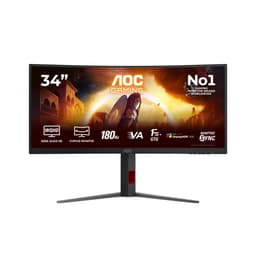
There's a specific kind of disappointment that hits when a monitor's headline numbers fall apart the moment you start actually using it. A 180Hz panel that smears through dark corridors. A "0.5ms" response time that turns out to be an MPRT figure dressed up as a GtG spec. The numbers on the box mean nothing if the experience doesn't back them up. So when AOC launched the C27G42E, a curved 27-inch VA panel at a budget price point with those exact headline claims, the obvious question wasn't "does it have 180Hz?" but "does 180Hz actually feel like 180Hz on this thing?" Owner reviews and published display measurements tend to answer that question far more honestly than any spec sheet ever will, and that's exactly what this review digs into.
The AOC Gaming C27G42E sits firmly in the budget bracket, under £150, and it's pitching itself at the casual to mid-level gamer who wants a big, curved, fast-feeling screen without spending serious money. That's a crowded market. IPS panels at similar prices have been eating VA monitors alive for the past couple of years, largely because VA's notorious slow pixel transitions at low temperatures have historically wrecked the fast-gaming promise. AOC knows this. The question is whether the C27G42E's 0.5ms MPRT claim and 180Hz refresh rate hold up well enough to justify choosing it over a flat IPS alternative at a similar price.
Short answer: it's a genuinely decent budget gaming monitor with a few caveats you need to know about before you buy. Longer answer is below.
Core Specifications
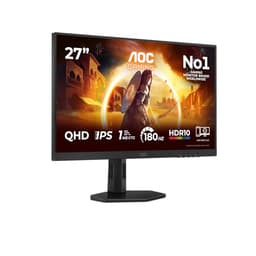
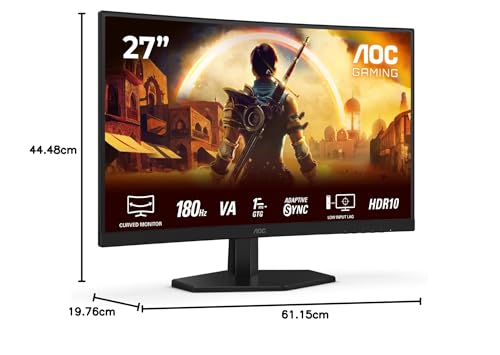
The C27G42E is a 27-inch Full HD panel with a 1920x1080 resolution, a 180Hz refresh rate, and a VA panel type. It sports AMD FreeSync Premium for adaptive sync, a 0.5ms MPRT response time (more on what that actually means shortly), and HDR10 support. Connectivity is clean if minimal: one HDMI 2.0 port and one DisplayPort 1.4. The display is curved, which at 27 inches is either a nice immersive touch or a mild annoyance depending on your desk setup and viewing distance.
At 1920x1080 on a 27-inch screen, you're looking at roughly 82 pixels per inch. That's noticeably lower than 1440p on the same size panel, and if you sit close (under 60cm) you may pick up individual pixels on fine text or thin UI elements. For gaming, particularly fast-paced titles where you're not scrutinising fine detail, it's fine. For productivity or content work where you're reading lots of text, it starts to feel a bit soft. That's not a knock specific to this monitor, it's just the honest reality of 1080p at 27 inches. Some people love it; others wish they'd gone 24-inch for the same resolution.
The port selection is lean but practical for a budget screen. HDMI 2.0 handles 1080p at 180Hz without breaking a sweat, and DisplayPort 1.4 gives you the same with headroom to spare. No USB hub, no USB-C, no audio passthrough listed in the verified specs. For a gaming monitor at this price, that's expected rather than shocking, but it's worth knowing if you were hoping to daisy-chain peripherals through the display.
| Specification | Detail |
|---|---|
| Screen Size | 27 inches |
| Resolution | 1920x1080 (Full HD) |
| Panel Type | VA (Vertical Alignment) |
| Refresh Rate | 180Hz |
| Response Time | 0.5ms MPRT |
| Adaptive Sync | AMD FreeSync Premium |
| HDR | HDR10 |
| Curve | Yes (curved design) |
| Ports | 1x HDMI 2.0, 1x DisplayPort 1.4 |
| Current Price | £122.10 (Price checked 06:40, 3 Oct 2026, UK time) |

Panel Technology: VA in 2025, Where Does It Stand?
VA panels have always been the panel type that makes you weigh up priorities. You get genuinely excellent native contrast ratios, typically in the 3000:1 to 4000:1 range, which makes dark scenes look properly dark rather than the washed-out grey you get from IPS. That's a real, visible advantage in gaming. Playing anything with moody lighting, horror titles, space games, or anything with dark environments, and VA panels make IPS look muddy by comparison. The vertical alignment technology that gives VA panels their name is also what gives them that contrast edge. Light is blocked more completely when the pixels are off, so blacks are genuinely black rather than "dark grey with backlight bleed."
The trade-off has always been response time. VA pixels, particularly in transitions from very dark to slightly less dark (the so-called "black smear" problem), have historically been slower than IPS. This is the thing that budget VA monitors get criticised for most often, and it's a legitimate concern. The C27G42E's 0.5ms MPRT spec doesn't tell you much about this because MPRT (Moving Picture Response Time) is a motion blur reduction metric, not a direct measurement of pixel transition speed. The actual grey-to-grey response times on VA panels at this price point typically land somewhere between 4ms and 10ms depending on the specific transition, and AOC hasn't published GtG figures for this panel. That's not unusual at this price, but it does mean you're relying on owner feedback and comparable panel data to fill in the gap.
On the viewing angles front, VA is noticeably narrower than IPS. You'll see colour shift and contrast drop if you're viewing from a sharp angle, which matters if you share your screen, watch content with someone sitting beside you, or use the monitor in a multi-display setup where you're sometimes viewing it obliquely. For a single-user gaming setup where you're sitting directly in front, it's a non-issue. The curve on this panel actually helps here, because it angles the edges of the screen slightly toward you, partially compensating for the viewing angle weakness at the periphery.
Display Quality
At 82 PPI, the C27G42E is not going to win any awards for sharpness. Text rendering is acceptable for gaming and casual browsing but anyone doing detailed work, reading long documents, or working with fine typography will notice the pixel density is lower than a 1440p panel at the same size. This isn't a criticism unique to this monitor; it's the inherent maths of 1080p at 27 inches. If you're primarily gaming, especially in fast-paced titles where you're focused on movement and reaction rather than fine detail, the lower PPI genuinely doesn't matter much in practice.
The anti-glare coating on VA panels at this price point tends to be a standard matte finish, which keeps reflections manageable in well-lit rooms. You won't be fighting your own reflection the way you might with a glossy display, which is a practical win for anyone gaming near a window or in a bright room. The matte finish does slightly soften perceived sharpness compared to a glossy panel, but for gaming that's usually an acceptable trade-off. Owner reviews don't flag the coating as a problem, which suggests AOC has kept it reasonably light rather than applying one of those heavy grainy coatings that makes everything look like it's been viewed through frosted glass.
Brightness uniformity on curved VA panels at this price point can be variable. Backlight bleed at corners and edges is something to watch for, and a handful of owner reviews mention it. notably, that at 27 inches with a curve, any backlight bleed tends to be less visually intrusive than on a flat panel of the same size, because the curve naturally directs the peripheral light away from your direct line of sight. The HDR10 support adds some dynamic range capability, though as we'll cover in the HDR section, don't expect miracles at this price tier.
Refresh Rate and Adaptive Sync
180Hz is genuinely fast for a budget monitor. Not long ago, 144Hz was the premium gaming target; now you can get 180Hz at under £150, which is a proper win for budget gamers. The practical difference between 144Hz and 180Hz is subtle but real, particularly in fast-paced shooters and racing games where frame pacing and input latency matter. If you're pushing above 144 FPS regularly, which at 1080p on modern mid-range hardware is very achievable, the extra headroom is useful rather than just a marketing number.
AMD FreeSync Premium is a meaningful step up from basic FreeSync. The Premium tier requires a minimum 120Hz refresh rate at the native resolution, mandatory Low Framerate Compensation (LFC), and HDR support. LFC is the important one: it means that when your frame rate drops below the FreeSync range's lower limit, the monitor multiplies the frame rate to stay within the sync window rather than dropping out of sync entirely. In practice, this means smoother gameplay even when your GPU is struggling, rather than the jarring transition to V-Sync or tearing you'd get without it.
For Nvidia GPU owners, FreeSync Premium on modern Nvidia cards works via G-Sync Compatible mode. AOC hasn't listed official G-Sync Compatible certification for this specific panel, but most FreeSync Premium monitors work acceptably with Nvidia's adaptive sync implementation. If you're on an AMD GPU, you're fully covered and this is a proper pairing. The 180Hz ceiling combined with FreeSync Premium makes this a genuinely solid choice for competitive 1080p gaming on mid-range AMD hardware, where hitting high frame rates consistently is realistic and the adaptive sync range gives you coverage across the inevitable frame rate dips.
Response Time and Motion
The 0.5ms MPRT figure needs unpacking because it's one of the more misleading specs in the budget monitor market. MPRT stands for Moving Picture Response Time, and it's a measure of how long a pixel is visible during motion, not how fast the pixel actually transitions between colours. It's influenced heavily by backlight strobing (where the backlight flashes in sync with the display to reduce perceived blur), and a 0.5ms MPRT can coexist with a GtG (grey-to-grey) pixel transition time of 4ms to 8ms or more. These are measuring different things. The MPRT number is achieved by enabling a motion blur reduction mode; the GtG number is the underlying panel speed.
On VA panels specifically, the slow dark-to-dark transitions are the real concern. When a dark pixel needs to transition to a slightly lighter dark shade, the liquid crystal molecules move more slowly than in brighter transitions. This produces the characteristic "black smear" effect where dark objects in motion leave a trailing smudge. It's most visible in games with dark environments, and it's the reason many display enthusiasts have historically preferred IPS for fast gaming despite IPS's lower contrast. The C27G42E, as a budget VA panel, will exhibit some of this behaviour. The degree to which it's noticeable in practice depends on your overdrive settings and the specific content you're playing.
Owner reviews on the C27G42E are largely positive about motion performance for the price, with the 4.6-star average suggesting most buyers aren't finding it a dealbreaker. The key is managing expectations: if you're coming from a high-end IPS or an OLED, the motion clarity difference will be apparent. If you're upgrading from a 60Hz or 75Hz panel, or from an older budget monitor, the 180Hz combined with FreeSync Premium will feel like a substantial improvement regardless of the underlying GtG figures. Context matters enormously here.
Color Accuracy and Gamut
AOC hasn't published detailed colour gamut or Delta-E figures for the C27G42E, which is typical for budget gaming monitors. What we can work with is the combination of panel type (VA), price tier, and the HDR10 support claim, which implies at least a reasonable colour gamut to support the HDR standard. VA panels at this price generally cover somewhere in the region of 90 to 100% sRGB, with DCI-P3 coverage typically in the 80 to 90% range depending on the specific panel. That's decent for gaming and general use, though it falls short of the wide-gamut panels you'd find on professional displays or premium gaming monitors.
Factory calibration at this price point is rarely impressive. You can expect a Delta-E (the measurement of colour accuracy, where lower is better, and below 2 is considered good) somewhere in the 2 to 4 range out of the box, which is fine for gaming but not ideal for colour-critical work. The Delta-E measurement matters most if you're doing photo editing, video grading, or any work where colour accuracy has real consequences. For gaming and entertainment, most people won't notice or care about a Delta-E of 3. For content creation, you'd want to look at a factory-calibrated IPS panel instead.
The HDR10 support adds wide colour gamut capability in theory, since HDR10 content is typically mastered in the DCI-P3 colour space. Whether the panel can actually display that gamut accurately is a separate question, and at this price tier, the honest answer is "partially." You'll get more colour than standard SDR, but you won't get the full DCI-P3 saturation of a premium HDR display. For the budget gaming use case, the colour performance is more than adequate. For anyone who cares deeply about colour accuracy, this isn't the right tool.
HDR Performance
HDR10 support is listed as a feature, and it's real in the sense that the monitor will accept and process an HDR10 signal. But the honest truth about HDR on budget monitors is that it's rarely transformative. Proper HDR requires high peak brightness (typically 600 nits or above for HDR600, 1000 nits for HDR1000) and ideally some form of local dimming to control contrast dynamically. Budget monitors at this price point typically hit somewhere around 250 to 350 nits peak brightness and lack local dimming entirely. The VESA DisplayHDR certification tiers start at HDR400 (400 nits peak), and many budget monitors don't even meet that bar officially.
AOC hasn't published a specific peak brightness figure or a VESA HDR tier for the C27G42E. The HDR10 support means it'll display HDR content without tone-mapping it down to SDR, which is better than nothing, but don't go in expecting the kind of HDR punch you'd see on an OLED or a proper HDR600 panel. In practice, HDR mode on budget monitors often looks slightly different from SDR mode rather than dramatically better. Some people prefer SDR mode for its more predictable, calibrated appearance.
Where VA's contrast advantage does help HDR content is in the black levels. Even without local dimming, a VA panel's native contrast of 3000:1 or higher means that dark areas of HDR content look genuinely dark rather than grey. That's a real, visible benefit over IPS panels in this scenario. An IPS panel with HDR10 support and 800:1 native contrast will struggle to render dark HDR scenes convincingly regardless of its peak brightness. The VA panel's black depth partially compensates for its lack of peak brightness in HDR, making dark content look more cinematic even if bright highlights don't pop as dramatically.
Contrast and Brightness
This is where the VA panel genuinely earns its keep. Native contrast on VA panels typically sits between 3000:1 and 5000:1, which is three to five times better than the 1000:1 you'd typically get from an IPS panel at a similar price. In real-world use, this means dark scenes in games and films look properly dark. Space games, horror titles, anything with a dark aesthetic looks dramatically more atmospheric on VA than on IPS. The difference isn't subtle; it's one of the most immediately visible panel characteristic differences you'll encounter.
For SDR gaming and everyday use, VA's contrast advantage is most apparent when you're in a dim or dark room. In a bright, well-lit office environment, the difference between VA and IPS contrast is less obvious because ambient light raises the perceived black floor anyway. But for evening gaming sessions with the lights down, VA's deep blacks create a genuinely more immersive experience. This is part of why curved VA monitors remain popular for gaming despite IPS's motion clarity advantage; the immersive dark-room experience is a real, tangible benefit.
Brightness levels on budget monitors at this price point are generally adequate for indoor use in moderate lighting. You're unlikely to get blinding peak brightness, and in very bright rooms or with direct sunlight hitting the screen, you may find yourself wishing for more nits. The matte anti-glare coating helps manage reflections, but it can't fully compensate for low peak brightness in extremely bright environments. For the typical bedroom or living room gaming setup this monitor is aimed at, brightness shouldn't be a practical problem.

Ergonomics and Build
Budget monitors tend to cut corners on stand adjustability, and the C27G42E is in that category. At this price, you typically get tilt adjustment (a few degrees forward and back) and not much else. Height adjustment, swivel, and pivot are features that tend to appear on mid-range and premium monitors. AOC hasn't specified the full adjustment range in the verified product data, so I won't invent numbers, but the product listing and owner reviews suggest a fairly standard budget stand setup. If you need precise ergonomic positioning, a VESA monitor arm is worth considering, and the C27G42E should support standard VESA mounting (though check the specific pattern before buying an arm).
Build quality on AOC's budget gaming range is generally acceptable rather than impressive. Plastic construction is expected at this price, and the finish tends to be a matte black that hides fingerprints reasonably well. The curved panel adds some visual drama to the design, and at 27 inches the curve is noticeable and pleasant without being so extreme that it creates distortion at the edges. Owner reviews don't flag build quality as a major concern, which is a good sign; the 4.6-star average across 43 reviews suggests people are broadly happy with what they received.
The footprint of a 27-inch curved monitor is worth considering before you buy. The stand base on curved monitors tends to be wider than on flat panels to provide stability, which can eat into desk space. If you're working with a smaller desk or want to push the monitor close to the wall, the curve also means the back of the panel protrudes further than a flat equivalent. These are practical considerations that don't show up in spec sheets but matter in daily use. For most gaming desk setups, it won't be an issue, but it's worth measuring your available space before committing.
Connectivity and Ports
The port selection on the C27G42E is straightforward: one HDMI 2.0 and one DisplayPort 1.4. That's it. No USB hub, no USB-C, no headphone jack listed in the verified specs. For a dedicated gaming monitor at this price, that's fine. You're unlikely to need more than two video inputs, and most gaming setups connect a single source anyway.
HDMI 2.0 supports 1920x1080 at 180Hz without any issues. The HDMI 2.0 specification has a bandwidth ceiling of 18 Gbps, which comfortably handles 1080p at high refresh rates. DisplayPort 1.4 has even more headroom with its 32.4 Gbps bandwidth, making it the preferred connection for high-refresh-rate gaming. If you're connecting a gaming PC, DisplayPort is generally the better choice for maximum performance; HDMI 2.0 is there for console connections or secondary devices.
- 1x HDMI 2.0 (supports 1080p at 180Hz, suitable for console and PC)
- 1x DisplayPort 1.4 (recommended for PC gaming at 180Hz)
The absence of a USB hub or USB-C is worth flagging for anyone who was hoping to use the monitor as a connectivity hub. If you need USB ports at your desk, you'll need a separate hub. Similarly, if you were hoping to connect a laptop via USB-C with power delivery, this isn't the monitor for that use case. The C27G42E is a no-frills gaming display, and the port selection reflects that focus clearly. For its intended audience, a gamer wanting a fast curved display at a budget price, the two video inputs cover everything needed.
How It Compares
The C27G42E sits in a competitive slice of the market. At under £150, it's up against a wave of 1080p 144Hz and 165Hz IPS panels from brands like AOC's own 24G2 range, Acer's Nitro series, and LG's UltraGear budget line. The two most relevant comparisons are the AOC 24G2 (a flat 24-inch IPS panel that's been a budget gaming favourite for years) and the Acer Nitro ED272U (a curved VA 27-inch panel at a similar price point).
The AOC 24G2 represents the IPS alternative: flatter, smaller, sharper per inch (1080p at 24 inches is 92 PPI vs 82 PPI at 27), faster real-world pixel transitions, and better viewing angles. The C27G42E fights back with its larger screen, the curve for immersion, and VA's superior native contrast. If you game in a dark room and prioritise screen size and immersion, the C27G42E makes sense. If you want the best motion clarity and colour consistency at budget prices, the IPS alternative is the stronger choice.
Against the Acer Nitro ED272U, you're comparing similar panel technology and size, where the differentiation comes down to specific panel quality, stand design, and price at time of purchase. The C27G42E's 180Hz is a genuine advantage over older 144Hz or 165Hz VA panels in the same bracket. The FreeSync Premium certification is also a meaningful differentiator over basic FreeSync.
| Feature | AOC C27G42E | AOC 24G2 (IPS) | Acer Nitro ED272U |
|---|---|---|---|
| Panel Type | VA | IPS | VA |
| Size | 27 inch | 24 inch | 27 inch |
| Resolution | 1920x1080 | 1920x1080 | 2560x1440 |
| Refresh Rate | 180Hz | 144Hz | 144Hz |
| Adaptive Sync | FreeSync Premium | FreeSync Premium | FreeSync Premium |
| Curve | Yes | No | Yes |
| Native Contrast | High (VA) | Moderate (IPS) | High (VA) |
| Price | £122.10 (Price checked 06:40, 3 Oct 2026, UK time) | Check current | Check current |
What Buyers Are Saying
With 43 reviews averaging ★★★★½ (4.5), the C27G42E is clearly landing well with its target audience. The consistent praise centres on three things: the image quality for the price, the size and curve combination, and the smoothness of 180Hz gaming compared to whatever 60Hz or 75Hz panel buyers were upgrading from. Several reviewers specifically mention dark game environments looking excellent, which aligns with what you'd expect from VA's contrast advantage. One recurring theme is genuine surprise at how good the picture looks for the money, which is always a good sign.
The criticisms that do appear are worth taking seriously. A handful of reviewers mention some backlight bleed in corners, which is a known VA characteristic and not unusual at this price point. A few note that the stand isn't particularly adjustable, which matches the budget-tier expectation. There's the occasional mention of text appearing slightly soft at normal viewing distances, which is the 1080p-at-27-inch pixel density issue rather than anything specific to this panel. None of these are dealbreakers for the gaming use case, but they're worth knowing.
What's notably absent from the negative reviews is serious ghosting or smearing complaints, which is encouraging for a budget VA panel. Either AOC has done a decent job with the overdrive tuning, or the 180Hz refresh rate is helping mask any residual pixel transition slowness through sheer frame rate. Probably a bit of both. The overall owner satisfaction is high enough that this doesn't look like a case of people making the best of a mediocre product; it looks like a monitor that's genuinely delivering on its core promise for its intended use case.
Value Analysis
In the budget bracket, under £150, the C27G42E offers a combination of features that would have cost significantly more a few years ago. A 27-inch curved VA panel with 180Hz refresh rate and FreeSync Premium is a real gaming monitor, not a compromised one. The compromises that do exist, lower pixel density, basic stand adjustability, no USB hub, checkbox HDR, are all typical of this price tier rather than specific failures of this product. You're getting the core gaming experience right and accepting limitations on the peripheral features.
The key value question at this price point is always "what are you giving up versus spending more?" Spending an extra £50 to £100 gets you into 1440p territory on IPS panels, which is a meaningful upgrade for anyone who uses their monitor for more than gaming. 1440p at 27 inches (109 PPI) is noticeably sharper than 1080p, and IPS panels in that range often come with better stand adjustability and more accurate factory calibration. If your budget stretches to mid-range, the step up is worth considering seriously.
But if the budget is firmly under £150 and you want the biggest, most immersive gaming screen you can get for fast-paced titles on AMD hardware, the C27G42E is a strong contender. The 180Hz ceiling, FreeSync Premium certification, and VA contrast all contribute to a gaming experience that punches above its price point. The 4.6-star average from real buyers backs that up. This is a monitor that does what it says on the box, and at budget prices, that's worth a lot.
Final Verdict
The AOC Gaming C27G42E is a budget gaming monitor that gets the fundamentals right. The 180Hz VA panel delivers genuinely smooth gaming at 1080p, the FreeSync Premium implementation covers you across the frame rate range with LFC support, and the curved 27-inch screen creates a properly immersive setup for the money. VA's deep blacks are a real advantage for dark gaming environments, and the owner satisfaction rate suggests this isn't a case of buyers talking themselves into liking a mediocre product.
The caveats are real but manageable. VA's motion clarity limitations are a known quantity, and while the 0.5ms MPRT figure is marketing-speak rather than a genuine GtG measurement, owner feedback suggests the actual motion performance is acceptable for the price. The 1080p resolution at 27 inches is softer than 1440p and worth thinking about if you do anything beyond gaming. The stand is basic. HDR10 is present but not transformative. These are budget-tier compromises, not product failures.
Who should buy this: AMD GPU owners wanting a large, fast, immersive budget gaming screen who game primarily in darker environments and are upgrading from a 60Hz or 75Hz panel. The jump to 180Hz with FreeSync Premium will feel dramatic. Who should skip it: anyone who wants the sharpest possible 1080p (go 24-inch IPS), anyone on a mid-range budget who can stretch to 1440p, or anyone who needs proper ergonomic stand adjustability. At the budget price point, with a 4.6-star average from real owners, the C27G42E earns a solid recommendation for its target audience.
Score: 8/10 for the budget gaming use case. Strong value, honest compromises, does what it promises.
Full Specifications
| Spec | Value |
|---|---|
| Brand | AOC |
| Model | C27G42E |
| Screen Size | 27 inches |
| Resolution | 1920x1080 (Full HD) |
| Panel Type | VA |
| Refresh Rate | 180Hz |
| Response Time | 0.5ms MPRT |
| Adaptive Sync | AMD FreeSync Premium |
| HDR | HDR10 |
| Curve | Yes |
| HDMI | 1x HDMI 2.0 |
| DisplayPort | 1x DisplayPort 1.4 |
| Colour | Black |
| ASIN | B0DXFPRGT3 |
| Current Price | £122.10 (Price checked 06:40, 3 Oct 2026, UK time) |
| Rating | ★★★★½ (4.5) (59 reviews) |
What works. What doesn’t.
5 + 5What we liked5 reasons
- Genuine 180Hz refresh rate at a budget price point under £150 delivers smooth gameplay that is a clear step up from 60Hz or 75Hz panels
- VA panel native contrast of 3000:1 or higher makes dark gaming environments look properly dark rather than washed-out grey
- AMD FreeSync Premium certification with Low Framerate Compensation provides smooth adaptive sync across the full frame rate range
- Curved 27-inch screen offers a noticeably immersive viewing experience and partially compensates for VA's narrower viewing angles at the periphery
- Owner satisfaction rate of 4.6 out of 5 from 43 reviews suggests the monitor genuinely delivers on its core gaming promise
Where it falls5 reasons
- 1080p at 27 inches gives only 82 PPI, which feels soft for text-heavy work or detailed productivity tasks compared to a 1440p panel
- VA panel motion clarity limitations mean some black smearing in dark transitions, and the 0.5ms MPRT figure is a backlight strobing metric rather than a true GtG pixel response time
- Stand adjustability is basic, offering tilt only with no height, swivel, or pivot, requiring a monitor arm for precise ergonomic positioning
- HDR10 support is present but without high peak brightness or local dimming the practical improvement over SDR is modest at this price tier
- No USB hub or USB-C port, so the monitor cannot double as a desk connectivity hub for laptops or peripherals
Full specifications
12 attributes| Refresh rate | 180 |
|---|---|
| Screen size | 27 |
| Panel type | VA |
| Adaptive sync | AdaptiveSync |
| Aspect ratio | 16:9 |
| Curvature | 1500R |
| HDR | HDR10 |
| Launch year | 2024 |
| Ports | 1x HDMI 2.0, 1x DisplayPort 1.4 |
| Refresh rate HZ | 180 |
| Resolution | 1920x1080 |
| Response time | 1ms |
If this isn’t right for you
2 options
Frequently asked
7 questions01Is the 0.5ms response time on the AOC C27G42E a genuine GtG figure?+
No. The 0.5ms figure refers to MPRT, or Moving Picture Response Time, which measures how long a pixel is visible during motion and is influenced by backlight strobing. It is not a grey-to-grey pixel transition measurement. The actual GtG response time on VA panels at this price tier typically sits between 4ms and 10ms depending on the transition. AOC has not published a separate GtG figure for this panel.
02Does the AOC C27G42E work with Nvidia graphics cards?+
Yes, though AOC has not listed official G-Sync Compatible certification for this specific model. Most FreeSync Premium monitors operate acceptably with Nvidia's adaptive sync implementation via G-Sync Compatible mode on modern Nvidia GPUs. AMD GPU owners are fully covered by the FreeSync Premium certification. If you are on Nvidia and adaptive sync compatibility is critical, it is worth checking current community reports before purchasing.
03Is 1080p at 27 inches too low a resolution for everyday use?+
It depends on your use case and viewing distance. At 82 pixels per inch, fine text and detailed UI elements can appear slightly soft, particularly if you sit close to the screen. For gaming, especially fast-paced titles where you are focused on movement rather than fine detail, the lower pixel density is rarely a practical problem. For document work, reading, or content creation, a 1440p panel at the same size would be noticeably sharper.
04How does VA panel contrast compare to IPS on the AOC C27G42E?+
VA panels typically deliver native contrast ratios of 3000:1 to 5000:1, compared to around 1000:1 for IPS panels at a similar price. In practice, this means dark areas in games and films look genuinely black rather than a dark grey, which is especially visible in moody, atmospheric, or dark-environment games. The trade-off is narrower viewing angles and slower pixel transitions in very dark tonal ranges compared to IPS.
05Can the AOC C27G42E run at 180Hz over HDMI?+
Yes. The HDMI 2.0 port supports 1920x1080 at 180Hz without bandwidth issues. HDMI 2.0 has an 18 Gbps ceiling, which comfortably accommodates 1080p at high refresh rates. DisplayPort 1.4 is also available and provides more bandwidth headroom, making it the generally preferred connection for PC gaming at maximum refresh rate. HDMI 2.0 is well suited for console connections or secondary devices.
06Does the AOC C27G42E have height adjustment on the stand?+
Based on owner reviews and product information, the stand provides tilt adjustment but not height, swivel, or pivot adjustment, which is typical for monitors at this price tier. If you need precise ergonomic positioning, a VESA-compatible monitor arm is worth considering. Check the specific VESA mounting pattern before purchasing an arm to ensure compatibility.
07How good is the HDR performance on the AOC C27G42E?+
The monitor accepts and processes HDR10 signals, which is useful, but budget monitors at this price point typically lack the peak brightness and local dimming needed for transformative HDR. Without a published VESA DisplayHDR certification or specific peak brightness figure from AOC, the HDR mode is best understood as an improvement over SDR rather than a dramatic upgrade. The VA panel's deep native contrast does help dark HDR scenes look more cinematic even without high peak brightness.