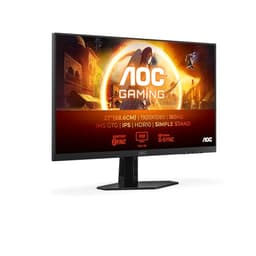
Monitor manufacturers and their response time claims. You know the drill by now. A "1ms" sticker on the box means almost nothing without knowing whether that's GtG, MPRT, or something else entirely conjured up in a marketing meeting. The AOC 24B3HA2 advertises 1ms, but the verified spec sheet lists 4ms GtG, which is the number that actually matters for real-world pixel transitions. So before you get too excited or too disappointed, let's put that in context, because 4ms GtG on an IPS panel at this price is actually fine for most people.
Here's the short version: the AOC 24B3HA2 is a solid, no-nonsense 24-inch 1080p IPS monitor that does exactly what a budget display in this bracket should do. It's got 100Hz, Adaptive Sync, a sensible port selection, built-in speakers, and over 882 owner reviews averaging 4.5 stars. That's not a small sample size. People are genuinely happy with it. If you're coming off a 60Hz TN panel from 2016 or you need a second screen for the home office, this is a very easy recommendation. But there are caveats, and we'll get into all of them.
The price sits firmly in the budget bracket, under £150, and honestly closer to the bottom of that range. At that tier, you're making compromises. The stand doesn't height-adjust. The brightness is modest. There's no HDR worth speaking of. But the IPS panel means colours and viewing angles are genuinely better than the cheap TN alternatives at the same price, and that matters more day-to-day than most people realise until they've used both.
Core Specifications
The AOC 24B3HA2 is a 27-inch class... wait, no. It's a 24-inch panel, 1920x1080 resolution, running at up to 100Hz. The AOC product line positions this squarely as an everyday office and casual gaming screen, and the specs back that up. You've got an IPS panel, 250 cd/m squared peak brightness, a 1,300:1 contrast ratio, and a 4ms GtG response time. The "1ms" on the box is almost certainly an MPRT figure, which is a backlight strobing measurement and not the same thing as pixel transition speed. Don't let it fool you.
Port selection is reasonable for the price: one HDMI (version 1.4), one DisplayPort, and one VGA (D-Sub). The inclusion of VGA is a nice touch if you're connecting older hardware, though most people won't need it. There's also a headphone out and a pair of built-in 2-watt speakers. The display is matte (anti-glare coated), which is the right call for most office environments. It comes with a slim bezel design that AOC calls "ultra narrow border", and the stand is VESA 100x100 compatible, so you can wall-mount it if the non-adjustable stand annoys you.
Box contents from the listing include the monitor itself, a power cable, an HDMI cable, an audio driver CD (yes, really, a CD in 2026), and a warranty card. The 3-year manufacturer warranty is a genuine highlight at this price point. Most budget monitors come with one year, so three years is genuinely reassuring and worth factoring into the value calculation.
| Specification | Detail |
|---|---|
| Screen Size | 24 inch (68.6 cm diagonal) |
| Resolution | 1920x1080 (Full HD) |
| Panel Type | IPS |
| Refresh Rate | 100Hz |
| Response Time | 4ms GtG |
| Brightness | 250 cd/m² |
| Contrast Ratio | 1,300:1 |
| Adaptive Sync | Yes (FreeSync compatible) |
| Ports | 1x HDMI 1.4, 1x DisplayPort, 1x VGA (D-Sub) |
| Audio | 2x 2W speakers, headphone out |
| VESA Mount | 100x100mm |
| Stand Adjustments | Tilt only (cannot be raised) |
| Eye Care | Flicker Free, Low Blue Light |
| Warranty | 3 years |
| Current Price | £74.97 (Price checked 17:00, 3 Oct 2026, UK time) |

Panel Technology
IPS panels are the sensible choice for most people, and AOC has used one here. The core advantage over TN (twisted nematic) panels, which still show up on budget monitors regularly, is viewing angle stability. With a TN panel, shift your head slightly to the side and colours shift noticeably, contrast tanks, and whites go yellow. With IPS, the image stays consistent from wide angles, roughly 178 degrees horizontally and vertically according to typical IPS specifications. That matters if you've got a monitor off to the side, if you're showing something to someone next to you, or if you just don't sit perfectly centred at your desk all day.
The trade-off with IPS versus VA (vertical alignment) panels is contrast. VA panels can hit native contrast ratios of 3,000:1 or higher, which means much deeper blacks and a more cinematic look in dark scenes. The AOC 24B3HA2 is rated at 1,300:1, which is good for IPS but won't match a decent VA screen in a dark room. You'll see some IPS glow in corners when displaying dark content, which is a characteristic of the panel technology rather than a manufacturing defect. It's not unique to this monitor, but it's about before you buy.
Compared to OLED, which offers effectively infinite contrast and near-instant pixel response, IPS at this price is obviously a different league entirely. But OLED monitors cost several times more, so that comparison is academic for anyone shopping in the budget bracket. What IPS does give you over OLED at this price is existence, because affordable OLED monitors simply aren't in this price range yet. The IPS panel technology here is a genuine step up from TN and a sensible choice for a general-purpose display. Owner reviews consistently praise the colour reproduction and wide viewing angles, which tracks with what IPS panels deliver.
Display Quality
At 24 inches with a 1920x1080 resolution, you're looking at a pixel density of roughly 92 pixels per inch. That's not sharp by modern standards. A 24-inch 1440p panel would hit around 122 PPI, which is noticeably crisper for text. But 92 PPI at 24 inches is perfectly acceptable for everyday use, especially if you're sitting the normal arm's length away from your screen. You're not going to be squinting at blurry text or anything dramatic. It's just not retina-sharp. For gaming, movies, and general web browsing, it's absolutely fine.
The matte anti-glare coating is the right call for most UK home and office setups. Glossy panels look gorgeous in a dark room or a controlled demo environment, but in a normal room with windows behind you or overhead lighting, glare becomes genuinely annoying very quickly. Matte coatings scatter reflections rather than showing them as sharp images, at the cost of a very slight softening of the picture. Most people find the trade-off worth it. Owner reviews don't flag glare as a problem, which suggests the coating is doing its job.
Brightness at 250 cd/m squared is adequate for indoor use in a reasonably lit room, but it's not going to be comfortable next to a bright window during the day. If you work in a very bright space or have strong natural light hitting your desk, you might find yourself wishing for more headroom. Monitors in the next price bracket up often hit 300 to 350 cd/m squared, which makes a tangible difference in those conditions. For a typical home office or bedroom setup, though, 250 cd/m squared is workable. The brightness uniformity across the panel, based on what owners report, seems decent with no major complaints about bright spots or dark patches.
Refresh Rate and Adaptive Sync
One hundred hertz is the headline here, and it's a meaningful upgrade over 60Hz if you've never experienced a higher refresh rate monitor before. The difference is most obvious when scrolling through web pages, moving windows around, and in games. Everything just looks smoother. It's one of those things that's hard to appreciate until you've used it, and then you can't go back. If you're upgrading from a 60Hz panel, the 100Hz on the AOC 24B3HA2 will feel like a genuine improvement.
Adaptive Sync is listed as a feature, and given the port configuration and price positioning, this is almost certainly AMD FreeSync compatible. Adaptive Sync works by synchronising the monitor's refresh rate to the GPU's output frame rate, eliminating screen tearing without the input lag penalty of V-Sync. So if your GPU is pushing 73 frames per second in a game, the monitor refreshes at 73Hz rather than 60Hz or 100Hz, and you get a smooth, tear-free image. It's particularly useful in the 40 to 100fps range that a mid-range GPU will often operate in at 1080p.
The practical benefit of Adaptive Sync at this price point is significant. Budget gaming monitors without it require you to choose between screen tearing (V-Sync off) or added input lag (V-Sync on). With Adaptive Sync, you largely sidestep that choice. It won't work with Nvidia GPUs unless the monitor has G-Sync Compatible certification, which isn't confirmed for this model, so Nvidia users should check compatibility before assuming it'll work. AMD GPU owners are well sorted. The 100Hz ceiling is perfectly sensible for 1080p gaming on a budget GPU, and most mid-range cards will comfortably hit that at this resolution.
Response Time and Motion
Right. The 1ms claim. The verified spec sheet lists 4ms GtG (grey-to-grey), and that's the figure that tells you how quickly pixels can transition between shades. Four milliseconds GtG on an IPS panel is actually quite good. Cheaper IPS panels used to sit at 5ms or 8ms GtG, and you could see ghosting trails behind fast-moving objects in games. At 4ms GtG, that kind of obvious ghosting is largely gone for most content. You might see very faint trailing in extremely fast-paced competitive shooters if you look hard enough, but for the vast majority of gaming scenarios, it's not going to be a problem.
The "1ms" figure on the box is almost certainly MPRT (Moving Picture Response Time), which measures something different. MPRT is a perceptual metric that relates to how long a pixel appears to be illuminated, and it's often achieved through backlight strobing. It doesn't reflect the actual pixel transition speed. The response time standards for displays are genuinely confusing, and manufacturers exploit that confusion liberally. Just remember: 4ms GtG is the real number here, and it's a good one for an IPS panel at this price.
For casual and mid-core gaming, the 4ms GtG response time combined with 100Hz is a perfectly capable combination. You're not going to have a hardware disadvantage in anything except the most sweaty competitive scenarios, and frankly, if you're playing at that level, you'd probably be looking at a 144Hz or 165Hz monitor with a faster response time and a bigger budget. For FIFA, Fortnite at medium settings, RPGs, strategy games, and anything else in that bracket, the AOC 24B3HA2 handles motion without embarrassing itself. Owner reviews don't flag ghosting as a common complaint, which is a good sign.
Color Accuracy and Gamut
AOC doesn't publish sRGB or DCI-P3 coverage figures for this monitor in the verified spec data, which is pretty standard for budget displays. What we can say is that IPS panels at this price typically cover somewhere in the region of 95 to 99 percent of the sRGB colour space, which is the standard for web content, most games, and general media consumption. That's perfectly adequate for everyday use. Don't expect wide-gamut DCI-P3 coverage, which is what you'd need for serious video editing or colour-critical photo work.
Factory calibration on budget monitors is generally not a strong point. Delta-E values (the measure of colour accuracy, where lower is better and under 2 is considered good) on budget IPS panels typically land somewhere between 2 and 4 out of the box, which means colours are mostly accurate but not perfectly so. For gaming and general media, you won't notice. For professional colour work where accuracy genuinely matters, this isn't the right tool. The Delta-E standard is worth understanding if you're doing colour-sensitive work, but for most users of this monitor, it's not a relevant concern.
The Low Blue Light mode is worth a mention here. AOC includes it as an eye care feature, and it works by reducing the amount of blue wavelength light emitted, which some research suggests can help with eye strain during long sessions. Whether you find it useful depends on how sensitive your eyes are and how long you spend at the screen. The Flicker Free technology, which uses DC dimming rather than PWM (pulse-width modulation) to control backlight brightness, is arguably more universally useful. PWM flickering at low brightness settings can cause headaches in people who are sensitive to it, and DC dimming avoids that entirely. It's a genuinely useful feature, not just a marketing checkbox.

HDR Performance
There's no HDR certification listed for the AOC 24B3HA2, and at 250 cd/m squared peak brightness, that's not surprising. Real HDR requires a minimum of 400 cd/m squared to hit even the baseline HDR400 certification from VESA's DisplayHDR standard, and even HDR400 is considered the bare minimum for a meaningful HDR experience. The AOC 24B3HA2 simply doesn't have the brightness headroom to deliver HDR content as intended.
If your games or media player pushes an HDR signal to this monitor, it'll likely display it in some form, but the result won't look like HDR as it was mastered. You won't get the bright highlights, the deep blacks, or the expanded colour volume that HDR content is designed to show. It'll just look like a slightly different version of SDR, possibly with worse shadow detail if tone mapping isn't handled well. This isn't a criticism of the AOC 24B3HA2 specifically. It's just the reality of HDR on budget monitors at this brightness level.
The honest advice here is to not factor HDR into your decision when looking at this monitor. It's not an HDR display in any meaningful sense. Enjoy it as a good SDR panel, which it is, and don't expect cinematic HDR highlights from a 250 cd/m squared budget screen. If HDR genuinely matters to you, you need to be looking at monitors with HDR600 or HDR1000 certification, which means spending considerably more. For the target audience of this monitor, home office workers and casual gamers, SDR is perfectly fine and HDR is a nice-to-have that doesn't really affect daily use.
Contrast and Brightness
The 1,300:1 contrast ratio is actually on the higher end for an IPS panel. Standard IPS panels often land around 1,000:1, so 1,300:1 is a small but genuine improvement. In practice, it means blacks look a bit darker and whites a bit brighter relative to each other, which gives the image a bit more punch. It's not going to compete with a VA panel at 3,000:1 for movie watching in a dark room, but it's better than the bog-standard IPS you'd find on some competing budget monitors.
At 250 cd/m squared, the brightness ceiling is adequate for most indoor environments but not all. Sitting next to a window on a bright day, you might find the image looking a bit washed out. In a typical home office or bedroom with controlled lighting, it's fine. The matte coating helps by reducing glare rather than fighting it with raw brightness. If you regularly work in very bright environments, it's this limitation before buying. Some competing monitors at a similar price offer 300 cd/m squared, which gives you a bit more flexibility.
What the combination of 1,300:1 contrast and 250 cd/m squared brightness delivers in practice is a picture that looks punchy and colourful in normal lighting conditions. The IPS panel's colour reproduction adds to this impression. Owner reviews frequently mention that the picture quality looks good for the price, which is consistent with what these specs suggest. It's not a monitor that'll make your jaw drop with its dynamic range, but it's a monitor that looks pleasant to use every day, and that's what matters for something you stare at for hours.
Ergonomics and Stand
The stand is the weakest point of the AOC 24B3HA2, and it's worth being upfront about it. The listing explicitly states the monitor cannot be raised, meaning there's no height adjustment. You get tilt, which is standard, but no height, no swivel, and no pivot for portrait mode. For a lot of people, this is fine. You put the monitor on your desk, tilt it slightly towards you, and get on with your life. But if you're tall, if you use an ergonomic chair that sits high, or if you have any neck or back issues that require a specific screen height, this is a real limitation.
The good news is that VESA 100x100 mounting is supported, and the stand is removable. So if the fixed-height stand doesn't work for your setup, you can pick up a cheap monitor arm for around £20 to £30 and mount the screen exactly where you need it. A decent monitor arm also frees up desk space and improves cable management, so it's not a bad outcome even if it's an extra expense. The slim bezel design does make the monitor look good on a desk, and the overall build quality seems solid based on owner feedback, with no widespread complaints about wobble or cheap-feeling plastics.
The footprint of the stand is reasonably compact for a 24-inch monitor, which matters if your desk isn't huge. The slim frame design means the actual screen-to-overall-size ratio is good, and it'll sit neatly in a dual-monitor setup without massive gaps between screens. The removable stand is a thoughtful design choice that makes VESA mounting straightforward without needing tools beyond a screwdriver. Overall, the build is what you'd expect from a well-made budget monitor. Nothing fancy, nothing broken, functional and tidy.
Connectivity and Ports
The AOC 24B3HA2 comes with three video inputs: one HDMI 1.4, one DisplayPort, and one VGA (D-Sub). That's a sensible selection for a budget monitor. HDMI 1.4 supports 1080p at up to 120Hz, so running 100Hz over HDMI should be fine. DisplayPort is the preferred connection for PC gaming as it supports Adaptive Sync more reliably than HDMI in most cases. The VGA port is there for legacy hardware, older laptops, or business environments with ageing equipment. Most people won't use it, but it's nice that it's there.
There's no USB-C, no USB hub, and no built-in KVM switch, which are all features you'd expect to pay more for. At this price, their absence is completely understandable. There's also a headphone output, which is useful if you want to plug in headphones without going through your PC's audio jack. The built-in speakers are 2 watts each, which is enough for system sounds and the occasional YouTube video but not enough for music or gaming audio you actually care about. They're there for convenience, not quality.
The HDMI cable is included in the box, which is a nice touch. You won't need to hunt for a cable on day one. The DisplayPort cable is not included, so if you want to use that connection, you'll need to source one separately. DisplayPort cables are cheap and widely available, so it's not a big deal, but. The overall connectivity package is straightforward and covers the most common use cases without any frills. For a single-PC home setup, it's all you need. For a multi-device workspace with a laptop and a desktop, having two video inputs (HDMI and DisplayPort) means you can have both connected and switch between them.
How It Compares
The budget 24-inch 1080p monitor market is genuinely crowded, and the AOC 24B3HA2 has to justify itself against some decent competition. Two monitors that come up regularly in the same conversation are the LG 24MP60G and the Philips 24E1N1300A. Both are in a similar price bracket, both offer IPS panels at 1080p, and both target the same audience of home office users and casual gamers. So how does the AOC stack up?
The LG 24MP60G offers 75Hz rather than 100Hz, which is a meaningful difference if refresh rate matters to you. The Philips 24E1N1300A competes more closely on refresh rate and also offers IPS, but the AOC's 3-year warranty is longer than what many competitors offer at this price. The 1,300:1 contrast ratio on the AOC is also slightly better than the typical 1,000:1 you'll find on many IPS rivals. The inclusion of speakers and a headphone out on the AOC adds value for users who don't have separate audio solutions. None of these differences are dramatic, but they add up in the AOC's favour.
Where the competition sometimes has an edge is in stand ergonomics and USB connectivity. Some rivals at a similar price offer tilt and swivel, and a few include a USB hub. If those features matter to you, it's worth shopping around. But purely on panel quality, refresh rate, warranty, and overall value, the AOC 24B3HA2 holds its own well. The 4.5-star average across 904 suggests that real-world owners broadly agree.
| Feature | AOC 24B3HA2 | LG 24MP60G | Philips 24E1N1300A |
|---|---|---|---|
| Panel Type | IPS | IPS | IPS |
| Resolution | 1920x1080 | 1920x1080 | 1920x1080 |
| Refresh Rate | 100Hz | 75Hz | 100Hz |
| Response Time (GtG) | 4ms | 1ms | 4ms |
| Brightness | 250 cd/m² | 250 cd/m² | 250 cd/m² |
| Contrast | 1,300:1 | 1,000:1 | 1,000:1 |
| Adaptive Sync | Yes | Yes (FreeSync) | Yes |
| Built-in Speakers | Yes (2x2W) | No | Yes |
| Warranty | 3 years | 2 years | 3 years |
| VESA Mount | 100x100mm | 75x75mm | 100x100mm |
| Price | £74.97 (Price checked 17:00, 3 Oct 2026, UK time) | Approx. similar budget tier | Approx. similar budget tier |

Final Verdict
The AOC 24B3HA2 is a genuinely good budget monitor. Not perfect, not exciting, but good. The IPS panel delivers proper viewing angles and decent colour reproduction, the 100Hz refresh rate is a real step up from 60Hz, the 4ms GtG response time is fine for all but the most hardcore competitive gaming, and the 3-year warranty is better than most rivals at this price. Over 882 owners giving it 4.5 stars is a meaningful signal that it delivers on its promises in real-world use.
The compromises are real but predictable for the price. The stand doesn't height-adjust, which is annoying but fixable with a cheap monitor arm. The 250 cd/m squared brightness is adequate rather than impressive. There's no meaningful HDR. The built-in speakers are fine for system sounds but not for anything you actually want to listen to. None of these are dealbreakers for the target audience, which is anyone upgrading from an old 60Hz monitor, setting up a home office, or building a budget gaming PC around a mid-range GPU.
Who should buy this? Students, home office workers, casual gamers on a tight budget, anyone setting up a secondary display, and anyone coming off a 60Hz TN panel who wants noticeably better colour and a smoother image without spending a lot of money. The 3-year warranty makes it a particularly sensible long-term purchase. Who should skip it? If you need height adjustment for ergonomic reasons, look at monitors with a proper adjustable stand, even if it means spending a bit more. If you're a competitive gamer who wants 144Hz or higher, the 100Hz ceiling will feel limiting eventually. And if you're doing colour-critical work, you need a calibrated wide-gamut display, which is a completely different product category.
One honest note: if you genuinely don't need 100Hz and Adaptive Sync, there are 60Hz IPS monitors in this same budget bracket that cost even less. The AOC 22B3HM, for example, is a smaller sibling that'll do everything the 24B3HA2 does but at a lower price if screen size and refresh rate aren't priorities. But if 100Hz and 24 inches at this price sounds right for your needs, the AOC 24B3HA2 is a smart, well-rounded buy.
Editorial score: 7.5 out of 10. Brilliant value for what it is. Just don't expect miracles from the stand or the HDR.
What works. What doesn’t.
5 + 4What we liked5 reasons
- Genuine IPS panel with wide viewing angles and good colour for the price
- 100Hz refresh rate is a meaningful upgrade over 60Hz budget alternatives
- 3-year manufacturer warranty is better than most rivals at this price
- Built-in speakers and headphone out add practical value
- VESA 100x100 support means easy monitor arm upgrade if needed
Where it falls4 reasons
- Stand offers tilt only, no height adjustment
- 250 cd/m² brightness is adequate but not great in bright rooms
- No meaningful HDR capability at this brightness level
- HDMI 1.4 rather than 2.0 limits future flexibility
Full specifications
12 attributes| Refresh rate | 75 |
|---|---|
| Screen size | 23.8 |
| Panel type | IPS |
| Adaptive sync | Adaptive Sync |
| Aspect ratio | 16:9 |
| Curvature | flat |
| HDR | none |
| Launch year | 2024 |
| Ports | HDMI 1.4, DisplayPort 1.4 |
| Refresh rate HZ | 100 |
| Resolution | 1920x1080 |
| Response time | 4ms |
If this isn’t right for you
1 options
Frequently asked
5 questions01Is the AOC 24B3HA2 - 24 Inch FHD monitor, IPS, 100Hz, 1ms, Ultra Narrow Boarder, FlickerFree, Adaptive Sync (1920 x 1080 250 cd/m HDMI 1.4 / DP 1.4) good for gaming?+
Yes, for casual and mid-core gaming it's a solid choice. The 100Hz refresh rate delivers noticeably smoother motion than 60Hz panels, and the verified 4ms GtG response time means ghosting is minimal in most gaming scenarios. Adaptive Sync helps eliminate screen tearing, particularly useful if your GPU is pushing variable frame rates. For competitive esports at very high frame rates, you might eventually want a 144Hz or 165Hz monitor, but for the majority of gamers, the 24B3HA2 is more than capable.
02Does the AOC 24B3HA2 - 24 Inch FHD monitor, IPS, 100Hz, 1ms, Ultra Narrow Boarder, FlickerFree, Adaptive Sync (1920 x 1080 250 cd/m HDMI 1.4 / DP 1.4) have good HDR?+
No, not in any meaningful sense. The monitor is rated at 250 cd/m² peak brightness, which falls below the 400 cd/m² minimum required for VESA DisplayHDR 400 certification. While it may accept an HDR signal from a PC or console, it cannot display HDR content as it was mastered. Highlights won't pop, blacks won't be deep enough, and the result will look similar to SDR content. If HDR matters to you, you need to budget for a monitor with HDR400 or higher certification.
03Is the AOC 24B3HA2 - 24 Inch FHD monitor, IPS, 100Hz, 1ms, Ultra Narrow Boarder, FlickerFree, Adaptive Sync (1920 x 1080 250 cd/m HDMI 1.4 / DP 1.4) good for content creation?+
For casual content creation, social media, and general photo viewing, the IPS panel delivers decent colour reproduction that's adequate for everyday use. However, AOC doesn't publish sRGB or DCI-P3 coverage figures, and budget IPS monitors typically aren't factory calibrated to professional standards. Delta-E values out of the box are likely in the 2 to 4 range. For professional colour-critical work such as photo retouching, video colour grading, or print production, you'd want a monitor with verified colour accuracy and wide-gamut coverage. For hobbyist use, it's fine.
04What graphics card do I need for the AOC 24B3HA2 - 24 Inch FHD monitor, IPS, 100Hz, 1ms, Ultra Narrow Boarder, FlickerFree, Adaptive Sync (1920 x 1080 250 cd/m HDMI 1.4 / DP 1.4)?+
At 1920x1080 resolution and 100Hz, this monitor is easy to drive. A mid-range GPU such as an AMD RX 6600 or Nvidia RTX 3060 will comfortably push 100fps in most modern games at 1080p on high settings. Even older or budget GPUs like an RX 580 or GTX 1660 Super will hit 100fps in many titles at medium to high settings. If you're using integrated graphics for office work and light gaming, that'll work too, just at lower frame rates. The 1080p resolution is the key factor here, and it's genuinely not demanding by current GPU standards.
05What warranty and returns apply to the AOC 24B3HA2 - 24 Inch FHD monitor, IPS, 100Hz, 1ms, Ultra Narrow Boarder, FlickerFree, Adaptive Sync (1920 x 1080 250 cd/m HDMI 1.4 / DP 1.4)?+
The AOC 24B3HA2 comes with a 3-year manufacturer warranty, which is better than the 1 to 2 years offered by many budget monitor competitors. This covers manufacturing defects under normal use conditions. When buying through Amazon UK, you also benefit from Amazon's standard 30-day returns policy and the A-to-Z Guarantee, which provides additional buyer protection. Always check the specific warranty terms in the product listing and AOC's warranty documentation for full details on what is and isn't covered.