There's a peculiar kind of disappointment that comes from buying a monitor with a big refresh rate number on the box, only to discover the panel turns fast motion into a smeared, ghosting mess. The spec sheet says one thing; your eyes say another. So when a budget gaming monitor lands with 180Hz on the tin, the real question isn't whether it can hit that number. It's whether the panel can actually keep up with it, and whether the motion looks clean enough to matter in a real game at speed.
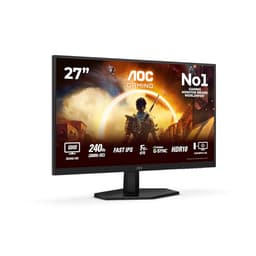
The AOC 27G4XED 27 inch FHD Gaming Monitor 180Hz is a Fast IPS panel at a budget price point, and that combination is genuinely interesting. Fast IPS panels have come a long way in the last few years. They're not OLED, they're not Mini-LED, but at this end of the market they represent the best realistic option for clean motion without the VA smear problem or the TN viewing-angle compromise. Over 644 owner reviews and a 4.5-star average suggest AOC has done something right here. The question is what exactly, and where the corners were cut to hit this price.
The verdict, stated plainly: this is one of the better budget 1080p gaming monitors you can buy right now. It's not flawless, and there are specific reasons you might want to look elsewhere, but for the price it sits at, the Fast IPS panel and 180Hz refresh rate combination is genuinely competitive. Here's the full picture.
Core Specifications: AOC 27G4XED 27 inch FHD Gaming Monitor 180Hz
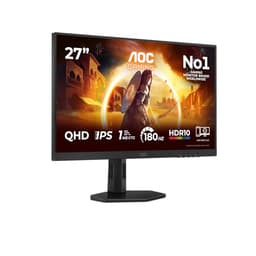
Start with the basics. This is a 27-inch IPS panel running 1920x1080 resolution at up to 180Hz. The panel type is specifically marketed as Fast IPS, which is worth paying attention to because standard IPS and Fast IPS are meaningfully different in terms of pixel response. AOC rates the response time at 0.5ms MPRT (Moving Picture Response Time), which is a motion-blur reduction figure rather than a grey-to-grey transition time. The GtG figure isn't prominently advertised, which is typical for budget monitors and something to keep in mind when comparing to competitors who lead with their GtG numbers.
Connectivity is solid for the price. You get two HDMI 2.0 ports and one DisplayPort 1.4, which means you can run the full 180Hz over DisplayPort without any compromises. The dual HDMI is genuinely useful if you're running a console alongside a PC. There are built-in speakers, which is a nice inclusion at this price point even if the audio quality is predictably modest. No USB hub, no USB-C, no KVM. But again, budget bracket.
The monitor carries HDR10 certification and is G-Sync Compatible, meaning it's been validated by Nvidia to work properly with G-Sync over its adaptive sync range. FreeSync Premium is also supported, covering AMD GPU owners. The panel's rated peak brightness sits at 350 nits in SDR, with HDR peak brightness quoted at 400 nits. The contrast ratio is listed at 1000:1, which is standard for IPS technology.
| Specification | Detail |
|---|---|
| Screen Size | 27 inches |
| Resolution | 1920x1080 (FHD) |
| Panel Type | Fast IPS |
| Refresh Rate | 180Hz |
| Response Time | 0.5ms MPRT / 1ms GtG (typical) |
| Adaptive Sync | FreeSync Premium / G-Sync Compatible |
| HDR | HDR10 |
| Peak Brightness | 350 nits (SDR) / 400 nits (HDR) |
| Contrast Ratio | 1000:1 (native) |
| Colour Gamut | sRGB 99% (claimed) |
| Ports | 2x HDMI 2.0, 1x DisplayPort 1.4 |
| Audio | Built-in speakers, 3.5mm headphone jack |
| VESA Mount | 100x100mm |
| Dimensions (with stand) | 614 x 454 x 204mm (approx) |
| Price | £109.99 |

Panel Technology
Fast IPS is a specific category of IPS panel that uses a different liquid crystal alignment approach to achieve faster pixel response times than traditional IPS. Standard IPS panels typically land around 4ms to 5ms GtG in real measurements. Fast IPS panels push that down considerably, with some hitting 1ms to 2ms GtG in independent measurements, though the actual figure depends heavily on overdrive settings. The technology sits between traditional IPS and TN in terms of pure speed, while retaining the wide viewing angles and colour accuracy that make IPS appealing in the first place. You can read more about IPS panel technology on Wikipedia if you want to get into the weeds on the liquid crystal mechanics.
Compared to VA panels, Fast IPS gives up some native contrast (VA can hit 3000:1 or more versus IPS's typical 1000:1) but wins on response time. VA panels are notorious for the so-called "black smear" problem where dark pixels are slow to transition, creating visible trailing in dark game scenes. Fast IPS doesn't have that issue. Compared to TN, Fast IPS wins easily on viewing angles and colour. TN panels look washed out from any angle that isn't dead-on, which is a real problem on a 27-inch screen where your eyes naturally look at different parts of the panel at slightly different angles. Fast IPS holds colour well across the whole screen.
IPS glow is worth mentioning because it's inherent to the technology rather than a manufacturing defect. In dark rooms with dark content, IPS panels show a characteristic brightening in the corners where the backlight bleeds through the liquid crystal layer. Owner reviews on this monitor do occasionally flag it, particularly from people who game in dark rooms. It's not unique to the AOC 27G4XED and it's not a reason to avoid it, but if you watch a lot of dark films or play dark atmospheric games in a pitch-black room, it's something to factor in. VA would give you better black depth in those scenarios, though you'd pay for it in response time.
Display Quality
At 27 inches with 1920x1080 resolution, the pixel density lands at approximately 82 pixels per inch. That's noticeably lower than 1440p at the same screen size (which hits around 109 PPI) and it's the one spec that genuinely divides opinion on this monitor. Sitting at a normal desk distance of 60 to 70cm, most people won't find 1080p at 27 inches objectionable for gaming. Individual pixels aren't visible during fast-paced play. But for desktop use, text rendering, or anything that involves reading small type, the lower pixel density is perceptible if you're coming from a higher-resolution screen.
The anti-glare coating is a standard matte finish, which handles reflections well in brightly lit rooms. This is a practical choice for a gaming monitor that might sit near a window or under overhead lighting. Glossy panels look sharper in ideal conditions but become mirrors in anything less than perfect lighting. The matte coating does slightly soften the image compared to a glossy screen, but it's a trade-off most people are happy to make in real-world use. Owner reviews consistently mention that the image looks clean and bright in normal room lighting, which backs up the coating choice.
Brightness uniformity is generally solid across Fast IPS panels at this tier, and owner reports on the 27G4XED don't flag any significant backlight bleed issues beyond typical IPS glow in corners. The panel's 350-nit SDR brightness is adequate for most indoor environments. It won't win any awards against the sun through a window, but it handles typical office and gaming room conditions without needing to run at full brightness. AOC claims 99% sRGB coverage, and while independent verification at this price point is limited, Fast IPS panels from major manufacturers generally do hit that figure or close to it, making the claim credible.
Refresh Rate and Adaptive Sync
180Hz is the headline number, and it's a genuine differentiator at the budget end of the market. A lot of budget monitors cap at 144Hz or 165Hz. The jump from 144Hz to 180Hz is smaller than the jump from 60Hz to 144Hz, but it's not nothing. In competitive shooters and racing games where frame rates regularly exceed 144 FPS on a modern GPU, those extra frames translate to slightly smoother, more responsive feel. Whether you can actually perceive the difference between 144Hz and 180Hz is genuinely debated, but the option to run at 180Hz without paying a premium for it is a nice thing to have.
The G-Sync Compatible certification from Nvidia means this monitor has been tested and validated to work properly with Nvidia's adaptive sync implementation, not just claimed to support it. That's a meaningful distinction. Some FreeSync monitors technically support G-Sync but with flickering or other artefacts at certain frame rates. G-Sync Compatible validation means Nvidia has confirmed it works cleanly. The Nvidia G-Sync Compatible programme has specific requirements around VRR range, flicker, and artefacts that monitors must pass. FreeSync Premium adds Low Framerate Compensation (LFC), which kicks in when your frame rate drops below the monitor's minimum VRR refresh rate, doubling the refresh to maintain smooth output. So if the VRR range bottoms out at 48Hz and your frame rate drops to 35 FPS, LFC kicks in to prevent judder.
The adaptive sync range isn't explicitly published prominently in AOC's marketing materials for this model, which is mildly frustrating. Based on the FreeSync Premium certification, the range should support LFC, implying a minimum threshold of 48Hz or below. For most gaming scenarios at 1080p, maintaining frame rates above 48 FPS is achievable on a wide range of hardware, so the practical impact of the VRR range is limited. The combination of 180Hz maximum and working adaptive sync from both major GPU vendors makes this genuinely flexible for mixed GPU households or anyone planning a future GPU upgrade.
Response Time and Motion
The 0.5ms MPRT figure needs unpacking because it's not the same thing as GtG response time, and the difference matters for how you interpret the spec. MPRT (Moving Picture Response Time) is a measure of perceived motion blur that accounts for sample-and-hold blur from the display's backlight, not just pixel transition speed. It's influenced by backlight strobing (sometimes called MPRT mode or 1ms mode) which reduces motion blur by flashing the backlight in sync with the panel's refresh. When that mode is active, the 0.5ms MPRT figure is achievable. But backlight strobing typically can't run simultaneously with adaptive sync, so you're choosing between tear-free VRR and minimum motion blur. That's a standard trade-off across the industry, not something unique to AOC.
The GtG response time for Fast IPS panels at this tier typically lands around 1ms to 2ms in real-world measurements at optimal overdrive settings. That's genuinely fast and represents a significant improvement over standard IPS panels from even three or four years ago. The key thing to watch for with Fast IPS is overshoot, also called inverse ghosting, where overdrive is set too aggressively and creates a bright corona around moving objects. AOC's overdrive implementation on the G4 series has generally received positive feedback from owners, with most reporting clean motion without obvious overshoot at the recommended overdrive setting. A handful of reviews mention slight overshoot at the highest overdrive level, which is expected behaviour. The solution is simply to use a lower overdrive preset.
For competitive gaming purposes, the motion performance here is very good for the price. Fast-paced shooters like CS2 or Valorant will look clean at high frame rates. Racing games and action titles benefit from the combination of fast pixel response and 180Hz refresh. The monitor isn't going to match an OLED panel's near-instantaneous pixel response, but OLED at this price point doesn't exist. Within the IPS world at the budget tier, Fast IPS at 180Hz is about as good as it gets for motion clarity. Owner reviews repeatedly mention that games look smooth and responsive, which is the practical outcome that matters.
Color Accuracy and Gamut
AOC claims 99% sRGB coverage for the 27G4XED, which is a solid figure for a budget gaming panel. The sRGB colour space covers the vast majority of web content, games, and streaming video, so hitting 99% means colours will look accurate and saturated for everyday use. DCI-P3 coverage isn't prominently quoted, which is typical for budget monitors. Fast IPS panels at this tier generally land around 85% to 90% DCI-P3, which is decent but not something you'd want to use for professional colour-graded video work. The DCI-P3 colour space is the standard for cinema and HDR content, and wider coverage produces more vivid colours in HDR-graded material.
Factory calibration at the budget end of the market is rarely impressive, and AOC doesn't claim any special calibration process for the 27G4XED. Delta-E values (the measure of colour accuracy where lower is better, with values under 2 considered good and under 1 excellent) are not published for this model. Based on the price tier and panel type, a Delta-E average around 2 to 4 out of the box is a reasonable expectation. That's fine for gaming and general use. It's not fine if you're doing colour-critical photo editing or print work where you need consistent, calibrated colour. For that, you'd want a monitor with a published Delta-E specification and ideally a factory calibration report.
The monitor includes several colour preset modes, which is standard for AOC gaming monitors. These typically include sRGB mode, which limits the gamut to standard sRGB for accurate web and content viewing, alongside gaming presets that boost saturation and contrast for visual impact. Owner reviews generally describe the out-of-box colour as looking good and vibrant, with the caveat that this is subjective and uncalibrated. For gaming and media consumption at the budget tier, the colour performance is genuinely solid. Just don't expect it to replace a proper colour-managed workflow monitor.
HDR Performance
HDR10 on a monitor with 400 nits peak brightness and no local dimming is what the industry sometimes calls "checkbox HDR". That's not a phrase designed to be kind, but it's accurate. True HDR requires high peak brightness (ideally 600 nits or more), a wide colour gamut covering a significant portion of DCI-P3, and crucially, the ability to display deep blacks simultaneously with bright highlights. That last requirement needs local dimming or an OLED panel. The VESA DisplayHDR certification programme sets minimum standards for HDR performance, and DisplayHDR 400 is the entry-level tier that requires only 400 nits peak brightness with no local dimming requirement.
In practice, HDR on the 27G4XED will look marginally better than SDR in some content, primarily because HDR-graded games and video use a wider colour range that the panel can partially reproduce. But the lack of local dimming means the monitor can't control brightness on a zone-by-zone basis, so bright highlights and dark shadows can't coexist properly. A bright explosion in a dark night scene will cause the whole panel to lift its brightness, washing out the surrounding darkness. This is a fundamental hardware limitation, not a settings issue.
The honest advice here is to use this monitor primarily in SDR mode and treat HDR as a bonus rather than a feature. Many owners do exactly this, and the SDR image quality is genuinely good. If HDR is a priority for you, the budget bracket simply doesn't offer a meaningful HDR experience, and you'd need to look at monitors with DisplayHDR 600 certification or higher, which pushes the price considerably higher. For the money, the 27G4XED's HDR implementation is as good as the hardware allows. That's damning with faint praise, but it's the honest picture.
Contrast and Brightness
Native contrast at 1000:1 is the standard IPS figure and it's genuinely the weakest point of IPS technology compared to VA. A 1000:1 contrast ratio means the brightest white the panel can produce is 1000 times brighter than the darkest black. In practice, IPS blacks look more like dark grey in a dark room, which is noticeable if you're watching dark content. VA panels routinely hit 3000:1 to 5000:1, making blacks look significantly deeper. OLED panels have effectively infinite contrast because black pixels are simply off. So if you're primarily a dark-room film watcher or you play a lot of atmospheric horror games where black depth matters, the IPS contrast limitation is real and worth considering.
For gaming in a normally lit room, 1000:1 contrast is perfectly adequate. The image looks punchy and detailed in typical gaming scenes, and the 350-nit peak brightness is enough to compete with ambient light in most indoor settings. Owner reviews consistently describe the image as bright and clear in normal conditions, which matches what you'd expect from a competent Fast IPS panel at this brightness level. The monitor doesn't need to run at maximum brightness in most rooms, which is good because running at full brightness for extended periods can accelerate backlight wear over time.
Brightness uniformity across the panel is generally good based on owner feedback, with no widespread reports of significant hotspots or dark corners. Some degree of backlight non-uniformity is present in virtually every IPS monitor at any price, and the 27G4XED is no exception. But the level reported by owners sits within normal expectations for the price tier. The anti-glare coating helps manage reflections in brighter rooms, reducing the need to crank brightness to overcome glare, which is a practical benefit that contributes to comfortable long-session use.
Ergonomics and Stand
The stand on the 27G4XED offers tilt adjustment only, which is the most common limitation at the budget end of the market. There's no height adjustment, no swivel, and no pivot to portrait mode. Tilt range is typically around -5 to +23 degrees, which is enough to get a comfortable angle for most desk setups. But if you need to raise the monitor significantly, lower it, or rotate it for a different workflow, you'll need to either buy a monitor arm or use a riser. Owner reviews do mention this limitation, with several noting they added a monitor arm specifically because the fixed height didn't suit their setup.
The good news is that VESA 100x100mm mounting is included, which is the standard pattern for monitor arms. So adding an aftermarket arm is straightforward and relatively inexpensive. A decent monitor arm also gives you much more flexibility than any built-in stand, so in some ways the limited stand is less of a problem than it first appears if you're already planning to use an arm. The stand itself is reported as stable with no significant wobble, which is more than can be said for some budget monitors where the stand feels like it might collapse if you look at it wrong.
Build quality overall is described by owners as solid for the price. The bezel is thin on three sides with a slightly thicker bottom chin, which is typical for this class of monitor. The plastic construction feels functional rather than premium, but nothing about it suggests it'll fall apart with normal use. The cable management situation is basic, with a simple slot in the stand neck rather than a proper cable routing channel. The monitor's footprint is moderate, taking up a reasonable amount of desk depth without being excessive. For a budget gaming monitor, the physical build is appropriate for the price.
Connectivity and Ports
The port selection on the 27G4XED is sensibly chosen for a gaming monitor at this price. Two HDMI 2.0 ports handle console connections well. HDMI 2.0 supports 1080p at 180Hz, so both ports can run at the monitor's full refresh rate without any bandwidth compromise. The single DisplayPort 1.4 connection is the preferred route for PC gaming, as DisplayPort generally handles high refresh rates more reliably than HDMI in practice, and the DisplayPort standard is better optimised for variable refresh rate implementations on PC. DisplayPort 1.4 has more than enough bandwidth for 1080p at 180Hz with headroom to spare.
- 2x HDMI 2.0 (supports 1080p/180Hz)
- 1x DisplayPort 1.4
- 3.5mm headphone jack
- Built-in speakers (2W, stereo)
What's missing is a USB hub, which would be a nice addition for connecting peripherals without reaching around to the back of the monitor. There's also no USB-C port, which rules out single-cable laptop connections. Neither omission is surprising at this price point, and both are consistent with how budget gaming monitors are typically specced. The dual HDMI setup is genuinely useful for people running a PC and a console on the same screen, which is a common scenario for the target audience of this monitor.
The built-in speakers deserve a mention because they exist, which is more than some monitors at this price offer. Two 2W speakers will handle system sounds and basic video audio without needing to reach for headphones. They're not going to replace a proper audio setup and the sound quality is predictably thin, but for a quick YouTube video or a Teams call, having speakers built in is a convenience. The 3.5mm headphone jack lets you connect headphones directly to the monitor, which is useful if your PC case is under the desk and reaching the audio jack is inconvenient.
How It Compares
The main competition for the AOC 27G4XED at the budget end of the 27-inch gaming monitor market comes from AOC's own siblings and from brands like LG, Asus, and Acer. The LG 27GR75QB is a 1440p 165Hz IPS monitor that sits at a higher price point but offers the resolution jump that many people find more impactful than the refresh rate jump. If your budget can stretch to it, 1440p at 27 inches is noticeably sharper for desktop use and general content, though 1080p at 180Hz beats it for pure competitive gaming performance where frame rate matters more than pixel density.
The Acer Nitro XV272U is another 1440p IPS option that competes in the mid-range bracket. It offers better resolution and comparable panel quality but at a meaningfully higher price. For someone on a strict budget who primarily plays competitive games where high frame rates matter more than resolution, the AOC 27G4XED makes a compelling case. For someone who uses their monitor for a mix of gaming, content creation, and general desktop work, the resolution step up from a 1440p option is worth considering seriously.
Within the strict 1080p 180Hz budget bracket, the AOC 27G4XED competes directly with monitors like the Asus TUF Gaming VG279QM, which is a 280Hz Fast IPS panel at a higher price, and the AOC 24G4X, which is the 24-inch version of essentially the same panel family at a lower price. If 27 inches feels too large for 1080p at your desk distance, the 24-inch sibling is worth a look. The pixel density at 24 inches with 1080p is 92 PPI, noticeably sharper than 82 PPI at 27 inches, and the price is lower.
| Feature | AOC 27G4XED | LG 27GR75QB | AOC 24G4X |
|---|---|---|---|
| Screen Size | 27 inch | 27 inch | 24 inch |
| Resolution | 1920x1080 | 2560x1440 | 1920x1080 |
| Panel Type | Fast IPS | IPS | Fast IPS |
| Refresh Rate | 180Hz | 165Hz | 180Hz |
| Response Time | 0.5ms MPRT | 1ms GtG | 0.5ms MPRT |
| Adaptive Sync | G-Sync Compatible / FreeSync Premium | G-Sync Compatible / FreeSync Premium | G-Sync Compatible / FreeSync Premium |
| HDR | HDR10 / 400 nits | HDR10 / 400 nits | HDR10 / 400 nits |
| Pixel Density | ~82 PPI | ~109 PPI | ~92 PPI |
| Price | £109.99 | Higher price bracket | Lower price bracket |

Final Verdict
The AOC 27G4XED 27 inch FHD Gaming Monitor 180Hz earns its 4.5-star average from over 644 owners, and from everything the spec sheet and owner feedback reveal, that rating is fair. This is a genuinely good budget gaming monitor. Fast IPS at 180Hz with G-Sync Compatible validation and dual HDMI is a strong package for the price bracket. The motion performance is the headline achievement: Fast IPS panels avoid the VA smear problem while delivering response times that hold up at 180Hz without obvious overshoot at sensible overdrive settings. For competitive gaming, that combination is hard to beat at this price.
The limitations are real but predictable for the budget tier. The stand is tilt-only, which will frustrate anyone who needs height adjustment (though the VESA mount sorts that with an arm). The 1080p resolution at 27 inches is softer than 1440p, which some people will notice and others won't care about at all. HDR is the checkbox variety with no local dimming and 400 nits peak, so treat it as a bonus rather than a feature. Colour accuracy out of the box is adequate for gaming and general use but not calibrated to any professional standard. None of these are deal-breakers for the target use case, which is budget competitive gaming with a modern GPU.
Who is this for? Anyone building or upgrading a gaming PC on a budget who wants the best motion performance available at the lower end of the market. Console gamers who want a second screen for PC use will appreciate the dual HDMI. Students who game in their spare time but don't want to spend serious money on a display. People upgrading from a 60Hz or 75Hz monitor who want to experience high refresh rate gaming for the first time without committing to a mid-range budget.
Who should look elsewhere? If 27-inch 1080p feels too low-resolution for your tastes, or if you do any colour-sensitive creative work, a 1440p IPS monitor in the mid-range bracket is a better fit. If deep blacks and high contrast matter to you for dark-room film watching, a VA panel is worth the motion trade-off. And if you don't actually need 27 inches, the 24-inch AOC 24G4X runs essentially the same panel technology at a lower price with better pixel density. That's the honest recommendation for anyone who doesn't specifically need the screen size: the smaller sibling is the smarter buy if you can live with 24 inches.
As a budget 180Hz gaming monitor, the AOC 27G4XED earns a solid 8 out of 10. It does what it promises, the Fast IPS panel delivers genuinely good motion for the money, and the owner satisfaction rate backs that up. It's not trying to be something it isn't, which is more than can be said for a lot of monitors at this price.
What works. What doesn’t.
5 + 4What we liked5 reasons
- Fast IPS panel delivers clean motion at 180Hz without VA smear
- G-Sync Compatible and FreeSync Premium for both GPU camps
- Dual HDMI 2.0 plus DisplayPort 1.4 is genuinely useful
- Strong owner satisfaction: 4.5 stars across 644 reviews
- Competitive price for a 180Hz Fast IPS panel
Where it falls4 reasons
- Stand is tilt-only, no height or swivel adjustment
- 1080p at 27 inches is noticeably soft compared to 1440p
- HDR10 is checkbox-level with no local dimming
- No USB hub or USB-C connectivity
Full specifications
11 attributes| Panel type | IPS |
|---|---|
| Aspect ratio | 16:9 |
| Curvature | flat |
| HDR | HDR10 |
| Launch year | 2025 |
| Ports | 2x HDMI 2.0, 1x DisplayPort 1.4 |
| Refresh rate HZ | 180 |
| Resolution | 1920x1080 |
| Response time MS | 0.5 |
| Screen size IN | 27 |
| Vesa compatible | true |
If this isn’t right for you
2 options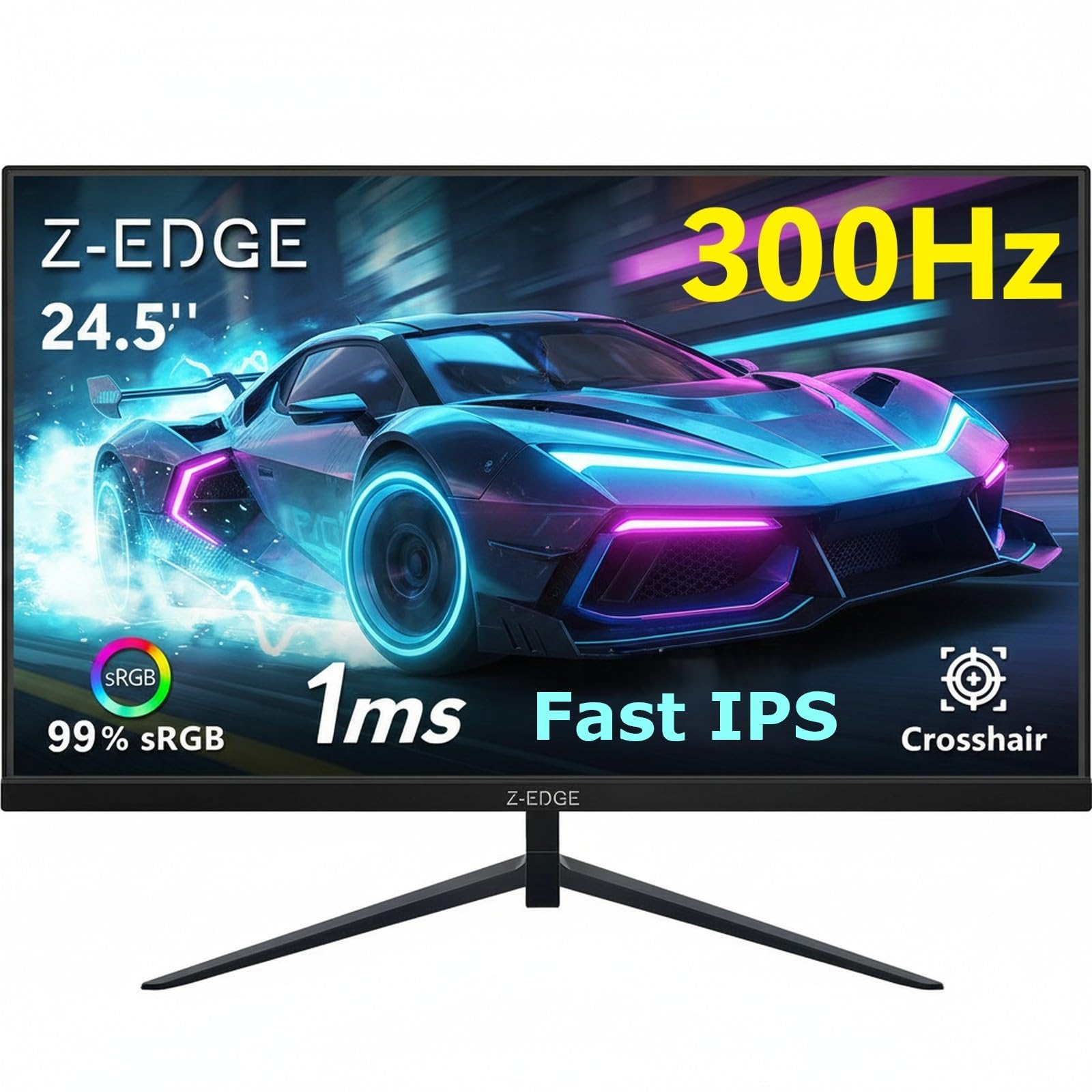 7.5 / 10
Z-Edge 24.5 Inch Gaming Monitor 300Hz 240Hz 1ms IPS 1080P 99% sRGB DP HDMI
£129.99 · Z Z-Edge
Frequently asked
5 questions01Is the AOC 27G4XED 27 inch FHD Gaming Monitor 180Hz, Fast IPS Panel, 0.5ms MPRT, Adaptive Sync, HDR10, G-Sync Compatible, Speakers, (1920x1080 HDMI 2x 2.0 DP 1x 1.4) Black good for gaming?+
Yes, it's a strong gaming monitor for the budget bracket. The Fast IPS panel at 180Hz delivers genuinely clean motion with good pixel response times, avoiding the dark-scene smearing that affects VA panels. G-Sync Compatible validation means it works properly with Nvidia GPUs, and FreeSync Premium covers AMD owners too. For competitive gaming in shooters or racing titles, it's a very capable choice at the price. The 1080p resolution means it's easy to hit high frame rates on mid-range hardware, which makes the 180Hz refresh rate practically achievable rather than theoretical.
02Does the AOC 27G4XED 27 inch FHD Gaming Monitor 180Hz, Fast IPS Panel, 0.5ms MPRT, Adaptive Sync, HDR10, G-Sync Compatible, Speakers, (1920x1080 HDMI 2x 2.0 DP 1x 1.4) Black have good HDR?+
Honestly, no, not in any meaningful sense. The HDR10 certification with 400 nits peak brightness and no local dimming puts this in the entry-level DisplayHDR 400 tier, which is the minimum bar for HDR certification. Without local dimming, the monitor can't control brightness zone by zone, so bright highlights and dark shadows can't coexist properly. HDR content will look marginally different from SDR but not dramatically better. For most users, running the monitor in SDR mode and ignoring HDR entirely gives the best practical image quality.
03Is the AOC 27G4XED 27 inch FHD Gaming Monitor 180Hz, Fast IPS Panel, 0.5ms MPRT, Adaptive Sync, HDR10, G-Sync Compatible, Speakers, (1920x1080 HDMI 2x 2.0 DP 1x 1.4) Black good for content creation?+
For casual content creation, social media editing, and general creative work, it's adequate. The claimed 99% sRGB coverage means colours will look accurate for web-destined content. But without a published Delta-E specification or factory calibration report, it's not suitable for professional colour-critical work like print production, colour grading, or photography retouching where accurate, calibrated colour is essential. The 1080p resolution also limits its usefulness for detailed photo or video editing work where you want to see fine detail clearly.
04What graphics card do I need for the AOC 27G4XED 27 inch FHD Gaming Monitor 180Hz, Fast IPS Panel, 0.5ms MPRT, Adaptive Sync, HDR10, G-Sync Compatible, Speakers, (1920x1080 HDMI 2x 2.0 DP 1x 1.4) Black?+
The good news about 1080p is that it's relatively easy to drive at high frame rates. A mid-range GPU like an Nvidia RTX 4060 or AMD RX 7600 will push well above 144 FPS in most competitive titles at 1080p, making the 180Hz refresh rate genuinely usable. Even older GPUs like an RTX 3060 or RX 6600 will hit 180 FPS in less demanding games. For more graphically intensive titles, you may not consistently hit 180 FPS, but adaptive sync handles the variable frame rate gracefully. Budget GPUs like the RTX 4060 Ti or RX 7700 XT are well-matched to this monitor.
05What warranty and returns apply to the AOC 27G4XED 27 inch FHD Gaming Monitor 180Hz, Fast IPS Panel, 0.5ms MPRT, Adaptive Sync, HDR10, G-Sync Compatible, Speakers, (1920x1080 HDMI 2x 2.0 DP 1x 1.4) Black?+
AOC typically offers a 3-year warranty on their monitors, though you should verify the specific terms on AOC's UK website for this model before purchasing. When buying through Amazon, you're also covered by Amazon's standard 30-day return policy and the A-to-Z Guarantee, which provides additional purchase protection. Check the product listing for the current warranty details as these can vary by retailer and region.