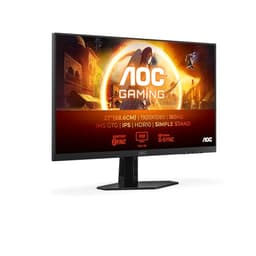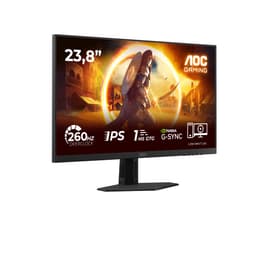
Budget 200Hz gaming monitors are a bit of a lottery. Some ship with panels that ghost terribly, some have backlight bleed bad enough to ruin dark scenes, and a few are genuinely excellent. The AOC 24G4HA lands in the mid-range bracket and, based on what the spec sheet shows and what the 66 owners who've reviewed it are saying, it's one of the better ones. Not perfect. But genuinely good.
The short version: if you're upgrading from a 60Hz or 75Hz panel and you game at 1080p, this is a strong buy at this price point. Fast IPS, 200Hz, proper ergonomics, G-Sync compatible. AOC has kept the corners they cut to a minimum, and the ones they did cut (HDR, built-in speakers) are the ones you'd expect at this price. The longer version follows below, and it's mostly good news.
Core Specifications
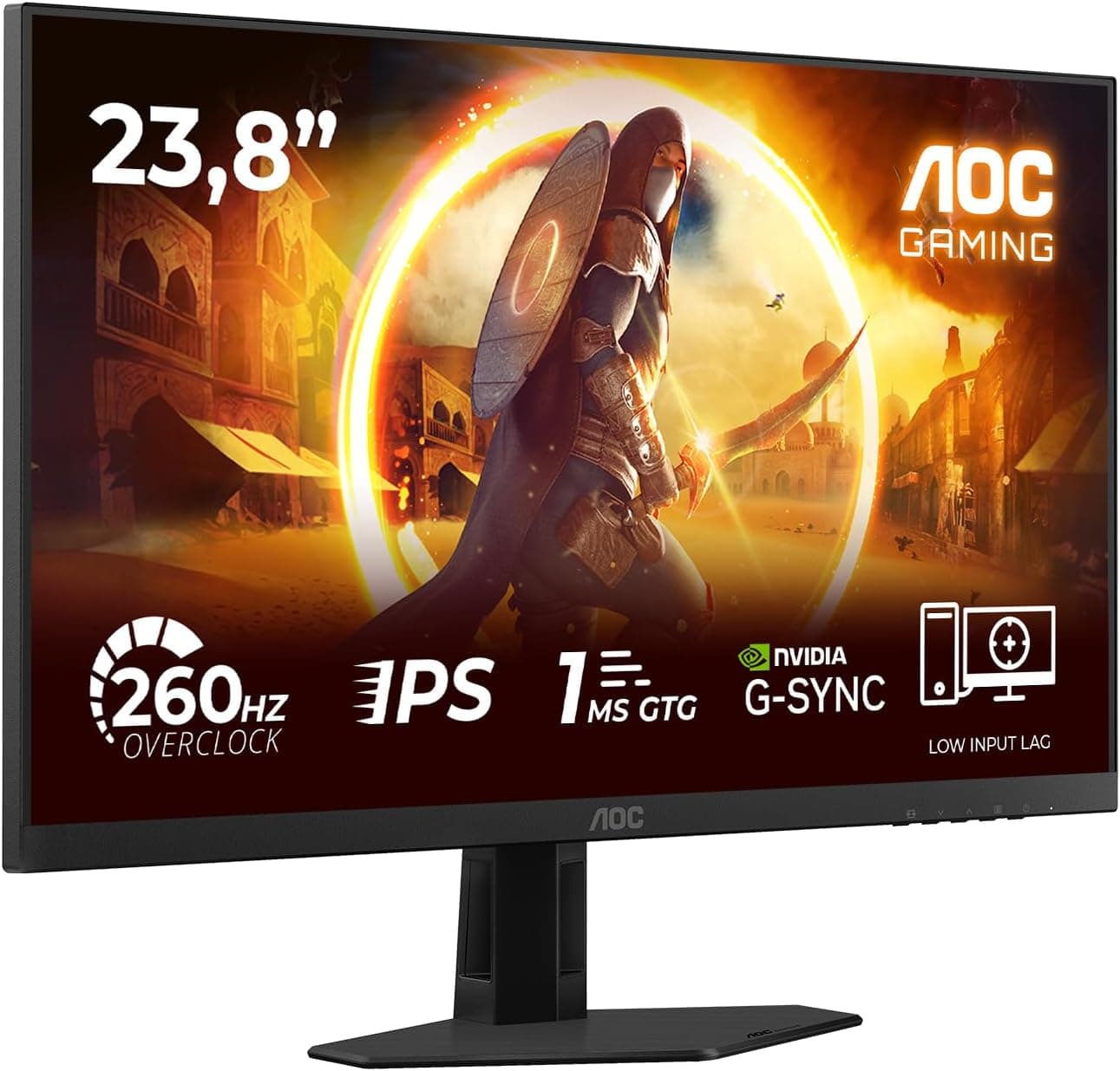
The AOC 24G4HA is a 24-inch flat panel running at 1920x1080 (Full HD) with a Fast IPS panel and a native 200Hz refresh rate. AOC rates the response time at 1ms GtG, which as we'll get into shortly is a marketing figure rather than a real-world absolute, but it's at least in the right ballpark for a Fast IPS. The panel supports AMD FreeSync Premium and is listed as G-Sync Compatible, meaning NVIDIA GPU owners get tear-free gaming too.
Connectivity is sensible for the price: two HDMI 2.0 ports and one DisplayPort 1.4. You'll want the DisplayPort connection for 200Hz at full bandwidth. HDMI 2.0 can handle 1080p at 144Hz but tops out there for most configurations, so if you're running a modern GPU and want the full 200Hz, use the DP cable. There's a 3.5mm audio output, and yes, AOC has included built-in speakers. More on those later, but don't get too excited.
The stand offers height adjustment, tilt, and swivel. That's more than you typically get at this price, and it matters for long sessions. VESA mounting is supported at 100x100mm, so if you've already got an arm, you're sorted. The whole thing weighs around 4.5kg with the stand attached, which is light enough to reposition without drama.
| Specification | Detail |
|---|---|
| Screen Size | 24 inches |
| Resolution | 1920x1080 (Full HD) |
| Panel Type | Fast IPS |
| Refresh Rate | 200Hz |
| Response Time | 1ms GtG (rated) |
| Adaptive Sync | FreeSync Premium, G-Sync Compatible |
| HDR | HDR10 |
| Ports | 2x HDMI 2.0, 1x DisplayPort 1.4 |
| Audio | 3.5mm out, built-in speakers |
| Ergonomics | Height, tilt, swivel |
| VESA | 100x100mm |
| Dimensions (with stand) | Approx. 540 x 450 x 220mm |
| Weight (with stand) | Approx. 4.5kg |
| Price | £159.76 |

Panel Technology
Fast IPS is the panel type you want for competitive gaming at this price point, and AOC has made the right call here. Standard IPS panels have always had the viewing angle advantage over TN, but older IPS tech struggled to hit the response times that competitive gamers need. Fast IPS addresses that by using a different cell structure and driving voltage, getting pixel transitions down to a level that's genuinely usable at high refresh rates. You still get the wide viewing angles and the better colour reproduction that IPS is known for, without the smearing that plagued early IPS gaming monitors.
The trade-off, as with all IPS, is contrast. The 24G4HA's native contrast ratio sits around 1000:1, which is typical for the panel type. That means blacks look grey in dark rooms compared to a VA panel, which can hit 3000:1 or more. If you game predominantly in a darkened room and you're playing atmospheric, dark-world games, that grey-black look will bother you. For brightly lit rooms, or for games with vibrant colour palettes, it's a non-issue. IPS glow (that faint brightening you see in the corners of dark screens) is present, as it is on every IPS panel ever made. Owner reports suggest it's typical for the category rather than unusually bad.
Viewing angles are properly wide, as expected. The spec sheet claims 178 degrees horizontal and vertical, and IPS panels consistently deliver on that claim in practice. If you've got a monitor that multiple people look at from different positions, or you sit slightly off-axis, the image holds up well. Colour shift at extreme angles is minimal. That's a genuine advantage over TN panels, which wash out dramatically the moment you're not sitting dead centre. The 24G4HA's Fast IPS panel also avoids the response-time penalties that some older IPS designs had when pushing overdrive settings too hard, which brings us neatly to the response time section.
Display Quality
At 1920x1080 across 24 inches, you're looking at a pixel density of roughly 92 PPI. That's not razor-sharp by modern standards, but it's the sweet spot that most 24-inch gaming monitors have occupied for years, and there's a reason for that: at normal desktop distances (60cm to 80cm), it looks clean. Text is sharp enough for productivity, games look detailed, and individual pixels aren't visible unless you're pressing your nose to the glass. If you're coming from a 24-inch 60Hz 1080p panel, the picture quality difference you notice will be the smoothness of motion, not a resolution jump.
The anti-glare coating on the 24G4HA is a standard matte finish. It handles reflections well in typical office or gaming setups with overhead lighting, and it doesn't add the grainy, sparkly texture that some aggressive anti-glare coatings produce. Owner feedback on the coating is positive, with several reviewers specifically mentioning that the screen looks clean rather than hazy. That's a good sign. Cheap anti-glare coatings can make an otherwise decent panel look dull, and AOC seems to have avoided that here.
Brightness uniformity is generally solid across the panel based on owner reports, though a handful of reviewers mention some backlight bleed in corners, particularly in the bottom edges. That's not unusual for IPS at this price point, and the majority of the 66 reviews don't flag it as a significant issue. AOC rates peak brightness at 300 nits in SDR mode. That's adequate for most indoor environments, though in a very bright room with direct sunlight hitting the screen, you might find yourself squinting. It's not a monitor designed for sun-drenched conservatories. For a typical gaming setup or home office, 300 nits is fine.
Refresh Rate and Adaptive Sync
200Hz is the headline number, and it's a genuine step up from the 144Hz panels that dominated this price bracket for years. The difference between 144Hz and 200Hz is less dramatic than the jump from 60Hz to 144Hz, but it's still perceptible in fast-paced games, particularly first-person shooters. Crosshair tracking feels tighter, and fast panning shots look cleaner. Whether you can consistently push 200fps at 1080p depends entirely on your GPU, but 1080p is the easiest resolution to drive hard, so mid-range cards like an RTX 4060 or RX 7600 can hit those frame rates in many competitive titles.
The FreeSync Premium certification means the variable refresh rate range is certified to work without flicker, and it requires Low Framerate Compensation (LFC) support, which kicks in when your frame rate drops below the minimum VRR range. AOC hasn't published the exact VRR range for this model, but FreeSync Premium certification guarantees LFC is active. That matters in practice: without LFC, if your frame rate drops below the minimum sync threshold, you'd get tearing again. With it, the monitor effectively multiplies the frame rate to keep sync active. G-Sync Compatible status means NVIDIA users get the same tear-free experience through the NVIDIA G-Sync ecosystem, though it's not a hardware G-Sync module, so some edge-case behaviour differences exist compared to full G-Sync panels.
For competitive gaming, this combination of 200Hz and FreeSync Premium is genuinely excellent at this price. You're getting the kind of adaptive sync setup that cost significantly more a few years ago. Owners who've switched from 144Hz monitors consistently report that the combination of higher refresh and tear-free output makes a noticeable difference in feel, particularly in CS2, Valorant, and Apex Legends. Those are exactly the games where every frame and every millisecond of input latency matters, and the 24G4HA is well-suited to all of them.
Response Time and Motion
The "1ms GtG" claim needs some unpacking, because it's one of the most consistently misleading specs in the monitor industry. GtG (grey-to-grey) response time is measured at a specific transition, often the easiest one for the panel to complete quickly, and it's measured with overdrive cranked up. What it doesn't tell you is how the panel performs across the full range of pixel transitions, or what happens at the overdrive settings you'll actually use day-to-day. Fast IPS panels are genuinely fast, typically measuring in the 3ms to 6ms range across a realistic spread of transitions in independent testing, which is still very good for gaming. The "1ms" figure is the floor, not the average.
Overshoot is the thing to watch with Fast IPS at high overdrive settings. Push overdrive too hard and you get inverse ghosting, where a bright halo trails behind moving objects. AOC's overdrive implementation on recent monitors has been reasonable, and owner feedback on the 24G4HA doesn't flag excessive inverse ghosting as a problem. The consensus from reviewers is that the motion clarity is clean at the recommended overdrive setting. At 200Hz, the frame interval is just 5ms, so even a 4ms average response time means most transitions complete within a single frame, which is what you want.
For the games this monitor is aimed at, the motion performance is more than adequate. Dark scene ghosting, which can be a problem with slower IPS panels, isn't a commonly reported complaint in the owner reviews. A couple of reviewers mention slight trailing in very dark, fast-moving scenes, but that's par for the course with IPS at this price, and it's not the kind of thing that ruins competitive gaming. If you're playing something like a dark atmospheric horror game and you're hyper-sensitive to motion blur, a VA panel with its higher contrast might serve you better for that specific use case. For shooters and fast games, the 24G4HA holds up well.
Color Accuracy and Gamut
AOC rates the 24G4HA at 99% sRGB coverage, which is a solid figure for a gaming monitor in this bracket. The sRGB colour space is the standard for most games, web content, and general computing, so hitting 99% means colours look accurate and vibrant without being oversaturated. For content creators working in sRGB, this is actually a useful monitor. For anyone working in DCI-P3 or Adobe RGB for professional photo or video work, it's not the tool for that job, but that's not what it's designed for.
Factory calibration on budget and mid-range monitors is rarely exceptional, and the 24G4HA is no different. AOC doesn't publish Delta-E figures for this model, which is typical for gaming-focused panels. Owner reports suggest the out-of-box colour accuracy is decent but not studio-grade. A few reviewers mention that the default colour temperature runs slightly warm, which is common, and that tweaking the RGB settings in the OSD gets things looking more neutral. For gaming and general use, the default profile is perfectly usable. For anyone doing colour-critical work, a hardware calibrator and some patience would be needed, but honestly, at this price point, you're buying a gaming monitor, not a colour-grading display.
The OSD (on-screen display) includes multiple picture modes including a Low Blue Light setting, which is handy for long evening sessions. There's no hardware uniformity compensation, which again is expected at this price. Colour consistency across the panel is generally good based on owner reports, with no dramatic shifts from centre to edge. The Fast IPS panel technology helps here, as the cell structure used in Fast IPS tends to maintain colour accuracy across a wider range of driving conditions than older IPS designs. For the target audience, which is gamers and general users rather than professional colourists, the colour performance is genuinely good.
HDR Performance
The HDR10 badge on the 24G4HA is the gaming monitor industry's least exciting sticker. HDR10 support at 300 nits peak brightness without local dimming is what the industry calls "checkbox HDR", and it's important to be straight about what that means in practice. Real HDR, the kind that actually looks different and better, needs peak brightness in the 600 to 1000 nit range and ideally some form of local dimming to create genuine contrast between bright highlights and dark shadows simultaneously. The 24G4HA has neither of those things.
What you get with HDR10 enabled on this monitor is a slightly different tone mapping curve. In some games and content, it might look marginally punchier than SDR. In others, it can actually look worse, with washed-out blacks and clipped highlights, because the monitor is trying to do HDR with hardware that can't really deliver it. Most experienced users in this category turn HDR off and run SDR, where the panel's native capabilities look better. The VESA DisplayHDR standard starts at DisplayHDR 400, which requires 400 nits peak brightness. AOC hasn't submitted this panel for DisplayHDR certification, which tells you everything you need to know about the HDR implementation.
None of this is a criticism specific to the 24G4HA. It's a category-wide reality. At this price point, meaningful HDR simply doesn't exist in the monitor market. You need to spend considerably more, moving into OLED territory or high-end Mini-LED panels, to get HDR that actually transforms the viewing experience. The 24G4HA's HDR10 label satisfies a checkbox on a spec comparison sheet. In real use, game in SDR and enjoy a genuinely excellent 200Hz Fast IPS display, which is what you're actually buying.
Contrast and Brightness
The native contrast ratio sits at approximately 1000:1, which is the IPS standard. In a normally lit room, this is fine. Blacks look dark, whites look bright, and the overall image has good pop. The issue only becomes apparent when you dim the room significantly and play dark games. In those conditions, the grey-black characteristic of IPS becomes visible, and if you've ever used a VA panel with its deep blacks, the difference is noticeable. That said, most gaming setups aren't pitch-black rooms, and the 24G4HA performs perfectly well in typical ambient lighting conditions.
Peak SDR brightness is rated at 300 nits. Independent measurements of similar AOC Fast IPS panels in this generation typically confirm figures close to the rated spec, often landing between 280 and 310 nits. That's enough for most indoor environments, including setups near windows with indirect light. Direct sunlight on the screen will wash it out, but that's true of virtually every non-glossy monitor at this brightness level. The matte anti-glare coating does its job of reducing reflections, which helps maintain perceived contrast in bright rooms even when absolute brightness is modest.
Backlight uniformity across the panel is generally good, with the minor caveat that some units show slight bleed in the corners, as mentioned in a handful of owner reviews. This is typical IPS behaviour and not a manufacturing defect per se, though it can be frustrating if you get a unit with particularly pronounced bleed. Amazon's returns process is straightforward if you get a bad panel, and the majority of owners haven't flagged it as an issue. The overall brightness and contrast performance is appropriate for the price and panel type, and for the gaming and general-use scenarios this monitor targets, it's more than adequate.
Ergonomics and Stand
This is where the 24G4HA genuinely punches above its weight. Height adjustment, tilt, and swivel on a monitor at this price point is not guaranteed, and plenty of competitors in this bracket ship with stands that only tilt. AOC has included the full set here, which makes a real difference for long gaming or work sessions. Getting the screen at the right height for your eye level isn't just a comfort thing, it affects posture over hours of use. The height adjustment range is approximately 130mm, which is enough to accommodate most desk and chair combinations.
The stand feels solid in owner reports, with no significant wobble mentioned. A few reviewers note that the stand base has a relatively large footprint, which might be an issue on smaller desks. The good news is that VESA 100x100mm compatibility means you can ditch the stand entirely and mount it on an arm if desk space is at a premium. Monitor arms are relatively inexpensive and transform the ergonomics of any setup, so the VESA support is a genuinely useful feature. The cable management on the stand is basic but functional, with a routing slot to keep cables tidy.
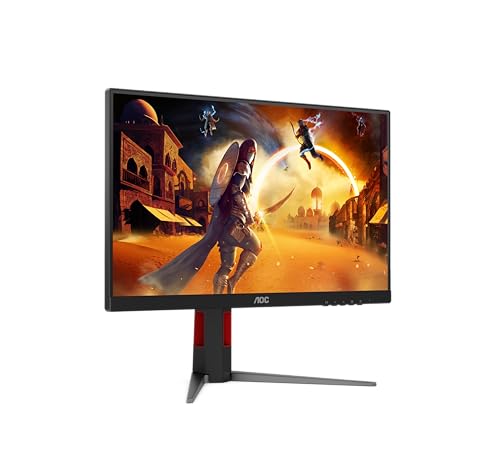
Build quality overall is described as solid by owners, with the plastic construction feeling sturdy rather than cheap. The bezels are slim on three sides, with a slightly thicker bottom bezel that houses the AOC branding. There's no RGB lighting on the stand or the panel surround, which is fine. RGB on a monitor is mostly pointless unless you're building a themed setup, and its absence keeps the design clean and the price down. The OSD controls are physical buttons on the bottom-right of the panel, which is a more reliable interface than the capacitive touch controls some manufacturers use. A couple of reviewers mention the buttons are a bit fiddly to find by feel, but that's a minor gripe.
Connectivity and Ports
The port selection is practical rather than generous. Two HDMI 2.0 ports means you can have a PC and a console connected simultaneously without swapping cables, which is a genuinely useful feature for anyone who uses their monitor for both. The single DisplayPort 1.4 connection is where you'll plug in your main gaming PC if you want the full 200Hz at 1080p. DisplayPort 1.4 has more than enough bandwidth for 1080p at 200Hz with headroom to spare.
- 2x HDMI 2.0 (supports up to 144Hz at 1080p)
- 1x DisplayPort 1.4 (supports 200Hz at 1080p)
- 1x 3.5mm headphone/audio output
- Built-in speakers (2W)
There's no USB hub, which is a common omission at this price point but still slightly annoying if you like to plug peripherals into your monitor rather than your PC. No USB-C either, which matters if you want to connect a laptop with a single cable for video and charging. For a dedicated gaming monitor connected to a desktop, the lack of USB-C and a hub is a non-issue. For a dual-use setup where you're plugging in laptops, it's a limitation to be aware of.
The built-in speakers are 2W units. They're there, they produce sound, and they're fine for system alerts and the occasional YouTube video. For gaming audio, they're not going to cut it. The 3.5mm output is the more useful feature, letting you plug in headphones or a headset directly at the monitor rather than routing cables back to your PC. Most gaming setups use headphones or a dedicated speaker system, so the speaker situation is unlikely to be a dealbreaker. Owner reviews are realistic about this, with most acknowledging the speakers exist rather than praising them.
How It Compares
The main competition in this bracket comes from LG and Samsung, both of whom offer 24-inch 1080p gaming monitors at similar price points. The LG 24GN650-B is a frequently cited alternative, running a similar Fast IPS panel at 144Hz. The AOC 24G4HA's 200Hz advantage is real, and at comparable prices, the extra 56Hz is a meaningful differentiator for competitive gaming. The LG does have a strong reputation for panel quality and colour accuracy, so if colour performance is your priority over raw refresh rate, it's a legitimate alternative.
The Samsung Odyssey G4 is another direct competitor, also hitting 240Hz at 1080p on an IPS panel. The G4 edges the AOC on refresh rate but typically costs more, and the ergonomics are comparable. For pure competitive gaming where maximum Hz is the goal, the G4 is the rival to beat. For the combination of refresh rate, ergonomics, and price, the AOC 24G4HA makes a strong case for itself.
| Feature | AOC 24G4HA | LG 24GN650-B | Samsung Odyssey G4 (24") |
|---|---|---|---|
| Panel Type | Fast IPS | Fast IPS | IPS |
| Refresh Rate | 200Hz | 144Hz | 240Hz |
| Resolution | 1920x1080 | 1920x1080 | 1920x1080 |
| Response Time (rated) | 1ms GtG | 1ms GtG | 1ms GtG |
| Adaptive Sync | FreeSync Premium, G-Sync Compatible | FreeSync Premium | FreeSync Premium, G-Sync Compatible |
| HDR | HDR10 | HDR10 | HDR10 |
| Height Adjustment | Yes | Yes | Yes |
| Built-in Speakers | Yes (2W) | No | No |
| VESA | 100x100mm | 75x75mm | 100x100mm |
| Price | £159.76 | Approx. £130 to £150 | Approx. £180 to £200 |
Looking at that comparison, the AOC 24G4HA sits in a sensible position. It beats the LG on refresh rate and adds speakers (for what they're worth). It undercuts the Samsung G4 on price while giving up 40Hz, which most people won't notice in practice. The VESA compatibility is better than the LG's 75x75mm mount if you're planning to use an arm. For most buyers in this bracket, the AOC is the pragmatic choice.

Final Verdict
The AOC 24G4HA is a genuinely good 24-inch 1080p gaming monitor, and the 4.5-star average from 66 owners reflects that. It gets the things that matter right: Fast IPS panel with wide viewing angles, 200Hz refresh rate, proper FreeSync Premium and G-Sync Compatible support, and a stand with real ergonomic adjustment. Those are the four pillars of a good gaming monitor at this price, and the 24G4HA delivers on all of them.
The HDR10 support is checkbox territory, as it is on virtually every monitor in this price bracket. The built-in speakers are functional rather than impressive. The contrast is IPS-typical at 1000:1, which means dark rooms will reveal that characteristic grey-black. None of those are surprises, and none of them are dealbreakers for the target audience. This is a monitor for competitive gaming and general use in a normally lit room, and it does that job very well.
One honest note: if you're primarily gaming in a dark room and you care more about deep blacks and atmospheric immersion than raw refresh rate, a VA panel at a similar price (something like the AOC 24G2U or a comparable VA-based 144Hz option) will give you better contrast for that use case. The 24G4HA is the right tool for fast, competitive gaming. It's not the right tool for atmospheric horror games in a pitch-black room where IPS glow and grey blacks will irritate you.
For the intended audience, which is anyone upgrading from a 60Hz or 75Hz 1080p monitor to get into proper high-refresh gaming, the 24G4HA is a strong recommendation. The combination of 200Hz, Fast IPS, G-Sync Compatible, and a decent ergonomic stand at this price point is hard to beat. Owner feedback backs that up consistently. Buy with confidence.
What works. What doesn’t.
5 + 4What we liked5 reasons
- 200Hz Fast IPS panel delivers genuine competitive gaming performance
- FreeSync Premium and G-Sync Compatible covers both AMD and NVIDIA GPU owners
- Height, tilt, and swivel stand is better ergonomics than most rivals at this price
- Two HDMI 2.0 ports plus DisplayPort 1.4 for flexible multi-device setups
- 99% sRGB coverage means colours look accurate and vibrant for gaming and general use
Where it falls4 reasons
- HDR10 support is checkbox-only; 300 nits with no local dimming delivers no real HDR benefit
- Native 1000:1 contrast is standard IPS; dark rooms will show grey blacks and IPS glow
- No USB hub or USB-C limits connectivity for laptop users
- Built-in speakers are 2W and suitable for system sounds only
If this isn’t right for you
2 options 8.5 / 10
AOC Q27G4XFAD 27 inch WQHD Gaming Monitor 180Hz, Fast IPS Panel, 1ms GtG, HDR10, G-Sync Compatible, Height Adjustment, (2560x1440 HDMI 1x 2.0 DP 1x 1.4) Black
£149.99 · AOC
 8.5 / 10
Dell U2424H UltraSharp 24 Inch FHD (1920x1080) Monitor, 120Hz, IPS, 5ms, 98% DCI-P3, 2x USB-C, 2x DisplayPort, HDMI, 3x USB, 3 Year Warranty, Silver
£186.00 · Dell
Frequently asked
5 questions01Is the AOC 24G4HA good for gaming?+
Yes, genuinely. The 200Hz Fast IPS panel, FreeSync Premium certification, and G-Sync Compatible status make it a strong competitive gaming monitor. Response times on Fast IPS panels typically measure in the 3ms to 6ms range across real-world transitions, which is more than adequate at 200Hz. Shooters like CS2, Valorant, and Apex Legends are exactly the use case this monitor is built for.
02Does the AOC 24G4HA have good HDR?+
No, and that's not a criticism specific to this monitor. At 300 nits peak brightness with no local dimming, the HDR10 support is checkbox-level. Real HDR requires 600 nits or more and some form of local dimming to create genuine contrast between highlights and shadows. In practice, most users find SDR looks better on this panel than HDR mode. For meaningful HDR, you need to spend considerably more and look at OLED or high-end Mini-LED panels.
03Is the AOC 24G4HA good for content creation?+
For sRGB-based work, it's decent. AOC rates it at 99% sRGB coverage, which is solid for a gaming monitor. Factory calibration isn't studio-grade, and the default colour temperature runs slightly warm, but tweaking the OSD RGB settings gets things looking more neutral. For professional photo or video work requiring DCI-P3 or Adobe RGB coverage, it's not the right tool. For general content creation, streaming, and video editing in sRGB, it's a capable secondary display.
04What graphics card do I need for the AOC 24G4HA?+
1080p at 200Hz is the easiest high-refresh target to hit. A mid-range card like the NVIDIA RTX 4060 or AMD RX 7600 can push 200fps in many competitive titles at 1080p. For older cards like an RTX 3060 or RX 6600, you'll hit 200fps in lighter titles and esports games, though demanding AAA games at max settings will fall short. The adaptive sync range means frame rates below 200fps still look smooth and tear-free, so you don't need to hit 200fps constantly to benefit from the monitor.
05What warranty and returns apply to the AOC 24G4HA?+
AOC typically provides a 3-year manufacturer warranty on their monitors in the UK, though you should verify the specific terms on the AOC UK website for this model. Purchased through Amazon, you also benefit from Amazon's standard 30-day return window and the A-to-Z Guarantee, which covers you if the item arrives damaged or not as described.