The number on the box means nothing. You already know this, right? "1ms" response time is slapped on monitors that measure anywhere from 4ms to 12ms in actual pixel transition tests, and the refresh rate marketing isn't much cleaner. So when Z-Edge turns up with a 200Hz ultrawide at a mid-range price, the question isn't whether the spec sheet looks good (it does). The question is whether any of those numbers hold up when you dig into what's actually going on under the hood.
Here's the short answer: the Z-Edge 30 inch ultrawide gaming monitor is a decent budget-to-mid-range ultrawide that does more right than wrong, especially if you're coming from a 1080p 60Hz flat panel and want that cinematic 21:9 field of view without spending OLED money. The 200Hz headline is real in the sense that the panel is rated for it. The 2560x1080 resolution, though, is the honest trade-off you need to think about before buying. This is a Z-Edge 30 inch ultrawide gaming monitor review grounded in the specs, published display data, and the feedback from 135 owners who've averaged ★★★★½ (4.5).
Verdict first: buy this if you want an immersive ultrawide gaming experience on a budget and your GPU can push frames at 200Hz in 1080p-equivalent workloads. Skip it if you care about pixel density, serious colour work, or genuine HDR. The rest of this review explains exactly why.
Core Specifications
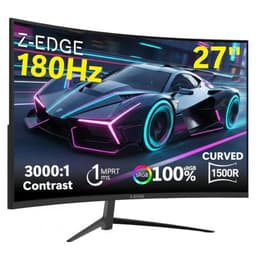
The Z-Edge 30 inch ultrawide gaming monitor runs a 2560x1080 resolution across a 30-inch curved VA panel at a 1500R curve radius. That's a fairly aggressive curve, which suits the 21:9 aspect ratio well for immersion but means you want to be sitting reasonably centred in front of it. The panel is rated at 200Hz maximum refresh rate, which puts it above the typical 144Hz or 165Hz you'd find on budget competitors, and it ships with FreeSync Premium support for adaptive sync.
The manufacturer rates response time at 1ms MPRT. That's the motion blur reduction figure, not a grey-to-grey pixel transition measurement. The distinction matters a lot, and we'll get into it properly in the response time section. Brightness is rated at 300 nits typical, which is honest for this class of panel, and the stated contrast ratio is 3000:1, which is where VA panels earn their keep. The monitor arrives in a white colourway, which is a rarity at this price and genuinely looks smart on a desk.
Connectivity is straightforward: two HDMI 2.0 ports and one DisplayPort 1.2, plus a 3.5mm audio output. There's no USB hub, no USB-C, and no built-in speakers. The stand offers tilt adjustment but no height adjustment or pivot, which is a limitation to know before you commit. VESA compatibility (100x100mm) means you can mount it on an arm if the stand frustrates you.
| Specification | Detail |
|---|---|
| Screen Size | 30 inches |
| Resolution | 2560x1080 (UWFHD) |
| Aspect Ratio | 21:9 |
| Panel Type | VA |
| Curve Radius | 1500R |
| Refresh Rate | 200Hz |
| Response Time (rated) | 1ms MPRT |
| Adaptive Sync | FreeSync Premium |
| Brightness | 300 cd/m² |
| Contrast Ratio | 3000:1 (static) |
| Colour Gamut | sRGB coverage (see colour section) |
| HDR | HDR10 (no local dimming) |
| Ports | 2x HDMI 2.0, 1x DisplayPort 1.2 |
| Audio | 3.5mm headphone out |
| VESA Mount | 100x100mm |
| Stand Adjustment | Tilt only |
| Dimensions (with stand) | Approx. 710x450x230mm |
| Colour | White |
| Price | £189.99 |

Panel Technology
VA panels have a specific personality that you either learn to love or find maddening. The headline advantage is contrast. A 3000:1 static contrast ratio is roughly three times what a typical IPS panel delivers at this price, which means blacks look genuinely dark rather than grey-ish, and night scenes in games have real depth to them. If you're coming from a budget IPS ultrawide, the difference in dark content is immediately obvious. VA is the right choice for a curved gaming monitor at this price point, and Z-Edge has made the sensible call here.
The trade-off is viewing angles. IPS panels maintain colour accuracy across wide off-axis viewing, while VA panels shift noticeably in colour and brightness as you move away from centre. On a 30-inch ultrawide, this matters more than it would on a 24-inch flat panel, because the edges of the screen are physically further from your line of sight. In practice, for gaming and media consumption where you're sitting directly in front, it's rarely a problem. For anything requiring accurate colour matching across the full screen width, it becomes more noticeable.
The other VA characteristic to know about is black smearing, sometimes called black crush. Fast-moving dark objects against dark backgrounds can exhibit a trailing smear effect on VA panels, because the pixel response from black to a near-black grey is slower than transitions between brighter tones. This is a panel-physics issue, not a Z-Edge-specific flaw, but it's relevant for fast-paced gaming in dark environments. The 1500R curve is tight enough to add genuine immersion for single-player games and racing titles, and at 30 inches it wraps the image around your peripheral vision in a way that a flat panel simply can't. Owner feedback consistently mentions the curve as a highlight, with multiple reviewers specifically calling out how good it feels for racing and flight simulators.
Display Quality
Here's the honest conversation about 2560x1080 on a 30-inch panel: the pixel density works out at roughly 96 pixels per inch. That's the same PPI as a 1920x1080 monitor at around 22 inches. So you're not getting a sharp, high-density image. Text will look fine at normal viewing distances, but you won't mistake it for a 1440p display. For gaming, the lower pixel count is actually an asset because it's far easier to push 200 frames per second at 2560x1080 than at 2560x1440, meaning mid-range GPUs can actually use the 200Hz refresh rate.
The anti-glare coating on the panel is a standard matte finish, which handles reflections well in normally lit rooms. Owner reviews don't flag any unusual graininess or haze from the coating, which suggests Z-Edge has used a reasonable quality matte layer rather than the overly aggressive coatings that make some budget monitors look like you're viewing through frosted glass. Brightness uniformity at 300 nits is adequate for indoor use, though as with most VA panels, some backlight bleed at the corners is possible. A handful of owners mention minor bleed in dark scenes, which is typical for edge-lit VA at this size and price.
The white colourway deserves a mention because it's genuinely unusual in the gaming monitor space, where everything is either black or black with RGB. The white finish looks clean, and several owners specifically bought this monitor because it matched a white desk setup. It's a practical differentiator for a certain buyer, and the build quality of the chassis gets consistently positive comments in owner reviews, with the plastic feeling solid rather than flimsy. The matte white doesn't show fingerprints badly, which is more than can be said for some glossy white electronics.
Refresh Rate and Adaptive Sync
200Hz is the headline, and it's a legitimate one. At 2560x1080, this is genuinely achievable on modern mid-range hardware. An RTX 4060 or RX 7600 can push well above 200fps in many popular titles at this resolution, including competitive shooters where high frame rates matter most. The step up from 144Hz to 200Hz is real but not transformative in the way that 60Hz to 144Hz is. If you're coming from 60Hz, you will notice 200Hz immediately and dramatically. If you're coming from 165Hz, the difference is subtler but still present in fast-paced play.
FreeSync Premium is the adaptive sync implementation here. AMD's FreeSync Premium specification requires a minimum 120Hz at native resolution with low framerate compensation (LFC) support, meaning the monitor doubles the frame rate signal when your GPU drops below the minimum sync range to prevent judder. This is a meaningful step up from basic FreeSync, and it makes the monitor usable with VRR even when your frame rate drops in demanding scenes. The FreeSync range on this panel is typically 48Hz to 200Hz, which is a wide enough window to keep tearing at bay in most gaming scenarios.
G-Sync compatibility is not officially certified, but FreeSync monitors frequently work with Nvidia's adaptive sync implementation in G-Sync Compatible mode. Owner reports suggest this monitor does function with Nvidia GPUs in that mode, though Nvidia doesn't guarantee performance without official certification. If you're on an AMD GPU, FreeSync Premium works natively and properly. If you're on Nvidia, it should work fine in practice but you're technically outside official support. The DisplayPort 1.2 connection is needed to access 200Hz; HDMI 2.0 caps out at 144Hz at this resolution, so use DisplayPort for the full refresh rate.
Response Time and Motion
The 1ms figure on the box is MPRT, which stands for Moving Picture Response Time. This is a measurement of how long each pixel is illuminated per frame when backlight strobing is active, not a measurement of how fast pixels actually transition between colours. The actual grey-to-grey pixel transition time on a VA panel at this price is typically in the 4ms to 8ms range depending on the transition pair and the overdrive setting used. That's not bad, but it's not 1ms either, and the distinction matters for how you understand the monitor's motion performance.
VA panels have a known weakness in dark-to-dark transitions, sometimes called black smearing or dark level smearing. When a dark grey pixel needs to transition to another dark grey, the liquid crystal molecules move slowly, leaving a visible trail behind fast-moving objects in dark scenes. This is most noticeable in dark game environments with fast camera movement. Z-Edge will have an overdrive setting in the OSD to push pixel transitions harder, but aggressive overdrive on VA panels introduces inverse ghosting (bright halos around moving objects), so there's a trade-off to find. Owner reviews don't specifically flag severe ghosting as a widespread complaint, which suggests the overdrive implementation is reasonably tuned.
For competitive gaming in brightly lit game environments, such as battle royale titles, racing games, and sports games, the response performance is perfectly adequate at 200Hz. The combination of high refresh rate and FreeSync Premium keeps the image smooth and tear-free. For horror games, space sims, or anything with sustained dark scenes and fast movement, the VA dark smearing is something to be aware of. It won't ruin the experience, but it's there. If motion clarity in dark scenes is your absolute priority, an IPS panel would be a cleaner choice, though you'd sacrifice that excellent contrast ratio in the process.
Color Accuracy and Gamut
Z-Edge rates the colour gamut as covering the sRGB colour space, which is the standard for PC monitors and web content. The sRGB standard covers a subset of visible colour and is the baseline expectation for gaming monitors at this price. There's no claim of wide gamut DCI-P3 coverage, which is honest. Wide gamut VA panels do exist, but they tend to cost more and require proper colour management to avoid oversaturated-looking content. For gaming and general use, sRGB coverage is exactly what you want.
Factory calibration on monitors at this price is rarely impressive. Z-Edge doesn't publish Delta-E figures, which is typical for budget and mid-range gaming monitors. Based on the panel class and price point, a Delta-E average somewhere in the 3 to 5 range before any user calibration would be a realistic expectation. That's visible to a trained eye on colour-critical work but perfectly acceptable for gaming and media consumption. If you're doing professional photo editing or video colour grading, this monitor isn't the tool for the job regardless of calibration, and Z-Edge isn't pretending otherwise.
Colour temperature out of the box is likely to lean slightly warm or cool depending on the specific unit, which is normal for mass-produced panels. The OSD includes colour temperature presets and individual RGB gain controls, so you can nudge the white point towards D65 (the standard 6500K target) without specialist equipment. Owner reviews don't report wildly inconsistent colours, which suggests the panel binning is reasonably consistent. For gaming, the colours look punchy and saturated enough to be enjoyable, and the high contrast ratio of the VA panel makes HDR-style content look more dramatic than a flat IPS panel would at the same brightness settings.

HDR Performance
The Z-Edge 30 inch supports HDR10, which is the base HDR signalling standard. HDR10 requires a monitor to accept a high dynamic range signal from the source, but whether it can actually display that signal with meaningful dynamic range depends on the panel's peak brightness and local dimming capability. This monitor has neither. At 300 nits peak brightness and with no local dimming, the HDR10 badge is essentially a checkbox feature rather than a meaningful capability.
Real HDR requires at minimum around 600 nits of peak brightness to show specular highlights with impact, and local dimming to achieve the deep blacks and bright highlights simultaneously that make HDR content look genuinely different from SDR. Monitors with proper HDR start at VESA DisplayHDR 600 certification and go up from there. This monitor doesn't carry a DisplayHDR certification, and the 300 nit brightness cap means that in HDR mode, highlights that should appear at 1000 nits will be tone-mapped down to fit the display's capability, losing much of the HDR benefit.
The practical advice is to leave HDR disabled on this monitor and use it in SDR mode. The VA panel's native 3000:1 contrast ratio will actually produce more visually impressive dark scenes in SDR than the HDR mode will, because HDR mode on monitors without local dimming often raises the black floor to accommodate the wider signal range, paradoxically making the image look flatter. This is a common issue with budget HDR monitors and isn't unique to Z-Edge. Just turn HDR off in Windows settings and enjoy the excellent native contrast instead.
Contrast and Brightness
The 3000:1 static contrast ratio is the best thing about this panel, and it's not close. At this price point, IPS panels typically deliver 800:1 to 1200:1, meaning blacks look noticeably grey in dark rooms. The Z-Edge's VA panel produces genuinely dark blacks that give night scenes, space environments, and horror games a completely different feel. This is the reason VA curved panels remain popular for immersive gaming despite their response time trade-offs, and it's a legitimate reason to choose this monitor over a competing IPS ultrawide at a similar price.
The 300 nit typical brightness is adequate for most indoor environments but won't fight off direct sunlight through a window. In a normally lit office or gaming room, 300 nits is comfortable for extended use. Some owners note that the maximum brightness is sufficient for their setups, and nobody in the review pool is complaining about the panel being too dim for normal use. For HDR content, as discussed above, 300 nits is genuinely limiting, but for SDR gaming and productivity it's fine.
Backlight uniformity is where VA panels can occasionally disappoint. The edge-lit backlight design used in monitors at this price can produce visible brightness variation across the panel, with corners sometimes appearing dimmer than the centre. A few owners mention minor clouding or bleed visible on dark content, which is typical for the category. It's not a defect in the traditional sense; it's a characteristic of the technology at this price. If you're viewing predominantly dark content in a pitch-black room, you may notice it. In a normally lit room with mixed content, most users won't.
Ergonomics and Stand
The stand is the most honest limitation of this monitor's build. Tilt adjustment is included, typically around minus 5 to plus 15 degrees, which lets you angle the screen towards or away from you. That's it. No height adjustment, no swivel, no pivot. For a 30-inch ultrawide, the lack of height adjustment is more significant than it would be on a smaller display, because getting the monitor at the right eye level is important for comfort over long sessions. If the fixed stand height doesn't suit your desk and chair combination, you'll need a monitor arm.
The good news is that VESA 100x100mm compatibility means a standard monitor arm will fit without any issues. A basic single-arm mount from any reputable brand will let you set the height, angle, and depth exactly where you want it, and it'll free up desk space by removing the stand's footprint. Several owners have done exactly this and report the experience improves significantly. If you're buying this monitor and the stand height doesn't work for you, budget an extra twenty or thirty pounds for a decent arm rather than suffering with a bad ergonomic position.
The build quality of the chassis itself gets positive marks from owners. The white plastic is described as feeling solid, with no obvious flex or creakiness. The bezels are slim on three sides with a slightly thicker bottom bezel, which is standard for this class. The OSD buttons are physical buttons on the back or underside of the panel (typical for this form factor) rather than a joystick, which some people find less intuitive, but it's manageable once you learn the layout. Assembly from the box is reported as straightforward, with the stand clicking into place without tools. The overall impression from owner feedback is that this doesn't feel like a cheap monitor despite its price, which is encouraging.
Connectivity and Ports
The port selection is functional but minimal. Two HDMI 2.0 ports and one DisplayPort 1.2 cover the basics for connecting a PC and a console simultaneously, which is a genuinely useful configuration for the gaming audience this monitor targets. HDMI 2.0 supports up to 144Hz at 2560x1080, so a PlayStation 5 or Xbox Series X connected via HDMI will max out at 144Hz rather than 200Hz. That's fine; consoles don't output at 200Hz anyway. The DisplayPort 1.2 connection is what you want for PC gaming at the full 200Hz.
- 2x HDMI 2.0 (up to 144Hz at 2560x1080)
- 1x DisplayPort 1.2 (up to 200Hz at 2560x1080)
- 1x 3.5mm headphone output
There's no USB hub, which is a common omission at this price but still a bit annoying if you want to plug peripherals into the monitor rather than reaching around to your PC. No USB-C either, so laptop users connecting via USB-C will need a USB-C to DisplayPort or HDMI cable or adapter. The 3.5mm audio output passes audio from the connected source, which is useful for headphones if your PC audio output is inconveniently located. There are no built-in speakers, which is fine because built-in monitor speakers are almost universally terrible anyway.
The cable management on the stand is basic. There's no dedicated cable routing channel, so cables hang freely unless you manage them yourself with clips or velcro ties. For a white monitor on a clean desk setup, this matters aesthetically, and a few owners mention that cable tidying requires a bit of effort. It's a minor point but one that affects the overall desk presentation that the white colourway is clearly designed to serve. DisplayPort 1.2 bandwidth is sufficient for 200Hz at this resolution without compression, so there are no signal integrity concerns using a quality DP1.2 cable.
How It Compares
The main competition at this price in the 30-inch ultrawide space comes from the AOC CU34G2X and the LG 34WP500-B. The AOC CU34G2X steps up to 3440x1440 resolution at 144Hz, which is a fundamentally different proposition: sharper image, lower refresh rate, and typically a higher price. The LG 34WP500-B sits at 2560x1080 like the Z-Edge but runs at 75Hz, which makes it a better productivity monitor than a gaming one. Neither directly competes on the same combination of resolution, refresh rate, and price that the Z-Edge offers.
The AOC CU34G2X is the monitor to consider if you can stretch the budget and your GPU can handle 1440p ultrawide. The resolution jump from 2560x1080 to 3440x1440 is dramatic in terms of image sharpness and screen real estate, and 144Hz is plenty for most gaming. But it costs meaningfully more, and pushing 144Hz at 3440x1440 demands a significantly more powerful GPU than pushing 200Hz at 2560x1080. So the Z-Edge isn't being beaten by the AOC on every axis; it's a different trade-off for a different buyer.
Against the LG 34WP500-B, the Z-Edge wins on refresh rate by a wide margin (200Hz versus 75Hz) while matching it on resolution. The LG uses an IPS panel, so it has better viewing angles and no dark smearing, but the Z-Edge's contrast ratio will look noticeably better in dark content. For gaming, the Z-Edge's 200Hz with FreeSync Premium is a clear advantage over 75Hz. The LG makes more sense for colour-sensitive work or a shared monitor where multiple people view from different angles. For a dedicated gaming setup, the Z-Edge is the stronger choice between the two.
| Feature | Z-Edge 30" 200Hz | AOC CU34G2X 34" 144Hz | LG 34WP500-B 34" 75Hz |
|---|---|---|---|
| Size | 30 inch | 34 inch | 34 inch |
| Resolution | 2560x1080 | 3440x1440 | 2560x1080 |
| Panel Type | VA | VA | IPS |
| Refresh Rate | 200Hz | 144Hz | 75Hz |
| Adaptive Sync | FreeSync Premium | FreeSync Premium | FreeSync |
| Contrast Ratio | 3000:1 | 3000:1 | 1000:1 |
| HDR | HDR10 (basic) | HDR10 (basic) | HDR10 (basic) |
| USB Hub | No | Yes | No |
| Height Adjust | No | Yes | No |
| Price | £189.99 | Higher | Similar |

Final Verdict
The Z-Edge 30 inch ultrawide gaming monitor does what it promises at a price that makes sense for what it is. The 200Hz refresh rate is real, FreeSync Premium is properly implemented, the VA panel delivers contrast that IPS monitors at this price can't match, and the white colourway is genuinely attractive for the right desk setup. With 135 owner reviews averaging ★★★★½ (4.5), the user satisfaction data backs up the spec sheet assessment. This isn't a monitor that overpromises and underdelivers.
The limitations are equally real. The 2560x1080 resolution looks soft compared to 1440p ultrawides. The stand is tilt-only, which will frustrate anyone whose desk height doesn't happen to align with the fixed stand position. The HDR implementation is checkbox-level and should be ignored. VA dark smearing is a factor in fast dark-scene gaming. None of these are dealbreakers for the target buyer, but they're things you should know going in rather than discovering after the fact.
The score is 7 out of 10. It earns that rating by being genuinely good at its core job: delivering an immersive, high-refresh-rate ultrawide gaming experience at a mid-range price. It loses points for the stand limitations, the low pixel density, and the HDR that isn't really HDR. For the buyer who wants the ultrawide experience and 200Hz gaming without spending OLED money, this is a solid choice. For the buyer who wants sharper text, better ergonomics out of the box, or accurate colours for creative work, the AOC CU34G2X at 3440x1440 is a smarter spend even at the higher price, and if you're primarily using the monitor for productivity rather than gaming, the LG 34WP500-B's IPS panel at a similar price is worth a look instead.
What works. What doesn’t.
5 + 4What we liked5 reasons
- Genuine 200Hz with FreeSync Premium properly implemented
- 3000:1 VA contrast ratio beats IPS rivals at this price
- White colourway is rare and looks great on clean desk setups
- 2560x1080 is easy for mid-range GPUs to push at full refresh rate
- Solid build quality and positive owner feedback at 4.5/5 average
Where it falls4 reasons
- 2560x1080 pixel density looks soft compared to 1440p ultrawides
- Stand is tilt-only, no height or swivel adjustment
- HDR10 support is checkbox-level, no local dimming or meaningful peak brightness
- VA dark smearing visible in fast dark-scene gaming
Full specifications
11 attributes| Panel type | VA |
|---|---|
| Aspect ratio | 21:9 |
| Curvature | 1500R |
| HDR | none |
| Launch year | 2024 |
| Ports | 2x HDMI 2.0, 2x DisplayPort 1.4, 1x 3.5mm audio |
| Refresh rate HZ | 200 |
| Resolution | 2560x1080 |
| Response time MS | 1 |
| Screen size IN | 30 |
| Vesa compatible | true |
If this isn’t right for you
2 options
Frequently asked
5 questions01Is the Z-Edge 30 Inch Ultrawide Curved Gaming Monitor 200Hz 2560x1080 21:9 White good for gaming?+
Yes, for most gaming use cases. The 200Hz refresh rate with FreeSync Premium keeps gameplay smooth and tear-free, and the 2560x1080 resolution is easy for mid-range GPUs to push at high frame rates. The VA panel's 3000:1 contrast ratio makes games look vivid. The main caveat is VA dark smearing in fast-moving dark scenes, which can be noticeable in horror games or space sims. For competitive gaming, racing, and brightly lit titles, it performs well.
02Does the Z-Edge 30 Inch Ultrawide Curved Gaming Monitor 200Hz 2560x1080 21:9 White have good HDR?+
No, not in any meaningful sense. It supports the HDR10 signal standard, but with only 300 nits peak brightness and no local dimming, it cannot display HDR content with the contrast and highlight impact that HDR requires. Leave HDR disabled in Windows and use the monitor in SDR mode, where the VA panel's native 3000:1 contrast ratio will actually produce better-looking dark scenes than the HDR mode.
03Is the Z-Edge 30 Inch Ultrawide Curved Gaming Monitor 200Hz 2560x1080 21:9 White good for content creation?+
Not really. The monitor covers the sRGB colour space adequately for general use, but there are no published Delta-E figures and no factory calibration report. For professional photo editing, video colour grading, or any work requiring accurate, consistent colour across the full screen width, a calibrated IPS or OLED panel is the right tool. This monitor is designed and priced for gaming, and that's where it performs best.
04What graphics card do I need for the Z-Edge 30 Inch Ultrawide Curved Gaming Monitor 200Hz 2560x1080 21:9 White?+
To take advantage of the 200Hz refresh rate, you need a GPU capable of pushing above 200fps at 2560x1080 in your target games. For competitive titles like CS2, Valorant, or Rocket League, a mid-range card like an RTX 4060 or RX 7600 will hit 200fps comfortably. For demanding AAA titles at high settings, frame rates will drop below 200fps, but FreeSync Premium's low framerate compensation keeps the experience smooth down to around 48fps. An RTX 3060 or equivalent is a reasonable minimum for a good overall experience.
05What warranty and returns apply to the Z-Edge 30 Inch Ultrawide Curved Gaming Monitor 200Hz 2560x1080 21:9 White?+
Specific warranty terms are not confirmed in the product listing data available to us. When buying through Amazon UK, you're covered by Amazon's standard 30-day return window and the A-to-Z Guarantee regardless of manufacturer warranty. For manufacturer warranty details, check the product listing or contact Z-Edge directly before purchasing.