There's a particular kind of frustration that comes from staring at a high-refresh-rate monitor that smears through dark corridors or halos around fast-moving objects. The Hz number on the box is meaningless if the pixel transitions can't keep up. What actually separates a good 165Hz panel from a great one isn't the headline spec, it's what happens in the transitions between frames, and whether the colours hold up when you stop playing and start watching something.
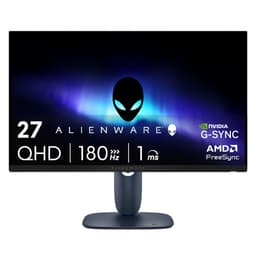
The Alienware 27 Gaming Monitor (AW2724DM) is a 27-inch, 2560x1440 IPS panel running at 165Hz, and it sits in a bracket that's become genuinely competitive. At mid-range money, you're now fighting for space against some properly capable alternatives. But Alienware's reputation for display quality, combined with a 4.7-star average across 70 owner reviews, suggests this one's doing something right. The question is whether "something right" is enough to beat what else you can buy at this price.
Spoiler: it mostly is. The colour accuracy is genuinely impressive for the money, the motion handling is cleaner than most IPS panels at this price, and the build quality is proper Alienware, solid, adjustable, and a bit over-designed in the best possible way. There are caveats, and we'll get to them honestly, but this is a strong monitor in a strong bracket.
Core Specifications
The AW2724DM is a 27-inch IPS panel running at 2560x1440 (QHD) with a 165Hz refresh rate. That's the sweet spot for gaming monitors right now, enough resolution to look genuinely sharp at 27 inches, and enough refresh rate headroom that a mid-range GPU can actually hit the ceiling in most games. The panel uses Alienware's Fast IPS technology, which is Dell's implementation of the high-speed IPS panels that have become the default choice for gaming at this tier.
Adaptive sync comes via both AMD FreeSync Premium and NVIDIA G-Sync compatibility, so you're covered regardless of which GPU is in your rig. The VRR range runs from 48Hz to 165Hz, which is a sensible spread. G-Sync Compatible certification means NVIDIA has validated it for tear-free operation rather than just relying on the monitor's self-reported compatibility, which is the kind of detail that matters when you're dropping mid-range money on a display.
Connectivity is solid without being excessive: two HDMI 2.0 ports, one DisplayPort 1.4, and a USB 3.2 hub with four downstream ports. There's no USB-C, which some people will care about and others won't. The stand offers height, tilt, swivel, and pivot adjustment. Response time is quoted at 1ms GtG (grey-to-grey) in the marketing, but as always, the real-world picture is more nuanced than that single number suggests.
| Specification | Detail |
|---|---|
| Screen Size | 27 inches (68.5cm) |
| Resolution | 2560 x 1440 (QHD) |
| Panel Type | Fast IPS |
| Refresh Rate | 165Hz |
| Response Time (quoted) | 1ms GtG |
| Adaptive Sync | FreeSync Premium / G-Sync Compatible |
| VRR Range | 48Hz to 165Hz |
| Peak Brightness (SDR) | 400 nits |
| Peak Brightness (HDR) | 600 nits |
| HDR Certification | VESA DisplayHDR 600 |
| Colour Gamut | 95% DCI-P3 |
| Colour Accuracy | Delta-E less than 2 (factory calibrated) |
| Native Contrast | 1000:1 |
| Ports | 2x HDMI 2.0, 1x DisplayPort 1.4, 4x USB 3.2 (hub) |
| VESA Mount | 100x100mm |
| Dimensions (with stand) | 614 x 559 x 234mm |
| Weight (with stand) | 6.8kg |
| Current Price | £280.00 |

Panel Technology
Fast IPS is the right panel choice for this kind of monitor. Standard IPS has always had a response time problem, the pixels move slowly enough that you get visible trailing in fast games, which is a significant problem at 144Hz and above. Fast IPS addresses this by using a different liquid crystal formulation and overdrive approach that genuinely reduces pixel transition times. It's not magic, and it doesn't match OLED for motion clarity, but it's a meaningful step up from the IPS panels in budget monitors.
The viewing angles are what you'd expect from IPS: wide, consistent, and comfortable. There's no colour shift when you move off-axis, which matters both for gaming (you're not always perfectly centred) and for the moments when someone else is looking at your screen. VA panels can look great head-on but wash out and shift colour at angles; TN panels are even worse. IPS avoids both problems. The trade-off, as always, is contrast, IPS panels can't match the deep blacks that VA achieves, and they certainly can't touch OLED. The AW2724DM's 1000:1 native contrast is standard for IPS, which means dark scenes in games look grey rather than black in a dark room.
IPS glow is present, as it is on every IPS panel. In dark scenes with a dark room, you'll see a brightening in the corners. Alienware hasn't done anything particularly special to suppress it, and several owner reviews mention it in dark environments. This isn't a defect, it's a fundamental characteristic of IPS technology. If you game in a well-lit room, you'll never notice. If you watch films in the dark and care deeply about black uniformity, a VA panel or an OLED would serve you better. The IPS panel technology trade-off between viewing angle and contrast has existed for decades, and the AW2724DM doesn't break that rule.
Display Quality
At 27 inches with a 2560x1440 resolution, the pixel density comes out at around 109 pixels per inch. That's sharp enough that individual pixels aren't visible at normal viewing distances (60cm to 80cm), and text looks clean without any sub-pixel rendering tricks. It's noticeably crisper than 1080p at this size, if you've been gaming on a 27-inch 1080p monitor, the jump to 1440p here is substantial and immediately obvious. The 4K camp will point out that 1440p isn't as sharp as their panels, and they're right, but 4K at 165Hz still costs considerably more and demands more from your GPU.
The anti-glare coating is a standard matte finish, which handles reflections well in bright rooms. It does soften the image slightly compared to a glossy panel, this is the eternal compromise with matte coatings. In practice, for gaming in a typical UK room with a window somewhere nearby, the matte finish is the right call. Glossy panels look stunning in a controlled environment and terrible when there's any ambient light. Owner reviews consistently praise the image clarity, with several mentioning how much better it looks than their previous 1080p screens.
Brightness uniformity is generally good based on owner feedback, though a handful of reviews mention slight backlight inconsistency at the edges. This is common with IPS panels at this price and isn't specific to Alienware. The panel is rated at 400 nits for SDR content, which is plenty for a well-lit room. At lower brightness settings (where most people actually use their monitors), the uniformity issues are less apparent. Factory calibration is included, and Alienware ships each monitor with a calibration report, that's a nice touch at this price point and something you don't always get from competitors.
Refresh Rate and Adaptive Sync
165Hz is the right number for this bracket in 2026. It's fast enough that the difference between this and a 60Hz panel is immediately obvious to anyone, and the gap between 165Hz and 240Hz is much harder to perceive in practice. For most games, 165fps is a ceiling you'll rarely hit consistently anyway unless you're playing esports titles at low settings. So the refresh rate here is genuinely useful rather than a spec-sheet number you'll never reach.
The dual adaptive sync support (FreeSync Premium and G-Sync Compatible) is handled well. FreeSync Premium requires low framerate compensation (LFC), which kicks in when your GPU drops below the VRR floor of 48Hz, the monitor doubles frames to maintain smooth output rather than dropping into fixed-rate territory. G-Sync Compatible certification from NVIDIA means the monitor has been validated to work without tearing or artefacts through the full VRR range, not just self-declared. The G-Sync Compatible programme has become a reliable signal that adaptive sync actually works properly on a given panel.
Owner reviews are consistently positive about the adaptive sync implementation. Nobody's reporting tearing at the edges of the VRR range or flickering when framerates dip, which are the common failure modes for poorly implemented FreeSync panels. The 48Hz to 165Hz range is wide enough to cover most gaming scenarios. If you're running an older GPU and regularly drop below 48fps, you might see some judder, but at that point the monitor isn't really the bottleneck in your setup.
Response Time and Motion
The 1ms GtG marketing claim needs context. That figure represents the fastest possible pixel transition under ideal conditions with maximum overdrive applied. In practice, maximum overdrive on most IPS panels causes inverse ghosting, a bright halo that trails behind fast-moving objects, which looks worse than mild blur. Published measurements of Fast IPS panels from this generation typically show real-world GtG averages in the 3ms to 5ms range at the overdrive settings that avoid visible overshoot. That's still very good for IPS, and it's genuinely faster than older IPS panels.
The AW2724DM offers multiple overdrive settings through its OSD (on-screen display). Owner reviews suggest the middle overdrive setting ("Normal" or equivalent) hits the sweet spot between speed and overshoot control. Several reviewers specifically mention that the highest overdrive setting produces visible halos in dark-to-light transitions, while the default or medium setting keeps things clean. This is exactly the pattern you see with Fast IPS panels across the board. The key takeaway is that the monitor is capable of clean motion at 165Hz, but you need to dial in the overdrive rather than leaving it at maximum.
For competitive gaming, shooters, racing games, fighting games, the motion performance is more than adequate. You're not going to match OLED's near-instantaneous pixel response, but OLED at 27 inches and 1440p costs significantly more. For the money, Fast IPS at 165Hz is a solid choice, and the AW2724DM executes it well. The 0.1ms MPRT (moving picture response time) figure that appears in some listings is a backlight strobing measurement and isn't directly comparable to GtG, it's a different metric that measures perceived blur rather than actual pixel switching speed.
Color Accuracy and Gamut
This is where the AW2724DM genuinely earns its Alienware badge. The panel covers 95% of the DCI-P3 colour space, which is excellent for a gaming monitor at this price. Most competitors in the mid-range bracket hit 90% to 92% DCI-P3 and call it a day. 95% is close enough to full P3 coverage that the difference in day-to-day use is negligible, but it's a meaningful step up from the 72% sRGB-equivalent panels that still populate the budget tier.
Factory calibration with a Delta-E target of less than 2 is the headline here. Delta-E is the standard measure of colour accuracy, a Delta-E below 2 means colour errors are largely imperceptible to the human eye. Alienware includes a calibration report with each monitor, and owner reviews confirm that out-of-the-box accuracy is genuinely good. Several reviewers who use their monitors for photo editing or video work alongside gaming report being pleasantly surprised by how little adjustment was needed. That's not common at this price point.
For content creation, 95% DCI-P3 and sub-2 Delta-E is a legitimate combination. If you're editing photos for print, you'd want Adobe RGB coverage and a proper hardware calibrator, and this monitor doesn't claim to be a professional colour tool. But for video editing, digital illustration, or casual photo work alongside gaming, the colour accuracy here is genuinely useful rather than incidental. The sRGB mode (which clamps the gamut for SDR content) is also well-implemented, avoiding the oversaturated look that some wide-gamut panels produce when displaying standard content. The International Color Consortium standards that underpin colour management are actually respected here, rather than ignored in favour of punchy-looking defaults.

HDR Performance
The AW2724DM carries VESA DisplayHDR 600 certification, which puts it a tier above the checkbox HDR400 you find on most mid-range monitors. DisplayHDR 600 requires a peak brightness of at least 600 nits, which the AW2724DM achieves. That's a meaningful difference from HDR400-600 nits is enough to produce genuine highlights in HDR content, particularly in bright outdoor scenes or specular reflections.
The limitation, and it's an honest one, is local dimming. The AW2724DM doesn't have full-array local dimming, it uses edge-lit backlighting. Without zone-level control over the backlight, HDR content can't achieve the simultaneous deep blacks and bright highlights that make HDR look genuinely impressive on a Mini-LED or OLED panel. What you get instead is good overall brightness with wide colour volume, which looks better than SDR but doesn't match the HDR experience on a proper Mini-LED panel. If HDR is your primary reason for buying a monitor, the AW2724DM is a step in the right direction but not the destination.
In practice, for gaming, the HDR implementation is more useful than the spec sheet might suggest. Games that use HDR well (Control, Cyberpunk 2077, Horizon Forbidden West) look noticeably more vibrant and punchy on this monitor than they do in SDR. The 600-nit peak brightness gives highlights enough room to pop. It's not the transformative HDR experience you get from a 1,000-nit Mini-LED panel, but it's real and visible improvement over HDR400. Owner reviews are generally positive about HDR gaming, with the caveat that it's best experienced in a moderately lit room rather than complete darkness, where the lack of local dimming becomes more apparent.
Contrast and Brightness
The 1000:1 native contrast ratio is standard IPS territory. It's not going to produce the inky blacks that a VA panel manages (typically 3000:1 to 5000:1 native contrast), and it's nowhere near OLED's effectively infinite contrast. In a bright room, 1000:1 is perfectly fine, the ambient light washes out the blacks anyway, so the panel's native contrast isn't the limiting factor. In a dark room, dark scenes in games will look noticeably grey rather than black, and there's no local dimming to compensate.
The 400-nit SDR brightness is solid. For a well-lit office or gaming room, 400 nits is plenty to overcome ambient light without having to push the backlight to uncomfortable levels. The brightness range is wide enough to accommodate both daytime use in a bright room and evening gaming with the lights down. Owner reviews don't flag any issues with brightness consistency or unexpected dimming, which is reassuring, some monitors with aggressive auto-brightness features can be distracting in use.
The combination of 400-nit SDR brightness and 600-nit HDR peak gives the monitor a useful dynamic range for HDR content without demanding a GPU that can push enough frames to justify the HDR overhead. For the target audience (mid-range GPU, 1440p gaming, mixed use), the brightness and contrast spec is well-matched to realistic use cases. You're not going to use this in direct sunlight, and you're not going to mistake it for an OLED in a dark room. Within those parameters, it performs as it should.
Ergonomics and Stand
The stand is genuinely good. Height adjustment covers 130mm of range, tilt goes from -5 to +21 degrees, swivel covers 20 degrees either side, and there's portrait pivot (90-degree rotation) for those who use their monitor vertically. That's the full set of adjustments, and the mechanisms feel solid rather than plasticky. Alienware's build quality has always been a step above the average monitor brand, and the AW2724DM continues that. The stand base has a relatively small footprint for a 27-inch monitor, which helps if desk space is tight.
The stand head locks into position satisfyingly and doesn't drift over time, which is a failure mode on cheaper stands where the tilt gradually sags forward. Owner reviews specifically mention the build quality positively, with several noting the stand feels premium compared to previous monitors they've owned. The cable management routing through the stand arm is tidy, which is a small detail that makes a real difference to desk aesthetics if you care about that sort of thing.
VESA compatibility is 100x100mm, which is the standard size and compatible with virtually every aftermarket arm and wall mount. If you want to remove the stand and use a monitor arm, the process is straightforward. The monitor itself weighs 4.5kg without the stand, which is within the capacity of most mid-range monitor arms. The OSD joystick is positioned at the rear-right of the panel, which is the sensible location, easier to find by feel than buttons along the bottom edge. The OSD itself is clean and navigable, which sounds like a low bar but is genuinely not universal among gaming monitors.
Connectivity and Ports
The port selection is practical. Two HDMI 2.0 ports let you connect a console alongside a PC without swapping cables, which is a genuinely useful setup for anyone with a PS5 or Xbox Series X on the desk. The single DisplayPort 1.4 is the primary connection for PC gaming at full 1440p/165Hz. DisplayPort 1.4 has enough bandwidth for 1440p at 165Hz with HDR enabled, so there's no need to compromise. DisplayPort 1.4 supports up to 32.4 Gbps of bandwidth, which comfortably covers this monitor's requirements.
The USB 3.2 hub provides four downstream Type-A ports, which is genuinely useful for a gaming desk. Keyboard, mouse, headset dongle, and one spare, that covers most setups. The hub connects to your PC via a single USB upstream cable, so you're not running four separate USB cables from the monitor to your machine. It's a small quality-of-life feature that saves desk clutter. USB 3.2 Gen 1 speeds (5 Gbps) are fine for peripherals and external storage.
No USB-C is the notable omission. If you want to connect a laptop via a single cable for both display and charging, you're out of luck here. For a dedicated gaming monitor that's going to live on a desk connected to a desktop PC, this probably doesn't matter. But if you're buying this for a dual-purpose setup where a laptop occasionally needs to connect cleanly, the lack of USB-C with power delivery is a genuine limitation. There's also no built-in audio, which is standard for gaming monitors at this price, you'll need external speakers or a headset connected to your PC or a DAC.
- 2x HDMI 2.0 (supports 1440p at up to 144Hz)
- 1x DisplayPort 1.4 (supports 1440p at 165Hz with HDR)
- 4x USB 3.2 Gen 1 Type-A (downstream hub)
- 1x USB Type-B (upstream hub connection)
- No USB-C
- No audio jack
How It Compares
The two monitors that sit closest to the AW2724DM in this bracket are the LG 27GP850-B (27-inch, 1440p, 180Hz, Nano IPS) and the ASUS ROG Strix XG27AQM (27-inch, 1440p, 270Hz, Fast IPS). The LG is typically priced at the lower end of the mid-range bracket and has been a benchmark for IPS gaming monitors for a couple of years. The ASUS pushes the refresh rate significantly higher but costs more. Both are legitimate comparisons.
Against the LG 27GP850-B, the AW2724DM wins on colour accuracy and HDR certification. The LG hits around 98% DCI-P3 coverage (Nano IPS has excellent gamut), but its factory calibration is less consistent and it carries DisplayHDR 400 rather than 600. The Alienware's sub-2 Delta-E calibration and 600-nit HDR peak are genuine advantages. The LG counters with a slightly higher 180Hz refresh rate and a lower price. For competitive gaming, the LG's extra 15Hz matters minimally. For mixed use including content creation, the Alienware's calibration is the better story.
Against the ASUS ROG Strix XG27AQM, the comparison flips. The ASUS's 270Hz refresh rate is a real advantage for esports players who can feed it enough frames, and its motion clarity at high framerates is measurably better. But it costs more, and the colour accuracy isn't in the same league as the Alienware's factory-calibrated panel. For pure competitive gaming with a high-end GPU, the ASUS is worth the premium. For everything else, the Alienware's balance is more sensible.
| Feature | Alienware AW2724DM | LG 27GP850-B | ASUS ROG Strix XG27AQM |
|---|---|---|---|
| Panel Type | Fast IPS | Nano IPS | Fast IPS |
| Resolution | 2560x1440 | 2560x1440 | 2560x1440 |
| Refresh Rate | 165Hz | 180Hz | 270Hz |
| DCI-P3 Coverage | 95% | 98% | 90% |
| Factory Calibration | Yes (Delta-E under 2) | Partial | No |
| HDR Certification | DisplayHDR 600 | DisplayHDR 400 | DisplayHDR 400 |
| USB Hub | 4x USB 3.2 | 2x USB 3.0 | 2x USB 3.2 |
| VESA Mount | 100x100mm | 100x100mm | 100x100mm |
| Price | £280.00 | Around £220 to £250 | Around £350 to £400 |

Final Verdict
The Alienware 27 Gaming Monitor (AW2724DM) is a properly good monitor for people who want more than just a high refresh rate. The 95% DCI-P3 coverage and factory calibration to sub-2 Delta-E make it one of the better-calibrated panels in the mid-range bracket, and the DisplayHDR 600 certification puts it above most of the competition on paper and in practice. The Fast IPS panel delivers clean motion at 165Hz when the overdrive is set sensibly, the build quality is excellent, and the stand is among the better ones in this category.
The weaknesses are real but not dealbreakers. No local dimming means the HDR performance, while better than HDR400 alternatives, isn't transformative. Native contrast at 1000:1 is standard IPS and means dark scenes in a dark room look grey rather than black. No USB-C limits flexibility for laptop users. And the 165Hz ceiling, while plenty for most people, is lower than some competitors at similar prices.
The 4.7-star average from 70 owners backs up what the specs suggest: this is a monitor that delivers on its promises. It's not perfect, and it's not trying to be. It's a well-calibrated, well-built, properly capable 1440p gaming monitor that also happens to be good enough for light content creation work. That's a harder combination to pull off than it sounds, and Alienware has done it.
If you don't need the colour accuracy or the DisplayHDR 600 certification, the LG 27GP850-B is a legitimate alternative that costs less and gives up relatively little for pure gaming. But if you want a monitor that genuinely looks great for everything you throw at it, the AW2724DM earns its place at mid-range money. It's not cheap, but it's not pretending to be something it isn't either. For the target buyer, this is a confident recommendation.
What works. What doesn’t.
5 + 4What we liked5 reasons
- Factory calibrated to Delta-E under 2 out of the box
- 95% DCI-P3 colour coverage is excellent for the price
- DisplayHDR 600 certification beats most mid-range competition
- Excellent stand with full height, tilt, swivel, and pivot adjustment
- Dual adaptive sync (FreeSync Premium and G-Sync Compatible) works reliably
Where it falls4 reasons
- No local dimming limits real-world HDR impact
- 1000:1 native contrast shows IPS glow in dark rooms
- No USB-C port for laptop users
- 165Hz ceiling is lower than some similarly priced alternatives
If this isn’t right for you
2 options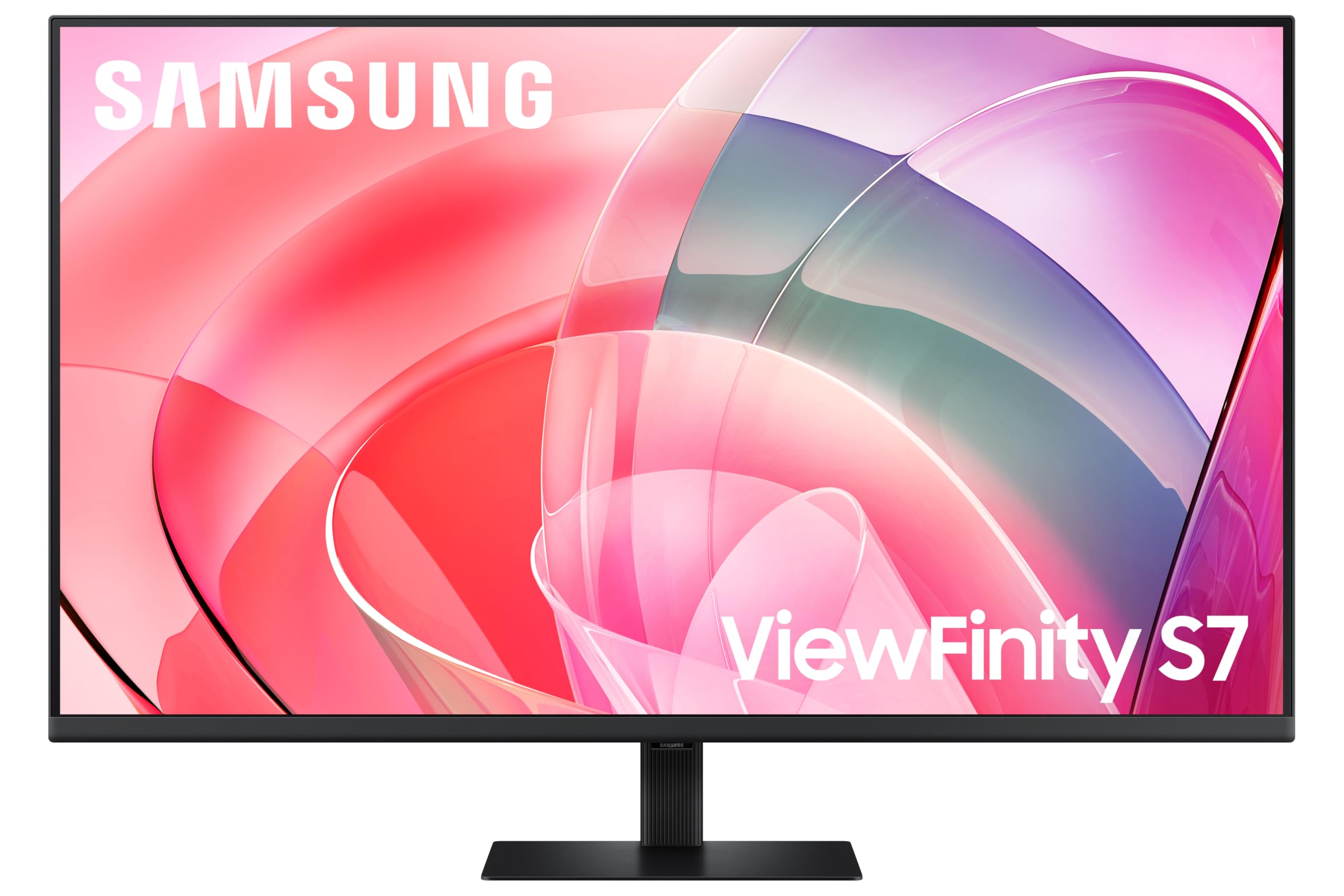 8.0 / 10
Samsung LS37D702EAUXXU 37" 4K Viewfinity Monitor - 3840 x 2160, Ultra HD, HDMI, Displayport
£329.00 · Samsung
 8.0 / 10
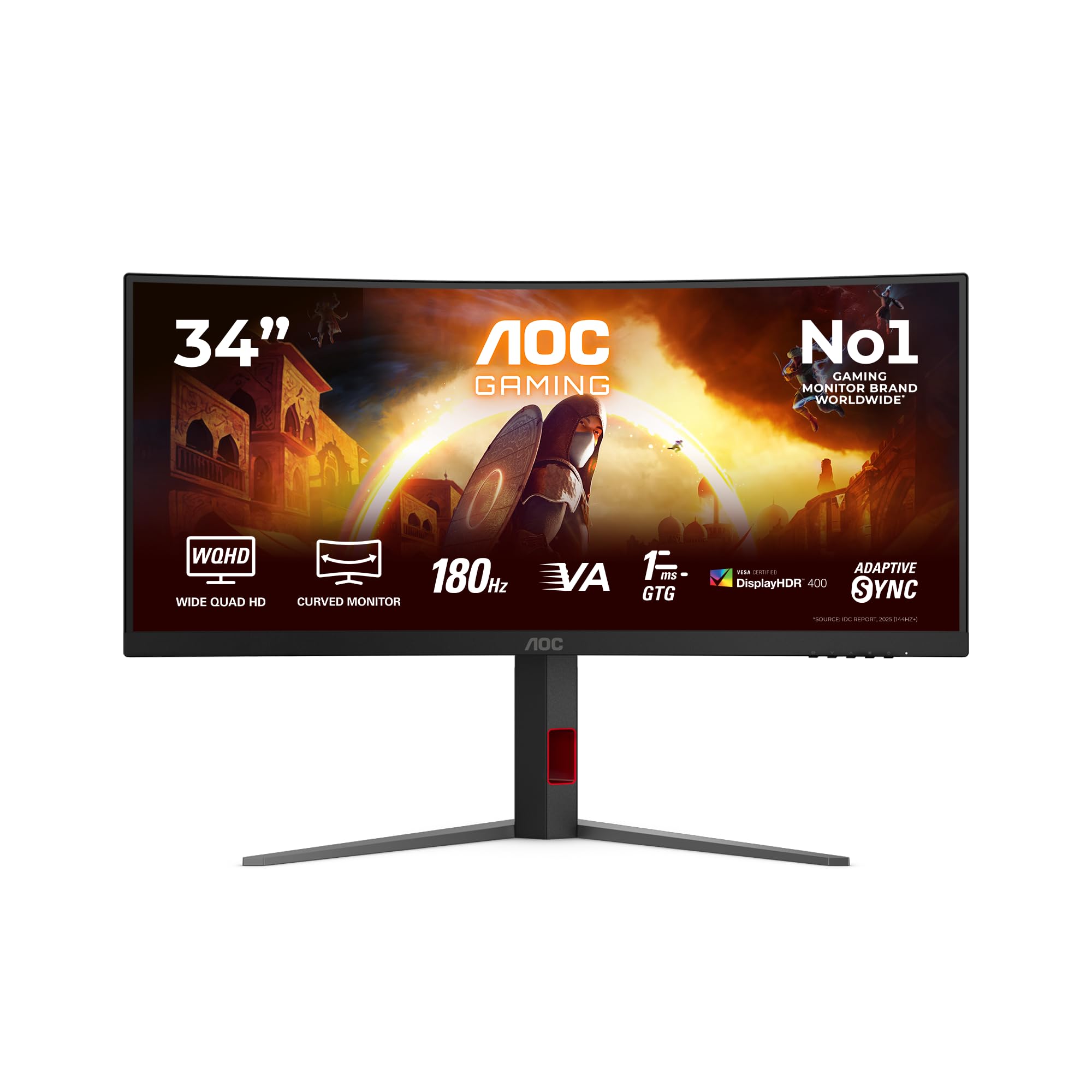
AOC CU34G4CA 34 inch UW-QHD Monitor Curved, 180Hz, Fast VA Panel, 1ms GtG, Adaptive Sync, HDR400, FreeSync, Height Adjustment, (3440x1440 HDMI 2x 2.0 DP 1x 1.4 USB Hub) Black
£288.97 · AOC
Frequently asked
5 questions01Is the Alienware 27 Gaming Monitor - AW2724DM good for gaming?+
Yes, it's a strong gaming monitor. The 165Hz refresh rate with FreeSync Premium and G-Sync Compatible adaptive sync covers the VRR range from 48Hz to 165Hz, and the Fast IPS panel delivers clean motion when the overdrive is set to the middle setting. It's particularly good for games that benefit from accurate colour, like open-world titles and story-driven games. For pure esports at 240fps and above, a higher-refresh-rate panel would be more appropriate.
02Does the Alienware 27 Gaming Monitor - AW2724DM have good HDR?+
Better than most in this price range. The VESA DisplayHDR 600 certification means a genuine 600-nit peak brightness, which produces visible highlights in HDR content. The limitation is the lack of local dimming, without zone-level backlight control, you can't get deep blacks and bright highlights simultaneously. HDR gaming looks noticeably better than SDR, but it's not the transformative experience you'd get from a Mini-LED or OLED panel.
03Is the Alienware 27 Gaming Monitor - AW2724DM good for content creation?+
For a gaming monitor, it's genuinely impressive. The 95% DCI-P3 colour coverage and factory calibration to Delta-E under 2 mean colours are accurate out of the box. It's suitable for video editing, digital illustration, and casual photo work. For professional print work requiring Adobe RGB coverage, you'd want a dedicated professional display, but for mixed gaming and creative use it's one of the better options in the mid-range bracket.
04What graphics card do I need for the Alienware 27 Gaming Monitor - AW2724DM?+
For 1440p at 165Hz, you'll want at least an NVIDIA RTX 3070 or AMD RX 6700 XT to hit high framerates in demanding games. For esports titles (Valorant, CS2, Apex Legends), a mid-range card like an RTX 3060 or RX 6600 XT will comfortably reach 165fps. The adaptive sync range (48Hz to 165Hz) means the monitor stays tear-free even when your GPU drops below the ceiling, so you don't need to hit 165fps constantly to benefit from the panel.
05What warranty and returns apply to the Alienware 27 Gaming Monitor - AW2724DM?+
Amazon's standard 30-day return window applies to purchases through Amazon UK, backed by the A-to-Z guarantee. For warranty terms specific to this Alienware monitor, check the product listing or Dell's UK support pages directly, as manufacturer warranty periods can vary. Dell typically offers a three-year Advanced Exchange warranty on Alienware monitors, but confirm this against the current listing before purchasing.