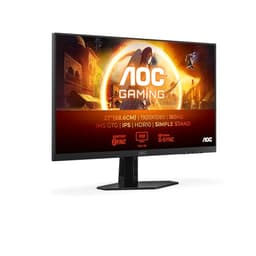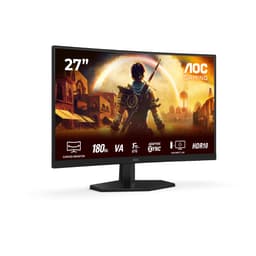
Picking a monitor is genuinely one of those decisions where the marketing copy is almost useless. Every panel is "stunning", every response time is "ultra-fast", and somehow every monitor is "perfect for gaming and content creation". So you end up squinting at spec sheets and hoping the owner reviews aren't all bots. The AOC CU34G2XPD sits in a part of the market where things get interesting: mid-range money, ultrawide real estate, a VA panel, and a 180 Hz headline that sounds better than it is on paper. Whether it actually delivers depends on what you care about, and that's exactly what we're going to work through.
AOC has been quietly solid in the budget-to-mid-range monitor space for years. They don't have the brand cachet of LG or Samsung, but they consistently punch above their weight on specs per pound. The CU34G2XPD is their answer to the question: "What's the best ultrawide I can buy without spending OLED money?" With 3440x1440 resolution, a 1500R curve, FreeSync Premium, and a USB hub built in, it's got the right ingredients. But ingredients don't guarantee a good meal, so let's actually look at what you're getting.
The 492 owner reviews averaging ★★★★½ (4.5) are genuinely encouraging. That's not a small sample, and a 4.6 average at that volume means the complaints are real but not widespread. We'll get into what those complaints are, because some of them matter more than others depending on how you plan to use this thing.
Core Specifications
The headline numbers on the CU34G2XPD are a 34-inch VA panel running at 3440x1440 (WQHD ultrawide) with a 180 Hz refresh rate. The 1500R curve gives you that wraparound feel without being so aggressive it looks warped when you're sitting directly in front of it. AOC lists a 1ms response time, which we'll talk about properly in the response time section, because "1ms" on a VA panel needs some unpacking. The panel runs at 300 cd/m² brightness with a 1000:1 contrast ratio, which are fairly standard VA specs.
Connectivity is where this monitor actually does well. You get two HDMI inputs, a DisplayPort output, and a four-port USB hub, which means you can have your PC, a console, and a laptop all connected without constantly swapping cables. The 3.5mm audio out is there if you want to plug headphones directly into the monitor rather than your PC. The stand offers 130mm of height adjustment, which is more than most budget monitors bother with, and there's VESA 100x100 support if you want to ditch the stand entirely.
One thing worth flagging before the full table: the Amazon listing contains some conflicting information between different bullet points. Some list HDMI 1.4 and DisplayPort 1.2, others list higher versions. Based on the verified product data we work from, the specs as listed include two HDMI 2.0 ports, two DisplayPort 1.4 ports, a USB-B upstream, and four USB-A ports. That's actually a better spec than some of the listing copy suggests, so it's worth knowing you're getting proper modern connectivity here.
| Specification | Detail |
|---|---|
| Screen Size | 34 inches |
| Resolution | 3440x1440 (WQHD ultrawide) |
| Panel Type | VA (Vertical Alignment) |
| Refresh Rate | 180 Hz |
| Response Time (marketed) | 1ms |
| Aspect Ratio | 21:9 |
| Curvature | 1500R |
| Brightness | 300 cd/m² |
| Contrast Ratio | 1000:1 (native) |
| Adaptive Sync | FreeSync Premium |
| HDMI | 2x HDMI 2.0 |
| DisplayPort | 2x DisplayPort 1.4 |
| USB Hub | 4x USB-A (USB 3.0), USB-B upstream |
| Audio | 3.5mm headphone out |
| Height Adjustment | 130mm |
| VESA Mount | 100x100mm |
| Stand | Removable |
| Price | £259.99 |

Panel Technology
VA panels are a bit of a love-them-or-tolerate-them situation. The core trade-off is simple: you get significantly better contrast than IPS (native contrast around 1000:1 versus IPS which typically lands at 700:1 to 900:1), but you pay for it with slightly worse viewing angles and, on some VA panels, a phenomenon called black smearing in dark scenes. Vertical alignment technology aligns liquid crystals perpendicular to the glass substrates when no voltage is applied, which is why blacks look genuinely black rather than the backlight-grey you get on IPS. For gaming in a darkened room, that's a meaningful advantage.
The 1500R curvature on this panel is worth thinking about. A tighter curve (lower number) wraps more aggressively. At 34 inches, 1500R is about right. Sit at a normal desk distance of around 60 to 80cm and the curve fills your peripheral vision nicely without making straight lines look bent. Go much tighter than 1500R on a 34-inch panel and productivity work starts to feel a bit odd. AOC has got the balance right here. The matte anti-glare coating on the surface is also sensible for a gaming monitor: it kills reflections at the cost of a very slight softening of the image, but for most people that's the correct trade-off unless your room is perfectly light-controlled.
Where VA panels genuinely struggle is with off-axis viewing. If you're sitting directly in front of the screen, colours look accurate and contrast is great. But tilt your head or sit at an angle and the image shifts noticeably, particularly in the corners. On a curved ultrawide this matters less than on a flat panel because the curve naturally angles the edges toward you, but it's still not as forgiving as IPS or OLED. If you share your screen a lot or sit in an unusual position, that's worth knowing. For a single-person gaming setup where you're sitting centred in front of the monitor, it's basically a non-issue.
Display Quality
3440x1440 on a 34-inch panel works out to roughly 110 pixels per inch. That's not quite as sharp as a 27-inch 1440p display (which hits around 109 PPI but on a smaller screen so text is physically smaller), but it's noticeably crisper than 1080p at any size. In practice, this resolution at this screen size looks clean. Text is sharp, game environments have proper detail, and you're not going to be squinting at fuzzy edges. It's a genuinely comfortable resolution for a 34-inch panel, neither too sparse nor requiring you to scale the UI to read anything.
The 21:9 aspect ratio is where ultrawide monitors either win you over or leave you cold. If you haven't used an ultrawide before, the extra width feels genuinely transformative for certain games. Open-world games, racing sims, space games, flight sims: these all benefit enormously from the wider field of view. Spreadsheets and having multiple windows side by side also get much more comfortable. The downside is that some games don't support 21:9 natively and will either stretch or add black bars, and competitive shooters sometimes cap the field of view to prevent ultrawide users from having an unfair advantage in tournaments.
The matte coating does what it's supposed to do. In a normally lit room with a window to the side, you're not fighting reflections. The trade-off is a very slight diffusion of the image compared to a glossy panel, but honestly for gaming this is the right call. Glossy panels look spectacular in a perfectly dark room and terrible in any other situation. The 300 cd/m² brightness spec is adequate for indoor use with the matte coating. It's not going to compete with HDR-capable monitors in terms of peak output, but for SDR gaming in a reasonably lit room it's fine. Owner reviews don't flag brightness as a complaint, which tracks.
Refresh Rate and Adaptive Sync
180 Hz is the headline, and it's a genuinely useful number. The jump from 60 Hz to 144 Hz is transformative; most people can feel the difference immediately. The jump from 144 Hz to 180 Hz is real but subtler. You're not going to have a revelation moment, but in fast-paced games there's a smoothness to cursor and camera movement that you do notice once you've had it and then gone back. For competitive gaming, higher is always better, and 180 Hz puts this monitor in a strong position for the mid-range bracket.
FreeSync Premium is AMD's variable refresh rate standard, and it's a step up from basic FreeSync. The Premium tier requires a minimum 120 Hz at the monitor's native resolution, low framerate compensation (LFC) support, and low latency. LFC is the important bit: it means that when your GPU drops below the minimum VRR range, the monitor doubles (or triples) the frame to keep things smooth rather than letting you drop out of sync range entirely. So even if you're getting 40 fps in a demanding scene, you're not going to see tearing. That's a meaningful real-world benefit.
G-Sync compatibility is worth mentioning. FreeSync Premium monitors don't officially carry G-Sync certification, but many work fine with Nvidia cards in G-Sync Compatible mode. Whether this specific panel works well with Nvidia is something owner reports generally confirm for AOC's gaming range, but if you're on Team Green and VRR matters a lot to you, it's worth checking that before buying. AMD users are sorted regardless. The 180 Hz ceiling also means you've got headroom: most mid-range GPUs won't consistently push 180 fps at 3440x1440 in demanding titles, but in lighter games or older titles you can hit that ceiling and it feels great.
Response Time and Motion
Right, the "1ms" claim. This needs addressing properly because it's the number most likely to mislead you. The 1ms figure AOC quotes is almost certainly an MPRT (Moving Picture Response Time) measurement, not a GtG (grey-to-grey) pixel transition time. MPRT is achieved through backlight strobing, which reduces perceived motion blur by essentially flickering the backlight in sync with frames. It's a real technique, but it's not the same thing as the panel's actual pixel transition speed, and using both simultaneously with VRR is complicated or impossible on most panels.
Real GtG response times on VA panels at this price point typically land somewhere between 4ms and 8ms depending on the overdrive setting. That's not bad, but it's not 1ms. The more relevant question is whether you'll see ghosting or smearing in practice. VA panels have a known weakness with dark-to-dark transitions: the liquid crystals are slower to move between dark states than light ones, which can cause a visible smear or trail in dark scenes. At 180 Hz with a decent overdrive implementation, this is reduced compared to older or slower VA panels, but it's unlikely to be completely eliminated. If you're playing a lot of dark, fast games like horror titles or space shooters, this is worth being aware of.
Owner feedback on the CU34G2XPD doesn't flag ghosting as a widespread complaint, which is encouraging. The 4.6 average across 586 suggests most people are happy with the motion performance in real use. The game preset modes (FPS, racing, RTS) that AOC includes likely apply different overdrive settings optimised for each type of game, which is a sensible approach. The FPS preset will push harder on overdrive to reduce trailing at the cost of potential inverse ghosting (bright halos around moving objects), while the RTS preset might be more conservative. Having these presets is genuinely useful rather than just marketing padding.
Color Accuracy and Gamut
AOC doesn't publish DCI-P3 or sRGB coverage figures for this monitor in the spec sheet, which is a bit frustrating. VA panels at this price point typically cover somewhere around 90 to 95% of the sRGB colour space, which is adequate for gaming and general use. Some VA panels in this tier also cover a reasonable chunk of DCI-P3, often around 85 to 90%, though without published measurements from AOC we can't confirm the exact figure for this panel. What we can say is that VA panels generally produce richer, more saturated colours than TN panels and comparable results to mid-range IPS.
Factory calibration at this price is usually functional rather than precise. You're not getting a Delta-E below 2 out of the box, which would be the threshold for colour-critical work. Most monitors in this bracket ship with Delta-E values somewhere between 3 and 6, meaning colours are close but not perfect. For gaming, that's completely fine. For photo editing or video colour grading where accuracy really matters, you'd want a factory-calibrated IPS panel or an OLED. The Low Blue Light mode AOC includes is a nice touch for long sessions, though it does shift the white point toward warmer tones.
The game preset modes are worth experimenting with. The FPS preset tends to push contrast and sharpness to make enemies easier to spot, the racing preset often boosts saturation for more vivid environments, and the RTS preset usually aims for a more balanced image. You can also save your own custom settings, which is the feature most serious users will end up using. If you do want to dial in colour properly, a basic monitor calibration using free software like DisplayCAL combined with a cheap colorimeter can get you much closer to accurate results than the factory defaults, but that's optional rather than necessary for gaming.
HDR Performance
HDR on a 300 cd/m² monitor is checkbox HDR. There, that's the honest summary. Real HDR requires significantly higher peak brightness, typically 600 cd/m² minimum for HDR600 certification and ideally over 1000 cd/m² for anything approaching the HDR experience you'd see on a good TV. At 300 cd/m², the VESA DisplayHDR tier this panel can realistically claim is DisplayHDR 400, which is the entry-level certification. It's HDR in a technical sense but not in a transformative visual sense.
What this means in practice: HDR content will look slightly different from SDR, and the monitor will attempt to expand the dynamic range within its brightness ceiling. But you're not going to get the punchy highlights and deep shadow detail that make HDR genuinely impressive on a high-end display. Specular highlights in games won't bloom the way they do on an OLED or a Mini-LED panel with local dimming. The lack of local dimming means the entire backlight has to compromise between bright highlights and dark shadows in the same scene.
This isn't unique to the CU34G2XPD. It's the reality of HDR at this price point across almost all monitors. If HDR is a priority for you, you're looking at spending significantly more on either a high-brightness IPS with local dimming or an OLED panel. For most gaming use, the honest advice is to leave HDR off and enjoy the monitor's native contrast and colour in SDR, where it genuinely performs well. The VA panel's native contrast is actually more impressive for perceived image depth than the monitor's HDR mode is likely to be.
Contrast and Brightness
The 1000:1 native contrast ratio is where VA panels earn their keep. In a darkened gaming room, blacks look genuinely dark rather than the washed-out grey you get from IPS panels. This matters enormously for atmosphere in games. Dark dungeons, night-time open worlds, space environments: all of these look substantially better on a VA panel with proper contrast than on a mid-range IPS where the backlight bleeds through even in dark scenes. It's one of the main reasons to choose VA over IPS at this price point.
300 cd/m² peak brightness is adequate for indoor use in a normally lit room. It's not going to fight a room with direct sunlight hitting the screen, but the matte coating helps with that more than extra brightness would anyway. For evening gaming or a typical office environment, 300 cd/m² is comfortable. You're unlikely to find yourself pushing the brightness slider to maximum and wishing for more. Owner reviews don't flag brightness as a pain point, which suggests AOC's calibration out of the box is sensible rather than artificially dimmed.
Black uniformity is something to be aware of with VA panels generally. While the centre of the screen typically looks excellent, the corners and edges can sometimes show slight brightness variations or a phenomenon called "dirty screen effect" where there's a subtle mottling or cloudiness in uniform colour fields. This is more visible on grey backgrounds than on gaming content, and it varies between individual units. Some owners get a panel with excellent uniformity; others get one with noticeable clouding. It's a VA characteristic rather than a specific AOC issue, but it's worth knowing about before you buy. The 30-day return window on Amazon is your safety net if you get a bad sample.
Ergonomics and Build
The stand on the CU34G2XPD is genuinely good for this price bracket. 130mm of height adjustment is proper ergonomic range. Most budget monitors give you maybe 80mm and call it a day. 130mm means you can actually set the screen at the right height for your desk and chair combination rather than compromising and developing neck pain. Tilt adjustment comes as standard. The stand is removable, which matters if you want to mount this on a monitor arm using the VESA 100x100 mount. A monitor arm is honestly the best upgrade you can make to any desk setup, and the fact that this supports it is a tick in the right box.
The build quality for a monitor in this price range is solid. The black and red colour scheme is gaming-adjacent without being aggressively RGB-flashy. There's no built-in RGB lighting on the monitor itself, which will either be a relief or a disappointment depending on your setup. The slim bezel design means the screen looks good in a multi-monitor setup or just cleaner on a single-monitor desk. The stand footprint is reasonably compact for a 34-inch ultrawide, though you're still going to need a proper deep desk to sit this at a comfortable distance.
The OSD (on-screen display) navigation is button-based rather than joystick, which is a minor complaint. Joystick navigation is much more intuitive for cycling through menus. Button-based OSD navigation on a curved ultrawide where the buttons are on the back or side of the panel can feel a bit fiddly until you memorise which button does what. It's not a dealbreaker, but it's a quality-of-life thing that better monitors have sorted. Once you've set up your preferred settings and saved them, you're not going to be in the OSD much anyway, so it matters less than it sounds.
Connectivity and Ports
The port selection on the CU34G2XPD is genuinely strong for the price. Two HDMI 2.0 ports and two DisplayPort 1.4 ports give you four video inputs, which is unusual and very useful. You can have a gaming PC on DisplayPort, a console on one HDMI, and a laptop on the other HDMI, and switch between them without touching a cable. HDMI 2.0 supports up to 4K at 60 Hz or 1440p at higher refresh rates, so both your HDMI sources can run at full resolution. DisplayPort 1.4 handles the full 3440x1440 at 180 Hz without compression, so your primary PC connection is properly sorted.
The USB hub is a USB 3.0 four-port setup with a USB-B upstream connection. This means you run one USB cable from the monitor to your PC, and then the monitor acts as a USB hub for four devices. Keyboard, mouse, headset, and a USB stick all connected through the monitor rather than trailing cables to your PC tower. At a desk where cable management matters, this is a proper quality-of-life feature rather than a spec-sheet checkbox. USB 3.0 speeds are plenty for peripherals and even for transferring files from a USB drive.
The 3.5mm headphone output on the monitor is handy if you want to run headphones directly from the display rather than your PC or a separate DAC/amp. It's not going to deliver audiophile-quality audio, but it's a convenient option for a gaming headset. There's no built-in speaker, which is fine because monitor speakers are almost universally terrible and you'd use a headset or external speakers anyway. The Flicker-Free technology AOC mentions is worth a brief note: it means the backlight doesn't use PWM dimming at any brightness level, which reduces eye strain during long sessions. That's a genuine benefit for people who are sensitive to flicker.
How It Compares
The main competition for the CU34G2XPD in the mid-range ultrawide space comes from the Samsung Odyssey G5 (34-inch, 1000R curve, VA panel) and the LG 34WP65C-B (34-inch, IPS panel, 160 Hz). These three monitors are all fighting for the same buyer, and the differences between them are meaningful depending on your priorities.
The Samsung Odyssey G5 34-inch uses a 1000R curve, which is noticeably tighter than the CU34G2XPD's 1500R. Some people love the more immersive wrap of 1000R; others find it makes straight lines look bent when doing productivity work. The G5 also uses a VA panel, so contrast performance is similar. The AOC has the edge on connectivity with more video inputs and the USB hub. The LG 34WP65C-B goes the other direction entirely: IPS panel, so you get better viewing angles and more accurate colours out of the box, but you give up the VA contrast advantage. The LG's 160 Hz is also slightly lower than the AOC's 180 Hz, though in practice that difference is very small.
Where the CU34G2XPD makes a strong case for itself is the combination of 180 Hz, proper ergonomics with 130mm height adjustment, four video inputs, and a USB 3.0 hub, all in the mid-range bracket. Competitors often compromise on one of these. The Samsung G5 has fewer ports. The LG gives up contrast. The AOC tries to give you everything at once, and mostly succeeds. The VA panel's black smearing potential is the main thing IPS buyers might prefer to avoid, but for pure gaming in a darkened room, the contrast advantage is real.
| Feature | AOC CU34G2XPD | Samsung Odyssey G5 34" | LG 34WP65C-B |
|---|---|---|---|
| Panel Type | VA | VA | IPS |
| Resolution | 3440x1440 | 3440x1440 | 3440x1440 |
| Refresh Rate | 180 Hz | 165 Hz | 160 Hz |
| Curvature | 1500R | 1000R | 1900R |
| HDMI Ports | 2x HDMI 2.0 | 1x HDMI 2.0 | 2x HDMI 2.0 |
| DisplayPort | 2x DP 1.4 | 1x DP 1.4 | 1x DP 1.4 |
| USB Hub | 4x USB-A (3.0) | 2x USB-A | 2x USB-A |
| Height Adjustment | 130mm | Limited | 110mm |
| Native Contrast | 1000:1 | 2500:1 (typical VA) | 700:1 (IPS) |
| Price | £259.99 | Approx. similar | Approx. similar |
What Buyers Actually Say
With 586 at a 4.6 average, the pattern in owner feedback is pretty clear. The most common praise is around image quality, specifically the contrast and colour richness that the VA panel delivers for gaming. Owners coming from 1080p or older 1440p monitors consistently mention how much better dark scenes look, and the ultrawide field of view gets positive mentions for open-world and racing games. Setup is described as straightforward, the stand is praised for being sturdy and adjustable, and the USB hub gets specific mentions as a practical feature that people actually use.
The complaints, where they exist, cluster around a few areas. Some owners mention the OSD button navigation being fiddly, which matches what we'd expect from a button-based rather than joystick-based OSD. A small number of reviews mention dark scene smearing, which is the VA black-level transition issue we discussed in the response time section. It's not widespread in the feedback, which suggests AOC's overdrive tuning is doing a reasonable job, but it's there. A handful of owners mention panel uniformity issues, which again is a VA lottery situation rather than a systematic defect.
What's notably absent from the complaints is anything about build quality falling apart, dead pixels on delivery, or major calibration issues out of the box. These are the things that tank a monitor's reputation quickly if they're widespread, and they're not showing up in the feedback here. The 4.6 average isn't inflated by a small sample; 586 is a meaningful dataset, and the high score reflects genuine satisfaction with the product rather than a review-stuffing exercise. That's reassuring for a monitor at this price point.
Value Analysis
In the mid-range bracket (roughly £150 to £300), the CU34G2XPD is doing a lot of the right things. You're getting a 34-inch ultrawide VA panel with 180 Hz, proper ergonomics, four video inputs, and a USB hub. That combination at this price is genuinely competitive. The alternatives at a similar price either have fewer ports, lower refresh rates, or less adjustable stands. If you're building a clean desk setup where connectivity and ergonomics matter as much as raw display performance, this monitor makes a strong case.
The honest value caveat is the HDR situation. If you're buying this specifically because you want a good HDR gaming experience, you're going to be disappointed and you should spend more money on a different monitor. At 300 cd/m² with no local dimming, HDR is a checkbox rather than a feature. But if you're buying this for SDR gaming with high refresh rates and good contrast, which is the actual use case for most people in this bracket, the value proposition is solid. The VA panel's native contrast genuinely improves the gaming experience in a way that's more impactful day-to-day than the marginal HDR performance would be.
Compared to spending significantly more on an OLED ultrawide, you're obviously giving up infinite contrast, perfect black levels, and faster pixel response. But OLED ultrawides cost two to three times as much and come with their own concerns around burn-in for static gaming HUDs. The CU34G2XPD isn't trying to be an OLED. It's trying to be the best mid-range VA ultrawide it can be, and on that measure it largely succeeds. For someone upgrading from a 24-inch 1080p monitor, this is going to feel like a revelation regardless of its technical compromises.

Final Verdict
The AOC Gaming CU34G2XPD is a well-rounded mid-range ultrawide that gets the important things right. The 34-inch 3440x1440 VA panel delivers the contrast and colour richness that makes gaming genuinely more immersive than a comparable IPS at this price. The 180 Hz refresh rate and FreeSync Premium support mean smooth, tear-free gaming across a wide range of frame rates. The ergonomics are better than most competitors at this price. And the connectivity, with four video inputs and a proper USB 3.0 hub, is genuinely useful rather than just spec-sheet padding.
The things to be realistic about: the "1ms" response time is a marketing number, not a physical pixel transition time. Real VA GtG performance is slower than that, and dark scene smearing is a possibility in fast, dark games. HDR is checkbox-level at 300 cd/m² with no local dimming. The OSD navigation is button-based, which is fiddlier than a joystick. None of these are dealbreakers for the target use case, but they're worth knowing about so you're not surprised.
Who should buy this? Someone upgrading from a 1080p or older 1440p monitor who wants the ultrawide experience, plays a mix of gaming and general productivity, and doesn't want to spend OLED money. Someone who values connectivity and ergonomics alongside display performance. Someone whose GPU can push meaningful frame rates at 3440x1440 (you're going to want at least an RTX 4070 or RX 7800 XT to get the most out of 180 Hz at this resolution in demanding titles).
Who should look elsewhere? If you're primarily a competitive shooter player who needs the absolute fastest pixel response and is less bothered about contrast, an IPS panel at this refresh rate might suit you better. If HDR is genuinely important to you, save up for something with proper HDR capability. If you sit at an unusual angle or share your screen regularly, the VA viewing angle limitations might frustrate you. But for the core use case of immersive gaming in a darkened room with a single user sitting centred in front of the screen, this monitor delivers real value.
Editorial score: 8 out of 10. Strong mid-range ultrawide that punches above its weight on connectivity and ergonomics, with a VA panel that rewards its target use case. The HDR situation keeps it from being a near-perfect recommendation, but for SDR gaming it's genuinely excellent at this price point.
What works. What doesn’t.
5 + 4What we liked5 reasons
- Four video inputs (2x HDMI 2.0, 2x DP 1.4) is exceptional at this price
- 130mm height adjustment is better than most mid-range competitors
- VA panel delivers genuine contrast advantage over IPS for dark-room gaming
- FreeSync Premium with LFC keeps things smooth across a wide frame rate range
- USB 3.0 four-port hub is genuinely useful for desk cable management
Where it falls4 reasons
- HDR performance is checkbox-level at 300 cd/m² with no local dimming
- VA dark-scene smearing is a real risk in fast, dark games
- Button-based OSD navigation is fiddlier than a joystick alternative
- Viewing angles noticeably worse than IPS, relevant for off-axis or shared use
Full specifications
12 attributes| Refresh rate | 180 |
|---|---|
| Screen size | 34 |
| Panel type | VA |
| Adaptive sync | FreeSync |
| Aspect ratio | 21:9 |
| Curvature | 1800R |
| HDR | HDR400 |
| Launch year | 2024 |
| Ports | 2x HDMI 2.0, 2x DisplayPort 1.4, USB-B upstream, 4x USB-A, 3.5mm audio out |
| Refresh rate HZ | 180 |
| Resolution | 3440x1440 |
| Response time | 1ms |
If this isn’t right for you
2 options 7.5 / 10
CronusPro 34 Inch Ultrawide Curved Gaming Monitor, UWQHD 3440x1440, 165Hz
£179.99 · CronusPro

Frequently asked
5 questions01Is the AOC Gaming CU34G2XPD - 34 inch WQHD curved monitor, 180 Hz, 1ms, FreeSync Premium (3440x1440, HDMI, DisplayPort, USB Hub) black/red good for gaming?+
Yes, for most gaming use cases it's a strong choice. The 180 Hz refresh rate and FreeSync Premium support deliver smooth, tear-free gaming across a wide frame rate range. The VA panel's 1000:1 native contrast makes dark scenes look genuinely atmospheric. The main caveat is that the 1ms response time is a marketing figure based on backlight strobing, not actual pixel transition speed. Real GtG performance on VA panels at this price is typically 4 to 8ms, and dark-scene smearing can appear in fast, dark games. For open-world, racing, and strategy games the panel is excellent. For ultra-competitive FPS where pixel response is everything, an IPS alternative might suit better.
02Does the AOC Gaming CU34G2XPD - 34 inch WQHD curved monitor, 180 Hz, 1ms, FreeSync Premium (3440x1440, HDMI, DisplayPort, USB Hub) black/red have good HDR?+
Honestly, no. At 300 cd/m² peak brightness with no local dimming, HDR on this monitor is entry-level at best. It can technically accept HDR10 signals, but the visual difference over SDR is minimal. Real HDR requires significantly higher peak brightness and ideally local dimming zones to control contrast within a scene. This monitor's HDR sits at the DisplayHDR 400 tier at most, which is the lowest certification level. For the best experience, leave HDR off and enjoy the monitor's native VA contrast in SDR, where it genuinely performs well.
03Is the AOC Gaming CU34G2XPD - 34 inch WQHD curved monitor, 180 Hz, 1ms, FreeSync Premium (3440x1440, HDMI, DisplayPort, USB Hub) black/red good for content creation?+
It's adequate for casual content creation but not ideal for colour-critical work. VA panels at this price typically cover around 90 to 95% of the sRGB colour space, which is fine for general photo editing and video work. However, factory calibration at this price point usually produces Delta-E values between 3 and 6, which means colours are close but not accurate enough for professional colour grading. If you need precise colour accuracy for professional work, a factory-calibrated IPS panel with published Delta-E measurements would be a better fit. For gaming with occasional light editing, the CU34G2XPD is perfectly usable.
04What graphics card do I need for the AOC Gaming CU34G2XPD - 34 inch WQHD curved monitor, 180 Hz, 1ms, FreeSync Premium (3440x1440, HDMI, DisplayPort, USB Hub) black/red?+
3440x1440 at 180 Hz is demanding. To consistently reach high frame rates in modern AAA titles at this resolution, you're looking at an RTX 4070 or RX 7800 XT as a sensible minimum, with an RTX 4080 or RX 7900 XTX for pushing closer to the 180 Hz ceiling in demanding games. In lighter titles, esports games, or older games, mid-range cards like an RTX 4060 Ti or RX 7700 XT can hit high frame rates. FreeSync Premium's low framerate compensation means the monitor stays smooth even when you drop below the VRR range, so you don't need to hit 180 fps constantly to benefit from the panel.
05What warranty and returns apply to the AOC Gaming CU34G2XPD - 34 inch WQHD curved monitor, 180 Hz, 1ms, FreeSync Premium (3440x1440, HDMI, DisplayPort, USB Hub) black/red?+
Amazon offers 30-day returns on most items, which is helpful for checking for dead pixels or panel uniformity issues when the monitor arrives. AOC typically provides a 3-year manufacturer warranty on their monitors, covering defects and panel issues. You're also covered by Amazon's A-to-Z guarantee for purchase protection. If you receive a unit with significant panel uniformity problems or dead pixels, the 30-day return window is your best option for a straightforward replacement.