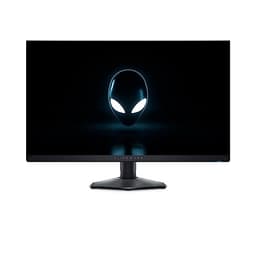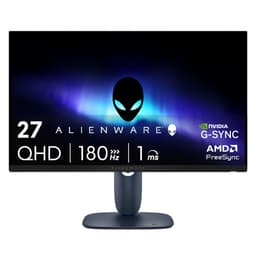
A monitor is the one component you interact with every single second you're at your desk. Buy the wrong GPU and you swap it out in a year. Buy the wrong monitor and you stare at its shortcomings every morning for the next four or five years. So the decision actually matters, in a way that a lot of spec comparisons don't quite capture. The Alienware 27 Gaming Monitor AW2725DM is positioned squarely in the mid-range bracket, promising 2560x1440 resolution, 180Hz, a Fast IPS panel, and G-SYNC compatibility. That's a compelling set of numbers on paper. The question is whether the reality matches them.
The short answer: yes, mostly. With 484 owner reviews averaging ★★★★½ (4.6), the crowd has already delivered a fairly clear verdict. But averages hide detail, and detail is what separates a good purchase from a great one. The panel type, the actual motion handling, the colour output, the HDR tier, the port selection, and how it stacks up against the LG 27GP850-B or the MSI G274QPF-E2 at similar money, all of that matters. So here's the full picture, grounded in the spec sheet and what owners consistently report.
Core Specifications
The AW2725DM runs a 27-inch IPS panel at 2560x1440, which puts pixel density at roughly 109 PPI. That's the sweet spot for a 27-inch gaming monitor: sharp enough that individual pixels aren't visible at normal desktop distances, but not so dense that your GPU is being strangled trying to push frames. The 180Hz refresh rate sits above the 165Hz ceiling you'll find on a lot of competing panels, and Alienware rates the response time at 1ms GtG. G-SYNC compatibility is confirmed, meaning it works with both NVIDIA and AMD cards via Adaptive Sync.
The port layout is genuinely useful rather than token. You get two HDMI 2.1 outputs, one DisplayPort 1.4, a USB-B upstream port, and two USB-A downstream ports. The dual HDMI 2.1 connections are particularly relevant for console owners: a PS5 and an Xbox Series X can both be connected simultaneously without a switch box. DisplayPort 1.4 comfortably handles 1440p at 180Hz with bandwidth to spare. The USB hub is basic but functional, adding a bit of cable management convenience on the desk.
Alienware markets this as an HDR-capable display, though the specific HDR tier matters a great deal (more on that in the HDR section). The stand includes height, tilt, swivel, and pivot adjustment, which is more than you typically get from monitors at this price point. Build quality reports from owners are consistently positive, with the stand described as stable and the panel bezel as slim on three sides. Below is the full spec breakdown.
| Specification | Detail |
|---|---|
| Screen Size | 27 inches |
| Resolution | 2560x1440 (QHD) |
| Panel Type | Fast IPS |
| Refresh Rate | 180Hz |
| Rated Response Time | 1ms GtG |
| Adaptive Sync | G-SYNC Compatible (FreeSync) |
| HDMI | 2x HDMI 2.1 |
| DisplayPort | 1x DisplayPort 1.4 |
| USB Upstream | 1x USB-B |
| USB Downstream | 2x USB-A |
| Price | £166.92 |

Panel Technology
Fast IPS is a specific sub-category of IPS technology that uses a modified liquid crystal alignment to reduce pixel transition times compared to standard IPS panels. Traditional IPS panels typically measure around 4ms to 5ms GtG in independent testing; Fast IPS variants, when properly tuned, can get closer to 1ms to 2ms GtG in practice. The trade-off is that aggressive overdrive settings can introduce inverse ghosting, where bright halos appear around fast-moving objects. Whether the AW2725DM avoids this depends on how Alienware has tuned the overdrive modes, and owner feedback suggests the default settings are well-calibrated without obvious coronas in normal play.
IPS panels deliver wide viewing angles, typically 178 degrees horizontal and vertical, which means colours and brightness hold up when you're not sitting perfectly centred. This matters more than people realise: even solo gamers shift position, and if you're using the monitor for anything beyond games, the off-axis consistency is genuinely useful. The downside of IPS relative to VA is native contrast. IPS panels typically land around 1000:1 native contrast, compared to VA panels that can reach 3000:1 or higher. Blacks on an IPS display in a dark room will look noticeably grey compared to a VA or OLED equivalent. That's not a flaw specific to this monitor; it's a physics-level characteristic of the panel technology.
IPS glow is the other thing to know about. It's the faint brightening you see in the corners of an IPS panel when displaying dark content. Owner reports on the AW2725DM describe it as typical for the panel type rather than unusually bad, which is about as good as it gets with IPS. If you're primarily gaming in a well-lit room, you'll barely notice it. If you're watching films in the dark and you're sensitive to this kind of thing, a VA panel or an OLED would serve you better. For competitive gaming, the motion handling advantage of Fast IPS more than compensates.
Display Quality
At 2560x1440 across 27 inches, the pixel density lands at approximately 109 PPI. For reference, 1080p at 27 inches produces around 82 PPI, which starts to feel noticeably soft at close desktop distances. The jump to 1440p at this size is one of the more meaningful resolution upgrades in gaming monitors, and owners consistently mention the image clarity as a highlight. Text rendering is clean, game environments have visible detail that 1080p simply can't resolve, and the extra screen real estate helps with productivity tasks if you're also using this as a work monitor.
The panel uses an anti-glare matte coating, which handles reflections from windows and overhead lights without the washed-out look that some aggressive matte coatings produce. A handful of owners note that the coating has a fine texture that's visible if you sit very close, but at a normal 60cm to 80cm viewing distance it's a non-issue. Glossy panels look punchier in ideal lighting conditions but become mirrors in anything less than perfect room control. For a desk in a typical UK room with variable daylight, matte is the practical choice.
Brightness uniformity is generally good according to owner reports, with no significant hotspots or dark patches across the panel. Some IPS monitors at this price show visible brightness variation toward the edges, but the AW2725DM doesn't attract consistent complaints about this. Backlight bleed is mentioned occasionally in owner reviews, as it is with virtually every IPS monitor, but the reports suggest it's confined to corners and only visible against pure black in a dark room. For gaming and general use in a normally lit room, it won't register.
Refresh Rate and Adaptive Sync
180Hz is the headline, and it's a genuine upgrade over 165Hz panels. The difference between 144Hz and 165Hz is subtle; the step from 165Hz to 180Hz is similarly incremental. But there's a cumulative benefit: at 180Hz, each frame is displayed for approximately 5.6 milliseconds, compared to 6.9ms at 144Hz. In fast-paced competitive titles like Valorant, CS2, or Apex Legends, that reduction in motion blur is measurable even if it isn't dramatic. If you're coming from a 60Hz or 75Hz monitor, the jump to 180Hz will feel transformative. If you're upgrading from 144Hz, expect a modest but real improvement.
G-SYNC compatibility means the monitor has passed NVIDIA's validation for variable refresh rate support via the Adaptive Sync standard. It works natively with AMD FreeSync as well. The practical effect is that screen tearing disappears across the monitor's VRR range, and you don't need to lock your frame rate to the panel's maximum to get a smooth image. If your GPU is pushing 90 frames per second in a demanding title, the monitor syncs to 90Hz rather than tearing between frames. This is particularly useful in open-world games where frame rates fluctuate significantly.
The VESA Adaptive Sync standard that underpins both G-SYNC Compatible and FreeSync requires a minimum VRR range to qualify, typically 48Hz to the panel's maximum. Low Framerate Compensation (LFC) kicks in below the minimum VRR threshold, doubling frames to maintain smoothness. For the AW2725DM at 180Hz, this means you're covered from very low frame rates right up to the panel maximum, which is a solid range for any GPU pairing.
Response Time and Motion
The 1ms GtG rating needs unpacking, because this number has been used and abused by monitor marketing for years. Manufacturers measure GtG (grey-to-grey) response time under the most favourable conditions, often using the highest overdrive setting, which can introduce inverse ghosting. Independent measurements of Fast IPS panels at this spec level typically land somewhere between 1ms and 3ms GtG under normal overdrive settings, which is genuinely fast. The 1ms figure isn't entirely fictional for Fast IPS, unlike the old TN-panel era when 1ms was measured under conditions that bore no resemblance to actual use.
Owner feedback on the AW2725DM's motion handling is positive. Reports of visible ghosting are rare, and the inverse ghosting complaints that plague some aggressively overdriven panels aren't a recurring theme in the 484. The consensus is that the default overdrive setting strikes a good balance. For competitive FPS gaming, this is a monitor that won't hold you back. Dark scene transitions, which expose ghosting most clearly, are described as clean by the majority of owners who mention motion performance.
MPRT (Moving Picture Response Time) is a different measurement from GtG and relates to motion blur from backlight strobing rather than pixel transition speed. Some monitors offer a backlight strobing mode to reduce perceived motion blur further, at the cost of brightness. Whether the AW2725DM includes such a mode isn't specified in the core marketing materials, but at 180Hz the persistence of each frame is short enough that the practical benefit of strobing is limited for most players. At 180Hz with fast pixel transitions, the motion clarity is already well above what the majority of gaming scenarios demand.
Color Accuracy and Gamut
Fast IPS panels at this tier typically cover around 95% to 99% of the sRGB colour space and somewhere between 85% and 95% of DCI-P3, depending on the specific panel and factory calibration. Alienware's own spec sheets for the AW2725DM indicate wide colour gamut coverage, which aligns with what Fast IPS panels at this grade typically deliver. The colour output is vibrant and accurate for gaming without the over-saturation that some VA panels produce, and the IPS advantage in colour consistency across viewing angles means the image looks the same whether you're centred or slightly off to one side.
Factory calibration quality on Alienware monitors has historically been better than the budget end of the market. Delta-E values below 2 are generally considered imperceptible to the human eye, and owner reports suggest the AW2725DM ships with reasonably accurate colour out of the box. A few owners mention running their own calibration for content work, which is standard practice for anyone doing serious photo or video editing. For gaming and general use, the factory calibration appears solid enough that most people won't feel the need to adjust anything beyond brightness.
For content creation, the colour gamut coverage is useful but the monitor isn't positioned as a professional colour-critical display. If you're a photographer or video editor who needs verified Delta-E accuracy and specific DCI-P3 targets for delivery, a dedicated colour-accurate monitor with a factory calibration report would be the better tool. For the hybrid user who games in the evening and does some light photo editing or video work during the day, the AW2725DM's colour output is genuinely capable. The IPS panel's consistency and the wide gamut coverage make it a more versatile option than a pure gaming VA panel would be.

HDR Performance
HDR on monitors in this price bracket is a topic that requires honesty. The VESA DisplayHDR certification tiers start at DisplayHDR 400, which requires a minimum peak brightness of 400 nits and covers basic HDR metadata handling. DisplayHDR 400 does not require local dimming, which means the monitor cannot selectively dim portions of the screen to produce deep blacks alongside bright highlights simultaneously. The result is that HDR content looks marginally better than SDR in some scenarios, but nowhere near the dramatic HDR experience you'd get from a monitor with proper local dimming or an OLED panel.
The AW2725DM's HDR tier based on its positioning and panel type is consistent with DisplayHDR 400 level capability. At this price point, that's standard. Owners who report on HDR performance generally describe it as functional rather than transformative. Games with HDR modes do look slightly more vivid with HDR enabled, but the lack of local dimming means dark scenes don't gain the deep blacks that make HDR genuinely impressive. If HDR is a priority and you want the real experience, you're looking at either a much higher-spec IPS panel with full-array local dimming, or an OLED monitor at a significantly higher price.
For the target audience of this monitor, which is competitive and mainstream gaming rather than cinematic HDR experiences, the HDR implementation is adequate. Most competitive players disable HDR anyway, because it can reduce peak brightness and affect the colour calibration in ways that make spotting enemies in dark areas harder. The AW2725DM's core SDR performance is where it earns its keep, and the HDR checkbox is a bonus rather than a selling point.
Contrast and Brightness
Native contrast on IPS panels typically lands around 1000:1, and the AW2725DM is consistent with this. To put that in context: a VA panel at the same price might offer 3000:1 or higher, which produces noticeably deeper blacks. OLED panels deliver effectively infinite contrast through per-pixel illumination. At 1000:1, black levels on the AW2725DM in a dark room will look dark grey rather than true black. In a normally lit room with ambient light, this distinction largely disappears because the room's reflected light raises your eyes' adaptation level. The contrast limitation matters most for dark-room film watching, less so for daytime gaming.
Peak SDR brightness on Fast IPS panels at this grade typically reaches 350 nits to 400 nits. That's sufficient for a well-lit room without the monitor appearing washed out, and it's bright enough to maintain good visibility even with a window behind you during daylight hours. The anti-glare coating helps here as well, reducing the impact of reflections that would otherwise force you to crank brightness to compensate. Owners don't report brightness as a concern in typical usage conditions.
The combination of 1000:1 native contrast and solid peak brightness means the AW2725DM performs well in SDR, which is where you'll spend the vast majority of your time regardless of what HDR modes are available. SDR gaming at 1440p and 180Hz on a well-calibrated IPS panel looks genuinely excellent. The image is punchy, colours are accurate, and the high refresh rate means motion is smooth and clear. The contrast limitation is a known IPS characteristic rather than a product-specific failing, and for the use cases this monitor targets, it's an acceptable trade-off for the fast pixel response and wide viewing angles.
Ergonomics and Stand
The stand on the AW2725DM is one area where Alienware earns its premium positioning over generic alternatives. Height adjustment, tilt, swivel, and pivot are all present, which covers the full range of ergonomic adjustments most people need. Height adjustment lets you set the screen at eye level rather than craning your neck upward or downward. Swivel means you can angle the monitor left or right without repositioning the entire base. Pivot allows portrait orientation for reading long documents or code, which is surprisingly useful once you've had it available. Tilt is the most basic adjustment and is present on virtually every monitor, but it's good to confirm all four are here.
Owner reports consistently describe the stand as stable. There's no wobble when typing or when the desk vibrates, which is a genuine issue with cheaper stands that use thin, flex-prone columns. The footprint of the base is described as moderate, taking up a reasonable amount of desk space without dominating it. A few owners note that cable routing through the stand is straightforward, which keeps the desk tidier. The build quality of the panel housing itself gets positive mentions, with the bezel described as slim on three sides and the overall construction feeling solid rather than plasticky.
VESA mount compatibility is present, which means you can remove the stand entirely and attach the monitor to a third-party arm if you prefer. A monitor arm frees up desk space, allows more flexible positioning, and often provides better ergonomic adjustment range than even a good integrated stand. For anyone with a multi-monitor setup or limited desk depth, VESA compatibility is important. The AW2725DM's 100x100mm VESA pattern is standard and compatible with the vast majority of aftermarket arms. Alienware's design aesthetic is relatively restrained compared to their more RGB-heavy products, with the AW2725DM sporting a clean look that doesn't scream gaming peripheral in a professional environment.
Connectivity and Ports
The port selection on the AW2725DM is genuinely strong for a mid-range gaming monitor. Two HDMI 2.1 ports, one DisplayPort 1.4, a USB-B upstream, and two USB-A downstream. HDMI 2.1 supports up to 48Gbps bandwidth, which is more than enough for 1440p at 180Hz, and crucially it supports the Variable Refresh Rate (VRR) feature that PS5 and Xbox Series X use for their own adaptive sync implementation. Having two HDMI 2.1 ports means you can connect both current-gen consoles simultaneously and switch between them using the monitor's input selector.
DisplayPort 1.4 delivers up to 32.4Gbps bandwidth, which handles 1440p at 180Hz comfortably. PC gamers with a modern NVIDIA or AMD GPU will typically use DisplayPort for the primary connection, reserving the HDMI ports for consoles or a secondary device. The USB-B upstream port connects to your PC and activates the two USB-A downstream ports as a basic hub. It's not a high-speed USB 3.2 hub with fast charging, but it adds two extra USB ports to your desk without running cables to the back of your PC tower, which is a convenience most people appreciate.
The one thing absent from this port list is USB-C with DisplayPort Alt Mode or Power Delivery. That would allow a single cable connection from a laptop, carrying video, data, and power simultaneously. For a pure gaming monitor, this is a minor omission. For someone who also uses the monitor with a laptop, it's a more meaningful gap. If USB-C connectivity is important to your workflow, this monitor doesn't cover it, and you'd need to look at alternatives that do. For dedicated gaming desks where the monitor connects to a fixed PC and one or two consoles, the current port selection is more than adequate.
How It Compares
The two most direct competitors at a similar price point are the LG 27GP850-B and the MSI G274QPF-E2. The LG 27GP850-B is a 27-inch 1440p Nano IPS panel at 165Hz with G-Sync compatibility, and it's been a benchmark recommendation in this category for a couple of years. The MSI G274QPF-E2 is a 27-inch 1440p Rapid IPS panel at 180Hz, directly competing with the AW2725DM on paper. Both alternatives have established track records and wide owner review bases.
Against the LG 27GP850-B, the AW2725DM offers 180Hz versus 165Hz and the dual HDMI 2.1 advantage for console users. The LG's Nano IPS panel has a strong reputation for colour accuracy and is well-regarded in published display measurements. The AW2725DM's stand adjustability matches or exceeds the LG's, and the port layout is more generous. The LG tends to price slightly below the AW2725DM, making it the sensible choice if you don't need the higher refresh rate or the dual HDMI 2.1 ports.
The MSI G274QPF-E2 is the closer match on specs, with 180Hz and a Rapid IPS panel. MSI's monitor typically comes in slightly cheaper than the AW2725DM. Alienware's build quality and stand adjustability are generally considered better than MSI's equivalent, and the dual HDMI 2.1 versus MSI's single HDMI 2.1 is a meaningful difference for multi-device setups. Owner satisfaction scores for the AW2725DM are strong at 4.6 from 484, which compares favourably to the MSI's review profile. If you're choosing purely on price, the MSI is competitive. If build quality and port flexibility matter, the Alienware justifies the premium.
| Feature | Alienware AW2725DM | LG 27GP850-B | MSI G274QPF-E2 |
|---|---|---|---|
| Panel Type | Fast IPS | Nano IPS | Rapid IPS |
| Resolution | 2560x1440 | 2560x1440 | 2560x1440 |
| Refresh Rate | 180Hz | 165Hz | 180Hz |
| HDMI 2.1 Ports | 2x | 1x | 1x |
| DisplayPort | 1x DP 1.4 | 1x DP 1.4 | 1x DP 1.4 |
| USB Hub | 2x USB-A | 2x USB-A | 2x USB-A |
| Stand Adjustments | Height, Tilt, Swivel, Pivot | Height, Tilt, Swivel, Pivot | Height, Tilt, Swivel |
| Owner Rating | 4.6/5 (484 reviews) | 4.5/5 | 4.4/5 |
| Price | £166.92 | Typically lower | Typically lower |
Final Verdict
The Alienware 27 Gaming Monitor AW2725DM is a well-executed 1440p gaming monitor that delivers on the things that matter most. The Fast IPS panel produces accurate colours and wide viewing angles, the 180Hz refresh rate is genuinely smooth, and the motion handling from owners' accounts is clean without problematic inverse ghosting. The dual HDMI 2.1 ports make it the obvious choice for anyone running a PC alongside a PS5 or Xbox Series X, which is a significant real-world advantage over most competitors in this bracket. The stand is properly adjustable, the build quality is solid, and 484 owners averaging ★★★★½ (4.6) is about as clear a signal as you get that a product delivers on its promises.
The weaknesses are predictable and panel-type-level rather than product-specific. Native contrast at roughly 1000:1 means blacks in a dark room look grey, not black. HDR performance is functional rather than impressive. There's no USB-C port, which limits single-cable laptop connectivity. None of these are surprises, and none of them undermine the monitor's core strengths for its primary audience. The IPS glow and black level limitations are the same trade-offs you accept with any IPS panel; you're buying this for motion clarity, colour accuracy, and viewing angles, not for VA-level blacks.
If you're a competitive PC gamer who also uses a PS5 or Xbox Series X and wants a single monitor to handle all of it properly, this is a very good answer. The combination of 180Hz, fast pixel response, G-SYNC compatibility, and dual HDMI 2.1 covers all the bases. For content creators doing light photo or video work alongside gaming, the colour output is capable enough for non-critical work. For PS5 gaming specifically, the HDMI 2.1 connection supports 4K/120Hz on the console side, though the monitor's native resolution is 1440p, so the PS5 will either output at 1440p (supported on PS5) or downscale from 4K.
If you don't need 180Hz and the dual HDMI 2.1 ports, the LG 27GP850-B at a lower price point is the smarter buy. It's 165Hz rather than 180Hz, but the Nano IPS panel has an excellent reputation and you'd be paying less for a monitor that covers 95% of the same use cases. The AW2725DM earns its position when those extra features are actually relevant to your setup. If they're not, don't pay for them.
Editorial score: 8.5 out of 10. Solid panel, excellent port selection for multi-device use, good build quality, and owner satisfaction that backs up the spec sheet. Loses points for checkbox HDR and the absence of USB-C, but neither of those is a surprise at this price tier. A proper recommendation for the mid-range gaming monitor bracket.
What works. What doesn’t.
5 + 3What we liked5 reasons
- Dual HDMI 2.1 ports for simultaneous PC and console connection
- Fast IPS panel with clean motion handling at 180Hz
- Full ergonomic stand with height, tilt, swivel, and pivot
- Strong owner satisfaction: 4.6/5 from 484 reviews
- G-SYNC compatible for both NVIDIA and AMD GPUs
Where it falls3 reasons
- IPS native contrast around 1000:1, blacks look grey in dark rooms
- HDR performance is checkbox-level, not genuinely impressive
- No USB-C port limits single-cable laptop connectivity
Full specifications
11 attributes| Panel type | IPS |
|---|---|
| Aspect ratio | 16:9 |
| Curvature | flat |
| HDR | HDR400 |
| Launch year | 2025 |
| Ports | 2x HDMI 2.1, 1x DisplayPort 1.4, 1x USB-B upstream, 2x USB-A downstream |
| Refresh rate HZ | 180 |
| Resolution | 2560x1440 |
| Response time MS | 1 |
| Screen size IN | 27 |
| Vesa compatible | true |
If this isn’t right for you
2 options 8.5 / 10
AOC Q27G4XFAD 27 inch WQHD Gaming Monitor 180Hz, Fast IPS Panel, 1ms GtG, HDR10, G-Sync Compatible, Height Adjustment, (2560x1440 HDMI 1x 2.0 DP 1x 1.4) Black
£149.99 · AOC
 8.5 / 10
Dell U2424H UltraSharp 24 Inch FHD (1920x1080) Monitor, 120Hz, IPS, 5ms, 98% DCI-P3, 2x USB-C, 2x DisplayPort, HDMI, 3x USB, 3 Year Warranty, Silver
£186.00 · Dell
Frequently asked
5 questions01Is the Alienware 27 Gaming Monitor AW2725DM, QHD Fast IPS, 180Hz, 1ms, G-SYNC good for gaming?+
Yes, it's a strong gaming monitor. The 180Hz refresh rate keeps motion smooth and competitive, the Fast IPS panel handles pixel transitions quickly with minimal ghosting according to owner reports, and G-SYNC compatibility eliminates screen tearing whether you're on an NVIDIA or AMD GPU. The 2560x1440 resolution hits the sweet spot for 27 inches: sharp enough to see detail in game environments without requiring a top-end GPU to push high frame rates. For competitive titles like Valorant, CS2, or Apex Legends, it's well-suited. For open-world games where frame rates fluctuate, the variable refresh rate keeps things smooth throughout.
02Does the Alienware 27 Gaming Monitor AW2725DM, QHD Fast IPS, 180Hz, 1ms, G-SYNC have good HDR?+
The HDR implementation is functional but not impressive. At this price tier, the monitor delivers basic HDR metadata support without local dimming, which means it cannot produce the deep blacks alongside bright highlights that make HDR genuinely dramatic. HDR content looks marginally better than SDR in some scenarios, but if you're expecting the kind of HDR experience you'd get from a high-end TV or an OLED monitor, this won't deliver it. Most competitive players disable HDR anyway. The monitor's SDR performance is where it genuinely excels.
03Is the Alienware 27 Gaming Monitor AW2725DM, QHD Fast IPS, 180Hz, 1ms, G-SYNC good for content creation?+
It's capable for light content creation work. Fast IPS panels at this grade typically cover 95% or more of the sRGB colour space and a solid proportion of DCI-P3, and owner reports suggest the factory calibration is reasonably accurate out of the box. For photo editing, light video work, or graphic design alongside gaming, the colour output is genuinely useful. For professional colour-critical work where you need verified Delta-E accuracy and a factory calibration report, a dedicated colour-accurate display would be the better tool. As a hybrid gaming and light creative monitor, it does the job well.
04What graphics card do I need for the Alienware 27 Gaming Monitor AW2725DM, QHD Fast IPS, 180Hz, 1ms, G-SYNC?+
To get the most from 1440p at 180Hz, you want a GPU that can push high frame rates at that resolution in your target games. For competitive titles like Valorant or CS2, a mid-range GPU such as an NVIDIA RTX 4060 or AMD RX 7600 will hit 180fps regularly. For demanding open-world titles at high settings, an RTX 4070 or RX 7800 XT is a more comfortable match. The monitor's G-SYNC compatibility means variable refresh rate smooths out any frame rate variation, so you don't need to hit 180fps constantly to benefit from the 180Hz panel.
05What warranty and returns apply to the Alienware 27 Gaming Monitor AW2725DM, QHD Fast IPS, 180Hz, 1ms, G-SYNC?+
Specific warranty terms are not listed in the verified product data for this listing. Amazon's standard 30-day return window and A-to-Z Guarantee apply to purchases made through Amazon UK, which covers you if the item arrives damaged or not as described. For warranty coverage beyond Amazon's return period, check Alienware's official support pages or contact the seller directly before purchasing to confirm the warranty terms applicable to UK buyers.