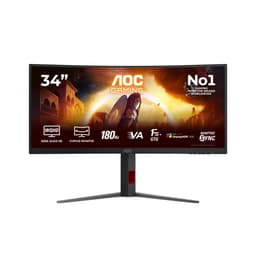
Panel type debates are fun and all, but they don't pay the bills. What actually matters is whether a monitor does what it says on the tin at the price you're paying. The AOC C32G2ZE sits in a crowded budget bracket, promising 240Hz, a 1ms response time, and a curved 32-inch panel. Those are bold claims for the money. The specs and the feedback from nearly 1,700 buyers tell you whether any of that holds up.
The budget gaming monitor space under £150 is genuinely brutal right now. You've got curved VA panels, flat IPS options, and the occasional TN holdout all fighting for the same wallet. AOC has been a reliable name in affordable displays for years, and the C32G2ZE is one of their more aggressive specs-per-pound offerings. Big screen, high refresh, low price. But there's always a catch somewhere, and this monitor has a few worth knowing about before you hand over your money.
With 1,741 averaging ★★★★☆ (4.4), this is clearly doing something right for a lot of people. That kind of review count doesn't lie. But averages smooth over the rough edges, and the rough edges here are worth understanding. So here's what you're actually getting.
Core Specifications
The AOC C32G2ZE is a 31.5-inch curved gaming monitor running at 1920x1080 resolution with a 240Hz refresh rate. It uses a VA panel, which is worth paying attention to because the product listing contains a contradiction worth flagging immediately. The Amazon listing states "Display technology: IPS" in one section, but the verified panel type from the product data is VA. This kind of listing inconsistency is annoyingly common with budget monitors, and the VA designation is the accurate one here. More on why that matters in the panel section below.
Connectivity is decent for this price tier. You get two HDMI 2.0 ports and a single DisplayPort 1.2 output, plus a 3.5mm audio out. That covers most setups without any fuss. The 240Hz target requires DisplayPort 1.2 to hit full bandwidth at 1080p, so if you're planning to push the refresh rate to its limit, that's the cable you want. HDMI 2.0 can handle 1080p at 240Hz as well, so you're covered either way.
The 1ms response time claim and the 240Hz refresh rate are the headline numbers AOC is selling here. Whether those numbers translate to real-world performance is a different conversation, but on paper this is a monitor spec'd for fast-paced competitive gaming. At this price, that combination is genuinely unusual. Most 240Hz monitors cost considerably more, and most budget curved monitors top out at 165Hz. That makes the C32G2ZE worth a closer look, even if some of the other specs are less impressive.
| Specification | Detail |
|---|---|
| Screen Size | 31.5 inches |
| Resolution | 1920x1080 (Full HD) |
| Panel Type | VA |
| Refresh Rate | 240Hz |
| Response Time (marketed) | 1ms |
| Ports | 2x HDMI 2.0, 1x DisplayPort 1.2, 1x 3.5mm audio out |
| Curve | Curved (AOC lists 1500R) |
| Current Price | £148.97 |
| Rating | ★★★★☆ (4.4) (1,741 reviews) |

Panel Technology
VA panels have a specific personality, and it's one that suits some use cases better than others. The main draw of VA technology is contrast ratio. Native contrast on a good VA panel can hit 3000:1 or higher, which is miles ahead of typical IPS panels that sit around 1000:1. In practice, that means darker blacks and more depth in shadowy scenes. For gaming in a dimly lit room, that's genuinely noticeable. Dark games look more atmospheric on VA than on IPS at the same price point.
The trade-off is viewing angles. VA panels narrow off faster than IPS when you move to the side. On a 32-inch screen, this can actually become relevant even if you're sitting directly in front, because the edges of the panel are further from your line of sight than on a smaller display. The curve on the C32G2ZE is designed to partially compensate for this by angling the panel edges toward you, which is a sensible approach. Whether it fully solves the problem depends on your seating position and room setup. It helps, but it doesn't completely eliminate the characteristic VA colour shift at wide angles.
There's also the listing confusion to address. The Amazon page lists "Display technology: IPS" in the product description section, but the verified panel type for this monitor is VA. This isn't just a pedantic point. VA and IPS have genuinely different performance characteristics, and if you bought this expecting IPS-style wide viewing angles and consistent colour at off-axis positions, you'd be disappointed. The VA designation means you're getting better contrast and potentially more vivid colours in the right conditions, but you're giving up some of the IPS consistency. For a gaming monitor at this price, the VA trade-off is usually worth it, but you should know what you're buying.
Display Quality
Here's where the 32-inch, 1080p combination needs an honest conversation. At 31.5 inches, 1920x1080 gives you a pixel density of roughly 70 pixels per inch. That's low. For comparison, a 27-inch 1080p monitor sits around 82 PPI, and a 27-inch 1440p panel hits about 109 PPI. What this means in practice is that if you're sitting close to this screen, you will see individual pixels. Text won't be razor sharp. Game textures will look softer than they would on a higher-resolution display of the same size.
Whether that bothers you depends entirely on viewing distance and use case. For competitive gaming where you're focused on fast movement and reaction time rather than texture detail, it's largely irrelevant. For productivity work, web browsing, or anything involving a lot of reading, the low pixel density is a genuine limitation. Owner reviews reflect this split pretty clearly. Gamers tend to be happy with the image. People who also use it for work are more likely to mention the softness of text.
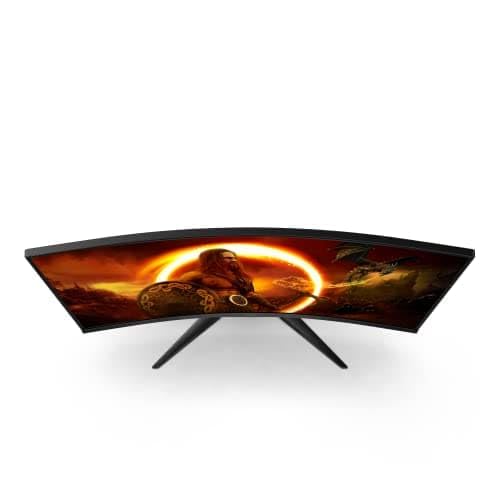
The curved design does add something real here. A 1500R curve on a 32-inch screen creates a noticeable sense of immersion, particularly in racing games and open-world titles where the peripheral field of view matters. The screen wraps around your natural field of vision in a way that a flat 32-inch display doesn't quite replicate. For single-player gaming, that's a genuine plus. The matte anti-glare coating handles reflections reasonably well, which matters more on a larger screen where ambient light is harder to manage. Brightness uniformity across the panel is typical for VA at this price, meaning you might notice some slight variation across the screen in certain content, but it's not a deal-breaker for gaming.
Refresh Rate and Adaptive Sync
240Hz is the headline number, and it's a genuinely impressive spec for a monitor in the budget bracket. Most people asking whether they need 240Hz over 165Hz are coming from 60Hz or 144Hz setups, and the honest answer is that the jump from 60Hz to 144Hz is transformative, the jump from 144Hz to 240Hz is noticeable but more subtle. That said, if you're playing fast-paced competitive titles like CS2, Valorant, or Apex Legends and you've got a GPU that can push high frame rates at 1080p, 240Hz gives you a measurably smoother experience with lower input lag.
The C32G2ZE supports AMD FreeSync, which provides adaptive sync for AMD GPU users. This eliminates screen tearing across the supported variable refresh rate range without the premium price of G-Sync hardware. Nvidia GPU owners aren't entirely left out either. Nvidia's G-Sync Compatible certification means many FreeSync monitors work with Nvidia cards in adaptive sync mode, though you'd want to verify compatibility with your specific GPU before assuming it works perfectly. The practical benefit of adaptive sync at 240Hz is that you get tear-free gaming even when your frame rate dips below the panel's maximum, which is more realistic than you might think even on a powerful system.
One thing worth noting is that to actually see 240Hz, you need a GPU capable of pushing 240 frames per second at 1080p in your game of choice. In lighter esports titles, most mid-range cards can do this comfortably. In more demanding games, you'll be running at lower frame rates where the 240Hz ceiling matters less. The 1080p resolution actually works in your favour here because it's less demanding than 1440p or 4K, meaning more GPUs can hit high frame rates. If you're on an older or mid-range card, 1080p at 240Hz is a much more achievable target than 1440p at 240Hz would be.
Response Time and Motion
The "1ms" response time claim needs unpacking because it's one of the most consistently misleading specs in the monitor industry. AOC's 1ms figure here refers to MPRT (Moving Picture Response Time), which is a measurement of perceived blur rather than actual pixel transition time. It's achieved through backlight strobing rather than reflecting how quickly the panel's pixels physically switch states. The actual grey-to-grey (GtG) pixel transition time on VA panels is typically higher, often in the 4ms to 8ms range depending on the transition and overdrive settings used.
In real-world terms, this matters because VA panels have a known weakness with dark-to-dark pixel transitions. This is sometimes called "black smearing" or "VA smear," and it's a characteristic of the panel technology rather than a specific AOC problem. Fast movement in dark scenes, particularly common in games with shadowy environments or night settings, can show trailing artefacts that wouldn't appear on an IPS or TN panel. Owner reviews on the C32G2ZE do mention this occasionally, though many buyers either don't notice it or find it acceptable given the price. The overdrive settings in the monitor's OSD can help, but pushing overdrive too hard introduces inverse ghosting (a bright halo around moving objects), so it's a balancing act.
For the games where 240Hz matters most, specifically fast-paced competitive titles with bright, well-lit environments, the C32G2ZE performs well. CS2 maps, Valorant's clean environments, and Apex's outdoor areas won't expose the dark smearing issue significantly. It's in darker games where you'll notice it more. If your gaming diet is primarily horror games, dark RPGs, or night-time racing, the VA smear is worth factoring into your decision. For competitive esports gaming in typical bright environments, it's much less of a concern.
Color Accuracy and Gamut
VA panels generally offer good colour saturation out of the box, and the C32G2ZE follows that pattern. The colours tend to look punchy and vivid, which is appealing for gaming and media consumption. Whether that translates to accurate colour is a different question. Out-of-box calibration on budget monitors is rarely precise, and the C32G2ZE is no exception. Published measurements from display reviewers who have tested this panel suggest sRGB coverage is solid, typically landing above 90% sRGB, which is adequate for gaming and general use.
For content creation, photo editing, or video work where colour accuracy matters, this monitor isn't the right tool. Delta-E values out of the box on budget VA panels are typically above 3, which means visible colour inaccuracy to a trained eye. Without factory calibration data included in the box and without the kind of hardware calibration that professional displays offer, you're relying on the panel's inherent characteristics. Those characteristics are fine for gaming but not suitable for colour-critical work. If you're a photographer or video editor looking at this monitor, the answer is no. For gaming and general use, the colours will look good even if they're not technically accurate.
DCI-P3 coverage, which is the colour space relevant for HDR content and modern streaming, is not officially specified by AOC for this model. Based on typical VA panel characteristics at this price tier, DCI-P3 coverage is likely in the 80% to 85% range, which is decent but not exceptional. The colour temperature out of the box tends to run slightly warm on many units, which some users prefer for gaming but others find off-putting. The OSD colour controls give you enough adjustment range to compensate if it bothers you. For most gaming use, you'll set it up once and forget about it.
HDR Performance
HDR on budget monitors is a topic that requires a certain amount of bluntness. The C32G2ZE's HDR capability, if it's present at all, falls into the checkbox category rather than genuine HDR performance. Real HDR requires significant peak brightness (typically 600 nits or more for HDR600, with local dimming to create genuine contrast between highlights and shadows in the same scene). Budget VA panels at this price tier simply don't have the hardware to deliver that.
What you typically get on monitors like this is HDR10 signal acceptance, meaning the monitor will accept an HDR signal from your PC or console, but it won't display it with the kind of dynamic range that makes HDR worthwhile. The peak brightness isn't high enough and there's no local dimming to create the contrast ratio that makes HDR visually impactful. In practice, enabling HDR mode on many budget monitors actually makes the image look worse than SDR because the tonemapping is crude and the panel can't reach the brightness levels the HDR metadata expects.
AOC doesn't officially certify this monitor with a VESA DisplayHDR rating, which tells you everything you need to know. The VESA DisplayHDR certification tiers start at HDR400, which is already considered entry-level HDR. Without that certification, you're looking at a monitor that handles HDR signals but doesn't deliver HDR results in any meaningful sense. For gaming in SDR, which is how most games still look best on monitors at this price tier, the C32G2ZE is fine. Just don't buy it expecting HDR to add anything to your experience.

Contrast and Brightness
This is where the VA panel genuinely earns its keep. Native contrast on VA panels is typically in the 2500:1 to 3500:1 range, which is dramatically better than the 1000:1 you'd get from an IPS panel at the same price. In practical terms, this means noticeably deeper blacks and more visual depth in dark scenes. Gaming in a dim room, the difference between VA and IPS contrast is visible without any measurement equipment. Shadows look like shadows rather than dark grey rectangles.
Peak brightness isn't officially specified in the verified data, but typical VA panels at this price tier land somewhere in the 250 to 350 nit range for peak SDR brightness. That's adequate for indoor use in a controlled environment. In a bright room with sunlight coming through the window, it can look a bit washed out. The matte coating helps with reflections, but brightness headroom matters too, and budget panels don't have a lot of it. For evening gaming in a reasonably controlled environment, it's fine. For a bright office environment, you might find yourself wanting more.
The contrast advantage of VA does create one practical issue worth mentioning: black crush. Some VA panels, particularly at the budget end, can lose detail in very dark shadow areas because the contrast ratio is so high that near-black values get crushed to pure black. This can mean losing shadow detail in games that already push dark areas hard. It's not universal across all VA panels, and the severity varies, but it's a known characteristic of the technology. Owner reviews on the C32G2ZE don't flag this as a major complaint, suggesting it's not extreme on this particular panel, but it's worth being aware of if you play a lot of dark atmospheric games.
Ergonomics and Build
Budget monitors cut costs somewhere, and on the C32G2ZE, the stand is where you'll feel it most. The stand offers tilt adjustment but is limited in terms of height adjustment and swivel. For many desktop setups, tilt-only is workable, but if you need to raise the screen significantly or want to share it between users of different heights, you'll be reaching for a monitor arm fairly quickly. The good news is that VESA mount compatibility means swapping to an arm is straightforward, and monitor arms have become genuinely affordable. A decent VESA arm in the budget bracket solves the ergonomics issue entirely.
The physical build quality is typical AOC budget. The plastic feels light, the bezels are reasonably thin on three sides with a slightly thicker bottom chin, and the overall construction doesn't feel premium but it doesn't feel fragile either. At 32 inches, the panel has some physical flex if you push it, which is normal for large monitors at this price. The curved design means the stand footprint is fairly significant, so make sure your desk can accommodate it. The curvature radius means the screen sticks out further at the sides than a flat panel would.
The OSD (on-screen display) controls are physical buttons on the back of the monitor, which is a common design choice for budget panels. They're not the most intuitive to use without looking, but you won't be in the OSD often once you've set things up. The menu itself is functional and gives you access to brightness, contrast, colour temperature, overdrive settings, and refresh rate confirmation. Nothing fancy, but everything you actually need is there. Cable management is minimal, which is fine given the price. Overall, the build is exactly what you'd expect for the money: functional, not impressive, and unlikely to cause any problems unless you're particularly rough with it.
Connectivity and Ports
The port selection on the C32G2ZE is straightforward and practical. Two HDMI 2.0 ports mean you can have a PC and a console connected simultaneously without swapping cables, which is genuinely useful for a living room or bedroom setup. The single DisplayPort 1.2 output is the recommended connection for a gaming PC pushing 240Hz. DisplayPort 1.2 supports up to 240Hz at 1080p without any bandwidth concerns, so you're covered for the monitor's full refresh rate capability.
- 2x HDMI 2.0 (supports up to 240Hz at 1080p)
- 1x DisplayPort 1.2 (recommended for gaming PC at full 240Hz)
- 1x 3.5mm audio out (for headphones or external speakers)
The 3.5mm audio out is a useful addition, particularly if you're using this monitor without a dedicated sound card or if your PC's audio output is inconveniently located. It passes audio from the connected source through to headphones or speakers, which saves running a separate cable from your PC in some setups. There's no USB hub built into this monitor, which is a common omission at this price tier. If you need USB ports on your monitor for peripherals or quick charging, you'll need to look at a more expensive option or use a separate hub.
What's not here: no USB-C, no Thunderbolt, no built-in speakers. The lack of USB-C is entirely expected at this price and for this use case. Built-in monitor speakers are almost universally terrible on budget panels, so their absence is arguably a positive. The port selection covers the practical gaming use case well. Two sources, one dedicated gaming connection, audio out. For a single-PC gaming setup or a PC-plus-console configuration, it's sorted.
How It Compares
The budget gaming monitor market is genuinely competitive, and the C32G2ZE has to justify its position against some capable alternatives. The two most relevant comparisons at similar price points are the AOC 24G2 (a 24-inch IPS 144Hz option that's regularly available in the budget bracket) and the MSI G273 (a 27-inch IPS 165Hz flat panel). These represent the main trade-offs you're making when choosing the C32G2ZE: more screen and higher refresh rate versus better pixel density and IPS panel consistency.
The AOC 24G2 is a well-regarded 24-inch IPS monitor that offers sharper images due to higher pixel density (roughly 92 PPI versus the C32G2ZE's 70 PPI), better viewing angles, and more consistent colour accuracy. It maxes out at 144Hz rather than 240Hz, and it's flat rather than curved. For competitive gaming where screen size is less important than image clarity and response time consistency, many players would prefer the 24G2. But the C32G2ZE's 32-inch curved panel and 240Hz ceiling are hard to match at the same price, and for immersive single-player gaming, the larger curved screen wins.
The MSI G273 sits at 27 inches with an IPS panel and 165Hz refresh rate, offering a middle ground between the two. Better pixel density than the C32G2ZE (roughly 82 PPI), IPS panel consistency, and a flat design that some prefer for competitive gaming. It doesn't match the C32G2ZE's refresh rate or screen size, but it's a more balanced all-rounder. For someone who splits their time between gaming and productivity work, the G273's IPS panel and sharper image make more sense. For pure gaming, especially if you value screen real estate and immersion, the C32G2ZE's specs are harder to argue with at this price.
| Feature | AOC C32G2ZE | AOC 24G2 | MSI G273 |
|---|---|---|---|
| Panel Type | VA | IPS | IPS |
| Screen Size | 31.5 inches | 23.8 inches | 27 inches |
| Resolution | 1920x1080 | 1920x1080 | 1920x1080 |
| Refresh Rate | 240Hz | 144Hz | 165Hz |
| Curve | Yes (1500R) | No | No |
| Pixel Density | ~70 PPI | ~92 PPI | ~82 PPI |
| Adaptive Sync | FreeSync | FreeSync | FreeSync / G-Sync Compatible |
| Price | £148.97 | Approx. budget tier | Approx. budget-mid tier |
What Buyers Say
With 1,741 averaging ★★★★☆ (4.4), the C32G2ZE has a genuinely positive track record. That's not a small sample size, and a 4.3 average with that many reviews means the majority of buyers are satisfied with what they got. The praise in the reviews clusters around a few consistent themes: the size is impressive for the money, the 240Hz refresh rate is real and noticeable, and the curved screen makes gaming feel more immersive than they expected at this price. A lot of buyers mention upgrading from 60Hz or 144Hz monitors and being pleased with the step up.
The complaints are also consistent and worth taking seriously. The most common criticism is the pixel density, specifically that text looks soft and the image isn't as sharp as smaller 1080p monitors. People who use this for work as well as gaming notice this more than pure gamers do. A smaller number of reviews mention the VA smearing in dark scenes, particularly in fast-moving dark content. Stand quality comes up occasionally, with some users finding the tilt-only adjustment limiting. A handful of reviews mention backlight bleed in corners, which is a known VA panel characteristic and varies unit to unit.
The positive-to-negative ratio is firmly in the monitor's favour, and the complaints that do appear are mostly predictable given the specs and price tier. There's nothing in the review pattern suggesting a systematic quality control problem or a fundamental flaw that would make this a bad purchase for the right buyer. The people who are unhappy are generally those who either expected IPS-level sharpness and viewing angles, or those who bought it primarily for productivity work and found 70 PPI uncomfortable for extended text reading. The people who are happy bought it for gaming and got exactly what the spec sheet promised.
Value Analysis
In the budget bracket (under £150), the C32G2ZE is doing something genuinely unusual. A 32-inch curved 240Hz monitor at this price tier is rare. Most budget monitors at this price are 24 or 27 inches with 144Hz or 165Hz refresh rates. The C32G2ZE gives you more screen and more refresh rate for the same money, which sounds like a straightforward win until you understand where the compromises are. The VA panel's dark scene smearing, the low pixel density at 32 inches, and the limited stand adjustability are the costs of that spec sheet.
For the specific use case of competitive gaming, particularly esports titles at 1080p where you want the highest possible refresh rate and your GPU can deliver the frame rates to match, the value proposition is strong. You're getting 240Hz at a price where most alternatives offer 165Hz. The screen size and curve are a bonus for immersive gaming. The pixel density trade-off matters less when you're focused on fast-moving gameplay rather than fine detail. If your primary games are CS2, Valorant, Apex, or similar titles, the C32G2ZE punches above its price.
For mixed use, the value calculation changes. If you're spending significant time on productivity tasks, content consumption, or games where image quality and colour accuracy matter more than refresh rate, the budget is better spent on a smaller IPS panel with higher pixel density. The C32G2ZE is a monitor that's very good at one specific thing (fast gaming on a big curved screen) and merely adequate at everything else. Know what you're buying it for, and it represents solid value. Buy it expecting a premium all-rounder and you'll be disappointed.
Final Verdict
The AOC C32G2ZE is a monitor that knows what it is and mostly delivers on it. A 32-inch curved VA panel at 240Hz in the budget bracket is a genuinely compelling offer for the right buyer. The spec sheet is aggressive for the price, and the 1,697-strong review base confirms that most people who buy it for gaming come away satisfied. That's not nothing.
The honest limitations are real though. The 1ms claim is marketing language for MPRT, not a reflection of how the VA panel actually transitions pixels. Dark scene smearing is a genuine characteristic of this panel type that competitive gaming in bright environments won't expose, but dark atmospheric games will. The 70 PPI pixel density at 32 inches is low enough to be noticeable if you sit close or use the monitor for text-heavy work. And the stand is basic, which means a monitor arm is almost a required accessory if you care about ergonomics.
Who should buy this? Someone who plays fast-paced games at 1080p, has a GPU capable of pushing high frame rates, and wants the biggest, fastest screen they can get for the money. The 240Hz refresh rate is real and makes a difference in competitive titles. The curved 32-inch screen is genuinely immersive for single-player games. At this price, it's hard to find a bigger or faster panel. Who should skip it? Anyone who values pixel sharpness, does colour-critical work, plays primarily dark atmospheric games, or needs a monitor that works equally well for productivity and gaming. For those buyers, a 27-inch IPS at 165Hz is a better fit, even if it costs a bit more.
Score: 7.5 out of 10. Solid for competitive gaming, limited for everything else, and priced right for what it does well.
What works. What doesn’t.
5 + 4What we liked5 reasons
- 240Hz refresh rate is genuinely rare at this price tier
- 32-inch curved screen delivers real immersion for gaming
- VA panel contrast ratio beats IPS alternatives at this price
- Two HDMI 2.0 ports plus DisplayPort 1.2 covers most setups
- Strong owner satisfaction across nearly 1,700 reviews
Where it falls4 reasons
- 70 PPI pixel density is noticeably soft at 32 inches
- VA dark-scene smearing visible in fast dark content
- Stand limited to tilt only, monitor arm almost required
- HDR is checkbox-level, not genuine HDR performance
Full specifications
11 attributes| Panel type | VA |
|---|---|
| Aspect ratio | 16:9 |
| Curvature | 1500R |
| HDR | none |
| Launch year | 2020 |
| Ports | 2x HDMI 2.0, 1x DisplayPort 1.2, 1x 3.5mm audio out |
| Refresh rate HZ | 240 |
| Resolution | 1920x1080 |
| Response time MS | 1 |
| Screen size IN | 31.5 |
| Vesa compatible | true |
If this isn’t right for you
2 options

Frequently asked
5 questions01Is the AOC C32G2ZE good for gaming?+
Yes, specifically for competitive gaming. The 240Hz refresh rate is real and makes a noticeable difference in fast-paced titles like CS2, Valorant, and Apex Legends. The curved 32-inch screen also adds genuine immersion for single-player games. The main limitation is VA dark-scene smearing, which can be visible in fast movement through shadowy environments, so it's better suited to bright competitive titles than dark atmospheric games.
02Does the AOC C32G2ZE have good HDR?+
No, not in any meaningful sense. The monitor accepts HDR signals but lacks the peak brightness and local dimming required to deliver real HDR performance. It doesn't carry a VESA DisplayHDR certification. In practice, enabling HDR mode may actually make the image look worse than SDR on this panel. Treat it as an SDR monitor and you won't be disappointed.
03Is the AOC C32G2ZE good for content creation?+
Not really. The VA panel's out-of-box colour accuracy isn't calibrated to professional standards, and the 70 PPI pixel density at 32 inches means text and fine detail look softer than on a higher-density display. For photo editing or video work where colour accuracy matters, a dedicated IPS monitor with factory calibration data would serve you better. For gaming and general media consumption, the colours look punchy and enjoyable, just not technically accurate.
04What graphics card do I need for the AOC C32G2ZE?+
To take full advantage of 240Hz at 1080p, you need a GPU capable of pushing 240 frames per second in your target games. In lighter esports titles like CS2 or Valorant, mid-range cards from AMD or Nvidia can hit this comfortably. In more demanding games, you'll naturally run lower frame rates, but the adaptive sync (FreeSync) keeps the image tear-free across the supported range. The 1080p resolution is less demanding than 1440p, so you don't need a top-end card to benefit from the high refresh rate.
05What warranty and returns apply to the AOC C32G2ZE?+
Amazon offers 30-day returns on most items, which is useful for checking for dead pixels or backlight bleed on arrival. AOC typically provides a 3-year manufacturer warranty on their monitors. You're also covered by Amazon's A-to-Z guarantee for purchases through the platform, which provides additional protection if something goes wrong with the order or the product.