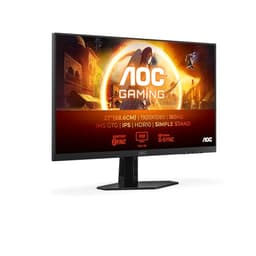
There's something exciting about 4K IPS panels reaching mid-range pricing. Not long ago, getting a proper 3840x2160 display meant either spending serious money or accepting a VA panel with contrast so variable it'd give you a headache. The AOC U27B3A sits right in that sweet spot where the specs look almost too good for the price bracket.
But here's what you actually need to know before clicking buy: every panel category at this price point has its trade-offs, and 4K IPS at this level is no exception. Backlight bleed is real, response times are often optimistic on the box, and HDR10 on a 350 cd/m2 panel is more checkbox than cinema. So rather than just repeating the spec sheet back at you, this review digs into what those numbers actually mean day-to-day, and where the AOC U27B3A earns its stars and where it doesn't.
The short version: for productivity, creative work, and casual gaming at 4K, this monitor makes a lot of sense. For fast-paced competitive gaming or HDR enthusiasts, you'll want to read on before committing.
Core Specifications
The AOC U27B3A is a 27-inch IPS monitor running at 3840x2160 (proper UHD 4K) with a 60Hz refresh rate. That resolution on a 27-inch panel gives you a pixel density of around 163 PPI, which is sharp. Text rendering at that density is excellent, and you won't see individual pixels unless you're pressing your nose against the glass. The panel is rated at 350 cd/m2 brightness, which is adequate for most indoor environments, and the response time is quoted at 4ms GtG.
Connectivity is solid for this price bracket: two HDMI 2.0 ports and one DisplayPort 1.4. That's a proper set-up for running multiple sources, and DisplayPort 1.4 has the bandwidth to handle 4K at 60Hz without compression. The monitor also includes built-in speakers, which is a nice touch at this price, and supports Adaptive Sync for tear-free gaming within its refresh rate range. AOC has included Low Blue Light and Flicker-Free technologies, which matter more than people give them credit for during long work sessions.
The three-sided frameless bezel design makes dual-monitor setups look clean. HDR10 is listed, and the HDR section covers what that means here. The overall package on paper is strong for the mid-range bracket.
| Specification | Detail |
|---|---|
| Screen Size | 27 inches |
| Resolution | 3840 x 2160 (UHD 4K) |
| Panel Type | IPS |
| Refresh Rate | 60Hz |
| Response Time | 4ms GtG |
| Brightness | 350 cd/m2 |
| Contrast | 1000:1 static |
| Colour Gamut | 128% sRGB, 94.9% DCI-P3 (CIE 1931) |
| HDR | HDR10 |
| Adaptive Sync | Yes, 40 to 60Hz |
| Ports | 2x HDMI 2.0, 1x DisplayPort 1.4 |
| Speakers | 2 x 2W, rear-firing |
| Bezel | Frameless (three sides) |
| Eye Care | Low Blue Light, Flicker-Free |
| Current Price | £178.97 (Price checked 05:46, 3 Oct 2026, UK time) |

Panel Technology
IPS (In-Plane Switching) is the right panel choice for this kind of monitor, and AOC has made the sensible call here. IPS technology delivers wide viewing angles, typically 178 degrees horizontal and vertical, which means colours don't shift when you're not sitting dead-centre. That matters enormously for creative work, for sharing your screen with someone sitting next to you, and for general comfort over long sessions. Compare that to TN panels, which go weird-coloured the moment you look at them from a slight angle, and you understand why IPS has become the default for anything productivity-oriented.
The trade-off with IPS has always been contrast. Native contrast ratios on IPS panels typically sit around 1000:1, compared to VA panels which can hit 3000:1 or higher. What that means practically is that blacks on an IPS display look more like very dark grey in a dim room. The AOC U27B3A is no different. If you're watching films in a darkened room and you care deeply about inky blacks, a VA panel would serve you better. But for daytime use, bright content, and anything colour-critical, IPS wins every time. The viewing angle consistency and colour accuracy advantages far outweigh the contrast limitation for most people.
IPS glow is worth mentioning because it catches people out. It's that faint brightening you see in the corners of an IPS panel when displaying dark content, and it's a characteristic of the technology rather than a defect. Backlight bleed, which is a separate issue caused by the backlight leaking around the edges, varies unit to unit. That's typical for this price bracket and panel type.
Display Quality
At 163 PPI, the AOC U27B3A is sharp. That pixel density puts it comfortably ahead of a 1080p 27-inch panel (which sits around 82 PPI) and noticeably sharper than 1440p at the same size (around 109 PPI). The practical upshot is that text looks crisp without any scaling, UI elements are detailed, and high-resolution photography looks properly impressive. If you're coming from a 1080p monitor at this size, the jump in clarity is significant enough to feel transformative.
The anti-glare coating on the panel is a matte finish, which is the sensible choice for an office or home-office display. Glossy screens look more vibrant in controlled lighting but become mirrors the moment there's a window behind you.
At 350 cd/m2 peak, the U27B3A isn't the brightest panel out there, but it's more than adequate for indoor use without direct sunlight on the screen.
Refresh Rate and Adaptive Sync
Sixty hertz. That's the number, and it's the most significant limitation of the AOC U27B3A for anyone who games seriously. To be clear, 60Hz is perfectly fine for productivity, creative work, video editing, and casual gaming. Films and TV content are produced at 24 to 30 frames per second, so 60Hz handles that with ease. But if you're playing fast-paced games and you've experienced 144Hz, going back to 60Hz feels like wading through treacle. The motion clarity difference is real and substantial.
What the U27B3A does have is Adaptive Sync, which synchronises the display's refresh rate with your GPU's frame output to eliminate screen tearing and stuttering. VESA's Adaptive Sync standard underpins both AMD FreeSync and, in many cases, Nvidia's G-Sync Compatible certification. AOC lists this as Adaptive Sync rather than specifying FreeSync Premium or G-Sync Compatible, and it gives a 40 to 60Hz range. In practice, that means Adaptive Sync is most useful when your GPU is producing between 40 and 60 frames per second, keeping things smooth rather than torn during those dips below the maximum refresh rate.
For the target audience of this monitor (productivity users, content creators, people who game occasionally rather than competitively), 60Hz with Adaptive Sync is a perfectly sensible combination. You're not buying a 4K 60Hz IPS panel because you want to play Valorant at 200fps. You're buying it because you want stunning image clarity for work and media, with smooth enough gaming for the titles you actually play. And for that use case, this setup works well. The 4K resolution at 60Hz is also much easier to drive than 4K at 120Hz or higher, meaning mid-range GPUs can actually handle it properly.
Response Time and Motion
The 4ms GtG response time on the box is the marketing number, and it's worth understanding what that actually means. GtG (grey-to-grey) measures how quickly a pixel transitions between two specific grey shades under ideal conditions. Real-world pixel transitions, particularly dark-to-dark transitions that matter most in gaming, are typically slower.
At 60Hz, the frame time is 16.67ms, which means even a 10ms response time leaves meaningful headroom before ghosting becomes a serious issue. The good news is that IPS panels have improved dramatically in response time over the past few years, and modern IPS displays handle motion much better than the "IPS is blurry" reputation from a decade ago.
Overshoot is the other response time concern, where overdrive settings push pixels too hard and create a bright halo ahead of moving objects (inverse ghosting). Some monitors in this category are aggressive with their overdrive to hit marketing response time numbers, resulting in visible artefacts in dark scenes.
Colour Accuracy and Gamut
IPS panels are the go-to for colour accuracy. AOC rates the U27B3A at 128% sRGB and 94.9% DCI-P3 (CIE 1931), a gamut larger than the sRGB colour space, which is the standard for web content, most photography, and the majority of video production workflows. sRGB is the colour space that matters most for typical use, and it's where IPS consistently outperforms TN panels.
Delta-E figures (the measurement of colour accuracy, where lower is better and under 2 is considered accurate to the human eye) aren't specified for this model in the available data. Factory calibration on monitors in this price bracket is rarely exceptional, but IPS panels tend to land within acceptable range out of the box. For content creators doing professional colour-graded work, a hardware calibration would always be recommended regardless of the monitor.
The Low Blue Light feature is worth a mention here because it affects colour rendering. AOC's Low Blue Light mode reduces blue emission to ease eye strain during long sessions, but it does shift the white point warmer. Most people either use it in the evenings or not at all, keeping the monitor in its standard colour mode for accurate work. The fact that it's a toggle rather than a hardware filter means you can switch between accurate colours and eye-comfort mode as needed, which is the right implementation. Flicker-Free is a real benefit for anyone who gets headaches from flicker, and it's worth having on a screen you'll look at all day.
HDR Performance
HDR10 on a 350 cd/m2 panel needs some context. Real HDR, the kind that makes your jaw drop, requires significant peak brightness (typically 600 cd/m2 minimum for HDR600, ideally 1000 cd/m2 or higher), local dimming to control contrast zone by zone, and wide colour gamut coverage. The VESA DisplayHDR certification tiers reflect this: DisplayHDR 400 is the entry level, and even that is considered by most display enthusiasts to be marginal for genuine HDR impact.
The U27B3A's 350 cd/m2 rating means it sits below even the DisplayHDR 400 threshold in terms of peak brightness. HDR10 support means the monitor can accept an HDR signal and display it, but the actual HDR experience is limited by the hardware. You won't get the specular highlights that make HDR content look dramatically different from SDR. What you will get is slightly expanded colour rendering when HDR content is active, which some people find pleasant even if it's not transformative cinema-quality HDR.
This isn't a criticism unique to the U27B3A. The vast majority of monitors in this price bracket that list HDR10 are in the same position. True HDR capability costs significantly more, typically requiring a jump to OLED or high-end mini-LED panels that can hit 1000 cd/m2 or more with genuine local dimming. If HDR is important to you and you want the real thing, you're looking at a different category of monitor entirely. For the U27B3A's target audience, HDR10 support means it's future-compatible and will display HDR content without refusing the signal, which is useful even if the impact is subtle.

Contrast and Brightness
The 350 cd/m2 peak brightness is adequate for most indoor environments. In a typical home office or living room without direct sunlight hitting the screen, you'll have brightness to spare. The matte anti-glare coating helps significantly here, reducing the effective brightness you need to overcome reflections. Where 350 cd/m2 becomes a limitation is in very bright rooms with large windows, where glossy-coated monitors with higher brightness ratings would maintain better visibility. For the majority of indoor use cases, though, it's fine.
The U27B3A is rated at 1000:1 static contrast, which is typical for IPS. A 1000:1 contrast ratio means the brightest white is 1000 times brighter than the darkest black the panel can produce. In practice, in a dim room, blacks look like dark grey rather than true black. This is the fundamental IPS trade-off, and it's why VA panels remain popular for media consumption in dark rooms. But in normal lighting conditions, the difference between IPS and VA contrast becomes much less noticeable, and the IPS advantages in colour accuracy and viewing angles become more relevant.
For productivity, the brightness and contrast combination works well. Text on a white background is crisp and easy to read. Spreadsheets, documents, code editors, and browser windows all look excellent. The 4K resolution at 27 inches means you can fit an enormous amount of content on screen at comfortable scaling, and the brightness is sufficient to keep everything legible.
Ergonomics and Stand
The three-sided frameless bezel is a genuine selling point. The slim bezel on the top and sides makes the screen feel larger than it is, and it looks clean on a desk. For dual-monitor setups, the near-smooth join between two U27B3As is attractive.
Stand adjustability is worth knowing about before you buy. The stand tilts from -5 to +20 degrees and that's it: no height, swivel or pivot adjustment. A tilt-only stand limits your ability to set the screen at the optimal height and angle. If ergonomics matter to you (and they should, especially for long work sessions), you may want a VESA arm. The stand is removable and the monitor takes a 100 x 100 VESA mount, which gives you the option of a third-party arm if the stand proves limiting.
The built-in speakers are a nice addition that many monitors at this price omit. They won't replace a proper speaker setup or even a decent headset for anything audio-critical, but for video calls, background music, and casual media consumption, having speakers built in removes the need for a separate audio device. The Low Blue Light and Flicker-Free features add to the long-session usability, which matters more than people often realise when they're choosing a monitor they'll stare at for eight hours a day.
Connectivity and Ports
The port selection on the AOC U27B3A is solid for this price bracket. Two HDMI 2.0 ports and one DisplayPort 1.4 gives you three video inputs. HDMI 2.0 supports 4K at 60Hz without compression, so both HDMI ports are fully capable of running the panel at its native resolution and refresh rate. That's important because some budget 4K monitors include HDMI 1.4 ports that can only run 4K at 30Hz, which is painful to use.
DisplayPort 1.4 is the preferred connection for PC gaming and productivity use. It supports 4K at 60Hz comfortably, and it's the port that will carry Adaptive Sync signals most reliably. If you're connecting a gaming PC, use the DisplayPort input. The two HDMI 2.0 ports are ideal for secondary devices: a games console, a laptop, a streaming device. Having two HDMI inputs means you can keep two devices permanently connected and switch between them without unplugging anything.
The built-in speakers connect through the monitor itself, so there's no separate audio cable needed for basic sound. The monitor's OSD (on-screen display) handles input switching and settings adjustment. There's no USB hub or USB-C port, so if those are important to your setup, you'll need a separate dock or hub.
- 2x HDMI 2.0 (4K 60Hz capable)
- 1x DisplayPort 1.4 (4K 60Hz, Adaptive Sync)
- Built-in speakers
- 3.5mm headphone out
Value Analysis
In the mid-range monitor bracket, the AOC U27B3A makes a compelling case. Getting a 27-inch 4K IPS panel with two HDMI 2.0 ports, DisplayPort 1.4, Adaptive Sync, built-in speakers, Low Blue Light, and Flicker-Free for a mid-range price is a strong package. The value proposition is real, not manufactured.
The key question is whether 4K at 60Hz is the right trade-off for your use case. If you're a productivity-first buyer who games occasionally, it's an excellent trade. You get stunning resolution for work, crisp text, detailed images, and perfectly adequate gaming performance for anything that isn't competitive multiplayer. If you're primarily a gamer who also does some work, you might be better served by a 1440p 144Hz monitor in the same price bracket, which would give you smoother motion at the cost of resolution. That's a genuine trade-off with no universally right answer.
For content creators, photographers, and people who spend most of their time in productivity applications, the value calculation strongly favours the U27B3A. The 4K resolution is useful for detailed work, the IPS panel suits the use case, and the price is low enough that you're not stretching the budget for a feature set that actually matches the work.
Final Verdict
The AOC U27B3A is a proper 4K IPS monitor at a price that makes sense. It's not trying to be something it isn't. It's a sharp, well-connected display for people who want 4K resolution for work, creative use, and casual media consumption. The 60Hz refresh rate is the headline limitation, and if that's a dealbreaker for your use case, it should be. But for the target audience, it's the right trade-off for the price.
The IPS panel gives you wide viewing angles, and Flicker-Free and Low Blue Light help over long sessions. The port selection runs to two HDMI 2.0 and one DisplayPort 1.4. The frameless bezel looks clean. The built-in speakers are a useful bonus. The HDR10 support is checkbox-level rather than transformative, but that's honest for this price bracket and panel specification.
For its intended audience, the AOC U27B3A earns a solid recommendation. It's a good 4K IPS display at a fair mid-range price, and that's exactly what it needs to be.

Full Specifications
| Specification | Detail |
|---|---|
| Model | AOC U27B3A |
| Screen Size | 27 inches |
| Resolution | 3840 x 2160 (UHD 4K) |
| Pixel Density | ~163 PPI |
| Panel Type | IPS |
| Refresh Rate | 60Hz |
| Response Time | 4ms GtG |
| Brightness | 350 cd/m2 |
| HDR | HDR10 |
| Adaptive Sync | Yes, 40 to 60Hz |
| HDMI | 2x HDMI 2.0 |
| DisplayPort | 1x DisplayPort 1.4 |
| Speakers | 2 x 2W, rear-firing |
| Bezel | Frameless (three sides) |
| Eye Care | Low Blue Light, Flicker-Free |
| Contrast | 1000:1 static |
| Colour Gamut | 128% sRGB, 94.9% DCI-P3 (CIE 1931) |
| Audio Out | 3.5mm headphone |
| Stand | Tilt -5 to +20 degrees, removable |
| VESA | 100 x 100 |
| Warranty | 3 years (AOC UK) |
| Power | 27W typical |
| Weight | 4.04 kg with stand |
What works. What doesn’t.
5 + 4What we liked5 reasons
- Genuine 4K IPS sharpness at a mid-range price
- Two HDMI 2.0 ports plus DisplayPort 1.4 - excellent connectivity
- Frameless three-sided bezel looks clean, great for dual setups
- Built-in speakers included at no extra cost
- Flicker-Free and Low Blue Light for long sessions
Where it falls4 reasons
- 60Hz refresh rate limits gaming performance
- HDR10 support is checkbox-level, not transformative
- IPS contrast means dark scenes look grey, not black
- Tilt-only stand with no height adjustment - may need a VESA arm
Full specifications
12 attributes| Refresh rate | 60 |
|---|---|
| Screen size | 27 |
| Panel type | IPS |
| Adaptive sync | Adaptive Sync |
| Aspect ratio | 16:9 |
| Curvature | flat |
| HDR | HDR10 |
| Launch year | 2024 |
| Ports | 2x HDMI 2.0, 1x DisplayPort 1.4 |
| Refresh rate HZ | 60 |
| Resolution | 3840x2160 |
| Response time | 4ms |
If this isn’t right for you
2 options 8.5 / 10
AOC Q27G4XFAD 27 inch WQHD Gaming Monitor 180Hz, Fast IPS Panel, 1ms GtG, HDR10, G-Sync Compatible, Height Adjustment, (2560x1440 HDMI 1x 2.0 DP 1x 1.4) Black
£149.99 · AOC
 8.5 / 10
Dell U2424H UltraSharp 24 Inch FHD (1920x1080) Monitor, 120Hz, IPS, 5ms, 98% DCI-P3, 2x USB-C, 2x DisplayPort, HDMI, 3x USB, 3 Year Warranty, Silver
£186.00 · Dell
Frequently asked
5 questions01Is the AOC U27B3A good for gaming?+
It depends entirely on what kind of gaming you do. The 60Hz refresh rate and 4ms GtG response time make it perfectly usable for single-player games, strategy titles, RPGs, and casual gaming. Adaptive Sync helps keep things smooth when frame rates dip. But for competitive multiplayer gaming where motion clarity and reaction time matter, 60Hz is a real limitation. If you've experienced 144Hz gaming, going back to 60Hz will feel noticeably slower. For occasional gaming alongside productivity use, it's fine. As a dedicated gaming monitor, there are better options at this price point.
02Does the AOC U27B3A have good HDR?+
Not in any meaningful sense. The monitor supports HDR10 signals, so it won't refuse HDR content, but with a 350 cd/m2 peak brightness and no local dimming, the HDR impact is subtle at best. Real HDR that delivers the 'wow' effect requires significantly higher peak brightness (600 cd/m2 minimum, ideally 1000 cd/m2+) and zone-based dimming to control contrast locally. The U27B3A's HDR10 support is a compatibility feature rather than a performance feature. For genuine HDR, you'd need to spend considerably more on an OLED or high-end mini-LED panel.
03Is the AOC U27B3A good for content creation?+
Yes, it's a solid choice for most content creation work. The IPS panel delivers wide viewing angles, and 4K resolution at 27 inches gives you approximately 163 PPI, which is sharp for detailed work. For professional colour-graded work where Delta-E accuracy is critical, a hardware calibration would be recommended. The 4K resolution is particularly useful for editing high-resolution photos or 4K video footage.
04What graphics card do I need for the AOC U27B3A?+
For 4K at 60Hz in productivity and casual use, most modern mid-range GPUs handle it without issue. An Nvidia RTX 3060 or AMD RX 6600 XT will drive the display at native resolution for everyday tasks and lighter or older games; demanding new titles will need settings turned down. For gaming at 4K 60fps in demanding titles, you'll want something more capable - an RTX 4070 or RX 7800 XT and above will give you a better experience. The good news is that 4K at 60Hz is much less demanding than 4K at 120Hz or 144Hz, so you don't need a flagship GPU to get the most from this monitor.
05What warranty and returns apply to the AOC U27B3A?+
Amazon offers 30-day returns on most items, which is particularly useful for monitors - it gives you time to check for dead pixels and backlight bleed in real-world conditions. AOC UK gives the U27B3A a 3-year warranty, which covers manufacturing defects. You're also covered by Amazon's A-to-Z guarantee. If you receive a unit with significant backlight bleed or dead pixels, the return window is your best route to a replacement.