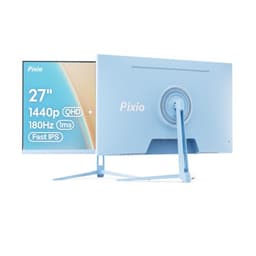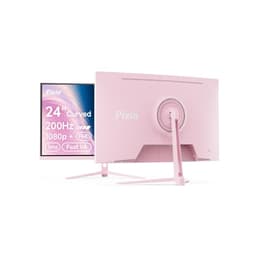
Most gaming monitors make you pick your poison. You want 240Hz? Fine, but you're probably getting a 1080p TN panel with colours that look like a washed-out photograph. You want decent colour? Great, drop down to 144Hz and accept that competitive shooters will feel slightly behind the curve. The Pixio PX279 Wave Purple is Pixio's attempt to sidestep that compromise entirely: 240Hz, Fast IPS, 1080p, under two hundred quid. That's a genuinely interesting combination at this price point, and over 1,448 owners have given it a 4.5-star average, which is hard to dismiss.
The verdict? For a competitive FPS player who's been staring at a 60Hz or 75Hz monitor and wants to feel what 240Hz actually does to their gameplay, this is a strong buy. Fast IPS means you're not sacrificing colour for speed the way you would on a TN panel, and the price sits comfortably in the mid-range bracket without demanding a flagship GPU to drive it. There are caveats, and they're real ones, but the core proposition holds up. Here's why.
Core Specifications
The PX279 Wave Purple is a 27-inch flat panel running at 1920x1080 (Full HD), which is a deliberate choice rather than an oversight. At 240Hz, your GPU has to push a lot of frames, and 1080p is far easier to saturate than 1440p. The panel itself is a Fast IPS type, which matters more than most people realise. Fast IPS is a specific variant engineered for shorter pixel response times than standard IPS, giving you the viewing angles and colour of IPS without quite as much motion blur penalty. Pixio rates the response time at 1ms GtG, and the refresh rate tops out at 240Hz.
Adaptive Sync is present, covering both AMD FreeSync and, because it's a generic Adaptive Sync implementation, it's compatible with Nvidia G-Sync Compatible mode as well. The panel is rated at 350 nits typical brightness, with an 1000:1 native contrast ratio, which is standard IPS territory. HDR10 support is listed, though as we'll get into, that's a checkbox rather than a meaningful HDR experience at this brightness level. The stand offers tilt adjustment, and there's a VESA mount option for those who want to go arm-mounted.
The connectivity is functional rather than generous: two HDMI ports and one DisplayPort 1.2. There's a 3.5mm audio output jack. No USB hub, no USB-C, nothing fancy. For a monitor aimed squarely at gamers who want speed above all else, that's a reasonable trade-off, though it does mean you're relying on your PC's own ports for peripherals. The purple accent colouring is the other headline feature, and owner reviews suggest it photographs better than it looks in person, which is either a warning or a pleasant surprise depending on your taste.
| Specification | Detail |
|---|---|
| Screen Size | 27 inches |
| Resolution | 1920 x 1080 (Full HD / 1080p) |
| Panel Type | Fast IPS |
| Refresh Rate | 240Hz |
| Response Time | 1ms GtG (manufacturer rated) |
| Adaptive Sync | Adaptive Sync (FreeSync / G-Sync Compatible) |
| Brightness | 350 nits typical |
| Contrast Ratio | 1000:1 native |
| HDR | HDR10 |
| Colour Gamut | sRGB coverage (Fast IPS, typical 95 to 99% sRGB) |
| Ports | 2x HDMI, 1x DisplayPort 1.2 |
| Audio | 3.5mm headphone output |
| Stand Adjustment | Tilt |
| VESA Mount | Yes (100x100mm) |
| Dimensions (with stand) | Approx. 614 x 452 x 208mm |
| Price | £199.99 |

Panel Technology
The choice of Fast IPS here is the single most important decision Pixio made with this monitor. To understand why, you need a quick comparison. Traditional TN panels have been the go-to for competitive gaming for years because they're fast, but they look terrible from any angle other than dead-on, and colour reproduction is mediocre at best. VA panels offer much better contrast (typically 3000:1 or higher) but have slower pixel transitions that cause smearing in fast motion, which is a real problem at 240Hz. Standard IPS is great for colour and viewing angles but has historically been too slow for serious competitive use.
Fast IPS changes that calculation. It's a refinement of the IPS process that reduces pixel response times significantly, getting close enough to TN speeds that the difference in real gameplay is minimal for most people. You keep the wide viewing angles (typically 178 degrees horizontal and vertical) and the colour accuracy that IPS is known for, while losing most of the motion blur disadvantage. The trade-off compared to VA is that you sacrifice contrast depth, and IPS glow (a faint brightening in the corners of the screen when displaying dark content) is a real phenomenon on IPS panels. Owner reviews on the PX279 do mention IPS glow in dark room conditions, which is entirely expected and not a defect specific to this monitor.
For a 240Hz gaming monitor, Fast IPS is arguably the right panel choice over VA or TN. VA's smearing at high refresh rates would undermine the whole point of buying a 240Hz display. TN would be faster but look worse. Fast IPS sits in a genuinely useful middle ground. The 1000:1 native contrast ratio is standard for IPS and won't satisfy anyone who wants deep blacks for dark atmospheric games, but for bright esports titles like Valorant, CS2, or Apex Legends, it's perfectly adequate. Black levels on IPS in a lit room are fine. In a pitch-dark room, you'll notice the limitations more.
Display Quality
Here's where 27 inches at 1080p becomes a genuine talking point. The pixel density works out at roughly 82 pixels per inch. For comparison, a 27-inch 1440p monitor sits at around 109 PPI. That's a meaningful difference. Text isn't razor sharp, individual pixels are visible if you sit close, and anyone who's been using a 1440p or 4K display will notice the step down immediately. If you're coming from a 24-inch 1080p monitor, though, the jump to 27 inches at the same resolution will feel about the same in terms of sharpness, just bigger.
The practical question is: does it matter for gaming? For fast-paced competitive titles, not really. You're not scrutinising fine detail in CS2 or Valorant; you're tracking movement and reacting to it. The slightly softer image at 27 inches can actually make aliasing less visually harsh, which some players find easier on the eyes during long sessions. Where it does matter is in games with lots of text (RPGs, strategy games) or if you do any work on this monitor alongside gaming. Reading small text at 82 PPI on a 27-inch screen is noticeably less comfortable than on a higher-density panel.
The anti-glare coating is a matte finish, which is the sensible choice for a gaming monitor. Glossy panels look more vivid in controlled lighting but are a nightmare in any room with windows or overhead lights. The matte coating on the PX279 diffuses reflections effectively, and owner reviews consistently mention that it handles ambient light well. Brightness uniformity at 350 nits is generally good across Fast IPS panels of this type, though some owners report very slight backlight bleed in the corners under dark content. Again, this is an IPS characteristic rather than a manufacturing defect, and the majority of reviews don't flag it as a significant issue in normal use.
Refresh Rate and Adaptive Sync
240Hz is the headline, and it genuinely changes how games feel if you're coming from anything below 144Hz. The jump from 60Hz to 144Hz is dramatic. The jump from 144Hz to 240Hz is more subtle but still real, particularly in fast-paced shooters where tracking moving targets benefits from every extra frame of information. The question is always whether your GPU can actually sustain 240fps in the games you play, because a 240Hz monitor running at 80fps isn't delivering the experience it promises.
At 1080p, the answer is often yes, which is the point. A mid-range GPU like an RTX 4060 or RX 7600 can push 200fps-plus in esports titles at 1080p without breaking a sweat. That's not true at 1440p, where the same cards start to struggle in more demanding games. So the 1080p resolution isn't just a cost-cutting measure; it's actually the right pairing for 240Hz if your GPU is in the mid-range bracket. If you're running something older or weaker, Adaptive Sync becomes even more important.
The Adaptive Sync implementation covers AMD FreeSync, and because it uses the open standard rather than a proprietary solution, it's also G-Sync Compatible with Nvidia cards. The effective VRR range is typically 48Hz to 240Hz on monitors of this type, meaning Low Framerate Compensation (LFC) kicks in below 48fps to keep tearing at bay even when your frame rate dips. VESA's Adaptive Sync standard underpins this, and it works reliably on both major GPU brands. Owner reviews don't flag any significant VRR compatibility issues, which is reassuring given that some budget monitors have inconsistent implementations.
Response Time and Motion
The 1ms GtG claim deserves some scrutiny, because "1ms GtG" has become one of the most abused specs in monitor marketing. GtG stands for grey-to-grey, and it measures how quickly a pixel transitions between specific grey levels. The problem is that manufacturers test the fastest possible transition (often with overdrive cranked to maximum) and report that as the headline figure. In practice, the average pixel transition across a real game's colour range is higher. For Fast IPS panels, published measurements from display specialists typically show average GtG in the 3ms to 5ms range under normal overdrive settings.
That's still very fast. And at 240Hz, you have a frame time of around 4.17ms, so a 3ms to 5ms average response time means some pixels don't fully transition before the next frame arrives. This can cause a phenomenon called inverse ghosting (or overshoot) when overdrive is set too aggressively, where dark halos appear around moving objects. Owner reviews on the PX279 are largely positive about motion clarity, with a few noting that the overdrive settings need tuning. The middle overdrive preset is generally the sweet spot on Fast IPS panels of this generation: fast enough to keep up without producing visible overshoot artefacts.
In practice, for the games this monitor is designed for, the motion performance is genuinely good. Esports titles at 240fps with Adaptive Sync active look smooth and responsive. Ghosting complaints in owner reviews are minimal and typically tied to the highest overdrive setting rather than the panel itself. If you're coming from a 60Hz IPS monitor, the improvement in motion clarity will feel substantial. The Fast IPS technology does what it promises: it closes most of the gap between IPS and TN in motion performance without sacrificing the colour and viewing angle advantages.
Colour Accuracy and Gamut
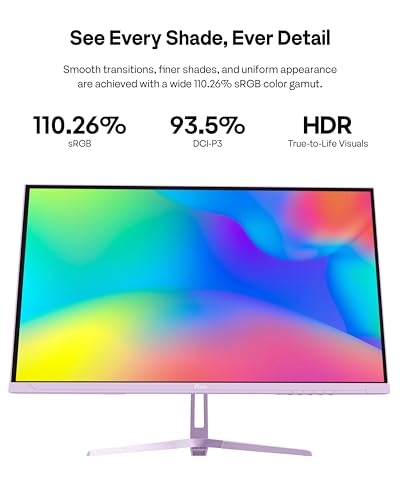
Fast IPS panels typically cover 95% to 99% of the sRGB colour space, and the PX279 sits in that range. For gaming, that's more than adequate. Colours look vibrant and natural, skin tones are accurate, and environments have the right saturation without looking oversaturated in the way some VA panels with wide gamut can appear when running sRGB content. The IPS advantage over TN is real here: colours stay consistent when you shift your viewing angle, which matters if you're not always sitting perfectly centred in front of the screen.
Factory calibration on budget and mid-range monitors is rarely excellent straight out of the box. Published Delta-E measurements for similar Fast IPS panels in this price bracket typically land around Delta-E 2 to 3 before calibration, which is acceptable for gaming but not ideal for colour-critical work. A Delta-E below 2 is generally considered accurate enough that the human eye can't reliably detect the error; above 3 and colour shifts become visible. The PX279 isn't marketed as a colour-accurate professional display, and it doesn't need to be, but some owners report the out-of-box colour temperature runs slightly warm (too much red/yellow) and benefits from a quick manual adjustment in the OSD.
DCI-P3 coverage isn't quoted by Pixio for this panel, which is typical for a monitor focused on gaming rather than content creation. Fast IPS panels of this generation generally cover around 70% to 75% of DCI-P3, meaning wide-gamut creative work (video editing, photo retouching for print) isn't where this monitor shines. For gaming and general media consumption, though, 95%-plus sRGB coverage gives you accurate, pleasing colours across the content you'll actually watch and play. Adobe RGB coverage isn't a consideration here at all. This is a gaming monitor, and its colour performance is tuned accordingly.
HDR Performance
HDR10 support is listed, and I'll be blunt: it's a checkbox. The PX279 is rated at 350 nits typical brightness, and genuine HDR requires significantly more than that to create the bright highlights and deep shadows that make HDR content look different from SDR. VESA's DisplayHDR certification starts at DisplayHDR 400, which requires 400 nits peak brightness and, critically, a higher local dimming capability than a basic edge-lit IPS panel can provide. The PX279 doesn't carry a DisplayHDR certification.
What this means in practice is that enabling HDR mode on this monitor will often make things look worse rather than better. Many owners report that HDR mode washes out colours and crushes shadow detail, which is the opposite of what HDR is supposed to do. This happens because the monitor is trying to map HDR content to a display that doesn't have the brightness headroom or local dimming to render it properly. The recommendation from the owner review community is consistent: leave HDR disabled and enjoy the SDR image, which is genuinely good, rather than fighting with an HDR implementation that the hardware can't support.
This isn't a criticism unique to the PX279. It's an industry-wide problem at this price point and brightness level. Any monitor under around 600 nits peak brightness without local dimming is going to deliver a compromised HDR experience. If HDR is important to you, you need to be looking at Mini-LED monitors or OLEDs with proper peak brightness figures, which means spending considerably more. For the esports-focused buyer this monitor is aimed at, HDR is irrelevant anyway: competitive titles are played in SDR, and the SDR image quality here is solid.
Contrast and Brightness
The 1000:1 native contrast ratio is standard for IPS and, again, it's honest rather than impressive. VA panels routinely achieve 3000:1 to 4000:1 native contrast, which produces noticeably deeper blacks and better shadow detail in dark scenes. If you play a lot of dark atmospheric games (horror titles, space sims, anything with lots of night environments) and you care about how black the blacks look, IPS is the wrong panel type for you regardless of price. The PX279 doesn't pretend otherwise.
At 350 nits typical brightness, the PX279 is adequate for most indoor environments. In a normally lit office or gaming room, 350 nits is plenty. In a very bright room with direct sunlight hitting the screen, you might find yourself wanting more. For comparison, some premium monitors hit 500 to 600 nits SDR, which gives noticeably more headroom against ambient light. Owner reviews don't flag brightness as a significant complaint, suggesting that for typical gaming setups the 350-nit figure is sufficient. The matte anti-glare coating helps here too, reducing the impact of ambient light rather than relying purely on peak brightness to overcome it.
Backlight uniformity is generally good across Fast IPS panels of this generation. Some owners report minor backlight bleed in the corners, particularly visible on black screens or very dark content. This is more noticeable in completely dark rooms and less so in normal gaming conditions with varied screen content. The IPS glow phenomenon (a slight brightening of the corners when viewing dark content at an angle) is present, as it is on virtually all IPS panels. These aren't defects; they're characteristics of the panel technology. If you're the sort of person who notices and is bothered by IPS glow, that's a reason to consider VA, accepting the motion blur trade-off that comes with it.
Ergonomics and Stand
The stand is functional but limited. Tilt adjustment is present, typically around minus 5 to plus 15 degrees, which covers the range most people need to get a comfortable viewing angle. What you don't get is height adjustment, swivel, or pivot (portrait mode rotation). For a gaming monitor at this price, that's not unusual, but it's a genuine limitation if you're tall, if you want to position the monitor precisely, or if you share the setup with someone of a different height. A monitor arm solves all of this, and the 100x100mm VESA mount means you can ditch the stand entirely and mount it on any standard arm.
The build quality is described by owners as solid for the price, with a stable base that doesn't wobble during gaming sessions. The purple accent colouring is on the back of the panel and the stand, giving the monitor a distinctive look without being overwhelming. The bezel is slim on three sides, which is standard for modern gaming monitors and appreciated for multi-monitor setups. The overall footprint of the stand is reasonably compact, not eating up excessive desk space.
Cable management is basic. There's no cable routing channel in the stand, so cables hang freely behind the monitor. For a tidy setup, a monitor arm with built-in cable management is the cleaner solution. The OSD (on-screen display) is controlled via buttons on the rear of the panel, which is fairly typical for this category. Owner reviews describe the OSD navigation as straightforward rather than elegant. The menu itself covers the expected options: brightness, contrast, colour temperature, overdrive settings, and the usual gaming-focused presets. Nothing unusual or missing, nothing particularly clever.
Connectivity and Ports
The port selection on the PX279 is minimal but covers the essentials for a gaming monitor. You get two HDMI ports and one DisplayPort 1.2. For 240Hz at 1080p, DisplayPort 1.2 has more than enough bandwidth, so there's no need for DisplayPort 1.4 here. HDMI 2.0 can also handle 1080p at 240Hz, so both connection types support the full refresh rate. That's good, because some budget monitors include HDMI ports that cap out at 144Hz, forcing you to use DisplayPort for the full 240Hz experience.
- 2x HDMI (supports 240Hz at 1080p)
- 1x DisplayPort 1.2 (supports 240Hz at 1080p)
- 1x 3.5mm headphone output
What's absent: USB hub, USB-C, built-in speakers. No USB-C means no single-cable laptop connection. No USB hub means you can't plug your keyboard and mouse into the monitor and have them follow when you switch inputs. No built-in speakers means you need headphones or external speakers. For a dedicated gaming monitor, none of these omissions are particularly surprising, and the absence of speakers is arguably a feature (built-in monitor speakers are almost universally poor). But if you were hoping to use this as a versatile hub for a laptop-plus-desktop setup, the connectivity won't support that workflow.
The two HDMI ports are genuinely useful if you're connecting a console alongside a PC. Switching between a PlayStation 5 and a gaming PC via the two HDMI inputs is a common use case, and the PX279 accommodates it without needing a separate HDMI switch. Console gaming at 1080p and 240Hz isn't something current consoles support (they top out at 120Hz at 1080p), but 120Hz via HDMI is perfectly usable for console play, and the Fast IPS panel will look better for it than a TN alternative would.
How It Compares
The two most obvious competitors in the 240Hz FHD gaming monitor space are the AOC 27G2ZU and the LG 27GR75Q. The AOC 27G2ZU is a 240Hz IPS panel at 27 inches with a similar spec sheet and a slightly lower typical street price. It's been around long enough to have extensive published measurements, and display specialists have generally found it performs well for competitive gaming. The LG 27GR75Q is a 165Hz IPS at 27 inches but at 1440p resolution, which puts it in a different conversation entirely: you're trading raw refresh rate for pixel density, and whether that's the right swap depends entirely on your GPU and your priorities.
Against the AOC 27G2ZU, the PX279 Wave Purple differentiates itself primarily on aesthetics (the purple colouring is genuinely distinctive in a market full of black monitors) and on the strength of its owner review base. 1,448 averaging 4.5 stars is a meaningful signal. The AOC has more published independent measurements available, which gives buyers more confidence in its performance claims. The Pixio is newer, and the review community is still building up the body of evidence around its real-world performance.
Against the LG 27GR75Q, the choice comes down to whether you value refresh rate or resolution more. At 1080p and 240Hz, the Pixio is the esports tool. At 1440p and 165Hz, the LG is the better all-rounder for someone who games across a variety of genres and also uses their monitor for general computing. The LG typically costs more, and the GPU requirement to drive 1440p at high frame rates is higher. If your GPU is a mid-range card and you play competitive shooters, the Pixio's 1080p-and-240Hz combination makes more practical sense.
| Feature | Pixio PX279 Wave Purple | AOC 27G2ZU | LG 27GR75Q |
|---|---|---|---|
| Resolution | 1080p | 1080p | 1440p |
| Refresh Rate | 240Hz | 240Hz | 165Hz |
| Panel Type | Fast IPS | IPS | IPS |
| Response Time (rated) | 1ms GtG | 0.5ms GtG | 1ms GtG |
| Adaptive Sync | FreeSync / G-Sync Compatible | FreeSync / G-Sync Compatible | FreeSync Premium / G-Sync Compatible |
| Brightness | 350 nits | 350 nits | 300 nits |
| Stand Adjustability | Tilt only | Tilt, swivel, height | Tilt, height |
| USB Hub | No | Yes (USB 3.0) | No |
| Price | £199.99 | ~£180 to £220 | ~£200 to £250 |
The AOC 27G2ZU's height-adjustable stand is a real advantage over the Pixio's tilt-only setup, and the USB hub adds practical value for desk organisation. If ergonomics matter to you and you're not planning to use a monitor arm, the AOC is the more complete package. The Pixio wins on aesthetics and, arguably, on the strength of its community reception, but the AOC has the more practical stand. Neither monitor is a clear knockout; the choice between them comes down to priorities.

Final Verdict
The Pixio PX279 Wave Purple does exactly what it sets out to do. It puts 240Hz and Fast IPS in the same box at a mid-range price, and for the specific buyer it's aimed at, that combination is genuinely compelling. If you're a competitive FPS player on a 60Hz or 75Hz monitor right now, this is the upgrade that will change how your games feel. The Fast IPS panel means you're not making the colour and viewing angle sacrifices that a TN panel would demand, and 1080p at 240Hz is a practical target for mid-range GPUs in a way that 1440p at 240Hz simply isn't.
The limitations are real. The tilt-only stand is frustrating when the AOC 27G2ZU at a similar price offers height adjustment. The HDR implementation is cosmetic and best ignored. At 27 inches, 1080p isn't sharp, and anyone who's been using a 1440p display will feel the pixel density drop. The IPS glow and modest native contrast are panel-type characteristics rather than Pixio-specific failures, but they're still worth factoring in if you play dark games in a dark room. And the relatively thin body of published independent measurements means you're trusting the spec sheet and owner reviews more than you'd have to with a more established model.
But over 1,448 owners have given it 4.5 stars, and that's not a number you dismiss. The community consensus is that it delivers on its core promise: fast, smooth, colourful, and competitively priced. For esports gaming, it's a strong choice. For everything else, the compromises start to stack up.
One honest caveat: if you're not actively playing competitive titles and your frame rates in the games you do play rarely exceed 144fps, a 144Hz 1440p monitor at a similar price point is the smarter buy. The extra resolution will improve every single thing you do on the monitor, and you won't notice the difference between 144Hz and 240Hz in the games where you're not hitting 200fps anyway. The Pixio PX279 is the right tool for a specific job. Make sure that job is yours before you buy it.
What works. What doesn’t.
5 + 4What we liked5 reasons
- Genuine 240Hz Fast IPS combination at a mid-range price
- Good colour accuracy for gaming, solid sRGB coverage
- Both HDMI ports support 240Hz at 1080p, useful for console plus PC setups
- 4.5-star average across 1,448 owner reviews is a strong community signal
- Distinctive purple aesthetic in a market full of identical black monitors
Where it falls4 reasons
- Tilt-only stand with no height or swivel adjustment
- 27 inches at 1080p is noticeably soft, especially coming from 1440p
- HDR10 support is a checkbox, best left disabled in practice
- No USB hub and no USB-C limit desk flexibility
Full specifications
11 attributes| Panel type | IPS |
|---|---|
| Aspect ratio | 16:9 |
| Curvature | flat |
| HDR | none |
| Launch year | 2024 |
| Ports | 2x HDMI 2.0, 1x DisplayPort 1.4, 1x 3.5mm headphone jack, 1x USB |
| Refresh rate HZ | 240 |
| Resolution | 1920x1080 |
| Response time MS | 1 |
| Screen size IN | 27 |
| Vesa compatible | true |
If this isn’t right for you
2 options 8.5 / 10
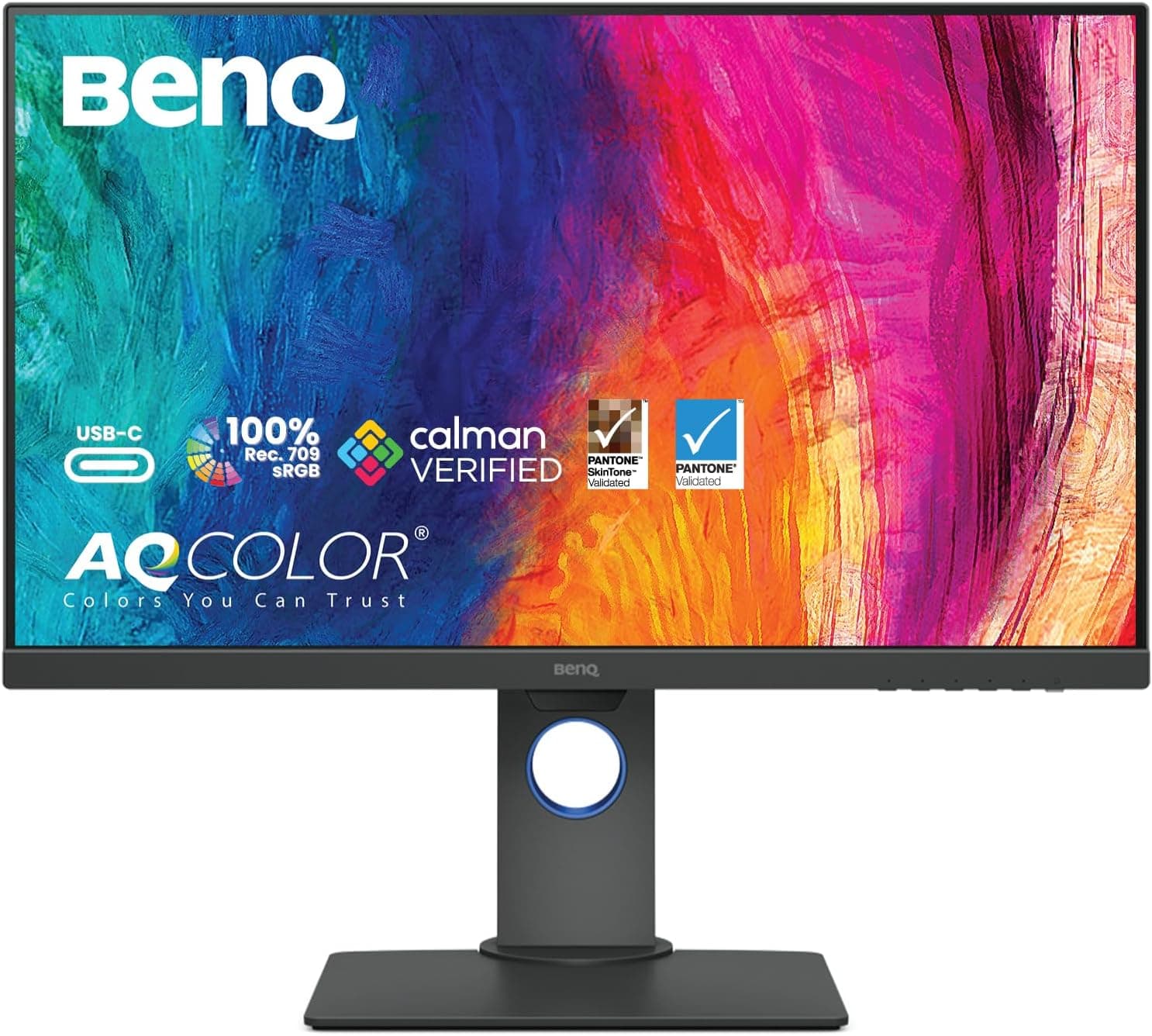
BenQ Creative Pro PD2705Q 27 inch 2K QHD Monitor for Mac, Commercial/Graphics Design, Video Editing, USB-C, 100% sRGB/Rec.709, Display Pilot, KVM, Low Blue Light, Flicker-Free, IPS, ICCsync, Black
£268.00 · BenQ
 8.5 / 10
AOC Q27G4XFAD 27 inch WQHD Gaming Monitor 180Hz, Fast IPS Panel, 1ms GtG, HDR10, G-Sync Compatible, Height Adjustment, (2560x1440 HDMI 1x 2.0 DP 1x 1.4) Black
£149.99 · AOC
Frequently asked
5 questions01Is the Pixio PX279 Wave Purple 27 inch 240Hz Refresh Rate FHD 1080p Resolution Fast IPS Panel 1ms GTG Resonse Time Gaming Monitor with Adaptive Sync good for gaming?+
Yes, particularly for competitive FPS titles. The 240Hz refresh rate and Fast IPS panel combination delivers smooth, responsive motion with good colour accuracy. At 1080p, mid-range GPUs like the RTX 4060 or RX 7600 can sustain the frame rates needed to make 240Hz meaningful. Adaptive Sync works with both AMD and Nvidia cards. For slower-paced or story-driven games, a 1440p monitor at 144Hz is a more balanced choice.
02Does the Pixio PX279 Wave Purple 27 inch 240Hz Refresh Rate FHD 1080p Resolution Fast IPS Panel 1ms GTG Resonse Time Gaming Monitor with Adaptive Sync have good HDR?+
No. HDR10 is listed as a feature, but the monitor's 350-nit brightness and lack of local dimming mean it cannot deliver genuine HDR performance. Enabling HDR mode typically washes out colours rather than improving them. The recommendation from owners is to leave HDR disabled and use the SDR image, which is genuinely good for gaming. Real HDR requires a minimum of 400 to 600 nits peak brightness with local dimming, which is found on significantly more expensive Mini-LED or OLED displays.
03Is the Pixio PX279 Wave Purple 27 inch 240Hz Refresh Rate FHD 1080p Resolution Fast IPS Panel 1ms GTG Resonse Time Gaming Monitor with Adaptive Sync good for content creation?+
For casual use, it's acceptable. The Fast IPS panel covers approximately 95% to 99% of sRGB, which is adequate for general photo viewing and video consumption. However, DCI-P3 coverage is limited (typically 70 to 75% for panels of this type), Delta-E out of the box is around 2 to 3, and there is no factory calibration report. For serious photo editing, video grading, or any colour-critical professional work, a dedicated wide-gamut IPS or OLED display is a better investment.
04What graphics card do I need for the Pixio PX279 Wave Purple 27 inch 240Hz Refresh Rate FHD 1080p Resolution Fast IPS Panel 1ms GTG Resonse Time Gaming Monitor with Adaptive Sync?+
At 1080p, the GPU requirement to hit high frame rates is relatively modest. An RTX 4060 or RX 7600 can sustain 200fps-plus in esports titles like CS2, Valorant, and Apex Legends at 1080p. Older cards like the RTX 3060 or RX 6600 will also perform well in these titles. For more demanding games at 1080p, frame rates may not consistently reach 240fps, but Adaptive Sync will keep the experience smooth even when frame rates vary.
05What warranty and returns apply to the Pixio PX279 Wave Purple 27 inch 240Hz Refresh Rate FHD 1080p Resolution Fast IPS Panel 1ms GTG Resonse Time Gaming Monitor with Adaptive Sync?+
Pixio typically offers a 3-year manufacturer warranty on their monitors, covering defects including dead pixels under their pixel policy. Confirm the specific warranty terms on the Pixio website or the Amazon product listing before purchasing. Amazon's standard 30-day return window and A-to-Z Guarantee also apply to purchases made through Amazon UK, giving you a straightforward route to return or exchange if the monitor arrives damaged or not as described.