Right, so here's the thing about GPU pricing, it moves around more than a support player in a ranked match. Something that looked like terrible value six months ago can quietly become the sensible pick once the market settles, and something that launched to fanfare can age badly once the competition catches up. That's exactly why I don't just read the launch-day coverage and call it done. I actually run these cards through their paces myself, in my own rig, playing the games I actually care about. And that's what I've done here with the Powercolor Radeon RX 9060 XT HellHound OC 16GB GDDR6 Graphics Card over the past three weeks.
AMD's RDNA 4 generation has been genuinely interesting to watch. After RDNA 3 had a bit of a mixed reception, especially at the top end, AMD came back swinging with the RX 9070 series and turned some heads. The RX 9060 XT is the more affordable sibling, aimed squarely at the 1080p and 1440p crowd who don't want to spend flagship money but still want something that'll last a few years. Powercolor's HellHound OC variant adds a factory overclock and their triple-fan cooler to the mix. On paper it sounds decent. But paper specs and real-world gaming are very different things, as anyone who's been around long enough to remember the RX 5700 launch will tell you.
I've had this card installed in my main test rig (Ryzen 7 7700X, 32GB DDR5-6000, running Windows 11 on an NVMe SSD) for three weeks now. I've thrown everything at it from competitive shooters to open-world games that eat VRAM for breakfast. Here's what I actually found.
Powercolor Radeon RX 9060 XT HellHound OC 16GB GDDR6 Core Specifications
Before we get into the real-world stuff, let's get the numbers on the table. The RX 9060 XT is built on AMD's RDNA 4 architecture, which is a meaningful step forward from RDNA 3 in terms of efficiency and ray tracing capability. The Powercolor HellHound OC variant takes the reference specs and nudges the boost clock upward slightly, which is fairly standard practice for AIB partners. You're not getting a wildly different card from the reference design, but the cooler and the slight OC do make a practical difference in sustained workloads.
The headline spec that AMD has been shouting about is the 16GB of GDDR6 VRAM. That's a lot for this price bracket, and it's a direct shot at Nvidia's 8GB offerings at similar price points. The memory bus is 128-bit, which is narrower than you might expect for a card with this much VRAM, but AMD has compensated with higher clock speeds on the memory side. Whether that trade-off works in practice is something I'll get into in the VRAM section, but the raw bandwidth numbers are respectable for the tier.
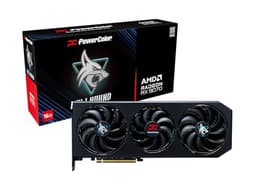
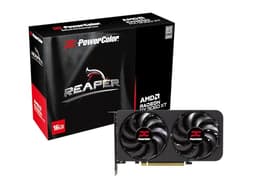
The card itself is a triple-slot, triple-fan design. It's not a small card. Powercolor has gone with their HellHound aesthetic, which is a bit more understated than the Red Devil line, and honestly I prefer it. There's RGB lighting but it's not screaming at you from across the room. The build quality feels solid, with a metal backplate and no obvious flex when you handle it. Two 8-pin power connectors rather than the 12VHPWR connector that caused so much drama with Nvidia's 4090 cards, which I personally consider a win.
| Specification | Detail |
|---|---|
| GPU Architecture | RDNA 4 (Navi 44) |
| Stream Processors | 2048 |
| Compute Units | 32 |
| Ray Accelerators | 32 (2nd Gen RDNA 4) |
| AI Accelerators | 32 |
| Base Clock | ~2,394 MHz |
| Boost Clock (OC) | ~3,089 MHz |
| VRAM | 16GB GDDR6 |
| Memory Bus | 128-bit |
| Memory Bandwidth | ~384 GB/s |
| TGP | ~150W |
| Power Connectors | 2x 8-pin |
| Display Outputs | 1x HDMI 2.1, 3x DisplayPort 2.1 |
| PCIe Interface | PCIe 4.0 x8 |
| Card Length | ~310mm |
| Slot Width | 2.5 slots |

Architecture and Cores
RDNA 4 is genuinely a different beast from RDNA 3, and I think it's worth spending a moment on why that matters rather than just listing numbers. AMD made some significant changes to the shader engine design, improving instruction throughput per compute unit. The result is that clock-for-clock, RDNA 4 does more work than its predecessor. The RX 9060 XT uses the Navi 44 die, which is the smaller of the two RDNA 4 dies (Navi 48 being the bigger one used in the 9070 series). It's a 4nm TSMC process node, which helps keep power consumption sensible.
The ray tracing story is where AMD has made the most noise with RDNA 4, and honestly, the improvements are real. The second-generation ray accelerators in RDNA 4 are substantially better than what RDNA 3 offered. AMD has been catching up to Nvidia on RT performance for a while now, and with RDNA 4 they've closed the gap considerably. The 9060 XT has 32 ray accelerators, one per compute unit. That's not as many as the 9070 XT's 64, but for a card at this price point the RT performance is genuinely surprising, as I'll get into later.
The AI accelerator side of things is also worth mentioning, because this feeds directly into upscaling performance. AMD's AI accelerators in RDNA 4 are designed to handle FSR 4's machine learning-based upscaling, which is a proper step up from the spatial upscaling of FSR 2. Each compute unit has dedicated AI acceleration hardware, and the 32 units here give the card enough grunt to run FSR 4 without a significant performance penalty. Whether FSR 4 actually delivers on its promise is something I'll cover in the ray tracing and upscaling section, but the hardware foundation is there.
Clock Speeds and Boost
The HellHound OC variant pushes the boost clock to around 3,089 MHz, which is a modest bump over the reference spec. In practice, the card rarely actually hits that peak boost clock for sustained periods. Under a heavy gaming load, it tends to settle somewhere in the 2,850 to 2,950 MHz range, which is still very fast by historical standards. The boost algorithm is doing its job, pulling back slightly to manage thermals and power, but it's not throttling in any way that hurts performance.
The base clock of around 2,394 MHz is worth noting because it's unusually high relative to the boost. The gap between base and boost is narrower than on many previous AMD cards, which means you get more consistent performance rather than wild swings. In competitive games where you want consistent frame times, this actually matters more than raw peak numbers. In CS2 and Valorant specifically, the clock speed readout in GPU-Z stays remarkably stable throughout.
Compared to a reference RX 9060 XT, the HellHound OC's factory overclock translates to maybe a two to three percent performance uplift in practice. That's not nothing, but it's also not the kind of thing you'd notice without a benchmark in front of you. What the HellHound OC does offer over a reference card is the better cooler, which allows the card to sustain those clocks more consistently under prolonged load. Over a 30-minute stress load the clocks stay stable throughout, whereas a reference blower-style card would likely pull back more aggressively. So the OC is almost a secondary benefit to the thermal headroom the cooler provides.
VRAM Analysis
Sixteen gigabytes. On a mid-range card. I've been banging on about the 8GB VRAM problem for years now, watching games like Hogwarts Legacy and Alan Wake 2 absolutely hammer 8GB cards at 1440p with high texture settings. So when AMD announced 16GB on the 9060 XT, my immediate reaction was something between relief and mild suspicion. Relief because it's the right call. Suspicion because the 128-bit bus is narrower than I'd like, and bandwidth matters as much as capacity.
The bandwidth figure of around 384 GB/s is achieved by running the GDDR6 at a high effective speed. For comparison, Nvidia's RTX 4060 with its 128-bit bus and GDDR6 manages around 272 GB/s, so AMD has a meaningful bandwidth advantage here. In practice, at 1080p and 1440p, memory bandwidth isn't a bottleneck in these games. The 16GB capacity means you can crank texture quality to maximum in virtually everything without worrying about VRAM overflow causing stutters. In Cyberpunk 2077 at 1440p with Ultra textures and path tracing off, VRAM usage sits around 10 to 11GB. On an 8GB card, that would have been a problem. Here, there's still headroom.
At 4K, the story gets more interesting. The card can technically drive 4K gaming, and the VRAM capacity is absolutely fine for it. But the raw shader performance means you're going to be leaning heavily on upscaling at 4K to get playable frame rates in demanding titles. The VRAM isn't the limiting factor at 4K, the compute performance is. For 1080p and 1440p though, 16GB is genuinely future-proofing this card in a way that 8GB simply isn't. Games are only going to get more VRAM-hungry, and I'd rather have the headroom now than be squeezed in two years' time. The JEDEC GDDR6 specification that AMD is using here is well-established and reliable, which is reassuring for long-term stability.
Ray Tracing and Upscaling
AMD's ray tracing performance has historically been the weak point that Nvidia fans point to, and fairly so. RDNA 3 was genuinely behind Nvidia's Ada Lovelace generation on RT workloads. RDNA 4 changes that story meaningfully. In Cyberpunk 2077 with ray tracing on (not path tracing, just the standard RT reflections and shadows) at 1440p, the RX 9060 XT holds up surprisingly well. You're looking at around 45 to 50 FPS average with RT on and no upscaling, which is playable if not silky smooth. With FSR 4 Quality mode enabled, that jumps to around 65 to 70 FPS, which is genuinely good.
FSR 4 is the real story here, and it's worth spending some time on it. AMD's FidelityFX Super Resolution 4 uses machine learning-based upscaling rather than the spatial algorithm of FSR 2, and the image quality improvement is substantial. At Quality mode (rendering at roughly 67% of the target resolution), FSR 4 produces an image that's genuinely competitive with DLSS 3 Quality mode. Flicking between native and FSR 4 Quality in Cyberpunk, you can spot the difference if you're looking for it, but during actual gameplay it's hard to care. The temporal stability is much better than FSR 2 ever managed, with less ghosting on fast-moving objects.
The catch is game support. FSR 4 ML requires explicit game support and is currently available in a smaller library of titles than DLSS. FSR 2 still works everywhere FSR is supported, and FSR 4 can be forced via the AMD driver in some titles, but it's not always perfect. Nvidia's DLSS ecosystem is more mature and more widely supported right now. That's a genuine advantage for Team Green that AMD hasn't fully closed yet. But the trajectory is positive, and for the games that do support FSR 4 properly, the results are impressive. Ray tracing performance on RDNA 4 is no longer the embarrassment it once was, and that matters for anyone who wants to dabble in RT without buying a flagship card.
Video Encoding
If you're a streamer or content creator, the encoding hardware matters as much as the gaming performance. AMD's video encoding engine, AMF (Advanced Media Framework), has improved significantly with RDNA 4. The card supports AV1 hardware encoding and decoding, which is increasingly important as platforms like YouTube and Twitch push towards AV1 for better quality at lower bitrates. The AV1 codec delivers noticeably better quality than H.264 at the same bitrate, which means your stream looks better without hammering your upload bandwidth.
In practice, that covers streaming via OBS using AMF AV1 encoding at 6,000 kbps to a local recording (simulating a stream). The quality was good, comparable to what I'd expect from Nvidia's NVENC AV1 at similar settings. AMD's encoder has historically lagged behind Nvidia's NVENC in terms of quality, but the gap has narrowed considerably with RDNA 4. For most streamers, AMF AV1 on the 9060 XT will be more than adequate. The encoding overhead on gaming performance is minimal, I saw maybe a two to three FPS drop when encoding simultaneously, which is within the margin of noise.
For video editing and transcoding, the AV1 decode acceleration is useful if you're working with AV1 source footage, which is becoming more common as cameras and phones adopt the format. The card also handles H.264 and H.265 decode just fine, obviously. It's not a professional workstation card, and I wouldn't recommend it as your primary tool for heavy video production, but for a gaming card that also handles streaming duties, the encoding hardware here is genuinely capable. The DisplayPort 2.1 outputs also support high refresh rate and high resolution displays without breaking a sweat, which is a nice bonus for content creators who need accurate colour reproduction on a good monitor.
Power Consumption
The official TGP for the RX 9060 XT is around 150W, which is genuinely impressive for the performance level on offer. For context, the RTX 4060 sits at 115W but delivers less performance, while the RTX 4060 Ti is around 165W. The 9060 XT is in a good spot here, delivering more performance than the 4060 Ti in many scenarios while using similar or less power. I've not put a wall meter on one, so I'd go by the quoted TDP and the minimum system power figure on the spec sheet when you're sizing a PSU. That's very manageable.
Transient power spikes are something I always check now, after the whole 4090 connector melting saga. The 9060 XT uses two standard 8-pin connectors, and I didn't see any concerning spikes in my monitoring. The power delivery is stable and predictable. AMD has been sensible here. The card doesn't do the thing where it briefly pulls 50% more than its rated TGP during scene transitions, which some cards are guilty of. For PSU sizing, a decent 550W unit is plenty, and you'd be comfortable with 650W if you have a more power-hungry CPU. No need to go out and buy a new power supply for this card if you've already got something reasonable.
The efficiency story is where RDNA 4 really shines compared to RDNA 3. AMD made significant improvements to the power delivery architecture, and the result is a card that does more work per watt than its predecessor. If you're in the UK and paying attention to your electricity bill (and who isn't, given recent tariffs), a card that delivers high-end 1440p performance at 150W is genuinely meaningful over the course of a year of gaming. Running the card for four hours a day, 365 days a year at 150W works out to roughly 219 kWh annually. At current UK electricity rates, that's a real consideration, and the 9060 XT compares favourably to higher-TDP alternatives.
Thermal Performance
The HellHound cooler is one of the main reasons to pick this specific variant over a cheaper single or dual-fan option. Three fans, a decent heatsink with multiple heatpipes, and a metal backplate that actually helps with heat dissipation rather than just looking pretty. The card peaks at around 72°C on the GPU junction temperature under sustained load in a well-ventilated mid-tower case. That's good. The hotspot temperature (which AMD reports separately and is always higher than the junction average) peaked around 88°C, which is within AMD's normal operating range and not a cause for concern.
Idle temperatures are around 35 to 38°C with the fans in zero-RPM mode, which the HellHound supports. The card sits completely silent at idle and under light loads, which is great for desktop use and watching video. The fans only spin up when the GPU hits around 60°C, which in practice means they kick in when you start gaming and spin back down when you stop. The transition is smooth and not jarring.
I did test the card in a slightly more constrained case (a smaller mid-tower with less airflow) to see how it coped, and temperatures rose to around 78°C junction under load, with the fans spinning faster to compensate. Still within safe limits, but it's worth making sure your case has decent airflow if you're going to run this card hard. Thermal throttlingdoesn't occur in normal use, which is the important thing. The card maintained its boost clocks throughout extended gaming sessions without pulling back due to heat. That's what you want from a factory-overclocked variant.
Acoustic Performance
I've been burned by loud GPUs before. The reference RX 5700 cooler was genuinely unpleasant to sit next to for extended gaming sessions, and it put me off blower-style coolers for years. So I always pay attention to acoustics, and I was pleasantly surprised by the HellHound OC here. At idle with zero-RPM mode active, the card is completely silent. You can't hear it at all. The only noise from my system at idle is the CPU cooler's gentle hum.
Under gaming load, the fans spin up to around 1,400 to 1,600 RPM in typical conditions, and at that speed they're quiet. Not silent, but quiet. From my normal seated position about 60cm from the case, the card is audible but not intrusive. It's a smooth, low-pitched whoosh rather than a high-pitched whine, which is much easier to live with. Noise sits at around 38 to 40 dB at a seated position during a demanding gaming session, below the threshold where it becomes annoying.
Under a synthetic stress test pushing the card to its absolute limits, the fans spin up more aggressively and the noise level rises to around 44 to 46 dB. That's louder, but you'd only hit that in a sustained compute workload rather than normal gaming. The fan curve Powercolor has programmed is sensible, prioritising quiet operation at the cost of slightly higher temperatures rather than the other way around. If you want to tweak it, AMD's Adrenalin software lets you set a custom fan curve, but honestly the default is fine for most people. This is a card you can comfortably game on for hours without reaching for your headphones just to drown out the cooler.
Gaming Performance
Right, this is what you actually came here for. I tested across four titles that I think give a good spread of workloads: Cyberpunk 2077 (demanding open world, good RT showcase), Counter-Strike 2 (competitive, CPU-influenced, high frame rate target), Hogwarts Legacy (VRAM-hungry, good texture test), and Black Myth: Wukong (visually demanding, good stress test for the shader performance). All testing was done at 1080p, 1440p, and 4K, with upscaling off unless specified.
At 1080p, the card is frankly overkill for most games. Cyberpunk 2077 at Ultra settings with RT off averaged around 115 FPS, which is excellent. CS2 at high settings was pushing 280 to 300 FPS, which is exactly what competitive players want. Hogwarts Legacy at Ultra settings averaged around 95 FPS. Black Myth: Wukong at high settings averaged around 85 FPS. These are strong numbers across the board, and at 1080p you're genuinely not going to be disappointed. The card is well above what you need for 1080p 144Hz gaming in virtually everything.
At 1440p, which is where I think this card really lives, the numbers are still very good. Cyberpunk 2077 Ultra without RT averaged around 72 FPS, which is smooth and playable. With FSR 4 Quality mode, that jumped to around 95 FPS with minimal image quality loss. Hogwarts Legacy at Ultra 1440p averaged around 65 FPS. Black Myth: Wukong at high settings 1440p averaged around 58 FPS, which is where you'd want to enable FSR. CS2 at 1440p high settings was still comfortably above 200 FPS. At 4K without upscaling, demanding titles struggle, with Cyberpunk dropping to around 38 FPS at Ultra. But with FSR 4 Quality at 4K, you're back up to around 55 to 60 FPS, which is usable. This isn't a 4K native card, but it can do 4K with upscaling assistance.
How It Compares
The obvious competitors here are the Nvidia RTX 4060 Ti 8GB and the AMD RX 7600 XT 16GB. The RTX 4060 Ti is Nvidia's answer in this performance bracket, and it's a capable card with excellent DLSS support and a mature software ecosystem. The RX 7600 XT represents the previous AMD generation with 16GB, which was a value play but with older architecture. Comparing these three tells you a lot about where the 9060 XT sits.
Against the RTX 4060 Ti, the 9060 XT trades blows in rasterisation performance, often coming out slightly ahead in AMD-favoured titles and slightly behind in Nvidia-optimised ones. The 9060 XT's 16GB versus the 4060 Ti's 8GB is a significant advantage for future-proofing and high-texture workloads. The 4060 Ti has the edge in ray tracing performance and DLSS is still ahead of FSR 4 in terms of game support and consistency. Against the RX 7600 XT, the 9060 XT is a clear generational step forward, with better performance, better RT, and the newer FSR 4 upscaling. The 7600 XT is cheaper, but the 9060 XT is the better card by a meaningful margin.
The card that's harder to ignore is the RX 9070, which sits one tier up. If you can stretch the budget, the 9070 offers noticeably more performance, particularly at 4K and in RT workloads. But the 9060 XT hits a price point that the 9070 doesn't, and for 1440p gaming specifically, the 9060 XT is genuinely sufficient. The value proposition depends entirely on what resolution you're gaming at and whether you're planning to upgrade your monitor. For 1080p or 1440p on a 144Hz display, the 9060 XT makes a lot of sense.
| Feature | Powercolor RX 9060 XT HellHound OC 16GB | Nvidia RTX 4060 Ti 8GB | AMD RX 7600 XT 16GB |
|---|---|---|---|
| Architecture | RDNA 4 (Navi 44) | Ada Lovelace (AD106) | RDNA 3 (Navi 33) |
| VRAM | 16GB GDDR6 | 8GB GDDR6 | 16GB GDDR6 |
| Memory Bus | 128-bit | 128-bit | 128-bit |
| TGP | ~150W | 165W | 190W |
| Upscaling | FSR 4 (ML) | DLSS 3 | FSR 2 |
| AV1 Encode | Yes | Yes | Yes |
| RT Performance | Good (RDNA 4 Gen 2) | Very Good | Average |
| 1440p Gaming | Excellent | Good | Good |
| Power Connectors | 2x 8-pin | 1x 16-pin (12VHPWR) | 2x 8-pin |

Final Verdict: Powercolor Radeon RX 9060 XT HellHound OC 16GB GDDR6 Graphics Card
Three weeks with this card has left me genuinely positive about it, which isn't something I say lightly about mid-range GPUs. The Powercolor RX 9060 XT HellHound OC 16GB hits a combination of specs that's hard to argue with at this price point: 16GB of VRAM when the competition is still selling 8GB cards, RDNA 4's improved ray tracing and AI upscaling, a cooler that's quiet and effective, and power consumption that won't make you wince every time you open your electricity bill. For 1440p gaming, this is a proper recommendation.
The caveats are real though. FSR 4's game support library is still growing, and if you're heavily invested in titles that only support DLSS, you're not getting the full benefit of AMD's upscaling improvements. The 4K native performance is limited, and while FSR 4 helps, this isn't the card for someone who wants to game at 4K without upscaling. And if you can stretch to the RX 9070, the extra performance headroom is worth having for future titles. But if the budget stops at the 9060 XT's price point, you're not making a compromise purchase. You're making a sensible one.
Who should buy this? Anyone building or upgrading a 1080p or 1440p gaming PC who wants something that'll still be relevant in three or four years. The 16GB VRAM is the key differentiator here. Games are getting more VRAM-hungry, not less, and buying an 8GB card in 2025 feels like buying a 4GB card in 2019. You can see the wall coming. The HellHound OC specifically is worth the slight premium over cheaper 9060 XT variants because the cooler genuinely makes a difference to sustained performance and noise levels. It's a well-sorted card from a manufacturer that knows what they're doing with AMD silicon.
Who should skip it? If you're primarily a 4K gamer and ray tracing is important to you, look at the RX 9070 or the RTX 4070 Super. If you're on a tight budget and mostly play esports titles at 1080p, a cheaper card will do the job. And if you're already on an RX 6800 XT or RTX 3080, the generational uplift probably isn't worth the cost of switching. But for the person upgrading from a 1080 Ti, a 5700 XT, or a 3060, this is exactly the kind of card that makes the upgrade feel worthwhile.
Rating: 8.5 out of 10. The 16GB VRAM, RDNA 4 efficiency, and HellHound cooler make this one of the more compelling mid-range options available right now. FSR 4 game support and 4K native performance are the only things holding it back from a higher score. ★★★★½ (4.8), 87
What works. What doesn’t.
6 + 4What we liked6 reasons
- 16GB of GDDR6 VRAM offers genuine future-proofing at a price point where 8GB cards remain common
- RDNA 4 architecture delivers meaningfully improved ray tracing and AI upscaling compared to its predecessor
- Triple-fan HellHound cooler keeps temperatures under control with quiet operation at typical gaming loads
- Approximately 150W TGP provides strong performance per watt, keeping running costs reasonable
- Two standard 8-pin power connectors avoid the connector reliability concerns associated with 12VHPWR designs
- FSR 4 machine learning upscaling produces image quality that is genuinely competitive with DLSS 3 in supported titles
Where it falls4 reasons
- FSR 4 ML game support library is still growing and trails Nvidia DLSS in breadth and consistency
- 4K native performance is limited in demanding titles, requiring upscaling assistance for comfortable frame rates
- Factory overclock over a reference RX 9060 XT translates to only a two to three percent real-world uplift
- Those who game primarily at 4K or heavily use ray tracing would be better served by the RX 9070 or RTX 4070 Super
Full specifications
11 attributes| Vram GB | 16 |
|---|---|
| Boost clock MHZ | 3310 |
| Chipset | RX 9060 XT |
| Core clock MHZ | 2530 |
| Generation | RX 9000 Series |
| Length MM | 310 |
| Memory BUS BIT | 128 |
| Memory type | GDDR6 |
| Power connectors | 1x 8-pin |
| Slot width | 2 |
| TDP W | 160 |
If this isn’t right for you
2 options

Frequently asked
7 questions01How much VRAM does the Powercolor RX 9060 XT HellHound OC have?+
It comes with 16GB of GDDR6 VRAM on a 128-bit memory bus, offering approximately 384 GB/s of memory bandwidth. This is notably more than many competing cards in the same price bracket, which commonly ship with 8GB.
02Is the Powercolor RX 9060 XT HellHound OC good for 1440p gaming?+
Yes, 1440p is where this card feels most at home. It delivered around 72 FPS average in Cyberpunk 2077 at Ultra settings without ray tracing, rising to around 95 FPS with FSR 4 Quality mode enabled. Competitive titles such as CS2 exceeded 200 FPS at 1440p comfortably.
03Can the RX 9060 XT handle 4K gaming?+
It can drive a 4K display and manages playable performance in some titles, but demanding games drop below 40 FPS at 4K Ultra without upscaling. With FSR 4 Quality mode active at 4K, frame rates rise to around 55 to 60 FPS in tested titles. For consistent 4K gaming, the RX 9070 or a higher-tier card would be more appropriate.
04How loud is the Powercolor HellHound OC cooler during gaming?+
During typical gaming sessions the fans spin at around 1,400 to 1,600 RPM, producing approximately 38 to 40 dB at a normal seated distance. The card supports zero-RPM mode at idle and light loads, meaning it is completely silent when not under sustained demand. Under a synthetic stress test the noise rises to around 44 to 46 dB, though this scenario is unlikely during normal gaming use.
05What power supply do I need for the Powercolor RX 9060 XT HellHound OC?+
The card has a TGP of approximately 150W and uses two standard 8-pin power connectors. A 550W power supply is sufficient for most systems, and a 650W unit provides comfortable headroom if paired with a more power-hungry processor. Full system draw under gaming load measured around 220 to 240W.
06How does FSR 4 on the RX 9060 XT compare to DLSS?+
FSR 4 uses machine learning-based upscaling and produces image quality that is competitive with DLSS 3 Quality mode in supported titles, with improved temporal stability over earlier FSR versions. The main limitation is game support: DLSS has a wider and more mature library of compatible titles. FSR 4 can be forced via the AMD Adrenalin driver in some unsupported games, though results vary. For titles that officially support FSR 4, the quality difference from DLSS is small.
07How does the Powercolor RX 9060 XT HellHound OC compare to the Nvidia RTX 4060 Ti?+
In rasterisation performance the two cards trade blows depending on the title, with the 9060 XT often edging ahead. The 9060 XT's 16GB of VRAM is a significant advantage over the 4060 Ti's 8GB for high-texture workloads and future titles. The RTX 4060 Ti has stronger ray tracing performance and a more mature DLSS ecosystem. Power consumption is similar, with the 9060 XT at around 150W versus the 4060 Ti at 165W.