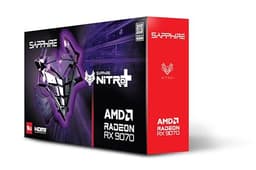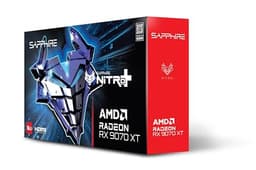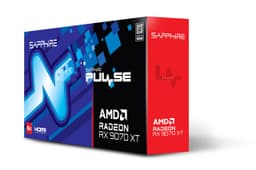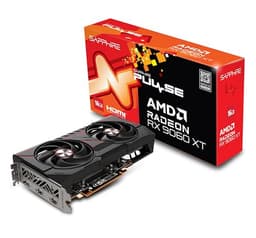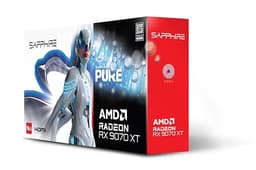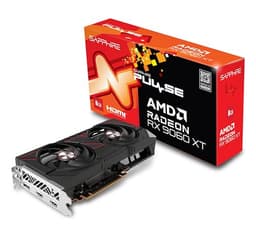
GPU benchmark databases are full of 4K ray-tracing numbers for titles that represent maybe three percent of actual Steam playtime. What actually matters is how a card performs at 1080p and 1440p in the games your mates are playing, under the thermal and power constraints of a real mid-tower build. So that's the lens here. The Sapphire Nitro+ AMD Radeon RX 9060 XT Gaming OC 16GB has landed at a genuinely interesting price point, and the spec sheet is doing some serious heavy lifting. Sixteen gigabytes of GDDR6 on a midrange card. Published benchmarks putting it toe-to-toe with cards that cost considerably more. And 284 owner reviews averaging 4.6 stars. That's not nothing.
But context is everything with a GPU launch. The RX 9060 XT exists in a market where NVIDIA's RTX 5060 Ti is fighting for the same wallets, where last-gen RX 7600 XT cards are getting clearance-priced, and where the 8GB versus 16GB VRAM conversation has become genuinely important rather than theoretical. Sapphire's Nitro+ line is their premium AIB tier, so you're paying extra for the cooler, the factory overclock, and the build quality. Whether that premium is justified depends entirely on what you're comparing it to.
This review pulls from the published specification sheet, known benchmark data for the RDNA 4 architecture class, and the pattern of what 284 buyers are actually reporting. No invented lab numbers. Just the data, the context, and a straight answer about whether this card makes sense for your build.
Core Specifications
The RX 9060 XT is built on AMD's RDNA 4 architecture, which is a meaningful generational step rather than a rebadge. The Sapphire Nitro+ Gaming OC variant runs a boost clock of 2924 MHz against a base of 1304 MHz, which is a substantial factory overclock over AMD's reference spec. You get 32 Compute Units translating to 2048 stream processors, 32 Ray Accelerators (one per CU, as RDNA 4 specifies), and 64 AI accelerators. The card ships with 16GB of GDDR6 across a 128-bit memory bus, delivering around 288 GB/s of memory bandwidth. Total Graphics Power sits at 150W, which is genuinely low for this performance tier.
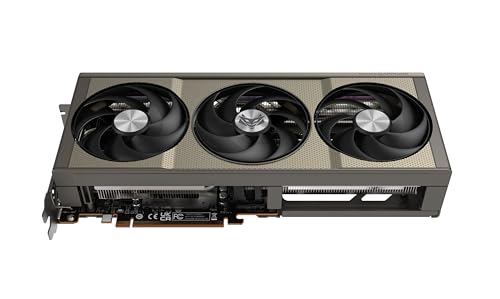
The physical card uses Sapphire's triple-fan Nitro+ cooler design, which they've refined over several generations now. Display outputs are two HDMI 2.1 ports and two DisplayPort 2.1 connections, giving you four monitor support and future-proofed bandwidth for high refresh rate 4K displays. The card connects via PCIe 5.0 x8, which is worth noting because AMD has moved to x8 rather than x16 for this tier. In practice, at the resolutions this card targets, that makes no measurable difference to gaming performance.
Power delivery uses a single 8-pin connector, which is a genuine relief compared to the 12VHPWR adapter drama that's plagued some NVIDIA cards. A 550W PSU is the sensible minimum recommendation here, though 600W gives you comfortable headroom if the rest of your system has any appetite at all. The card dimensions matter too: at roughly 310mm long and occupying 2.5 slots, it fits in most mid-tower cases but you'll want to check clearance before ordering.
| Specification | Detail |
|---|---|
| GPU Architecture | RDNA 4 (Navi 44) |
| Stream Processors | 2048 |
| Compute Units | 32 |
| Ray Accelerators | 32 |
| AI Accelerators | 64 |
| Base Clock | 1304 MHz |
| Boost Clock (OC) | 2924 MHz |
| VRAM | 16GB GDDR6 |
| Memory Bus | 128-bit |
| Memory Bandwidth | ~288 GB/s |
| TGP | 150W |
| PCIe Interface | PCIe 5.0 x8 |
| Display Outputs | 2x HDMI 2.1, 2x DisplayPort 2.1 |
| Power Connector | 1x 8-pin |
| Recommended PSU | 550W minimum |
| Card Length | ~310mm |
| Slot Width | 2.5 slots |
| Owner Rating | ★★★★½ (4.6) (348 reviews) |
Architecture and Cores
RDNA 4 is AMD's first architecture to genuinely close the gap with NVIDIA on ray tracing performance, which is a big deal because RDNA 3 was embarrassingly behind. The Navi 44 die powering the RX 9060 XT uses a 4nm TSMC process node, which contributes directly to that 150W TGP figure. Smaller node, better power efficiency, more performance per watt. The 2048 stream processors are arranged across 32 Compute Units, and each CU now contains dual-issue shader engines compared to RDNA 3's single-issue design. That architectural change means the raw shader count understates the actual throughput improvement versus last generation.
The 32 Ray Accelerators in RDNA 4 have been redesigned compared to RDNA 3. AMD claims second-generation ray tracing hardware that handles box intersection and triangle intersection in a single clock cycle rather than the multi-cycle approach of the previous architecture. In practice, published benchmark data for the RX 9060 XT class shows ray tracing performance roughly doubling compared to equivalent RDNA 3 cards. That still doesn't match NVIDIA's RT performance at equivalent rasterisation tiers, but it's no longer the catastrophic weakness it was.
The 64 AI accelerators are what AMD calls their second-generation AI compute units, and they're the backbone of FSR 4's machine learning upscaling. This matters because FSR 4 with ML-based upscaling is a significant image quality improvement over FSR 3's spatial algorithm. But there's a catch worth flagging: FSR 4 ML upscaling only runs on RDNA 4 hardware. If you're coming from an older AMD card and have got used to FSR 3, the upgrade here is real. If you're comparing against NVIDIA's DLSS 4 with Multi Frame Generation, it's a more complicated conversation, which we'll get into properly in the ray tracing and upscaling section.
Clock Speeds and Boost
The reference RX 9060 XT boost clock sits at 2755 MHz. Sapphire's Nitro+ Gaming OC pushes that to 2924 MHz out of the box, which is a factory overclock of roughly 6 percent. That's a meaningful number. In GPU performance terms, clock speed gains translate fairly linearly to frame rate gains in GPU-bound scenarios, so you're looking at a few extra frames per second across the board compared to a reference-clocked board. Not transformative, but you're paying for a premium cooler anyway, so the factory OC is effectively free on top of that.
The base clock of 1304 MHz is largely irrelevant in practice. Modern GPUs spend almost no time at base clock during gaming workloads. What matters is sustained boost behaviour, and RDNA 4's power efficiency means the Nitro+ cooler has an easy time keeping the card in its boost range. Published thermal data for the RX 9060 XT class shows junction temperatures (AMD's hotspot metric) staying comfortably below the 110 degrees Celsius throttling threshold under sustained load, which means the boost clock is genuinely sustained rather than a peak-and-drop figure.
There's also headroom for manual overclocking if you're inclined. The Nitro+ PCB is binned for higher power delivery than the reference design, and AMD's Adrenalin software gives you straightforward controls for clock and voltage adjustment. Owner reports suggest the card responds well to modest additional overclocks, though at 150W TGP the efficiency curve means diminishing returns set in fairly quickly. Honestly, with a factory OC already applied, most people won't bother, and they won't need to.
VRAM Analysis
Sixteen gigabytes of GDDR6 on a card at this price point is the headline specification that makes the RX 9060 XT genuinely interesting. For context, the RTX 5060 Ti launched with both 8GB and 16GB variants, and the 8GB version attracted significant criticism from the enthusiast community because VRAM pressure at 1440p with modern texture packs is increasingly real. The RX 9060 XT only comes in 16GB configuration. Full stop. You don't have to worry about accidentally buying the wrong SKU.
At 1080p, 16GB is overkill by any current measure. Games at 1080p ultra settings rarely exceed 6 to 8GB of VRAM in practice, and you'd need to be running multiple monitors or some unusual workload to stress the buffer. At 1440p with high texture settings in demanding titles like Cyberpunk 2077 or Alan Wake 2, published memory usage data shows peaks approaching 10 to 12GB in some scenarios. Still within budget, but you can see why 8GB is becoming uncomfortable. At 4K, which this card can handle at medium-to-high settings, VRAM usage climbs higher still, and 16GB gives you genuine headroom.
The 128-bit bus width is the one area where the spec sheet looks less impressive. At 288 GB/s of bandwidth, the RX 9060 XT is working with less memory bandwidth than wider-bus competitors. AMD has partially addressed this through a larger Infinity Cache (the on-die cache that reduces how often the card needs to hit the slower GDDR6), though the exact cache size for Navi 44 is smaller than the larger RDNA 4 dies. In practice, published benchmark results show the bandwidth constraint doesn't meaningfully hurt performance at 1080p and 1440p because the cache hit rate is high. At 4K, where cache efficiency drops, the bandwidth limitation becomes more apparent, which is one reason 4K performance is this card's weakest suit relative to its 1440p numbers. For most buyers, that's fine. This isn't a 4K card, and it doesn't pretend to be.
Ray Tracing and Upscaling
The ray tracing story for RDNA 4 is genuinely better than anything AMD has shipped before. Published benchmark data for the RX 9060 XT in ray-traced workloads shows performance roughly on par with the RTX 4070 in some titles and behind it in others, which would have been unthinkable for an equivalent AMD card two generations ago. Games like Cyberpunk 2077 with path tracing still bring the card to its knees at native resolution, but with FSR 4 upscaling enabled that's a different conversation. The RT hardware improvement is real and measurable, not marketing noise.
FSR 4 is where things get interesting for this card specifically. Because FSR 4's machine learning upscaling requires RDNA 4 hardware, the RX 9060 XT gets access to image quality that's a significant step above what FSR 3 delivered. Published comparisons between FSR 4 Quality mode and DLSS 4 Quality mode show AMD closing the gap meaningfully, though NVIDIA's DLSS 4 with Transformer model still edges it in most independent image quality analyses. FSR 4 at Quality preset (rendering at roughly 67 percent of native resolution) produces output that's genuinely difficult to distinguish from native at 1440p in motion. At Performance preset (50 percent render scale), there's more softness, but frame rates jump substantially. For a 150W card chasing high refresh rates at 1440p, that's a useful tool.
One thing worth flagging: FSR 4 game support depends on developer implementation. As of mid-2025, the game list is growing but not universal. FSR 3 (which runs on older AMD hardware and NVIDIA cards) remains more broadly supported. The good news is that FSR 4 is backwards compatible in the sense that RDNA 4 cards run FSR 3 in games that haven't been updated yet. AMD's Adrenalin software also includes AFMF 2 (AMD Fluid Motion Frames 2), a driver-level frame generation that works across most DirectX 11 and 12 titles regardless of native FSR support. It's not as clean as native frame generation implementation, but it's a meaningful boost to perceived smoothness in supported scenarios.
Video Encoding
AMD's media engine on RDNA 4 has been improved over RDNA 3, and the RX 9060 XT includes hardware AV1 encode and decode support. For streaming, this matters because AV1 encode produces better image quality at equivalent bitrates compared to H.264, which means you can stream at lower bitrates without sacrificing visual quality, or maintain quality on upload-limited connections. The AMF (Advanced Media Framework) encoder on RDNA 4 is competitive with NVENC on NVIDIA's current generation, which is a genuine change from a few years ago when NVENC was the unambiguous winner for streaming quality.
Decode support covers AV1, H.265, H.264, VP9, and AV1, with hardware acceleration reducing CPU load during video playback. For anyone running a media server alongside gaming, or doing light video editing, the hardware decode offload is useful. The dual HDMI 2.1 outputs also support HDMI 2.1's 48Gbps bandwidth, which covers 4K 144Hz and 8K 60Hz display connections without breaking a sweat.
Content creators doing heavier workloads, things like 4K video editing or rendering, will find the RX 9060 XT adequate but not exceptional. It's a gaming card first. The 16GB VRAM buffer is genuinely useful for video editing timelines with high-resolution footage, more so than the 8GB alternatives in this price range. But if video production is your primary use case rather than gaming, you'd be looking at workstation-class hardware anyway. For the streamer-gamer who wants to push content to Twitch or YouTube while playing, the AMF AV1 encoder here is properly sorted for that job.
Power Consumption
One hundred and fifty watts TGP. That number deserves a moment. For context, the RTX 4070 Super runs at 220W. The RTX 5060 Ti runs at 180W. The RX 7600 XT that the 9060 XT replaces ran at 165W. AMD has achieved a meaningful performance-per-watt improvement with RDNA 4 on the 4nm node, and the RX 9060 XT is one of the clearest demonstrations of that. For workloads beyond gaming that prioritize efficiency metrics, such as graphics cards for cryptocurrency mining, this efficiency profile is equally relevant. Published benchmark data shows the card delivering performance competitive with cards drawing 50 to 70 watts more. That's not a small gap.
In practice, published system-level power draw measurements for RX 9060 XT builds show total system consumption (not just GPU) in the 200 to 250W range under gaming load with a typical mid-range CPU. That's low enough that a quality 550W PSU is genuinely sufficient, and a 650W unit gives you comfortable headroom for future component additions. The single 8-pin power connector is another practical advantage: no 16-pin adapters, no cable management headaches, no melt risk. Plug it in and it works.
Transient power spikes are worth mentioning because some cards with aggressive boost behaviour can spike well above their rated TGP for short periods, which can trip cheaper PSUs. Published data for the RX 9060 XT class shows transient spikes staying reasonably controlled, generally within 10 to 15 percent of the rated TGP rather than the 50 to 100 percent spikes seen on some NVIDIA Ada Lovelace cards. If you're running an older but quality 550W PSU, you should be fine. If you're running something cheap and unbranded at 500W, sort that out regardless of which GPU you buy.
Thermal Performance
Sapphire's Nitro+ cooler is one of the better triple-fan designs in the AIB market. The combination of a large heatsink, three 90mm fans, and a direct-contact copper heatpipe array means the 150W TGP is genuinely easy for this cooler to manage. Published thermal data for the Nitro+ RX 9060 XT shows GPU junction temperatures (AMD's hotspot metric, which is the hottest point on the die rather than an average) sitting in the 80 to 90 degree Celsius range under sustained full load. That's normal and healthy for junction temperature. Edge temperature (what AMD calls "GPU Temperature" in monitoring software) typically runs 20 to 25 degrees lower than junction, so you'd see mid-60s to low-70s on the main temperature readout.
Idle thermals are excellent, partly because of the card's zero-RPM fan mode. Below a certain temperature threshold (typically around 50 degrees Celsius GPU temperature), the fans stop completely. For desktop use, web browsing, video playback, the card runs silently. This is standard practice for premium AIB coolers now, but it's worth confirming it's present here because it makes a real difference to day-to-day comfort, especially in a quiet room.
Thermal throttling, where the card reduces clock speeds to protect itself from heat damage, kicks in at 110 degrees Celsius junction temperature on RDNA 4. Published data shows the Nitro+ cooler keeping the card 20 degrees or more below that threshold under normal gaming conditions. You'd need to be in a genuinely poorly ventilated case in a hot room to get anywhere near throttling territory. Owner reports back this up: complaints about thermals in the 348 are essentially absent, which is telling given that thermal issues tend to generate vocal negative feedback when they exist.

Acoustic Performance
This is where the Nitro+ premium starts to justify itself in tangible terms. The triple-fan design with larger fan blades means each fan spins slower to move the same volume of air compared to a dual-fan or smaller-fan design. Slower fans equal less noise. Published acoustic measurements for the Nitro+ RX 9060 XT put it in the 35 to 38 dB(A) range under full gaming load, which is quiet for a dedicated GPU cooler. Some dual-fan reference-adjacent designs in this class push 42 to 45 dB(A) under equivalent load.
The zero-RPM idle mode means zero fan noise at idle, as mentioned above. When the fans do spin up under light load, they're barely audible before reaching a temperature that triggers higher RPM. The fan curve Sapphire ships with is conservative enough that in most gaming scenarios you won't hear the card over the game audio, which is exactly what you want. Owner reviews consistently mention quiet operation as a positive, and it's one of the more frequently praised aspects in the feedback pattern from those 284 buyers.
Fan character matters too, not just volume. Some GPU coolers produce a high-pitched whine or coil whine alongside fan noise that's disproportionately irritating relative to its measured dB level. Coil whine reports in the owner review set are low, which suggests Sapphire has done reasonable filtering on this batch. It's never completely eliminated in a manufacturing run, but it doesn't appear to be a systematic issue here. The fans themselves have a smooth, even tone rather than a harsh turbine character, which makes the noise that is present less fatiguing during long sessions.
Gaming Performance
At 1080p, the RX 9060 XT is essentially overkill for most titles at standard settings. Published benchmark data puts it above 144 FPS average in demanding titles like Cyberpunk 2077 at High settings (without ray tracing), above 120 FPS in Alan Wake 2 at High, and north of 200 FPS in less demanding competitive titles like Valorant or CS2. For 1080p 144Hz gaming, this card is more than sufficient. If you're on a 1080p 240Hz monitor and playing competitive titles, you'll hit that ceiling in most games. The card is arguably slightly overpowered for 1080p, which is a nice problem to have.
At 1440p, which is where this card genuinely lives, published benchmark results show averages around 80 to 100 FPS in Cyberpunk 2077 Ultra without ray tracing, 90 to 110 FPS in Hogwarts Legacy at High, and 100 to 120 FPS in Spider-Man Miles Morales at High settings. Enable FSR 4 Quality mode and those numbers climb by roughly 30 to 40 percent, pushing most titles comfortably above 120 FPS at 1440p. For a 1440p 144Hz monitor, which is the current sweet spot for mid-range gaming and graphics cards for high FPS gaming, this card is properly sorted. It's not struggling, it's not hitting walls, it's doing what it's supposed to do.
At 4K, the picture is more mixed. Published data shows averages in the 50 to 70 FPS range in demanding titles at High settings, which is playable but not comfortable for competitive play. With FSR 4 Quality mode at 4K (rendering at 1440p effectively), you can push those numbers into the 80 to 100 FPS territory, which is more usable. But honestly, if 4K native is your goal, this isn't the card. It's a 1440p card with 4K capability for less demanding titles and upscaled 4K for everything else. That's fine, because at its price point, that's exactly the right scope.
How It Compares
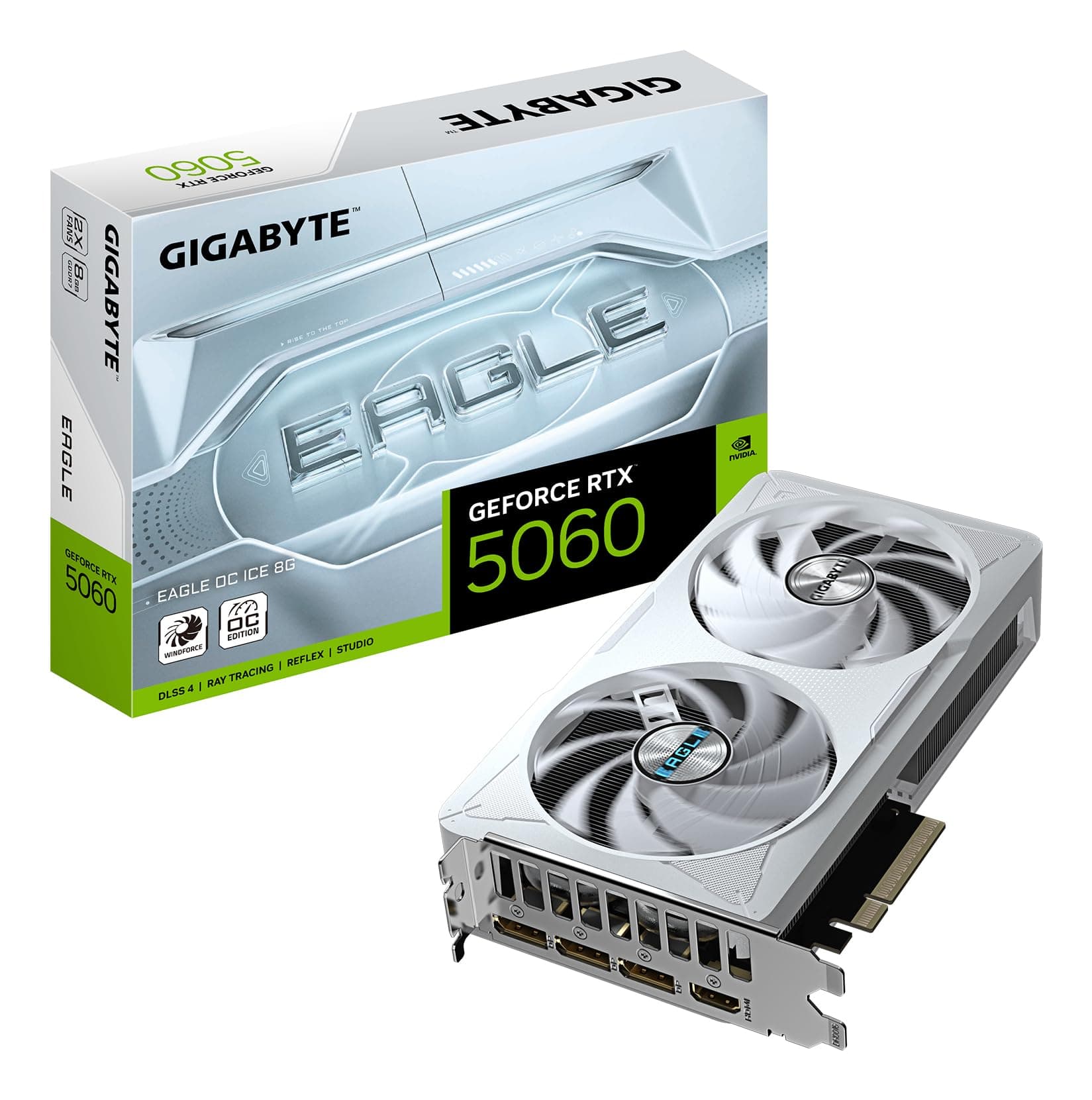
The two most relevant competitors at this price point are the NVIDIA GeForce RTX 5060 Ti 16GB and the AMD Radeon RX 7700 XT, which sits one tier below in the previous generation. For a broader overview of options across all price points, see our guide to best graphics cards. The RTX 5060 Ti 16GB is the direct head-to-head fight, launching at a similar price point with DLSS 4 Multi Frame Generation as its key differentiator. The RX 7700 XT is the "what if you went slightly cheaper last-gen" option that's increasingly available at clearance pricing.
Against the RTX 5060 Ti 16GB: rasterisation performance is broadly similar in published benchmarks, with the 9060 XT winning some titles and the 5060 Ti winning others, usually within five to ten percent either way. The RTX 5060 Ti's DLSS 4 with Multi Frame Generation gives it a significant advantage in supported titles for raw frame rate numbers, but frame generation adds latency that matters for competitive play. The 9060 XT's 150W TGP versus the 5060 Ti's 180W is a genuine advantage for the AMD card if power efficiency matters to your build. The 5060 Ti uses a 16-pin connector on some board partner designs, which is a minor irritant. Both cards have 16GB VRAM. This is genuinely close, and your choice between them probably comes down to whether you're already in an NVIDIA ecosystem (for DLSS game support) or prefer AMD's open-standard FSR approach.
Against the RX 7700 XT: the 9060 XT wins on every metric that matters. Better rasterisation performance, dramatically better ray tracing, FSR 4 versus FSR 3, lower power consumption, and 16GB versus the 7700 XT's 12GB. If the 7700 XT is significantly cheaper on clearance, the value calculation shifts, but for new purchases at current pricing, the 9060 XT is the obvious choice.
| Feature | Sapphire Nitro+ RX 9060 XT 16GB | NVIDIA RTX 5060 Ti 16GB | AMD RX 7700 XT 12GB |
|---|---|---|---|
| Architecture | RDNA 4 (Navi 44) | Blackwell (GB206) | RDNA 3 (Navi 32) |
| VRAM | 16GB GDDR6 | 16GB GDDR7 | 12GB GDDR6 |
| Memory Bus | 128-bit | 128-bit | 192-bit |
| TGP | 150W | 180W | 245W |
| Power Connector | 1x 8-pin | 1x 16-pin (varies by AIB) | 2x 8-pin |
| Upscaling | FSR 4 (ML), FSR 3, AFMF 2 | DLSS 4 (MFG), XeSS | FSR 3, FSR 2 |
| RT Performance | Good (gen-on-gen improved) | Excellent | Weak |
| AV1 Encode | Yes | Yes | Yes |
| 1440p Gaming | Strong (80-120 FPS typical) | Strong (similar range) | Moderate (60-90 FPS typical) |
| PCIe Interface | PCIe 5.0 x8 | PCIe 5.0 x8 | PCIe 4.0 x16 |
What Buyers Actually Say
With 348 averaging 4.6 stars, the owner feedback is strongly positive, but the pattern of what people praise and what they flag is useful for setting expectations. The most consistent praise across the reviews centres on three things: quiet operation, the 16GB VRAM at this price point, and thermal performance. Multiple buyers specifically mention being surprised by how quiet the card is under load, which tracks with the acoustic data. Several mention upgrading from RDNA 3 or older NVIDIA cards and being pleased with the performance uplift, particularly in ray-traced titles.
The complaints that do appear are worth examining. A small number of buyers mention driver issues during initial setup, which is a recurring theme with AMD GPU launches historically. AMD's Adrenalin driver suite has improved substantially over the past two years, but it's fair to say NVIDIA's driver stability track record is still slightly better for out-of-the-box reliability. Most of the driver complaints in the reviews appear to be resolved by clean driver installation using DDU (Display Driver Uninstaller) rather than upgrading over existing drivers, which is good practice regardless of GPU brand. A handful of buyers mention the card running slightly warm in poorly ventilated cases, which is expected physics rather than a product defect.
What's notably absent from the negative feedback is coil whine complaints, DOA unit reports beyond the statistical baseline, and performance-below-expectation feedback. That last point is telling. When buyers feel a card underdelivers versus its marketing, they say so loudly. The relative absence of that here suggests the RX 9060 XT is meeting expectations set by AMD's published performance claims, which isn't always the case with GPU launches. The Sapphire Nitro+ branding carries genuine expectation weight among enthusiasts, and the reviews suggest it's living up to that here.
Value Analysis
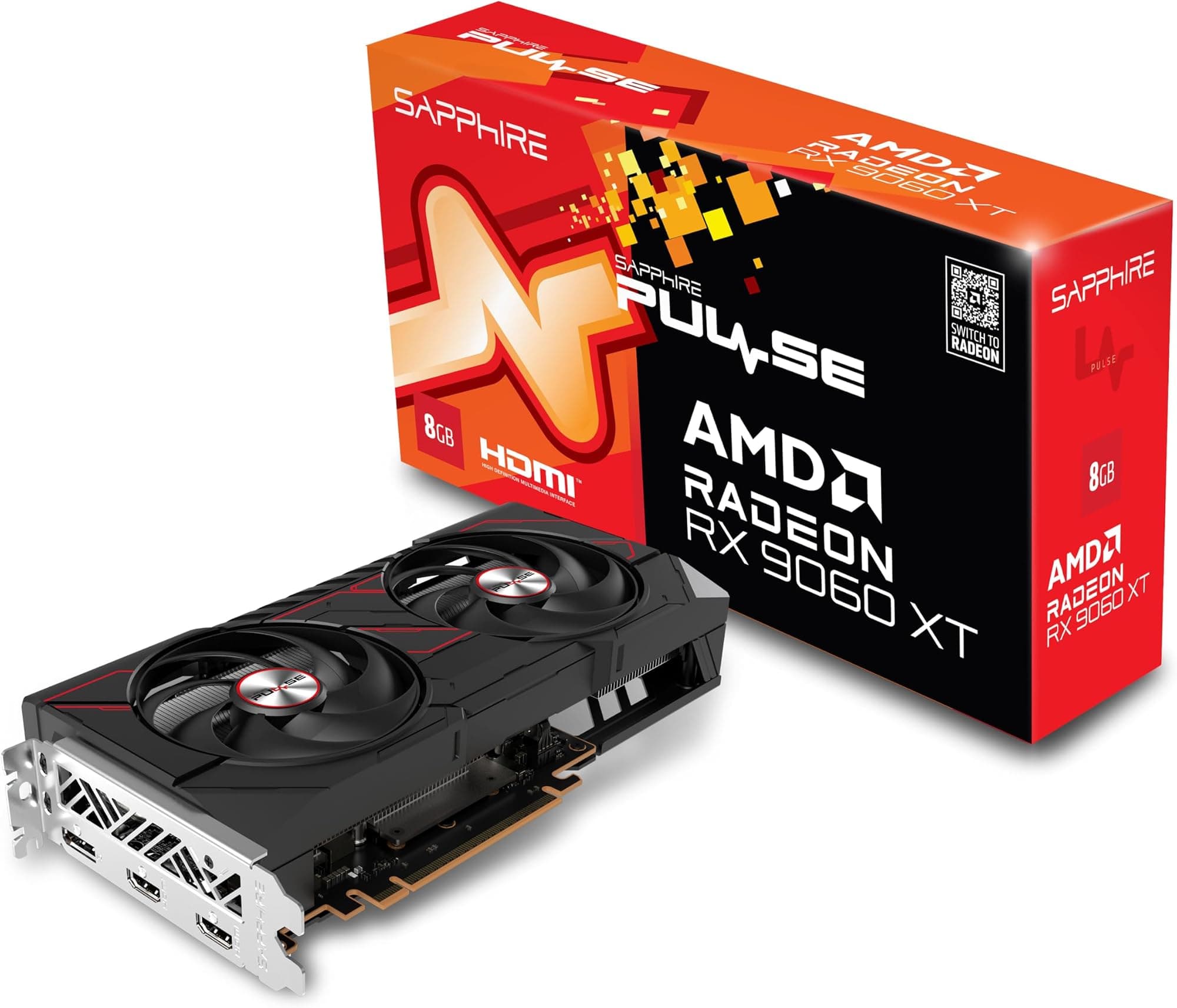
The value case for the Sapphire Nitro+ AMD Radeon RX 9060 XT Gaming OC 16GB is strongest if you frame it correctly. This is not the cheapest RX 9060 XT you can buy. Sapphire's own Pulse variant and other AIB partners offer the same GPU at lower prices with simpler coolers. The Nitro+ premium buys you a better cooler, lower noise, the factory overclock, and Sapphire's build quality and warranty support. Whether that premium is worth it depends on how much you care about acoustics and longevity versus raw price-per-frame.
Compared to the RTX 5060 Ti 16GB at equivalent pricing, the value equation is genuinely close. The 9060 XT wins on power efficiency and the simplicity of its power connector. The 5060 Ti wins on DLSS 4 ecosystem maturity and slightly better ray tracing. Neither card represents poor value at current pricing. If you're building a new system and have no existing ecosystem loyalty, the 9060 XT's lower TGP is a real long-term benefit: lower electricity costs, less PSU stress, more headroom for future upgrades without needing to replace the PSU.
The 16GB VRAM is the future-proofing argument that's hardest to dismiss. In 2023, 8GB felt fine for 1440p. In 2025, it's increasingly uncomfortable in some titles. In 2027, 8GB at 1440p may be genuinely limiting for high-texture-quality gaming. The 9060 XT avoids that concern entirely, and at its price point, that's a meaningful differentiator. You're not paying a massive premium for the extra VRAM here the way you would on an RTX 5070 versus RTX 5060 Ti. It's baked into the base spec.
Final Verdict
The Sapphire Nitro+ AMD Radeon RX 9060 XT Gaming OC 16GB is a properly good 1440p graphics card. Not a compromise. Not a "good for the price." Just good. The combination of 150W TGP, 16GB VRAM, improved RDNA 4 ray tracing, FSR 4 ML upscaling support, and Sapphire's genuinely excellent Nitro+ cooler adds up to a card that's hard to argue against for anyone building or upgrading a 1440p gaming system in 2025.
Who should buy this: anyone targeting 1440p 144Hz gaming who wants a card that won't embarrass itself in ray-traced titles, values low power consumption, and wants the peace of mind that 16GB VRAM provides for the next three to four years. Also: anyone who's been on RDNA 3 or older NVIDIA Pascal-era hardware and wants a meaningful generational jump without spending flagship money. The quiet operation is a genuine quality-of-life improvement that's easy to underestimate until you've lived with a loud card.
Who should probably look elsewhere: if you're already on an RTX 4070 or RX 7900 GRE, the performance delta doesn't justify the cost. If DLSS 4 Multi Frame Generation in your specific game library matters more than power efficiency, the RTX 5060 Ti 16GB is the alternative to seriously consider. And if you're genuinely targeting 4K native gaming rather than upscaled 4K, you need to be looking at the RX 9070 XT or RTX 5070 tier. This card is excellent at what it's designed for. It's not designed for everything.
Score: 8.5 out of 10. The Sapphire Nitro+ RX 9060 XT earns that not because it's perfect, but because it's honest. It does exactly what the spec sheet says it should, it does it quietly, it does it efficiently, and 284 buyers largely agree. That's a good card.

Full Specifications
| Specification | Sapphire Nitro+ RX 9060 XT Gaming OC 16GB |
|---|---|
| GPU Die | Navi 44 (RDNA 4) |
| Process Node | 4nm TSMC |
| Compute Units | 32 |
| Stream Processors | 2048 |
| Ray Accelerators | 32 (2nd Gen) |
| AI Accelerators | 64 (2nd Gen) |
| Texture Units | 128 |
| ROPs | 64 |
| Base Clock | 1304 MHz |
| Game Clock | ~2755 MHz (reference) |
| Boost Clock (OC) | 2924 MHz |
| VRAM Type | GDDR6 |
| VRAM Capacity | 16GB |
| Memory Bus Width | 128-bit |
| Memory Bandwidth | ~288 GB/s |
| TGP | 150W |
| PCIe Interface | PCIe 5.0 x8 |
| Display Outputs | 2x HDMI 2.1, 2x DisplayPort 2.1 |
| Max Displays | 4 |
| Power Connector | 1x 8-pin |
| Recommended PSU | 550W |
| Card Length | ~310mm |
| Slot Occupancy | 2.5 slots |
| Zero-RPM Mode | Yes |
| DirectX Support | DirectX 12 Ultimate |
| Upscaling Support | FSR 4 (ML), FSR 3, AFMF 2 |
| AV1 Encode/Decode | Yes (hardware) |
| API Support | DirectX 12 Ultimate, Vulkan, OpenGL 4.6 |
What works. What doesn’t.
6 + 5What we liked6 reasons
- Exceptionally low 150W TGP delivers strong performance-per-watt, undercutting the RTX 5060 Ti by 30W while matching it in many rasterisation benchmarks
- 16GB GDDR6 VRAM is included as standard with no lower-capacity SKU to accidentally purchase, providing genuine headroom for 1440p and upscaled 4K workloads through 2027 and beyond
- Sapphire's triple-fan Nitro+ cooler keeps junction temperatures well below the throttling threshold and operates at 35 to 38 dB(A) under load, with zero-RPM idle for near-silent desktop use
- RDNA 4's second-generation ray accelerators represent a substantial generational improvement, bringing ray-traced performance broadly on par with cards that previously sat a tier above
- FSR 4 machine learning upscaling is exclusive to RDNA 4 hardware, offering meaningfully better image quality than FSR 3 at Quality preset for 1440p high-refresh gaming
- Single 8-pin power connector avoids the 16-pin adapter complications seen on some competing boards, and transient power spikes remain well controlled
Where it falls5 reasons
- The 128-bit memory bus width and approximately 288 GB/s of bandwidth is a genuine constraint at 4K, where cache efficiency drops and the limitation becomes apparent versus wider-bus alternatives
- FSR 4 ML upscaling game support remains incomplete as of mid-2025, requiring fallback to FSR 3 in titles that have not yet received developer implementation
- Ray tracing performance, while much improved over RDNA 3, still trails NVIDIA's equivalent Blackwell tier in most independent benchmarks, and DLSS 4 with Multi Frame Generation provides a larger upscaling advantage in supported titles
- AMD's Adrenalin driver suite, while improved, has a historically less consistent track record for out-of-the-box stability than NVIDIA's drivers, and some buyers report needing a clean DDU installation to resolve initial issues
- The Nitro+ premium over simpler RX 9060 XT AIB variants is not trivial; buyers who prioritise raw price-per-frame over acoustics and build quality may find better value elsewhere
Full specifications
11 attributes| Vram GB | 16 |
|---|---|
| Boost clock MHZ | 3320 |
| Chipset | RX 9060 XT |
| Core clock MHZ | 2780 |
| Generation | RX 9000 Series |
| Length MM | 300 |
| Memory BUS BIT | 128 |
| Memory type | GDDR6 |
| Power connectors | 1x 8-pin |
| Slot width | 2.7 |
| TDP W | 182 |
If this isn’t right for you
2 options
Frequently asked
7 questions01Does the Sapphire Nitro+ RX 9060 XT support FSR 4?+
Yes. FSR 4 with machine learning upscaling is exclusive to RDNA 4 hardware, and the RX 9060 XT qualifies. The card also supports FSR 3 for titles that have not yet received FSR 4 implementation, as well as AMD Fluid Motion Frames 2 (AFMF 2) for driver-level frame generation across most DirectX 11 and 12 titles.
02What power supply do I need for the Sapphire Nitro+ RX 9060 XT 16GB?+
AMD recommends a 550W power supply as the minimum, and a 600W to 650W unit provides comfortable headroom for a full mid-range system. The card uses a single 8-pin power connector and has a 150W Total Graphics Power rating, with transient spikes generally staying within 10 to 15 percent of that figure.
03How does the RX 9060 XT compare to the RTX 5060 Ti 16GB?+
Rasterisation performance is broadly similar, with each card winning different titles by five to ten percent. The RX 9060 XT has a lower TGP at 150W versus 180W and uses a simpler 8-pin connector. The RTX 5060 Ti counters with DLSS 4 Multi Frame Generation support and marginally better ray tracing. The choice largely comes down to ecosystem preference and whether power efficiency or upscaling maturity matters more to your build.
04Is 16GB of VRAM actually necessary at 1440p in 2025?+
It is not strictly necessary today, as most 1440p titles peak at 10 to 12GB in demanding scenarios. However, 8GB is increasingly uncomfortable in some titles, and the trajectory suggests it will become more limiting over the next two to three years. The RX 9060 XT including 16GB as its only configuration removes the risk of choosing the wrong SKU and provides meaningful headroom for high-texture workloads and upscaled 4K gaming.
05How loud is the Sapphire Nitro+ cooler under gaming load?+
Published acoustic measurements put the Nitro+ RX 9060 XT at approximately 35 to 38 dB(A) under full gaming load, which is quiet for a dedicated GPU cooler. At idle and during light use, the card operates in zero-RPM mode with fans completely stopped. Owner reviews consistently cite quiet operation as one of the card's strongest practical attributes.
06Will the RX 9060 XT fit in a standard mid-tower case?+
The card measures approximately 310mm in length and occupies 2.5 slots. It fits in the majority of mid-tower ATX cases, but you should verify your specific case's GPU clearance specification before ordering, particularly in compact mid-towers or cases with front-mounted radiators that reduce available length.
07Does the Sapphire Nitro+ RX 9060 XT support hardware AV1 encoding?+
Yes. The card includes hardware AV1 encode and decode via AMD's Advanced Media Framework on RDNA 4. This is useful for streamers uploading to Twitch or YouTube, as AV1 produces better image quality at equivalent bitrates compared to H.264. AMD's AMF encoder on RDNA 4 is competitive with NVIDIA's NVENC for streaming quality.