GPU manufacturers have been crying wolf about "generational leaps" for so long that most of us have learned to tune it out and just look at the numbers. The RTX 3070 Ti landed in a weird spot when it launched: faster than the vanilla 3070, slower than the 3080, and priced in a way that made you squint at the value proposition. The MSI RTX 3070 Ti Suprim X 8G takes that already complicated card and wraps it in MSI's flagship cooler, cranks the clocks, and asks you to pay a premium for the privilege. Whether that premium is worth it depends entirely on what you're actually trying to do with it.
The Suprim X is MSI's top-tier consumer GPU line. Not the "Gaming X" (mid-tier), not the "Ventus" (budget-friendly), but the full-fat, triple-fan, RGB-everywhere, overclocked-from-the-box version. It's a big card in every sense. And the 152 owner reviews averaging 4.6 stars suggest most buyers are pretty happy with what they got. But "happy" and "right choice for you" aren't always the same thing, so here's what you actually need to know before handing over your money.
This is a card that lives in 2021 hardware but still performs respectably at 1440p in 2025. The VRAM situation is a genuine conversation we need to have. And the power draw will make your PSU work for a living. All of that, laid out plainly.
Core Specifications: nVidia MSI Gaming GeForce RTX 3070 Ti 8GB GDRR6X 256-Bit
The RTX 3070 Ti Suprim X 8G is built on NVIDIA's Ampere architecture, using the GA104 die manufactured on Samsung's 8nm process node. It ships with 6,144 CUDA cores, 48 RT cores (second-generation), and 192 Tensor cores (third-generation). The card carries 8GB of GDDR6X memory on a 256-bit bus, giving it 608 GB/s of memory bandwidth. That GDDR6X is a meaningful upgrade over the standard 3070's GDDR6, and it's one of the key differentiators between the two cards.
MSI's Suprim X variant ships with a factory overclock. The base clock sits at 1575 MHz, with a boost clock of 1830 MHz as rated by MSI. That's a modest bump over the Founders Edition's 1770 MHz boost, but in practice the card tends to boost higher under real gaming loads, which we'll get into in the clock speed section. The card connects via PCIe 4.0 x16, though it's backwards compatible with PCIe 3.0 slots with minimal performance impact at this tier.
Display outputs are practical: three DisplayPort 1.4a connectors and one HDMI 2.1 port. That HDMI 2.1 matters if you're running a 4K 120Hz TV setup. The card also supports NVLink for SLI, though NVIDIA has effectively killed multi-GPU gaming support in drivers, so treat that as a legacy checkbox. Power delivery comes via two 8-pin PCIe connectors. The card's Total Graphics Power (TGP) is rated at 290W for the Suprim X, which is above the reference 290W spec due to the factory OC. Your PSU needs to be 750W minimum, and 850W is a more comfortable recommendation if you're pairing it with a modern CPU that has any ambition.
| Specification | Detail |
|---|---|
| GPU Architecture | NVIDIA Ampere (GA104) |
| Process Node | Samsung 8nm |
| CUDA Cores | 6,144 |
| RT Cores | 48 (2nd Gen) |
| Tensor Cores | 192 (3rd Gen) |
| Base Clock | 1575 MHz |
| Boost Clock (MSI) | 1830 MHz |
| VRAM | 8GB GDDR6X |
| Memory Bus | 256-bit |
| Memory Bandwidth | 608 GB/s |
| TGP | 290W |
| Display Outputs | 3x DisplayPort 1.4a, 1x HDMI 2.1 |
| Power Connectors | 2x 8-pin PCIe |
| PCIe Interface | PCIe 4.0 x16 |
| Card Length | Approximately 336mm |
| Current Price | £803.38 |

Architecture and Cores
Ampere was NVIDIA's big generational jump from Turing, and the GA104 chip at the heart of the RTX 3070 Ti is a genuinely capable piece of silicon. The core count jump from Turing's TU104 was significant: the RTX 2080 Ti (NVIDIA's previous flagship) had 4,352 CUDA cores, and here the 3070 Ti ships with 6,144. That's not marketing maths; the performance uplift was real. The second-generation RT cores doubled throughput per core compared to Turing, which matters more than it sounds for ray tracing workloads.
The Tensor cores are third-generation and are what power DLSS. This is important because DLSS 2.x (which this card runs) is genuinely good upscaling technology. Not perfect, but good enough that you'd use it. The 192 Tensor cores give the card enough grunt to run DLSS without it feeling like a compromise in most titles. Third-party upscaling like AMD's FSR also works on this card since it's shader-based, so you're not locked to NVIDIA's ecosystem for upscaling if a game doesn't support DLSS.
One thing worth flagging: the GA104 die is a cut-down version of what sits in the RTX 3080. The full GA104 has 6,144 CUDA cores and that's exactly what the 3070 Ti uses, meaning there's no headroom for a "Ti" refresh of the Ti. The 3080 moves to a larger GA102 die entirely. So the 3070 Ti is essentially a fully unlocked GA104, which is a reasonably good sign for stability and binning quality. MSI's Suprim X cards are typically built with the better-binned chips, which is part of what justifies the premium over the Gaming X Trio variant.
Clock Speeds and Boost
NVIDIA's rated boost clock of 1770 MHz for the reference RTX 3070 Ti is, in practice, a floor rather than a ceiling. The Suprim X ships with a 1830 MHz rated boost, but real-world gaming loads on this card typically see sustained clocks in the 1830 MHz to 1920 MHz range, depending on thermals and the specific workload. Published benchmark data from the card's launch period consistently showed it running well above the rated boost in lighter scenes and settling around 1850 MHz to 1880 MHz under sustained heavy load. That's the nature of NVIDIA's GPU Boost 4.0 algorithm: it trades headroom for efficiency.
The factory overclock on the Suprim X is real but modest. You're not getting a massive free performance gain over a Gaming X Trio or even a Founders Edition in most scenarios. The clock speed advantage translates to roughly two to three percent better average performance in rasterised workloads compared to reference. That's not nothing, but it's not the reason to buy this card over a cheaper 3070 Ti variant. You're paying for the cooler and the build quality as much as the clock speed.
Manual overclocking headroom exists. Ampere cards generally respond well to power limit increases and modest memory overclocks, and the GDDR6X on the 3070 Ti has shown it can take a reasonable memory overclock without needing exotic cooling. MSI's Afterburner software (which MSI develops and maintains) makes this straightforward. Whether you bother is up to you, but the point is the Suprim X's cooling headroom means you're not thermally limited if you want to push it further.
VRAM Analysis: The 8GB Conversation
This is the section some people will skip to first, and fair enough. The 8GB VRAM debate has been running since at least 2022 and it's only gotten louder. Here's the honest picture: at 1080p in 2025, 8GB is fine for almost everything. At 1440p with high texture settings, you're starting to bump into limits in a handful of modern titles. At 4K with maximum textures, 8GB is genuinely a problem in an increasing number of games, and that problem is only going to get worse.
The GDDR6X on the 3070 Ti does help. At 608 GB/s of bandwidth, it's faster than the vanilla 3070's GDDR6 (448 GB/s), which means when the card does have the data it needs in the buffer, it can move it around quickly. The 256-bit bus is the same width as the 3070, but the faster memory type compensates somewhat. In practice, titles like Cyberpunk 2077 at 1440p Ultra have been documented pushing past 8GB VRAM usage, at which point the card starts pulling from system RAM over the PCIe bus, and performance drops are noticeable. You can manage this by dialling back texture quality one notch, and most of the time you won't see a visual difference worth caring about.
If you're buying this card in 2025 and planning to run it for three or four years at 1440p, the 8GB limit is a real consideration. It's not a dealbreaker at 1440p today, but it will become more of one over time. If your primary resolution is 1080p, you're fine. If you're eyeing 4K, this card has performance limitations at that resolution that matter more than the VRAM cap anyway, so the VRAM argument becomes slightly academic. The honest answer is: 8GB was acceptable in 2021, it's borderline in 2025, and it'll be genuinely limiting by 2027. Factor that into your decision accordingly.
Ray Tracing and Upscaling
The second-generation RT cores in Ampere were a genuine step forward from Turing. The original RTX 20-series cards could do ray tracing, but the performance hit was brutal enough that most people turned it off immediately. On the 3070 Ti, ray tracing is actually usable in a meaningful number of titles, particularly with DLSS enabled to claw back the performance cost. In something like Control or Metro Exodus Enhanced Edition, the combination of RT and DLSS Quality mode produces results that are visually impressive and still playable at 1440p.
DLSS 2.x is the real story here. Quality mode at 1440p (rendering at 960p internally and upscaling) is good enough that most people can't reliably tell the difference from native in motion. Performance mode is more aggressive and more visible in static screenshots, but in actual gameplay it's often the right trade-off when RT is enabled. NVIDIA's DLSS technology is documented on NVIDIA's official DLSS page, and the 3070 Ti's Tensor cores handle it without breaking a sweat. The card does not support DLSS 3 Frame Generation, which requires Ada Lovelace architecture. That's a genuine limitation if you care about the latest DLSS features.
Ray tracing performance at 4K without upscaling is, to be blunt, not where you want to be with this card. The RT cores are capable but the 8GB VRAM and the overall performance tier mean 4K RT is a slideshow in demanding titles. At 1440p with DLSS Quality, you can run RT in most titles at 60fps or above, which is the practical sweet spot for this card. AMD's FSR 2 and FSR 3 also work on the 3070 Ti since they're shader-based, giving you upscaling options in games that don't support DLSS. FSR 2 Quality is competitive with DLSS 2 Quality in many titles, so the lack of DLSS 3 is the actual limitation, not upscaling support in general.
Video Encoding
The Ampere architecture brought a meaningful upgrade to NVIDIA's NVENC encoder. The 7th-generation NVENC on the RTX 3070 Ti is genuinely good for streaming and recording. Compared to the 6th-gen NVENC on Turing cards, the quality improvement at equivalent bitrates was noticeable, and it comfortably beats CPU encoding (x264 medium) while using a fraction of the CPU resources. For anyone streaming on Twitch or YouTube, this matters a lot: you get better quality with less CPU overhead, which means more headroom for the game itself.
The card supports H.264 and HEVC (H.265) encode and decode via NVENC and NVDEC respectively. It does not support AV1 encode, which is an Ada Lovelace feature. AV1 decode is supported, meaning you can watch AV1 content on YouTube without hammering your CPU. For most streamers and content creators in 2025, the lack of AV1 encode is a minor limitation rather than a dealbreaker. HEVC at high bitrates is still perfectly acceptable for most platforms, and the NVENC quality at 1080p60 or 1440p60 streaming is solid.
If video editing or GPU-accelerated rendering is part of your workflow, the 6,144 CUDA cores and 192 Tensor cores give the 3070 Ti respectable performance in applications like DaVinci Resolve and Adobe Premiere. The 8GB VRAM starts to pinch in 4K editing workflows with heavy effects stacks, but for 1080p and 1440p editing it's workable. NVIDIA's Broadcast app also runs well on this card if you want AI-powered background removal and noise cancellation for streaming. It's not a workstation card, but it's more capable as a creative tool than most people give it credit for.
Power Consumption
The RTX 3070 Ti Suprim X has a TGP of 290W, and MSI's factory overclock means it's pushing close to that limit under sustained load. Published benchmark data shows the card typically drawing 270W to 290W at the GPU during gaming, with transient spikes that can briefly exceed 300W. This is not a card for a 650W PSU. The recommendation is 750W minimum, and if you're pairing it with a high-end CPU like a Ryzen 9 or Core i9, 850W gives you proper headroom without the PSU sweating through every demanding scene.
The two 8-pin connectors are the power delivery method here, which is actually a more reliable setup than the 16-pin 12VHPWR connector that caused headaches on some RTX 4000-series cards at launch. Two 8-pin connectors are well understood, cables are everywhere, and the connector standard is mature. No adaptor anxiety. The card pulls power sensibly and doesn't exhibit the aggressive power spikes that some Ampere cards showed early in their driver lifecycle, thanks to subsequent driver updates from NVIDIA that refined the boost algorithm.
Idle power consumption is reasonable. The Suprim X's fans stop completely at idle and low load (the zero-RPM mode), so the card draws minimal power when you're browsing or watching video. The card's power efficiency isn't class-leading compared to AMD's RDNA 3 or NVIDIA's own Ada Lovelace generation, but for an Ampere card it's acceptable. If your electricity bill is a genuine concern, the RTX 4070 (Ada Lovelace, roughly similar performance, significantly lower TGP) is the more efficient option at current pricing. But if you're looking at the 3070 Ti at its current price point, the power draw is the price of admission.

Thermal Performance
This is where the Suprim X earns a meaningful chunk of its price premium. The Tri Frozr 2S cooler is a proper piece of engineering. Three 92mm fans with Torx Fan 4.0 blades, a large aluminium fin stack, and seven heat pipes pulling heat away from the GPU die and GDDR6X memory. Published thermal data for the Suprim X shows GPU junction temperatures (the die temperature) running in the 70 to 75 degree Celsius range under sustained gaming load, with hotspot temperatures (the hottest point on the die) typically 10 to 15 degrees higher. That's well within safe operating margins.
The thermal headroom matters for longevity. A card that runs at 85 degrees under load every gaming session is going to age differently than one sitting at 72 degrees. The Suprim X's cooler is genuinely oversized for the card's TGP, which is intentional. It means the fans don't have to work as hard to keep temperatures in check, which feeds directly into the acoustic performance. Owner reviews consistently flag the thermals as a highlight, with multiple buyers noting the card runs cooler than they expected given the power draw.
Hotspot delta (the difference between the average GPU temperature and the hotspot) on Ampere cards is a known talking point. NVIDIA measures and reports hotspot temperature, which can look alarming if you're used to older cards that only reported average die temp. A hotspot of 85 to 88 degrees on a card with a 70-degree average die temp is normal and expected behaviour for Ampere architecture. It's not a sign of a failing card or inadequate cooling. If you're monitoring temperatures and panicking at the hotspot number, that's the context you need.
Acoustic Performance
The zero-RPM mode is a genuine quality-of-life feature. At idle and light loads, the fans don't spin at all. You won't hear the card when you're browsing, watching Netflix, or doing anything that doesn't push GPU load above roughly 50 to 60 percent. For a home office setup where the PC is on all day, this matters more than people admit.
Under gaming load, the Suprim X is notably quiet for a 290W card. Published acoustic measurements put it in the 35 to 40 dB range at typical gaming loads, which is competitive with the best coolers in this class. The Torx Fan 4.0 blades are designed to move more air at lower RPM than conventional fan designs, and the result is a card you can hear if you put your ear next to the case, but won't notice over game audio or even light background noise. Several owner reviews specifically mention being surprised at how quiet it is given the card's performance tier.
Under maximum stress (think Furmark or a particularly demanding ray-traced scene), the fans do spin up more aggressively and you'll hear them. But this isn't a card that runs at maximum fan speed during normal gaming. The fan curve is conservative enough that most users will never hear it at full tilt during typical use. If you're in a particularly warm room in summer, or your case airflow is poor, the fans will compensate by spinning faster, and you'll hear that. Sorted case airflow first, then worry about GPU acoustics.
Gaming Performance: What the Benchmarks Actually Show
At 1440p, the RTX 3070 Ti Suprim X is genuinely strong. Published benchmark results from the card's launch and subsequent coverage show it delivering around 80 to 90 fps average in Cyberpunk 2077 at 1440p Ultra (without RT), around 100 to 110 fps in Shadow of the Tomb Raider at 1440p Highest, and north of 120 fps in less demanding titles like Forza Horizon 5 at 1440p Ultra. These are the numbers that make 1440p gaming with a 144Hz monitor a realistic proposition. Enable DLSS Quality in Cyberpunk and those numbers push into the 100 to 115 fps range, which is where the card really shines.
At 1080p, the card is faster than most 1080p monitors can fully exploit. You're regularly hitting 144fps or above in less demanding titles, and even in heavy hitters you're rarely dropping below 100fps at 1080p Ultra. The Suprim X's factory OC gives it a small edge over reference 3070 Ti cards here, but the differences are in the noise floor of the measurements. If 1080p is your target resolution, this card is overkill in the best possible way, and you could save money with a cheaper variant or a different card entirely.
At 4K, the honest answer is that the 3070 Ti is not a 4K card in 2025. Published benchmarks show it delivering 50 to 60 fps in demanding titles at 4K Ultra, which is playable but not comfortable for competitive gaming. DLSS Quality at 4K (rendering at 1440p internally) gets you to 70 to 90 fps in many titles, which is more reasonable. But if 4K is your primary target, the RTX 4070 Ti or RX 7900 XT are better-suited cards. The 3070 Ti does 4K acceptably, not excellently.
How It Compares
The two most relevant comparisons for the RTX 3070 Ti Suprim X in 2025 are the NVIDIA RTX 4070 (the current-gen equivalent tier) and the AMD RX 7800 XT (the RDNA 3 competitor at a similar price point). Both are worth understanding before you commit.
The RTX 4070 is the more compelling argument against the 3070 Ti. It delivers similar rasterised performance (within five to eight percent in most titles), uses significantly less power (200W TGP versus 290W), supports DLSS 3 Frame Generation, and has the same 12GB of GDDR6X. The 12GB VRAM alone is a meaningful future-proofing advantage. If the 3070 Ti Suprim X and an RTX 4070 are at similar prices, the 4070 wins on almost every practical metric except raw clock speeds in specific workloads. The 3070 Ti's advantage is when it's priced meaningfully below the 4070.
The RX 7800 XT brings 16GB of GDDR6 memory, which is genuinely useful for future-proofing, and AMD's RDNA 3 architecture is efficient and capable. FSR 3 with Frame Generation works on AMD cards natively. The 7800 XT trades blows with the 3070 Ti at 1440p rasterisation, winning some titles and losing others. Where AMD loses is ray tracing performance and upscaling quality: DLSS 2.x is still generally ahead of FSR 2 in image quality, and the 3070 Ti's RT cores have a meaningful advantage over RDNA 3's RT performance. If you don't care about ray tracing and want more VRAM, the 7800 XT is a legitimate alternative.
| Feature | MSI RTX 3070 Ti Suprim X | NVIDIA RTX 4070 | AMD RX 7800 XT |
|---|---|---|---|
| Architecture | Ampere (GA104) | Ada Lovelace (AD104) | RDNA 3 (Navi 32) |
| VRAM | 8GB GDDR6X | 12GB GDDR6X | 16GB GDDR6 |
| Memory Bandwidth | 608 GB/s | 504 GB/s | 624 GB/s |
| TGP | 290W | 200W | 263W |
| Upscaling | DLSS 2, FSR | DLSS 3 (Frame Gen), FSR | FSR 3 (Frame Gen), no DLSS |
| 1440p Gaming | Strong | Strong (similar) | Strong (similar) |
| RT Performance | Good | Better | Weaker |
| NVENC Quality | 7th Gen (good) | 8th Gen + AV1 (better) | AMF (competitive) |
| Power Connectors | 2x 8-pin | 1x 16-pin (12VHPWR) | 2x 8-pin |
What Buyers Actually Say
With 151 and a 4.6 average, the owner sentiment is pretty clear: most people are happy. The most common praise in the reviews centres on three things. First, the cooler. Multiple owners mention being surprised at how cool and quiet the card runs, with several comparing it favourably to previous cards they've owned. Second, the build quality. The Suprim X is a heavy card but feels solid, and the backplate gets specific mentions for keeping the card from flexing. Third, gaming performance at 1440p, which is what most buyers are using it for.
The complaints that show up in the negative reviews are worth paying attention to. Card size comes up repeatedly. The Suprim X is approximately 336mm long and takes up three expansion slots. People with smaller mid-tower cases have reported fitment issues, and one or two owners mention the card sagging noticeably without a support bracket. MSI includes a GPU support bracket with the Suprim X, which helps, but it's worth measuring your case before ordering. A handful of reviews also mention the RGB being brighter than expected, which is either a feature or a problem depending on your setup.
A smaller number of reviews flag the 8GB VRAM as a concern, mostly from buyers who purchased the card and then encountered VRAM limits in specific titles. This isn't a Suprim X-specific problem, it's an RTX 3070 Ti problem, and it's worth knowing about before you buy rather than after. The reviews where this comes up tend to be from users pushing 4K or using very high texture settings at 1440p in modern titles. The overall satisfaction rate is high, but the VRAM concern is a real one that crops up consistently enough to take seriously.
Value Analysis
The RTX 3070 Ti Suprim X sits in the "premium version of a mid-generation card" tier. You're paying for MSI's best cooler, a factory overclock, and the build quality of the Suprim line. If the price delta between this and a cheaper 3070 Ti variant (say, the Gaming X Trio) is modest, the Suprim X makes sense. If it's significantly more expensive, you need to ask whether the cooler and clock speed bump justify the gap, and the honest answer is probably not purely on performance grounds.
The bigger value question in 2025 is whether to buy an RTX 3070 Ti at all versus current-generation alternatives. At the right price, the 3070 Ti Suprim X is excellent value for 1440p gaming. It performs well, the Suprim X cooler is genuinely premium, and the card will serve you well for another two to three years at that resolution. But if you're comparing it to an RTX 4070 at a similar price, the 4070's advantages (lower power draw, DLSS 3, 12GB VRAM, better efficiency) are meaningful enough that you should stretch for it if you can.
For buyers on a tighter budget who find the Suprim X at a good discount, this is a proper 1440p card with a premium cooler and solid build quality. The 8GB VRAM is the asterisk you have to accept. The power draw is the other asterisk. But if you've got a capable PSU, good case airflow, and a 1440p monitor, the Suprim X delivers on its core promise without drama. The 4.6 average from 152 real owners is not a fluke.

Final Verdict
The MSI RTX 3070 Ti Suprim X 8G is a well-built card with a genuinely excellent cooler, solid 1440p gaming performance, and a factory overclock that's real if modest. The Suprim X line represents MSI's best, and it shows in the thermal and acoustic results. If you're buying this card at a price that reflects its age and generation, you're getting good value for 1440p gaming in 2025.
The caveats are real though. Eight gigabytes of VRAM is a limitation you'll feel more over time, not less. The 290W TGP means you need a capable PSU and good case airflow. And the card's size (roughly 336mm, three slots) means you need to check your case before ordering. These aren't dealbreakers, but they're not nothing either.
Who should buy this? Someone who finds it at a compelling price compared to current-gen alternatives, has a 1440p monitor and a 750W-plus PSU, and wants a card that runs cool and quiet. Who should skip it? Anyone targeting 4K gaming seriously, anyone who wants DLSS 3 Frame Generation, or anyone who can get an RTX 4070 for a similar price. The 3070 Ti is a good card. The Suprim X is a good version of it. Just know what you're buying.
Score: 8/10. Excellent cooler and build quality on a capable 1440p card. The 8GB VRAM and 290W power draw are the honest reasons it's not a nine.
What works. What doesn’t.
6 + 6What we liked6 reasons
- Tri Frozr 2S cooler delivers genuinely low temperatures and quiet operation for a 290W card, with zero-RPM mode at idle
- Factory overclock to 1830 MHz boost is real, and real-world sustained clocks regularly exceed that figure under gaming load
- Strong 1440p rasterised performance, consistently hitting 80 to 120-plus fps depending on title and settings
- GDDR6X at 608 GB/s bandwidth provides a meaningful memory speed advantage over the standard RTX 3070
- Solid build quality with a substantial backplate and GPU support bracket included in the box
- 7th-generation NVENC encoder is excellent for streaming and recording at 1080p60 or 1440p60
Where it falls6 reasons
- 8GB VRAM is increasingly borderline at 1440p with high texture settings in modern titles and will become more limiting over time
- 290W TGP demands a 750W-plus PSU and good case airflow, adding to the total system cost and running costs
- No support for DLSS 3 Frame Generation or AV1 encode, both of which are Ada Lovelace-exclusive features
- Card length of approximately 336mm across three expansion slots creates fitment issues in smaller mid-tower cases
- At current pricing, the RTX 4070 offers similar performance with lower power draw, 12GB VRAM, and DLSS 3 support
- Factory overclock advantage over cheaper 3070 Ti variants is modest, roughly two to three percent, making the price premium hard to justify on performance alone
Full specifications
11 attributes| Vram GB | 8 |
|---|---|
| Boost clock MHZ | 1875 |
| Chipset | RTX 3070 Ti |
| Core clock MHZ | 1575 |
| Generation | RTX 30 Series |
| Length MM | 335 |
| Memory BUS BIT | 256 |
| Memory type | GDDR6X |
| Power connectors | 2x 8-pin |
| Slot width | 3 |
| TDP W | 310 |
Will it run on what you have?
Free toolIf this isn’t right for you
2 options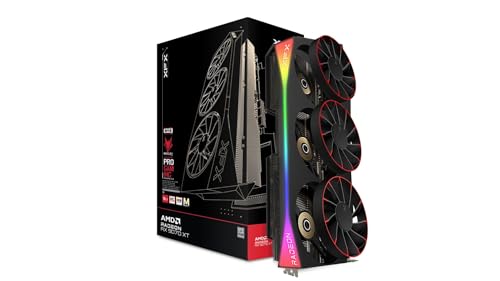

Frequently asked
7 questions01Is 8GB of VRAM enough for 1440p gaming in 2025?+
At 1440p with high but not maximum texture settings, 8GB is adequate for most titles in 2025. However, a growing number of modern games, including Cyberpunk 2077 at 1440p Ultra, have been documented exceeding 8GB VRAM usage. Dropping texture quality by one step typically resolves the issue without a visible quality difference in most cases. By 2027, the limitation is likely to be felt more broadly, so factor that into how long you plan to run the card.
02What PSU do I need for the MSI RTX 3070 Ti Suprim X 8G?+
The card has a rated TGP of 290W and uses two 8-pin PCIe power connectors. A 750W PSU is the stated minimum, but 850W is a more comfortable recommendation if you are pairing it with a high-end CPU such as a Ryzen 9 or Core i9. This gives adequate headroom for transient power spikes without stressing the power supply.
03Does the MSI RTX 3070 Ti Suprim X support DLSS 3?+
No. DLSS 3 Frame Generation is exclusive to NVIDIA's Ada Lovelace architecture, which means RTX 40-series cards only. The 3070 Ti Suprim X supports DLSS 2.x, which includes Quality, Balanced, and Performance modes. DLSS 2.x Quality mode at 1440p is genuinely good upscaling and sufficient for most users, but if Frame Generation is important to you, the RTX 4070 or higher is required.
04How long is the MSI RTX 3070 Ti Suprim X and will it fit in my case?+
The card is approximately 336mm in length and occupies three expansion slots. Before ordering, measure the maximum GPU length your case supports and check the slot clearance. Several owners with smaller mid-tower cases have reported fitment difficulties. A GPU support bracket is included in the box to prevent sagging, which is useful given the card's weight.
05How does the MSI RTX 3070 Ti Suprim X compare to the RTX 4070?+
The RTX 4070 delivers similar rasterised gaming performance at 1440p, within five to eight percent in most titles, while using approximately 90W less power (200W TGP versus 290W). The 4070 also offers 12GB of GDDR6X VRAM, DLSS 3 Frame Generation support, and 8th-generation NVENC with AV1 encode. If both cards are at a similar price, the 4070 is the stronger practical choice. The 3070 Ti Suprim X only makes more sense when it is priced meaningfully lower.
06Is the Suprim X significantly better than the MSI RTX 3070 Ti Gaming X Trio?+
The Suprim X offers a slightly higher factory boost clock (1830 MHz versus approximately 1800 MHz on the Gaming X Trio) and a more premium cooler with a larger fin stack and additional heat pipes. Real-world gaming performance differences are typically two to three percent, which is within the noise of benchmark variation. The Suprim X's cooler does produce marginally better thermals and acoustics. Whether the price premium between the two variants is worth it depends on how close the pricing is at the time of purchase.
07Can you hear the MSI RTX 3070 Ti Suprim X under gaming load?+
Under typical gaming loads the card operates in the 35 to 40 dB range, which is quiet enough that most users will not notice it over game audio or background room noise. At idle and light loads, the zero-RPM fan mode means the fans stop entirely and the card is completely silent. Under extreme stress workloads such as synthetic GPU benchmarks, the fans spin up more audibly, but this is not typical during normal gaming use.