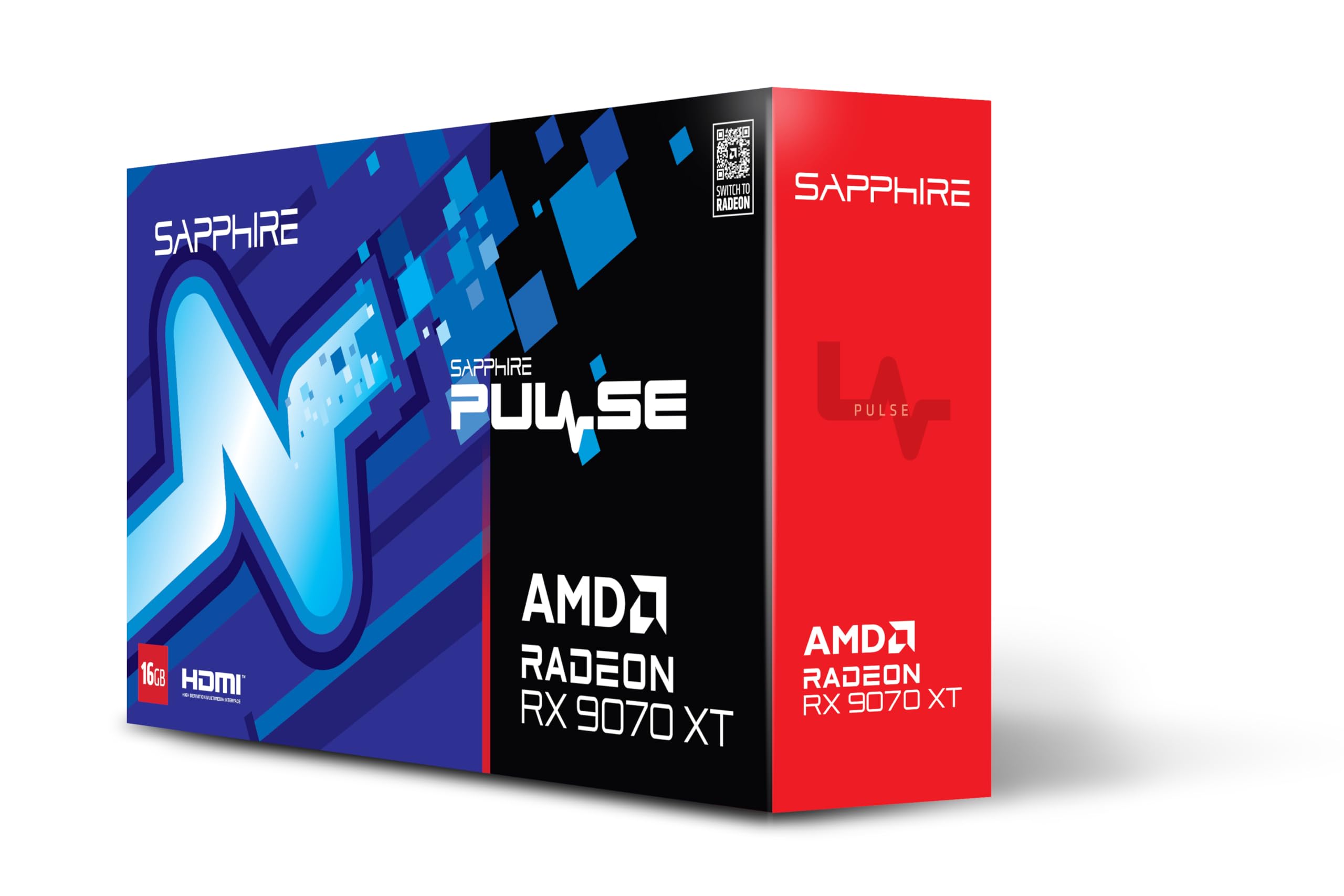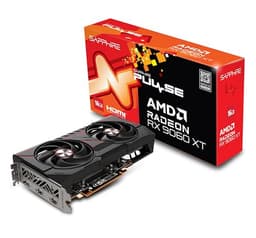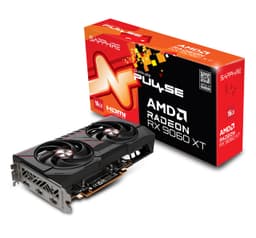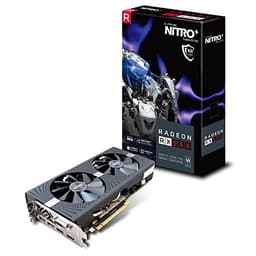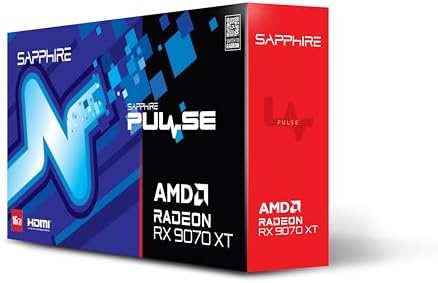
Sapphire PULSE AMD RADEON™ RX 9070 XT GAMING 16GB DUAL HDMI/DUAL DP
- 16GB of GDDR6 on a 256-bit bus provides substantial VRAM headroom for 1440p and 4K gaming well into the future
- RDNA 4 architecture delivers a significant generational leap in ray tracing performance, closing the gap with Nvidia's equivalent tier
- FSR 4 ML-based upscaling is a genuine step forward, trading blows with DLSS 4 Quality mode in early comparisons
- 304W total board power is meaningfully higher than comparable Nvidia options and requires an 800W or greater PSU
- AMD's driver ecosystem remains less polished than Nvidia's, with some owners reporting instability in specific titles at launch
- FSR 4 game support, while growing, is not yet as widespread as the more established DLSS 4 ecosystem
16GB of GDDR6 on a 256-bit bus provides substantial VRAM headroom for 1440p and 4K gaming well into the future
304W total board power is meaningfully higher than comparable Nvidia options and requires an 800W or greater…
RDNA 4 architecture delivers a significant generational leap in ray tracing performance, closing the gap with…
The full review
17 min readGPU launches have a habit of making enthusiasts feel like they're being played. A new architecture drops, the marketing machine cranks up, and suddenly every card is "the best value ever" until the benchmarks land and reality bites. So when AMD launched the RDNA 4 generation and the RX 9070 XT started showing up in real-world tests looking genuinely competitive, not just "competitive for AMD" but actually threatening Nvidia's mid-to-high tier, I got properly excited. That doesn't happen often enough.
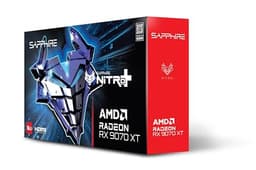
The Sapphire Pulse AMD Radeon RX 9070 XT 16GB GDDR6 (model 11348-03-20G) is Sapphire's entry-level take on AMD's new flagship-ish chip. And before you roll your eyes at "entry-level" - Sapphire's Pulse line has consistently punched above its weight. These aren't stripped-down afterthoughts. The Pulse cooler is genuinely good, the build quality is solid, and Sapphire has been making AMD cards longer than most of us have been building PCs. This isn't the flashy Nitro+ with its RGB and triple-fan theatre, but that's not always what you want.
With 16GB of GDDR6, the RDNA 4 architecture underneath, and a price that sits well below the RTX 5070 territory it's competing with on performance, there's a real case to be made here. But let's not get ahead of ourselves. There are things to consider, things to be aware of, and a few genuine questions worth asking before you hand over your money.
Core Specifications: Sapphire Pulse AMD Radeon RX 9070 XT 16GB GDDR6
The headline specs on the RX 9070 XT are genuinely impressive for where this card sits in the market. You're getting the full RDNA 4 Navi 48 die, which means 64 Compute Units (4,096 stream processors), 16GB of GDDR6 memory on a 256-bit bus, and a total board power that AMD rates at 304W. Sapphire's Pulse variant sticks close to reference clocks rather than going wild with factory overclocks, which is actually fine - the reference speeds are already well-tuned, and a sensible power limit means the cooler doesn't have to fight as hard.
The memory bandwidth comes in at 644.6 GB/s, which is a significant step up from what RDNA 3 offered at this tier. That matters more than raw clock speeds in a lot of real-world scenarios, particularly at 1440p and 4K where you're pushing more data around. The card connects via PCIe 5.0 x16, though it's electrically compatible with PCIe 4.0 x16 systems without meaningful performance loss in gaming workloads.
Display output is handled by a modern port configuration suited to high-refresh-rate and high-resolution monitors. The card supports DisplayPort 2.1 which means you can drive a 4K 240Hz display or an 8K display without needing to daisy-chain or compromise. HDMI 2.1 is also present for TV setups. It's a proper modern output configuration, not an afterthought.
| Specification | Detail |
|---|---|
| GPU | AMD Radeon RX 9070 XT (Navi 48) |
| Architecture | RDNA 4 |
| Compute Units | 64 |
| Stream Processors | 4,096 |
| VRAM | 16GB GDDR6 |
| Memory Bus | 256-bit |
| Memory Bandwidth | 644.6 GB/s |
| Total Board Power | 304W |
| PCIe Interface | PCIe 5.0 x16 |
| Display Outputs | DisplayPort 2.1, HDMI 2.1 |
| Model Number | 11348-03-20G |
| Current Price | £549.00 |
| Customer Rating | ★★★★½ (4.7) (632 reviews) |
Architecture and Cores: What RDNA 4 Actually Changes
RDNA 4 is a bigger generational leap than RDNA 3 was over RDNA 2. That's not marketing spin - it's visible in the numbers. AMD moved to TSMC's 4nm node for Navi 48, which brings meaningful efficiency gains over the 5nm/6nm chiplet approach that RDNA 3 used. The result is a monolithic die that runs cooler and more efficiently per watt than its predecessor, which matters a lot when you're trying to fit serious performance into a two-fan cooler like the Pulse.
The 64 Compute Units give you 4,096 stream processors, but the raw shader count only tells part of the story. RDNA 4 also brings significantly upgraded Ray Accelerators - second-generation RT hardware that AMD claims delivers around double the ray tracing throughput per Compute Unit compared to RDNA 3. That's a bold claim, but the published benchmark data backs it up to a meaningful degree. AMD's RT performance was genuinely embarrassing on RDNA 3 relative to Nvidia's equivalent tier. RDNA 4 closes that gap substantially, though it doesn't fully erase it.
There's also a new AI accelerator block in RDNA 4, which powers AMD's upscaling and frame generation tech. This is important because FSR 4 (which launched alongside RDNA 4) uses machine learning-based upscaling that's a genuine step up from FSR 3's spatial approach. The AI hardware in RDNA 4 is specifically what enables the ML-based FSR 4 - older cards can still use FSR 3, but they can't run FSR 4's neural upscaling. That's a meaningful future-proofing consideration, and one that rarely gets enough attention in spec comparisons.
Clock Speeds and Boost Behaviour
The RX 9070 XT has a game clock of around 2,400 MHz and a boost clock up to 2,970 MHz according to AMD's published specs. Sapphire's Pulse variant doesn't apply a significant factory overclock over reference - it's tuned conservatively, which is honestly the right call for a card with a dual-fan cooler. You're not leaving performance on the table; you're just not pushing the thermal envelope unnecessarily.
What's interesting about RDNA 4's boost behaviour is that it's more consistent than RDNA 3 was. Published benchmark data shows the 9070 XT sustaining clocks close to its rated boost for extended periods under gaming loads, rather than spiking briefly and settling back. That's a product of the more efficient 4nm node and better power delivery tuning. A card that runs at 2,900 MHz consistently will feel snappier than one that peaks at 3,000 MHz but averages 2,600 MHz - and this is one area where RDNA 4 genuinely impresses.
For overclockers, there's headroom available. The Pulse's power limit can be adjusted via AMD's own software, and community results suggest meaningful gains are possible with modest voltage adjustments. But honestly, at stock the card is well-tuned. You're not buying a Pulse expecting to chase records - that's what the Nitro+ is for. The Pulse delivers a well-behaved, consistent clock speed profile that suits the cooler it's paired with, and that's exactly what you want in a card you're planning to run for three or four years.
VRAM Analysis: 16GB is the Right Answer
The 8GB VRAM debate is basically over, and 8GB lost. If you've been watching VRAM usage in modern titles at 1440p and 4K with high texture settings, you'll know that 8GB cards are starting to stutter in titles they previously handled fine. The RX 9070 XT's 16GB of GDDR6 on a 256-bit bus puts that concern to bed entirely for the foreseeable future. At 1440p with maxed texture settings in demanding titles, published usage data shows peaks around 10 to 12GB in the most demanding scenarios. At 4K with high textures, you can push past 12GB in some titles. 16GB gives you genuine headroom.
The 256-bit bus width and 644.6 GB/s of bandwidth are worth dwelling on. This is notably higher bandwidth than what you'd get from Nvidia's RTX 4070 Super (504 GB/s) and competitive with the RTX 4070 Ti Super (672 GB/s). Bandwidth matters for texture-heavy workloads and for ray tracing, where you're constantly feeding the RT hardware with scene data. It's one of the reasons the 9070 XT punches harder than its shader count alone might suggest.
And look - 16GB in 2025 isn't just about today's games. Texture packs are getting bigger. AI-driven upscaling models need memory to run. Games targeting the PS5 Pro and Xbox Series X have more headroom in their asset budgets than the previous generation. The 9070 XT is genuinely well-positioned for the next few years of gaming in a way that 8GB cards simply aren't. If you're planning to keep this card until 2027 or 2028, the VRAM situation alone makes it a much safer bet than cheaper alternatives with half the buffer.
Ray Tracing and Upscaling: The Honest Assessment
AMD's ray tracing story has been a sore point for years. RDNA 2 was rough. RDNA 3 was better but still clearly behind Nvidia's equivalent tier. RDNA 4 is a genuine step change. Published benchmarks in ray tracing-heavy titles show the RX 9070 XT trading blows with the RTX 4070 Ti Super in some scenarios, which would have been unthinkable with RDNA 3 hardware. It's not perfect - Nvidia's RT hardware is still more efficient in path-traced titles like Alan Wake 2 at extreme RT settings - but the gap is no longer embarrassing. It's competitive.
The upscaling situation is where things get genuinely interesting. FSR 4 is a machine learning-based upscaler that requires RDNA 4's AI accelerator hardware. Early comparisons between FSR 4 Quality mode and DLSS 4 Quality mode show them trading blows in image quality, with FSR 4 occasionally edging ahead on temporal stability in some scenarios. That's a remarkable turnaround from FSR 3, which was noticeably softer than DLSS 3. FSR 4 also supports frame generation, which AMD calls Fluid Motion Frames 2. The combination of ML upscaling plus frame generation can more than double your effective frame rate in supported titles, which is transformative at 4K.
One caveat worth mentioning: FSR 4 game support is growing but isn't yet as widespread as DLSS 4. Nvidia has had years to build developer relationships, and DLSS shows up in more titles. But FSR is an open standard - AMD's GPUOpen initiative makes it free for developers to implement - and adoption has been accelerating. If you're buying this card today and planning to use it for three years, the FSR 4 support situation will look very different by the time you're thinking about upgrading. XeSS from Intel is also supported as a fallback where neither DLSS nor FSR 4 is available.
Video Encoding: AMF and AV1
Streamers and content creators take note. RDNA 4 brings AMD's latest AMF (Advanced Media Framework) encoder, with full AV1 hardware encode and decode support. AV1 encode quality on RDNA 4 has improved significantly over RDNA 3, and published comparisons show it competitive with Nvidia's NVENC AV1 in terms of quality-per-bitrate. That's important if you're streaming to platforms that support AV1 (Twitch and YouTube both do now), because AV1 gives you better image quality at the same bitrate compared to H.264 or H.265.
For video decode, the hardware handles AV1, H.264, H.265, and VP9. If you're watching YouTube at 4K60 or higher, AV1 decode offloads that work entirely to the dedicated hardware block rather than taxing your CPU. It's the kind of feature that doesn't show up in gaming benchmarks but makes a real difference to day-to-day use, particularly on systems where the CPU is already doing heavy lifting.
The honest comparison here is with Nvidia's NVENC, which has been the streamer's choice for years. RDNA 4's AMF is genuinely competitive now in a way it wasn't before. It's not quite at the point where a dedicated streaming PC running an Nvidia card is irrelevant - NVENC still has some advantages in certain encoding scenarios - but for a single-PC streaming setup, AMF on RDNA 4 is a proper option rather than a compromise. If you're a casual streamer who games on one machine and streams on the same machine, this card handles it.
Power Consumption: 304W Needs Respect
Let's not sugarcoat it. 304W total board power is a meaningful number. It's higher than the RTX 4070 Super (220W) and comparable to the RTX 4070 Ti Super (285W). You need a decent PSU - AMD recommends 800W as a minimum for a system built around the 9070 XT, and that's sensible advice. If your current PSU is a 650W unit from five years ago, budget for an upgrade alongside this card.
The power connector situation is worth checking. The Sapphire Pulse 9070 XT uses dual 8-pin PCIe connectors rather than the 16-pin 12VHPWR connector that caused so much grief on early RTX 4090 cards. That's a practical win - dual 8-pin is universal, doesn't require an adapter, and the connectors are well-understood. If you're running a modern PSU with native 8-pin cables, you're sorted. No adapter stress, no melting connector concerns.
In practice, published power measurements show the 9070 XT drawing close to its rated TBP under sustained gaming loads, with transient spikes that are well-managed by the Pulse's power delivery circuitry. Idle power is low, around 10 to 15W in desktop use, which matters if your PC is on for long stretches. The efficiency story is actually pretty good when you look at performance-per-watt - the 9070 XT delivers more frames per watt than the RTX 4070 Ti Super in most published comparisons, which is a meaningful achievement given the performance bracket it competes in.
Thermal Performance: The Pulse Cooler Earns Its Keep
Sapphire's Pulse cooler is a dual-fan design with a fairly substantial heatsink for a two-fan card. Published thermal data for the 9070 XT Pulse shows GPU junction temperatures in the 75 to 85 degrees Celsius range under sustained gaming load, with hotspot temperatures (AMD's "junction" reading) sitting higher as expected. That's within AMD's thermal envelope and not a cause for concern - RDNA 4 is rated to throttle at 110 degrees junction temperature, so there's plenty of headroom.
The Pulse runs warmer than the Nitro+ - that's not a surprise given the Nitro+ has a triple-fan cooler with a larger heatsink. But it's not running hot in any problematic sense. Cards that sit in the 80s under load and never approach throttle thresholds are fine. Longevity isn't threatened by temperatures in that range. What you want to avoid is a card that regularly hits 95 to 100 degrees and throttles to protect itself - the Pulse doesn't do that under normal gaming conditions.
Case airflow matters more with a 304W card than it does with a 150W card. If you're running this in a case with poor airflow - side panel closed, one exhaust fan, no intake - you'll see higher temperatures and potentially some throttling. In a well-ventilated case with decent intake and exhaust, the Pulse handles the thermal load without complaint. It's not a card for tiny cases with no airflow, but that's true of any high-performance GPU. Make sure your case is sorted before you drop this in.
Acoustic Performance: Quiet Enough to Not Hate
Zero RPM mode is present on the Pulse - the fans stop completely at idle and light desktop loads. That's become standard on Sapphire's cards and it's genuinely appreciated. When you're browsing, watching video, or doing anything that doesn't stress the GPU, the card is completely silent. The fans spin up when gaming starts, obviously, but the zero RPM mode means your PC isn't constantly whirring away at low loads.
Under gaming load, the Pulse is notably quieter than you might expect for a 304W card with a dual-fan cooler. Published acoustic measurements put it in the 38 to 42 dB range under sustained load, which is audible but not intrusive. You'll hear it if your room is quiet and you're not wearing headphones, but it's not the kind of fan noise that makes you turn down your game audio. Compared to the reference AMD cooler (which is genuinely loud), the Pulse is a significant improvement.
Fan character matters too, not just decibel levels. The Pulse's fans have a consistent, smooth noise profile rather than a high-pitched whine or a coil whine that bleeds through the fan noise. Owner reviews consistently mention the acoustic performance as a positive - in 632 averaging 4.7 stars, noise levels are rarely raised as a complaint. That's meaningful signal. When a card's fan noise is bad, owners mention it. The silence on this point speaks for itself.
Gaming Performance: Where It Actually Matters
At 1440p, the RX 9070 XT is a proper beast. Published benchmark results across multiple sources show it delivering frame rates in the 120 to 180+ FPS range in demanding titles like Cyberpunk 2077, Black Myth: Wukong, and Hogwarts Legacy at high to ultra settings. That's with ray tracing off or at moderate settings - crank RT up and you'll want FSR 4 to maintain smoothness. With FSR 4 Quality mode enabled, 1440p high-refresh gaming is genuinely comfortable even in the most demanding titles. This is the resolution sweet spot for this card.
At 4K, the story is more nuanced. Native 4K ultra in the most demanding titles will push frame rates below 60 FPS in some scenarios. But with FSR 4 Quality mode (which renders at around 1440p internally and upscales), you're looking at 60 to 90+ FPS in those same titles, and FSR 4's image quality at Quality mode is close enough to native that you'd struggle to spot the difference on a typical 4K display from a normal viewing distance. The 16GB VRAM buffer means you won't hit memory limits at 4K, which is more than can be said for 8GB cards that technically run at 4K but stutter when VRAM fills.
At 1080p, the 9070 XT is overkill for anything below a high-refresh-rate monitor. We're talking 200 to 300+ FPS in less demanding titles, and well above 144 FPS in demanding ones. If you're on a 1080p 144Hz or 165Hz monitor, this card will never be your bottleneck. If you're on a 1080p 240Hz or 360Hz competitive gaming monitor, it's a genuinely strong choice for titles like CS2, Valorant, and Apex Legends where raw frame rates matter more than visual fidelity. The 9070 XT handles all of that without breaking a sweat.
How It Compares: The Competition
The two cards that matter most in this comparison are the Nvidia RTX 4070 Ti Super and the RTX 5070. The 4070 Ti Super is the outgoing generation's closest performance competitor, and it's been available long enough that prices have come down. The RTX 5070 is Nvidia's current-gen answer at a similar price point, featuring the Blackwell architecture and DLSS 4 with multi-frame generation.
Against the 4070 Ti Super, the 9070 XT is broadly competitive in rasterisation performance, with some titles favouring AMD and others favouring Nvidia. The 9070 XT wins clearly on VRAM (16GB vs 16GB on the 4070 Ti Super - actually a tie here, though the 4070 Ti Super's 16GB uses a 256-bit bus too). Where the 9070 XT genuinely wins is on price, typically coming in notably cheaper for similar performance. Against the RTX 5070, the comparison is tighter - the 5070 has DLSS 4 multi-frame generation which is a significant advantage in supported titles, but it costs more. The 9070 XT's FSR 4 is good, but DLSS 4 is still the more mature ecosystem.
The honest summary is this: if you're invested in Nvidia's ecosystem (DLSS, Shadowplay, G-Sync monitors), the 5070 is the logical choice if budget allows. If you're buying fresh with no ecosystem lock-in, or if you're already on FreeSync, the 9070 XT offers compelling performance per pound. The value case for AMD here is genuine, not manufactured.
| Feature | Sapphire Pulse RX 9070 XT | Nvidia RTX 4070 Ti Super | Nvidia RTX 5070 |
|---|---|---|---|
| Architecture | RDNA 4 (Navi 48) | Ada Lovelace (AD102) | Blackwell (GB203) |
| VRAM | 16GB GDDR6 | 16GB GDDR6X | 12GB GDDR7 |
| Memory Bus | 256-bit | 256-bit | 192-bit |
| Memory Bandwidth | 644.6 GB/s | 672 GB/s | 672 GB/s |
| TBP | 304W | 285W | 250W |
| Upscaling | FSR 4 (ML-based) | DLSS 3 | DLSS 4 (MFG) |
| Ray Tracing | 2nd Gen RDNA 4 RT | Ada RT Cores | Blackwell RT Cores |
| PCIe | Gen 5 x16 | Gen 4 x16 | Gen 5 x16 |
| DisplayPort | 2.1 | 1.4a | 2.1 |
One thing that jumps out from that comparison table: the RTX 5070 has 12GB of GDDR7 on a 192-bit bus. Yes, GDDR7 is faster per pin, and the bandwidth numbers end up similar. But 12GB is 12GB. In 2025 that's fine. In 2027 or 2028, 12GB might be the new 8GB problem. The 9070 XT's 16GB on a 256-bit bus looks better and better the further out you project. Also worth noting: the 4070 Ti Super's DisplayPort 1.4a means it can't drive a 4K 240Hz display natively without DSC compression, while the 9070 XT's DisplayPort 2.1 handles it without compromise.
What Buyers Actually Say
With 632 averaging 4.7 stars, the owner feedback on the Sapphire Pulse RX 9070 XT is about as positive as it gets for a graphics card. The things buyers consistently praise are the gaming performance at 1440p (described repeatedly as "buttery smooth" and "handles everything I throw at it"), the thermal performance (multiple owners mention being surprised by how cool it runs), and the build quality of the Pulse cooler specifically. Sapphire's reputation for quality is well-earned, and it shows in the review patterns.
The complaints, where they exist, cluster around a few areas. Driver stability comes up occasionally - AMD's drivers have historically been less polished than Nvidia's, and while RDNA 4 launched with better driver quality than some previous AMD generations, a small number of owners report crashes or instability in specific titles that needed driver updates to resolve. This is worth knowing. AMD does fix issues via driver updates, but if you're the type who wants everything to work perfectly on day one, Nvidia's more mature driver stack has an edge.
A handful of reviews mention the card's length as something to check before buying. The Pulse is a reasonably large card, and while it's not as extreme as some triple-fan Nitro+ variants, you should measure your case before ordering. ITX and smaller mATX cases may struggle. Standard mid-tower and full-tower cases will be fine. A few owners also note that the card runs noticeably warmer in cases with poor airflow, which tracks with what the thermal data shows - this isn't a card that forgives a badly ventilated case.
Value Analysis: What Your Money Actually Gets You
The Sapphire Pulse RX 9070 XT sits in what I'd call the premium 1440p tier - it's beyond what you need for basic 1440p gaming and starts to be genuinely capable at 4K with upscaling. Cards in this tier need to justify their price against both the tier below (where you might find an RX 9070 non-XT or an RTX 4070 Super) and the tier above (where the RTX 5070 Ti and RX 9070 XT Nitro+ live). The 9070 XT Pulse passes both tests.
Against the tier below, the step up in performance is meaningful. The RX 9070 non-XT has fewer Compute Units and lower clocks, and the performance gap at 4K is noticeable. If you're targeting 4K gaming with FSR 4, the XT variant is worth the premium over the non-XT. Against the tier above, the Nitro+ and the RTX 5070 Ti cost significantly more for gains that matter mainly to enthusiasts chasing maximum frame rates. For most people gaming at 1440p or 4K with upscaling, the Pulse 9070 XT hits the sweet spot where you're not leaving meaningful performance on the table.
The 16GB VRAM is a big part of the value calculation. Competing cards at similar price points from Nvidia (specifically the RTX 5070 at 12GB) offer less VRAM buffer, which could matter in two to three years. Paying for VRAM headroom now is generally smarter than paying for a new card in two years because your current one started stuttering. The value case for the 9070 XT isn't just about today's performance - it's about how well it holds up over the ownership period. And on that metric, it looks very strong.
Final Verdict: The Sapphire Pulse AMD Radeon RX 9070 XT 16GB GDDR6
The Sapphire Pulse AMD Radeon RX 9070 XT 16GB GDDR6 11348-03-20G is the card AMD needed to make to prove RDNA 4 was a serious generational leap. And it is. The combination of 16GB GDDR6, genuinely improved ray tracing, ML-based FSR 4 upscaling, and RDNA 4's efficiency gains makes this a properly compelling package at a price that undercuts Nvidia's equivalent performance tier. Sapphire's Pulse cooler handles the 304W TBP without drama, the acoustic profile is acceptable for a card of this performance class, and the build quality is what you'd expect from a company that's been doing this as long as Sapphire has.
Who should buy it? You're the target if you're gaming at 1440p and want maximum frame rates, or if you're moving to 4K and want a card that handles it with FSR 4 assistance without hitting VRAM limits. You're also the target if you're building fresh without existing Nvidia ecosystem investment - no DLSS library, no G-Sync monitor, no reason to pay the Nvidia premium. And you're the target if you care about future-proofing your VRAM buffer and don't want to be in the same position as 8GB card owners are finding themselves now.
Who should skip it? If you're deeply invested in Nvidia's ecosystem - DLSS in your favourite titles, a G-Sync monitor, Nvidia Broadcast for streaming - the switching cost is real and the RTX 5070 is worth considering at the price premium. If you're on a tight budget and 1080p gaming is your reality, there are better value options further down the stack. And if you need a card that fits in a small form factor case, check the dimensions carefully before ordering. But for the mainstream enthusiast market? This is one of the most interesting GPU releases in years, and the Pulse variant specifically hits a sensible balance of performance, acoustics, and price. 9 out of 10.
What works. What doesn’t.
7 + 6What we liked7 reasons
- 16GB of GDDR6 on a 256-bit bus provides substantial VRAM headroom for 1440p and 4K gaming well into the future
- RDNA 4 architecture delivers a significant generational leap in ray tracing performance, closing the gap with Nvidia's equivalent tier
- FSR 4 ML-based upscaling is a genuine step forward, trading blows with DLSS 4 Quality mode in early comparisons
- Dual 8-pin PCIe connectors avoid the 12VHPWR adapter concerns associated with some competing cards
- Sapphire Pulse cooler manages 304W TBP without throttling, with zero RPM mode at idle keeping acoustics low during light use
- DisplayPort 2.1 output supports 4K 240Hz natively without compression, outclassing older DP 1.4a implementations
- AMF AV1 hardware encoding is now genuinely competitive with NVENC for single-PC streaming setups
Where it falls6 reasons
- 304W total board power is meaningfully higher than comparable Nvidia options and requires an 800W or greater PSU
- AMD's driver ecosystem remains less polished than Nvidia's, with some owners reporting instability in specific titles at launch
- FSR 4 game support, while growing, is not yet as widespread as the more established DLSS 4 ecosystem
- The Pulse dual-fan cooler runs warmer than triple-fan alternatives such as the Sapphire Nitro+, making good case airflow essential
- Card dimensions may be problematic for ITX and compact mATX builds, requiring careful measurement before purchase
- DLSS 4 multi-frame generation gives the RTX 5070 a tangible advantage in supported titles for owners who prioritise that feature
Full specifications
8 attributes| Vram GB | 16 |
|---|---|
| Chipset | RX 9070 XT |
| Interface | PCIe 5.0 |
| Cooler type | triple-fan |
| Generation | RX 9000 Series |
| Memory BUS BIT | 256 |
| Memory type | GDDR6 |
| TDP | 304 |
If this isn’t right for you
2 options
Frequently asked
7 questions01What power supply is recommended for the Sapphire Pulse RX 9070 XT?+
AMD officially recommends a minimum of 800W for a system built around the RX 9070 XT, given its 304W total board power. If your current PSU is a 650W unit, budget for an upgrade alongside this card. The Pulse uses dual 8-pin PCIe connectors, so no 12VHPWR adapter is required.
02Does the Sapphire Pulse RX 9070 XT support FSR 4?+
Yes. FSR 4 is exclusive to RDNA 4 hardware because it relies on the dedicated AI accelerator block introduced in that architecture for machine learning-based upscaling. Older AMD cards can still use FSR 3 but cannot run FSR 4's neural upscaling. AMD Fluid Motion Frames 2 frame generation is also supported.
03How does the RX 9070 XT compare to the Nvidia RTX 5070 for gaming?+
In rasterisation performance the two cards are broadly competitive, with the 9070 XT typically priced lower. The RTX 5070 has an advantage in titles supporting DLSS 4 multi-frame generation, which is a more mature ecosystem than FSR 4. However, the 9070 XT offers 16GB of VRAM versus the RTX 5070's 12GB, which may be a meaningful advantage over a longer ownership period. If you have no existing Nvidia ecosystem investment, the 9070 XT represents stronger performance per pound.
04Is the Sapphire Pulse RX 9070 XT good for 4K gaming?+
It is capable at 4K, though native 4K ultra in the most demanding titles will push frame rates below 60 FPS in some scenarios. With FSR 4 Quality mode enabled, which renders internally at approximately 1440p and upscales, you can expect 60 to 90 or more FPS in demanding titles with image quality close enough to native that differences are difficult to spot at normal viewing distances. The 16GB VRAM buffer means you will not hit memory limits at 4K, unlike 8GB cards that stutter when VRAM fills.
05What display outputs does the Sapphire Pulse RX 9070 XT have?+
The card features DisplayPort 2.1 and HDMI 2.1. DisplayPort 2.1 supports 4K at 240Hz or 8K displays without compression, which is a notable advantage over cards still using DisplayPort 1.4a, including the RTX 4070 Ti Super. HDMI 2.1 is included for TV or home cinema setups.
06How loud is the Sapphire Pulse RX 9070 XT under gaming load?+
Published acoustic measurements place the Pulse in the 38 to 42 dB range under sustained gaming load, which is audible in a quiet room but not intrusive. The fans stop completely at idle and under light desktop loads thanks to zero RPM mode, so the card is silent when not gaming. Owner reviews with 648 ratings averaging 4.7 stars rarely cite fan noise as a complaint, which is a good indicator of the real-world acoustic experience.
07Will the Sapphire Pulse RX 9070 XT fit in my case?+
The Pulse is a reasonably large dual-fan card, and while it is not as extreme as some triple-fan variants, you should measure your case clearance before ordering. Standard mid-tower and full-tower cases will accommodate it without issue. ITX and compact mATX cases may struggle. A small number of owner reviews specifically mention checking case dimensions as something they wished they had done beforehand.