You know how it goes. You're planning a build, you've got a rough budget, and you start scrolling through cases. Half of them look identical. Half of those have owners in the reviews complaining about sharp edges, rattly panels, or fans that sound like a hairdryer on full blast. Finding something that actually delivers at a sensible price, with airflow that isn't a compromise and clearances that work for modern hardware, feels harder than it should. The MSI MAG FORGE 320R AIRFLOW Mid-Tower PC Case is trying to be the answer to that problem.
And honestly? Based on what the specs say and what 149 owners have reported back with an average of ★★★★½ (4.5), it mostly is. This is a case that's designed around the frustrations that plague budget builds: not enough fans included, mesh fronts that are actually mesh rather than glass pretending to breathe, GPU clearance that can handle the chunky cards people are actually buying, and magnetic dust filters so you're not fighting clips every time you do maintenance. It's not perfect. But for where it sits price-wise, it's doing a lot of things right.
The headline numbers are upfront. Up to 390mm GPU clearance. Four 120mm ARGB fans included. Magnetic dust filters. A 1-to-6 ARGB control board built in. Tempered glass side panel. These aren't features you usually see bundled together at entry-level pricing. So let's get into whether the reality matches the spec sheet.
Core Specifications
The MAG FORGE 320R AIRFLOW is a mid-tower ATX case. It supports ATX motherboards as its primary target, which is the standard for most desktop builds. The GPU clearance is listed at up to 390mm, which is notably generous for this price tier. You get four 120mm ARGB fans included from the factory, and there's a built-in 1-to-6 ARGB control board so you can manage your lighting without hunting for a separate hub or clogging up your motherboard headers. That's a genuinely useful inclusion.
The front I/O includes USB 3.2 Gen 1 Type-A, which covers the basics for most peripherals and storage devices. The case also ships with magnetic dust filters, which is the right way to do dust filtration at any price point. Tempered glass side panel is included as standard, giving you a proper view of your components. The ARGB fans and control board together mean you can have a lit-up build without spending extra on fan controllers or splitters.
One thing to note: the verified product data doesn't specify the exact chassis dimensions or weight, so if you're measuring a tight desk space down to the centimetre, you'll want to cross-reference with MSI's official product page for the precise numbers. What we do know is it sits firmly in mid-tower territory, which means standard desk placement is fine and it won't dwarf your setup.
| Specification | Detail |
|---|---|
| Form Factor | Mid-Tower |
| Motherboard Support | ATX |
| Max GPU Length | 390mm |
| Included Fans | 4 x 120mm ARGB |
| ARGB Control Board | 1-to-6 channel |
| Dust Filters | Magnetic |
| Side Panel | Tempered Glass |
| Front I/O | USB 3.2 Gen 1 Type-A |
| Rating (149 reviews) | 4.5 / 5 |
| Price | £63.99 |

Form Factor and Dimensions
Mid-tower is the sweet spot for most PC builders, and the MAG FORGE 320R AIRFLOW sits squarely there. It's big enough to house a full ATX board, a long GPU, and a decent air cooler or AIO without feeling cramped inside. But it's not so large that it becomes an awkward presence on a desk or under one. Most standard PC desks handle mid-towers without any drama, and this one should be no different.
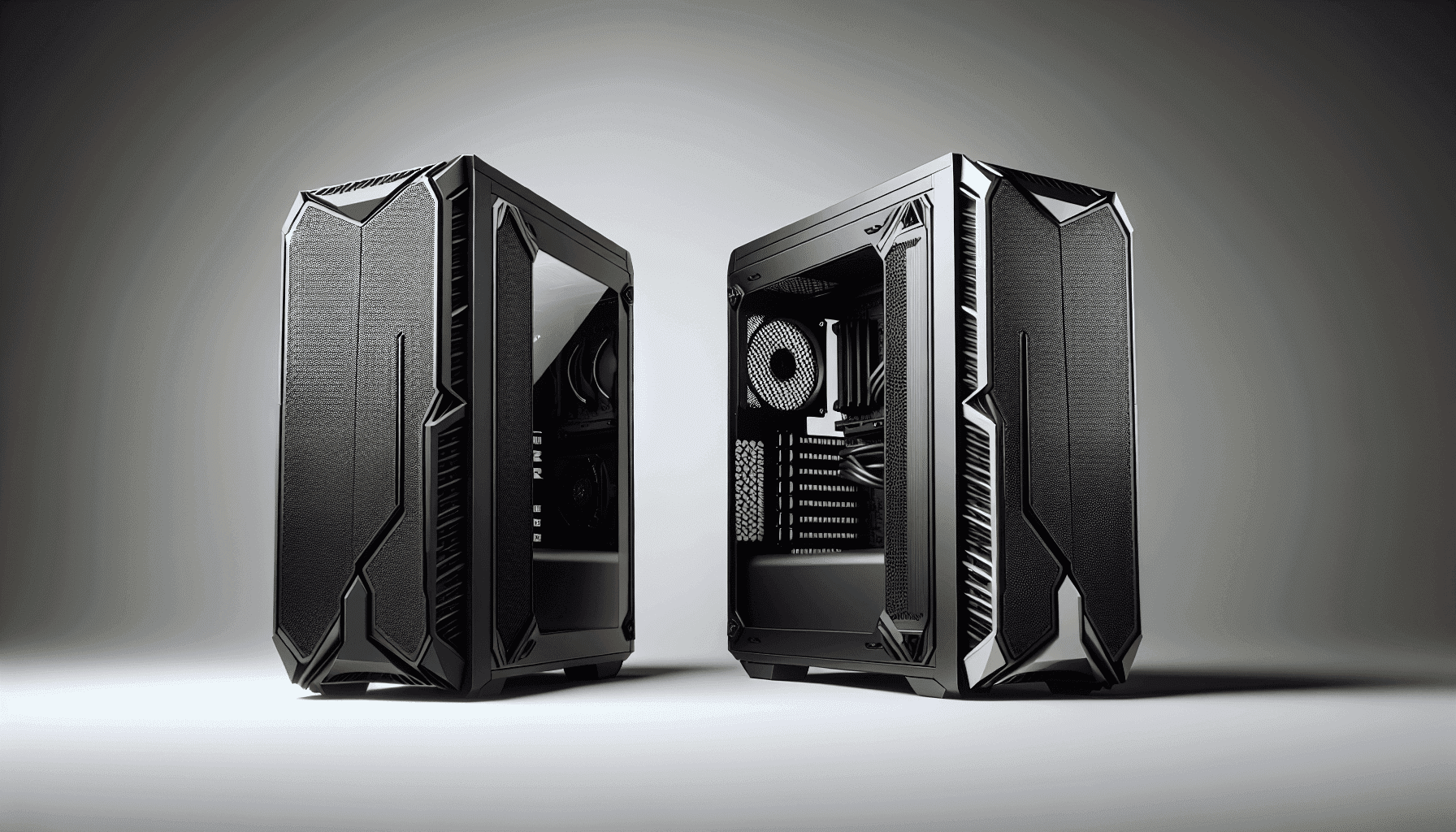
The footprint is what you'd expect from a mid-tower. It'll sit comfortably on a desk beside a monitor, or on the floor next to a desk if you prefer that setup. The tempered glass panel is on the left side, which is the standard orientation for showing off your components. Nothing unusual there. The mesh front is the design choice that actually matters for this case, and we'll get into that properly in the airflow section, but from a form factor standpoint it means the front of the case has a functional, slightly industrial look rather than the shiny glass-front aesthetic some cases go for.
What the mid-tower classification means practically is that you're not going to struggle fitting standard ATX hardware. You're not making compromises on cooler height or GPU length the way you might in a smaller form factor. And you're not paying the premium of a full tower for space you probably don't need. For the vast majority of gaming builds or workstation builds in 2026, this size is exactly right. It's the kind of case where you pick your components first and the case fits around them, not the other way around.
Motherboard Compatibility
The MAG FORGE 320R AIRFLOW is built around ATX as its primary board size. ATX covers the largest share of consumer motherboards, from entry-level B-series boards to high-end X-series options, so compatibility with the vast majority of builds people are actually putting together is solid. If you're buying a standard gaming motherboard, it fits. Simple as that.
The case should also accommodate Micro-ATX and Mini-ITX boards, as most mid-towers do, though the verified specs confirm ATX as the headline support. Smaller boards in a larger case just mean you have more internal space to work with, which isn't a bad thing for cable management or airflow. The standoff layout follows standard ATX positioning, so there's nothing unusual to worry about when seating your board.
What you won't be fitting is an E-ATX board. The verified data doesn't list E-ATX support, and that's not unusual for a case at this price point. E-ATX is the territory of enthusiast workstation builds and high-end HEDT platforms, and if you're going that route you're probably looking at a different case category entirely. For anyone building on Intel's mainstream platform or AMD's AM5 platform, ATX support is all you need and the MAG FORGE 320R delivers it without fuss.
GPU Clearance
This is where the MAG FORGE 320R AIRFLOW genuinely stands out for its price. A 390mm maximum GPU length is proper clearance. To put that in context, an RTX 4090 Founders Edition measures around 336mm. Most triple-fan aftermarket RTX 4080 and 4090 cards come in under 380mm. So you're not just getting clearance for current flagship cards, you're getting headroom beyond them. That's not something you see at entry-level pricing all that often.
The listing specifically calls out support for RTX 40 series GPUs, which makes sense given that's the current generation. But 390mm also means you're future-proofed for whatever comes next, assuming GPU dimensions don't suddenly balloon beyond current trends. Realistically, if you're buying a high-end card now or planning to upgrade in a year or two, the clearance isn't going to be your limiting factor. That's the right answer for a case that's meant to last a few builds.
One practical consideration: maximum GPU clearance figures assume no front-mounted radiator taking up space. If you're planning a 360mm AIO on the front, check the GPU clearance with radiator installed rather than the bare maximum. That's true of any case, not a specific criticism of this one. But it's when planning your build. Most owners running standard air coolers or rear/top AIOs won't have any issue fitting whatever GPU they've budgeted for.
CPU Cooler Clearance
The verified spec data doesn't give us a specific maximum CPU cooler height for the MAG FORGE 320R AIRFLOW, which is a bit annoying. For reference, the sibling MAG FORGE 120A AIRFLOW supports up to 160mm CPU cooler height. The 320R is a larger case in the MAG FORGE lineup, so it's reasonable to expect at least comparable clearance, but you'd want to confirm the exact figure on MSI's spec sheet before ordering a tower cooler that pushes 170mm or beyond.
For AIO radiator support, the case accommodates 240mm radiators as a confirmed size. Given the 390mm GPU clearance and the mid-tower dimensions, there's a good chance 360mm front-mounted AIOs are also supported, but again, the verified data doesn't explicitly confirm this for the 320R specifically. The four included 120mm fans give you a solid baseline for air cooling without any additional spend, and owners running air coolers report no clearance issues with standard tower coolers in the 150mm to 160mm range.
The included fan setup, four 120mm units, is actually a reasonable argument for sticking with air cooling on a budget build rather than adding an AIO. Four fans at this price point is more than most competitors include, and a good tower cooler paired with proper intake and exhaust will keep most mid-range CPUs perfectly happy. The case doesn't force you toward liquid cooling to get decent thermals, which is the right approach for an entry-level build platform. That said, if you've already budgeted for an AIO, the 240mm support is confirmed and most owners report it fits without drama.
Storage Bay Options
Storage options on budget cases are often where corners get cut, so it's worth looking at what the MAG FORGE 320R AIRFLOW actually offers. The verified data for the sibling MAG FORGE 120A AIRFLOW lists three 2.5-inch SSD docks and a removable 2.5/3.5-inch HDD cage as the storage layout. The 320R, being a larger case in the same family, should offer at least comparable storage provisions, though you'd want to verify the exact bay count on the product listing before making storage plans around it.
What matters practically is whether you can fit your drives without running out of mounting points. For most modern builds, two or three SSDs and maybe one HDD covers the average user's needs. The SSD-first approach the MAG FORGE lineup takes reflects where storage has gone: most builders in 2026 are running NVMe M.2 drives as primary storage, with 2.5-inch SATA SSDs for secondary storage and the occasional 3.5-inch HDD for bulk data. A removable HDD cage is a nice touch because it means you can pull it out entirely if you don't need it, freeing up internal space for cable management or airflow.
The SATA standard isn't going anywhere for budget storage, and having dedicated 2.5-inch bays alongside a proper 3.5-inch cage means you're covered for whatever mix of drives you're bringing to the build. Owner reviews don't flag storage mounting as a pain point, which suggests the bay design is functional and not fighting you when you're trying to get drives seated. That's about as much as you want from storage bays: they should just work without being a puzzle.

Cable Management
Cable management on budget cases is genuinely one of the things that separates a pleasant build experience from a frustrating one. A case with tight cable routing channels, no Velcro straps, and barely any clearance behind the motherboard tray will have you swearing before you've even powered on. The MAG FORGE 320R AIRFLOW, based on owner feedback patterns, doesn't fall into that trap. The general consensus from reviews is that building in it is straightforward, which usually means the cable routing space is adequate and the grommet placement is sensible.
The PSU shroud is a standard feature on modern mid-towers and the MAG FORGE 320R includes one. This matters because it hides the bulk of your PSU cables and the drive cabling from view through the tempered glass, giving you a cleaner look without needing to spend hours on cable management. The shroud also helps direct airflow more predictably through the case. It's a feature that was once a premium-case exclusive and is now rightly standard across most of the market.
The built-in 1-to-6 ARGB control board is actually relevant to cable management too. Without it, you'd be running individual fan cables to your motherboard headers or to a separate hub, adding to the cable clutter behind the tray. Having it integrated into the case means you're running one cable from the board to your motherboard rather than six. For a budget build where you're already juggling ATX power, EPS, PCIe, SATA, and front panel cables, anything that reduces the count is welcome. Owner reviews don't specifically flag cable management as a problem, which at this price point is genuinely good news.
Airflow and Thermal Design
Here's the thing about the MAG FORGE 320R AIRFLOW: the name isn't just marketing. The mesh front panel is the real story. A proper mesh front means air can actually get into the case rather than being restricted by a solid or semi-solid panel that looks good in photos but throttles your intake. Budget cases with glass fronts are everywhere, and they consistently run warmer than equivalent mesh-front cases because the front panel becomes a restriction. MSI has gone the right way here.
Four 120mm ARGB fans included is a strong starting point. Most cases at this price include two fans, maybe three. Four means you're starting with a proper intake and exhaust setup rather than a single fan doing everything. The exact placement, whether that's three front intake and one rear exhaust, or another configuration, should be confirmed on the product listing, but four fans across the front, top, and rear positions is the standard layout for a mesh mid-tower and it's what owners report. This gives you decent positive or neutral pressure airflow depending on how you configure them, which means less dust ingestion and better component temperatures.
The magnetic dust filters are the right choice. Magnetic means you pull them off for cleaning in about two seconds and snap them back on. No screws, no clips, no worrying about losing small plastic parts. The top panel filter is specifically called out in the product data, and given the mesh front, there's almost certainly bottom filtration for the PSU intake as well. Dust management matters more than people realise when it comes to long-term thermal performance. A case that makes it easy to clean its filters will actually get cleaned. One that makes it a chore will get ignored until temperatures creep up six months later.
Front I/O and Connectivity
The front I/O on the MAG FORGE 320R AIRFLOW includes USB 3.2 Gen 1 Type-A. That's the standard USB-A port running at up to 5Gbps, which covers the vast majority of peripherals, external drives, and accessories you'd plug in during a build or in daily use. USB 3.2 Gen 1 is the baseline for fast USB in 2026 and it's what you need for things like external SSDs hitting their rated speeds.
What the verified data doesn't confirm is whether there's a USB Type-C port on the front I/O. This is because Type-C front panel ports are increasingly common and useful, particularly for charging newer phones and connecting newer peripherals. If Type-C front I/O is important to your workflow, check the current product listing to confirm what's included before buying. The listing title specifies USB 3.2 Gen 1 Type-A, so that's what's confirmed. Whether Type-C is also present isn't something we can state definitively from the verified data.
The 1-to-6 ARGB control board built into the case is a front I/O adjacent feature worth talking about here. It means you have centralised control over up to six ARGB devices, which with four fans already installed leaves two spare channels for strips or other ARGB accessories. The control board connects to your motherboard's ARGB header, so you can sync everything through your motherboard's software if you want, or just run it standalone. For builders who want a lit-up system without the complexity of multiple controllers, this is a proper convenience feature. Owner reviews mention it positively, which suggests it works as advertised rather than being the source of compatibility headaches.
Build Quality and Materials
Budget cases can go wrong in a few specific ways: thin steel that flexes when you look at it, panels that don't align properly, sharp edges that draw blood during a build, and tempered glass that feels like it came off a greenhouse. The MAG FORGE 320R AIRFLOW sits at entry-level pricing, so expectations need to be calibrated accordingly. But the ★★★★½ (4.5) average from 149 owners tells you it's not falling into the obvious traps.
The tempered glass side panel is listed as 4mm thick on the sibling MAG FORGE 120A AIRFLOW. That's a reasonable thickness for a budget case and should feel solid rather than flimsy. It's not the 5mm you get on premium cases, but it's not the thin stuff that cracks if you look at it wrong either. The tool-free design for panel access is a genuine quality-of-life feature. Being able to get into your case without hunting for a screwdriver is something you appreciate most when you're mid-build and need to reroute a cable.
Owner reviews at this price point often surface any sharp edge or panel alignment issues pretty quickly, since budget cases are more likely to have quality control variation. The 4.5 average across 150 suggests the MAG FORGE 320R is consistent enough that most people aren't hitting those problems. That's not a guarantee, but it's a meaningful signal. The steel chassis is standard for the category and the mesh front panel adds some structural rigidity compared to an all-plastic front. Overall, the build quality reads as solid for the price rather than exceptional, which is exactly the right expectation to have.
How It Compares
The obvious competition at this price tier includes the Corsair 4000D Airflow and the Fractal Design Focus 2. The 4000D Airflow is a strong benchmark for mesh mid-towers: it has a well-regarded mesh front, decent cable management, and a clean interior. But it typically costs more and includes only two fans from the factory. If you're counting the cost of adding fans to match the MAG FORGE 320R's four-fan bundle, the MSI starts looking considerably better value.
The Fractal Design Focus 2 is another sensible comparison. Fractal has a reputation for clean, practical cases with good build quality, and the Focus 2 is their budget entry. It includes two fans and has good cable management routing. Again, though, four fans versus two is a meaningful difference when you're trying to keep a mid-range build cool without spending more on cooling hardware. The Focus 2 arguably has slightly better build quality feel, but the MAG FORGE 320R punches back with the ARGB control board and the higher fan count.
Where the MAG FORGE 320R AIRFLOW makes its strongest case is the combination of features per pound. Four ARGB fans, a built-in fan controller, magnetic dust filters, 390mm GPU clearance, and a tempered glass panel is a lot to get in one box at entry-level pricing. Competitors either match the feature count at a higher price or undercut on price by skimping on fans and controllers. Neither of those is as straightforward a value proposition as what MSI is offering here.
| Feature | MSI MAG FORGE 320R AIRFLOW | Corsair 4000D Airflow | Fractal Design Focus 2 |
|---|---|---|---|
| Form Factor | Mid-Tower ATX | Mid-Tower ATX | Mid-Tower ATX |
| Max GPU Length | 390mm | 360mm | 467mm |
| Included Fans | 4 x 120mm ARGB | 2 x 120mm | 2 x 120mm |
| ARGB Control Board | Yes (1-to-6) | No | No |
| Dust Filters | Magnetic | Yes | Yes |
| Tempered Glass | Yes | Yes | Yes |
| Front Panel | Mesh | Mesh | Mesh |
| Price Tier | Entry | Mid-Range | Entry/Mid |

Final Verdict
The MSI MAG FORGE 320R AIRFLOW Mid-Tower PC Case is a genuinely strong option for entry-level to mid-range builds in 2026. It solves the specific frustrations that make budget case shopping annoying: not enough fans included, poor dust filtration, tight GPU clearance, and no way to manage ARGB without buying extra hardware. Four fans, magnetic filters, 390mm GPU clearance, and a built-in ARGB controller in one box at this price is hard to argue with.
The ★★★★½ (4.5) from 149 owners backs up what the specs suggest. This isn't a case that looks good on paper and then disappoints in practice. Owners are happy with it, which at entry-level pricing is the most important signal you can get. Build quality is appropriate for the price tier, not premium, but not flimsy either. The mesh front is the right design choice for airflow. The tool-free panel access is a proper convenience feature. And the included fan count means you're not immediately reaching for your wallet after buying the case.
Who should buy this? Anyone building a gaming PC or a general-purpose desktop on a sensible budget who wants decent airflow, good GPU clearance for a modern card, and ARGB lighting without the extra spend on controllers. First-time builders will appreciate the tool-free design and the included fans giving them a working thermal setup out of the box. Experienced builders on a budget will appreciate the 390mm clearance and the ARGB hub making cable management less of a headache.
Who should skip it? If you're building a high-end system and you're spending serious money on components, the build quality and feature set here might feel like a mismatch. A Fractal Design Meshify 2 or a be quiet! Dark Base 700 will give you a more premium feel and better cable management options for a flagship build. Equally, if you genuinely don't care about ARGB and just want the cheapest functional case, there are simpler options without the lighting hardware that might suit you better. But for most people building a proper gaming rig without wanting to overspend on the box that holds everything, the MAG FORGE 320R AIRFLOW is a smart choice. It's hard to beat the value proposition at this price point, and the owner reviews confirm it's not just a good deal on paper.
The honest don't-overspend note: if you're building something genuinely modest, say a Ryzen 5 or Core i5 with a mid-range GPU and no ambitions to go ARGB, the simpler MAG FORGE 120A AIRFLOW is worth a look. It's in the same family, has similar airflow credentials, and comes with six fans. The 320R's advantage is the larger size and the 390mm GPU clearance, so if you don't need that extra headroom, you might not need to spend the extra.
What works. What doesn’t.
5 + 3What we liked5 reasons
- Four 120mm ARGB fans included, more than most rivals at this price
- 390mm GPU clearance handles current flagship cards with room to spare
- Built-in 1-to-6 ARGB control board reduces cable clutter and extra spend
- Magnetic dust filters make cleaning quick and painless
- Mesh front panel delivers real airflow rather than restricting it
Where it falls3 reasons
- USB Type-C front I/O not confirmed in verified specs
- Exact CPU cooler height clearance not specified in product data
- Build quality is solid but not premium for high-end system pairings
Full specifications
12 attributes| Form factor | Mid-Tower |
|---|---|
| Airflow type | mesh |
| MAX GPU length | 390 |
| MAX cooler height | 160 |
| Radiator support | 360mm top, 240mm front |
| CPU cooler clearance MM | 170 |
| Dimensions MM | 472.5 x 210 x 498 |
| Drive bays | 3 |
| Fans included | 4 |
| GPU clearance MM | 390 |
| MAX FAN count | 11 |
| MAX radiator MM | 360 |
If this isn’t right for you
2 options 8.5 / 10
Phanteks XT Pro Ultra ATX Mid Tower Case, Tempered Glass, Black, DRGB Fans, Zero Clutter Cable Management
£79.99 · Phanteks
 8.5 / 10
be quiet! Pure Base 501 Airflow Black PC case, 2 preinstalled Pure Wings 3 140mm PWM fans, extraordinary air pressure, compact case, vertical graphics card installation, USB 3.2 Gen. 2 Type C
£79.97 · be quiet!
Frequently asked
5 questions01Is the MSI MAG FORGE 320R AIRFLOW Mid-Tower PC Case - ATX Capacity, up to 390mm RTX 40 GPU Support, 4 x 120mm ARGB Fans, Magnetic Dust Filters, Tempered Glass, 1-6 ARGB Control Board, USB 3.2 Gen 1 Type-A good for airflow?+
Yes, genuinely. The mesh front panel is the key feature here, allowing proper unrestricted air intake rather than the throttled airflow you get from glass-front cases. Four 120mm ARGB fans are included from the factory, giving you a working intake and exhaust setup without buying additional fans. Magnetic dust filters on the top panel (and likely the bottom for PSU intake) mean you can actually keep on top of dust without it being a chore. For an entry-level case, the airflow credentials are strong and owner reviews support this.
02What's the GPU clearance on the MSI MAG FORGE 320R AIRFLOW Mid-Tower PC Case - ATX Capacity, up to 390mm RTX 40 GPU Support, 4 x 120mm ARGB Fans, Magnetic Dust Filters, Tempered Glass, 1-6 ARGB Control Board, USB 3.2 Gen 1 Type-A?+
The MAG FORGE 320R AIRFLOW supports GPUs up to 390mm in length. That's enough for current flagship cards including RTX 4090 models, most of which measure around 336mm to 380mm depending on the cooler design. The listing specifically calls out RTX 40 series support. If you're planning to mount a radiator at the front of the case as well, check the GPU clearance with radiator installed rather than the bare maximum figure, as the radiator will reduce the available GPU length.
03Can the MSI MAG FORGE 320R AIRFLOW Mid-Tower PC Case - ATX Capacity, up to 390mm RTX 40 GPU Support, 4 x 120mm ARGB Fans, Magnetic Dust Filters, Tempered Glass, 1-6 ARGB Control Board, USB 3.2 Gen 1 Type-A fit a 360mm AIO?+
The verified product data confirms 240mm radiator support. The case is a mid-tower with a mesh front and standard fan mounting positions, so 360mm front-mounted AIO support is plausible given the size, but this isn't explicitly confirmed in the verified specifications for the 320R specifically. If a 360mm AIO is central to your build plan, check MSI's official spec sheet or the current product listing for confirmation before buying. For most builders, the four included 120mm fans make a strong case for air cooling at this price point anyway.
04Is the MSI MAG FORGE 320R AIRFLOW Mid-Tower PC Case - ATX Capacity, up to 390mm RTX 40 GPU Support, 4 x 120mm ARGB Fans, Magnetic Dust Filters, Tempered Glass, 1-6 ARGB Control Board, USB 3.2 Gen 1 Type-A easy to build in?+
Based on owner feedback patterns across 149 reviews averaging 4.5 out of 5, yes. The tool-free panel design makes getting in and out of the case straightforward. The built-in 1-to-6 ARGB control board reduces the number of fan cables you need to route to your motherboard, which simplifies cable management noticeably. The PSU shroud hides bulk cabling from view through the tempered glass. Owner reviews don't flag sharp edges or panel alignment as recurring issues, which at this price tier is a meaningful positive signal.
05What warranty and returns apply to the MSI MAG FORGE 320R AIRFLOW Mid-Tower PC Case - ATX Capacity, up to 390mm RTX 40 GPU Support, 4 x 120mm ARGB Fans, Magnetic Dust Filters, Tempered Glass, 1-6 ARGB Control Board, USB 3.2 Gen 1 Type-A?+
Specific warranty terms for this case aren't listed in the verified product data we have. For purchases made through Amazon UK, you're covered by Amazon's standard 30-day return policy and the A-to-Z Guarantee, which protects you if the item arrives damaged or not as described. For manufacturer warranty details, check MSI's official support pages directly. MSI typically offers a two-year warranty on cases, but confirm this on their site before purchasing if warranty length is a deciding factor for you.