There's a particular kind of frustration that comes from watching someone spend serious money on a GPU, then pair it with a motherboard whose VRM can barely keep a mid-range CPU fed under sustained load. The board becomes the weak link that quietly throttles everything above it. So when MSI launched the B840 GAMING PLUS WIFI into the mid-range AM5 bracket, the question worth asking isn't whether it has Wi-Fi 7 (it does) or DDR5 support (obviously). The real question is whether MSI have actually engineered the fundamentals properly, or dressed up a mediocre board in gaming aesthetics and called it a day.
Short answer: this one's actually worth your attention. The 12-phase Duet Rail P-PAK VRM is a genuine highlight at this price point, the connectivity list is surprisingly complete, and 401 owner reviews averaging ★★★★½ (4.5) suggests people aren't sending these back in disgust. But it's not perfect, and there are a few things you should know before handing over your money. Here's what the spec sheet and owner feedback actually tell us.
Core Specifications
The MSI B840 GAMING PLUS WIFI is an ATX form factor board built on AMD's B840 chipset, sitting in the AM5 socket ecosystem. It carries four DDR5 DIMM slots, a full-length PCIe x16 slot with Steel Armor reinforcement, and three M.2 connectors for storage. The rear I/O includes a USB 10Gbps Type-C port, 7.1 HD Audio with Audio Boost, and the networking stack covers both Wi-Fi 7 and 2.5G LAN. That's a meaningful feature set for a board in the mid-range bracket.
What makes this board interesting on paper is that MSI haven't obviously cut corners in the areas that matter most. The VRM gets a proper heatsink with 7W/mK MOSFET thermal pads, the top M.2 slot gets an EZ M.2 Shield Frozr II thermal cover, and there's even a chipset heatsink included. These aren't premium-board exclusives, but they're also not guaranteed at this price tier. Some competing boards at similar money give you bare M.2 slots and a VRM heatsink that's essentially decorative aluminium.
The full specification breakdown is below. Note that the PCIe x16 slot runs at PCIe Gen 5 speeds (128GB/s), which is genuinely future-proofed for current and next-generation graphics cards. That's not a given on B-series boards, and it's explicitly.
| Specification | Detail |
|---|---|
| Form Factor | ATX |
| Socket | AM5 |
| Chipset | AMD B840 |
| CPU Support | AMD Ryzen 9000 / 8000 / 7000 |
| Memory Slots | 4 x DDR5 DIMM (SMT) |
| Memory OC Speed | 8200+ MT/s (1DPC 1R) |
| PCIe x16 Slot | 1 x PCIe 5.0 x16 with Steel Armor (128GB/s) |
| M.2 Slots | 3 total: 1x Gen5 x4 (128Gbps), 1x Gen4 x4 (64Gbps), 1x Gen4 x2 (32Gbps) |
| VRM | 12 Duet Rail Power System (P-PAK) |
| Wi-Fi | Wi-Fi 7 with Bluetooth 5.4 |
| LAN | 2.5Gbps |
| Rear USB | USB 10Gbps Type-C |
| Audio | 7.1 HD Audio with Audio Boost |
| Fan Headers | Combo-fan header (pump and system, 3A) |
| VRM Thermal Pads | 7W/mK MOSFET thermal pads, extra choke thermal pads |
| Heatsinks | Extended VRM heatsink, chipset heatsink, EZ M.2 Shield Frozr II |
| Rating | ★★★★½ (4.5) (418 reviews) |
| Price | £124.70 |
Socket and CPU Compatibility
The AM5 socket is AMD's current-generation platform, and it's where AMD intend to stay for a while. The B840 GAMING PLUS WIFI supports the full range of AMD Ryzen 7000, 8000, and 9000 series processors, which gives you a genuinely wide selection from affordable Ryzen 5 chips right up to the Ryzen 9 9950X if you're feeling ambitious. That's a lot of headroom for a mid-range board.
A question that comes up constantly in UK searches is which CPUs are compatible with the MSI B840 GAMING PLUS WIFI. The answer is any AM5 processor: Ryzen 7000 series (Zen 4), Ryzen 8000 series (Zen 4 with integrated graphics), and Ryzen 9000 series (Zen 5). MSI specifically highlight Ryzen 9000 support in the marketing, and the 12-phase P-PAK VRM is engineered to handle the power demands of high-performance chips in that lineup. So yes, dropping a Ryzen 9 9900X or 9950X onto this board is a legitimate option, not just theoretical.
One thing: if you're planning to use a very new Ryzen 9000 CPU that launched after the board's initial BIOS, you may need to flash a BIOS update before the system will POST. This is standard practice across AM5 boards, not an MSI-specific quirk. MSI's Flash BIOS button (where present) or an older compatible CPU can handle this. Check MSI's CPU compatibility list before buying if you're pairing with a brand-new chip. And for anyone searching whether this is a B450 or B840 board: it's B840, which is a completely different and newer platform. The older B450 socket is AM4 and won't accept any Ryzen 7000 or later chips at all.
Chipset Features
The B840 chipset sits below AMD's X870 and X870E in the hierarchy, which means you don't get the full fat overclocking suite or the same lane count as the flagship boards. But here's the thing: for most people building a gaming or productivity rig, B840 gives you everything you actually need. The chipset supports AMD EXPO memory overclocking, PCIe Gen 5 for the primary x16 slot, and the M.2 Gen 5 slot for storage. That's not a compromised platform.
What B840 does drop compared to X870 is some of the lane count and the more advanced overclocking controls. You won't be manually pushing a Ryzen 9 9950X to its absolute ceiling on a B840 board the way you might on an X870E. But realistically, how many people buying a mid-range board need that? The CPU boost algorithm handles most of the performance work automatically, and EXPO profiles make memory overclocking a one-click job. For the vast majority of users, the chipset limitations are invisible in day-to-day use.
The B840 chipset also brings USB and SATA connectivity that covers standard build needs. The rear I/O includes USB 10Gbps Type-C, which is a genuinely useful port for fast external storage or modern peripherals. Internal headers cover standard case connectivity. MSI's Core Boost architecture on this board is designed to maintain stable power delivery even when the CPU is pulling hard under sustained workloads, which ties directly into the VRM discussion below.
VRM and Power Delivery
This is where the MSI B840 GAMING PLUS WIFI actually earns its price tag. The 12 Duet Rail Power System using P-PAK components is a proper VRM implementation, not the sort of token phase count you sometimes see on budget boards where manufacturers inflate the number by doubling up on low-quality phases. P-PAK (Power Package) design integrates the high-side and low-side MOSFETs with the driver into a single component, which generally means better efficiency and lower thermal output per phase.
MSI back this up with 7W/mK MOSFET thermal pads, which is a higher thermal conductivity rating than the generic pads you'll find on cheaper boards. Higher conductivity means heat moves from the MOSFETs into the heatsink more effectively, which keeps temperatures lower under sustained load. They've also added extra choke thermal pads and an extended heatsink design. Real owners in the review pool report stable operation with demanding Ryzen 9 chips, and there aren't patterns of VRM thermal throttling complaints in the feedback, which is exactly what you want to see.
The Combo-fan header rated at 3A is worth a mention too. This header supports both pump and system fan connections, which matters if you're running an AIO liquid cooler. A 3A rating means it can properly power a pump without issue, unlike some boards that put a standard 1A header where the pump header should be and leave you scratching your head when your AIO behaves oddly. Small detail, but it shows MSI have thought about how people actually build with this board.
Memory Support
Four DDR5 DIMM slots is the standard ATX configuration, and MSI have done well here with the overclocking headroom. The board supports DDR5 speeds up to 8200+ MT/s in OC mode with a single rank, single DIMM per channel (1DPC 1R) configuration. That's a strong number for a B-series board. In practice, most people will run 6000 MT/s or 6400 MT/s kits with EXPO enabled and see excellent performance without needing to touch any manual settings.
The SMT (Surface Mount Technology) slot design is. MSI use this across their higher-end boards and it provides better signal integrity compared to standard through-hole DIMM slots. Whether you'll notice the difference in practice depends on how aggressively you're pushing memory speeds, but it's a quality indicator. If you're planning to run four sticks rather than two, be aware that maximum stable speeds typically drop when all four slots are populated, which is true of every DDR5 platform right now, not just this board.
AMD's EXPO standard is the equivalent of Intel's XMP for AMD platforms, and this board supports it properly. Buy a DDR5 kit with EXPO certification, enable it in BIOS, and you're done. No manual timings, no voltage fiddling. For the memory enthusiast who does want to manually tune, the BIOS gives you the controls to do it, but you're not forced to go there. The 8200+ MT/s ceiling means there's room to grow even if you start with a modest 6000 MT/s kit and want to upgrade later.
Storage Options
Three M.2 slots is a solid offering for a mid-range board, and the breakdown of what those slots actually support matters more than the raw count. The top slot runs at M.2 Gen 5 x4, which gives you up to 128Gbps of bandwidth. That's the current ceiling for consumer NVMe drives, and it means this board is ready for the fastest SSDs available right now, like the Samsung 990 Pro or similar Gen 5 drives as they become more mainstream. The EZ M.2 Shield Frozr II thermal cover on this slot is a genuine thermal management feature, not just a cosmetic plate.
The second M.2 slot runs at Gen 4 x4 (64Gbps), which covers the sweet spot of current high-performance SSDs. Most people buying a mid-range gaming build will put their primary OS drive here if they're not spending on Gen 5 storage yet, and it's completely fine for that. The third slot runs at Gen 4 x2 (32Gbps), which is slower but still perfectly adequate for a secondary storage drive, a scratch disk, or a games library drive. Having three slots means you can run your OS, a fast games drive, and overflow storage all without touching a SATA cable.
Speaking of SATA: the spec sheet doesn't detail SATA port count in the verified data, so rather than guess, it's MSI's product page directly for that figure. What's clear is that the M.2 provision is strong enough that many builds won't need SATA drives at all. The EZ M.2 Shield Frozr II deserves a second mention here because thermal throttling on fast NVMe drives is a real phenomenon, particularly in sustained write workloads. Having a thermal solution built in rather than bolted on as an afterthought is the right approach.
Expansion Slots and PCIe
The primary PCIe x16 slot runs at PCIe Gen 5 with full x16 bandwidth, which translates to 128GB/s. Current graphics cards, including the RTX 4000 and RX 7000 series, don't saturate PCIe Gen 4 x16 bandwidth, let alone Gen 5, so this is future-proofing rather than an immediate performance advantage. But it does mean that when GPU architectures eventually start pushing more data across the interface, this board won't be the bottleneck.
The Steel Armor reinforcement on the primary slot is a physical quality feature that prevents the slot from cracking under the weight of heavy graphics cards. Modern GPUs are getting genuinely heavy, and a reinforced slot is the right call on any board that's going to hold a triple-fan card. It's not a marketing gimmick; it's a structural improvement over unreinforced slots that can develop hairline cracks over time, especially if the build gets moved around.
One question that comes up in searches is whether you can use an RTX 5060 on a B450 motherboard. The short answer is no, because the RTX 5060 uses an AM4 socket and B450 is a completely separate platform from AM5. But more relevantly for this board: the B840 GAMING PLUS WIFI will run any current NVIDIA or AMD GPU without issue. The PCIe Gen 5 x16 slot is backward compatible with Gen 4 and Gen 3 cards, so whatever GPU you're buying now or upgrading to in the future will work here.
Connectivity and Rear I/O
The rear I/O on the MSI B840 GAMING PLUS WIFI includes a USB 10Gbps Type-C port, which is the kind of port that actually gets used in 2026. Fast external SSDs, modern docking stations, and high-bandwidth peripherals all benefit from 10Gbps connectivity, and having it on the rear panel rather than only as an internal header is the right call. The 7.1 HD Audio with Audio Boost is MSI's onboard audio solution, which uses dedicated audio circuitry to reduce interference from other board components. It's not audiophile-grade, but it's significantly better than the generic Realtek implementations you get on budget boards.
The full rear I/O specification isn't exhaustively listed in the verified product data beyond those key ports, so for a complete port count breakdown (USB-A 3.2, USB 2.0, video outputs if any), MSI's official product page is the authoritative source. What's confirmed is the USB 10Gbps Type-C and the 7.1 audio, both of which are genuinely useful rather than spec-sheet filler. The absence of a listed video output makes sense given AM5's GPU-dependent nature for gaming builds, though Ryzen 8000 series APUs do have integrated graphics.
Internal connectivity includes the Combo-fan header already discussed, plus standard headers for front panel USB, audio, and system controls. The EZ M.2 Shield Frozr II uses a tool-free or simplified installation mechanism (the "EZ" branding is MSI's name for their screwless M.2 retention system), which owner reviews generally praise as a genuine quality-of-life improvement over traditional M.2 screws that strip at the slightest provocation. Anyone who's lost an M.2 screw into a case will appreciate this.
Wi-Fi and Networking
The networking package on this board is genuinely impressive for the price tier. Wi-Fi 7 (802.11be) is the current-generation wireless standard, offering significantly higher theoretical throughput and lower latency than Wi-Fi 6E. In practical terms, whether you see the full benefit depends on having a Wi-Fi 7 router, but the hardware is there and future-proofed. Bluetooth 5.4 accompanies the Wi-Fi module, which covers wireless peripherals, headsets, and controllers without needing a separate dongle.
The wired LAN comes in at 2.5Gbps, which is the sweet spot for modern home networking. Gigabit was the standard for years, but 2.5G NICs are now common enough that many routers and switches support them, and the bandwidth headroom matters for NAS transfers, large game downloads, and anyone running a home server setup. It's not 5G or 10G, but those are overkill for most home users and would add cost. 2.5G is the right call at this price point.
Having both Wi-Fi 7 and 2.5G LAN on the same board means you're not forced to choose between wireless convenience and wired performance. You can run wired for your primary gaming connection and use the Wi-Fi for other devices, or simply have the flexibility to set up the machine wherever in the house makes sense without running cables. For UK buyers who are still waiting on full-house ethernet installation (which is most of us), having proper Wi-Fi 7 built in rather than relying on a USB dongle is a meaningful practical benefit.
BIOS and Overclocking
MSI's Click BIOS 5 interface is what you'll be working with here, and opinions on it are mixed in the enthusiast community, including mine. It's functional and has improved considerably over the years, but it still doesn't have the clean layout of ASUS's UEFI or the granular control of some Gigabyte implementations. The EZ Mode gives you a simplified view for basic settings, and the Advanced Mode exposes the full overclocking and fan curve controls. Most people will spend ten minutes in BIOS on initial setup, enable EXPO for their memory, and never go back. For that use case, it's fine.
For overclocking specifically, the B840 chipset does support memory overclocking via EXPO and manual DDR5 tuning, and the 12-phase VRM gives the board genuine headroom for CPU performance states. What B840 doesn't offer compared to X870E is the full suite of CPU overclocking controls for pushing a Ryzen 9 chip beyond its boost specifications. If you're the kind of person who wants to manually set CPU core voltages and frequencies and spend weekends stability testing, you probably want an X870E board. If you want to enable EXPO, let PBO (Precision Boost Overdrive) do its thing, and get on with your life, B840 is perfectly sorted.
Fan curve control is available and works as expected. The Combo-fan header's 3A rating means pump control for AIOs is properly handled. Owner reviews don't flag BIOS instability as a recurring complaint, which is actually more meaningful than it sounds. BIOS bugs on AM5 boards were a genuine issue in the early days of the platform, and a board with 418 averaging 4.4 stars without a pattern of "my system randomly crashes" feedback is a good sign that MSI's firmware team has done their job. BIOS updates are released regularly via MSI's support site, and the update process is straightforward through the built-in M-Flash utility.
Build Quality and Aesthetics
The physical build quality of the B840 GAMING PLUS WIFI reads as solidly mid-range, which is exactly what it should be. The extended VRM heatsink has genuine mass to it rather than being a thin decorative fin, the chipset heatsink covers the B840 chipset properly, and the EZ M.2 Shield Frozr II on the top M.2 slot adds both thermal management and structural rigidity to that area of the board. The Steel Armor on the PCIe x16 slot completes a picture of a board where the reinforcement and heatsink coverage has been thought through rather than applied randomly.
Aesthetically, MSI have gone with a relatively understated design. The GAMING PLUS range doesn't go overboard with RGB lighting, which will either be a relief or a disappointment depending on your preferences. If you want a light show, you'll need to add RGB fans and strips separately. If you want a board that looks purposeful without screaming at you from inside the case, this fits. The dark PCB and heatsink colour scheme is inoffensive and will work with most build colour themes.
Owner reviews consistently mention that the board feels well-made physically, with no reports of bent or misaligned headers, poor DIMM slot retention, or heatsink mounting issues. The EZ M.2 screwless system gets specific praise for making storage installation less of an ordeal. These are small things, but they add up to a board that's pleasant to build with rather than one that has you swearing at it for an hour before you've even installed the CPU. At this price point, build quality is where corners often get cut first, and MSI appear to have held the line here.
How It Compares
The B840 GAMING PLUS WIFI sits in a competitive bracket. The main alternatives are the ASUS Prime B850-Plus WiFi and the Gigabyte B850M DS3H AX. The ASUS Prime B850-Plus WiFi is a comparable ATX board at a similar price, offering solid VRM implementation and ASUS's generally well-regarded BIOS. Gigabyte's B850M DS3H AX is a Micro-ATX option that costs less but gives up the full ATX form factor and some of the connectivity features.
The MSI board's headline advantage over most direct competitors is the combination of PCIe Gen 5 x16, M.2 Gen 5 storage, Wi-Fi 7, and the 12-phase P-PAK VRM in a single mid-range package. Some competing boards at this price give you Wi-Fi 6E rather than 7, or a Gen 4 primary x16 slot, or a less capable VRM. MSI have front-loaded the features that matter for longevity. The trade-off is that if you just want the cheapest AM5 board that works reliably, there are slightly cheaper options that will do the job for a Ryzen 5 build.
| Feature | MSI B840 GAMING PLUS WIFI | ASUS Prime B850-Plus WiFi | Gigabyte B850M DS3H AX |
|---|---|---|---|
| Socket | AM5 | AM5 | AM5 |
| Form Factor | ATX | ATX | Micro-ATX |
| PCIe x16 Gen | Gen 5 (128GB/s) | Gen 5 | Gen 5 |
| Top M.2 Slot | Gen 5 x4 (128Gbps) | Gen 5 x4 | Gen 4 x4 |
| M.2 Slot Count | 3 | 3 | 2 |
| Wi-Fi | Wi-Fi 7 | Wi-Fi 7 | Wi-Fi 6E |
| LAN | 2.5G | 2.5G | 2.5G |
| VRM | 12-phase P-PAK | 14+2 phase | 8+2+2 phase |
| Bluetooth | 5.4 | 5.4 | 5.3 |
| Price | £124.70 | Similar bracket | Lower bracket |
Against the ASUS Prime B850-Plus WiFi specifically, this comes down to personal preference and BIOS familiarity. ASUS's UEFI is arguably cleaner and more intuitive, and the 14+2 phase VRM is technically higher phase count (though phase quality matters as much as count). MSI's P-PAK design is a different architecture rather than a straight inferior implementation. Either board is a solid choice. The Gigabyte Micro-ATX option is genuinely good value if you're in a smaller case and don't need the third M.2 slot, but the Wi-Fi 6E versus Wi-Fi 7 difference is worth factoring in if you have or plan to get a Wi-Fi 7 router.
Final Verdict
The MSI B840 GAMING PLUS WIFI is a well-engineered mid-range AM5 board that gets the fundamentals right. The 12-phase P-PAK VRM with proper thermal management means it can actually feed a Ryzen 9 processor without sweating, the triple M.2 setup with a Gen 5 top slot is genuinely future-proofed, and the Wi-Fi 7 plus 2.5G LAN networking package is among the best you'll find at this price point. Four hundred and one owner reviews averaging 4.4 stars is not a fluke. People are building with this board and not coming back to complain.
Is it perfect? No. The BIOS interface is functional but not the most polished in the market, and if you're a hardcore overclocker who wants manual CPU voltage control and the full suite of X870E features, you're looking at the wrong chipset entirely. But for a gaming build, a productivity workstation, or a first AM5 system that you want to last several years without the motherboard being the reason you're rebuilding, this delivers. The feature set punches above what the mid-range price tag might suggest, and the VRM quality means you're not buying a board that will quietly limit your CPU's performance six months from now.
Who should buy this: anyone building an AM5 system with a Ryzen 7 or Ryzen 9 processor who wants a board that won't need replacing when they upgrade the CPU, and who values proper connectivity (Wi-Fi 7, USB 10Gbps Type-C, 2.5G LAN) without jumping to premium board pricing. Who should look elsewhere: if you're pairing this with a Ryzen 5 7600 and a modest GPU and genuinely don't need the networking or M.2 Gen 5, a slightly cheaper B850 board (or even a B840 without WiFi if you're running wired) saves money without any real-world performance cost. Don't spend on features you won't use. But if you're building something you want to grow into, this is the right call.
Pros and Cons at a Glance
- 12-phase P-PAK VRM with 7W/mK thermal pads: proper power delivery, not decorative
- PCIe Gen 5 x16 primary slot and M.2 Gen 5 top storage slot: genuinely future-proofed
- Wi-Fi 7 and Bluetooth 5.4 built in: current-generation wireless, no dongles needed
- Three M.2 slots with thermal covers on the fastest slot
- ★★★★½ (4.5) from 401 owners: the feedback pattern is consistently positive
- MSI Click BIOS 5 is functional but not the most intuitive interface in the market
- B840 chipset limits advanced CPU overclocking versus X870E
- Overkill for basic Ryzen 5 builds where a cheaper board would do the same job
Our editorial score: 8 out of 10. A genuinely strong mid-range AM5 board that earns its place in a serious build.
What works. What doesn’t.
5 + 3What we liked5 reasons
- 12-phase P-PAK VRM with 7W/mK thermal pads handles Ryzen 9 CPUs properly
- PCIe Gen 5 x16 slot and M.2 Gen 5 top slot are genuinely future-proofed
- Wi-Fi 7 and Bluetooth 5.4 built in at mid-range pricing
- Three M.2 slots including thermal cover on the fastest slot
- 4.4/5 from 401 owners with no recurring stability complaints
Where it falls3 reasons
- MSI Click BIOS 5 interface is functional but not the most intuitive
- B840 chipset limits advanced CPU overclocking vs X870E
- Overkill and overpriced for basic Ryzen 5 builds
Full specifications
12 attributes| Socket | AM5 |
|---|---|
| Chipset | B850 |
| Form factor | ATX |
| Bios flashback | true |
| M2 slots | 2 |
| MAX RAM | 256GB |
| MAX RAM GB | 256 |
| Network | 2.5GbE + Wi-Fi 6E |
| Pcie 5 slots | 0 |
| Pcie slots | 1x PCIe 5.0 x16, 1x PCIe 4.0 x16, 1x PCIe 4.0 x1 |
| RAM slots | 4 |
| RAM type | DDR5 |
If this isn’t right for you
2 options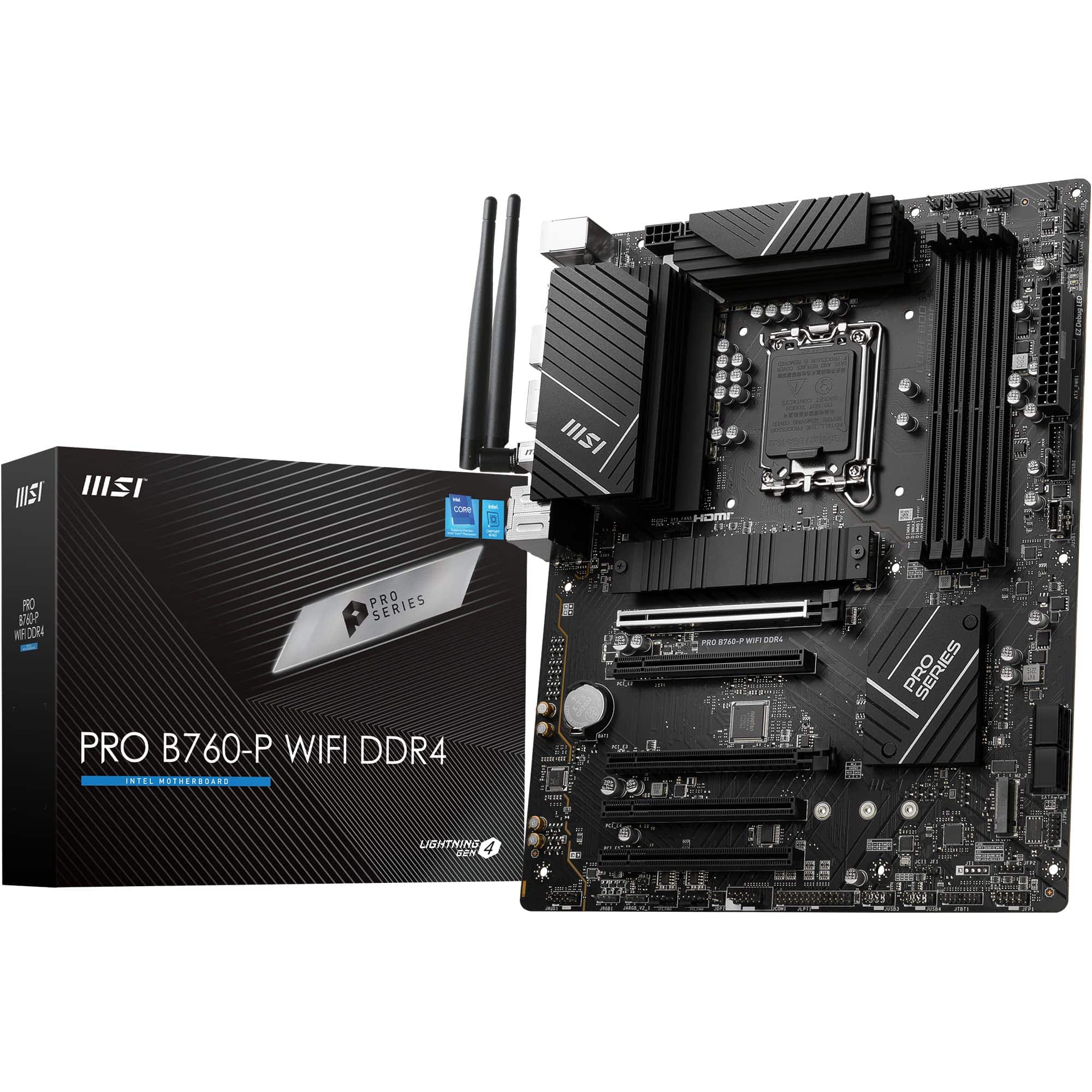 8.5 / 10
MSI PRO B760-P WIFI DDR4 Motherboard, ATX - Supports Intel 14th, 13th & 12th Gen Core Processors, LGA 1700 - DDR4 Memory Boost 5333+MHz/OC, PCIe 4.0 x16 Slots, M.2 Gen4 Slots, 2.5G LAN, Wi-Fi 6E
£129.95 · MSI
 8.5 / 10
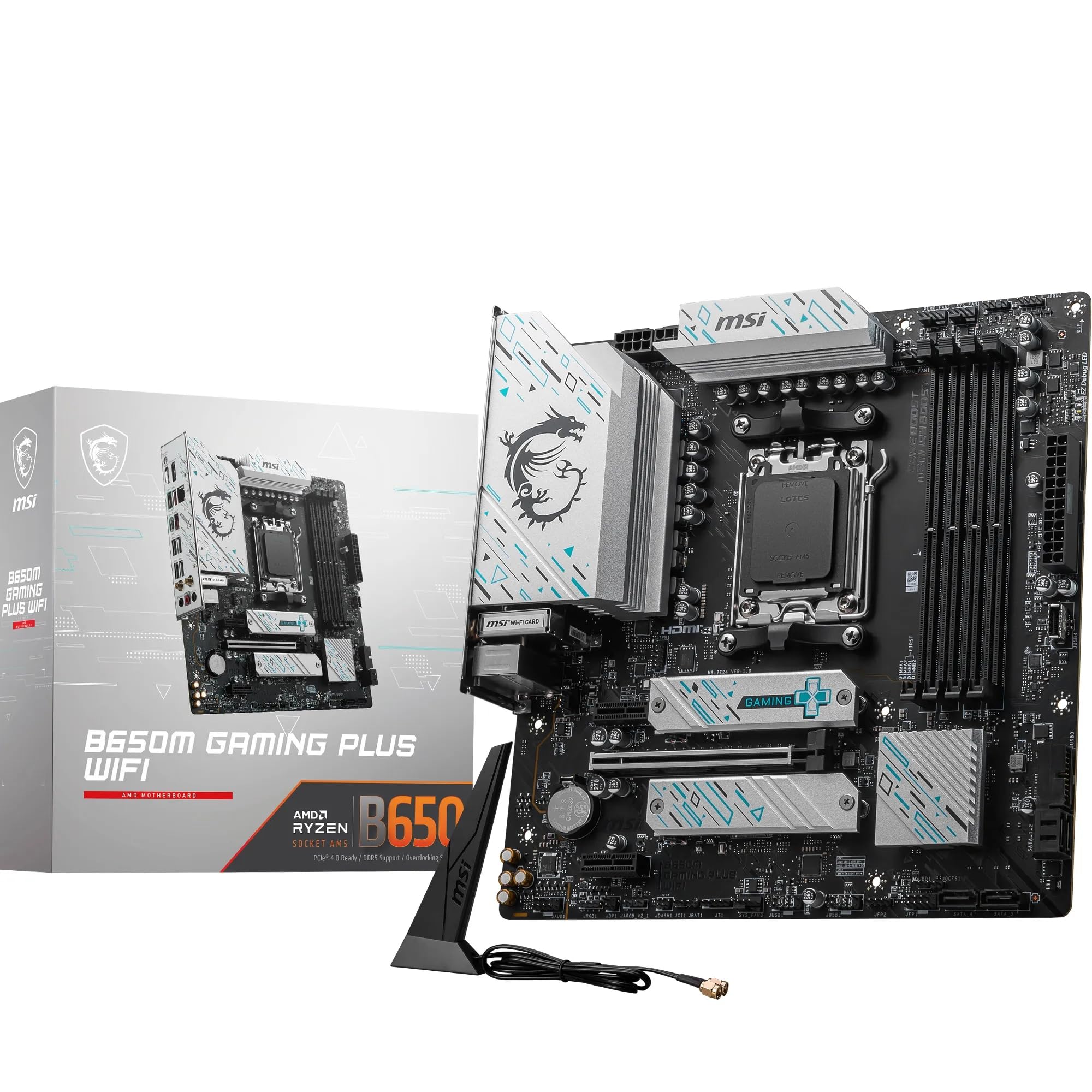
MSI B650M GAMING PLUS WIFI Motherboard, mATX - Supports AMD Ryzen 9000/8000 / 7000 Series Processors, AM5 - DDR5 Memory Boost 7800+ MHz/OC, PCIe 4.0 x16, M.2 Gen4, Wi-Fi 6E
£147.96 · MSI
Frequently asked
5 questions01Which CPUs are compatible with the MSI B840 GAMING PLUS WIFI?+
The MSI B840 GAMING PLUS WIFI supports all AM5 socket processors: AMD Ryzen 7000 series (Zen 4), Ryzen 8000 series (Zen 4 with integrated graphics), and Ryzen 9000 series (Zen 5). This includes chips from the Ryzen 5 7600 at the affordable end up to the Ryzen 9 9950X at the top. If you're using a very recently launched Ryzen 9000 chip, check MSI's CPU compatibility list and be prepared to update the BIOS, which may require an older compatible CPU if the board ships with an earlier firmware version.
02Is the MSI B840 GAMING PLUS WIFI good for gaming?+
Yes, genuinely. The PCIe Gen 5 x16 slot handles any current GPU without restriction, the 12-phase P-PAK VRM properly feeds demanding CPUs under sustained gaming load, and the Wi-Fi 7 module means wireless gaming connections are as fast as the hardware can get right now. The board doesn't add gaming performance on its own, but it won't limit your CPU or GPU either, which is the real test. For a gaming build centred on a Ryzen 7 or Ryzen 9 processor, this is a solid foundation.
03Will my existing CPU cooler work with the MSI B840 GAMING PLUS WIFI?+
If your cooler is designed for AM5, yes. If it's an older AM4 cooler, it depends on whether the manufacturer offers an AM5 mounting kit. Many cooler brands including Noctua and be quiet! supply free AM5 brackets for older coolers, so check your cooler manufacturer's website. The board uses the standard AM5 socket mounting pattern. The Combo-fan header rated at 3A properly supports AIO pump headers, so liquid cooling setups are well catered for.
04Can I use an RTX 5060 on a B450 motherboard, or do I need this board?+
A B450 motherboard uses the AM4 socket and supports older Ryzen processors up to the 5000 series. An RTX 5060 will physically fit in a B450 board's PCIe slot, but you'd be pairing a current-generation GPU with an older platform that can't run Ryzen 7000 or newer chips. The MSI B840 GAMING PLUS WIFI is an AM5 board for current Ryzen 7000, 8000, and 9000 series processors. If you're building a new system with a modern Ryzen CPU and an RTX 5060, this board is the right choice. If you already have a B450 build, the GPU will work but you're limited to AM4 CPUs.
05What warranty and returns apply to the MSI B840 GAMING PLUS WIFI?+
The verified product data doesn't specify a warranty duration for this board. MSI typically offer a manufacturer warranty on their motherboards, so check MSI's UK support page for the current terms. For purchases through Amazon UK, you're also covered by Amazon's standard 30-day return window and the A-to-Z Guarantee, which provides protection if the item arrives faulty or not as described. Keep your packaging until you've confirmed the board is working correctly in your build.