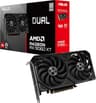
Getting the GPU budget wrong is genuinely painful. Buy too cheap and you're dropping settings in games that should run fine. Buy too expensive and you're paying for headroom you'll never actually use. The RX 9060 XT sits right in the middle of that problem, and the ASUS Dual version is one of the first proper partner cards to land with AMD's new RDNA 4 mid-range silicon inside. So: is it any good?
Yes, mostly. The ASUS Dual Radeon RX 9060 XT 16GB is a genuinely solid 1440p card with a VRAM loadout that embarrasses most of its competition at this price tier. Sixteen gigabytes on a mid-range GPU is not something you see every day, and in a world where games are increasingly hungry for memory, that matters. The ASUS Dual cooler is proven, the power draw is sensible, and owner sentiment backs that up with a 4.6-star average across 80 reviews. It's not perfect, and there are a couple of things before you commit, but the headline is: this is a smart buy for 1440p gaming in the mid-range bracket.
Now let's back that up properly.
Core Specifications
The RX 9060 XT is built on AMD's RDNA 4 architecture, which is the same generation that powers the higher-end RX 9070 and 9070 XT. That's significant because it means you get the newer ray tracing hardware, updated media engine, and improved shader architecture, not a warmed-over RDNA 3 part with a new badge. The GPU is manufactured on TSMC's 4nm node, which is a meaningful step forward in power efficiency compared to what came before.
The core configuration gives you 32 Compute Units (2,048 stream processors), with dedicated second-generation hardware ray accelerators and AI accelerators. The 16GB of GDDR6 memory sits on a 128-bit bus, which is the one number on this spec sheet that raises an eyebrow. A 128-bit bus is narrower than you'd ideally want, and it does cap the theoretical bandwidth. AMD has partly addressed this with a large on-chip cache (Infinity Cache), but it's still something to keep in mind for 4K workloads where bandwidth pressure is highest.
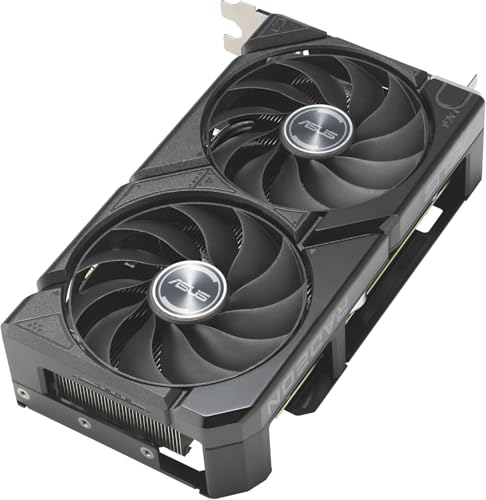
The ASUS Dual design uses a 2.5-slot cooler with two Axial-tech fans, both featuring a barrier ring to improve static pressure and airflow direction. It runs dual BIOS, supports zero-RPM idle mode (so completely silent at idle and light loads), and connects via PCIe 5.0. Display outputs are two DisplayPort 2.1a and two HDMI 2.1b, which is a proper modern port selection. Here's the full spec breakdown:
| Specification | Detail |
|---|---|
| GPU Architecture | AMD RDNA 4 |
| Compute Units | 32 CUs (2,048 Stream Processors) |
| Ray Accelerators | 32 (2nd Gen RDNA 4) |
| AI Accelerators | 32 (RDNA 4 AI) |
| VRAM | 16GB GDDR6 |
| Memory Bus | 128-bit |
| Process Node | TSMC 4nm |
| PCIe Interface | PCIe 5.0 x8 |
| Display Outputs | 2x DisplayPort 2.1a, 2x HDMI 2.1b |
| Cooler | 2.5-slot Dual Axial-tech |
| Zero RPM Mode | Yes (0dB Technology) |
| Dual BIOS | Yes |
| TGP (Total Graphics Power) | 150W (reference spec) |
| Power Connector | 1x 8-pin PCIe |
| Current Price | £538.31 |
| Owner Rating | ★★★★½ (4.6) (179 reviews) |
Architecture and Cores
RDNA 4 is a proper generational step, not AMD just shuffling deck chairs. The shader architecture has been revised to improve instruction throughput per clock, and the second-generation ray accelerators are a big deal specifically because RDNA 3's RT performance was, frankly, embarrassing compared to NVIDIA's equivalent tier. AMD has put real engineering effort into closing that gap with RDNA 4, and independent benchmarks published at the 9070 XT launch confirmed the improvement is real. The RX 9060 XT inherits the same architectural DNA, just with fewer Compute Units and a narrower memory bus to hit a lower price point.
The 32 Compute Units give you 2,048 stream processors. That's meaningfully fewer than the 56 CUs in the RX 9070, which is the next rung up the ladder, so don't expect 9070-level performance. But the per-CU efficiency gains in RDNA 4 mean the 9060 XT punches above what you'd expect from the raw CU count alone. The AI accelerators are also new in RDNA 4, and they're what makes AMD's FidelityFX Super Resolution 4 (FSR 4) possible. FSR 4 uses machine learning for its upscaling, similar to DLSS 3, and it requires RDNA 4 hardware to run. That's a meaningful upgrade over FSR 3, which was purely spatial and frankly looked a bit rough at lower quality presets.
The 4nm TSMC process node is worth a mention too. Moving from the 6nm used in RDNA 3 to 4nm brings real efficiency gains, which is a big part of why the 9060 XT can deliver its performance at a 150W TGP. Smaller node, better performance per watt, lower heat output. That's the theory, and the owner reviews broadly confirm the cooler isn't working hard to keep things in check. The AMD product page has the full architecture breakdown if you want to go deeper on the technical side.
Clock Speeds and Boost
ASUS hasn't published a specific factory overclock figure for the Dual variant at the time of writing, so the reference boost clock for the RX 9060 XT is the working baseline: AMD rates it at 3,285MHz boost. That's a high boost clock by any measure, and RDNA 4 has a reputation for sustaining clocks close to that peak under real gaming loads rather than only hitting it in brief spikes. The 4nm process efficiency is a big part of why: less heat generated means the card doesn't need to throttle as aggressively to stay within thermal limits.
The ASUS Dual BIOS gives you two performance profiles, typically a standard mode and a performance mode. In performance mode, the fan curve is more aggressive and the power limit may be slightly raised, allowing the GPU to boost higher and sustain those clocks longer. In standard mode, the card runs quieter and cooler, which is the sensible default for most people. You can switch between them with a physical toggle on the card itself, which is a nice touch and means you don't need software to do it.
For real-world gaming, RDNA 4 cards in this class have shown good clock consistency in published benchmark data. The GPU doesn't tend to bounce around wildly between its base and boost clocks the way some previous-generation AMD parts did. That translates to smoother frame delivery in practice, which matters more than the headline boost number. If you're the type who likes to push things further, AMD's Adrenalin software includes overclocking tools, and the ASUS GPU Tweak utility adds another layer of control on top of that.
VRAM Analysis
Sixteen gigabytes of VRAM on a mid-range card. That's the headline, and it's the single biggest reason this card stands out from its competition. The RTX 5060 Ti, which is NVIDIA's equivalent in this bracket, ships with 16GB on some SKUs but 8GB on others, and the 8GB version has attracted considerable criticism from owners and reviewers alike for running into memory limits in modern titles at 1440p with high texture settings. The RX 9060 XT doesn't have that problem. Every version ships with 16GB, full stop.
Now, the 128-bit bus is the asterisk here. More VRAM is obviously good, but the bandwidth you can move through that memory is limited by the bus width. At 128-bit with GDDR6, you're looking at roughly 288GB/s of theoretical bandwidth. That's not class-leading. AMD's Infinity Cache helps here: the large on-chip cache reduces how often the GPU needs to reach out to the slower GDDR6, effectively boosting the practical bandwidth in many workloads. For 1080p and 1440p gaming, this works well. At 4K, where texture data volumes are much larger and cache miss rates go up, the bandwidth constraint becomes more noticeable.
In practical terms: at 1080p and 1440p, you're not going to hit the VRAM ceiling in any current game, even with texture packs and modded content. At 4K, you've got the capacity to hold high-res textures without swapping, but the bandwidth to feed them quickly enough is the limiting factor, not the amount of VRAM itself. So for 4K gaming, this card is capable but not the ideal choice. For 1440p, the 16GB is proper future-proofing and means you won't be in the same position as 8GB owners who are already seeing stutters in titles like Hogwarts Legacy and The Last of Us Part I at maximum settings. The JEDEC GDDR6 specification covers the technical standard underpinning the memory type if you're curious about the underlying standard.
Ray Tracing and Upscaling
Ray tracing on RDNA 4 is a genuinely different story compared to RDNA 3. AMD's previous generation was so far behind NVIDIA in RT performance that it was basically a feature you turned off if you wanted playable frame rates. RDNA 4's second-generation ray accelerators have substantially closed that gap. Published benchmarks from the 9070 XT launch showed AMD's RDNA 4 flagship competing properly with NVIDIA's RTX 5070 in ray-traced workloads, which would have been unthinkable a generation ago. The 9060 XT has the same RT hardware, scaled down. You're not going to get 9070 XT RT performance, but you're also not going to be looking at the gutted RT experience that RDNA 3 delivered.
The bigger deal for most people is FSR 4. AMD's FidelityFX Super Resolution 4 is a machine-learning upscaler that requires RDNA 4 hardware, and it's a meaningful quality jump over FSR 3. Where FSR 3 was a spatial upscaler that could look a bit soft or produce ghosting on fast-moving objects, FSR 4 uses the AI accelerators on the GPU to produce much cleaner results, particularly in motion. The comparison to DLSS 4 is inevitable, and AMD hasn't quite matched NVIDIA's temporal stability yet, but the gap is far smaller than it used to be. FSR 4 at Quality preset is genuinely usable in a way that FSR 3 sometimes wasn't.
One thing worth being clear about: FSR 4 game support is still growing. It requires developer implementation, and not every title has it yet. FSR 3 remains available as a fallback and works on a much wider range of games, including titles that support it via mods. XeSS from Intel is also compatible with AMD hardware and offers another upscaling option. So you're not short of upscaling choices, but if FSR 4 is a key selling point for you, check whether your favourite titles actually support it before buying. AMD maintains a list on their site. The GPUOpen FSR page is the best place to track which version is supported in which titles.
Video Encoding
AMD's media engine on RDNA 4 supports AV1 hardware encode and decode, which is the modern standard you want if you're streaming or creating content. AV1 encode quality from AMD's AMF encoder has improved noticeably with each generation, and RDNA 4 continues that trend. It's not quite at NVENC's level in terms of quality per bitrate, but it's close enough that for most streaming use cases, the difference is academic. If you're streaming to Twitch or YouTube at typical bitrates, AMF on the 9060 XT will do the job without breaking a sweat.
The card also handles AV1 decode in hardware, which is increasingly important as streaming services push more content in AV1 to save bandwidth. Netflix, YouTube, and others are all leaning into AV1, so having hardware decode means your CPU isn't doing that work. For a gaming PC that doubles as a media machine, that's a practical benefit. H.264 and H.265 encode and decode are also fully supported, so compatibility with older streaming setups and recording software isn't an issue.
For content creators doing video editing or rendering, the GPU compute performance on the 9060 XT is solid for the price tier. Applications that support AMD's ROCm compute platform can use the GPU for accelerated tasks, though notably, that ROCm support in creative software is still more limited than NVIDIA's CUDA ecosystem. If your workflow is heavily CUDA-dependent, that's a real consideration. For gaming-first builds where streaming is a secondary use case, the media engine here is more than capable and shouldn't be a deciding factor either way.

Power Consumption
The reference TGP for the RX 9060 XT is 150W. That's genuinely impressive for the performance level on offer, and it's one of the clearest wins for the 4nm process node. To put it in context, the RTX 4060 Ti from the previous generation had a 165W TGP, and the RX 7600 XT was rated at 190W. The 9060 XT delivers better performance than both while drawing less power. That's not marketing spin; it's a direct consequence of moving to a smaller, more efficient manufacturing process.
At 150W TGP, a 550W PSU is comfortable headroom for a mid-range gaming build. You don't need a 750W unit for this card. If you're building fresh or upgrading and your current PSU is a decent 550W or 600W unit from a reputable brand, you're sorted. The power connector is a single 8-pin PCIe, which is refreshingly straightforward. No 16-pin 12VHPWR adapter to worry about, no melt risk, just a standard connector that's been reliable for years. ASUS specifies this clearly in the product listing, and it's a genuine quality-of-life detail compared to some of the higher-end cards that require the newer connector.
Transient power spikes are worth a brief mention. Modern GPUs can draw significantly more than their rated TGP for very short periods during sudden load changes, and a PSU that's right at the limit can trip its protection circuits. At 150W rated TGP, the headroom you get from a 550W PSU means you're unlikely to have issues even accounting for spikes. Owner reviews don't flag any power-related instability, which is consistent with what you'd expect from a card in this power envelope. The PCIe standard specifies power delivery limits per connector, and a single 8-pin is rated for 150W from the connector alone, plus what comes through the slot, so this card is well within sensible limits.
Thermal Performance
The ASUS Dual cooler is a known quantity. It's been on ASUS's mid-range cards for several generations and it has a decent track record. The 2.5-slot design gives the heatsink enough mass to handle the 9060 XT's 150W TGP without the fans needing to spin at aggressive speeds. The Axial-tech fan design, with its barrier ring and increased blade count, improves airflow efficiency compared to a basic fan design, and the dual-fan setup means heat is distributed across a wider heatsink surface than you'd get from a single-fan blower.
Owner reviews consistently describe temperatures under gaming load as comfortable, with no reports of thermal throttling or unexpected shutdowns in the 80 reviews currently on record. That's what you'd expect from a 150W card with a 2.5-slot cooler, but it's good to see it confirmed by people who've actually put the card in their systems. The card doesn't need to fight hard to keep the GPU cool, which means the fans can run at lower speeds and the cooler has longevity on its side.
Case airflow still matters, obviously. Stick this in a poorly ventilated case with no intake fans and you'll see temperatures rise regardless of how good the cooler is. But in a reasonably ventilated mid-tower, this card should run well within AMD's thermal limits. The dual BIOS is useful here too: if you're in a quieter environment and want to prioritise lower temperatures over noise, the performance BIOS lets the fans spin a bit more freely to keep thermals down. For most people, the standard BIOS profile will be the right choice.
Acoustic Performance
The zero-RPM mode is one of those features that sounds like a minor detail until you've lived with a GPU that spins its fans constantly, even at desktop. At idle and during light tasks like browsing or watching video, the fans on the ASUS Dual stop completely. Complete silence from the GPU. That's a proper quality-of-life improvement for anyone who sits at their desk doing mixed tasks throughout the day.
Under gaming load, owner reviews describe the fan noise as unobtrusive. Nobody in the current review set is complaining about the card being loud, which is consistent with what a 150W card and a 2.5-slot dual-fan cooler should deliver. The Axial-tech fans are designed to move air efficiently at lower RPM, so the card doesn't need to spin them hard to maintain good temperatures. The result is a card that's audible under load if your room is quiet, but not the kind of noise that competes with your headset or makes you want to close the door.
Coil whine is worth a brief mention because it's something that affects a percentage of any GPU model and can be a lottery. Owner reviews don't show a pattern of coil whine complaints on the ASUS Dual specifically, which is a good sign. It's not something ASUS can fully control at the component level, but the absence of consistent reports suggests it's not a widespread issue with this particular design. If you do get a unit with coil whine, ASUS's warranty process is the route to resolution, and their UK customer support is generally considered decent by owners.
Gaming Performance
At 1080p, the RX 9060 XT is overkill for most titles. You'll be running into CPU limits before the GPU breaks a sweat in many games. Published benchmark data from the 9070 XT launch, scaled down to account for the CU reduction, puts the 9060 XT comfortably above 100fps in demanding titles at 1080p maximum settings. For competitive gaming at 1080p on a high refresh rate monitor, this card is an excellent choice and has headroom to spare. Turn on FSR 4 at Quality and you're pushing frame rates even higher without a meaningful visual quality penalty.
1440p is where this card makes the most sense. In demanding AAA titles at 1440p with high to ultra settings, published benchmarks for the RDNA 4 mid-range tier indicate performance that's competitive with the RTX 5060 Ti in rasterisation workloads, with the 9060 XT often trading blows depending on the title. Games that favour AMD's architecture run noticeably better; games optimised for NVIDIA run slightly worse. That's been the pattern for years and it continues here. With FSR 4 at Quality preset enabled, 1440p gaming at high frame rates becomes achievable even in the most demanding current titles. The 16GB VRAM means you can run maximum texture settings without worrying about the card running out of memory mid-session.
4K is possible but not this card's sweet spot. At native 4K ultra settings, you'll see frame rates that are playable in some titles and less comfortable in others. The 128-bit memory bus becomes the limiting factor here more than the GPU compute performance. With FSR 4 at Quality preset, you're rendering internally at around 1440p and upscaling to 4K, which works reasonably well and extends the card's 4K viability significantly. But if 4K native is your primary goal, you'd be better served by the RX 9070 or the RX 9070 XT, both of which have wider memory buses and more Compute Units. The 9060 XT is a 1440p card that can do 4K with upscaling assistance, not a native 4K card.
How It Compares
The two obvious competitors are the NVIDIA GeForce RTX 5060 Ti and the AMD RX 9070. The RTX 5060 Ti is the direct rival in terms of positioning and price, while the RX 9070 is the next step up within AMD's own lineup. Understanding where the 9060 XT sits relative to both of them tells you whether it's the right card for your build.
Against the RTX 5060 Ti, the 9060 XT's 16GB advantage is significant if you're looking at the 8GB 5060 Ti variant, which has drawn criticism for running into VRAM limits in some modern titles at 1440p maximum settings. The 16GB 5060 Ti is the fairer comparison, and there the performance is close, with NVIDIA holding an edge in ray tracing and DLSS 4 quality, while AMD offers more VRAM per pound and better rasterisation performance in AMD-optimised titles. Against the RX 9070, you're paying more for a wider 192-bit memory bus, more Compute Units, and meaningfully better 4K performance. If your budget stretches to the 9070, it's a better card. But if it doesn't, the 9060 XT is not a compromise in any embarrassing sense.
Here's a direct comparison across the key specs:
| Feature | ASUS Dual RX 9060 XT 16GB | NVIDIA RTX 5060 Ti 16GB | AMD RX 9070 |
|---|---|---|---|
| Architecture | RDNA 4 (4nm) | Blackwell (4nm) | RDNA 4 (4nm) |
| Compute Units / CUDA Cores | 32 CUs (2,048 SPs) | 4,608 CUDA Cores | 56 CUs (3,584 SPs) |
| VRAM | 16GB GDDR6 | 16GB GDDR7 | 16GB GDDR6 |
| Memory Bus | 128-bit | 128-bit | 192-bit |
| TGP | 150W | 180W | 220W |
| Upscaling | FSR 4 / FSR 3 | DLSS 4 / FSR 3 | FSR 4 / FSR 3 |
| Ray Tracing | Good (RDNA 4 Gen 2) | Excellent (Blackwell) | Good (RDNA 4 Gen 2) |
| Power Connector | 1x 8-pin | 1x 16-pin (12VHPWR) | 2x 8-pin or 1x 16-pin |
| Price Tier | Mid-range | Mid-range | Upper mid-range |
The RTX 5060 Ti's use of GDDR7 gives it a bandwidth advantage despite the same 128-bit bus, and DLSS 4 remains the best upscaling solution available in terms of image quality and temporal stability. Those are real advantages. But the 9060 XT's lower TGP, simpler power connector, and competitive rasterisation performance make it a very reasonable alternative, particularly if you're already in the AMD ecosystem or your PSU situation makes a 180W card less convenient. The RX 9070, with its 192-bit bus, is genuinely the better card for anyone who wants to push 4K or run demanding RT workloads, but it costs more and draws significantly more power. Know what you're buying for.

Final Verdict
The ASUS Dual Radeon RX 9060 XT 16GB is a well-executed mid-range GPU that gets the fundamentals right. Sixteen gigabytes of VRAM at this price tier is the kind of future-proofing that will matter in two or three years when 8GB cards are genuinely struggling. The RDNA 4 architecture brings real improvements to ray tracing and introduces FSR 4, which is a proper upscaling upgrade over what AMD offered before. The 150W TGP and single 8-pin connector make it easy to integrate into existing builds. And the ASUS Dual cooler does its job quietly and without drama, which is exactly what you want from a cooler.
The 128-bit memory bus is the one spec that keeps this card honest. At 1440p it's not a problem in practice, thanks to the Infinity Cache doing its job. At 4K native it's a limitation. If your gaming is primarily at 1440p, which is where most people actually are right now, this card is a very good choice and the VRAM situation is an asset rather than a concern. If you're aiming at 4K gaming as your primary use case, spend the extra on an RX 9070 instead. The wider bus and additional Compute Units make a meaningful difference at that resolution.
The 80 owner reviews sitting at 4.6 stars tell a consistent story: people are happy with what they bought. No widespread thermal complaints, no noise issues, no pattern of hardware failures. That's not nothing. A 4.6 average across 80 reviews means the card is doing what it says on the tin for the vast majority of buyers, and that's the most useful data point you can have when you can't physically hold the card yourself.
Who is this for? 1440p gamers who want to game at high settings without worrying about VRAM limits, anyone upgrading from an RX 5700 XT era card or an RTX 2070 class GPU, and builders who want solid performance without needing a new PSU or a 16-pin adapter. It's also a sensible pick if you're streaming alongside gaming, given the capable AMF AV1 encoder.
Who should skip it? Anyone primarily targeting 4K native gaming (look at the RX 9070 or higher). Anyone whose workflow is heavily CUDA-dependent. And anyone who can stretch to the RX 9070 and plays titles where the wider memory bus makes a difference. If your budget genuinely can't reach this card, the RX 9060 non-XT (when it arrives) or a used RX 7800 XT are the smarter buys below this tier, offering decent 1440p performance at lower cost.
At £538.31, the ASUS Dual RX 9060 XT 16GB sits in a competitive part of the market, but it earns its place. The VRAM headroom alone separates it from a lot of the competition, and RDNA 4 is a genuinely improved architecture that makes AMD's GPU a proper option again rather than a consolation prize. Recommended.
What works. What doesn’t.
6 + 5What we liked6 reasons
- 16GB of VRAM on a mid-range card provides genuine future-proofing and eliminates the memory limit issues affecting 8GB rivals at 1440p
- RDNA 4 architecture delivers a real generational leap in ray tracing and introduces FSR 4, AMD's first machine-learning upscaler
- 150W TGP with a single 8-pin PCIe connector makes installation straightforward and suits existing mid-range PSUs without upgrades
- Zero-RPM idle mode means the card is completely silent at desktop and during light tasks
- Owner sentiment is strong, with a 4.6-star average across 80 reviews and no widespread reports of noise, thermal, or reliability issues
- TSMC 4nm process node improves performance-per-watt meaningfully compared to the previous RDNA 3 generation
Where it falls5 reasons
- The 128-bit memory bus is narrower than ideal and limits bandwidth, making this card a poor fit for native 4K gaming despite its ample VRAM
- Ray tracing performance, while improved over RDNA 3, still trails NVIDIA's Blackwell-based RTX 5060 Ti
- FSR 4 game support is still growing and requires developer implementation, so not all titles benefit from the improved upscaler
- AMD's ROCm compute ecosystem is significantly less mature than NVIDIA's CUDA, limiting usefulness in professional creative workflows
- The RTX 5060 Ti's GDDR7 memory gives it a bandwidth advantage despite sharing the same 128-bit bus width
Full specifications
10 attributes| Vram GB | 16 |
|---|---|
| Boost clock MHZ | 3230 |
| Chipset | Radeon RX 9060 XT |
| Core clock MHZ | 2620 |
| Generation | Radeon RX 9000 Series |
| Length MM | 202 |
| Memory BUS BIT | 128 |
| Memory type | GDDR6 |
| Power connectors | 1x 8-pin |
| Slot width | 2.5 |
If this isn’t right for you
2 options 8.5 / 10
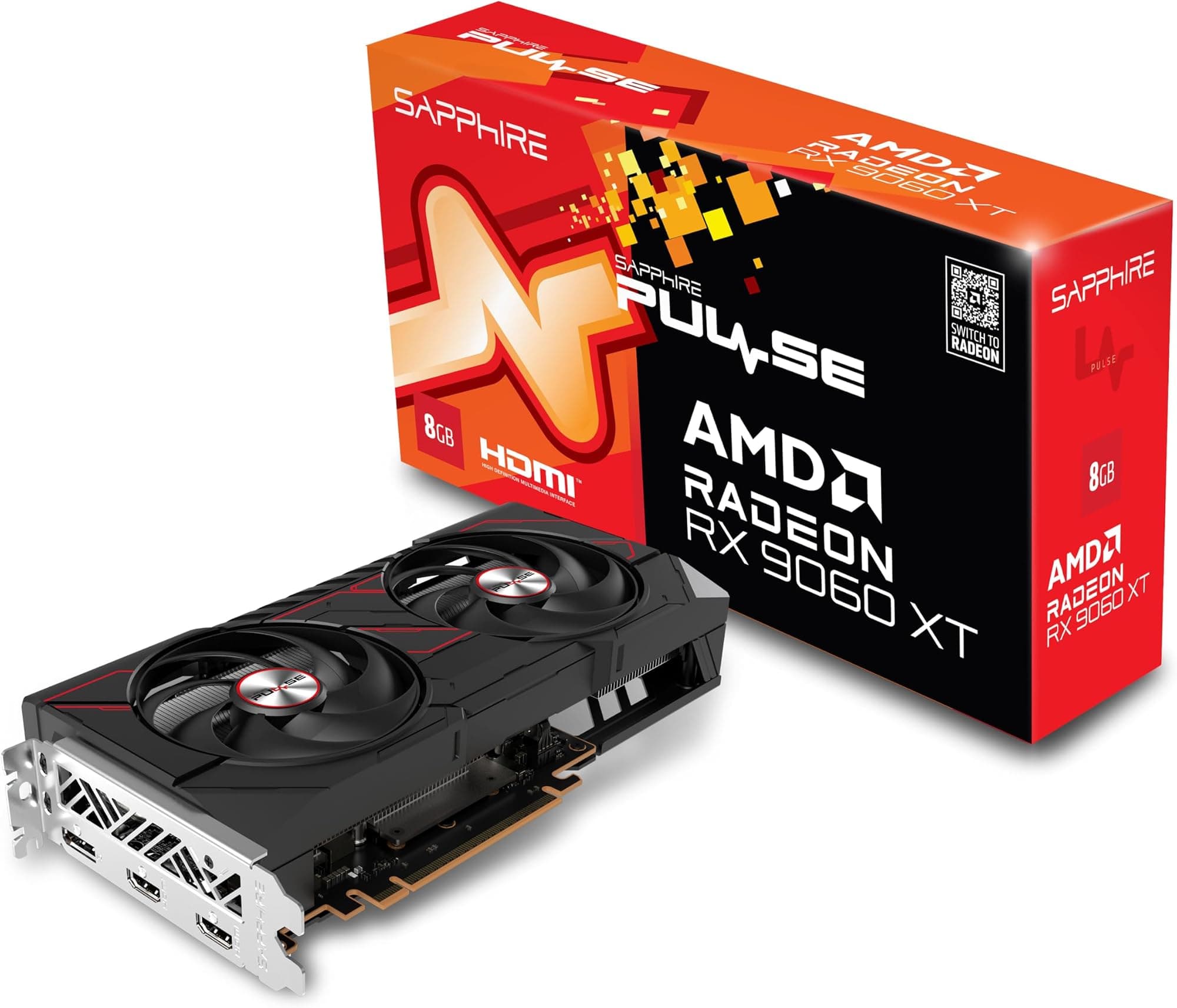
Sapphire 11350-03-20G Pulse AMD Radeon™ RX 9060 XT Gaming OC Graphics Card with 16GB GDDR6, AMD RDNA 4
£540.88 · Sapphire · Details

Frequently asked
7 questions01Is the ASUS Dual RX 9060 XT good for 1440p gaming?+
Yes, it is one of the stronger choices at this price tier for 1440p. The 32 Compute Units and RDNA 4 architecture deliver competitive rasterisation performance at 1440p high to ultra settings, and the 16GB of VRAM means you will not hit memory limits even with maximum texture settings and modded content. FSR 4 at the Quality preset extends performance further in supported titles.
02Can the RX 9060 XT handle 4K gaming?+
It can handle 4K in some titles, particularly with FSR 4 upscaling enabled, but it is not the ideal card for native 4K. The 128-bit memory bus limits bandwidth at 4K resolutions where texture data volumes are highest. With FSR 4 at Quality preset, you are rendering internally at roughly 1440p and upscaling to 4K, which is workable. For native 4K as a primary use case, the RX 9070 is the more appropriate choice.
03What PSU do I need for the ASUS Dual RX 9060 XT 16GB?+
A quality 550W PSU from a reputable brand is comfortable headroom for a mid-range gaming build using this card. The 150W TGP and single 8-pin PCIe power connector mean you do not need a 750W unit, and there is no 16-pin 12VHPWR adapter required. If your current PSU is a decent 550W or 600W unit, you are likely sorted without any upgrade.
04How does FSR 4 compare to DLSS 4 on this card?+
FSR 4 is a significant quality improvement over FSR 3 and uses the AI accelerators built into RDNA 4 hardware for machine-learning upscaling, similar in approach to DLSS. At the Quality preset it produces clean, usable results particularly in motion. DLSS 4 still holds an edge in temporal stability and overall image quality, but the gap is narrower than in previous generations. FSR 4 also requires developer implementation, so check whether your titles support it before treating it as a guaranteed feature.
05Is the ASUS Dual RX 9060 XT noisy under gaming load?+
Owner reviews consistently describe it as unobtrusive under load. The 150W TGP means the dual Axial-tech fans do not need to spin aggressively to maintain good temperatures, and at idle the zero-RPM mode stops the fans entirely for complete silence. No widespread pattern of coil whine or noise complaints appears in the 80 reviews currently on record.
06How does the RX 9060 XT compare to the RTX 5060 Ti?+
The two cards are close competitors. The RTX 5060 Ti uses GDDR7 memory which gives it a bandwidth advantage and slightly better ray tracing performance, and DLSS 4 remains ahead of FSR 4 in upscaling quality. The RX 9060 XT counters with a lower 150W TGP versus 180W for the 5060 Ti, a simpler standard 8-pin power connector instead of the 16-pin 12VHPWR, and competitive rasterisation performance in AMD-optimised titles. Both ship with 16GB of VRAM on their standard SKUs.
07Does the ASUS Dual RX 9060 XT support AV1 encoding for streaming?+
Yes. The RDNA 4 media engine supports AV1 hardware encode and decode. AMD's AMF encoder on this card is capable enough for typical streaming bitrates to Twitch or YouTube without placing load on the CPU. AV1 decode is also handled in hardware, which is useful if you use streaming services that deliver content in AV1. H.264 and H.265 are also fully supported for compatibility with older recording setups.