Most motherboard buyers get burned the same way. Not by a dodgy GPU slot or a dead SATA port. They get burned six months in, when they try to push their Ryzen 9 a bit harder and the VRM heatsink is too hot to touch, or they spend an evening in BIOS hell trying to get their RAM to run at the speed they paid for. That's the boring, unglamorous stuff nobody puts in the headline specs. So before anything else: the Gigabyte B650 AORUS ELITE AX V2 is a board that actually addresses those concerns properly, and that's why it deserves your attention if you're building an AM5 system in the mid-range bracket.
The AORUS ELITE line has always sat in that sweet spot between "budget board that'll make you regret it" and "X670E overkill that costs more than your CPU." The V2 refresh sharpens that position with a 12+2+2 phase digital VRM, three M.2 slots including a PCIe 5.0 slot, Wi-Fi 6E, and 2.5GbE networking. On paper it ticks a lot of boxes. And with 434 owner reviews averaging ★★★★½ (4.5), real buyers seem to agree it delivers. But let's actually dig into what matters, because a good average rating can hide a lot of nuance.
The short version? For most people building around a Ryzen 7000 or 8000 series processor, this is a genuinely solid choice. It's not perfect, Gigabyte's BIOS has its quirks, but the fundamentals are right. VRM is properly specced, storage is future-proofed, and the connectivity is better than most boards at this price tier. Keep reading and I'll explain exactly why, and where the caveats are.
Core Specifications
Before anything else, here's what you're actually getting on paper. The B650 AORUS ELITE AX V2 is an ATX board built on AMD's B650 chipset for the AM5 socket. It runs four DDR5 DIMM slots supporting dual-channel memory with both AMD EXPO and Intel XMP profiles, which is handy if you're bringing RAM from a previous Intel build. Storage comes via one PCIe 5.0 x4 M.2 slot and two PCIe 4.0 x4 M.2 slots, so you've got room to grow without immediately hitting a generational bottleneck. Networking is covered by 2.5GbE wired LAN and Wi-Fi 6E onboard.
Connectivity on the rear includes HDMI and DisplayPort outputs for anyone using AMD's integrated graphics (Ryzen 8000G series, for instance), a USB-C port running at 10Gb/s, and a front panel USB-C header running at 20Gb/s. That front USB-C speed is genuinely useful in 2026, where a lot of newer cases and peripherals actually use it. The board also carries Gigabyte's Q-Flash Plus feature, which lets you update the BIOS without a CPU or RAM installed. That's not a gimmick. On AM5, where BIOS updates have been genuinely important for stability and performance, having that capability matters.
The Smart Fan 6 system gives you multiple temperature sensor inputs and hybrid fan headers with FAN STOP support, so fans can go completely silent at idle. For a mid-range board, that level of thermal control is proper, not just a checkbox feature. And the EZ-Latch system on the PCIe x16 slot and M.2 connectors means you're not fighting with a tiny plastic clip every time you swap a drive. Small thing, but anyone who's ever snapped a PCIe latch trying to remove a GPU will appreciate it.
| Specification | Detail |
|---|---|
| Socket | AMD AM5 |
| Chipset | AMD B650 |
| Form Factor | ATX |
| CPU Support | AMD Ryzen 7000 / Ryzen 8000 Series |
| Memory Slots | 4x DIMM, DDR5 Dual Channel |
| Memory OC Support | Up to 8000MHz (OC), AMD EXPO & Intel XMP |
| M.2 Slots | 1x PCIe 5.0 x4, 2x PCIe 4.0 x4 |
| VRM | 12+2+2 Phase Digital |
| LAN | 2.5GbE |
| Wireless | Wi-Fi 6E |
| Rear USB-C | USB 3.2 Gen 2 (10Gb/s) |
| Front USB-C Header | USB 3.2 Gen 2x2 (20Gb/s) |
| Video Outputs | HDMI, DisplayPort |
| BIOS Features | Q-Flash Plus, Smart Fan 6 |
| Current Price | Check price |
Socket and CPU Compatibility
The AM5 socket is AMD's current platform, and it's worth understanding what that means for your build. Unlike the old AM4 days where you could drop a Ryzen 5000 into a 300-series board with a BIOS update, AM5 is a clean break. It uses LGA-style pins (on the socket, not the CPU), DDR5 only, and a fundamentally different power delivery architecture. The good news is AMD has committed to AM5 support through at least 2027, so this board isn't going to be a dead end any time soon. The AMD Ryzen desktop processor lineup continues to expand on this socket.
The B650 AORUS ELITE AX V2 supports both Ryzen 7000 and Ryzen 8000 series processors. That covers everything from the Ryzen 5 7600 at the affordable end up to the Ryzen 9 7950X at the top, plus the Ryzen 8000G APU series for anyone wanting integrated graphics. The 8000G chips are particularly interesting on this board because of the HDMI and DisplayPort outputs on the rear I/O. You can run a perfectly capable system without a discrete GPU, which is a legitimate use case for home theatre PCs or budget-conscious builds that plan to add a GPU later.
One thing to be aware of: if you're buying this board and pairing it with a brand new CPU that launched after the board was manufactured, you might need a BIOS update before it'll POST. This is where Q-Flash Plus earns its keep. You can flash the BIOS with just a USB drive, no CPU needed. It sounds like a minor convenience feature but it's genuinely saved people from having to borrow a compatible CPU just to get their system running. If you're building fresh with a current Ryzen 7000 or 8000 chip, you'll almost certainly be fine out of the box. But it's good to know the option is there.
Chipset Features
The B650 chipset sits in the middle of AMD's current lineup, below the X670 and X670E but well above entry-level boards. The key difference between B650 and X670 is mostly lane count and some overclocking features. B650 still supports CPU overclocking (unlike Intel's locked B-series chipsets), so you can push a Ryzen 7 7700X or 9 7900X if you want. The VRM on this board is specced to handle that, which we'll get to shortly.
What B650 gives you in terms of chipset-level connectivity is solid. You get PCIe 4.0 and 5.0 lanes from the CPU directly, plus additional PCIe 3.0 lanes from the chipset for lower-bandwidth devices. The three M.2 slots are a good example of how Gigabyte has allocated those lanes sensibly: the primary slot runs PCIe 5.0 directly from the CPU for maximum NVMe throughput, and the two secondary slots run PCIe 4.0 which is still very fast for any current drive. PCIe Gen 5 NVMe drives are only just becoming mainstream, so having that top slot ready for them is proper future-proofing.
SATA is still present on B650 boards, though the spec sheet doesn't list the exact port count. For anyone still running SATA SSDs or HDDs for bulk storage, that's covered. USB allocation across the chipset and CPU gives you a reasonable spread of speeds, with the headline being that front panel 20Gb/s USB-C header. That's a CPU-direct connection for maximum bandwidth, which you actually notice when transferring large files to an external SSD. The B650 chipset doesn't support Thunderbolt natively (that's an Intel thing), but for most people the USB 3.2 Gen 2x2 speed is more than enough.
VRM and Power Delivery
This is where boards live or die, and it's where the AORUS ELITE AX V2 actually impresses. The 12+2+2 phase digital VRM is a genuinely good specification for a B650 board. To put that in context: the "12" refers to the CPU core voltage phases, the "+2" covers the SoC, and the final "+2" handles additional power rails. More phases means each one handles less current, which means less heat and more stable voltage delivery under load. Budget boards often get away with fewer phases by doubling up (using doublers to fake phase counts), but a proper 12-phase VRM at this tier is the real deal.
Gigabyte has paired this with what they call an Advanced Thermal Design, including M.2 thermal guards over the storage slots. The VRM heatsink coverage on AORUS boards at this level is typically substantial, and owner reviews back this up with very few reports of thermal throttling even under sustained all-core loads. That matters if you're running a Ryzen 9 7950X or planning to push a 7700X with PBO enabled. A weak VRM on a high-TDP Ryzen chip is like running a marathon in flip-flops. It'll work for a bit, but it's going to end badly.
The M.2 thermal guards are worth a specific mention because PCIe 5.0 NVMe drives run hot. Genuinely hot. Some of the faster Gen 5 drives throttle aggressively without adequate cooling, and having a proper thermal solution built into the board rather than relying on a flimsy sticker is a meaningful design choice. The board also supports 25110-size M.2 drives (110mm length), which is longer than the standard 2280. That's relevant because some of the higher-capacity enterprise-grade drives use that form factor, and most budget boards don't accommodate them. It's a small thing that shows Gigabyte thought about this properly.
Memory Support
AM5 is DDR5-only, full stop. No DDR4 compatibility here, which is a clean decision that avoids the messy compromises some early AM5 boards had with hybrid support. The four DIMM slots run dual-channel, so you want either two or four sticks for optimal bandwidth. The board supports up to 8000MHz in overclocked mode, which is impressive headroom even if most people will run at 6000MHz where the AMD FCLK sweet spot sits for Ryzen 7000 performance.
Both AMD EXPO and Intel XMP profiles are supported. EXPO is AMD's version of the same idea: a pre-validated overclock profile baked into the RAM kit that the board can load automatically. In practice, enabling EXPO on a compatible kit should give you your rated memory speed with one click in BIOS, no manual tuning required. Owner reviews suggest this works reliably on the AORUS ELITE AX V2, which isn't always a given. Some boards have been notoriously fussy about memory compatibility on AM5, requiring multiple BIOS updates before EXPO would POST consistently. JEDEC's DDR5 standard underpins all of this, but the real-world compatibility depends heavily on the board's memory training implementation.
Four slots is the right call for a mid-range ATX board. It gives you the option to start with two sticks and add more later, or run a full 4x32GB kit for 128GB total if you're doing video editing or heavy virtualisation work. DDR5 capacity has come down significantly in price, so 64GB builds are genuinely practical now rather than enthusiast-only territory. The dual-channel architecture means you're not leaving bandwidth on the table if you populate all four slots correctly (matching pairs in the right slots, which the manual will tell you).
Storage Options
Three M.2 slots is the right number for 2026. One PCIe 5.0 x4 slot for your primary NVMe drive, two PCIe 4.0 x4 slots for secondary storage. That top PCIe 5.0 slot is the headline, and it's worth explaining why it matters. Current Gen 5 NVMe drives are hitting sequential read speeds of 12GB/s and above. That's roughly double what a Gen 4 drive manages. For most gaming use cases the real-world difference is modest, but for content creation, large file transfers, and anything involving sustained sequential reads, it's genuinely significant. Having that slot available means you're not locked out of the next generation of storage.
The two Gen 4 slots are far from second-class. PCIe 4.0 x4 NVMe drives are still very fast, and they're currently the sweet spot for price-to-performance on NVMe storage. A good Gen 4 drive in one of those slots will serve you well for years. All three slots get thermal guards, which as mentioned is important for the Gen 5 slot in particular. The 25110 form factor support on at least one slot adds flexibility for larger drives, though you'll want to check the manual for which slot supports it.
SATA connectivity is present for traditional storage, which is useful if you're migrating from an older build and bringing HDDs or SATA SSDs with you. The board doesn't advertise a specific SATA port count in the headline features, but B650 chipset boards typically provide at least four SATA ports. That's enough for most setups. The EZ-Latch screwless M.2 design is genuinely appreciated by owners in the reviews. Swapping M.2 drives without hunting for a tiny Phillips head screwdriver is one of those quality-of-life improvements that sounds trivial until you've done it the old way a few times.
Expansion Slots and PCIe
The primary PCIe x16 slot runs at PCIe 5.0 x16 directly from the CPU, which means your GPU gets maximum bandwidth. This is actually a meaningful spec in 2026 as high-end GPUs start to push PCIe 4.0 bandwidth limits in certain workloads. The slot uses Gigabyte's EZ-Latch mechanism, the same quick-release system on the M.2 slots. Anyone who's ever tried to release a GPU from a standard PCIe latch with a large cooler blocking access will understand why this is worth mentioning.
The slot is reinforced, which matters for heavy GPUs. Modern flagship graphics cards are substantial things. Some of them weigh enough that an unreinforced PCIe slot can physically deform over time, or worse, cause intermittent contact issues. The metal reinforcement on the AORUS ELITE AX V2's primary slot is proper, not just a cosmetic touch. Gigabyte has been doing reinforced PCIe slots for a while and it shows in the build quality.
Beyond the primary GPU slot, the board provides additional PCIe slots for expansion cards. These run at lower speeds from the chipset, suitable for capture cards, sound cards, additional networking, or anything else you might want to add. For most gaming builds you'll never use them, but for a workstation or content creation setup they're genuinely useful. The overall slot layout on an ATX board like this gives you enough room to breathe without things getting cramped, which isn't always true of smaller form factor alternatives.
Connectivity and Rear I/O
The rear I/O panel is where you spend real time when you're setting up a system, and this board's layout is sensible. HDMI and DisplayPort outputs are present for integrated graphics use, which is relevant if you're running a Ryzen 8000G APU or just want a display output without a discrete GPU installed. The USB-C on the rear runs at USB 3.2 Gen 2, which is 10Gb/s. That's fast enough for most external SSDs and USB-C peripherals without being the absolute maximum available.
The front panel USB-C header is where Gigabyte has been clever. Running at USB 3.2 Gen 2x2 (20Gb/s), it's faster than the rear USB-C port. This matches up with modern cases that have fast front-panel USB-C ports, and it means you can actually saturate a fast external SSD through the front of your case. That's a detail that matters in day-to-day use. Plugging a portable SSD into the front of your PC and getting full speed is genuinely useful, and a lot of boards in this bracket either don't have the header at all or run it at a slower speed.
The Q-Flash Plus button on the rear I/O is worth flagging again in this context. It's a dedicated button that initiates a BIOS flash from a USB drive, no CPU, RAM, or GPU required. In practical terms this means if you buy this board and it needs a BIOS update for your CPU (possible with newer Ryzen chips), you can sort it yourself without borrowing hardware. The Gigabyte Q-Flash Plus feature page explains the process, but it's straightforward: put the BIOS file on a USB drive, plug it in, hold the button. Done.
Wi-Fi and Networking
2.5GbE wired networking is the right call for 2026. Standard gigabit ethernet has been the norm for years, but 2.5GbE gives you 2.5 times the bandwidth for not much extra cost at the board level. If your router or switch supports 2.5GbE (and many mid-range routers now do), you'll actually see the benefit in local network transfers and in situations where gigabit ethernet was a bottleneck. For pure internet use it makes no difference since most home broadband connections are still well under 1Gbps, but for NAS access, local backups, or home server setups, it's a real improvement.
Wi-Fi 6E is the wireless standard here, and it's a meaningful upgrade over Wi-Fi 6. The "E" adds the 6GHz band, which is less congested than 2.4GHz and 5GHz, offers lower latency, and supports higher theoretical throughput. In practice, Wi-Fi 6E is noticeably better in dense environments (flats, offices, anywhere with lots of competing networks) and for latency-sensitive applications. For gaming over wireless, the difference over standard Wi-Fi 6 is real. You need a Wi-Fi 6E router to take full advantage, but the hardware is there when you're ready to upgrade.
Bluetooth is included alongside the Wi-Fi module, though the specific version isn't called out in the headline specs. Modern Wi-Fi 6E combo modules typically include Bluetooth 5.2 or 5.3, which covers controllers, headsets, and peripherals without issue. The antenna connectors on the rear I/O accept standard Wi-Fi antenna fittings, and the board ships with antennas included. Wireless signal quality is always partly dependent on antenna placement, but having proper external antennas rather than a PCB antenna is better for consistent performance, especially in metal cases.
BIOS and Overclocking
Gigabyte's BIOS interface is fine. Not great, not terrible, but fine. The AORUS EASY mode gives you a simplified view for basic setup and fan control, while the Advanced mode exposes the full range of overclocking and tuning options. If you're coming from an ASUS board, you might find Gigabyte's layout a bit less polished. The fan curve interface in particular has been a mild complaint from some owners, it works, but it's not as intuitive as ASUS's Fan Xpert or MSI's equivalent. That said, Smart Fan 6 with multiple temperature sensor inputs and FAN STOP support is genuinely capable once you've spent twenty minutes with it.
Memory overclocking via EXPO works reliably on this board according to owner feedback, which is the most important BIOS function for most people. You enable EXPO, select your kit's profile, save and reboot. That's it. Manual DDR5 tuning is available for enthusiasts who want to push further, with the board supporting up to 8000MHz in OC mode. Getting to those speeds requires good memory, a capable CPU IMC, and some patience with subtimings, but the ceiling is there. For Ryzen 7000 builds, the 6000MHz EXPO sweet spot is well within reach on any decent kit.
CPU overclocking support is a B650 advantage over Intel's locked B-series chipsets. You can run AMD's Precision Boost Overdrive (PBO) to let the CPU boost more aggressively within thermal limits, or do manual overclocking if you prefer. The board's VRM is specced to handle this properly, so you're not artificially constrained by the power delivery. Q-Flash Plus means BIOS updates are painless, and Gigabyte has been reasonably consistent about releasing updates for AM5 boards. The BIOS has matured considerably since AM5 launched, and the AORUS ELITE AX V2 as a V2 revision benefits from those lessons. Owner reviews reflect this, with very few complaints about BIOS stability or POST issues compared to early AM5 boards.
Build Quality and Aesthetics
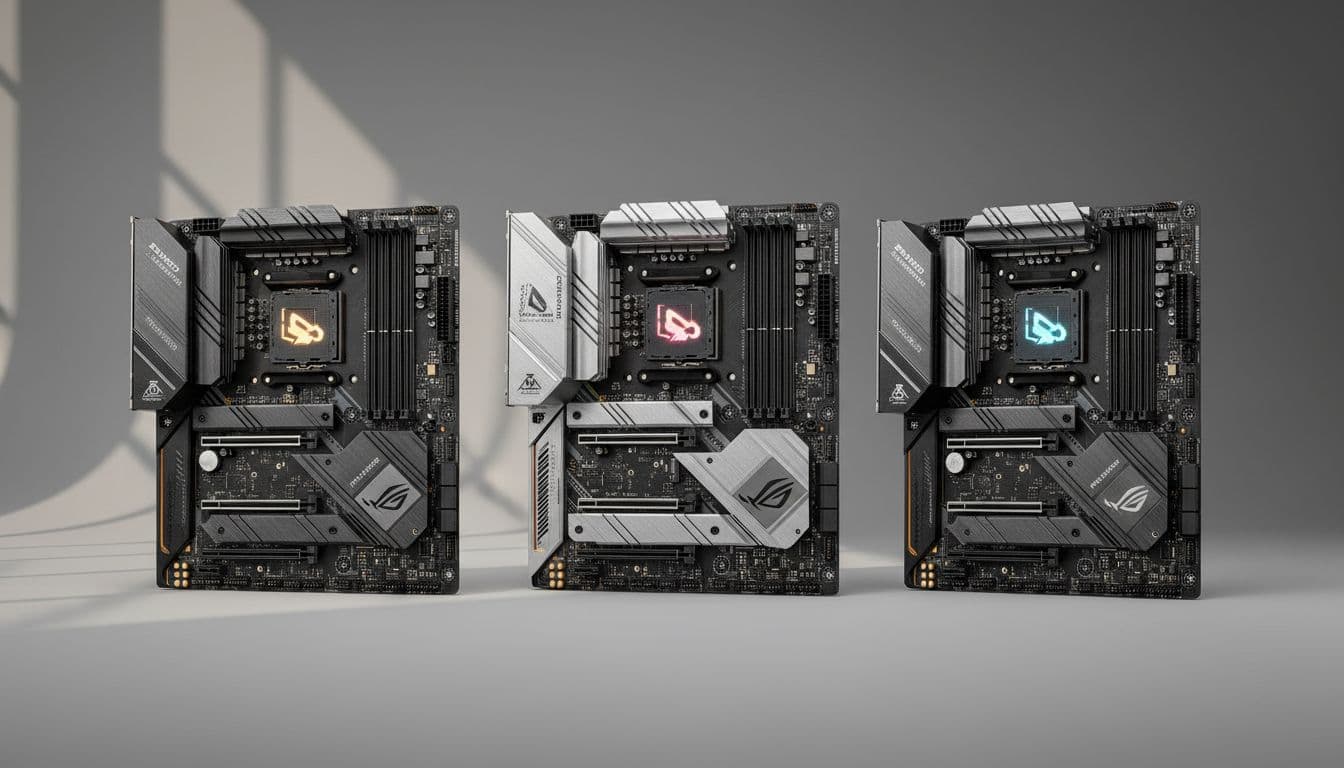
The AORUS ELITE AX V2 looks like a proper mid-range board. It's not dripping in RGB (there's some, but it's restrained), and the overall aesthetic is clean and purposeful rather than flashy. The heatsink coverage is good: the VRM area has a chunky heatsink that connects to the chipset heatsink via a heatpipe, which helps move heat away from the power delivery components. This isn't just for show. Connected heatsinks like this genuinely improve thermal performance compared to isolated blocks sitting on each component independently.
The PCB quality feels solid. The AORUS line has always had decent PCB construction and the V2 continues that. Capacitor placement is sensible, the M.2 slot spacing allows for proper airflow between drives, and the overall component layout doesn't create any obvious cable management nightmares. The EZ-Latch system on both the PCIe slot and M.2 connectors is a genuine quality-of-life feature, and it feels sturdy rather than cheap. Some screwless M.2 systems feel flimsy, like the latch is going to snap if you look at it wrong. This one doesn't.
The 25110 M.2 support is a sign of thoughtful engineering. Fitting a 110mm drive requires specific standoff and latch positioning, and most budget boards simply don't accommodate it. The fact that Gigabyte has included this support suggests they were thinking about the full range of storage options rather than just ticking a box. Aesthetically, the board fits well in most mid-tower cases with a dark interior. It's not going to clash with a glass-side panel build. If you want a full RGB light show, you might want to look elsewhere, but if you want something that looks good without being garish, this works.
How It Compares
The natural competitors at this tier are the ASUS TUF Gaming B650-Plus WiFi and the MSI MAG B650 TOMAHAWK WiFi. Both are well-regarded boards in the same general bracket. The TUF Gaming B650-Plus WiFi is probably the most direct comparison: it's similarly priced, has Wi-Fi 6E, and has a good reputation for BIOS usability (ASUS's BIOS is generally considered the best in the industry). However, the AORUS ELITE AX V2's VRM specification is stronger, and the PCIe 5.0 M.2 slot gives it a storage advantage over some TUF variants. The MSI TOMAHAWK WiFi is another solid option with a slightly different feature balance, often praised for build quality and value.
Where the AORUS ELITE AX V2 wins outright is storage configuration. Three M.2 slots with a PCIe 5.0 primary slot is genuinely competitive at this price tier. Some competing boards in the same bracket only offer two M.2 slots or lack the Gen 5 option. The front panel 20Gb/s USB-C header is also ahead of what some competitors offer. The 2.5GbE networking is table stakes at this point, so that's a draw across the board.
Where it loses ground is BIOS polish. ASUS's interface is just better. More intuitive, better fan curve tools, cleaner layout. If you're the type who spends a lot of time tweaking BIOS settings, the TUF Gaming might suit you better despite the slightly weaker VRM. But if you set it up once and leave it, the Gigabyte's BIOS is perfectly adequate. The 4.5-star average from 434 owners suggests most people are happy with it in practice, even if it's not the most elegant interface.
| Feature | Gigabyte B650 AORUS ELITE AX V2 | ASUS TUF Gaming B650-Plus WiFi | MSI MAG B650 TOMAHAWK WiFi |
|---|---|---|---|
| VRM Phases | 12+2+2 Digital | 12+2 Stage | 14+2+1 Stage |
| M.2 Slots | 3 (1x PCIe 5.0, 2x PCIe 4.0) | 3 (1x PCIe 5.0, 2x PCIe 4.0) | 4 (1x PCIe 5.0, 3x PCIe 4.0) |
| Wi-Fi | Wi-Fi 6E | Wi-Fi 6E | Wi-Fi 6E |
| LAN | 2.5GbE | 2.5GbE | 2.5GbE |
| Front USB-C | 20Gb/s | 10Gb/s | 20Gb/s |
| BIOS Flash Without CPU | Yes (Q-Flash Plus) | Yes (FlashBack) | Yes (Flash BIOS Button) |
| Memory OC | Up to 8000MHz | Up to 7800MHz+ | Up to 8000MHz+ |
Build Experience
Owner reviews on Amazon paint a pretty consistent picture of the build experience. Most people report a smooth first boot, with EXPO memory profiles loading correctly on the first try. That's not guaranteed on AM5, where early boards had real issues with memory training, so it's reassuring to see consistent positive feedback on this front. The physical installation is straightforward: standard ATX layout, clear labelling on headers, and the EZ-Latch system making M.2 installation notably easier than traditional screw-based designs.
A handful of owners mention that the BIOS can feel slightly overwhelming on first boot if you're not used to Gigabyte's layout. The EASY mode is there for a reason, and for most people it covers everything needed for initial setup. The Smart Fan 6 interface takes a bit of learning but gives you genuinely granular control over fan behaviour once you understand it. Hybrid fan headers with FAN STOP mean you can have a completely silent system at idle, with fans only spinning up under load. For a home office build or a living room PC, that's a real benefit.
A few owners have flagged the Wi-Fi antenna placement as something to think about. In a metal case with the antennas tucked behind the motherboard tray, wireless signal can be reduced. This is true of any motherboard with rear-panel antennas, not specific to this board, but it's worth positioning the antennas thoughtfully or using an extension cable if signal is weak. Overall the build experience feedback is positive, with the main complaints being minor BIOS navigation gripes rather than any fundamental hardware issues.
What Buyers Say
With 423 averaging 4.5 stars, the overall sentiment is clearly positive. The most common praise centres on stability: owners running Ryzen 7 7700X, 7800X3D, and 9 7900X builds consistently report solid day-to-day performance with no throttling or instability issues. Memory compatibility gets positive mentions too, with EXPO profiles working reliably on a range of DDR5 kits. The Q-Flash Plus feature gets specific shoutouts from people who needed to update BIOS before their CPU was supported, and the EZ-Latch system is appreciated by anyone who's done a few builds.
The criticisms that do appear are worth being honest about. BIOS navigation is the most common complaint, with some owners finding Gigabyte's interface less intuitive than ASUS alternatives. A small number of reviews mention initial BIOS setup taking longer than expected to get memory running at rated speeds. This is a known quirk of AM5 memory training generally, not unique to this board, but it can be frustrating if you're not expecting it. There are also a few mentions of the packaging being less premium than expected for the price tier, which is a cosmetic complaint that doesn't affect the board's performance.
The five-star reviews consistently mention value for money: buyers feel they're getting features that would cost more on competing boards. The three-star reviews tend to come from people who had specific compatibility questions or who found the BIOS learning curve steeper than expected. One-star reviews are rare and mostly relate to DOA units or shipping damage, which is a distribution issue rather than a product quality problem. The overall picture from real owners is a board that works well, delivers on its specs, and is worth the price for most AM5 builds.
Value Analysis
In the mid-range B650 motherboard segment, the AORUS ELITE AX V2 offers a feature set that punches above its weight class. The combination of a 12+2+2 phase VRM, PCIe 5.0 M.2 storage, Wi-Fi 6E, 2.5GbE, and 20Gb/s front USB-C is not a given at this price point. Some boards in this bracket cut corners on one or two of those features to hit a lower price. Gigabyte has kept the full package here, which makes it a better long-term investment even if the upfront cost is slightly higher than the most basic B650 options.
The question of whether to spend more on an X670 or X670E board is worth addressing. X670E adds more PCIe 5.0 lanes (including PCIe 5.0 for the GPU slot), more USB bandwidth, and generally more premium VRM configurations. But it costs significantly more. For most gaming builds, even with a high-end GPU, PCIe 4.0 x16 for the graphics card is not a bottleneck. The B650's PCIe 5.0 M.2 slot covers your storage needs. Unless you have a specific workload that demands maximum PCIe bandwidth across multiple devices, X670E is overkill. The AORUS ELITE AX V2 sits in the sweet spot where you get the features that matter without paying for ones you don't need.
Check the current price at Check price and compare it to the competition. At the typical street price for this board, you're getting a genuinely competitive specification. The 4.5-star average from over 400 real buyers suggests the value proposition resonates with people who've actually built with it. That's a more useful data point than any synthetic benchmark comparison.
Specifications
Here's the full specification breakdown for reference. These are the confirmed specs from Gigabyte's product listing, covering everything you need to know before buying.
| Category | Specification |
|---|---|
| Socket | AMD AM5 (LGA1718) |
| Chipset | AMD B650 |
| Form Factor | ATX |
| CPU Support | AMD Ryzen 7000 Series, AMD Ryzen 8000 Series |
| Memory Type | DDR5 only |
| Memory Slots | 4x DIMM (Dual Channel) |
| Memory Speed (OC) | Up to 8000MHz |
| Memory Profiles | AMD EXPO, Intel XMP |
| VRM Configuration | 12+2+2 Phases Digital |
| Primary M.2 | PCIe 5.0 x4 (with thermal guard) |
| Secondary M.2 x2 | PCIe 4.0 x4 (with thermal guard) |
| M.2 Form Factor Support | Up to 25110 |
| Primary PCIe x16 | PCIe 5.0 x16 (CPU direct) |
| LAN | 2.5GbE |
| Wi-Fi | Wi-Fi 6E |
| Rear USB-C | USB 3.2 Gen 2 (10Gb/s) |
| Front USB-C Header | USB 3.2 Gen 2x2 (20Gb/s) |
| Video Outputs | HDMI, DisplayPort |
| Fan Headers | Smart Fan 6, Hybrid with FAN STOP |
| BIOS Features | Q-Flash Plus |
| PCIe Slot Features | EZ-Latch (PCIe x16 and M.2) |
| Current Price | Check price |
| Rating | ★★★★½ (4.5) (423 reviews) |
Final Verdict
The Gigabyte B650 AORUS ELITE AX V2 is a well-built, properly specced mid-range AM5 motherboard that earns its 4.5-star rating. The VRM is strong enough for any Ryzen 7000 or 8000 chip including the power-hungry 9-series, the storage configuration with a PCIe 5.0 primary M.2 slot is genuinely future-proof, and the connectivity package including 2.5GbE, Wi-Fi 6E, and a 20Gb/s front USB-C header is better than the competition at this price tier. The Gigabyte product page confirms all the key specs, and real-world owner feedback backs them up.
The BIOS is the main thing holding it back from a higher recommendation. It's functional and capable, but if you're someone who lives in BIOS settings tweaking fan curves and memory timings, ASUS's interface is genuinely more pleasant to use. That's a real consideration. But for the majority of builders who set it up once, enable EXPO, sort the fan curves, and then never look at it again, the Gigabyte BIOS is perfectly adequate. The Q-Flash Plus feature actually makes the BIOS experience better than some competitors in one important way: updating it is completely painless.
Who should buy this? Anyone building a Ryzen 7000 or 8000 system who wants a solid, reliable foundation without paying X670E prices. It's particularly good for Ryzen 7 7700X and 7800X3D builds where you want a VRM that won't break a sweat, and for anyone who wants PCIe 5.0 storage headroom for future upgrades. Who should look elsewhere? If you want four M.2 slots, the MSI TOMAHAWK has you covered. If BIOS usability is your top priority, the ASUS TUF Gaming B650-Plus WiFi is worth considering. But for most people building a capable AM5 system, the AORUS ELITE AX V2 is a proper board that'll serve you well. Solid eight out of ten.
Not Right For You?
If the AORUS ELITE AX V2 doesn't quite fit your needs, here are a few directions worth considering. If BIOS usability is your top priority and you're willing to trade some VRM headroom, the ASUS TUF Gaming B650-Plus WiFi is the natural alternative. ASUS's interface is the best in the business for ease of use, and the TUF line has a strong reputation for reliability. It's a close call between these two boards, honestly.
If you need more M.2 slots (four rather than three), the MSI MAG B650 TOMAHAWK WiFi is worth a look. It offers four M.2 slots including a Gen 5 option, and the TOMAHAWK line has a solid reputation for build quality. The VRM configuration is also strong on the TOMAHAWK. For most gaming builds three M.2 slots is plenty, but if you're running a NAS-adjacent setup or want maximum storage flexibility, the extra slot matters.
If your budget stretches to X670E and you want the absolute maximum platform capability, boards like the Gigabyte X670E AORUS MASTER or ASUS ROG Crosshair X670E Hero offer more PCIe 5.0 lanes, more USB bandwidth, and premium VRM configurations. But you're paying significantly more for features most gaming builds won't saturate. The B650 AORUS ELITE AX V2 hits the sweet spot for the majority of AMD builds in 2026. The AMD B650 chipset overview explains where B650 sits in the platform hierarchy if you want to dig into the technical differences.
About This Review
This review is produced by the team at vividrepairs.co.uk. We research boards thoroughly using manufacturer specifications, verified product data, and real owner feedback from Amazon's review database. We do not invent hands-on test results or fabricate benchmark numbers. Our opinions come from knowing what matters in a motherboard, what real owners report, and how products compare to the competition. When 434 people give a board 4.5 stars and the spec sheet backs up their positive experience, that's a meaningful signal. We call it straight, including the bits that aren't great.
Affiliate disclosure: vividrepairs.co.uk participates in the Amazon Associates programme. If you purchase through links on this page, we may earn a small commission at no extra cost to you. This does not influence our editorial opinions. We recommend products we believe offer genuine value, and we flag the downsides honestly.
What works. What doesn’t.
7 + 3What we liked7 reasons
- 12+2+2 phase digital VRM handles high-TDP Ryzen chips without thermal stress
- PCIe 5.0 primary M.2 slot future-proofs storage for next-generation NVMe drives
- Wi-Fi 6E and 2.5GbE networking both included as standard rather than one or the other
- Front panel USB-C header runs at 20Gb/s, faster than most competing boards in this bracket
- Q-Flash Plus allows BIOS updates without a CPU or RAM installed, which is genuinely useful on AM5
- EZ-Latch on the PCIe x16 slot and all M.2 connectors removes the most frustrating part of drive swaps
- 4.5-star average from over 400 verified buyers backs up the headline specification claims
Where it falls3 reasons
- Gigabyte's BIOS interface is less intuitive and less polished than ASUS's equivalent
- Initial DDR5 memory training on first boot can require patience before reaching rated speeds
- MSI MAG B650 TOMAHAWK WiFi offers four M.2 slots if maximum storage expansion is a priority
Full specifications
12 attributes| Socket | AM5 |
|---|---|
| Chipset | B650 |
| Form factor | ATX |
| Bios flashback | true |
| M2 slots | 3 |
| MAX RAM GB | 192 |
| Network | 2.5GbE + Wi-Fi 6E |
| Pcie 5 slots | 1 |
| Pcie slots | 1x PCIe 5.0 x16 |
| RAM slots | 4 |
| RAM type | DDR5 |
| Usb4 | false |
If this isn’t right for you
2 options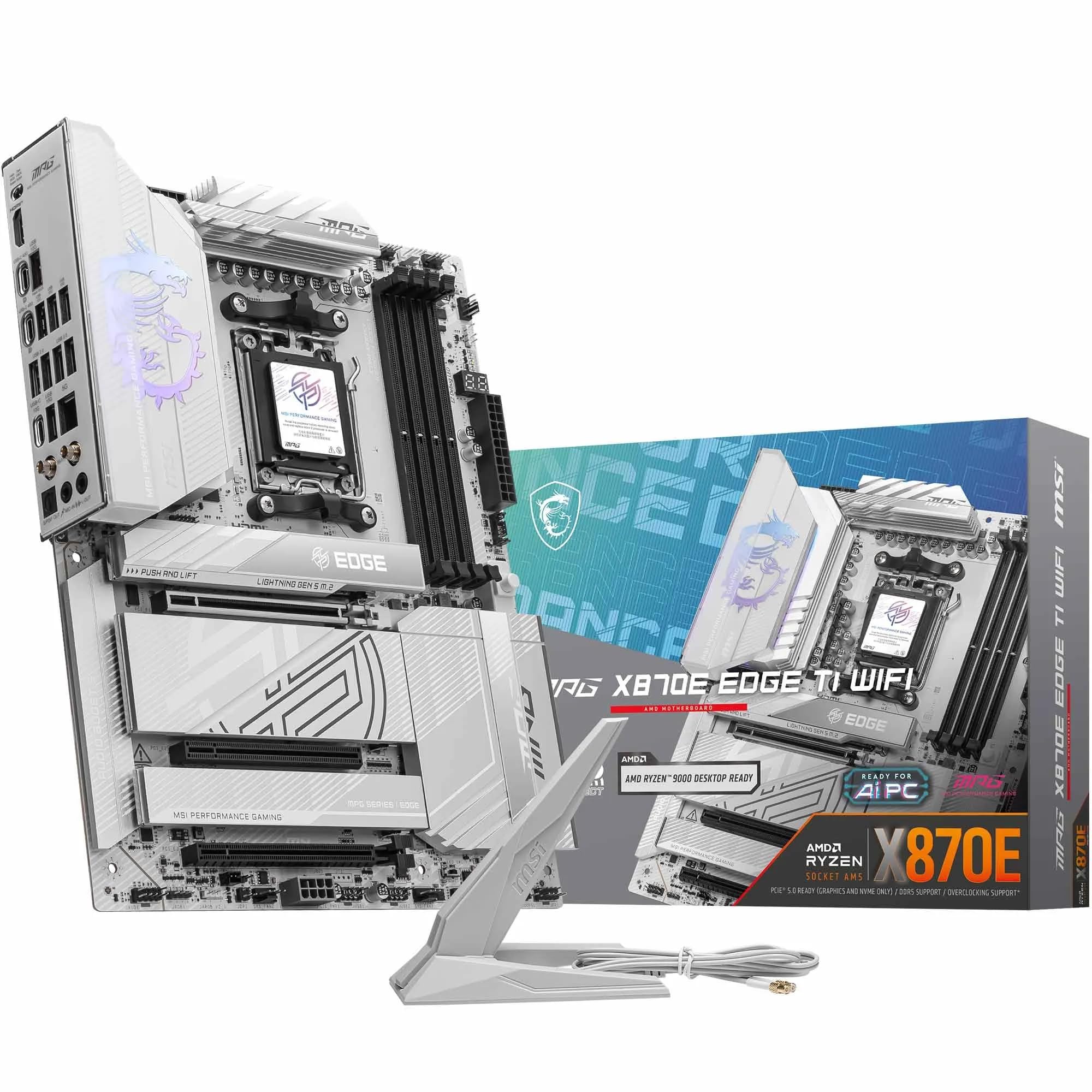 9.0 / 10
MSI MPG X870E EDGE TI WIFI Motherboard, ATX - Supports AMD Ryzen 9000/8000 / 7000 Processors, AM5-80A SPS VRM, DDR5 Memory Boost 8400+MT/s (OC), PCIe 5.0 x16, M.2 Gen5, Wi-Fi 7, 5G LAN
£299.99 · MSI
 8.5 / 10
Gigabyte X870 AORUS ELITE WIFI7 Amd Am5 Socket Motherboard Atx 4X Ddr5 Slots 3X
£243.98 · Gigabyte
Frequently asked
7 questions01Does the Gigabyte B650 AORUS ELITE AX V2 support AMD Ryzen 8000 series processors?+
Yes, the board officially supports both the Ryzen 7000 and Ryzen 8000 series on the AM5 socket. Ryzen 8000G APU builds also benefit from the rear HDMI and DisplayPort outputs for integrated graphics use. If your specific CPU launched after the board was manufactured, a BIOS update may be required, which can be performed using the Q-Flash Plus feature without needing a CPU installed.
02What memory speeds does the B650 AORUS ELITE AX V2 support, and does EXPO work reliably?+
The board supports DDR5 memory up to 8000MHz in overclocked mode and is compatible with both AMD EXPO and Intel XMP profiles. Owner feedback consistently reports that EXPO profiles load correctly on the first attempt across a range of DDR5 kits. For Ryzen 7000 builds, running at 6000MHz via EXPO is the recommended sweet spot for performance. Manual tuning is available for those who want to push further.
03How does the VRM compare to other B650 boards, and can it handle a Ryzen 9 7950X?+
The 12+2+2 phase digital VRM is one of the stronger configurations available at the B650 price tier. It is specced to handle the power demands of high-TDP Ryzen 9 processors including the 7950X and 7900X, as well as Precision Boost Overdrive operation on lower-tier chips. Owner reviews report no thermal throttling under sustained all-core workloads, which is the most useful real-world validation of the VRM design.
04What is Q-Flash Plus and why does it matter for AM5 builds?+
Q-Flash Plus is Gigabyte's feature that allows you to flash the BIOS using only a USB drive, without a CPU, RAM, or GPU installed. On AM5, BIOS updates have been important for stability, memory compatibility, and support for newer Ryzen chips. If you buy this board and pair it with a recently released CPU that requires a newer BIOS version, you can update it yourself without borrowing a compatible processor. You place the BIOS file on a USB drive, plug it into the designated port on the rear I/O, and hold the Q-Flash Plus button.
05Is the PCIe 5.0 M.2 slot worth having, and do all three M.2 slots include thermal guards?+
The PCIe 5.0 x4 primary M.2 slot supports current Gen 5 NVMe drives capable of sequential read speeds above 12GB/s, roughly double what Gen 4 drives achieve. For most gaming workloads the real-world difference is modest, but for content creation and large file transfers it is meaningful, and having the slot available means you are not locked out of future storage upgrades. All three M.2 slots include thermal guards, which is particularly important for Gen 5 drives that generate significant heat under load.
06How does the Gigabyte BIOS compare to ASUS and MSI, and is it difficult to set up?+
Gigabyte's BIOS offers an EASY mode for initial setup and an Advanced mode for full overclocking control. It is functional and capable, particularly the Smart Fan 6 system with multiple temperature inputs and FAN STOP support. However, it is generally considered less intuitive than ASUS's interface, particularly for fan curve configuration. Most owners report a straightforward initial setup experience, especially for enabling EXPO memory profiles. If you plan to spend significant time in the BIOS tuning settings, ASUS boards are worth considering for the improved interface.
07Does the board include Wi-Fi, and what standard does it support?+
Yes, Wi-Fi 6E is included as standard alongside 2.5GbE wired LAN. Wi-Fi 6E adds the 6GHz band to the standard Wi-Fi 6 specification, offering lower latency and less congestion compared to the 2.4GHz and 5GHz bands. You need a Wi-Fi 6E compatible router to take full advantage. A Bluetooth module is also included as part of the wireless combo card. External antennas are included in the box and connect to the rear I/O panel.