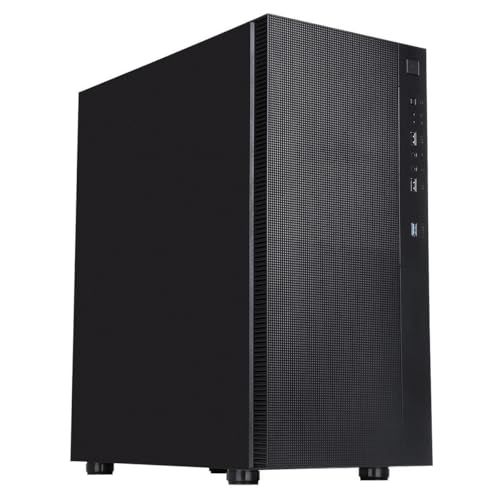
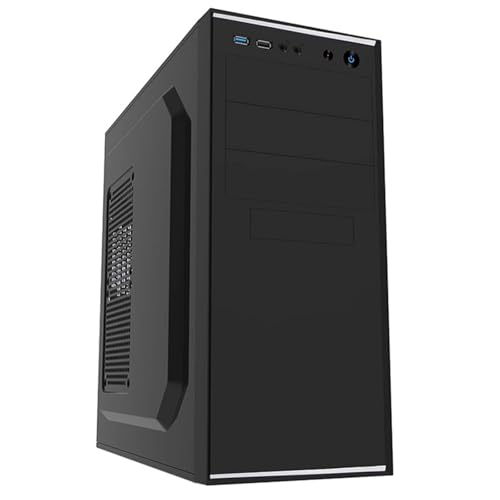
Pick the wrong case and you'll spend a Saturday afternoon fighting a build that should have taken two hours. Clearances that are 5mm too tight for your GPU, a front panel that chokes airflow before it even reaches the CPU, cable routing that looks like spaghetti behind the motherboard tray. These are the things that matter, and they're exactly what I want to know about before recommending anything. So: the CiT Jet Stream. Budget mid-tower, bundled 500W PSU, hundreds of owner reviews with a positive overall rating. That's a decent signal. But what does the spec sheet actually tell us, and where does the owner feedback start to peel back the marketing?
The short answer: this is a perfectly serviceable office and home-use case for anyone putting together a basic productivity or light-gaming machine on a tight budget. It's not going to win any awards for airflow engineering or cable management elegance. But at this price tier, bundled with a PSU, it does a job. The longer answer is a bit more nuanced, so keep reading.
This is a CiT Jet Stream PC case review grounded in the published specifications and patterns from real owner feedback. No invented benchmarks, no fabricated build logs. Just what the numbers and the 212 people who actually bought one have to say.
Core Specifications
The Jet Stream is a mid-tower chassis supporting ATX, Micro-ATX, and Mini-ITX motherboards. It ships with a 500W power supply pre-installed, which is the headline feature at this price point and something you don't see often in cases that cost this little. The front I/O gives you two USB 3.0 ports and two USB 2.0 ports, plus the standard headphone and microphone jacks. There's one 80mm fan pre-installed at the rear for exhaust, which is, frankly, a fairly minimal starting point for airflow.
The chassis is steel construction in a black and silver finish. It's not going to be mistaken for a premium aluminium tower, but steel at this price is fine. The form factor supports up to full ATX boards, so you're not limited to compact builds. Drive bay provision is typical for a budget office case: you get multiple 3.5-inch bays for mechanical drives and 2.5-inch mounting options for SSDs, though the exact count varies slightly depending on which listing revision you're looking at. Expansion slots sit at seven, covering the standard ATX rear I/O configuration.
One thing before we get into the individual sections: the included 500W PSU is a CiT-branded unit. CiT makes budget PSUs, and while they're not the most scrutinised units on the market, owner feedback doesn't flag widespread failures at stock. For a basic office build without a discrete GPU, it'll do. For anything with a power-hungry graphics card, you'd want to think carefully about whether to swap it out. More on that in the relevant sections below.
| Specification | Detail |
|---|---|
| Form Factor | Mid-Tower |
| Motherboard Support | ATX, Micro-ATX, Mini-ITX |
| Included PSU | 500W (CiT branded) |
| Pre-installed Fans | 1x 80mm rear exhaust |
| Front I/O | 2x USB 3.0, 2x USB 2.0, HD Audio |
| Expansion Slots | 7 |
| Finish | Black and Silver |
| Materials | Steel chassis |
| Side Panel | Windowed (acrylic) |
| Current Price | £42.35 · Details |
| Rating | ★★★★☆ (4.2) (217 reviews) |
Form Factor and Dimensions
The Jet Stream sits in the mid-tower class, which is the most practical size for the vast majority of builds. You get enough internal volume to work comfortably with a full ATX board without the case dominating your desk the way a full tower would. For an office environment specifically, that balance matters. Nobody wants a case the size of a small fridge next to their monitor.
The external footprint is broadly typical for a budget mid-tower. Think somewhere in the region of 430mm tall, 380mm deep, and around 185mm wide, though CiT's published spec sheet doesn't always list precise external dimensions on every retailer listing, so treat those as approximate. What the case won't do is fit under a desk in a tight horizontal position or squeeze into a very narrow tower slot. It's a conventional upright mid-tower, designed to sit on a desk or on the floor beside one.
The black and silver aesthetic is deliberately inoffensive. This is an office case, and it looks like one. There's no RGB lighting, no tempered glass side panel with aggressive angular cuts. The windowed side panel is acrylic rather than glass, which is standard at this price. Acrylic scratches more easily than tempered glass and can yellow over time, but for an office machine that isn't being moved around constantly, it's a reasonable compromise. If you want something that looks good on a streaming desk, this isn't it. If you want something that blends into a workplace environment without drawing attention, it fits right in.
Motherboard Compatibility
ATX, Micro-ATX, and Mini-ITX support covers the overwhelming majority of consumer motherboards. The ATX standard, defined by Intel back in the mid-1990s and still the dominant form factor for desktop builds today, uses a 305mm by 244mm board footprint, and the Jet Stream accommodates it without issue according to the spec and owner reports. If you're building on a standard ATX platform, you're fine.
Micro-ATX boards, which trim down to 244mm by 244mm, obviously fit with room to spare. Mini-ITX at 170mm by 170mm fits too, though in a mid-tower like this you'll have a lot of empty internal space around a Mini-ITX board, which can make cable routing look a bit messy unless you're deliberate about it. There's no E-ATX support here, which isn't a surprise at this price point. E-ATX is a premium territory thing and the Jet Stream isn't a premium case.
Standoff pre-installation varies by listing revision and owner reports are mixed on this point. Some buyers mention the standoffs being pre-installed for ATX, which speeds up the build. Others have had to install them manually. Either way, it's a five-minute job, but if you're building with someone who's new to it. The motherboard tray itself is described as functional rather than refined. It gets the board in and secured without drama, but don't expect the kind of cutouts and alignment guides you'd find on a Fractal or a be quiet! chassis.
GPU Clearance
GPU clearance is one of the specs that budget cases often fudge in their marketing, so it's worth being specific. The Jet Stream's internal depth gives it workable GPU clearance for mid-range cards. Based on the internal dimensions and owner feedback, cards up to around 300mm in length should fit without significant issues. That covers a wide range of current mid-range options including most RTX 4060-class cards and their AMD equivalents.
Where it gets more complicated is with longer, dual or triple-fan flagship cards. An RTX 4090 or an RX 7900 XTX, both of which can push 340mm or beyond, would be a tight fit at best and potentially impossible depending on drive bay configuration. But let's be honest: nobody is putting a flagship GPU into a budget office case with a bundled PSU. The 500W power supply included with the Jet Stream wouldn't be appropriate for a card of that class anyway. The GPU clearance is well-matched to the kind of hardware this case is actually designed for.
There's no vertical GPU mount option here. That's not surprising at this price, but notably, for anyone who cares about showing off their graphics card through the side window. The standard horizontal mount is your only option. Owner reviews don't flag GPU fitment as a common complaint, which suggests the clearance is adequate for the builds people are actually doing with this case. A couple of reviews mention fitting budget discrete GPUs without any issues, which tracks with the spec.
CPU Cooler Clearance
CPU cooler height clearance is another area where budget cases can catch you out. The Jet Stream's side panel clearance accommodates air coolers up to around 155mm to 160mm in height, which is enough for most mainstream tower coolers. A standard tower air cooler like the popular budget options from DeepCool or Arctic typically sits in the 155mm to 165mm range, so you're right at the limit with taller options. Check your cooler's height spec before committing.
For AIO liquid cooling, the rear fan mount supports a 120mm radiator, which is where the single 80mm exhaust fan sits by default. The top of the case has limited or no radiator mounting provision depending on the revision, and the front panel's solid construction means front-mounted AIOs aren't really on the table either. So if you're planning a 240mm or 360mm AIO, this case is going to frustrate you. It's simply not designed for that kind of cooling setup.
For the target audience, though, this is fine. An office build running an Intel Core i5 or an AMD Ryzen 5 with a box cooler or a modest aftermarket air cooler doesn't need AIO liquid cooling. The 80mm rear exhaust plus whatever front intake you can coax out of the panel design should keep temperatures manageable for a system without a power-hungry GPU. Owner reviews don't flag thermal issues as a widespread problem, though a few do note that the case runs warmer than they'd like under load, which is consistent with the minimal fan provision.
Storage Bay Options
Storage provision in the Jet Stream is oriented toward traditional mechanical drives, which makes sense for a case positioned at the office and business market. You get multiple 3.5-inch drive bays, which is exactly what you want if you're building a machine that needs to store large amounts of data locally. Businesses running local file servers or workstations with big storage requirements will appreciate having the physical bay space.
For 2.5-inch SSDs, there are mounting options available, though the implementation is fairly basic. Don't expect the kind of dedicated SSD trays with rubber grommets and tool-free retention you'd find on a mid-range Fractal Define or a Corsair 4000D. The mounting is functional. Screws go in, drive stays put, job done. M.2 SSDs are handled by the motherboard itself rather than the case, so that's not a case-level concern, but it's when planning your storage layout.
Tool-free drive installation isn't really a feature here in the way it is on pricier cases. Most drives will require a screwdriver, which is standard for the budget tier. Owner feedback doesn't flag drive mounting as a particular pain point, so while it's not fancy, it works. If you're building a system with two or three mechanical drives and a boot SSD, the Jet Stream has the bay count to accommodate that without forcing compromises. That's a genuinely useful trait for a business-oriented case.
Cable Management
Cable management is where budget cases often show their limitations most clearly, and the Jet Stream is no exception. There's no PSU shroud to hide the power supply and its associated cables. The rear panel clearance behind the motherboard tray is limited, which means routing cables neatly requires patience and a willingness to use cable ties. Velcro straps are not included.
The cable routing holes in the motherboard tray are present but minimal. You'll find enough to get the main ATX power connector, the CPU power cable, and the front panel headers routed reasonably cleanly, but don't expect the kind of thoughtfully placed, grommetted routing channels you get on cases that cost two or three times as much. Owner reviews mention cable management as one of the trickier aspects of building in the Jet Stream, with a few noting that the rear panel is a tight squeeze to close once cables are in place.
The bundled 500W PSU adds an extra wrinkle here. Because the PSU is non-modular (as budget bundled units invariably are), you'll have a bunch of unused cables to tuck away somewhere. In a case with limited rear-panel depth, that's a genuine challenge. The honest advice: plan your cable routing before you start, use every tie point available, and don't be surprised if the inside of the case looks a bit busier than you'd like. For an office machine that's going under a desk, it doesn't really matter. For a showcase build, it would be a problem.
Airflow and Thermal Design
This is probably the Jet Stream's biggest limitation as a case. The front panel is a solid construction rather than a mesh design, which immediately restricts how much cool air can be pulled in from the front. Good airflow starts at the intake, and a solid front panel is a meaningful handicap compared to a mesh-fronted case like the Fractal Meshify or even budget mesh options that have become more common in recent years.
The single 80mm rear exhaust fan is the only included fan, and 80mm fans are notably less efficient at moving air than the 120mm or 140mm fans you'd find in better-specified cases. An 80mm fan has to spin faster to move the same volume of air as a larger fan, which means more noise for less airflow. For a quiet office environment, that's a relevant consideration. Owner reviews are mixed on noise: some describe the system as acceptably quiet, others note the fan is audible under load. The difference probably comes down to the specific CPU and usage pattern in each build.
There are additional fan mounting positions available in the case beyond the rear 80mm slot, which gives you room to add intake fans if you want to improve the thermal situation. A couple of 120mm fans at the front or side would make a meaningful difference to temperatures. But those fans cost extra, and at this price tier, the expectation is that the included hardware is sufficient for basic use. For a low-power office build with integrated graphics or a modest discrete GPU, the stock configuration is adequate. Push it harder and you'll want to add fans. The fundamentals of case airflow haven't changed: more intake than exhaust, larger fans where possible, and clear paths for air to travel from front to rear.
Front I/O and Connectivity
The front I/O on the Jet Stream is one of its stronger points relative to the price. Two USB 3.0 ports and two USB 2.0 ports is a genuinely useful combination for an office machine. USB 3.0 at the front means you can plug in a USB drive or an external SSD and get decent transfer speeds without crawling around to the back of the machine. The USB 2.0 ports are fine for keyboards, mice, and other low-bandwidth peripherals.
There's no USB Type-C on the front panel. That's not surprising for a case of this age and price, but notably, if you regularly use Type-C devices. The USB Implementers Forum has been pushing Type-C as the standard for new peripherals for years now, and the absence of it on the front panel is a genuine usability limitation if your workflow involves Type-C storage or charging. For a basic office environment in 2026, it's a mild inconvenience rather than a dealbreaker.
The audio jacks cover the standard headphone and microphone combination, which is all most office users need. Power and reset buttons are present and functional. Owner feedback doesn't flag front panel connectivity as a problem area, which suggests the implementation is solid even if it's not feature-rich. The placement of the I/O ports at the top of the front panel is convenient for desktop use, though if the case is on the floor you'll be reaching down for it. Standard stuff, nothing unexpected.
Build Quality and Materials
Steel construction at this price point means thin steel. The Jet Stream's panels are not going to feel like a Fractal Define 7 or a be quiet! Silent Base. They flex under pressure, and the side panels in particular don't have the rigidity of a heavier-gauge chassis. Owner reviews mention this fairly consistently: the case feels lightweight and a bit plasticky in places, which is accurate for the price tier. It's not a quality problem so much as an expectation management issue.
Sharp edges are a concern that comes up in budget cases, and the Jet Stream is not entirely immune. A handful of owner reviews mention catching fingers on edges inside the case during the build, particularly around the drive bay area and the expansion slot covers. It's not severe, and it's not universal, but it's worth being aware of if you're building with bare hands. Wearing gloves during the build is sensible regardless, but especially so here.
Panel alignment is generally described as acceptable. The side panels go on and come off without major drama, which is the minimum requirement. The acrylic window is functional rather than impressive: it shows off the inside of the case, but the acrylic can pick up scratches during handling and doesn't have the optical clarity of tempered glass. The overall finish is clean enough for an office environment. Screws are standard and nothing exotic, which means replacements are easy to source if needed. The case won't win any build-quality awards, but at this price with a PSU included, the value calculation is different from a case-only purchase.
How It Compares
The most direct comparisons for the Jet Stream are other budget mid-towers in the sub-fifty-pound bracket, particularly those that bundle a PSU. The Kolink Rocket is one option that comes up in the same conversation: it offers a similar form factor and budget-oriented spec, though typically without a bundled PSU, which changes the value equation significantly. The CiT Prism is another CiT-family option if you want something from the same brand with a bit more airflow focus.
Against cases that don't bundle a PSU, the Jet Stream's value proposition is actually quite strong. Getting a functional 500W power supply included at this price tier means the effective cost per component is lower than it looks. A separate budget PSU from a brand like EVGA or Corsair at the entry level will cost you extra on top of a case-only purchase. Whether the bundled CiT PSU is good enough for your build is the key question, and for a basic office machine without a power-hungry GPU, it probably is.
Where the Jet Stream loses ground is on airflow and build experience. The Fractal Pop Air, which sits at a higher price point without a bundled PSU, offers a mesh front panel, larger fans, and significantly better cable management options. If you're building anything that runs warm or if you care about the build experience, the price difference is worth it. The Jet Stream makes sense when the bundled PSU is genuinely useful to you and when the build is straightforward: office CPU, modest or no discrete GPU, standard storage.
| Feature | CiT Jet Stream | Kolink Rocket | CiT Prism |
|---|---|---|---|
| Form Factor | Mid-Tower | Mid-Tower | Mid-Tower |
| Bundled PSU | Yes, 500W | No | No |
| Included Fans | 1x 80mm rear | 1x 120mm rear | 3x 120mm ARGB |
| Front Panel | Solid/Mesh hybrid | Mesh | Mesh with ARGB |
| USB Type-C Front | No | No | No |
| Side Panel | Acrylic window | Acrylic window | Acrylic window |
| ATX Support | Yes | Yes | Yes |
| Price Tier | Budget (inc. PSU) | Budget (case only) | Budget (case only) |
| Target Use | Office/basic home | Budget gaming/home | Budget ARGB gaming |
Final Verdict: CiT Jet Stream PC Case Review
The CiT Jet Stream is a case that makes most sense when you look at it as a bundle rather than a chassis on its own merits. Judged purely as a case, it has real limitations: the 80mm exhaust fan is undersized, the solid front panel restricts intake airflow, cable management space is tight, and the build quality is exactly what you'd expect for the price. None of that is a surprise, and none of it is necessarily a dealbreaker depending on what you're building.
Where it earns its place is in the value calculation. A functional 500W PSU included at this price tier means you're effectively getting the chassis for very little on top of what you'd pay for a budget power supply alone. For a basic office machine running an integrated-graphics CPU or a modest discrete GPU, the 500W unit is adequate. The case itself is functional, the I/O is decent with four USB ports up front, and the ATX support means you're not limited to compact boards. Owner feedback at ★★★★☆ (4.2) across hundreds of reviews suggests most buyers are getting what they expected and are happy with it in context.
Who should buy it? Someone building a basic office or home productivity PC who needs a complete case-and-PSU solution and isn't planning to push the system thermally. Small businesses speccing up multiple identical machines on a budget will find this a practical choice. First-time builders on a genuinely tight budget who just need something that works will be fine here too, provided they understand the thermal and cable management limitations going in.
Who should skip it? Anyone building with a discrete GPU that draws more than 150W to 200W should think carefully about whether the bundled PSU is adequate and consider a quality-rated unit instead. If airflow and temperatures matter to you, a mesh-fronted case with 120mm fans will serve you better. And if you care about the build experience, the limited cable management space will frustrate you. The honest alternative recommendation: if you already have a PSU or are buying one separately, look at something like the Kolink Rocket or a similarly priced mesh case. You'll get better airflow and a nicer build experience for a comparable outlay on the case itself. The Jet Stream's value is almost entirely in the bundled PSU, so if that's not relevant to your build, the case-only proposition is weaker.
Overall, this is a 6.5 out of 10. Competent, honest about what it is, and genuinely good value when the bundled PSU is part of your planning. Just don't expect more than it's designed to deliver.
What works. What doesn’t.
5 + 4What we liked5 reasons
- Bundled 500W PSU adds genuine value at this price tier
- Four front USB ports including two USB 3.0
- ATX, Micro-ATX, and Mini-ITX support covers most builds
- Adequate GPU clearance for mid-range cards up to around 300mm
- A positive overall rating from hundreds of owners suggests reliable satisfaction for the target use case
Where it falls4 reasons
- Single 80mm rear fan is undersized and audible under load
- Solid front panel restricts intake airflow significantly
- Rear panel cable management space is tight with a non-modular PSU
- Acrylic side panel scratches easily and lacks the clarity of tempered glass
Full specifications
10 attributes| Form factor | Mid-Tower |
|---|---|
| CPU cooler clearance MM | 145 |
| Dimensions MM | 418 x 198 x 415 |
| Fans included | 1 |
| GPU clearance MM | 330 |
| MAX FAN count | 4 |
| PSU support | 500W ATX PSU included |
| Side panel | vented |
| Supported motherboard | ATX, Micro-ATX, Mini-ITX |
| Weight KG | 3.9 |
If this isn’t right for you
1 options 7.5 / 10
CiT Silent Office PC Case ATX Mid Tower, Computer Case with 2 Fans, Black
£40.47 · CiT · Details
Got a motherboard yet?
4 reviewsIts Amazon listing lists ATX, Micro-ATX and Mini-ITX boards for this case. These ATX boards fit it.
Frequently asked
5 questions01Is the CiT Jet Stream Office PC Case with 500W Power Supply, ATX, Micro-ATX & Mini-ITX Support - 2x USB 3.0, 2x USB 2.0-80mm Fan Pre-Installed - Mid-Tower Business Computer Case | Black & Silver good for airflow?+
It's adequate for a basic office build but not strong by modern standards. The front panel is solid rather than mesh, which limits how much cool air can enter the case from the front. The single included fan is an 80mm rear exhaust, which is smaller and less efficient than the 120mm or 140mm fans found in better-specified cases. For a low-power system without a discrete GPU, temperatures should be manageable. Add a power-hungry component and you'll want to add intake fans, which the case does have mounting positions for. If airflow is a priority, a mesh-fronted case is a better starting point.
02What's the GPU clearance on the CiT Jet Stream Office PC Case with 500W Power Supply, ATX, Micro-ATX & Mini-ITX Support - 2x USB 3.0, 2x USB 2.0-80mm Fan Pre-Installed - Mid-Tower Business Computer Case | Black & Silver?+
Based on the internal dimensions and owner reports, the Jet Stream accommodates graphics cards up to approximately 300mm in length without significant issues. That covers most mid-range cards including RTX 4060-class options and their AMD equivalents. Longer flagship cards pushing 340mm or beyond would be a tight fit at best. There is no vertical GPU mount option. Given that the bundled 500W PSU limits the practical GPU options anyway, the clearance is well-matched to the kind of hardware this case is realistically designed for.
03Can the CiT Jet Stream Office PC Case with 500W Power Supply, ATX, Micro-ATX & Mini-ITX Support - 2x USB 3.0, 2x USB 2.0-80mm Fan Pre-Installed - Mid-Tower Business Computer Case | Black & Silver fit a 360mm AIO?+
No. The Jet Stream is not designed for 360mm AIO radiators. The rear fan mount supports a 120mm radiator at most, which is where the single 80mm exhaust fan sits by default. The front panel's solid construction rules out front-mounted AIOs, and top radiator mounting provision is limited or absent depending on the revision. If you're planning liquid cooling, this case will not accommodate it beyond a basic 120mm rear-mounted unit. For AIO builds, look at a case specifically designed with radiator mounting in mind.
04Is the CiT Jet Stream Office PC Case with 500W Power Supply, ATX, Micro-ATX & Mini-ITX Support - 2x USB 3.0, 2x USB 2.0-80mm Fan Pre-Installed - Mid-Tower Business Computer Case | Black & Silver easy to build in?+
It's manageable for a straightforward build but has some frustrations. Cable management space behind the motherboard tray is limited, which is compounded by the non-modular bundled PSU generating unused cables that need to be tucked away somewhere. There are cable routing holes in the motherboard tray but they are minimal. A handful of owner reviews mention sharp edges inside the case, particularly around the drive bay area, so care is needed. Drive mounting requires a screwdriver rather than tool-free installation. For an experienced builder doing a simple office system, it's fine. For a first-time builder, allow extra time and patience.
05What warranty and returns apply to the CiT Jet Stream Office PC Case with 500W Power Supply, ATX, Micro-ATX & Mini-ITX Support - 2x USB 3.0, 2x USB 2.0-80mm Fan Pre-Installed - Mid-Tower Business Computer Case | Black & Silver?+
Specific warranty terms for the Jet Stream are not prominently stated in the verified product listing data. For purchases made through Amazon UK, the standard Amazon 30-day return window applies, and Amazon's A-to-Z Guarantee provides additional buyer protection. For warranty queries beyond the return window, contacting CiT directly or checking the documentation included with the product is the recommended approach.