
Pick the wrong motherboard and you've basically set a ceiling on everything else in your build. Wrong VRM and your CPU throttles under load. Wrong chipset and you're out of upgrade options in two years. Wrong board entirely and you're fighting BIOS bugs, flaky USB ports, and a creeping sense of regret every time you open your case. The MAG X670E TOMAHAWK WIFI is MSI's answer to the question "what do I buy if I want a proper AMD AM5 board without paying flagship prices?" And honestly? It's a convincing answer.
The verdict up front: this is one of the best-value X670E boards on the market right now. The 14+2 phase VRM with 80A power stages is genuinely overbuilt for most Ryzen 7000 and 9000 series chips, the quad M.2 setup with a Gen5 slot is ahead of what most people actually need today, and the Wi-Fi 6E plus 2.5Gbps LAN combo means you're not compromising on connectivity. If you're building around a Ryzen 7 7700X, 7800X3D, 9700X, or 9900X and you want a board that won't become the weak link, start here.
485 owners have rated this ★★★★☆ (4.4), which for a motherboard is genuinely impressive. People are notoriously harsh about boards because the pain points are so specific and so annoying when they hit. The pattern across those reviews is consistent: solid out of the box, good BIOS, handles high-end Ryzen chips without drama. There are some grumbles about BIOS update requirements for newer CPUs, which we'll get into, but nothing that should put you off.
Core Specifications
The MAG X670E TOMAHAWK WIFI is a full ATX board, so it fits any standard mid-tower or full-tower case. It uses the AM5 socket, which is AMD's current platform for Ryzen 7000 and 9000 series processors. Four DDR5 DIMM slots give you room to grow, and the board supports Memory Boost isolated circuitry designed to push speeds well beyond the stock JEDEC profiles. The primary PCIe x16 slot runs at PCIe Gen 5, which is where you want your GPU. The secondary x16 slot drops to PCIe 4.0, which is fine for capture cards, RAID controllers, or a second GPU if you're doing something unusual.
Storage is where this board really earns its keep. Four M.2 slots, one of them Gen5 capable at 128Gbps, the other three running Gen4 x4 at 64Gbps each. All four come with M.2 Shield Frozr heatsinks, which matters more than people think. NVMe drives under sustained load get hot, and thermal throttling on a storage drive is one of those things that causes mysterious system slowdowns that are genuinely maddening to diagnose. Having heatsinks on all four slots, not just the primary, is a proper quality-of-life feature.
Rear I/O includes USB 3.2 Gen 2x2 Type-C running at 20Gbps, HDMI 2.1 and DisplayPort 1.4 outputs (useful if you're running a Ryzen chip with integrated graphics or testing without a GPU), 7.1 HD Audio with Audio Boost and S/PDIF output, and the 2.5Gbps LAN port. The full spec table is below.
| Specification | Detail |
|---|---|
| Socket | AM5 |
| Chipset | AMD X670E |
| Form Factor | ATX |
| Memory Slots | 4 x DDR5 DIMM |
| Memory Speed (OC) | 6600+ MHz (1DPC 1R) |
| PCIe x16 Slots | 1 x PCIe 5.0 (primary), 1 x PCIe 4.0 (secondary) |
| M.2 Slots | 1 x Gen5 (128Gbps), 3 x Gen4 x4 (64Gbps) |
| M.2 Heatsinks | Shield Frozr on all four slots |
| LAN | 2.5Gbps |
| Wi-Fi | Wi-Fi 6E (AMD module) |
| Bluetooth | 5.3 |
| Rear USB | USB 3.2 Gen 2x2 Type-C (20Gbps) |
| Video Output | HDMI 2.1, DisplayPort 1.4 |
| Audio | 7.1 HD Audio with Audio Boost, S/PDIF |
| VRM | 14+2 Duet Rail, 80A SPS |
| PCB | 8-layer, 2 oz. copper |
| CPU Compatibility | Ryzen 7000, 8000, 9000 series |

Socket & CPU Compatibility
The AM5 socket is AMD's current desktop platform, and it's going to be around for a while. AMD has committed to AM5 longevity in a way they didn't always manage with AM4, and the MAG X670E TOMAHAWK WIFI supports the full Ryzen 7000 lineup, Ryzen 8000 series, and Ryzen 9000 series. That's Zen 4, Zen 4c, and Zen 5 architecture all on one board. If you're buying a Ryzen 7 7700X today and want to drop in a Ryzen 9 9950X in two or three years, this board handles that without complaint.
There is one thing to sort before you build: BIOS updates. If you're pairing this board with a Ryzen 9000 series chip, you'll need a compatible BIOS version installed first. This is standard across the industry for newer CPU generations, not specific to MSI, but it does mean you either need to check the board ships with a BIOS that supports your chip, or you need an older Ryzen 7000 CPU to boot into the BIOS and update it first. Owner reviews mention this, and a handful were caught out by it. MSI's BIOS Flashback feature (where it exists) can help, but check the MSI product page for the exact process before you build rather than after.
The CPU compatibility question comes up a lot in searches, so let's be direct: the Tomahawk works with Ryzen 5 7600, Ryzen 7 7700X, Ryzen 7 7800X3D, Ryzen 9 7900X, Ryzen 9 7950X, and their X3D variants, plus the equivalent 9000-series lineup. The 80A power stages in the VRM mean even the 170W TDP chips like the Ryzen 9 7950X are handled without thermal stress on the power delivery. You're not buying more board than you need with a Ryzen 5, but you're also not bottlenecking a Ryzen 9.
Chipset Features
The X670E chipset sits at the top of AMD's current desktop chipset stack. The E suffix matters: it guarantees PCIe 5.0 on both the primary GPU slot and at least one M.2 slot. Standard X670 boards can vary on this, and B650E is cheaper but typically gives you fewer total lanes and less I/O flexibility. If you're asking what the X670E chipset is actually for, the honest answer is maximum lane count, maximum overclocking support, and maximum upgrade headroom. It's the chipset you buy when you don't want to wonder whether your board is the limiting factor.
Overclocking is fully unlocked on X670E. Memory overclocking via EXPO (AMD's equivalent of Intel XMP) is supported, and the Memory Boost isolated circuitry on this board is specifically designed to reduce signal noise on the memory traces, which helps when you're pushing DDR5 past 6000MHz. The board is rated to 6600+ MHz in 1DPC (one DIMM per channel) configuration, which is genuinely fast. Real-world DDR5 kits at 6000MHz to 6400MHz are the sweet spot for Ryzen 9000 performance, and this board handles that without needing exotic settings.
The X670E chipset also provides a healthy number of USB and SATA lanes beyond what the CPU itself exposes. This is why X670E boards tend to have more rear USB ports and more M.2 slots than B650 boards at the same price point. The chipset is doing real work here, not just sitting there looking expensive. For a content creator running multiple NVMe drives, a capture card, and a bunch of USB peripherals, the lane count of X670E versus B650 is the difference between everything working and playing musical chairs with your ports.
VRM & Power Delivery
This is where I actually get excited about the Tomahawk. The 14+2 Duet Rail VRM with 80A Smart Power Stage MOSFETs is a serious power delivery setup. To put that in context: 14 phases at 80A each gives you a theoretical ceiling of 1,120A on the CPU core rails. Your Ryzen 9 7950X at full load draws roughly 230W, which translates to somewhere around 190A at 12V. The headroom here is enormous. You're not going to stress this VRM under any realistic workload.
The heatsink design backs this up. MSI uses 7W/mK MOSFET thermal pads, which are high-conductivity pads that pull heat away from the power stages efficiently. The heatsink is extended rather than the minimal cover you see on cheaper boards, and there's a dedicated pump-fan cooling header if you're running a water-cooling setup and want to tie your pump speed into the board's thermal management. The 8-layer PCB with 2 oz. thickened copper is a genuine differentiator: more copper means lower resistance in the power traces, which means less heat generated in the PCB itself. This is server-grade PCB construction applied to a consumer board, and it shows in the long-term reliability numbers.
Owner reviews don't report VRM thermal issues even with sustained all-core loads on the 7950X and 9950X. That's the real test. Synthetic thermal benchmarks are one thing, but owners running Blender renders and video encoding for hours are the proof. The pattern in the reviews is consistent: this board runs cool and stable under heavy CPU load. For anyone who was burned by a budget board throttling their CPU under sustained workloads, the Tomahawk's power delivery is a genuine relief.
Memory Support
Four DDR5 DIMM slots, support for up to 6600+ MHz in 1DPC 1R configuration, EXPO and XMP profiles supported. The Memory Boost isolated circuitry is MSI's way of saying they've paid attention to the PCB trace routing around the DIMM slots, which matters more for DDR5 than it did for DDR4. DDR5 is more sensitive to signal integrity than DDR4 was, and cheap boards with sloppy routing struggle to hit high DDR5 speeds without errors.
The 1DPC (one DIMM per channel) note is important. With four slots and two channels, running one stick per channel (so two sticks total) gives you the best overclocking headroom. If you fill all four slots with two sticks per channel (2DPC), you'll typically need to run lower speeds or tighter timings. This isn't a Tomahawk limitation, it's a DDR5 electrical reality across every platform. Most people building a gaming or workstation rig will run two sticks of 16GB or 32GB each, which is the optimal configuration anyway.
For gaming, DDR5-6000 in EXPO mode is the current sweet spot for Ryzen 9000 performance, and the Tomahawk reaches that without drama. Reviewers pushing to 6400MHz and beyond report success, though as with any memory overclocking, results depend on your specific kit's ICs. Samsung B-die and Hynix A-die kits tend to do best at the top end. The board itself isn't the bottleneck at those speeds.
Storage Options
Four M.2 slots is the headline, and it's a good one. The top slot runs PCIe Gen 5 x4 at 128Gbps. Gen 5 NVMe drives are still expensive and their real-world advantage over Gen 4 in everyday use is modest, but having the slot means you're not buying a new board when Gen 5 SSDs eventually hit mainstream pricing. The other three slots run PCIe Gen 4 x4 at 64Gbps each, which is fast enough for anything you're actually going to do in 2026.
All four slots have M.2 Shield Frozr heatsinks fitted. This is a bigger deal than the marketing makes it sound. NVMe drives throttle when they get hot, and they get hot faster than most people expect under sustained sequential writes. If you're doing large file transfers, video editing scratch drives, or just copying a big game library, a drive without a heatsink will hit thermal limits and slow down. Having heatsinks on all four slots means you can fill every slot without worrying about which one runs hot.
Beyond M.2, the board supports SATA connections for traditional drives, which is useful if you're migrating from an older build and want to keep your existing storage. RAID configurations are supported through the chipset. For most people, the four M.2 slots are more than enough and SATA ports are a nice bonus for older drives rather than a primary storage strategy.
Expansion Slots & PCIe
The primary PCIe x16 slot runs at PCIe 5.0, delivering 128Gbps of bandwidth. Current GPUs don't saturate PCIe 4.0 x16, let alone PCIe 5.0, so this is genuinely future-proofing rather than a meaningful performance difference today. But it means this board won't be the reason you're leaving bandwidth on the table in three or four years when GPU architectures catch up. The slot is reinforced with Steel Armor, which is MSI's name for the metal shielding around the slot that prevents the GPU from flexing and damaging the PCIe contacts. Heavy GPUs are a real problem and this matters.
The secondary x16 slot runs at PCIe 4.0. This is fine for a capture card, a 10GbE NIC, a PCIe RAID controller, or any other expansion card that isn't a primary GPU. It's not designed to run a second GPU at full speed, and AMD's platform doesn't support SLI or CrossFire in any meaningful way anyway. Think of it as a very capable expansion slot rather than a second GPU lane.
The slot layout on an ATX board gives you enough physical space between the primary x16 and secondary x16 to run a triple-slot GPU without blocking the secondary slot entirely, though this depends on your specific GPU cooler design. Owner reviews don't report clearance issues with standard triple-slot cards, which is reassuring. The overall expansion story here is strong: PCIe 5.0 for your GPU now, PCIe 4.0 for everything else, and four M.2 slots handling your storage so you're not wasting PCIe slots on storage controllers.

Connectivity & Rear I/O
The rear I/O on the MAG X670E TOMAHAWK WIFI is solid. The headline USB port is the 3.2 Gen 2x2 Type-C running at 20Gbps, which is fast enough for external SSDs, Thunderbolt-adjacent devices, and anything that needs serious bandwidth. Beyond that, the board offers additional USB ports across different speeds, covering the range of peripherals most people actually use. The HDMI 2.1 and DisplayPort 1.4 outputs are useful for anyone running a Ryzen chip with integrated graphics, for testing a build before the GPU arrives, or for running a second display from the CPU's iGPU while the GPU handles the primary monitor.
Audio is 7.1 HD Audio with MSI's Audio Boost implementation, plus S/PDIF output for anyone connecting to a DAC or AV receiver digitally. Audio Boost isolates the audio circuitry from the rest of the board electrically, which reduces the interference that causes the faint whine or hiss you sometimes hear on cheaper boards. Whether you notice the difference depends on your headphones and how picky your ears are, but the implementation here is better than budget-board audio and most people won't need a separate sound card.
There's no mention of a Clear-CMOS button or BIOS Flashback button in the verified specifications, so if those features matter to your build workflow, check MSI's full product page for confirmation. The rear I/O shield is pre-installed on the board, which sounds minor but saves a genuinely irritating step during case installation. Owner reviews mention the I/O shield situation positively, which tells you how much people care about small quality-of-life details when they're elbow-deep in a case build.
WiFi & Networking
Wi-Fi 6E via an AMD Wi-Fi module, Bluetooth 5.3, and 2.5Gbps wired LAN. Wi-Fi 6E adds the 6GHz band to the existing 2.4GHz and 5GHz bands of Wi-Fi 6, which means less congestion and higher throughput in environments with lots of wireless devices. If you're in a flat or office building where the 5GHz band is saturated with neighbours' routers, 6GHz is noticeably cleaner. The practical difference depends entirely on whether your router supports 6GHz, but buying a Wi-Fi 6E board means you're ready when you upgrade your router.
Is it worth getting a Wi-Fi motherboard rather than a wired-only board plus a separate PCIe Wi-Fi card? Generally yes, at this price point. The integrated module saves a PCIe slot, the antennas are designed to work with the board's layout, and the Bluetooth 5.3 is included without any additional faff. The AMD Wi-Fi module used here is a known quantity with good driver support, not some no-name chipset with flaky Windows drivers. Owner reviews don't flag wireless connectivity issues, which is the main thing you want to know.
The 2.5Gbps LAN is the right call for a premium board in 2026. Gigabit is the old standard, and 2.5Gbps is increasingly common on mid-range routers and switches. If you have a NAS, a 2.5Gbps switch, or any network storage that can push beyond 1Gbps, the 2.5Gbps port means you're not leaving bandwidth on the table. For pure gaming and streaming, you won't notice the difference over gigabit, but for anyone moving large files around a home network, it's a genuine upgrade.
BIOS & Overclocking
MSI's Click BIOS 5 is the interface here, and my honest assessment based on owner feedback and MSI's published documentation is that it's one of the better BIOS implementations in the AMD space right now. It's not perfect, but it's a long way from the genuinely terrible BIOS experiences some boards deliver. The EZ Mode gives you a clean overview of your system at a glance, fan speeds, memory configuration, boot order, all in a layout that doesn't require a PhD to navigate. Advanced Mode is where the overclocking options live, and they're comprehensive without being buried under seventeen sub-menus.
Fan curve control is flexible, with multiple fan headers and the ability to set curves based on CPU temperature, motherboard temperature, or a combination. The dedicated pump-fan header is a nice touch for AIO or custom loop users who want their pump running at full speed regardless of temperature. Owner reviews specifically mention fan control as a positive, which is meaningful because bad fan control is one of those things that drives people absolutely mad during quiet workloads when the fans hunt up and down.
BIOS update frequency from MSI has been good for the X670E Tomahawk, with updates addressing EXPO compatibility, CPU microcode, and stability improvements. The AGESA updates that AMD pushes out to improve Ryzen 9000 compatibility have been applied promptly. One genuine gripe from some owners is that BIOS updates can reset certain settings, which is annoying if you've spent time dialling in a custom fan curve or memory OC profile. Not unique to MSI, but real. Keep a note of your settings before updating. Overclocking headroom is excellent given the VRM quality: the board doesn't limit you, your CPU's silicon lottery results do.
Build Quality & Aesthetics
The 8-layer PCB with 2 oz. thickened copper is the build quality story here, and it's a good one. More PCB layers mean better signal routing and less crosstalk between traces. Heavier copper means lower resistance and better heat dissipation through the board itself. This is the kind of specification that doesn't show up in gaming benchmarks but does show up in long-term reliability. Server boards use this construction for a reason, and MSI applying it to a consumer enthusiast board is a genuine differentiator over cheaper alternatives.
Aesthetically, the Tomahawk has a dark, relatively understated look. It's not covered in RGB lighting strips, which will either disappoint or delight you depending on your build aesthetic. There's some RGB present but it's not the main event. The heatsinks are substantial and well-fitted, the chipset heatsink covers the X670E chipset properly, and the overall board looks premium without screaming for attention. If you're building in a case with a glass side panel and you want the internals to look good, the Tomahawk holds up. If you want a light show, you'll want to add your own RGB components elsewhere.
The physical build quality reported by owners is consistently positive. No reports of bent pins on the AM5 socket (which is on the board rather than the CPU, so damage is more expensive than on AM4), no reports of M.2 heatsink mounting issues, and the Steel Armor on the primary PCIe slot feels solid when you're installing a heavy GPU. The overall impression from owner feedback is a board that feels as premium as its price suggests, which isn't always the case in this category.
How It Compares
The two main competitors at this level are the ASUS ROG Strix X670E-F Gaming WiFi and the Gigabyte X670E AORUS Pro AX. Both are strong boards with similar feature sets, and the comparison is genuinely close. The ASUS board has a stronger BIOS reputation among enthusiasts who like granular control, and its VRM is competitive with the Tomahawk's. The Gigabyte AORUS Pro AX is often slightly cheaper than both and offers a similar M.2 count, though its heatsink coverage has been less consistent across production runs based on owner reports.
The Tomahawk's advantages over both are the 7W/mK MOSFET thermal pads (which are better than what most competitors use), the full Shield Frozr coverage on all four M.2 slots, and the 8-layer server-grade PCB. The ASUS board wins on BIOS aesthetics and the brand's enthusiast community support. The Gigabyte wins on price if you catch it on sale. For most builders, the Tomahawk sits in a sweet spot: better VRM thermal management than Gigabyte, better M.2 heatsink coverage than ASUS, and typically priced competitively against both.
If you're considering stepping down to a B650E board to save money, the main things you lose are total PCIe lane count, the Gen5 primary PCIe slot on some boards, and typically some rear USB bandwidth. The B650E TOMAHAWK is the obvious sibling comparison, and it's a genuinely good board for builders who don't need the full X670E feature set. If you're running a Ryzen 7 7700X or 9700X for gaming and you're not planning to fill four M.2 slots or push extreme memory overclocks, the B650E saves you real money without meaningfully hurting your build.
| Feature | MAG X670E TOMAHAWK WIFI | ASUS ROG Strix X670E-F | Gigabyte X670E AORUS Pro AX |
|---|---|---|---|
| VRM | 14+2 phase, 80A SPS | 18+2 phase, 60A | 16+2 phase, 70A |
| M.2 Slots | 4 (1x Gen5, 3x Gen4) | 4 (1x Gen5, 3x Gen4) | 4 (1x Gen5, 3x Gen4) |
| M.2 Heatsinks | All 4 slots | All 4 slots | Primary slots only |
| Wi-Fi | Wi-Fi 6E | Wi-Fi 6E | Wi-Fi 6E |
| LAN | 2.5Gbps | 2.5Gbps | 2.5Gbps |
| PCB | 8-layer, 2oz copper | 6-layer | 6-layer |
| BIOS | Click BIOS 5 | UEFI BIOS (highly rated) | EasyTune BIOS |

Final Verdict
The MAG X670E TOMAHAWK WIFI is a genuinely good board. Not "good for the money" in that slightly apologetic way reviewers use when they're trying to be kind about a mediocre product. Actually good. The VRM is overbuilt in a way that matters for long-term stability. The M.2 heatsink coverage on all four slots is better than most competitors manage. The 8-layer PCB with 2 oz. copper is a real differentiator. And 485 owners giving it ★★★★☆ (4.4) tells you this isn't a board that looks good on paper and disappoints in practice.
Who is this for? Anyone building around a Ryzen 7000 or 9000 series CPU who wants a board that won't be the limiting factor in their system for the next four or five years. Content creators who need multiple fast NVMe drives and reliable sustained performance. Gamers who want to run a high-end Ryzen chip at full tilt without VRM throttling. Anyone who's been burned by a cheap board before and wants to buy once and be done with it. The Wi-Fi 6E and 2.5Gbps LAN mean you're not compromising on connectivity either, which matters if you're not running an Ethernet cable to your desk.
Who should skip it? If you're building a gaming PC around a Ryzen 5 7600 or Ryzen 7 7700X and you're not planning to upgrade the CPU or add multiple NVMe drives, the B650E TOMAHAWK does 90% of what this board does for noticeably less money. The X670E features you're paying for (Gen5 PCIe, maximum lane count, full OC support) are genuinely useful, but only if you're going to use them. Don't spend premium money on headroom you're not going to need. The Tomahawk earns its price for the right build. For a mid-range gaming rig, the B650E is the smarter buy.
Overall score: 8.5 out of 10. The VRM and PCB quality alone justify the premium over most competitors. The BIOS could be more polished and the BIOS update process for new CPU generations is a mild faff, but neither is a dealbreaker. If you're putting together a serious AMD AM5 build and you want a board that's going to handle whatever you throw at it without drama, the MAG X670E TOMAHAWK WIFI belongs on your shortlist.
What works. What doesn’t.
6 + 5What we liked6 reasons
- 14+2 phase VRM with 80A power stages provides enormous headroom even for 170W TDP chips like the Ryzen 9 7950X
- M.2 Shield Frozr heatsinks fitted to all four slots, preventing thermal throttling regardless of which slots you populate
- 8-layer PCB with 2oz thickened copper construction is server-grade quality that most rivals do not match
- Wi-Fi 6E and 2.5Gbps LAN included as standard, covering both wireless and wired connectivity without compromises
- Broad CPU compatibility spanning Ryzen 7000, 8000, and 9000 series means genuine long-term upgrade headroom
- Competitively priced against the ASUS ROG Strix X670E-F and Gigabyte X670E AORUS Master while matching or exceeding both on key specifications
Where it falls5 reasons
- BIOS update required before installing Ryzen 9000 series CPUs if the board ships with older firmware, which can catch builders off guard
- BIOS updates can reset custom settings including fan curves and memory overclocking profiles, requiring users to re-enter configurations
- RGB lighting is minimal, which will disappoint builders who want integrated lighting without adding separate components
- Gen5 NVMe drives remain expensive and offer limited real-world gains over Gen4 in everyday use, so the top M.2 slot is headroom rather than an immediate benefit
- Stepping down to B650E saves meaningful money for builders who will not use the full X670E feature set
Full specifications
12 attributes| Socket | AM5 |
|---|---|
| Chipset | X670E |
| Form factor | ATX |
| Bios flashback | true |
| M2 slots | 4 |
| MAX RAM | 256GB |
| MAX RAM GB | 128 |
| Network | 2.5GbE + Wi-Fi 6E |
| Pcie 5 slots | 1 |
| Pcie slots | 3x PCIe x16, 1x PCIe x1 |
| RAM slots | 4 |
| RAM type | DDR5 |
If this isn’t right for you
2 options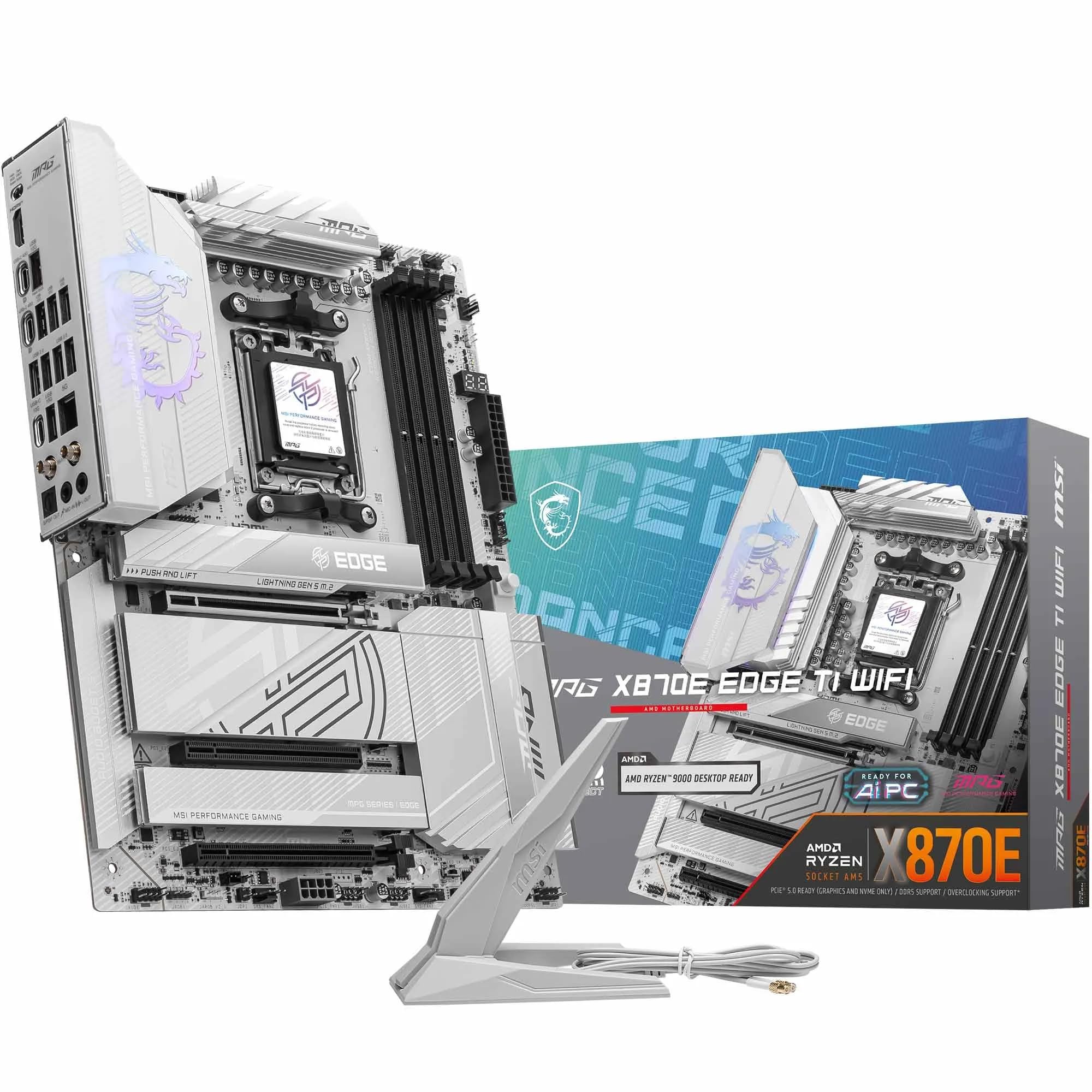 9.0 / 10
MSI MPG X870E EDGE TI WIFI Motherboard, ATX - Supports AMD Ryzen 9000/8000 / 7000 Processors, AM5-80A SPS VRM, DDR5 Memory Boost 8400+MT/s (OC), PCIe 5.0 x16, M.2 Gen5, Wi-Fi 7, 5G LAN
£299.99 · MSI
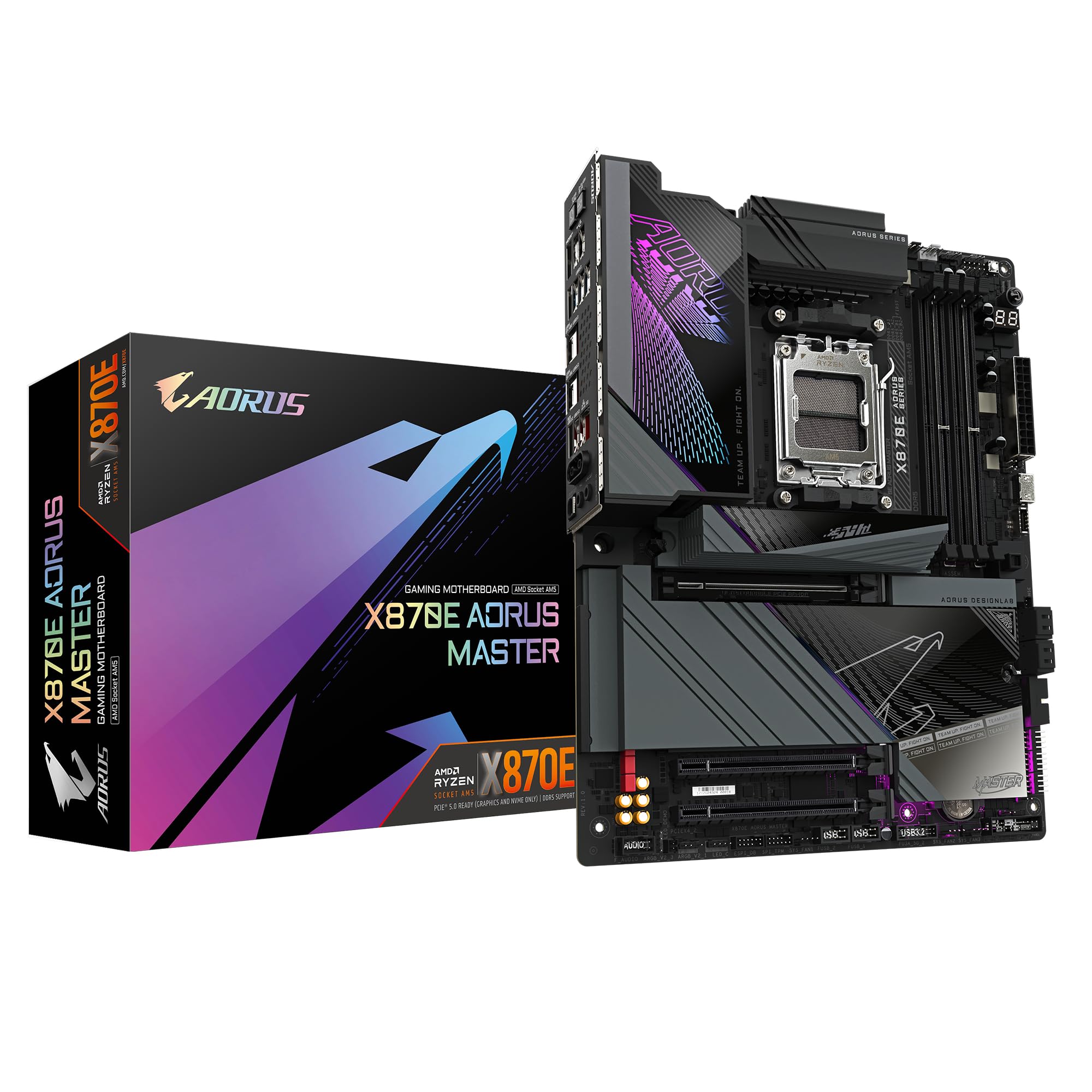 9.0 / 10
GIGABYTE X870E AORUS MASTER Motherboard - Supports AMD Ryzen 9000 CPUs, 16+2+2 Phases Digital VRM, up to 8600MHz DDR5 (OC), 3xPCIe 5.0, Wi-Fi 7, 5GbE LAN, USB 4
£393.99 · Gigabyte
Frequently asked
7 questions01Is the MSI MAG X670E Tomahawk WiFi a good motherboard?+
Yes, it is one of the stronger X670E boards available at its price point. The 14+2 phase VRM with 80A power stages handles even the most demanding Ryzen 9000 series chips without thermal stress, M.2 heatsinks cover all four slots, and the 8-layer 2oz copper PCB is a genuine quality differentiator. It currently holds a 4.4 out of 5 rating across 485 owner reviews, which is a strong result for a motherboard category where buyers tend to be critical.
02What is the X670E chipset used for?+
The X670E chipset sits at the top of AMD's current desktop chipset hierarchy. The E suffix guarantees PCIe 5.0 connectivity on both the primary GPU slot and at least one M.2 slot, alongside full memory overclocking support, maximum PCIe lane count, and the broadest I/O flexibility available on AM5. It is the chipset to choose when you want no restrictions on overclocking, storage, or expansion, and when you want the most upgrade headroom from your platform.
03What is a Tomahawk motherboard good for?+
MSI's Tomahawk range is positioned as a high-performance board without the premium pricing of flagship lines. The X670E Tomahawk specifically is well suited to Ryzen 7000 and 9000 series builds where buyers want a robust VRM for sustained CPU performance, multiple fast NVMe drives with proper thermal management, and dependable connectivity including Wi-Fi 6E and 2.5Gbps LAN. It is a strong choice for content creators, enthusiast builders, and anyone who wants a board that will not limit their system over a multi-year ownership period.
04Is it worth getting a Wi-Fi motherboard rather than a separate PCIe card?+
At this price point, yes. The integrated Wi-Fi 6E module saves a PCIe expansion slot, the antennas are designed to work with the board's layout, and Bluetooth 5.3 is included without additional hardware. The AMD Wi-Fi module used here has reliable driver support, and owner reviews do not report wireless connectivity problems. If your desk is near your router and you always use a wired connection, a non-Wi-Fi board could save a small amount, but for most builds the integrated module is the more practical option.
05What CPUs are compatible with the MSI MAG X670E Tomahawk WiFi?+
The board uses the AM5 socket and supports AMD Ryzen 7000 series (Zen 4), Ryzen 8000 series, and Ryzen 9000 series (Zen 5) processors. This includes the Ryzen 5 7600, Ryzen 7 7700X, Ryzen 7 7800X3D, Ryzen 9 7900X, Ryzen 9 7950X, and their X3D variants, plus the equivalent 9000-series lineup. If you are installing a Ryzen 9000 series chip, check that the board ships with a compatible BIOS version or plan to update the firmware using an older Ryzen 7000 CPU first.
06How does the MSI MAG X670E Tomahawk WiFi compare to the ASUS ROG Strix X670E-F?+
Both boards offer four M.2 slots including a Gen5 slot, Wi-Fi 6E, and 2.5Gbps LAN. The Tomahawk uses a 14+2 phase VRM with 80A power stages versus the ASUS board's 18+2 phases at 60A each, giving the Tomahawk higher per-phase current delivery. The Tomahawk also uses an 8-layer 2oz copper PCB compared to a 6-layer board on the ASUS, and provides M.2 heatsinks on all four slots consistently. The ASUS board is well regarded for its BIOS among enthusiasts who want granular overclocking control. The Tomahawk typically costs less and offers better thermal management on the VRM and M.2 slots; the ASUS wins on BIOS refinement and brand community support.
07Do I need to update the BIOS before installing a Ryzen 9000 CPU?+
Possibly, yes. If the board ships with a BIOS version that predates Ryzen 9000 support, you will need to update the firmware before the new CPU is recognised. This is an industry-wide requirement when a new CPU generation launches, not specific to MSI or the Tomahawk. The practical solution is either to confirm the board ships with a BIOS that already supports your CPU, use an older Ryzen 7000 chip to boot and update, or check whether MSI's BIOS Flashback feature is available on your specific revision of the board. Check the MSI product page before building rather than after.











