The motherboard decision is where PC builds go to die. You've agonised over the CPU, the GPU is sorted, the case is gorgeous, and then you spend three days staring at spec sheets wondering whether you're paying for real engineering or just a fancy heatsink cover. The ASUS PRIME X670E-PRO WIFI sits in that awkward premium bracket where the price is high enough to sting but not quite high enough to feel like a no-compromise flagship. So is it worth it?
Short answer: yes, for the right builder. This board offers a genuinely strong feature set for an AM5 build, with 14+2 teamed power stages, PCIe 5.0, USB4 header support, Wi-Fi 6E, and four M.2 slots. Owner feedback across hundreds of reviews averages ★★★★☆ (4.1), which for a premium motherboard is solid rather than spectacular. There are some niggles, particularly around early BIOS versions, but the underlying hardware quality is real. If you're building a serious Ryzen 7000 rig and want room to grow, this board deserves your attention.
But if you're gaming on a Ryzen 5 7600 and don't need USB4 or PCIe 5.0 storage, there are cheaper AM5 boards that'll serve you just as well. More on that later. First, the full picture.
Core Specifications
The ASUS PRIME X670E-PRO WIFI is an ATX-format motherboard built on AMD's X670E chipset, which sits at the very top of the AM5 chipset stack. It uses the AM5 socket (LGA1718), supports DDR5 memory across four slots, and packs in four M.2 slots for NVMe storage. The rear I/O includes USB 3.2 Gen 2x2 Type-C, standard USB 3.2 Gen 2 Type-C, USB4 header support on the board itself, Wi-Fi 6E via an integrated antenna, and Realtek 2.5G Ethernet. Power delivery comes from a 14+2 teamed power stage configuration with ASUS's ProCool socket and alloy chokes.
The PCIe 5.0 support is a headline feature here. The primary x16 slot runs at full PCIe 5.0 speeds, which future-proofs you for next-generation GPUs even if current cards don't fully exploit it yet. M.2 slots also benefit from PCIe 5.0 on the primary slot, meaning you can drop in a Gen 5 NVMe drive and get the full throughput it's rated for. That's not a given at this price tier across all competitors.
The form factor is standard ATX, so it'll fit any full-tower or mid-tower case that supports ATX boards. Build quality from owner reports is generally positive, with the VRM heatsink described as substantial and the M.2 heatsinks covering all four slots. ASUS includes their Q-release mechanism on the PCIe slot and M.2 Q-latch for tool-free drive installation, which sounds like a small thing until you've scraped your knuckles trying to remove an M.2 screw for the fourth time.
| Specification | Detail |
|---|---|
| Socket | AMD AM5 (LGA1718) |
| Chipset | AMD X670E |
| Form Factor | ATX |
| Memory Slots | 4 x DDR5 |
| PCIe Version | PCIe 5.0 |
| M.2 Slots | 4 |
| USB (Rear) | USB 3.2 Gen 2x2 Type-C, USB 3.2 Gen 2 Type-C |
| USB4 | Header support |
| Networking | Wi-Fi 6E, Realtek 2.5G Ethernet |
| Power Stages | 14+2 Teamed |
| Special Features | ProCool socket, AI Overclocking, BIOS Flashback, Fan Xpert 4 with AI Cooling II |
| Rating | ★★★★☆ (4.1) (290 reviews) |
| Price | £389.35 · Details |
Socket and CPU Compatibility
The AM5 socket is AMD's current platform for Ryzen 7000 series desktop processors, and ASUS has confirmed support for the full Ryzen 7000 lineup on this board. That covers everything from the entry-level Ryzen 5 7600 right up to the Ryzen 9 7950X, and AMD's X3D variants like the Ryzen 7 7800X3D and Ryzen 9 7950X3D. If AMD releases further Ryzen 8000 or 9000 series desktop chips on AM5 (which they've committed to through at least 2026), a BIOS update should bring compatibility, though you'd want to verify that before buying a new chip.
One thing to be clear about with AM5: it uses LGA1718, which means the pins are on the motherboard socket rather than the CPU. That's a change from AM4 and means you need to be more careful when installing the CPU, but it also means a bent pin on the CPU is less likely to ruin your day. AM4 coolers are NOT directly compatible with AM5 without an adapter bracket. ASUS does include an AM4-to-AM5 adapter in some markets, but check the box contents carefully before assuming your existing Noctua or be quiet! cooler will bolt straight on.
AMD has publicly committed to the AM5 platform through at least 2025 to 2026, making this a genuinely future-proof socket choice in a way that AM4 was at the end of its life. Buying an X670E board now means you have headroom to drop in a faster Ryzen chip down the line without replacing the motherboard. That's a real argument for spending up on AM5 rather than hunting for a bargain AM4 board in 2026, when AM4 is firmly in end-of-life territory.
Chipset Features
The X670E is AMD's top-tier chipset for the AM5 platform, sitting above the standard X670, B650E, and B650. The key distinction between X670E and everything below it is mandatory PCIe 5.0 on both the primary GPU slot and at least one M.2 slot. Standard X670 and B650E boards can offer PCIe 5.0 in one or the other, but X670E mandates both. That's why this chipset commands a premium, and it's the main reason to choose it over the cheaper options.
In terms of raw lane count, the X670E chipset (which is actually two X670 chipset dies working together) provides a substantial number of PCIe lanes for storage and peripheral connectivity. You get support for multiple USB 3.2 Gen 2 and Gen 2x2 ports, multiple SATA ports, and the full overclocking capability that AMD unlocks on X-series chipsets. All Ryzen 7000 CPUs are unlocked for overclocking, but the X670E gives you the platform-level features to actually do it properly, including AMD's EXPO memory overclocking profiles and full manual voltage and frequency control.
The ASUS-specific additions on top of the chipset include AI Overclocking, which analyses your CPU and memory and suggests or applies settings automatically, and the dynamic OC switch for on-the-fly overclocking adjustments. Core Flex is also listed, which allows mixed-core frequency tuning. These aren't gimmicks exactly, but they're also not magic. Experienced overclockers will go manual anyway. For everyone else, the AI OC feature is a reasonable starting point that's better than leaving everything on stock settings with a capable CPU sitting underutilised.
VRM and Power Delivery
This is where I get genuinely interested, because VRM quality is the thing that separates a board that lasts five years from one that starts throttling your CPU after eighteen months. The ASUS PRIME X670E-PRO WIFI uses a 14+2 teamed power stage configuration. Teamed power stages are worth understanding: rather than doubling the phase count with lower-quality doublers, teamed stages pair MOSFETs to share current load, which reduces heat and improves efficiency. It's a more honest approach to power delivery than inflating phase numbers with doublers.
ASUS's ProCool socket is the reinforced CPU power connector that's designed to handle high sustained current without the connector heating up excessively. Combined with alloy chokes (which are more thermally stable than ferrite alternatives) and what ASUS describes as durable capacitors, the power delivery chain is built for sustained loads rather than just peak numbers. The VRM heatsink is described as large, and owner reports back this up. Nobody's reporting thermal throttling on even the 170W TDP chips like the Ryzen 9 7950X, which is the real-world test that matters.
For context: a Ryzen 9 7950X pulling full power under a sustained workload like Cinebench or a long video encode is a serious ask of any motherboard's VRM. The 14+2 teamed configuration on this board handles it without drama according to owner feedback. If you're running a Ryzen 5 7600 or 7600X, this VRM is massively overspecced for your needs, which is part of why the cheaper B650 boards are perfectly fine for mid-range builds. But if you're pairing this with a Ryzen 9 7900X or 7950X and actually pushing it, the headroom here is real and it matters.
Memory Support
AM5 is DDR5-only. There's no DDR4 support on any AM5 motherboard, so if you're coming from an AM4 build with DDR4 kits, you're buying new RAM regardless of which AM5 board you choose. The PRIME X670E-PRO WIFI has four DDR5 slots, and with the X670E chipset and EXPO support, you can run memory well above the base DDR5-4800 spec. ASUS's memory support list (the QVL) includes kits running at DDR5-6000 and beyond, which is the sweet spot for Ryzen 7000 performance given the CPU's memory controller characteristics.
AMD's own guidance points to DDR5-6000 as the optimal speed for Ryzen 7000 because it allows the memory controller to run in a 1:1 ratio with the Infinity Fabric clock. Go higher than that and you start running the fabric at a lower ratio, which can actually hurt latency and real-world performance despite the higher raw bandwidth numbers. So don't just buy the fastest DDR5 kit you can find and assume it'll be better. A quality DDR5-6000 CL30 kit is genuinely the sweet spot, and this board supports JEDEC-standard speeds plus EXPO profiles for AMD-optimised kits.
The four-slot configuration supports dual-channel across all four populated slots, with maximum capacity depending on the DIMMs you use. High-capacity DDR5 kits (64GB or 128GB total) are supported for workstation users who need the memory headroom. Owner reports on memory compatibility are generally positive, with most EXPO kits enabling without issues after a BIOS update. Early BIOS versions had some memory training quirks that ASUS has addressed in subsequent updates, so make sure you're on a recent BIOS version before pulling your hair out over RAM compatibility.
Storage Options
Four M.2 slots is a genuinely strong showing at this price tier, and the PRIME X670E-PRO WIFI has them all covered with heatsinks. The primary M.2 slot runs at PCIe 5.0 x4, which means it's ready for Gen 5 NVMe drives that are now hitting the market. Gen 5 SSDs offer sequential read speeds above 10,000 MB/s, roughly double what current Gen 4 drives achieve. Whether that matters for your workload is a separate question, but the slot is there if you want it.
The remaining M.2 slots run at PCIe 4.0, which is still plenty fast for any current-generation NVMe drive and more than sufficient for gaming, content creation, or general productivity. Having four M.2 slots means you can run a Gen 5 boot drive, a couple of Gen 4 drives for games or projects, and still have a spare slot. That's a proper storage configuration for a serious workstation or content creation build, and it saves you from needing a PCIe M.2 expansion card down the line.
The M.2 Q-latch system is worth a mention because it's genuinely useful. Screwless M.2 installation sounds like a minor convenience, but if you've ever tried to fish a tiny M.2 screw out of a case after it fell off the screwdriver, you'll appreciate it. ASUS has also included the PCIe slot Q-release mechanism, which makes removing a GPU without a screwdriver significantly less stressful. These small quality-of-life features are things that cheaper boards skip, and they do add up to a noticeably better building experience.
Expansion Slots and PCIe
The primary PCIe x16 slot runs at full PCIe 5.0 x16 speeds, making this board ready for whatever GPU AMD or Nvidia brings out next. Current graphics cards, even the RTX 4090 and RX 7900 XTX, don't saturate PCIe 4.0 x16, let alone PCIe 5.0 x16. But future cards will, and having the bandwidth headroom means this board won't be a bottleneck in a few years' time when you upgrade the GPU. The primary slot is also reinforced with ASUS's SafeSlot technology, which adds a metal shield to prevent the slot from cracking under the weight of heavy graphics cards.
Beyond the primary slot, the board has additional PCIe slots for expansion cards. The exact configuration follows what the X670E chipset provides, with secondary slots running at PCIe 4.0 speeds. For most builders, the primary GPU slot is the only one that matters, but if you're running a capture card, a 10G NIC, or additional storage controllers, having those extra slots is useful. The X670E chipset's generous lane count means you're less likely to run into lane-sharing conflicts that force you to choose between features.
The PCIe 5.0 x16 GPU slot combined with the PCIe 5.0 primary M.2 slot is the core argument for choosing X670E over X670 or B650E. If you only care about PCIe 5.0 for storage and are happy with PCIe 4.0 for the GPU, a B650E board saves you meaningful money. But if you want both, X670E is the only chipset that guarantees it, and the PRIME X670E-PRO WIFI delivers both without compromise.
Connectivity and Rear I/O
The rear I/O panel on the ASUS PRIME X670E-PRO WIFI is where the premium features become visible. USB 3.2 Gen 2x2 Type-C is the headline port here, offering 20Gbps bandwidth over a single USB-C connector. That's fast enough for external NVMe enclosures, high-speed docks, and the next generation of USB-C peripherals. There's also a USB 3.2 Gen 2 Type-C port, which runs at 10Gbps and is useful for modern peripherals that want USB-C but don't need the full 20Gbps throughput.
The board also includes a USB4 header, which is an internal connector for adding USB4 front-panel connectivity. USB4 runs at up to 40Gbps and is compatible with Thunderbolt 3 and 4 devices, making it relevant for creative professionals using high-speed storage or displays over USB-C. The front-panel USB 3.2 Gen 2 Type-C header is also present, so your case's front USB-C port will get proper Gen 2 speeds rather than being downgraded to USB 3.0 like on cheaper boards.
BIOS Flashback is included, which lets you update the BIOS without a CPU or RAM installed. This is genuinely useful for AM5 boards because early BIOS versions sometimes had compatibility issues with specific CPUs, and being able to flash a new BIOS without needing a working system to do it is a real safety net. The rear I/O also features ASUS's LANGuard protection on the Ethernet port, which adds surge protection to prevent a lightning strike or static discharge from killing your board through the network cable. Small thing, but appreciated.
WiFi and Networking
Wi-Fi 6E is the wireless standard here, and it's a proper implementation rather than the cut-down Wi-Fi 6 you sometimes see on boards that claim wireless connectivity as a feature without actually delivering meaningful performance. Wi-Fi 6E adds access to the 6GHz frequency band on top of the 2.4GHz and 5GHz bands that Wi-Fi 6 covers. The 6GHz band is less congested in most environments because fewer devices use it yet, and it supports wider channel widths for higher throughput. If you have a Wi-Fi 6E router, you'll get noticeably better wireless performance than with Wi-Fi 6 or Wi-Fi 5.
The wired Ethernet comes from a Realtek 2.5G controller with ASUS's LANGuard surge protection. Realtek's 2.5G controllers have improved significantly in recent driver generations and are now reliable for sustained transfers. 2.5G Ethernet is the right choice for a premium board in 2026: it's fast enough for any NAS, any internet connection you're likely to have, and any local network transfer that doesn't specifically require 10G. You'd need a 2.5G-capable switch or router port to take advantage of it, but most mid-range networking gear now supports it.
The combination of Wi-Fi 6E and 2.5G Ethernet means you're not forced to choose between wired and wireless performance. For a desktop build, wired is almost always preferable for latency-sensitive applications like gaming or video calls, but having Wi-Fi 6E as a backup (or for a build that genuinely can't reach a router with a cable) is a proper solution rather than an afterthought. The antenna connectors are on the rear I/O panel, and the included antennas are the standard external dipole type that ASUS includes with most of their Wi-Fi boards.
BIOS and Overclocking
ASUS's UEFI BIOS is, genuinely, one of the better ones out there. That's not marketing fluff. The EZ Mode gives you a clean overview of your system, fan speeds, temperatures, and boot order without overwhelming you, while Advanced Mode exposes the full depth of overclocking controls, fan curve customisation, and chipset configuration. Fan Xpert 4 with AI Cooling II is accessible from within the BIOS and from the Windows software, and it gives you proper per-header fan curve control rather than the three-preset nonsense you get on budget boards.
That said, early BIOS versions on AM5 boards generally had rough edges, and the PRIME X670E-PRO WIFI was no exception. Some owners reported memory training issues, occasional boot loops when enabling EXPO profiles, and BIOS settings not saving correctly on very early firmware. ASUS has pushed multiple BIOS updates since launch, and the consensus from owners who've updated is that things have improved substantially. If you're buying this board now, you'll almost certainly receive a unit that either ships with a recent BIOS or can be updated via BIOS Flashback before you even install a CPU.
The overclocking features are comprehensive. AI Overclocking analyses your CPU's characteristics and suggests settings, which is useful if you want a quick performance bump without going deep into manual tuning. Dynamic OC Switch allows you to toggle between overclocking profiles without rebooting, and Core Flex enables per-core frequency tuning for users who want to push individual cores harder while keeping power-hungry cores at stock. For most people, enabling an EXPO memory profile and leaving the CPU on AMD's own Precision Boost Overdrive is the right call. But the tools are there if you want to go deeper.
Build Quality and Aesthetics
The PRIME range sits below ASUS's ROG and TUF Gaming lines in terms of visual drama, which is actually a positive for a lot of builders. The board uses a clean dark colour scheme without the aggressive RGB lighting that ROG boards lean into. There are RGB headers for adding your own lighting, but the board itself is relatively understated. If you're building in a case with a side panel window and want the components to speak for themselves rather than turning your PC into a disco, the PRIME aesthetic works well.
The physical build quality is solid. The VRM heatsink is substantial and covers both the main power stages and the SoC phases. M.2 heatsinks are present on all four slots, which matters more than it might seem: NVMe drives throttle when they get hot, and a heatsink that actually covers the drive rather than just the controller chip makes a real difference to sustained transfer speeds. The PCB itself is a standard thickness for the price tier, and the component layout is sensible, with the 24-pin ATX connector and 8-pin CPU power connectors in the expected positions.
Owner reviews mention the board feels premium in hand, with solid slot retention and no flex in the PCB when installing heavy GPU coolers or large memory heatspreaders. The ProCool socket reinforcement is visible on the board as a beefier connector housing, and the alloy chokes are identifiable as the toroidal inductors around the CPU socket area. These aren't just marketing terms: alloy chokes genuinely run cooler and more efficiently than standard ferrite chokes, and they're a legitimate indicator of build quality rather than a spec-sheet checkbox.
How It Compares
The PRIME X670E-PRO WIFI sits in a competitive part of the AM5 market. Below it, the MSI MAG X670E Tomahawk WiFi offers similar chipset features at a lower price point, though with fewer M.2 slots and a less comprehensive rear I/O. Above it, the ASUS ROG Strix X670E-F Gaming WiFi adds more RGB, a stronger VRM, and a more premium BIOS experience, but at a price that's harder to justify unless you're running a 7950X at full tilt. The PRIME sits in the middle, which is where most serious builders actually want to be.
The Gigabyte X670E Aorus Master is another alternative. It has a stronger VRM configuration and a rear I/O that some reviewers rate more highly, but it's also typically more expensive and Gigabyte's BIOS, while functional, doesn't quite match ASUS's for usability or feature depth. The PRIME's BIOS advantage is real and worth something if you're going to spend any time in there tuning memory or fan curves.
| Feature | ASUS PRIME X670E-PRO WIFI | MSI MAG X670E Tomahawk WiFi | ASUS ROG Strix X670E-F Gaming WiFi |
|---|---|---|---|
| Chipset | X670E | X670E | X670E |
| PCIe 5.0 GPU Slot | Yes | Yes | Yes |
| PCIe 5.0 M.2 | Yes | Yes | Yes |
| M.2 Slots | 4 | 4 | 4 |
| Power Stages | 14+2 Teamed | 14+2 | 18+2 |
| USB 3.2 Gen 2x2 Type-C | Yes | Yes | Yes |
| USB4 Header | Yes | No | Yes |
| Wi-Fi | Wi-Fi 6E | Wi-Fi 6E | Wi-Fi 6E |
| Ethernet | 2.5G Realtek | 2.5G Realtek | 2.5G Intel |
| BIOS Flashback | Yes | Yes | Yes |
| Price Tier | Premium | Mid-Premium | High Premium |
The USB4 header is a differentiator. The MSI Tomahawk doesn't include it, which means if you want to add a USB4 front-panel port via an add-in bracket, you can't on the MSI. The PRIME supports it, and the ROG Strix does too. For most users today, USB4 front-panel connectivity isn't a priority, but it's the kind of feature you'll be glad you have in two or three years when USB4 peripherals become more common.
Final Verdict
The ASUS PRIME X670E-PRO WIFI is a genuinely good motherboard that earns its place in the premium AM5 bracket. The 14+2 teamed power stages handle even the most demanding Ryzen 7000 chips without drama. The four M.2 slots with heatsinks, PCIe 5.0 on both the GPU slot and primary M.2, USB4 header support, USB 3.2 Gen 2x2 Type-C, and Wi-Fi 6E make up a feature list that's hard to fault at this price point. ASUS's BIOS is the best in the business for usability and ongoing update support, and the build quality is noticeably above what you'd find on a budget board.
The positive overall rating across hundreds of owner reviews reflects a board that mostly does what it promises. Early BIOS issues were real but have been addressed. The board runs cool, handles memory overclocking well once you're on a current BIOS, and the quality-of-life features like Q-release and M.2 Q-latch make building with it a more pleasant experience than it would be on a cheaper alternative. That's not nothing.
Who should buy this? Builders going all-in on AM5 with a Ryzen 7 7700X, 7900X, 7950X, or X3D variant who want a board that won't hold them back now or when they upgrade the CPU later. Content creators who'll use multiple fast M.2 drives and want USB4 header support for future peripherals. Anyone who values BIOS quality and long-term platform stability over saving a few quid on the motherboard.
Who should skip it? Honestly, if you're building around a Ryzen 5 7600 for gaming and don't need PCIe 5.0 storage or USB4, a B650 board from ASUS's own TUF Gaming range will give you a very similar day-to-day experience for significantly less money. The X670E chipset's advantages are real, but they're real for specific use cases. Don't spend premium-bracket money on features you won't use. The ASUS TUF Gaming B650-PLUS WiFi is the honest alternative recommendation for anyone who doesn't specifically need X670E's full feature set.
For those who do need it, though, the PRIME X670E-PRO WIFI is a proper board with proper engineering behind it. It scores an 8.5 out of 10 from us. The early BIOS growing pains and the fact that it's not quite at the level of the ROG Strix in terms of raw VRM headroom stop it from hitting a nine, but for the vast majority of AM5 builds in the premium bracket, this is exactly the board you want.
Does the ASUS PRIME X670E-PRO WIFI support Windows 11?
Yes. Windows 11 requires a compatible CPU with TPM 2.0 support, and all AMD Ryzen 7000 series processors include firmware TPM (fTPM) that satisfies Microsoft's requirements. The PRIME X670E-PRO WIFI exposes fTPM in the BIOS, so Windows 11 installation is straightforward. There's no need for a discrete TPM module.
Is the ASUS PRIME a good motherboard?
The PRIME range sits in ASUS's mid-to-premium tier, below ROG but above budget options. For the X670E-PRO WIFI specifically, the answer is yes: the power delivery, feature set, and BIOS quality are all genuinely good. It's not the absolute top of the market, but it's a well-engineered board that should last the life of your AM5 build.
Are X470 motherboards still good in 2026?
X470 is an AM4 chipset and is not compatible with Ryzen 7000 series CPUs, which require AM5. If you're asking whether to stick with AM4 in 2026, the honest answer is that AM4 is end-of-life and new AM5 platforms offer DDR5, PCIe 5.0, and a longer upgrade path. X470 boards are fine for existing AM4 builds, but building new on AM4 in 2026 makes little sense when AM5 is the current platform.
Which AMD chipset is better, B550 or X470?
Both are AM4 chipsets and neither is compatible with Ryzen 7000 series CPUs. Between the two for AM4 builds, B550 is generally the better choice because it supports PCIe 4.0 (on the primary GPU and M.2 slots), has better USB connectivity, and received driver and BIOS support for longer. X470 was AMD's premium chipset for Ryzen 2000 and 3000 series but was largely superseded by B550 and X570 for Ryzen 5000 builds.
What is the best high-end AM4 motherboard?
For AM4, the X570 chipset boards were the premium choice, with options from ASUS ROG Crosshair VIII, MSI MEG X570 Godlike, and Gigabyte X570 Aorus Xtreme being the flagships. But again: AM4 is a legacy platform in 2026. If you're building high-end today, AM5 with an X670E board like the PRIME X670E-PRO WIFI is the right call for longevity and feature access.
What works. What doesn’t.
5 + 4What we liked5 reasons
- 14+2 teamed power stages handle even 170W TDP Ryzen 9 chips without thermal drama
- PCIe 5.0 on both primary GPU slot and primary M.2 slot, a genuine X670E advantage
- Four M.2 slots all covered by heatsinks, plus USB4 header support
- ASUS UEFI BIOS is among the best in the industry for usability and ongoing updates
- BIOS Flashback and M.2 Q-latch add real quality-of-life benefits
Where it falls4 reasons
- Early BIOS versions had memory training and EXPO stability issues
- Premium price is hard to justify if you're not using a high-TDP CPU or PCIe 5.0 storage
- No USB4 rear port, only a USB4 header for front-panel use
- Realtek 2.5G NIC is solid but Intel's i226-V is preferred by some for lower CPU overhead
Full specifications
11 attributes| Socket | AM5 |
|---|---|
| Chipset | X670E |
| Form factor | ATX |
| Bios flashback | true |
| M2 slots | 4 |
| MAX RAM GB | 128 |
| Network | 2.5GbE + Wi-Fi 6E |
| Pcie 5 slots | 1 |
| RAM slots | 4 |
| RAM type | DDR5 |
| Usb4 | true |
If this isn’t right for you
2 options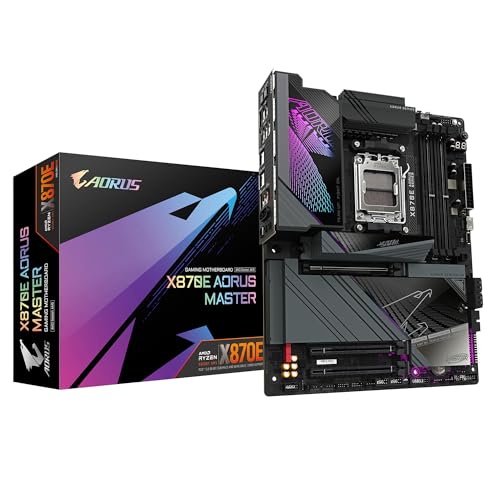

Need memory for this board?
4 reviewsThis board takes DDR5 desktop memory. These DDR5 kits fit its slots.
Frequently asked
5 questions01Is the ASUS PRIME X670E-PRO WIFI overkill for just gaming?+
For a mid-range gaming build with a Ryzen 5 7600, yes, it probably is. The PCIe 5.0 GPU slot offers no real-world gaming advantage over PCIe 4.0 with current graphics cards, and USB4 header support isn't relevant for most gaming setups. Where it makes sense for gaming is in a high-end build with a Ryzen 7 7800X3D or 7950X3D, where the VRM headroom and platform longevity justify the spend. For pure budget-conscious gaming, a B650 board is the smarter choice.
02Will my existing CPU cooler work with the ASUS PRIME X670E-PRO WIFI?+
The PRIME X670E-PRO WIFI uses the AM5 socket (LGA1718), which has a different mounting mechanism to AM4. Most modern cooler manufacturers have released AM5 mounting kits, and brands like Noctua and be quiet! provide free AM5 upgrade kits for existing cooler owners. Check your cooler manufacturer's website before assuming compatibility. AM4 coolers do NOT mount directly to AM5 without an adapter bracket.
03What happens if the ASUS PRIME X670E-PRO WIFI doesn't work with my components?+
Amazon's standard 30-day return window applies to most motherboard purchases, and the Amazon A-to-Z guarantee covers you if there's a dispute. Before returning, check ASUS's QVL (qualified vendor list) for memory compatibility, ensure your BIOS is up to date via BIOS Flashback if needed, and check that your CPU is on the supported CPU list. Most compatibility issues on AM5 boards have been resolved through BIOS updates, so updating firmware is the first step.
04Is there a cheaper motherboard I should consider instead?+
Yes, honestly. If you don't need PCIe 5.0 on both the GPU slot and primary M.2, or if you're running a Ryzen 5 or mid-range Ryzen 7 chip, the ASUS TUF Gaming B650-PLUS WiFi or the MSI MAG B650 Tomahawk WiFi offer very solid AM5 platforms at a meaningfully lower price. Both support EXPO memory profiles, have decent VRMs for non-flagship CPUs, and include Wi-Fi. Save the X670E premium for builds that genuinely need it.
05What warranty and returns apply to the ASUS PRIME X670E-PRO WIFI?+
Warranty details are not specified in the verified product data for this listing. ASUS typically offers a three-year warranty on their motherboards in the UK, but confirm this directly with ASUS UK or the seller before purchasing. Regardless of manufacturer warranty, Amazon's 30-day return policy and A-to-Z guarantee apply to purchases made through Amazon UK, giving you a baseline level of buyer protection.