The best laptop for a student in the UK this year depends almost entirely on budget, so alongside the ranked list below there is a short chooser by budget band: Chromebooks under £300 for courses that run in a browser, proper Windows machines and Apple's M1 MacBook Air around £500, all-day battery and OLED screens up to £700, and the better-built machines up to £1,000. Prices on this page are refreshed from the live Amazon UK listings daily and never typed in by us, so the budget notes are a guide to where each pick sits rather than a promise.
Two picks lead the guide: the HP OmniBook 5 16" for battery life that outlasts a full day of lectures, and the Apple MacBook Air M1 for anyone who wants macOS without paying new-Mac money. Course-specific needs (CAD for engineering, clinical software for medicine, long reading days for law) are covered in the subject guides linked at the end.
Quick Verdict
The HP OmniBook 5 16" (B0FQJP49NP) tops this guide for one honest reason: it gets the fundamentals right where students actually feel them. Battery that lasts a full day of lectures (HP rates it at 34.75 hours, which is a lab figure, not a lived one), a 2K OLED screen that won't wreck your eyes during late-night essays, and a Snapdragon X1 chip that stays quiet and cool. But it's not the only laptop worth your money, and it's certainly not right for everyone. Some of you have £300 to spend, others closer to £1,000. Below, I've broken down the best picks across that range as of September 2026, so you can match the machine to your course, your bag and your budget without overpaying for specs you'll never use.
Best Value: Lenovo IdeaPad 1 15" (B0D81C6WGH): 16 GB of RAM and a 512 GB NVMe SSD in the sub-£500 band covers every core student task without paying for things you won't use.
Best for macOS: Apple MacBook Air M1 (B08N5N1WBH): around £500 and still one of the most capable laptops at any price for students who want macOS.
Best Under £300: HP Chromebook 14 (B0D1V1XPN3): the Intel N100 and 8 GB of RAM make this the Chromebook that doesn't feel like a compromise, as long as your course runs in a browser.
Choose by Budget
- Under £300: the HP Chromebook 14 (no. 4) if your course runs in a browser, or the Acer Chromebook 314 (no. 10) for the lowest spend.
- Around £500: the Lenovo IdeaPad 1 (no. 2) for the most memory and storage in the band, the MacBook Air M1 (no. 3) for macOS, or the Intel Aspire Go 15 (no. 9) at the band's lower edge.
- Up to £700: the HP OmniBook 5 (no. 1) for the OLED screen and the highest battery rating here, or the Ryzen Aspire Go 15 (no. 5) for a conventional Windows machine with 16 GB.
- Up to £1,000: the MacBook Pro 14 M1 Pro (no. 6), the ASUS Vivobook S14 (no. 7) with 32 GB, or the Surface Pro (no. 8) if you want a tablet as well.
Chromebooks suit a course that lives in the browser and Google Workspace; skip them if your course needs Windows-only software. Manufacturer battery figures are their own measurements: compare them between models rather than planning your day around them.
The HP OmniBook 5 is the standout student laptop of 2026 and leads this guide. It is aimed squarely at students who spend long days on campus and cannot always find a power socket between lectures, seminars, and library sessions. The headline figure is a claimed 34.75-hour battery life, which is HP's own figure and the highest manufacturer rating in this guide.
The processor is a Qualcomm Snapdragon X1-26-100, a chip built on an ARM architecture that prioritises efficiency over raw clock speed. For the tasks students actually do, writing essays, running browser tabs, using Microsoft 365, attending video calls, and light coding, it is more than capable. It also carries Copilot+ PC certification, meaning it supports Microsoft's on-device AI features including live captions, Cocreator in Paint, and the Recall feature, which may become genuinely useful as Microsoft continues to develop it through 2026 and beyond.
The display is a 16-inch OLED panel running at 1920×1200 resolution. OLED at this price point is rare, and an OLED panel is far more pleasant to work on for extended periods than the TN or basic IPS screens found on budget rivals. The larger screen size is a genuine advantage for students who use their laptop as their primary display, working from lecture slides, PDFs, and split-screen documents simultaneously.
Storage and memory are sensible at 16 GB RAM and a 512 GB PCIe NVMe SSD. The port selection covers 2× USB-C at 10 Gbps, 1× USB-A at 10 Gbps, and a 3.5mm combo jack. That is not the most generous selection, but it covers the essentials. Weight is not confirmed in the verified specs, but the Snapdragon platform and lack of a discrete GPU keep thermals and chassis bulk well below equivalent Intel or AMD machines. At its price point, the OmniBook 5 pairs an OLED screen with the highest manufacturer battery rating in this guide.
Verdict: The best all-round student laptop in this guide for 2026. If battery life and screen quality are your priorities, nothing else in this guide comes close at this price.
Pros
- Claimed 34.75-hour battery life is class-leading for a Windows laptop at this price
- 16-inch OLED display offers premium colour accuracy and contrast for the money
- Snapdragon X1 chip delivers strong efficiency for everyday student workloads
Cons
- Only three ports total, so a USB hub is advisable for students with multiple peripherals
- ARM architecture means occasional compatibility issues with older Windows software and some specialist academic applications
The Lenovo IdeaPad 1 is the Best Value pick in this guide and the right choice for students who need a reliable Windows laptop for core academic tasks without spending more than necessary. In the sub-£500 band it lists a specification that handles everything a first or second-year undergraduate is likely to throw at it: Microsoft 365, web browsing, video calls, note-taking, and light media consumption.
The processor is an AMD Ryzen 5 7520U, a capable mid-range chip listed with. It is paired with 16 GB of RAM, which is generous at this price and means the machine will not slow down when you have multiple applications and browser tabs open simultaneously. Storage is a 512 GB NVMe SSD, which is fast and spacious enough for most students' needs across a full academic year.
The 15.6-inch display runs at 1920×1080 on a TN panel. TN panels have narrower viewing angles and less accurate colour reproduction than IPS or OLED alternatives, which is the most notable compromise at this price point. For students who primarily use their laptop for writing and research, it is acceptable. For those who do colour-sensitive creative work, it is worth spending more on a machine with an IPS or OLED panel. The port selection is practical: 1× USB-C, 2× USB-A, HDMI 1.4, a microSD slot, and a 3.5mm jack.
One important note: the Lenovo IdeaPad 1 ships with Windows 11 Home in S mode, which restricts software installation to the Microsoft Store by default. Students will need to switch out of S mode to install applications like Chrome, Spotify, or any specialist academic software not available in the Store. Switching out of S mode is free and straightforward, but it is worth knowing before purchase. Despite that caveat, the IdeaPad 1 lists more memory and storage than anything else in its band.
Verdict: The best budget student laptop in this guide. If you need a capable Windows machine for core academic tasks and want to keep spending well in the sub-£500 band, this is the one to buy.
Pros
- 16 GB RAM is unusual around £500
- 512 GB NVMe SSD provides fast storage that is spacious enough for most students across a full year
- Practical port selection including microSD slot covers most connectivity needs without a hub
Cons
- TN panel has narrow viewing angles and poor colour accuracy compared to IPS or OLED alternatives
- Ships in Windows 11 S mode, requiring a manual switch before installing third-party software
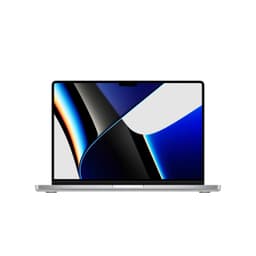
The Apple MacBook Air with M1 chip is the best option for students who want a macOS machine and need to keep spending around £500. It is a laptop that launched in 2020 and yet remains genuinely competitive in 2026, which is a testament to how far ahead of its time the M1 chip was when Apple introduced it. Students on creative courses, graphic design, film, music production, will find the macOS ecosystem and Apple's suite of creative applications a strong reason to choose this over a Windows alternative.
The M1 chip uses an 8-core CPU paired with a 7-core GPU and Apple's unified memory architecture. In practice, this means the 8 GB of RAM performs more efficiently than 8 GB on a conventional Windows laptop, because the CPU and GPU share the same high-bandwidth memory pool. For everyday student tasks, writing, research, video calls, light photo editing, the M1 Air has no fan. The fanless design also means there are no moving parts to fail, which is a durability advantage over the course of a three or four-year degree.
Battery life is strong, typically lasting 15 to 18 hours in real-world use, which is enough to cover a full day of lectures and an evening of studying without reaching for a charger. The 13-inch Retina IPS display at 2560×1600 is sharp and colour-accurate, and the overall build quality of the MacBook Air is excellent. The aluminium chassis is robust without being heavy.
The main limitations are storage and RAM. At 256 GB and 8 GB respectively, both figures are modest. Students who work with large video files or run many applications simultaneously may find the storage fills quickly and the unified memory shows its limits. The port selection is also minimal: just two Thunderbolt 4 ports and a 3.5mm jack, so a USB-C hub is almost essential. Despite those caveats, around the £500 mark this remains one of the best value laptops available for students who want a premium, reliable, long-lasting machine.
Verdict: The best macOS laptop around £500 for students. Quiet, fast, long-lasting, and built to last the full length of a degree.
Pros
- Fanless design runs silently and has no moving parts to fail over a multi-year degree
- 15 to 18 hours of real-world battery life covers full days without a charger
- Retina IPS display is sharp and colour-accurate for creative and general student work
Cons
- 256 GB storage fills quickly for students working with video, large datasets, or many applications
- Only two USB-C ports means a hub is needed for connecting peripherals, monitors, or USB-A devices
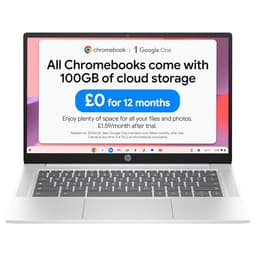
The HP Chromebook 14 lists an Intel N100 processor, 8 GB of RAM, 128 GB of storage and a 14-inch 1920×1080 display. Of the two Chromebooks in this guide it is the one with 8 GB, which matters more on a Chromebook than the processor does once a course piles up tabs, PDFs and a video call at once. Our HP Chromebook 14 review goes through the model in detail.
Check before buying: confirm your course software runs in a browser or has a ChromeOS or Android version, and check the weight and charger on HP's page if you'll carry it daily.
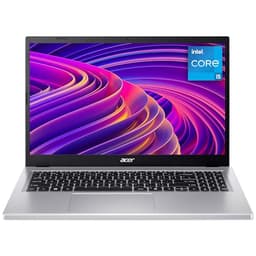
The Acer Aspire Go 15 is the pick for students who want a full Windows 11 experience, a generous port selection, and solid everyday performance at a price that leaves room in the budget for textbooks and accommodation costs. It sits between the budget IdeaPad 1 and the mid-range machines higher up this list, offering a meaningful step up in display quality and software flexibility over the Lenovo while sitting in the same band.
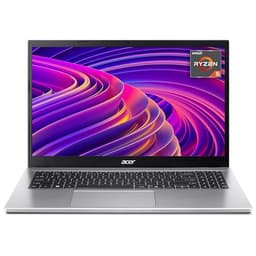
The processor is an AMD Ryzen 5 5625U, a slightly older chip than the Ryzen 5 7520U in the IdeaPad 1 but still more than capable for student workloads. It is paired with 16 GB of RAM and a 512 GB PCIe Gen4 SSD. The Gen4 SSD is a notable specification at this price: it offers faster read and write speeds than the Gen3 drives found in many budget laptops, which translates to quicker boot times, faster application launches, and snappier file transfers.
The display is a 15.6-inch IPS panel at 1920×1080. IPS is a meaningful upgrade over the TN panel in the IdeaPad 1, offering wider viewing angles and more accurate colours, which makes a difference when working on presentations, viewing lecture slides with charts and diagrams, or watching content in the evenings. The port selection is the most generous of any Windows laptop in this guide: 3× USB-A, 1× USB-C, HDMI, an SD card reader, and a 3.5mm jack. Students who carry a lot of peripherals or regularly connect to projectors and external displays will appreciate not needing a hub.
The Aspire Go 15 ships with full Windows 11, not S mode, so there are no restrictions on software installation out of the box. Battery life is decent for a 15-inch Windows laptop, though the Ryzen 5 5625U is a 6nm chip from 2021 and is less efficient than newer AMD or ARM alternatives. Expect a realistic working day of use rather than the multi-day endurance of the OmniBook 5.
Verdict: A well-rounded budget Windows laptop with a better display and more ports than the IdeaPad 1, at a price that remains accessible for most students. A strong choice for those who want full Windows 11 without restrictions.
Pros
- IPS display offers better viewing angles and colour accuracy than the TN panel on the IdeaPad 1
- Most generous port selection of any Windows laptop in this guide, including 3× USB-A and an SD card reader
- Ships with full Windows 11, with no S mode restrictions on software installation
Cons
- Ryzen 5 5625U is a 2021-generation chip, less power-efficient than newer AMD or ARM alternatives
- No USB-C charging support confirmed, which limits flexibility when travelling with a single cable
The Apple MacBook Pro 14-inch with M1 Pro is the premium option in this guide and the pick for students who need professional-grade performance from a portable machine. It sits at the top of the price range, but for students on courses that genuinely demand it, film production, 3D modelling, music production, advanced data science, the performance headroom and port selection justify the spend.
The M1 Pro chip is a step up from the standard M1, featuring an 8-core CPU and a 14-core GPU. The GPU in particular is significantly more capable than the 7-core unit in the MacBook Air, making a meaningful difference when rendering video, working in 3D applications, or running machine learning tasks. RAM is 16 GB of unified memory, and storage is 512 GB. Both are more generous than the base MacBook Air and better suited to the kind of intensive workflows that postgraduate students or those on technical courses encounter.
The display is a 14-inch Mini-LED panel at 3024×1964 resolution with ProMotion adaptive refresh rate up to 120 Hz. It is one of the best laptop displays available at any price: bright, sharp, and with excellent colour accuracy. The port selection is the most comprehensive of any Apple laptop in this guide, including 3× Thunderbolt 4 ports, an HDMI port, an SDXC card reader, a MagSafe 3 charging port, and a 3.5mm jack. That means you can connect an external monitor, import from a camera card, and still have USB-C ports free, all without a hub.
Battery life is strong, with Apple claiming up to 17 hours, which is the manufacturer's figure. The machine is heavier than the MacBook Air but still portable enough for daily commuting. For students who can justify the price, it is a machine that will remain capable for the full length of a degree and beyond.
Verdict: The best laptop in this guide for students on demanding creative or technical courses. The port selection and display specification are the strongest in this guide, and the M1 Pro chip has plenty of headroom for intensive workloads.
Pros
- M1 Pro 14-core GPU handles video editing, 3D rendering, and machine learning tasks that would overwhelm other laptops in this guide
- Mini-LED display at 3024×1964 with 120 Hz ProMotion is among the best panels available at any price
- Comprehensive port selection including HDMI and SDXC means no hub required for most workflows
Cons
- Sits at the top of the price range and represents a significant spend for students on a tight budget
- Heavier than the MacBook Air, which is noticeable when carrying it between campus buildings every day
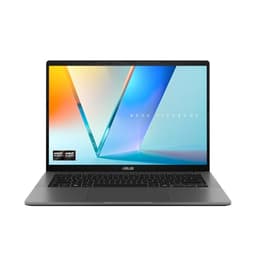
The ASUS Vivobook S14 M3407HA is the pick for students who want the most powerful machine in this guide and are willing to pay closer to the £1,000 ceiling to get it. It is particularly well suited to students on courses that involve heavier computing: data science, engineering, architecture, video editing, or any discipline where you regularly work with large files or run demanding applications alongside a full browser session.
The processor is an AMD Ryzen 9 270, which is one of the more capable chips available in a consumer laptop at this price point, and it is paired with a substantial 32 GB of RAM. That RAM figure is genuinely unusual at this end of the guide and means this machine will not struggle even when you have dozens of browser tabs open alongside a virtual machine, a code editor, and a video call running simultaneously. Storage is 1 TB, which is generous enough that most students will never need an external drive for coursework files.
The display is a 14-inch OLED panel at 2560×1600 resolution, which is sharp and colour-accurate. ASUS has used a metal chassis here, which adds to the premium feel and improves durability compared to the plastic builds common at this price. The port selection is strong: 2× USB-A 3.2 Gen 1, 2× USB-C 3.2 Gen 1 with DisplayPort 1.2 and Power Delivery 3.0, HDMI 2.1, and a 3.5mm audio jack. That means you can connect an external monitor, charge via USB-C, and still have spare USB-A ports without needing a hub.
The trade-off for all that performance is battery life. AMD Ryzen 9 chips are powerful but not as frugal as Snapdragon or Apple Silicon alternatives, so expect realistic all-day battery life rather than the multi-day endurance of the OmniBook 5. For students who regularly work near a socket, that is a reasonable compromise. For those who spend long days away from power, it is worth considering carefully. At this price, it sits in the middle of the price range covered here and delivers a specification that punches well above its cost.
Verdict: The most powerful laptop in this guide. Ideal for students on demanding courses who need headroom for heavy multitasking and creative applications.
Pros
- 32 GB of RAM is rare under £1,000 and leaves headroom for demanding academic software
- 1 TB SSD storage removes the need for external drives in most student use cases
- HDMI 2.1 and dual USB-C with DisplayPort make external monitor setups straightforward
Cons
- AMD Ryzen 9 chip draws more power than ARM alternatives, so battery life will be shorter under load
- At this price it is one of the pricier picks in this guide, leaving less budget for accessories or textbooks
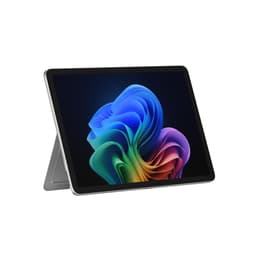
The Microsoft Surface Pro is the pick for students who want a tablet-laptop hybrid and value flexibility in how they work. It is the most versatile form factor in this guide: a 12-inch touchscreen device that functions as a tablet for reading and annotating lecture notes, and as a laptop when paired with a keyboard cover. It is worth noting that the Type Cover keyboard is sold separately, which adds to the total cost and should be factored into the budget.
The chip is a Snapdragon X Plus, the same ARM-based platform found in the ASUS Vivobook S 14 S3407QA, and it carries Copilot+ PC certification. Performance is strong for everyday student tasks, and the ARM architecture delivers excellent battery efficiency. RAM is 16 GB and storage is 256 GB SSD. The 256 GB storage is the most notable limitation: students who work with large files will need to use cloud storage or an external drive, as local space fills quickly.
The display is a 12-inch LCD touchscreen at 2880×1920, which is one of the sharpest panels in this guide by pixel density. The high resolution makes reading PDFs and annotating documents with a stylus a genuinely pleasant experience, and the touchscreen is responsive and accurate. The Surface Pro is particularly well suited to students on courses that involve a lot of reading, annotation, and handwritten notes, such as law, medicine, or humanities subjects.
The port selection is the most limited of any device in this guide: a single USB-C port. Students who need to connect multiple peripherals will need a USB-C hub, and the cost of that hub should be added to the budget. The Surface Pro is also the only device in this guide that functions as a standalone tablet, which gives it a unique use case that no other pick here can match. For the right student, that flexibility is worth the compromises on storage and ports.
Verdict: The best hybrid option for students who want a tablet for reading and annotation alongside a laptop for writing and research. Factor in the cost of the keyboard cover and a USB-C hub when budgeting.
Pros
- 2880×1920 touchscreen is ideal for reading PDFs, annotating lecture notes, and handwritten input with a stylus
- Snapdragon X Plus delivers strong battery efficiency for all-day use in tablet and laptop modes
Cons
- Single USB-C port is severely limiting and a hub is essential for most students
- Keyboard cover is sold separately, adding meaningfully to the total cost above the listed price
- 256 GB storage is modest and will require cloud storage or an external drive for media-heavy courses
The Intel version of the Aspire Go 15 lists a Core i5-13420H, 8 GB of RAM, a 512 GB SSD and a 15.6-inch 1920×1080 display, and runs Windows 11. It usually sits towards the lower end of the around-£500 bracket. The 8 GB of RAM is the figure to weigh: the Ryzen version (no. 5) lists 16 GB, and the difference shows once a course runs several applications at once.
Check before buying: confirm your course's software requirements before choosing an 8 GB Windows laptop, and compare the live price against the Ryzen model (no. 5).
The Acer Chromebook 314 lists an Intel Celeron N4500, 4 GB of RAM, 64 GB of eMMC storage and a 14-inch 1920×1080 display. It is the same screen size as the HP with half the memory and an older processor, so it suits a course that lives in documents, lectures and video calls rather than one that runs many tabs and apps at once. Our Acer Chromebook 314 review has the detail.
Check before buying: with 4 GB of RAM, confirm the web apps your course needs are light enough, and compare its live price against the HP Chromebook 14 before deciding the extra memory isn't worth it.
More Student Laptop Guides
For course-specific picks, see our guides for engineering students, medical students, law students, business students and student content creators. For the wider market beyond student use, start with our best laptops UK 2026 guide.
Before You Buy: a Five-Point Check
- Confirm the software your course and exams require, and whether it runs on ChromeOS, Windows on ARM or macOS before you choose a platform.
- Check the weight and the charger on the manufacturer's page if you'll carry the laptop every day.
- Confirm the warranty and the returns window with the seller you buy from.
- Decide whether you need a keyboard, stylus, hub or external monitor, and add it to the cost.
- Compare the current Apple Education Store price, any scheme your university runs, and the manufacturer's own student offer before paying the listing price.
Buying Guide
Battery Life
Battery life is the single most important specification for a student laptop, and it is also the most frequently misrepresented. Manufacturer claims are measured under controlled conditions that rarely reflect real-world use. Manufacturer battery figures are measured under their own conditions; treat them as a comparison between models rather than a prediction for your day. For a student who spends 8 to 10 hours on campus, that means anything claiming under 14 hours is likely to need a midday charge. The HP OmniBook 5's 34.75-hour claim is the highest in this guide and is HP's own figure. ARM-based machines from Qualcomm and Apple consistently outperform Intel and AMD equivalents on battery life, and that gap has widened in 2026.
Weight and Portability
A laptop that is heavy or bulky becomes a burden when you are carrying it alongside textbooks, a water bottle, and a bag full of other essentials. As a general guide, anything under 1.4 kg is genuinely light, 1.4 to 1.8 kg is comfortable for daily use, and anything above 1.8 kg starts to feel heavy over a long day. Screen size is directly related to weight: 13 and 14-inch machines are almost always lighter than 15 and 16-inch alternatives. If you primarily work at a desk and only occasionally carry your laptop, a 15-inch machine is fine. If you carry it everywhere every day, prioritise a 14-inch or smaller form factor.
RAM and Storage
For 2026, 16 GB of RAM is the recommended minimum for a Windows laptop that will be used for three or four years. 8 GB is acceptable on macOS due to Apple's unified memory architecture but will feel limiting on Windows, particularly as browser tabs and applications grow more memory-hungry. Storage of 512 GB is the practical minimum for a student who stores files locally; 1 TB is preferable if the budget allows. SSD type matters: NVMe SSDs are significantly faster than eMMC storage found in budget Chromebooks, which affects boot times and application launch speeds in everyday use.
Display Quality
Students spend many hours reading text on screen, so display quality matters more than many buyers realise. IPS panels offer good viewing angles and colour accuracy and are the minimum recommended for comfortable extended use. OLED panels, now available at mid-range prices, offer superior contrast and colour vibrancy but can exhibit burn-in over many years of static content. TN panels, found on some budget machines, have narrow viewing angles and should be avoided if possible. Resolution of 1920×1080 is adequate on a 15-inch screen; on a 14-inch screen, 2560×1600 is noticeably sharper and easier on the eyes for long reading sessions.
Operating System
Windows 11 is the most compatible choice for students who need specialist academic software, as most university-provided applications are Windows-first. macOS is excellent for students on creative courses and those already invested in the Apple ecosystem, but compatibility with some academic tools requires checking in advance. ChromeOS is the most limited option but entirely adequate for students who work primarily online using Google Workspace or web-based tools. Always check with your university's IT department which operating system is supported for any required software before purchasing.
Ports
Most university lecture theatres and seminar rooms still use HDMI for projector connections, so a machine with a built-in HDMI port avoids the need to carry an adapter. USB-A ports remain useful for connecting older peripherals, USB drives, and mice. USB-C with Power Delivery allows charging via a single cable, which reduces the number of chargers you need to carry. If a machine has limited ports, a USB-C hub is an extra cost to factor in when comparing options.
The HP OmniBook 5 16" (B0FQJP49NP) is the overall winner for students in the UK in 2026. Its 34.75-hour rated battery life is the defining advantage: no other Windows laptop in this guide comes close, and for students who spend long days on campus without reliable access to power sockets, that endurance is transformative. The 16-inch OLED display at 1920×1200 is a genuine premium feature at this price, making it more pleasant to work on for extended periods than any IPS or TN alternative in the guide. The Snapdragon X1-26-100 chip handles every student workload efficiently, and 16 GB of RAM with a 512 GB NVMe SSD is a well-balanced configuration for a full course.
For students on tighter budgets, the Lenovo IdeaPad 1 15" (B0D81C6WGH) is the Best Value pick, delivering 16 GB RAM and a 512 GB NVMe SSD in the sub-£500 band. For macOS users, the Apple MacBook Air M1 (B08N5N1WBH) remains one of the best laptops available around £500, with strong battery life and a fanless design built to last. And for students on demanding creative or technical courses who can stretch to the top of the budget, the ASUS Vivobook S14 M3407HA (B0DPLG2DMD) lists 32 GB of RAM, a 1 TB SSD and an OLED display.