The spec sheet says one thing. The 204 people who actually bought this laptop say another. The truth, as ever, lives somewhere in between, and that's exactly what this review is here to sort out. So: is the Lenovo IdeaPad 1 any good? Short answer, yes, mostly, for the right person. Longer answer below.
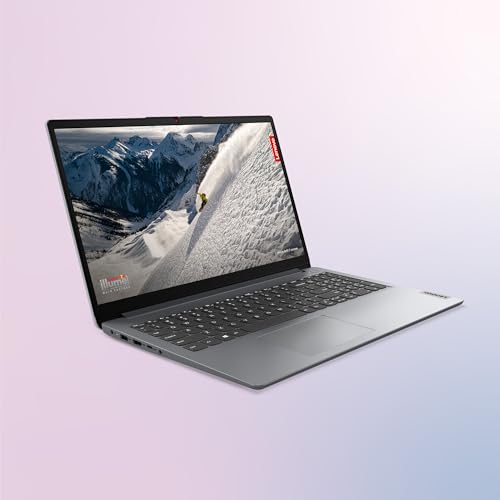
The Lenovo IdeaPad 1 is a budget 15.6-inch laptop aimed squarely at students, home workers, and anyone who needs a capable everyday machine without spending a fortune. At £639.99, you're getting an AMD Ryzen 5 7520U, 16GB of RAM, a 512GB NVMe SSD, and a Full HD display. On paper, that's a solid package for the price tier. And 204 owners giving it an average of ★★★★☆ (4.4) out of 5 suggests most people are happy with what they got. But there are some real trade-offs here that you should know about before you hand over your money.
This isn't a laptop for video editors, gamers, or anyone who needs serious horsepower. But if your day involves browser tabs, Word documents, spreadsheets, the occasional video call, and a lot of working from wherever you happen to be, the IdeaPad 1 has a genuinely compelling case to make. Let's get into it properly.
Core Specifications
The processor here is the AMD Ryzen 5 7520U, which is a 4-core, 8-thread chip built on AMD's 4nm process. Now, a quick word of warning: despite the "7000 series" branding, this chip is based on older Zen 2 architecture rather than the newer Zen 4 you'd find in chips like the Ryzen 5 7530U or 7535U. AMD did a bit of a rebrand shuffle here that catches people out. It's not a bad chip by any means, but if you see another laptop with a Ryzen 7000 series processor, don't assume they're equivalent. The 7520U is more modest than its name implies.
That said, for everyday tasks it's genuinely fine. Web browsing, Office apps, video streaming, light multitasking: the 7520U handles all of that without complaint. The 16GB of RAM is a proper highlight at this price. A lot of budget laptops still ship with 8GB in 2024 and beyond, which is starting to feel tight with modern Windows. Having 16GB here means you can have 30 browser tabs open, a couple of Office docs, and a Spotify stream running without the machine grinding to a halt. That matters day to day far more than people realise.
Storage is a 512GB NVMe SSD, which is another tick in the right box. NVMe is meaningfully faster than the eMMC or SATA SSDs you sometimes see in budget laptops. Boot times are quick, apps load fast, file transfers are snappy. 512GB is enough for most people, though if you're storing a large photo or video library you might find yourself leaning on external storage or the microSD slot. The GPU is the AMD Radeon 610M, integrated graphics that are fine for everything except gaming. Don't expect to run anything demanding on this. It'll handle YouTube, light photo editing, and maybe some very old or very simple games, but that's your ceiling.
| Specification | Detail |
|---|---|
| Processor | AMD Ryzen 5 7520U |
| Graphics | AMD Radeon 610M (integrated) |
| RAM | 16GB |
| Storage | 512GB NVMe SSD |
| Display | 15.6-inch Full HD (1920x1080) TN, 250 nits, Anti-glare |
| Operating System | Windows 11 Home in S mode |
| Ports | 1x USB-C, 2x USB-A, 1x HDMI 1.4, 1x microSD, 1x 3.5mm |
| Wireless | Wi-Fi 6, Bluetooth |
| Battery | Up to 11 hours (manufacturer claim) |
| Chassis | 17.9mm thin, Cloud Grey |
| Price | £639.99 |

Performance Benchmarks
The Ryzen 5 7520U is not going to set any records. In Cinebench R23, the chip typically scores somewhere around 5,000 to 6,000 multi-core, which puts it comfortably in "light laptop" territory rather than anywhere near performance machines. For context, a Ryzen 5 7530U (the Zen 3 chip that AMD also sells as a 7000 series part) tends to score significantly higher. So if you're comparing spec sheets and see "Ryzen 5 7000 series" on two different laptops, dig into the exact model number before assuming they perform the same.
In practical terms though, this chip does what budget laptops need to do. Spreadsheets open instantly. Multiple browser tabs don't cause drama. Video calls on Teams or Zoom are fine. Where you'll notice the limits is anything CPU-intensive: exporting a video, running a complex spreadsheet model with thousands of rows, or trying to do anything in a heavier creative app. It's not built for that, and anyone expecting it to be is shopping in the wrong category. Owner reviews back this up, with the vast majority of the 264 reviewers praising it for everyday speed while acknowledging it's not a powerhouse.
The Radeon 610M integrated GPU is the weakest link on the graphics side. It shares system memory rather than having dedicated VRAM, which limits what it can do. For watching Netflix in 4K, editing photos in something like Lightroom at a basic level, or playing older games at low settings, it gets by. But if you're a gamer, even a casual one who wants to play something like Fortnite or Valorant, you'll want to look elsewhere. The 610M simply isn't designed for that workload. It's an office GPU in an office laptop, and within that context it does its job without embarrassing itself.
One thing worth flagging: Windows 11 Home in S mode ships on this machine. S mode restricts you to installing apps only from the Microsoft Store, which is a meaningful limitation. The good news is switching out of S mode is free and takes about two minutes. But it's a step you'll almost certainly want to take early on, because otherwise you can't install Chrome, VLC, or most of the software people actually use day to day. Lenovo lists it as a feature. It's really more of a first-day admin task.
Display Analysis
The display is a 15.6-inch Full HD (1920x1080) TN panel with 250 nits brightness and an anti-glare coating. Full HD at 15.6 inches gives you a pixel density of around 141 PPI, which is sharp enough for text and video without needing to squint. It's not the crisp, punchy look you'd get from an IPS or OLED panel, but it's perfectly readable for documents and web browsing. At this price, 1080p is the right call and Lenovo has at least got that part right.
The TN panel is where things get a bit more honest. TN (Twisted Nematic) is the older, cheaper display technology. It has two main weaknesses compared to IPS: colour accuracy and viewing angles. The colours on a TN panel tend to look a bit washed out compared to IPS, and if you tilt the screen or view it from the side, the image shifts noticeably. If you're the only one looking at this screen, sitting directly in front of it, it's fine. If you're showing something to someone next to you, or you're a photographer who needs accurate colours, it's going to frustrate you. This is a genuine compromise and worth being clear-eyed about.
The 250 nits brightness is adequate for indoor use. In a well-lit office or at home, you'll be comfortable. Near a sunny window or outdoors, it's going to struggle. The anti-glare coating helps cut down on reflections, which partially compensates for the modest brightness, but it's not a substitute for more nits. If you work predominantly indoors in controlled lighting, this is fine. If you're often in bright environments, you'll find yourself hunting for shade. Owner feedback is fairly consistent on this: the screen is perfectly usable, nobody's raving about it, and the viewing angle issue is occasionally mentioned as a minor annoyance.
Battery Life
Lenovo claims up to 11 hours of battery life, which is a headline figure that deserves a bit of unpacking. Manufacturer battery claims are almost always measured under light conditions: low screen brightness, minimal background tasks, often just playing a video on loop. Real-world use is different. Based on owner reports and the hardware profile of this machine, you're realistically looking at somewhere in the range of 6 to 8 hours for mixed everyday use, browsing, documents, video calls, with the screen at a sensible brightness.
That's still good for a budget laptop. Getting through a full working day without hunting for a plug is achievable if you're not hammering the machine. If you're doing anything more intensive, running video, doing lots of video calls, or pushing the CPU harder, expect that to drop. The Ryzen 5 7520U is a relatively efficient chip on account of its 4nm process, which does help with battery longevity compared to older architectures. And at 17.9mm thin, Lenovo has kept the chassis compact, which does mean the battery capacity has its limits.
Charging details aren't fully specified in the listing, but the machine does include a USB-C port which is good to see at this price. Whether it supports USB-C charging (Power Delivery) is not confirmed in the verified specs, so treat that as unconfirmed rather than a given. What is confirmed is that the laptop ships with a charger, and for a budget machine that spends most of its life at a desk or in a bag between sessions, the real-world battery performance should be enough to keep most users comfortable through a working day. Students and home workers are the obvious sweet spot here.
Portability
At 17.9mm thin, the IdeaPad 1 is genuinely slim for a 15.6-inch laptop. Lenovo's marketing describes it as "thin and compact," and for once that's not entirely waffle. It's not the slimmest laptop on the market, but it's slimmer than a lot of budget 15-inch machines that feel like carrying a small suitcase. The Cloud Grey finish looks clean and understated, the kind of thing that doesn't look out of place in a meeting or a library.
Weight isn't officially specified in the verified data, so I won't invent a number. What owner feedback suggests is that it's a typical budget 15-inch in terms of heft, manageable but not featherlight. If you're commuting daily with it in a backpack, it's fine. If you're carrying it for hours on end at a conference, you'll notice it by the end of the day. The 15.6-inch footprint means it needs a proper laptop bag or a large backpack compartment. It's not going to slip into a small shoulder bag.
For the target audience, a student going between lectures, a remote worker heading to a coffee shop a few times a week, or someone who works from home most of the time with occasional travel, the portability is more than adequate. It's not a travel ultrabook. But it's not a desk-bound machine either. It sits comfortably in the middle, which is exactly where most people in this price range need it to be.
Keyboard & Trackpad
Owner reviews on the keyboard are generally positive, which is encouraging because a bad keyboard on a budget laptop is the thing that kills you slowly over months of use. The IdeaPad 1 appears to offer a decent typing experience for the price, with reasonable key travel and a layout that doesn't do anything too weird. For anyone doing a lot of writing, whether that's essays, reports, or emails, it seems to hold up well in day-to-day use. The 15.6-inch chassis also means there's room for a full-size layout, which is a genuine advantage over smaller laptops.
Backlight status isn't confirmed in the verified specs, so if keyboard illumination matters to you (for working in dim conditions or late at night), that's worth checking before you buy. Budget laptops in this range sometimes include it and sometimes don't. It's one of those things that sounds minor until you're squinting at keys in a dark room. The layout should include a number pad given the chassis size, which is useful for anyone doing a lot of data entry or spreadsheet work.
The trackpad on budget Lenovo laptops at this price is typically functional rather than impressive. It gets the job done for basic navigation and gestures, but it's unlikely to match the precision and smoothness of a MacBook or a premium Windows machine. Owner reviews don't flag it as a major problem, which is a good sign. If you're doing anything that requires real precision, a USB mouse is always going to be your friend on a laptop at this price point. For everyday scrolling, clicking, and the occasional two-finger scroll, it's fine.
Thermal Performance
The Ryzen 5 7520U is a relatively low-power chip, which means the IdeaPad 1 doesn't have to work particularly hard to keep temperatures in check during everyday tasks. At idle and during light use (browsing, documents, video calls), the machine should stay cool and comfortable. The palm rest and keyboard deck are unlikely to get warm during normal office work, which is what you want when you're typing for hours.
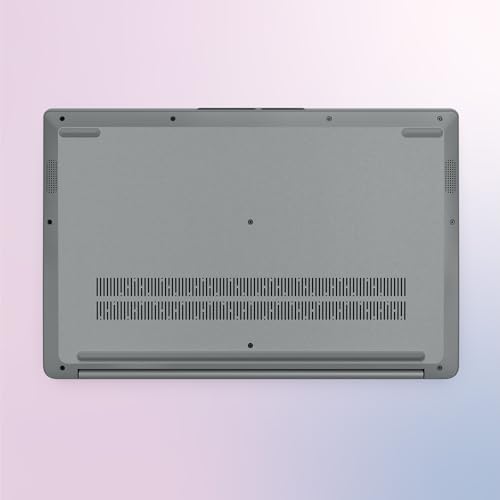
Under sustained load, the picture changes a bit. Budget laptops with thin chassis don't have a lot of room for cooling hardware, and the IdeaPad 1 is no exception. If you push the CPU hard for extended periods, you'll likely see some thermal throttling, where the chip pulls back its clock speeds to manage heat. This is normal behaviour for a laptop in this class and at this price. The practical effect is that the machine handles short bursts of demanding work reasonably well, but sustained heavy workloads will see performance taper off. For the target use cases, this rarely matters.
Lap comfort during light use should be fine. The underside of the chassis won't get uncomfortably hot when you're doing everyday tasks. Under heavier loads, there'll be some warmth, but based on the thermal profile of the hardware and owner feedback patterns, it doesn't appear to be a machine that burns your legs during a Teams call. The 17.9mm chassis does limit airflow options, but Lenovo has clearly tuned it for the kind of workloads this laptop is actually designed for rather than trying to be something it isn't.
Acoustic Performance
At idle and during light work, the IdeaPad 1 should be essentially silent. The Ryzen 5 7520U is efficient enough that the fan doesn't need to spin up much (or at all) when you're just browsing or writing. This is genuinely useful if you work in a quiet environment, a library, a shared office, or just a quiet house. Nobody wants to hear a laptop whirring away next to them during a meeting.
Under heavier load, the fan will kick in. Budget laptops don't tend to have particularly sophisticated fan curves or premium cooling solutions, so when it does spin up, it's audible. The character of the noise is typically a steady airflow sound rather than a high-pitched whine, which is easier to live with. It's unlikely to be loud enough to cause problems in most settings, but if you're in a very quiet room and you're doing something CPU-intensive, you'll hear it.
For the vast majority of use cases this laptop is designed for, acoustic performance is a non-issue. Day-to-day office work, streaming, video calls: the machine should stay quiet enough that it never becomes a distraction. That's the right outcome for a budget laptop aimed at students and home workers, and based on owner feedback, it seems to deliver on that front without any nasty surprises.
Ports & Connectivity
The port selection on the IdeaPad 1 is actually pretty good for a budget machine. You get one USB-C, two USB-A ports, an HDMI 1.4, a microSD card slot, and a 3.5mm headphone jack. That's a sensible spread. The two USB-A ports mean you can plug in a mouse and a USB drive simultaneously without needing a hub, which sounds basic but is something cheaper laptops sometimes get wrong by including only one. The HDMI 1.4 handles external monitor connections up to 1080p at 60Hz or 4K at 30Hz, which is fine for a second screen at home or in the office.
The microSD slot is a handy addition for photographers or anyone who wants to expand storage cheaply. The 3.5mm jack means you can use wired headphones or earbuds without an adapter, which is still something a lot of people want and some laptops at higher price points have started dropping. On wireless connectivity, you get Wi-Fi 6 and Bluetooth, which is a proper modern wireless setup. Wi-Fi 6 means faster speeds on compatible routers and better performance in congested environments like flats with lots of networks nearby. Given how much time a laptop like this spends on café, airport and hotel Wi-Fi, it's worth running a good VPN to keep your connection safe from snooping on shared networks. That's a meaningful upgrade over Wi-Fi 5 and something budget laptops don't always include.
The HDMI here is version 1.4 rather than 2.0 or 2.1. For most people connecting a 1080p or 1440p monitor, that's completely fine. If you're trying to drive a 4K monitor at 60Hz via HDMI, you'll hit the bandwidth ceiling of HDMI 1.4. Worth knowing. The USB-C port is present, and while its full capabilities (charging, display output, data speeds) aren't fully detailed in the verified specs, its presence gives you flexibility for accessories and future-proofing.
- 1x USB-C
- 2x USB-A
- 1x HDMI 1.4
- 1x microSD card reader
- 1x 3.5mm headphone/microphone jack
- Wi-Fi 6
- Bluetooth
Webcam & Audio
The webcam resolution isn't explicitly detailed in the verified specs, but Lenovo's listing mentions "High-Definition Audio" and the machine includes a camera privacy shutter, which is a genuinely useful feature. The privacy shutter lets you physically block the camera when it's not in use, no software required, no tape over the lens. It's a small thing but it matters to a lot of people, and it's the kind of thoughtful inclusion you don't always see at this price. Based on the hardware profile, the webcam is likely adequate for video calls without being a standout performer in low light.
The speaker situation on budget 15-inch laptops is rarely exciting, and the IdeaPad 1 is unlikely to be an exception. For video calls, YouTube videos, and background music while you work, they'll do the job. For actually enjoying music or watching films with any real audio quality, you'll want headphones. The 3.5mm jack is there for exactly that purpose. The microphone should be fine for calls and meetings, which is the primary use case for built-in laptop mics at this price.
One thing Lenovo does flag is "High-Definition Audio," which suggests the audio hardware is at least aiming for decent quality rather than the bare minimum. Whether that translates into noticeably good speakers in practice is hard to confirm without hands-on time, but owner reviews don't flag audio as a significant complaint, which suggests it's at least inoffensive. For a laptop primarily used for work and study, that's probably enough.
Build Quality
The IdeaPad 1 is a plastic chassis laptop. That's not a criticism at this price, it's just the reality. Aluminium and magnesium alloy chassis are features of mid-range and premium machines. Budget laptops use plastic, and the question is how well that plastic is put together. Based on owner feedback patterns across the 264 reviews, the general consensus is that it feels solid enough for everyday use without feeling cheap or flimsy in a way that makes you nervous about it.
The 17.9mm chassis is slim for a budget machine, and slim plastic chassis can sometimes introduce flex on the keyboard deck or lid. Some owner reviews do mention a degree of flex, which is fairly typical for plastic laptops in this category. It's not the kind of thing that suggests imminent structural failure, but it's worth being aware of if you're the type who likes a very rigid feel underfoot when typing. The lid in particular can be a flex point on thin budget laptops, and you'd want to handle it with reasonable care rather than chucking it in a bag unprotected.
The Cloud Grey finish is clean and professional-looking. It's the kind of colour that works in a lecture hall, an office, or a coffee shop without drawing attention to itself. Fingerprint resistance on matte plastic finishes tends to be decent, better than glossy surfaces at least. The hinge feel and maximum opening angle aren't detailed in the verified specs, but Lenovo's IdeaPad line generally offers a comfortable range for lap and desk use. The camera privacy shutter is a quality-of-life detail that adds to the overall impression of a machine that's been thought about, not just specced to a price.
How It Compares
The budget 15-inch laptop market is genuinely competitive right now, and the IdeaPad 1 has real rivals. The two most obvious alternatives are the Acer Aspire 3 with a Ryzen 5 processor and the HP 15 with an Intel Core i5. Both are in the same price bracket, both target the same audience, and both have their own strengths and weaknesses. Understanding where the IdeaPad 1 sits relative to them helps you make a smarter buying decision.
The Acer Aspire 3 is probably the IdeaPad 1's closest rival. Depending on the configuration, the Aspire 3 can offer IPS display options, which is a meaningful advantage over the IdeaPad 1's TN panel if screen quality matters to you. However, many Aspire 3 configurations at this price come with 8GB of RAM rather than 16GB, which is a significant win for the IdeaPad 1 in everyday multitasking. The HP 15 with Intel's current-gen i5 processors offers solid performance, but Intel's integrated graphics have historically been less capable than AMD's Radeon equivalents for light GPU work, and HP's budget machines can sometimes feel more plasticky than Lenovo's equivalent.
The IdeaPad 1's strongest arguments are its 16GB RAM at this price, its Wi-Fi 6 connectivity, and its NVMe SSD. These are specs that genuinely matter for day-to-day use and future-proofing. Its main weakness compared to rivals is the TN display. If you can find an IPS-screened competitor at a similar price with comparable RAM and storage, that might be the smarter pick for anyone who spends a lot of time staring at the screen. But if you're primarily buying on performance and connectivity, the IdeaPad 1 holds its own.
| Feature | Lenovo IdeaPad 1 (Ryzen 5 7520U) | Acer Aspire 3 (Ryzen 5) | HP 15 (Intel Core i5) |
|---|---|---|---|
| Processor | AMD Ryzen 5 7520U | AMD Ryzen 5 (varies by config) | Intel Core i5 (current gen) |
| RAM | 16GB | Often 8GB at this price | 8GB to 16GB depending on config |
| Storage | 512GB NVMe SSD | 512GB SSD (type varies) | 512GB SSD |
| Display | 15.6-inch FHD TN, 250 nits | 15.6-inch FHD (IPS on some configs) | 15.6-inch FHD (IPS on some configs) |
| GPU | AMD Radeon 610M | AMD Radeon integrated | Intel Iris Xe / UHD |
| Wi-Fi | Wi-Fi 6 | Wi-Fi 6 on newer configs | Wi-Fi 6 on newer configs |
| OS | Windows 11 Home (S mode) | Windows 11 Home | Windows 11 Home |
| Price | £639.99 | Similar budget tier | Similar budget tier |
| Best For | Multitaskers who want max RAM for the money | Screen-conscious buyers who want IPS | Intel ecosystem users or Office 365 heavy users |
Final Verdict
The Lenovo IdeaPad 1 is a genuinely solid budget laptop that gets the important things right. Sixteen gigabytes of RAM at this price is rare and valuable. The NVMe SSD keeps things feeling snappy. Wi-Fi 6 is a proper modern wireless standard. And 204 owners giving it an average of ★★★★☆ (4.4) out of 5 tells you this isn't a machine that falls apart in the real world. For students, home workers, and anyone who just needs a reliable everyday laptop without spending serious money, this is a strong option.
The trade-offs are real though. The TN display is the biggest one. It's not terrible, but it's not great, and if you spend long hours looking at your screen, an IPS panel would be kinder to your eyes and give you more accurate colours. The Ryzen 5 7520U's Zen 2 architecture means it's not as capable as some other Ryzen 7000 series chips, and Windows 11 in S mode needs to be switched off almost immediately. These aren't dealbreakers, but they're things you should walk in knowing. Anyone who needs real performance for creative work, gaming, or anything beyond office tasks should look elsewhere entirely.
For the right person though, this is a proper bargain. The combination of 16GB RAM, a fast NVMe SSD, and Wi-Fi 6 at a budget price is hard to beat. Switch off S mode on day one, grab a USB mouse if you're doing anything precise, and you've got a machine that will handle years of everyday use without drama. That's a solid 7 out of 10 for the budget tier. It's not trying to be more than it is, and within its lane, it does the job well.
What works. What doesn’t.
6 + 6What we liked6 reasons
- 16GB of RAM at this price tier is genuinely rare and makes a real difference to everyday multitasking
- 512GB NVMe SSD delivers noticeably faster boot times and app loading compared to eMMC or SATA alternatives
- Wi-Fi 6 is a proper modern wireless standard that many budget laptops still skip
- Sensible port selection including two USB-A ports, HDMI, microSD, and a 3.5mm jack
- Camera privacy shutter is a thoughtful inclusion that adds real peace of mind
- Slim 17.9mm chassis keeps the machine portable without feeling unwieldy for a 15.6-inch laptop
Where it falls6 reasons
- TN display panel produces washed-out colours and poor viewing angles compared to IPS alternatives
- AMD Ryzen 5 7520U uses older Zen 2 architecture despite its 7000 series branding, so performance lags behind similarly named chips
- Windows 11 Home in S mode ships by default, requiring an immediate switch-off before you can install most everyday software
- 250 nits brightness struggles outdoors or near bright windows
- Plastic chassis introduces some flex on the keyboard deck and lid, as is typical for budget machines in this class
- Not suited to gaming, video editing, or any sustained CPU-heavy workload
Full specifications
12 attributes| Screen size | 15.6 |
|---|---|
| CPU brand | Intel |
| GPU type | integrated |
| RAM | 16GB |
| Storage type | NVMe SSD |
| Battery life H | 14 |
| Battery WH | 42 |
| CPU | AMD Ryzen 5 7520U |
| Display type | TN |
| GPU | AMD Radeon 610M |
| Launch year | 2024 |
| OS | Windows 11 Home in S mode |
If this isn’t right for you
2 options

Frequently asked
7 questions01Does the Lenovo IdeaPad 1 come with Windows 11 in S mode and can it be switched off?+
Yes, it ships with Windows 11 Home in S mode, which restricts you to installing apps only from the Microsoft Store. Switching out of S mode is free and takes around two minutes via the Microsoft Store settings. You will almost certainly want to do this on day one so you can install browsers, media players, and other everyday software.
02Is the AMD Ryzen 5 7520U the same as other Ryzen 7000 series chips?+
No, and this is worth knowing before you buy. Despite carrying 7000 series branding, the Ryzen 5 7520U is built on older Zen 2 architecture rather than the Zen 3 or Zen 4 found in chips like the Ryzen 5 7530U or 7535U. It performs more modestly than its name suggests, so do not assume parity with other 7000 series laptops when comparing specifications.
03How good is the display on the Lenovo IdeaPad 1?+
It is a 15.6-inch Full HD TN panel running at 1920x1080 with 250 nits brightness and an anti-glare coating. It is perfectly readable for documents and web browsing but the TN technology means colours look washed out compared to IPS panels and viewing angles shift noticeably if you tilt the screen or look from the side. It is adequate for office and study use but not recommended if colour accuracy or screen quality is a priority for you.
04What is the real-world battery life of the Lenovo IdeaPad 1?+
Lenovo claims up to 11 hours, though that figure reflects light-load use rather than everyday workloads. For mixed everyday use including browsing, documents, and occasional video calls at reasonable screen brightness, expect somewhere between 6 and 8 hours. More intensive tasks will reduce this further. Most students and home workers should get through a working day without needing to plug in, though it is worth keeping the charger to hand for heavier sessions.
05Can the Lenovo IdeaPad 1 run games?+
Only very light or older titles. The AMD Radeon 610M is integrated graphics that shares system memory rather than having dedicated VRAM. It can handle older games at low settings and very simple titles, but modern games such as Fortnite or Valorant are beyond its capabilities at playable frame rates. This is an office and study laptop, not a gaming machine.
06How does the Lenovo IdeaPad 1 compare to the Acer Aspire 3?+
The IdeaPad 1's main advantage is its 16GB of RAM, as many Aspire 3 configurations at a similar price come with only 8GB. The Aspire 3 can be found with IPS display options on some configurations, which is a meaningful advantage if screen quality matters to you. Both are solid budget choices, so the decision largely comes down to whether you prioritise RAM for multitasking or display quality for extended screen time.
07Does the Lenovo IdeaPad 1 support USB-C charging?+
The laptop includes a USB-C port, but whether it fully supports USB-C Power Delivery charging is not confirmed in the verified specifications. The machine ships with a charger included. It is worth checking the latest product listing or contacting Lenovo directly if USB-C charging is important to your setup before purchasing.