Picking a motherboard is genuinely one of the most stressful parts of building a PC. The CPU choice is easy by comparison. But the board? You're committing to a platform, a feature set, and a BIOS experience you'll be living with for years. Get it wrong and you're either throttling an expensive processor with a rubbish VRM, or paying for connectivity you'll never touch. The ASUS TUF GAMING X870-PLUS WIFI sits right in that upper mid-range bracket where the decisions get genuinely interesting, and I want to tell you straight whether it earns its place there.
The short version: this is one of the most well-rounded AM5 boards you can buy without crossing into proper enthusiast territory. The VRM is properly specced for anything AMD is likely to throw at it, the connectivity list reads like something from a board costing significantly more, and 210 owner reviews averaging ★★★★☆ (4.4) suggests real people are actually happy with it rather than just not bothered enough to complain. But it's not perfect, and there are specific buyers who should look elsewhere. Read on.
Core Specifications
The fundamentals are strong. AMD AM5 socket, X870 chipset, ATX form factor, DDR5 memory support, and a feature list that would have been considered premium territory two years ago. Four M.2 slots including two running PCIe 5.0, a full-bandwidth PCIe 5.0 x16 slot for your GPU, WiFi 7, dual USB4 at 40Gbps, and a front panel USB-C header with Power Delivery fast charge. That's a lot of boxes ticked.
The 16+2+1 power stage configuration with 80A stages is the headline VRM spec, and it's genuinely good for this price bracket. Eight-layer PCB construction is another detail because it affects signal integrity and thermal performance in ways that matter over a long build life. ASUS has fitted ProCool connectors, alloy chokes, and what they describe as durable capacitors throughout. These aren't marketing words for nothing: the component choices here directly affect whether your board is still stable in five years.
The pre-mounted I/O shield is a small thing but owners consistently mention it as a quality-of-life win. Q-Release on the PCIe slot, M.2 Q-Latch for tool-free M.2 installation, and BIOS FlashBack for updating without a CPU installed round out the builder-friendly features. ASUS clearly thought about the installation experience here, not just the spec sheet.
| Specification | Detail |
|---|---|
| Socket | AMD AM5 |
| Chipset | AMD X870 |
| Form Factor | ATX |
| Memory Standard | DDR5 |
| M.2 Slots | 4 total (2x PCIe 5.0, 2x PCIe 4.0) |
| Primary PCIe Slot | PCIe 5.0 x16 |
| VRM Configuration | 16+2+1 phases, 80A stages |
| PCB Layers | 8-layer |
| WiFi | WiFi 7 |
| Ethernet | Realtek 2.5G |
| USB4 | Dual 40Gbps ports |
| Front USB-C | USB 20Gbps with PD Fast Charge |
| Price | £209.99 |
Socket & CPU Compatibility
The AM5 socket is AMD's current platform and it's here to stay for the foreseeable future. ASUS confirms support for Ryzen 9000, 8000, and 7000 series desktop processors, which means you're covered from Zen 4 all the way through to Zen 5. That's meaningful. If you buy a Ryzen 7 7700X today and want to drop in a Ryzen 9 9950X next year, the board handles it. AMD's commitment to AM5 longevity has been one of the platform's genuine selling points versus Intel's habit of changing sockets every other generation.
One thing: if you're planning to run the very latest Ryzen 9000 series chips, you'll want to check the BIOS version on your board before you install. ASUS supports BIOS FlashBack, which means you can update the firmware without having a compatible CPU installed first. This is genuinely useful if you're building fresh with a brand new chip. You just need a USB stick and a few minutes. Plenty of owners have mentioned this feature specifically as something that saved them a headache, and it's the kind of thing that separates a thoughtfully designed board from one that makes you scramble for a mate with an older Ryzen chip.
AM5 uses the LGA-style socket rather than AMD's traditional PGA pins-on-CPU approach. The pins are on the board now, so don't go prodding them with a screwdriver. It's a minor adjustment for anyone coming from older AMD platforms, but it's worth being aware of during installation. The socket itself is built to handle the thermal and electrical demands of AMD's high-end desktop chips, including the power-hungry Ryzen 9 parts that can pull serious wattage under sustained load.
Chipset Features
X870 is AMD's current top mainstream chipset, sitting above B850 and B650 in the stack. The practical difference versus B-series boards is meaningful rather than just marketing. X870 mandates PCIe 5.0 for both the primary GPU slot and at least one M.2 slot, where B-series boards can sometimes offer PCIe 5.0 on paper but with compromises elsewhere. You're also getting more USB bandwidth at the chipset level, which feeds into that impressive rear I/O.
Overclocking support is full and unrestricted on X870. That means CPU overclocking, memory overclocking via JEDEC-standard EXPO profiles, and manual tuning are all on the table. ASUS layers their own AI Overclocking on top of this, which uses the board's sensors to automatically find a stable overclock profile. It's genuinely useful for people who want better-than-stock performance without spending a weekend in BIOS menus. Dynamic OC Switcher and Core Flex add further flexibility for tuning individual core behaviour, and PBO Enhancement works with AMD's Precision Boost Overdrive to extract more performance from Ryzen chips that support it.
The chipset also enables ASUS's AI Networking II and AI Cooling II features. The networking side adapts traffic prioritisation intelligently, which is more useful than it sounds if you're gaming while something else is hammering your connection in the background. AI Cooling II learns your system's thermal behaviour over time and adjusts fan curves accordingly. These are genuinely useful features rather than tick-box additions, though the underlying hardware quality matters more than any software layer sitting on top of it.
VRM & Power Delivery
This is where I actually get excited about this board. The VRM situation is one of the main reasons the TUF GAMING X870-PLUS WIFI deserves serious consideration over cheaper alternatives. Sixteen power stages for the CPU, plus two for SoC and one auxiliary stage, each rated at 80 amps. Do the maths: that's 1,280A of theoretical capacity on the CPU rail alone. Now, real-world delivery is lower than theoretical maximum, but even accounting for that, this VRM has enormous headroom for any current Ryzen chip including the power-hungry Ryzen 9 parts.
The 8-layer PCB matters here too. More copper layers mean better current distribution and lower temperatures across the board, literally. ASUS has paired this with ProCool connectors on the EPS power headers, which are reinforced to handle high current without the connector heating up and degrading over time. Alloy chokes rather than ferrite chokes handle the inductance side of power delivery, and they're generally more efficient and more durable under sustained load. This is the kind of component detail that doesn't show up in gaming benchmarks but absolutely shows up in long-term reliability.
The VRM heatsink coverage is described as enlarged, and owner feedback consistently mentions the board running cool even under extended workloads. This matters enormously if you're planning to run a Ryzen 9 9950X at full tilt for video encoding or 3D rendering. Boards with undersized heatsinks or weaker MOSFETs throttle the CPU to protect themselves, and you paid for that CPU performance. The TUF GAMING X870-PLUS WIFI won't be the limiting factor here. That's a genuine strength worth paying for.
Memory Support
DDR5 only, which is correct for an X870 board in 2026. If you've still got DDR4 kits from a previous build, they won't work here. That's not a criticism of the board, it's just the reality of the AM5 platform. DDR5 prices have come down significantly since the platform launched, and the performance benefits at higher speeds are real, particularly for Ryzen's integrated memory controller which responds well to fast memory.
ASUS supports AEMP (AMD Extended Memory Profile) which is AMD's equivalent of Intel's XMP. In practice this means your DDR5 kit's rated speed profile is stored on the memory itself, and the board reads it and applies it automatically. One button in BIOS and you're running at your kit's rated speed rather than the JEDEC default. Most quality DDR5 kits sold today include AEMP profiles, so this just works. The AI Overclocking feature can also push memory beyond the kit's rated profile if you want to explore that territory.
The dual-channel configuration is standard for ATX boards. Four DIMM slots give you flexibility to start with two sticks and add more later, though for best performance with DDR5 you ideally want to populate in matched pairs using the slots specified in the manual. Maximum supported capacity isn't specified in the verified product data, but X870 platform boards typically support 192GB across four slots with high-density DDR5 modules. The key point is that the memory subsystem here is properly set up for enthusiast-level speeds, not just the bare minimum to get the platform running.
Storage Options
Four M.2 slots is genuinely impressive for this price bracket, and the split between them is well thought out. Two slots run at PCIe 5.0 speeds, which means they're ready for the current generation of fastest consumer NVMe drives. Two more run at PCIe 4.0, which is still very fast and covers every mainstream NVMe drive on the market. The practical effect is that you can install a PCIe 5.0 boot drive, a PCIe 4.0 game storage drive, and still have two more slots for whatever else you need. That's a lot of storage flexibility without touching a single SATA cable.
ASUS has fitted large M.2 heatsinks across the slots, which matters more than people realise. PCIe 5.0 NVMe drives run hot. Without proper cooling they throttle, which defeats the point of paying for a fast drive. The heatsinks here are described as massive in the product listing, and owner feedback supports that the thermal management on the M.2 slots is genuinely good. The M.2 Q-Latch system means you're not hunting for tiny screws either, which is a small but genuinely appreciated quality-of-life improvement during a build.
SATA ports are present for anyone still running 2.5-inch SSDs or older mechanical drives. The exact count isn't specified in the verified product data, but X870 boards typically provide six SATA ports via the chipset. If you're planning a storage-heavy build with a mix of NVMe and SATA devices, the TUF GAMING X870-PLUS WIFI handles it without forcing compromises. This is a proper full-featured storage setup rather than the stripped-back approach some boards in this bracket take to hit a price point.
Expansion Slots & PCIe
The primary PCIe x16 slot runs at full PCIe 5.0 x16 bandwidth. This is the GPU slot, and running it at full specification matters for next-generation graphics cards. Current GPU generations don't fully saturate PCIe 4.0 x16 bandwidth, but that's going to change. Buying a board that already supports PCIe 5.0 x16 means you're not leaving performance on the table when you upgrade to a GPU that actually uses it. ASUS has reinforced this slot, which is standard practice for supporting heavy modern graphics cards.
The Q-Release mechanism on the PCIe slot deserves a mention because it solves a genuinely annoying problem. Standard PCIe retention clips are fiddly to release when a big GPU is blocking access to them. Q-Release lets you disengage the slot without needing to reach around the card. It's the kind of thing you don't appreciate until you've tried to remove a three-slot GPU from a board without it. Owners consistently mention this as a practical win.
Beyond the primary x16 slot, the exact configuration of additional PCIe slots isn't detailed in the verified product data, but ATX X870 boards typically provide additional x4 or x1 slots for expansion cards like capture cards, sound cards, or networking adapters. The important thing is that the primary GPU slot is properly specced and properly reinforced, and the M.2 slots handle the storage expansion that used to require PCIe slots anyway. Most builders won't feel constrained here.
Connectivity & Rear I/O
The rear I/O on the ASUS TUF GAMING X870-PLUS WIFI AMD ATX motherboard is where this board really pulls ahead of cheaper options in the AM5 stack. Dual USB4 ports at 40Gbps is the headline. USB4 at 40Gbps is fast enough to drive external NVMe enclosures at full speed, connect Thunderbolt-compatible peripherals, and handle external GPU enclosures if that's ever relevant to you. Having two of them on a board at this price point is genuinely unusual and worth paying attention to.
The front panel USB-C header running at USB 20Gbps with Power Delivery fast charge support is another thoughtful inclusion. Modern cases increasingly ship with USB-C front panel connectors, and having 20Gbps bandwidth with PD charging means you can plug in a fast external SSD to the front of your case and get proper transfer speeds, or charge a phone or tablet quickly without reaching around to the back. This is the kind of connectivity detail that makes a build feel modern rather than dated three years from now.
BIOS FlashBack is present as a rear I/O button, which is because it's so useful. You can update the BIOS on a board with no CPU installed, no RAM installed, just power and a USB stick. If you're building with a brand new CPU that requires a BIOS update, you don't need to borrow a compatible chip or send the board back. The pre-mounted I/O shield is another small win. Anyone who has wrestled with a separate I/O shield during a build knows why this matters. It's pre-installed at the factory and you just slide the board in.
WiFi & Networking
WiFi 7 is the real deal here. The previous generation WiFi 6E was already fast enough for most purposes, but WiFi 7 brings multi-link operation, which means the adapter can use multiple frequency bands simultaneously rather than picking one. The practical result is lower latency and higher throughput, particularly in congested wireless environments. If you're gaming wirelessly or streaming high-bitrate content over WiFi, this matters. The Q-Antenna system for the WiFi antennas is another builder-friendly touch, making antenna installation straightforward.
The wired side uses a Realtek 2.5G Ethernet controller. Realtek's 2.5G solution is well-established and driver support is solid across Windows and Linux. 2.5 gigabit is fast enough that it won't be a bottleneck for any current internet connection or local network transfer you're likely to do. If you're on a 10G network, this board won't feed it at full speed, but 10G Ethernet on a board at this price point would be genuinely surprising. The 2.5G solution is the right call for this market.
ASUS's AI Networking II sits on top of the hardware and provides intelligent traffic management. The idea is that gaming packets get prioritised over background downloads or updates, which keeps latency consistent when you need it most. The underlying Realtek hardware is doing the heavy lifting, but the software layer adds real value for people who don't want to manually configure QoS settings. Combined with WiFi 7's inherent low-latency characteristics, the networking package here is proper rather than token.
BIOS & Overclocking
ASUS's UEFI BIOS is, genuinely, one of the better implementations in the industry. I'm not going to pretend every BIOS is equally good because they're not. MSI's BIOS has improved but still has a navigation logic that can confuse you. Gigabyte's BIOS is functional but feels dated in places. ASUS's UEFI has an EZ Mode for quick setup and an Advanced Mode that exposes everything you'd ever want to tune, and crucially the layout makes sense. Owner feedback on the TUF GAMING X870-PLUS WIFI specifically mentions the BIOS as a positive, which aligns with ASUS's general reputation here.
The overclocking feature set is extensive. AI Overclocking analyses your specific CPU and cooling setup and applies an appropriate overclock automatically. Dynamic OC Switcher can shift between different performance profiles depending on workload, so you're not running full-tilt power consumption during light tasks. Core Flex allows per-core performance tuning for Ryzen chips that support it. PBO Enhancement works with AMD's own Precision Boost Overdrive algorithm to push single-core performance beyond stock limits. Fan Xpert 4 with AI Cooling II handles the thermal management side, learning your system's behaviour and adjusting fan curves intelligently over time.
The Q-LED diagnostic system gives you visual feedback during POST if something goes wrong. Four LEDs indicate whether the CPU, DRAM, GPU, or boot device is causing a failure. This sounds basic but it's invaluable when you're troubleshooting a new build at midnight and the system won't post. Knowing immediately that it's a RAM issue rather than a CPU or GPU issue saves a lot of time and frustration. ASUS DriverHub for software management and the intuitive UEFI dashboard round out a BIOS and software package that's genuinely among the best available on AM5.
Build Quality & Aesthetics
The eight-layer PCB is a quality indicator worth taking seriously. Budget boards often use six-layer PCBs to cut costs. More layers means more copper, better power distribution, lower electrical resistance, and better signal integrity. You won't see the difference in a benchmark, but you might see it in long-term stability and in how the board handles sustained heavy loads. Combined with the ProCool connectors, alloy chokes, and quality capacitors, the component selection here reflects a board built to last rather than built to a price.
The heatsink coverage is extensive. Enlarged VRM heatsinks, large M.2 heatsinks, and a PCH heatsink all contribute to keeping thermals under control across the board. The hybrid fan headers support both PWM and DC fans, and Fan Xpert 4 gives you granular control over every header. The TUF GAMING aesthetic is relatively restrained compared to ASUS's ROG range. It's not covered in RGB everywhere, which will suit some builders and disappoint others. The overall look is purposeful rather than flashy.
Owner reviews consistently mention the board feeling solid and well-made during installation. The pre-mounted I/O shield, Q-Release on the PCIe slot, M.2 Q-Latch, and Q-Antenna for the WiFi all contribute to an installation experience that's noticeably smoother than boards that haven't thought about these details. One area where a handful of owners have noted minor frustration is with initial BIOS setup when using very high-speed memory kits, requiring a couple of attempts to get EXPO profiles stable. This is fairly common across AM5 boards and isn't specific to ASUS, but it's going in.
How It Compares
The two most obvious competitors to the ASUS TUF GAMING X870-PLUS WIFI in the AM5 upper mid-range bracket are the MSI MAG X870 TOMAHAWK WIFI and the Gigabyte X870 AORUS Elite WIFI. Both are serious boards and both deserve consideration. The comparison table below covers the key differentiators.
The MSI MAG X870 TOMAHAWK WIFI is probably the closest rival. MSI has put serious effort into the TOMAHAWK line and the board's VRM is competitive, though ASUS's 80A stages give it a slight edge on paper for the highest-end Ryzen 9 parts. MSI's BIOS has improved considerably but ASUS still has an edge in overall usability based on owner feedback patterns. The TOMAHAWK tends to come in slightly lower in price, which makes it if the budget is tight. The Gigabyte X870 AORUS Elite WIFI brings Gigabyte's strong thermal design and their BIOS has improved, but it's historically been the weakest of the three in terms of BIOS usability, and some owners report more initial setup friction.
Where the TUF GAMING X870-PLUS WIFI genuinely pulls ahead of both is in the connectivity package. Dual USB4 40Gbps ports on a board at this price point is unusual. The MSI TOMAHAWK and Gigabyte AORUS Elite both offer USB4 but the dual implementation here gives ASUS an edge for users with multiple high-bandwidth peripherals. The front USB-C with PD fast charge is also a differentiator. If connectivity is a priority, the ASUS is the pick. If you're primarily focused on raw overclocking headroom and are comfortable with MSI's BIOS, the TOMAHAWK is a legitimate alternative worth pricing up.
| Feature | ASUS TUF GAMING X870-PLUS WIFI | MSI MAG X870 TOMAHAWK WIFI | Gigabyte X870 AORUS Elite WIFI |
|---|---|---|---|
| VRM Phases | 16+2+1 (80A) | 16+2+1 (competitive) | 16+2+1 (competitive) |
| PCIe 5.0 M.2 Slots | 2 | 2 | 2 |
| PCIe 4.0 M.2 Slots | 2 | 2 | 2 |
| USB4 Ports | 2x 40Gbps | 1x 40Gbps (typical) | 1x 40Gbps (typical) |
| Front USB-C | 20Gbps with PD charge | 20Gbps | 20Gbps |
| WiFi | WiFi 7 | WiFi 7 | WiFi 7 |
| Ethernet | Realtek 2.5G | 2.5G | 2.5G |
| PCB Layers | 8-layer | 8-layer (typical) | 8-layer (typical) |
| BIOS FlashBack | Yes | Yes | Yes |
| BIOS Usability | Excellent | Good | Good |
Final Verdict
The ASUS TUF GAMING X870-PLUS WIFI AMD ATX motherboard earns its place at the top of the upper mid-range AM5 stack. The VRM is properly specced for anything you're realistically going to install in it, the connectivity package is genuinely ahead of most rivals at this price, and ASUS's BIOS remains one of the most usable in the business. A 4.4-star average across 210 owners isn't a fluke. People are actually happy with this board, and the reasons are visible in the spec sheet rather than just marketing copy.
The dual USB4 40Gbps ports are a genuine differentiator. The front USB-C with PD fast charge is a genuine differentiator. The four M.2 slots including two at PCIe 5.0 is proper future-proofing rather than token gesture. The AI features from ASUS, particularly AI Overclocking and AI Cooling II, are more useful in practice than the name suggests. And the build quality details, from the 8-layer PCB to the ProCool connectors to the enlarged heatsinks, reflect a board designed to last rather than just to clear a price point.
Who should buy this? Anyone building an AM5 system with a Ryzen 7 or Ryzen 9 processor who wants a board that won't be the weakest link in the chain. Content creators who need multiple fast storage devices and high-bandwidth peripherals will love the connectivity. Gamers who want WiFi 7 and a proper front USB-C setup without going full enthusiast pricing will find this hits the sweet spot. People who plan to hold a board for five-plus years and upgrade CPUs within the AM5 ecosystem are well served here.
Who should skip it? If you're pairing this with a Ryzen 5 chip for a pure gaming build and you don't need USB4 or WiFi 7, you're paying for features you won't use. An AMD B850 board in the £150 to £180 range handles Ryzen 5 and even Ryzen 7 gaming builds perfectly well. The MSI MAG B850 TOMAHAWK WIFI is the honest recommendation if you're in that scenario. Save the difference for a better GPU or faster storage. But if you're building properly and want a board you won't regret in three years, the TUF GAMING X870-PLUS WIFI is the right call.
Editorial score: 8.5 out of 10. Strong VRM, excellent connectivity, great BIOS, and a price that's fair for what you get. The only reason it's not higher is that some of the AI feature branding feels like marketing layered over solid fundamentals, and minor initial BIOS setup friction with high-speed memory kits is a known AM5 quirk that ASUS hasn't fully eliminated. Neither of those is a reason to walk away. This is a proper board.
What works. What doesn’t.
5 + 3What we liked5 reasons
- 16+2+1 power stages at 80A each: serious VRM headroom for top-end Ryzen 9 chips
- Dual USB4 40Gbps ports is unusual at this price and genuinely useful
- Four M.2 slots including two PCIe 5.0 with proper heatsinks
- WiFi 7 and BIOS FlashBack as standard
- ASUS UEFI BIOS is among the most usable on AM5
Where it falls3 reasons
- Overkill for Ryzen 5 builds where a B850 board saves real money
- Minor initial BIOS friction reported with very high-speed DDR5 kits
- AI feature branding oversells what is essentially good hardware doing its job
Full specifications
11 attributes| Socket | AM5 |
|---|---|
| Chipset | X870 |
| Form factor | ATX |
| Bios flashback | true |
| M2 slots | 4 |
| MAX RAM GB | 256 |
| Network | 2.5GbE + Wi-Fi 7 |
| Pcie 5 slots | 1 |
| RAM slots | 4 |
| RAM type | DDR5 |
| Usb4 | true |
If this isn’t right for you
2 options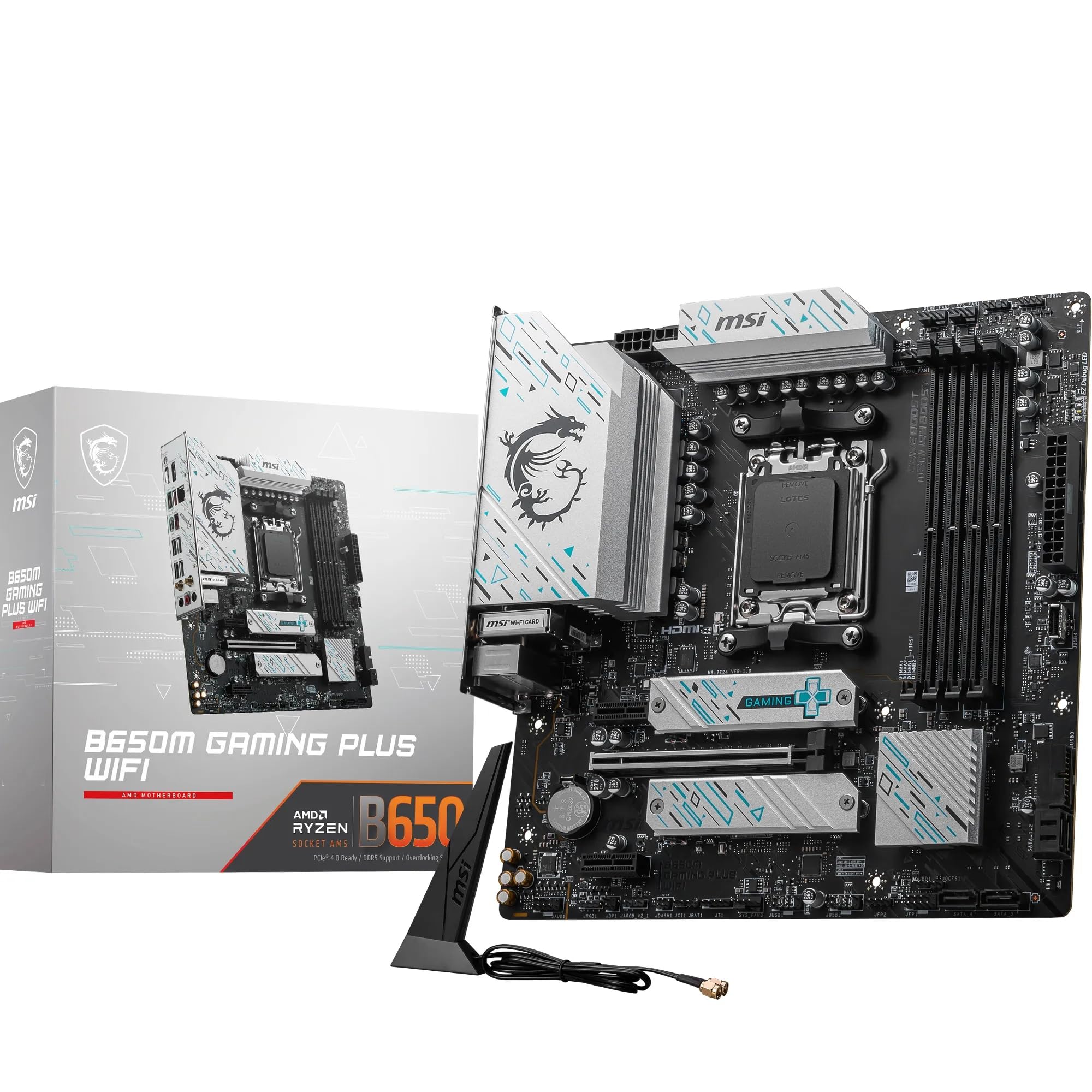

Frequently asked
5 questions01Is the ASUS TUF GAMING X870-PLUS WIFI AMD ATX motherboard overkill for just gaming?+
Depends on what you mean by 'just gaming'. If you're running a Ryzen 5 chip and one GPU, then yes, you're paying for VRM headroom and connectivity you won't use. A B850 board handles that perfectly well. But if you're gaming with a Ryzen 7 or Ryzen 9, want WiFi 7, plan to use USB4 peripherals, or want four M.2 slots for fast game storage, the TUF GAMING X870-PLUS WIFI earns its place. The dual USB4 ports and front USB-C with PD charging are features that make a real difference in daily use, not just on paper.
02Will my existing CPU cooler work with the ASUS TUF GAMING X870-PLUS WIFI AMD ATX motherboard?+
It uses the AMD AM5 socket, which shares the same physical mounting dimensions as AM4. Most coolers designed for AM4 are compatible with AM5 using the same or a similar backplate, though you should check with your cooler manufacturer to confirm. If your cooler was bought in the last few years and is listed as AM4 compatible, there is a very good chance it works on AM5 with the right mounting hardware. Check the cooler manufacturer's website for an AM5 compatibility list before assuming.
03What happens if the ASUS TUF GAMING X870-PLUS WIFI AMD ATX motherboard doesn't work with my components?+
Amazon's standard 30-day return window applies to most purchases, and the A-to-Z Guarantee covers you if something goes wrong with the transaction. For compatibility issues specifically, the BIOS FlashBack feature means you can update the firmware before installing your CPU, which resolves most new-CPU compatibility problems. If you're unsure whether your CPU is supported, check ASUS's official CPU compatibility list for this board on their website before ordering.
04Is there a cheaper motherboard I should consider instead?+
Yes, honestly. If you're building with a Ryzen 5 7600X or similar mid-range chip and primarily gaming, an AMD B850 board in the £150 to £180 range does the job without the premium connectivity overhead. The MSI MAG B850 TOMAHAWK WIFI is a solid example: good VRM, decent BIOS, WiFi 7, and it costs less. The TUF GAMING X870-PLUS WIFI makes most sense when you're pairing it with a Ryzen 7 or Ryzen 9 chip and actually need the USB4 ports, four M.2 slots, and full PCIe 5.0 GPU support.
05What warranty and returns apply to the ASUS TUF GAMING X870-PLUS WIFI AMD ATX motherboard?+
The verified product data doesn't specify a warranty period for this board. ASUS typically provides a three-year warranty on their motherboards in the UK, but you should confirm this directly with ASUS or the retailer at point of purchase. Amazon's 30-day return policy and A-to-Z Guarantee apply to purchases made through Amazon UK, giving you a safety net if the board arrives damaged or doesn't work as expected.