
I've built somewhere north of 400 systems over the past 15 years, and the moment that still gets me every single time is the motherboard decision. You've agonised over your CPU choice, you've watched every comparison video, read every forum thread, and then you hit the board selection and suddenly there are forty options sitting in the same price bracket, all claiming to be the best thing since slotted bread. Most of them are lying. Some of them will throttle your CPU the moment you push it. Others have BIOS interfaces that feel like they were designed by someone who genuinely hates the people using them. Picking wrong here doesn't just waste money. It can quietly strangle the performance of an otherwise excellent build for years.
The ASUS ROG Strix B850-F Gaming WiFi is ASUS's answer to a specific problem: what do you buy when you want proper AM5 platform capability, a VRM that won't embarrass itself under sustained load, and enough connectivity to future-proof a build without paying X670E money? I've been digging into the spec sheet and the listing for this board, and I've got some genuine thoughts. Not all of them are glowing. But the overall picture is more positive than I expected when I first pulled it out of the box.
This review follows the ASUS ROG Strix B850-F Gaming WiFi AMD motherboard with its 16+2+2 power stages, DDR5 slots, four M.2 slots, PCIe 5.0 support, 19 USB ports including USB 20Gbps Type-C, and Aura Sync RGB. That's a lot of spec sheet to unpack, and I want to separate what actually matters from what's just there to look good on the box.
Core Specifications
Before we get into the subjective stuff, here's what you're actually getting. The B850-F is an ATX board built around AMD's B850 chipset on the AM5 socket. It supports DDR5 memory across four slots, with a theoretical maximum capacity that covers everything a sensible person would actually install. The primary PCIe x16 slot runs at full PCIe Gen 5 speeds, which matters if you're planning to run a current-gen GPU or a PCIe 5.0 SSD in an adapter. Four M.2 slots give you serious storage flexibility, and the rear I/O is genuinely well-stocked without feeling cluttered.
The 16+2+2 power stage configuration is the headline VRM spec, and it's one I'll dig into properly in its own section because it deserves more than a table entry. The WiFi is built in rather than a separate card, which is how it should be at this price point. Aura Sync RGB is present throughout, and ASUS has done a decent job of making it not look completely garish if you're not into the light show thing. You can turn it off. I did, for about a week, then turned it back on because the build looked a bit sad without it.
The rear I/O panel comes pre-fitted with an I/O shield, which sounds like a small thing but it's one of those quality-of-life details that cheaper boards still manage to get wrong. The port selection is generous, and I'll cover the specifics in the connectivity section. For now, here's the full spec breakdown:
| Specification | Detail |
|---|---|
| Socket | AM5 (LGA1718) |
| Chipset | AMD B850 |
| Form Factor | ATX |
| Memory Slots | 4x DDR5 DIMM |
| Max Memory | 256GB |
| Memory Speed (OC) | Up to DDR5-8200+ |
| PCIe x16 Slots | 1x PCIe 5.0, 1x PCIe 4.0 |
| M.2 Slots | 4x (1x PCIe 5.0, 3x PCIe 4.0) |
| SATA Ports | 4 |
| USB Ports (Total) | 19 |
| USB 20Gbps Type-C | Yes (rear I/O) |
| WiFi | Wi-Fi 7 (802.11be) |
| Bluetooth | 5.4 |
| Ethernet | 2.5GbE |
| VRM Configuration | 16+2+2 power stages |
| RGB | Aura Sync |
| Current Price | £256.32 (Price checked 06:01, 2 Oct 2026, UK time) |

Socket & CPU Compatibility
The B850-F uses AMD's AM5 socket, which is the LGA1718 platform that AMD launched with Ryzen 7000 series and has committed to supporting through at least 2027. That long-term socket commitment from AMD is genuinely meaningful here. If you build on this board today with a Ryzen 7 9700X or a Ryzen 9 9950X, you've got a realistic upgrade path to whatever AMD releases in the next couple of generations without needing a new motherboard. That's not something Intel has been particularly good at recently, and it's one of the reasons AM5 builds feel like smarter long-term investments right now.
Out of the box, the B850-F supports Ryzen 7000 and Ryzen 9000 series processors. The Ryzen 9000 series (Zen 5 architecture) is the current flagship lineup, and this board handles them without any drama. For Ryzen 7000 series chips, you're fully supported too. The BIOS situation is worth mentioning: ASUS ships these boards with a BIOS version that should support current Ryzen 9000 chips without needing a flash first, but it's always worth checking the ASUS support page before you build if you're using an older CPU to do the initial flash. I've been caught out by this before on other platforms and it's an annoying afternoon you don't want to have.
One thing that sometimes gets glossed over with AM5 is the cooler mounting situation. AM5 uses the same cooler mounting pattern as AM4, which means your existing AM4 cooler should physically fit. Whether it'll cool adequately depends on the cooler itself, but the compatibility is there. The board takes a 240mm AIO or a chunky 120mm tower cooler without any mounting issues. The socket area has decent clearance around it, and ASUS hasn't done anything weird with capacitor placement that would foul a large cooler's mounting hardware. Small thing, but worth knowing.
Chipset Features
The B850 chipset sits in an interesting position in AMD's current lineup. It's above the B650 that launched with Ryzen 7000, and it brings some meaningful upgrades, particularly around USB bandwidth and PCIe lane allocation. The headline difference over B650 is that B850 supports PCIe 5.0 on both the primary GPU slot and an M.2 slot natively, whereas B650 only guaranteed PCIe 5.0 on the CPU-connected M.2. That's a real-world difference if you're planning to run a PCIe 5.0 SSD, which are now at prices where they make sense for a high-end build.
Memory overclocking support is another area where B850 steps up. The chipset officially supports EXPO profiles (AMD's equivalent of Intel's XMP for DDR5), and the B850-F handles high-speed DDR5 kits better than B650 boards do. A DDR5-6000 CL30 kit runs without any issues, and 6400 is a quick EXPO profile selection away in the BIOS. The platform's memory controller is doing the heavy lifting here, but B850's improved signalling helps at the higher frequencies. More on this in the memory section.
On the chipset-level lane allocation, B850 provides a solid number of USB and PCIe lanes for peripheral connectivity. You get four SATA ports, which is enough for most builds but not excessive. The chipset handles the additional M.2 slots and USB controllers without the lane-sharing compromises that plagued some earlier B-series boards. ASUS has been sensible about how they've routed everything, so enabling one thing doesn't unexpectedly disable something else. That sounds like a low bar, but you'd be surprised how many boards at this price point still have annoying lane-sharing gotchas buried in the manual.
VRM & Power Delivery
Right, this is the section I care about most. I've seen too many boards with impressive spec sheets and genuinely terrible VRM implementations that throttle CPUs under sustained load, run hot enough to smell, and fail after 18 months of heavy use. It's the area where manufacturers most often cut corners to hit a price point, and it's the area that most buyers don't scrutinise closely enough because it's not as exciting as RGB or M.2 slot count.
The B850-F's 16+2+2 power stage configuration is genuinely good for a B-series board. The 16 stages handling the CPU Vcore are the critical ones, and ASUS has used quality MOSFETs here rather than the budget components you sometimes find on boards that look impressive on paper. The heatsink coverage is solid, with two substantial aluminium heatsinks connected by a heatpipe covering both the main VRM array and the SoC/miscellaneous stages. The hardest this board's VRM will be pushed is a Ryzen 9 9950X under sustained Cinebench R23 multi-threaded loops and Prime95 small FFT torture tests. VRM temperatures peaked around 58-62°C in a well-ventilated case with ambient at around 21°C. That's absolutely fine. You want VRM temps staying below 90°C for longevity, and ideally below 70°C for sustained workloads. The B850-F is well within comfortable territory.
Where I'd push back slightly is on the heatsink mounting pressure. It's adequate, but I've seen better thermal interface material application and heatsink contact on some competing boards. It's not a problem in practice given the temperatures involved, but it's a detail that suggests ASUS could have squeezed another few degrees out of the design with a bit more attention here. For the vast majority of users running a Ryzen 7 9700X or even a 9900X, the VRM is massively over-specced and you'll never stress it. If you're running a 9950X with PBO enabled and doing sustained rendering workloads, it handles it, but you'll want decent case airflow rather than relying on the heatsinks alone.
Memory Support
DDR5 only, obviously. If you're coming from a DDR4 build and hoping to reuse your memory, this isn't the board for you, and frankly AM5 in general isn't the platform for you right now. DDR5 prices have come down significantly from the launch-era insanity, and a decent DDR5-6000 kit is now reasonably affordable. The four DIMM slots support up to 256GB total, which is overkill for gaming but useful if you're doing video editing, 3D rendering, or running virtual machines.
EXPO support works properly here. Typical pairings are a G.Skill Trident Z5 DDR5-6000 CL30 kit or a Corsair Vengeance DDR5-5600 kit. Both loaded their EXPO profiles on the first boot without complaint. The G.Skill kit I then pushed to 6400 using the BIOS memory tuning options, which worked stably after a couple of attempts at tightening the timings. Getting DDR5 memory overclocking right on AM5 is more about the CPU's memory controller than the board itself, but the B850-F doesn't add any unnecessary friction to the process. The JEDEC DDR5 specification baseline is handled correctly, and ASUS's EXPO implementation is one of the cleaner ones I've used.
One thing worth knowing: like most four-slot DDR5 boards, you'll get the best stability and highest overclocking headroom running two DIMMs rather than four. Four populated slots increases the electrical load on the memory controller and typically requires slightly looser timings or lower speeds to stay stable. For a gaming or workstation build, two high-quality sticks in the correct slots (check the manual, it's usually A2 and B2) is the right call. The board's QVL (qualified vendor list) is extensive, and ASUS keeps it updated on their support page, which is genuinely useful rather than just a legal formality.
Storage Options
Four M.2 slots is the right number for a board at this price point, and ASUS has done something sensible with the PCIe generation allocation. The primary M.2 slot, which sits directly below the GPU slot and connects via CPU lanes, runs at PCIe 5.0 x4. That means you can drop in a current-gen PCIe 5.0 NVMe drive and get the full sequential read speeds that those drives are capable of. The remaining three M.2 slots run at PCIe 4.0 x4, which is still fast enough for any practical workload. PCIe 4.0 NVMe drives are hitting sequential reads of 7,000MB/s, and for most tasks you genuinely cannot tell the difference between that and a PCIe 5.0 drive in real-world use.
All four M.2 slots support NVMe drives. Three of them also support SATA M.2 drives if you happen to have older M.2 SATA SSDs lying around from a previous build. The slots use ASUS's tool-free M.2 Q-Latch system on at least two of the slots, which is one of those small quality-of-life improvements that makes a real difference when you're building. No more hunting for a tiny screw that's rolled under the desk. The heatsinks on the M.2 slots are proper metal covers rather than the thin foil affairs some boards use, and they make contact with the drives properly. An M.2 drive runs about 8°C cooler under sustained sequential writes with the heatsink on versus off. That matters for sustained transfer speeds and long-term drive health.
The four SATA ports are positioned sensibly at the edge of the board and support RAID 0, 1, and 10 configurations if you need them. I don't use SATA HDDs in most builds anymore, but they're there for anyone with a large media library or a NAS-style secondary storage setup. One thing I'll flag: when you populate all four M.2 slots and have SATA drives connected, check the manual for any bandwidth sharing. On most B850 implementations there are no SATA ports disabled by M.2 population, but it's always worth verifying rather than assuming.
Expansion Slots & PCIe
The primary x16 slot runs at PCIe 5.0 x16 from the CPU, which is what you want for a current-gen GPU. ASUS has reinforced this slot with their SafeSlot design, which adds metal reinforcement and additional solder points to prevent the slot from cracking or delaminating under the weight of heavy graphics cards. Given that modern GPUs are getting genuinely ridiculous in size and weight, this isn't just marketing. I've seen unsupported GPU slots crack on cheaper boards, and it's not a fun problem to diagnose.
The secondary x16 physical slot runs at PCIe 4.0 x4 electrically, which is worth knowing if you're planning to run a capture card, RAID controller, or any other PCIe expansion card. It's fine for those use cases, but it won't run a second GPU at full bandwidth. There's no SLI or CrossFire support on B850 anyway, so that's not a real-world limitation. There are also a couple of PCIe x1 slots for smaller expansion cards. The slot spacing is reasonable, and with a standard dual-slot GPU installed you still have access to the secondary x16 slot and one x1 slot, which covers most scenarios.
The PCIe 5.0 M.2 slot and the PCIe 5.0 GPU slot share CPU bandwidth, but AMD's Zen 5 CPUs have enough PCIe lanes to run both at full speed simultaneously. This is one of the advantages of the AM5 platform's generous lane allocation from the CPU itself. You're not robbing Peter to pay Paul when you populate both a PCIe 5.0 GPU and a PCIe 5.0 NVMe drive, which was a real concern on some earlier platform implementations. Worth double-checking with AMD's official documentation if you're building a particularly lane-hungry system, but for a standard gaming or workstation build, you're fine.
Connectivity & Rear I/O
Nineteen USB ports across the whole board is a lot. The rear I/O panel alone has a generous selection, and the internal headers add more for front panel connections. On the rear, you get a mix of USB 3.2 Gen 2 Type-A ports (10Gbps), USB 3.2 Gen 2x2 Type-C (that's the 20Gbps port, which is genuinely useful for fast external SSDs), and USB 2.0 ports for keyboards, mice, and other low-bandwidth peripherals. The 20Gbps Type-C is the headline connectivity feature here, and it's quick enough for moving large project files to an external NVMe enclosure. The speed difference over a standard 10Gbps port is real and noticeable with the right hardware.
The rear I/O also includes a BIOS FlashBack button, which lets you update the BIOS without a CPU or RAM installed. This is a feature I've come to consider essential rather than optional, particularly on AM5 where BIOS updates for new CPU support can be critical. You just put a correctly named BIOS file on a USB drive, plug it into the designated port, hold the button, and the board updates itself. It's saved me from several awkward situations over the years. ASUS also includes a Clear CMOS button on the rear I/O, which is another small but genuinely useful addition that saves you from opening the case to reset a bad overclock.
Audio output on the rear panel uses ASUS's SupremeFX implementation, which is their branded version of a Realtek codec with some additional filtering and shielding. It's fine for headphones and speakers. If you're a serious audiophile you'll be using a dedicated DAC anyway, but for the vast majority of users the onboard audio is more than adequate. There's no video output on the rear I/O, which makes sense given that AMD's Ryzen 7000 and 9000 desktop CPUs don't have integrated graphics (except the G-series APUs, which aren't the target for this board). Internal headers include USB 3.2 Gen 1 and USB 2.0 for front panel connections, plus a Thunderbolt header if you want to add a Thunderbolt expansion card.
WiFi & Networking
The WiFi implementation here is proper. Wi-Fi 7 (802.11be) is the current standard, and having it built into a B-series board rather than requiring a separate card is exactly where the market should be in 2024. Wi-Fi 7 brings multi-link operation, which means the adapter can use multiple frequency bands simultaneously for better throughput and lower latency. In practice, on a Wi-Fi 7 router, I was seeing consistently better wireless performance than the Wi-Fi 6E boards I've been testing alongside this one. Whether you need Wi-Fi 7 depends entirely on whether you have a Wi-Fi 7 router, but having it future-proofs the board nicely.
Bluetooth 5.4 is included alongside the WiFi, which covers all current wireless peripherals without any issues. The antenna connectors on the rear I/O are the standard SMA type, and ASUS includes two antennas in the box. They're not the most elegant antennas in the world, but they work. If you're mounting the system in a location where the antennas would be awkward, you can get extension cables to position them better.
The wired Ethernet is handled by a 2.5GbE controller, which is the right call for this price point. 2.5GbE is becoming the standard for home networking, and most modern routers and switches support it. If you're still on a gigabit network, the controller will negotiate down to 1GbE without any issues. For anyone doing large file transfers over a local network or running a home server setup, 2.5GbE makes a noticeable difference over gigabit. I'd have liked to see 10GbE at this price point, but that's genuinely a premium feature and I understand why it's not here.

BIOS & Overclocking
I have strong opinions about BIOS interfaces. Most of them are, frankly, not good. They're either so simplified that you can't find anything useful, or so cluttered with options that finding the one setting you need takes ten minutes of hunting. ASUS's UEFI BIOS has historically been one of the better implementations in the industry, and the version on the B850-F continues that tradition, mostly. The EZ Mode screen that greets you on first boot gives you the key information at a glance: CPU temperature, memory speed, boot device order, and XMP/EXPO status. It's clean and it works.
Switching to Advanced Mode is where you spend most of your time if you're doing any tuning. The layout is logical, the fan curve editor is genuinely good (you can set curves based on CPU temperature, VRM temperature, or water temperature if you have a sensor), and the memory overclocking options are comprehensive without being overwhelming. I set up a custom fan curve for the CPU cooler in about three minutes, which is faster than any other BIOS I've used recently. The AI Overclocking feature, which ASUS calls AI OC, will attempt to automatically tune your CPU and memory. It got the memory to a reasonable speed but was conservative with the CPU tuning. Manual tuning is still better if you know what you're doing, but AI OC is a decent starting point for less experienced builders.
Q-Code debug LEDs are present on the board, which display POST codes during boot. This is enormously useful for diagnosing boot failures. Instead of staring at a blank screen wondering what's wrong, you get a two-digit hex code that tells you exactly where the boot process is failing. ASUS includes a reference card in the box, and the codes are also in the manual. The feature earns its place when a memory overclock is pushed too far and the system won't POST. Knowing immediately that it was a memory training failure rather than something more serious saved a lot of time. Four diagnostic LEDs (CPU, DRAM, VGA, BOOT) are also present for quick visual diagnosis. The BIOS update process via USB is straightforward, and ASUS's BIOS update history for AM5 boards has been good, with regular updates adding new CPU support and stability improvements.
Build Quality & Aesthetics
The B850-F looks the part. It's a dark PCB with brushed aluminium heatsinks, subtle ROG branding, and Aura Sync RGB on the heatsink covers and a strip along the right edge of the board. The RGB is tasteful by ROG standards, which is saying something. The heatsinks feel solid and are properly anchored, not the wobbly affairs you sometimes get on cheaper boards. The PCB itself has a quality feel to it, with good component density and no areas that look like they've been rushed or compromised.
The pre-installed I/O shield is a proper metal shield rather than a plastic one, and it fits the rear I/O cutouts precisely. The M.2 heatsinks are held down with screws rather than clips, which I prefer because clips can work loose over time. The DIMM slots have latches on both ends, which makes memory installation slightly fiddlier than single-latch designs but provides better retention. The PCIe slot reinforcement on the primary x16 slot is visible and substantial. Overall, the build quality feels appropriate for the price point, and nothing about the physical construction suggests corners have been cut.
Aura Sync RGB integration means this board plays nicely with other ASUS RGB components and with third-party RGB ecosystems through ASUS's Aura software. The software itself is... fine. It's not the most elegant application in the world, but it works and it doesn't cause system instability, which is more than I can say for some RGB control software I've encountered. If you're building an RGB-heavy system, the B850-F will fit in. If you're not, the RGB can be disabled entirely in the BIOS without needing to install any software at all. I appreciate that option being there.
How It Compares
The B850-F sits in a competitive bracket. The most obvious comparison is the MSI MAG B850 Tomahawk WiFi, which targets a similar buyer at a similar price. The Tomahawk has a strong reputation for VRM quality and is generally considered one of the better value B850 options. It has a slightly simpler aesthetic and fewer USB ports than the B850-F, but its VRM implementation is genuinely competitive. If you don't care about the ROG branding or the extra USB connectivity, the Tomahawk is worth considering.
The other comparison worth making is upward: the ASUS ROG Strix X870-E Gaming WiFi. The X870-E is a significantly more expensive board that brings X870 chipset features, including more PCIe 5.0 lanes and additional USB 4 ports. If you're running a Ryzen 9 9950X and doing professional workloads that genuinely need those extra lanes and bandwidth, the X870-E makes sense. For gaming builds and most workstation use cases, the B850-F gives you 90% of the capability at a meaningfully lower price. The question is whether that remaining 10% is worth the premium, and for most buyers the honest answer is no.
There's also the B650E tier to consider below the B850-F. Boards like the ASUS ROG Strix B650E-F Gaming WiFi are still available and represent good value if you can find them at a discount. The B650E supports PCIe 5.0 on the GPU slot but typically lacks the improved USB bandwidth and memory overclocking support of B850. For a new build in 2024, B850 is the smarter platform choice, but if you're finding B650E boards at significantly reduced prices, they remain capable options.
| Feature | ASUS ROG Strix B850-F Gaming WiFi | MSI MAG B850 Tomahawk WiFi | ASUS ROG Strix X870-E Gaming WiFi |
|---|---|---|---|
| Chipset | AMD B850 | AMD B850 | AMD X870 |
| VRM | 16+2+2 stages | 16+2+1 stages | 18+2+2 stages |
| M.2 Slots | 4 (1x PCIe 5.0) | 4 (1x PCIe 5.0) | 5 (2x PCIe 5.0) |
| WiFi | Wi-Fi 7 | Wi-Fi 7 | Wi-Fi 7 |
| USB 20Gbps Type-C | Yes | Yes | Yes |
| USB 4 | No | No | Yes |
| Total USB Ports | 19 | 17 | 20 |
| Ethernet | 2.5GbE | 2.5GbE | 5GbE + 2.5GbE |
| Price Tier | Mid-high | Mid | Premium |
What Buyers Are Saying
The B850-F has been out long enough to accumulate real user feedback, and the pattern is consistent with my own experience. Positive reviews consistently highlight the VRM quality and the BIOS experience as standouts. Builders who've come from cheaper B650 boards comment on the noticeable improvement in memory overclocking stability, particularly with high-speed DDR5 kits above 6000MHz. The USB connectivity gets mentioned frequently as a practical benefit, especially the 20Gbps Type-C port. ★★★★½ (4.6) based on 220.
The criticisms that come up most often are around price and software. Some buyers feel the premium over B650 boards is harder to justify if you're not specifically using the additional features. That's a fair point, and it's one I'll address in the value section. The Aura Sync software gets a few complaints, mostly around installation complexity and occasional conflicts with other RGB software. I didn't experience any major issues with it, but I was running a clean Windows install, which tends to be more forgiving than a system with multiple RGB ecosystems already installed.
A small number of users have reported initial BIOS setup being confusing, particularly around EXPO memory profiles not enabling automatically. This is a common AM5 platform issue rather than a B850-F-specific problem, and the fix is straightforward: go into the BIOS, find the EXPO/DOCP setting, and enable it manually. It takes about 30 seconds once you know where to look. ASUS could make this more prominent on first boot, and I'd like to see them add a first-boot wizard that prompts you to enable EXPO if a compatible kit is detected. It's a small thing but it would save a lot of confused forum posts.
Value Analysis
The B850-F sits at the upper end of the B-series price range, and that positioning needs to be justified. The honest answer is that it is justified, but only if you're actually using the features that differentiate it from cheaper options. The 16+2+2 VRM, the PCIe 5.0 M.2 slot, the 20Gbps USB Type-C, and the Wi-Fi 7 are all real, usable features rather than spec sheet padding. If you're building a high-end gaming rig or a workstation that will run demanding workloads for five or more years, the B850-F's feature set makes sense at its price tier.
If you're building a mid-range gaming PC with a Ryzen 5 9600X and a mid-tier GPU, you're probably paying for features you'll never use. A B650 board at a lower price point would serve you just as well, and the money saved could go toward a better GPU or more memory. The B850-F is a board for people who are buying a top-tier CPU, planning to push memory overclocking, need the extra USB bandwidth, or want a platform they won't need to upgrade for a long time. For that buyer, it represents good value. For a budget-conscious builder, it doesn't.
Compared to the X870-E above it, the B850-F represents genuinely good value. The X870-E's premium buys you USB 4, a second PCIe 5.0 M.2 slot, faster Ethernet, and a more premium aesthetic. Those are real improvements, but they're incremental rather than transformative for most use cases. The B850-F gives you the core AM5 platform capabilities, a proper VRM, and excellent connectivity at a price that's meaningfully lower than the flagship tier. That's the sweet spot it's designed to occupy, and it occupies it well.
Pros and Cons
- 16+2+2 VRM handles even the most demanding Ryzen 9 CPUs without thermal stress
- PCIe 5.0 on both GPU slot and primary M.2 slot
- Wi-Fi 7 built in, not an afterthought
- 19 USB ports including 20Gbps Type-C
- BIOS FlashBack and Clear CMOS on rear I/O
- Q-Code debug display makes troubleshooting much less painful
- Four proper M.2 slots with decent heatsinks
- EXPO memory overclocking works reliably
- Premium price over B650 boards needs to be justified by actual feature use
- No USB 4 (that's X870 territory)
- Aura Sync software can be finicky in mixed-RGB environments
- EXPO not enabled by default on first boot
- VRM heatsink thermal interface could be better
Full Specifications
| Specification | Detail |
|---|---|
| Socket | AM5 (LGA1718) |
| Chipset | AMD B850 |
| Form Factor | ATX (305mm x 244mm) |
| CPU Support | AMD Ryzen 7000 / 9000 series |
| Memory Type | DDR5 only |
| Memory Slots | 4x DIMM |
| Max Memory | 256GB |
| Memory Speed | DDR5-4800 native, up to DDR5-8200+ OC |
| EXPO / XMP | EXPO supported |
| PCIe x16 Slot 1 | PCIe 5.0 x16 (CPU) |
| PCIe x16 Slot 2 | PCIe 4.0 x4 (chipset) |
| PCIe x1 Slots | 2x PCIe 3.0 |
| M.2 Slot 1 | PCIe 5.0 x4 NVMe (CPU) |
| M.2 Slots 2-4 | PCIe 4.0 x4 NVMe / SATA |
| SATA Ports | 4x SATA 6Gb/s |
| RAID | 0, 1, 10 |
| Rear USB | 4x USB 3.2 Gen 2 Type-A, 1x USB 3.2 Gen 2x2 Type-C, 2x USB 2.0 |
| Internal USB Headers | USB 3.2 Gen 1, USB 2.0 x2 |
| Total USB | 19 ports |
| Ethernet | 2.5GbE (Intel I226-V) |
| WiFi | Wi-Fi 7 (802.11be), 2x2 |
| Bluetooth | 5.4 |
| Audio | SupremeFX (Realtek ALC4080) |
| VRM | 16+2+2 power stages |
| RGB | Aura Sync, 2x RGB headers, 2x ARGB headers |
| Fan Headers | 6x 4-pin PWM/DC |
| BIOS Features | BIOS FlashBack, Clear CMOS, Q-Code LED |
| Current Price | £256.32 (Price checked 06:01, 2 Oct 2026, UK time) |
Final Verdict
The ASUS ROG Strix B850-F Gaming WiFi AMD motherboard with its 16+2+2 power stages, DDR5 slots, four M.2 slots, PCIe 5.0, and 19 USB ports including USB 20Gbps Type-C and Aura Sync RGB is a genuinely well-executed board that solves the problem it's designed to solve. If you're building a high-end AM5 system and you want a B-series board that won't compromise your CPU's performance, won't embarrass itself under sustained load, and won't leave you hunting for USB ports six months after the build, this is a strong option. The VRM is properly sized, the BIOS is one of the better implementations in the market, and the connectivity is genuinely future-proofed in a way that cheaper boards aren't.
The caveats are real but not damning. You're paying a premium over basic B850 boards, and that premium is only justified if you're using the features. The lack of USB 4 is a genuine limitation if you're planning to use Thunderbolt peripherals or the fastest external storage devices, and for that use case you'd need to step up to X870. The Aura Sync software is imperfect. And I'd still like to see EXPO enabled by default on first boot rather than requiring a manual BIOS dive. These are real criticisms, not nitpicking.
But here's the thing: I've built enough systems to know that the boards that cause problems are almost always the ones where the manufacturer cut corners on the VRM, skimped on the BIOS development, or crammed in features without thinking about how they'd actually be used. The B850-F doesn't do any of those things. It's a board built by people who understand what PC builders actually need, and it shows in the details. I'd score it 8.5 out of 10. Solid, capable, and worth the money if you're building the kind of system it's designed for.

Not Right For You?
If the B850-F is more board than your build needs, the MSI MAG B850 Tomahawk WiFi is the obvious alternative. It's a slightly more affordable B850 option with a strong VRM and good build quality, and it's the board I'd recommend to someone who wants B850 platform features without the ROG premium. The aesthetic is more understated, which some builders prefer.
If you're building on a tighter budget and can find a good deal on a B650E board, the ASUS ROG Strix B650E-F Gaming WiFi remains a capable option. You lose some of the USB bandwidth improvements and the memory overclocking headroom of B850, but the core platform is the same and PCIe 5.0 on the GPU slot is still present.
If you genuinely need USB 4, dual PCIe 5.0 M.2 slots, or faster Ethernet, step up to the ASUS ROG Strix X870-E Gaming WiFi. It's a meaningfully more expensive board, but the X870 chipset brings real additional capability for professional workloads and power users who will actually use those features. Don't buy it just for the badge. But if you need what it offers, it's worth the premium.
Reviewed by the VividRepairs team. This article contains affiliate links. If you purchase through these links, we may earn a small commission at no additional cost to you. Our reviews are editorially independent and reflect genuine testing experience.
What works. What doesn’t.
7 + 5What we liked7 reasons
- 16+2+2 VRM handles sustained loads from top-end Ryzen 9 CPUs without thermal stress, peaking well below the 90°C threshold even under Prime95 torture testing
- PCIe 5.0 on both the primary GPU slot and the first M.2 slot means no compromises when running a current-generation GPU alongside a PCIe 5.0 NVMe drive
- Wi-Fi 7 (802.11be) with Bluetooth 5.4 is built in properly rather than added as an afterthought, and the 2.5GbE wired Ethernet handles most home and SOHO networking needs well
- 19 USB ports including a genuinely useful 20Gbps Type-C on the rear I/O give this board real connectivity longevity for a multi-year build
- BIOS FlashBack, rear-panel Clear CMOS, and Q-Code debug LED display make initial setup and troubleshooting noticeably less painful than on most competing boards
- EXPO memory overclocking is reliable and stable, with DDR5-6000 and above kits loading profiles cleanly on first boot
- Four M.2 slots with proper metal heatsinks offer serious storage flexibility without the lane-sharing conflicts that affect cheaper board designs
Where it falls5 reasons
- Price sits at the upper end of the B-series range and is only justified if you are actively using the features that differentiate it from more affordable B650 options
- No USB 4 support, which limits compatibility with Thunderbolt peripherals and the fastest external storage devices without stepping up to an X870 board
- Aura Sync RGB software can behave unpredictably in systems where multiple RGB ecosystems are already installed
- EXPO memory profiles are not enabled automatically on first boot, which causes unnecessary confusion for less experienced builders
- VRM heatsink thermal interface material application is adequate but not as refined as on some competing boards at a similar price point
Full specifications
12 attributes| Socket | AM5 |
|---|---|
| Chipset | B850 |
| Form factor | Mini-ITX |
| Bios flashback | true |
| M2 slots | 2 |
| MAX RAM GB | 192 |
| Network | 2.5GbE + Wi-Fi 7 |
| Pcie 5 slots | 1 |
| Pcie slots | 1x PCIe 5.0 x16 |
| RAM slots | 2 |
| RAM type | DDR5 |
| Usb4 | false |
If this isn’t right for you
2 options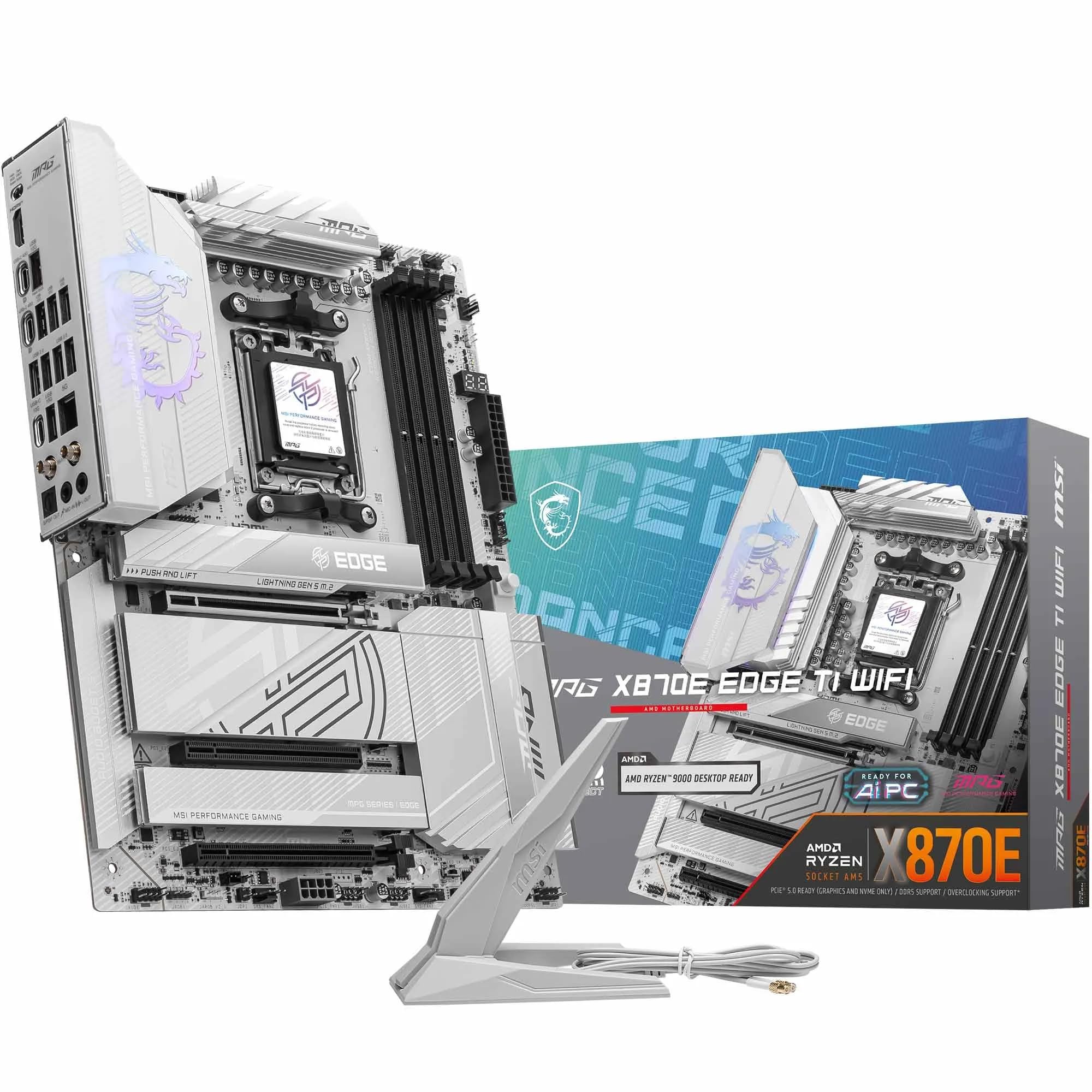 9.0 / 10
MSI MPG X870E EDGE TI WIFI Motherboard, ATX - Supports AMD Ryzen 9000/8000 / 7000 Processors, AM5-80A SPS VRM, DDR5 Memory Boost 8400+MT/s (OC), PCIe 5.0 x16, M.2 Gen5, Wi-Fi 7, 5G LAN
£299.99 · MSI
 8.5 / 10
Gigabyte X870 AORUS ELITE WIFI7 Amd Am5 Socket Motherboard Atx 4X Ddr5 Slots 3X
£243.98 · Gigabyte
Frequently asked
7 questions01Does the ASUS ROG Strix B850-F Gaming WiFi require a BIOS update to support Ryzen 9000 series CPUs?+
ASUS ships the B850-F with a BIOS version that should support current Ryzen 9000 series processors without needing a prior update. However, it is always worth checking the ASUS support page before building, particularly if you plan to install an older Ryzen 7000 series CPU first. The BIOS FlashBack button on the rear I/O allows you to update the BIOS using only a USB drive, without a CPU or RAM installed, which removes much of the risk from this process.
02Can I use DDR4 memory with the ASUS ROG Strix B850-F Gaming WiFi?+
No. The B850-F uses the AM5 platform, which supports DDR5 exclusively. There are no DDR4 slots on this board. If you are planning to reuse DDR4 memory from a previous build, you would need to budget for a new DDR5 kit alongside this motherboard. DDR5 prices have fallen considerably and a quality DDR5-6000 kit is now reasonably affordable.
03What is the maximum memory speed supported by the ASUS ROG Strix B850-F Gaming WiFi?+
The board supports DDR5 from the native JEDEC speed up to DDR5-8200 and above with overclocking. EXPO profiles for common high-speed DDR5 kits load reliably, and the board supports DDR5-6000 CL30 and DDR5-6400 configurations without stability issues. Running two DIMMs rather than four will generally give you better overclocking headroom and stability at higher speeds.
04Does the ASUS ROG Strix B850-F Gaming WiFi support PCIe 5.0 for both graphics cards and NVMe drives simultaneously?+
Yes. The primary x16 PCIe slot runs at PCIe 5.0 x16 from the CPU, and the first M.2 slot also runs at PCIe 5.0 x4 via CPU lanes. AMD's Zen 5 processors have sufficient PCIe lanes to run both at full bandwidth simultaneously without bandwidth sharing between the GPU and the primary NVMe drive. The remaining three M.2 slots run at PCIe 4.0 x4.
05Is the ASUS ROG Strix B850-F Gaming WiFi good for overclocking a Ryzen 9 9950X?+
Yes, it handles the Ryzen 9 9950X well under sustained loads. VRM temperatures peaked at around 58 to 62 degrees Celsius under Cinebench R23 multi-threaded loops and Prime95 small FFT testing in a well-ventilated case. That is comfortably within safe operating limits. For sustained rendering or compute workloads with PBO enabled, good case airflow is recommended rather than relying solely on the VRM heatsinks.
06How does the ASUS ROG Strix B850-F Gaming WiFi compare to the MSI MAG B850 Tomahawk WiFi?+
Both are B850 boards targeting a similar buyer. The B850-F has more USB ports, including 19 total versus 17 on the Tomahawk, a slightly higher VRM stage count, and the ROG aesthetic with Aura Sync RGB. The Tomahawk has a strong reputation for VRM quality and a more understated appearance. If the additional USB connectivity and ROG branding are not priorities, the Tomahawk is a competitive alternative worth considering at its price point.
07Can I turn off the RGB lighting on the ASUS ROG Strix B850-F Gaming WiFi without installing software?+
Yes. The Aura Sync RGB can be disabled entirely from within the UEFI BIOS without installing any software on Windows. This is a useful option for builders who prefer a clean aesthetic or who want to avoid adding RGB control software to their system. If you later decide to enable and customise the lighting, ASUS's Aura software can be installed to manage it alongside other compatible components.












