
Finding the best motherboards for Intel Core i5 14500 processor doesn't have to be complicated, but there are a few things worth getting right before you buy. The i5 14500 is a cracking mid-range chip, and pairing it with the wrong board can leave features on the table or, worse, leave you overspending on things you simply don't need. In this guide, we've compared seven LGA1700 motherboards across a range of chipsets, form factors, and price points to help you find the right fit for your build.
Key Takeaways
- All seven boards use the LGA1700 socket and are fully compatible with the Intel Core i5 14500
- The B760 chipset is the best match for most i5 14500 builds since the chip doesn't support CPU overclocking
- DDR5 boards offer more headroom for memory speed, but DDR4 options are cheaper and still perform well
- Mini-ITX builders should look at the GIGABYTE B760I AORUS PRO for a compact but capable option
- Only consider Z790 if you genuinely need Thunderbolt 4, extra M.2 slots, or premium connectivity
| Product | Chipset / Form Factor | Memory Support | Price | Rating |
|---|---|---|---|---|
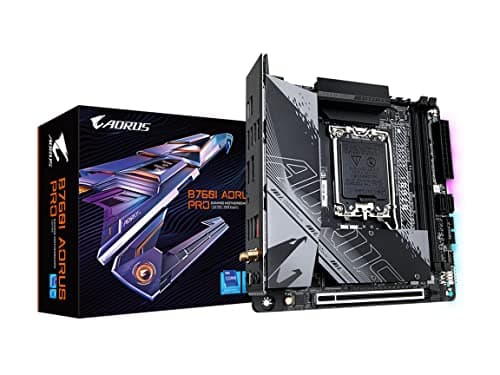
| GIGABYTE B760I AORUS PRO | B760 / Mini-ITX | DDR5 | £220.45 | ★★★★☆ (4.2) |
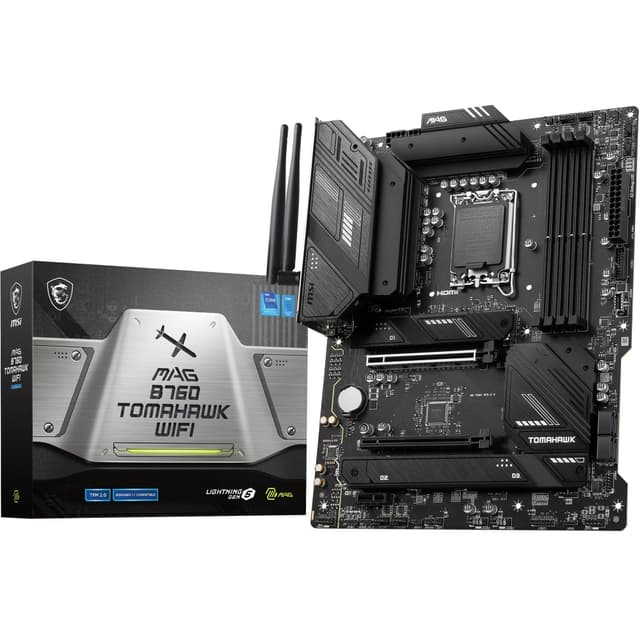
| MSI MAG B760 TOMAHAWK WIFI | B760 / ATX | DDR5 | £132.99 | ★★★★½ (4.6) |
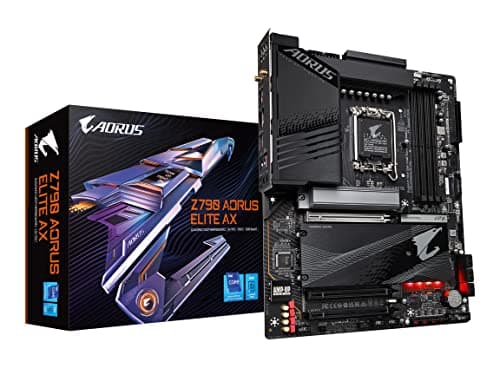
| GIGABYTE Z790 AORUS Elite AX | Z790 / ATX | DDR5 | £257.28 | ★★★★☆ (4.4) |
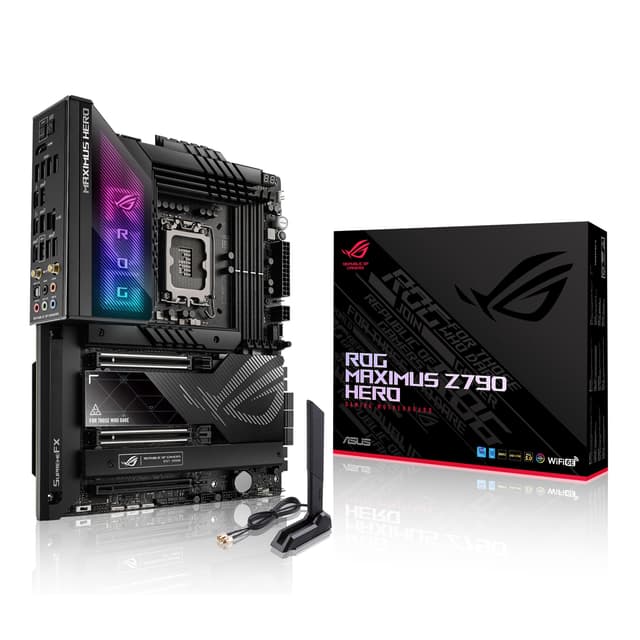
| ASUS ROG Maximus Z790 Hero | Z790 / ATX | DDR5 | £1,281.97 | ★★★★☆ (4.3) |
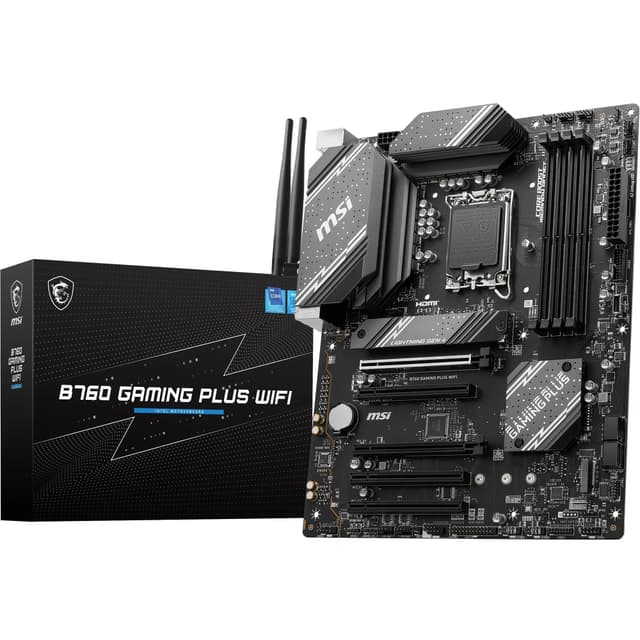
| MSI B760 GAMING PLUS WIFI | B760 / ATX | DDR5 | £109.99 | ★★★★½ (4.6) |
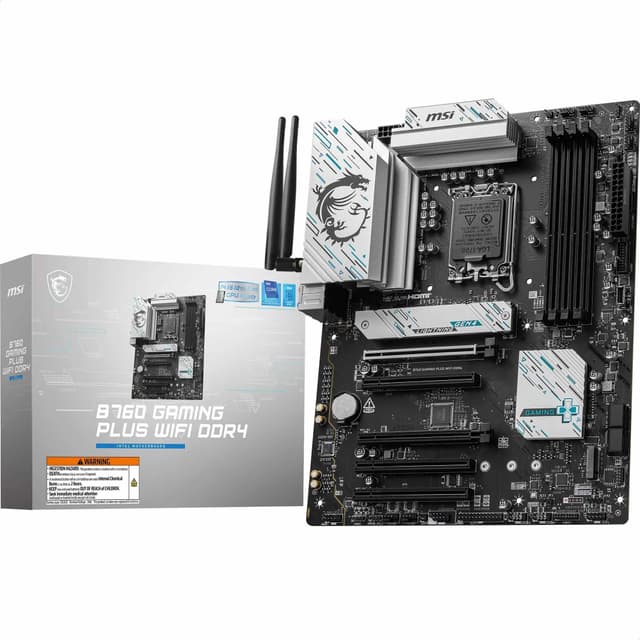
| MSI B760 GAMING PLUS WIFI DDR4 | B760 / ATX | DDR4 | £134.99 | ★★★★☆ (4.4) |
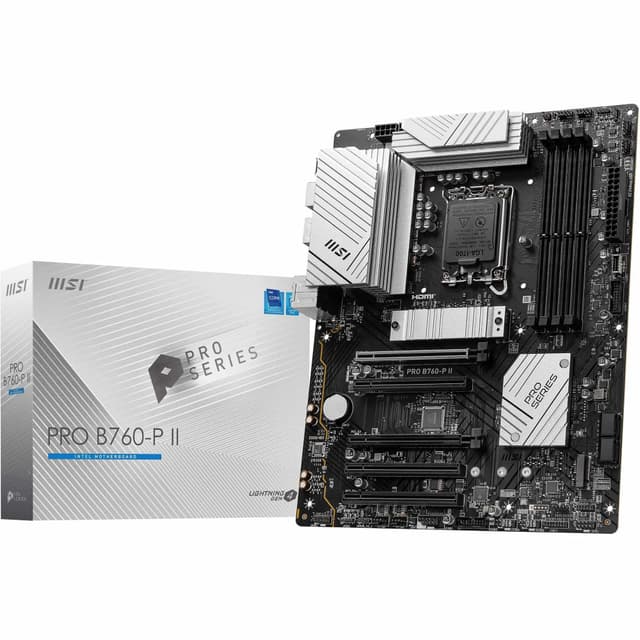
| MSI PRO B760-P II | B760 / ATX | DDR5 | £99.41 | ★★★★½ (4.5) |
Check Today's Prices
Amazon UK prices update frequently. Click below to see live prices for our recommended products.
Check GIGABYTE B760I AORUS PRO Price Check MSI MAG B760 TOMAHAWK WIFI Price Check GIGABYTE Z790 AORUS Elite AX PriceCompatibility Guide: Best Motherboards for Intel Core i5 14500 Processor
Before anything else, let's get the basics sorted. The Intel Core i5 14500 uses the LGA1700 socket, which means it's compatible with 600-series and 700-series Intel chipset motherboards. All seven boards in this guide use LGA1700, so you're covered on that front.
The chipset choice is where things get more interesting. Here's a quick breakdown:
| Chipset | CPU Overclocking | PCIe 5.0 GPU Slot | M.2 Slots (typical) | Best For |
|---|---|---|---|---|
| B760 | No | No (PCIe 4.0 x16) | 2 to 3 | Most i5 14500 builds |
| Z790 | Yes (K-series only) | Yes | 4 to 5 | Premium builds, future-proofing |
Here's the thing: the i5 14500 is not a K-series chip. It doesn't support CPU overclocking at all. So paying extra for a Z790 board just to unlock overclocking potential is, frankly, a waste. The B760 chipset handles the i5 14500 perfectly well and costs significantly less.
That said, Z790 boards do offer advantages beyond overclocking. More PCIe lanes, more M.2 slots, better USB connectivity, and often more premium VRM configurations. If you're building a content creation workstation and need five M.2 drives or Thunderbolt 4, a Z790 board makes sense. For gaming or general use? B760 is your friend.
On memory, the i5 14500 supports both DDR4 and DDR5. DDR5 is faster and more future-proof, but DDR4 kits are cheaper and still deliver excellent real-world performance. If you're starting fresh, DDR5 is the better long-term choice. If you already have a good DDR4 kit lying around, the MSI B760 GAMING PLUS WIFI DDR4 variant is worth a look, and the same considerations apply to AMD builds like the Ryzen 5 5600GT, as well as motherboards for the AMD Ryzen 7 5800 XT and the MSI PRO B550M-P GEN3 and the MSI MAG X670E TOMAHAWK WIFI.
One more thing worth checking: BIOS updates. Some older boards may need a BIOS flash before they'll boot with a 14th Gen chip. Look for boards with Q-Flash Plus or similar flashback features that let you update without a working CPU installed. Several boards in this guide have exactly that.
For a deeper look at Intel's chipset lineup, Intel's official processor documentation is a solid reference point.
Who Should Buy What
For Gamers
Priority: High FPS, low latency, solid connectivity
Recommended: MSI MAG B760 TOMAHAWK WIFI
For Creators
Priority: Storage expansion, stable power delivery, premium I/O
Recommended: GIGABYTE Z790 AORUS Elite AX
Budget Builders
Priority: Value, essentials only, no unnecessary extras
Recommended: MSI B760 GAMING PLUS WIFI
GIGABYTE B760I AORUS PRO - Best Overall
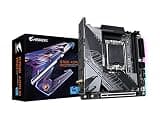
If you want the best motherboards for Intel Core i5 14500 processor in a compact package, the GIGABYTE B760I AORUS PRO is genuinely impressive. It squeezes WiFi 6E, Intel 2.5GbE LAN, dual M.2 slots (Gen4), DDR5 support, and a USB 3.2 Gen2x2 Type-C port into a Mini-ITX footprint. The Q-Flash Plus feature is a proper bonus too, letting you update the BIOS without a working CPU. VRM quality is solid for a small board, and GIGABYTE's AORUS branding here isn't just cosmetic. See our full GIGABYTE B760I AORUS PRO review for the complete breakdown.
Pros
- Excellent feature density for Mini-ITX
- WiFi 6E and 2.5GbE LAN included
- Q-Flash Plus for easy BIOS updates
Cons
- Only two M.2 slots (fine for most, but limited for heavy storage users)
- Premium pricing compared to ATX B760 alternatives
MSI MAG B760 TOMAHAWK WIFI - Runner Up

The MSI MAG B760 TOMAHAWK WIFI is one of the most popular B760 boards on the market, and for good reason. It features a 75A DrMOS VRM, which is proper decent for a mid-range board, DDR5 support up to 7000MHz with XMP, a PCIe 5.0 x16 slot, and three Gen4 M.2 slots. WiFi 6E comes built in, as does 2.5GbE LAN. The TOMAHAWK name has a strong reputation in the enthusiast community, and this board earns it. It's a full ATX board with room to breathe and connectivity to match. We covered this in our MSI MAG B760 TOMAHAWK WIFI review.
Pros
- Strong 75A DrMOS VRM for stable power delivery
- Three Gen4 M.2 slots for storage expansion
- PCIe 5.0 x16 slot for future GPU compatibility
Cons
- ATX size won't suit compact builds
- Slightly pricier than entry-level B760 alternatives
GIGABYTE Z790 AORUS Elite AX - Premium Pick
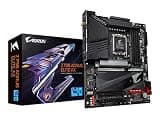
The GIGABYTE Z790 AORUS Elite AX is the board you pick when you want to future-proof your platform properly. It's a Z790 ATX board with quad M.2 slots (all Gen4 capable), PCIe 5.0 x16, DDR5 support, WiFi 6E, Intel 2.5GbE LAN, and Q-Flash Plus. Yes, the Z790 chipset is overkill for the i5 14500 in terms of overclocking, but the extra connectivity and storage options are genuinely useful for creators or anyone planning to expand their setup. It's a well-reviewed board with over 1,200 ratings. See our full GIGABYTE Z790 AORUS Elite AX review for more detail.
Pros
- Quad M.2 slots for serious storage configurations
- PCIe 5.0 x16 for next-gen GPU readiness
- Excellent long-term platform headroom
Cons
- Z790 features are largely wasted on a non-K i5 14500
- Higher price point than B760 alternatives
ASUS ROG Maximus Z790 Hero - Enthusiast Pick

Look, the ASUS ROG Maximus Z790 Hero is a spectacular board. But let's be honest: pairing it with an i5 14500 is like fitting a sports exhaust to a family saloon. That said, if you're building a workstation that demands two Thunderbolt 4 ports, five M.2 slots, a 20+1 power stage VRM, and USB4 connectivity, it delivers all of that and more. The ROG Maximus line is ASUS's flagship, and this board is built to an extremely high standard. Our ASUS ROG Maximus Z790 Hero review goes into the full detail.
Pros
- Two Thunderbolt 4 ports and USB4 support
- 20+1 power stages for exceptional VRM quality
- Five M.2 slots for extreme storage flexibility
Cons
- Extremely expensive for a non-overclockable CPU pairing
- Most features are surplus to requirements for typical i5 14500 use cases
MSI B760 GAMING PLUS WIFI - Best Budget

If you want to keep costs down without cutting corners on the essentials, the MSI B760 GAMING PLUS WIFI is a strong contender. It's a full ATX board with DDR5 support, two Gen4 M.2 slots, two PCIe 4.0 x16 slots, WiFi 6E, and 2.5GbE LAN. For the money, that's a proper decent feature set. DDR5 memory can be pushed to 6800MHz with XMP profiles. It's not the flashiest board on the list, but for a budget-conscious i5 14500 build, it covers everything you actually need. Read our MSI B760 GAMING PLUS WIFI review for the full rundown.
Pros
- Excellent value with WiFi 6E and 2.5GbE included
- Two Gen4 M.2 slots for fast NVMe storage
- DDR5 support with XMP up to 6800MHz
Cons
- VRM is adequate but not class-leading
- Fewer M.2 slots than pricier alternatives
MSI B760 GAMING PLUS WIFI DDR4 - Best Value

Got a DDR4 kit already? The MSI B760 GAMING PLUS WIFI DDR4 is the board for you. It's the same ATX form factor as its DDR5 sibling, with WiFi 6E, 2.5GbE LAN, two Gen4 M.2 slots, and support for DDR4 memory up to 5333MHz via XMP. If you're upgrading from an older platform and want to reuse your existing RAM, this is a genuinely smart way to save money without compromising the rest of your build. We covered this board in our MSI B760 GAMING PLUS WIFI DDR4 review.
Pros
- Allows reuse of existing DDR4 memory kits
- WiFi 6E and 2.5GbE LAN at a competitive price
- Two Gen4 M.2 slots included
Cons
- DDR4 is a dead-end platform for future upgrades
- Only one PCIe 4.0 x16 slot versus two on the DDR5 version
MSI PRO B760-P II

The MSI PRO B760-P II is aimed squarely at office and productivity builds rather than gaming rigs. It's a no-frills ATX board with DDR5 support, PCIe 4.0 x16, Gen4 M.2 slots, and 2.5GbE LAN. There's no WiFi built in, which is a notable omission at this price, but if you're running a wired setup in a home office or small business environment, that's a non-issue. It supports DDR5 memory up to 7000MHz with XMP, which is actually quite impressive for a board in this category. See our full MSI PRO B760-P II review for more context.
Pros
- DDR5 support with XMP up to 7000MHz
- Clean, professional aesthetic suits office environments
- 2.5GbE LAN for fast wired networking
Cons
- No built-in WiFi, which feels like a gap at this price
- Fewer reviews than competing boards, less community feedback available
Understanding VRM Quality and Why It Matters for the i5 14500
VRM stands for Voltage Regulator Module. It's the part of the motherboard responsible for converting the raw power from your PSU into the clean, stable voltage your CPU actually needs. Poor VRM quality means unstable power delivery, which can cause throttling, instability, or in extreme cases, hardware damage.
Phase count is the number of power phases the VRM uses. More phases generally means smoother power delivery and better heat distribution. For the i5 14500, which has a 65W base TDP and a 154W maximum turbo power, you don't need anything extreme. A board with six to ten quality phases is more than adequate.
The MSI MAG B760 TOMAHAWK WIFI uses 75A DrMOS power stages, which is a proper decent spec for a mid-range board. DrMOS integrates the driver, high-side FET, and low-side FET into a single package, which improves efficiency and reduces heat. The ASUS ROG Maximus Z790 Hero goes further with a 20+1 power stage configuration, which is genuinely overkill for the i5 14500 but speaks to the board's overall build quality.
For Mini-ITX boards like the GIGABYTE B760I AORUS PRO, VRM design is more constrained by space. GIGABYTE has done a good job here, but it's worth ensuring you have adequate airflow in your case if you're running the i5 14500 at sustained loads.
For a technical deep-dive into VRM quality across Intel motherboards, Tom's Hardware's motherboard coverage is an excellent reference for understanding how these specs translate to real-world performance.
Common Mistakes to Avoid
- Buying a Z790 board for the overclocking potential: The i5 14500 cannot be overclocked. A Z790 board won't unlock any extra CPU performance here.
Instead: Stick with B760 unless you specifically need Z790 features like extra M.2 slots or Thunderbolt 4. - Ignoring BIOS update requirements: Some boards shipped before 14th Gen launch may need a BIOS update to recognise the i5 14500.
Instead: Choose a board with Q-Flash Plus or similar flashback support, or confirm the board ships with an updated BIOS. - Choosing DDR4 when building fresh: DDR4 is cheaper upfront but is a dead-end platform with no upgrade path.
Instead: If you don't already own DDR4 memory, invest in DDR5 from the start for better longevity. - Overlooking form factor compatibility: A Mini-ITX board like the GIGABYTE B760I AORUS PRO won't fit in a standard mid-tower ATX case.
Instead: Confirm your case supports the form factor before ordering. ATX, Micro-ATX, and Mini-ITX are not interchangeable.
Final Verdict: Best Motherboards for Intel Core i5 14500 Processor
After going through all seven options, the picture is pretty clear. For most people building around the i5 14500, the best motherboards for Intel Core i5 14500 processor sit firmly in the B760 category. The GIGABYTE B760I AORUS PRO takes the top spot for its impressive feature set in a compact Mini-ITX form factor. If you want ATX with a strong VRM, the MSI MAG B760 TOMAHAWK WIFI is the runner up. Budget builders should look at the MSI B760 GAMING PLUS WIFI. And if you're upgrading from an older platform with DDR4 already in hand, the DDR4 variant of that same board is a smart, cost-conscious choice. Z790 boards are here for completeness, but unless your use case demands their extra connectivity, save the money.
Our #1 Pick: GIGABYTE B760I AORUS PRO (LGA 1700/ Intel/ B760/ Mini-ITX/ DDR5/ Dual M.2/ PCIe 4.0/ USB 3.2 Gen2X2 Type-C/WiFi 6E/ Intel 2.5GbE LAN/Q-Flash Plus/Motherboard)
- Top Rated: Best-reviewed pairing in this guide
- Amazon 30-Day Returns: Not happy? Return it hassle-free
- Prime Delivery: Get it delivered fast
Affiliate Disclosure: Vivid Repairs participates in the Amazon Associates Programme. We earn from qualifying purchases at no extra cost to you. This doesn't influence our recommendations.






