
The motherboard decision is the one that bottlenecks everything else. You can pick a CPU in ten minutes, agonise over RAM for an afternoon, but the board sits underneath all of it and determines whether your overclock holds, whether your NVMe drives saturate, and whether you're pulling your hair out in the BIOS at 2am six months from now. Get it wrong and no amount of expensive components rescues you. The MSI MEG Z390 ACE landed when Intel's 9th-gen platform was the thing to have, and it was priced firmly at the top of the Z390 stack. The question worth asking now is whether the spec sheet justified that position, and whether it still makes sense if you're hunting down a used unit for a 9th-gen build today.
Z390 is a mature platform at this point. The silicon is well understood, the BIOS revisions have had years to mature, and the community knowledge base is deep. That's actually a decent argument for buying into it now if your budget is tight and you want a stable, capable system without paying new-platform prices. But not every Z390 board is equal, and the MEG ACE was positioned as a serious overclocker's tool rather than a budget fill-in. So let's see what you actually get for the money.
With 490 owner reviews averaging ★★★★½ (4.5), the MEG Z390 ACE has a real-world track record to lean on. That's not a handful of enthusiast opinions, that's a meaningful sample. And the pattern in those reviews tells you something useful: people who bought this board to push a Core i9-9900K hard generally came away happy. The ones who had problems tend to cluster around specific issues we'll get into. None of it is catastrophic. Most of it is the kind of thing that matters if you care about the details, which you should.
Core Specifications
The MEG Z390 ACE is a full ATX board, so it needs a proper mid-tower or full-tower case. It's built around Intel's Z390 chipset, which was Intel's top-tier consumer chipset for the 1151-v2 socket generation. Four DDR4 slots give you dual-channel support with a maximum capacity of 64GB, running officially up to 4266MHz with overclocking. There are three full-length PCIe slots, two M.2 slots, and six SATA ports. The rear I/O is generous: eight USB ports in total across USB 3.1 Gen 2, Gen 1, and USB 2.0, plus a USB 3.1 Gen 2 Type-C, dual-band Wi-Fi antenna connectors, and a full 7.1 audio stack courtesy of Realtek.
The board weighs in at around 1.4kg, which tells you something about the heatsink coverage. MSI didn't skimp on metal here. The VRM heatsink, chipset heatsink, and M.2 thermal shield all contribute to that mass, and they're not decorative. The PCB itself is a high-quality 6-layer design with what MSI calls their "Military Class 5" component selection, which is marketing language for "we used decent capacitors and chokes." Take the branding with a pinch of salt, but the underlying components are genuinely above-average for the price tier.
One thing worth flagging upfront: the board shipped with an Intel Wireless-AC 9560 module already installed. That's 802.11ac (Wi-Fi 5) with Bluetooth 5.0. Not cutting-edge by today's standards, but perfectly functional for a gaming or workstation build. The onboard audio uses the Realtek ALC1220 codec with a dedicated headphone amplifier, which is a meaningful step above the ALC887 or ALC892 you'd find on mid-range boards. If you're running headphones directly from the front panel or rear audio jack, you'll notice the difference.
| Specification | Detail |
|---|---|
| Socket | LGA 1151 (Intel 8th / 9th Gen) |
| Chipset | Intel Z390 |
| Form Factor | ATX (305 x 244mm) |
| Memory Slots | 4 x DDR4 DIMM (dual-channel) |
| Max Memory | 64GB |
| Memory Speed | 2133 to 4266MHz (OC) |
| PCIe x16 Slots | 3 (x16 / x8 / x4 mode) |
| PCIe x1 Slots | 1 |
| M.2 Slots | 2 (PCIe Gen 3 x4 / SATA) |
| SATA Ports | 6 x SATA 6Gb/s |
| USB Rear I/O | 2x USB 3.1 Gen 2 Type-A, 1x USB 3.1 Gen 2 Type-C, 2x USB 3.1 Gen 1, 2x USB 2.0 |
| Audio | Realtek ALC1220 (7.1 channel) |
| Networking | Intel I219V Gigabit LAN + Intel Wireless-AC 9560 |
| RGB | Yes (Mystic Light, 2x ARGB headers, 1x RGB header) |
| Current Price | £409.20 |
Socket and CPU Compatibility
The LGA 1151 socket here is specifically the second revision, sometimes called LGA 1151-v2, which is physically identical to the original LGA 1151 but electrically incompatible. This matters because it means the MEG Z390 ACE supports Intel's 8th-generation Coffee Lake and 9th-generation Coffee Lake Refresh processors, but not the older 6th or 7th-gen Skylake and Kaby Lake chips, even though they look like they'd fit. If you're dropping in a Core i5-9600K, Core i7-9700K, or the flagship Core i9-9900K, you're in the right place. Those are the CPUs this board was designed around.
The 9th-gen lineup is where this board really earns its keep. The i9-9900K in particular, with its 8 cores, 16 threads, and 95W base TDP (that regularly spikes well beyond that under sustained load), needs a board with proper power delivery. The MEG ACE's VRM design was built with exactly that scenario in mind, and we'll get into the specifics in the power delivery section. For now, the key point is that if you want to push a 9900K to its limits, this board has the headroom to let you do it without thermal throttling or instability.
There's no BIOS update requirement for 8th or 9th-gen compatibility since the board shipped supporting both generations natively. That's one less headache compared to newer platforms where you sometimes need a compatible CPU just to update the BIOS before you can use the CPU you actually bought. The Z390 platform is mature enough that you're not going to hit any nasty compatibility surprises here. The main limitation is the ceiling: there's no path forward to 10th-gen or beyond, since Intel changed socket again. So this is a closed platform. Buy in knowing that.
Chipset Features
Intel's Z390 chipset sits at the top of the 300-series consumer stack, above H370, B360, and H310. The Z designation means full overclocking support for both CPU multiplier and memory frequency, which is the primary reason to choose it over the cheaper options. If you're buying a locked CPU like an i5-9400 and have no interest in overclocking, you're paying for features you won't use. But if you've got an unlocked K-series chip, Z390 is the only chipset that lets you actually use it properly.
From a connectivity standpoint, the Z390 chipset provides up to 30 PCIe 3.0 lanes at the chipset level, 6 USB 3.1 Gen 2 ports, 10 USB 3.1 Gen 1 ports, and 6 USB 2.0 ports. It also supports up to 6 SATA 6Gb/s ports natively. The MEG ACE uses all of this sensibly, distributing the bandwidth across the M.2 slots, SATA ports, and USB headers without obviously bottlenecking anything. One thing to be aware of: the second M.2 slot shares bandwidth with some SATA ports, so if you're running both M.2 slots populated, check the manual to confirm which SATA ports get disabled. This is a chipset-level limitation, not an MSI design flaw, but it catches people out.
The Z390 chipset also introduced native USB 3.1 Gen 2 support at the chipset level, which Z370 lacked (Z370 boards had to use a third-party controller for Gen 2). That's a genuine improvement and means the USB 3.1 Gen 2 ports on the MEG ACE are running through Intel's own silicon rather than an add-in chip. In practice this means slightly better compatibility and lower overhead. Small detail, but the kind of thing that matters when you're troubleshooting a finicky USB device at 11pm.
VRM and Power Delivery
This is where the MEG Z390 ACE genuinely earns its premium positioning. MSI equipped this board with a 12-phase VRM configuration using Infineon (formerly International Rectifier) TDA21472 power stages. Each of those phases is rated for 70A, giving a theoretical combined output that's well beyond what even a heavily overclocked i9-9900K demands. The CPU power connector setup uses both the standard 8-pin ATX12V and an additional 4-pin connector, which MSI recommends using if you're pushing serious overclocks. That's the right way to do it.
The heatsink arrangement over the VRM is substantial. Two large aluminium blocks cover the power stages, connected by a heatpipe to improve heat distribution. Owner reports consistently mention that the VRM heatsinks stay cool under load, even with a 9900K running at elevated frequencies. That's not a given on Z390 boards. Some of the cheaper options in the Z390 stack run their VRMs noticeably hot under sustained all-core loads, which affects both longevity and stability. The MEG ACE's thermal solution handles it without complaint.
What does this mean in practice? It means you can run a Core i9-9900K at 5.0GHz all-core without the board sweating. The power delivery doesn't become the limiting factor in your overclock, which is exactly what you want from a board in this price tier. Cheaper Z390 boards with 8-phase or lower-quality VRMs can still handle a 9900K at stock, but push it hard and you start seeing thermal throttling at the VRM level before you've hit the CPU's actual ceiling. That doesn't happen here. This is genuinely one of the stronger VRM implementations in the Z390 ecosystem.
Memory Support
Four DDR4 DIMM slots, dual-channel configuration, maximum 64GB capacity using 16GB modules. The official JEDEC spec starts at DDR4-2133, but the board's XMP support extends the range up to DDR4-4266. That upper limit is aggressive and requires quality memory, a good CPU IMC, and some patience in the BIOS to achieve, but it's there if you want to chase it. Realistically, most people will be running DDR4-3200 or DDR4-3600, which the MEG ACE handles without drama.
XMP (Intel's Extreme Memory Profile) is supported and works as expected. You enable it in the BIOS, select your profile, and the board applies the rated frequency and timings automatically. MSI's memory compatibility list for this board is extensive, covering kits from Corsair, G.Skill, Kingston, Crucial, and others across a wide range of speeds. If you're buying new memory to pair with this board, a DDR4-3200 or DDR4-3600 CL16 or CL18 kit from any of those brands will work without issues. The JEDEC DDR4 standard sets the baseline, but XMP is where the interesting speeds live.
One thing worth mentioning: running four DIMMs at high frequencies is always harder than running two. If you're populating all four slots at DDR4-3600 or above, you may need to drop the frequency slightly or loosen timings compared to a two-DIMM configuration. This is a platform-level characteristic of Intel's memory controller on Coffee Lake, not specific to this board. The MEG ACE's BIOS gives you the tools to tune your way through it, but don't expect four sticks at DDR4-4000+ to be plug-and-play. Two sticks at high frequency is the easier path if memory performance is a priority.
Storage Options
Two M.2 slots, both supporting PCIe 3.0 x4 NVMe drives as well as SATA-based M.2 drives. The first slot (M2_1) sits above the primary PCIe x16 slot and has its own thermal shield, which MSI calls the "M.2 Shield Frozr." It's a decent thermal solution that makes genuine contact with the drive and helps manage temperatures on high-performance NVMe drives that can run warm under sustained writes. The second slot (M2_2) sits lower on the board and doesn't have the same thermal coverage, so if you're running two NVMe drives and one of them is doing heavy sustained workloads, slot one is the better choice for it.
Six SATA 6Gb/s ports round out the storage connectivity. RAID 0, 1, 5, and 10 are supported through the Intel RST (Rapid Storage Technology) controller. If you're building a NAS-adjacent workstation or want redundancy across spinning disks, the RAID support is there. Most gaming builds won't touch it, but it's not a feature you want to discover is missing after the fact. The SATA ports are right-angled, which is the sensible orientation for cable management in most cases.
As mentioned in the chipset section, the M2_2 slot shares bandwidth with SATA ports 5 and 6. When M2_2 is occupied by an NVMe drive, those two SATA ports are disabled. This is a standard Z390 chipset bandwidth sharing arrangement, and it's documented in the manual, but it catches builders by surprise more often than it should. If you're planning a build with two M.2 NVMe drives plus several SATA drives, count your available ports carefully before you commit. Four SATA ports remain available regardless, so for most builds it's a non-issue.
Expansion Slots and PCIe
Three full-length PCIe slots and one PCIe x1 slot. The primary x16 slot runs at PCIe 3.0 x16 directly from the CPU, which is where your GPU lives. The second full-length slot runs at PCIe 3.0 x8 (also CPU-connected), making this board genuinely capable of running two-way GPU configurations, though multi-GPU support in games has declined significantly and most people won't use it. The third full-length slot runs at PCIe 3.0 x4 through the chipset. The x1 slot is chipset-connected and useful for add-in cards like capture cards or Wi-Fi adapters (though you won't need the latter given the onboard Wi-Fi).
The primary PCIe x16 slot has MSI's Steel Armor reinforcement, which is a metal shield around the slot that prevents the GPU from physically deforming the PCB over time. Heavy modern GPUs, especially triple-fan cards, exert real mechanical stress on the PCIe slot. The reinforcement is a practical feature, not just cosmetic. The second x16 slot also has reinforcement. Good to see on a board at this price point, though it should be standard everywhere by now.
The PCIe 3.0 specification across all slots is worth noting in context. We're now in a world where PCIe 4.0 and 5.0 are mainstream on newer platforms, and PCIe 3.0 x4 is the maximum throughput available to NVMe drives on this board. That's still around 3.5GB/s sequential read, which is more than enough for gaming workloads. If you're doing video editing with large file transfers or running a PCIe 4.0 NVMe drive, you'll be bandwidth-limited by the platform. That's a genuine consideration if you're deciding between a Z390 build and something on a newer platform.
Connectivity and Rear I/O
The rear I/O panel is well-specified for a board of this era. You get two USB 3.1 Gen 2 Type-A ports, one USB 3.1 Gen 2 Type-C, two USB 3.1 Gen 1 Type-A, and two USB 2.0 ports. That's eight USB ports total on the rear, which is a reasonable count. The Gen 2 Type-C is particularly useful for connecting modern external SSDs or smartphones for fast data transfer. There's also a Clear CMOS button directly on the rear I/O, which is a small but genuinely useful feature when you're recovering from a bad overclock and don't want to pull the battery.
The audio section of the rear I/O has five 3.5mm jacks covering the full 7.1 analogue output plus an optical S/PDIF port. The Realtek ALC1220 codec driving all of this is the top-end Realtek option for consumer motherboards, and MSI pairs it with a dedicated headphone amplifier capable of driving 600-ohm headphones. If you're using a DAC/amp setup, you'll probably bypass the onboard audio entirely, but for headphone users who want to skip the external hardware, the MEG ACE's audio section is genuinely capable.
The Wi-Fi antenna connectors are on the rear I/O, accepting the included dual-band antennas. There's no video output on the rear panel, which makes sense since the Z390 chipset paired with K-series CPUs (which lack integrated graphics) wouldn't have anything to output anyway. If you're using a non-K CPU with Intel's UHD Graphics, you'd need a board with display outputs, and this isn't that board. The rear I/O also has a pre-installed I/O shield integrated into the board itself rather than a separate loose shield, which is a quality-of-life improvement that more manufacturers should adopt.
WiFi and Networking
Wired networking uses the Intel I219V Gigabit controller, which is the right choice. Intel's I219V is consistently more reliable than Realtek's competing GbE solutions, with better driver support and lower CPU overhead. It's a 1Gbps controller, not 2.5Gbps, which was becoming more common on premium boards even at Z390's launch. If you're on a 2.5Gbps network switch, you'll be capped at 1Gbps through this board. For most home users that's irrelevant, but it's worth knowing.
The wireless side uses Intel's Wireless-AC 9560 module, which supports 802.11ac (Wi-Fi 5) on both 2.4GHz and 5GHz bands with a maximum theoretical throughput of 1.73Gbps on the 5GHz band using 2x2 MU-MIMO. Bluetooth 5.0 is included. The Wi-Fi 5 standard, while not the latest (Wi-Fi 6 was already emerging when this board launched), is more than adequate for streaming, gaming, and general use. Real-world performance on Wi-Fi 5 is typically bottlenecked by your router and internet connection long before the adapter becomes the limiting factor.
Owner reviews don't flag any significant issues with the networking. The Intel NIC is plug-and-play with Windows 10 and 11, and the Wi-Fi module has similarly straightforward driver support. No reports of the random disconnection issues that plague some Realtek Wi-Fi implementations. If you're planning a wired-only build and want to disable Wi-Fi entirely, it can be done in the BIOS, though the module is soldered rather than removable. Minor point, but worth knowing if you're fastidious about that sort of thing.

BIOS and Overclocking
MSI's Click BIOS 5 interface is what you're working with here. It's better than average. The EZ Mode gives you a quick overview of temperatures, fan speeds, and boot order, while the Advanced Mode is where the actual work happens. The layout is logical enough that you can find what you're looking for without consulting the manual every five minutes, which puts it ahead of some competitors. Fan curve control is genuinely flexible, with per-header control and the ability to set curves based on multiple temperature sources. That matters more than people realise when you're trying to balance acoustics and thermals.
Overclocking options are comprehensive. CPU multiplier, core voltage, BCLK adjustment, memory frequency and sub-timing control, and LLC (Load Line Calibration) settings are all present and accessible. The board supports Intel's XTU (Extreme Tuning Utility) for Windows-based overclocking, though serious overclockers will prefer doing it in the BIOS where the options are more granular. Owner reports suggest the board is stable under aggressive overclocks, with a 9900K at 5.0GHz all-core being a commonly reported achievement on this board. That's not a gimme, and it speaks to the quality of the power delivery and BIOS tuning options working together.
The one area where owner reviews flag some frustration is BIOS updates. A handful of reports mention stability issues after certain BIOS versions, which is not unusual for a mature platform but worth being aware of. The general advice from the community is to check which BIOS version is recommended for your specific CPU and use case before blindly updating to the latest. MSI's support page lists all available BIOS versions with change logs. The board also supports BIOS Flashback-style recovery through a dedicated button, which means you can recover from a bad flash without needing a functioning CPU. That's a proper enthusiast feature and it's good to see it here.
Build Quality and Aesthetics
The MEG ACE looks the part. Black PCB, gunmetal grey heatsinks, and RGB lighting that's present but not overwhelming. The Mystic Light RGB system covers the chipset heatsink area and some edge lighting, and there are two ARGB headers plus one standard RGB header for connecting case fans and strips. If you want a blacked-out build with minimal lighting, you can turn it all off through the Mystic Light software or the BIOS. The aesthetic is more restrained than some of MSI's other boards from the same era, which is probably the right call for a board marketed at serious builders.
Physical build quality is good. The PCB feels solid, the heatsinks are properly mounted with screws rather than push-pins (a pet peeve of mine, push-pin heatsink mounting on premium boards is inexcusable), and the component layout is sensible. The 24-pin ATX connector and CPU power connectors are positioned at the edges of the board where they should be, making cable routing straightforward. The SATA ports are right-angled and positioned so they don't conflict with a long GPU. Whoever did the layout was thinking about the actual build experience, which isn't always the case.
The M.2 Shield Frozr thermal solution deserves a specific mention because it's done properly. The contact pad makes real thermal contact with the drive, and the heatsink has enough mass to actually make a difference to drive temperatures. Some manufacturers bolt a thin metal plate over the M.2 slot and call it a thermal solution when it's doing essentially nothing. The MEG ACE's implementation is one of the better ones in the Z390 generation. Overall, the build quality reflects the premium positioning. This is not a board where MSI cut corners on the physical construction.
How It Compares
The natural competitors at the time of launch were the ASUS ROG Maximus XI Hero (Wi-Fi) and the Gigabyte Z390 Aorus Master. Both occupy similar price territory and target the same audience: people building around a 9900K or 9700K who want serious overclocking capability without going full extreme with an ROG Maximus XI Apex or Aorus Xtreme.
The ASUS ROG Maximus XI Hero is arguably the most direct competitor. It uses a similar 12-phase power delivery arrangement with comparable MOSFET quality, and the ROG BIOS (UEFI) is widely regarded as one of the better interfaces in the industry. Where the Hero has an edge is in the software ecosystem and the depth of the BIOS tuning options, which are marginally more granular than MSI's. The MEG ACE counters with its better thermal solution on the M.2 slots and arguably more aggressive pricing at retail. The Gigabyte Z390 Aorus Master is also worth considering, with a 12+1 phase VRM and excellent build quality, though Gigabyte's BIOS has historically been the weakest of the three in terms of usability.
Where the MEG Z390 ACE differentiates itself is in the combination of VRM quality, M.2 thermal management, and rear I/O specification. The integrated I/O shield and the rear Clear CMOS button are small things that add up. The onboard audio section is also a genuine strength. None of the three boards is a bad choice at this level, and the decision often comes down to BIOS preference and which features matter most to you specifically. If you're already in the MSI ecosystem with a GPU and monitor, the Mystic Light integration is a bonus. If you're team ASUS, the Hero's BIOS familiarity might tip the balance.
| Feature | MSI MEG Z390 ACE | ASUS ROG Maximus XI Hero Wi-Fi | Gigabyte Z390 Aorus Master |
|---|---|---|---|
| VRM Phases | 12-phase (70A stages) | 12-phase (60A stages) | 12+1 phase |
| M.2 Slots | 2 (with thermal shield) | 2 (with thermal shield) | 3 (with thermal shields) |
| USB 3.1 Gen 2 Rear | 2x Type-A + 1x Type-C | 1x Type-A + 1x Type-C | 2x Type-A + 1x Type-C |
| Onboard Wi-Fi | Intel AC 9560 (Wi-Fi 5) | Intel AC 9560 (Wi-Fi 5) | Intel AC 9560 (Wi-Fi 5) |
| Audio Codec | Realtek ALC1220 | Realtek ALC1220 | Realtek ALC1220-VB |
| Clear CMOS Button | Yes (rear I/O) | Yes (rear I/O) | Yes (rear I/O) |
| BIOS Interface | MSI Click BIOS 5 | ASUS UEFI BIOS | Gigabyte UEFI BIOS |
| Form Factor | ATX | ATX | ATX |
What the Build Experience Is Actually Like
Based on the pattern across owner reviews, the build experience with the MEG Z390 ACE is generally positive. The physical layout is sensible, the documentation is adequate (though MSI's manual has never been the most comprehensive in the industry), and first boot tends to go smoothly. The board POSTs reliably, which sounds like a low bar but isn't always cleared by enthusiast boards that are more sensitive to memory configuration. With XMP-rated memory, most people report enabling the profile and moving on without drama.
The initial BIOS setup is where some owners spend more time than expected. The MEG ACE gives you a lot of options, and if you're new to overclocking, the sheer number of voltage and frequency settings can be intimidating. But the EZ Mode is genuinely useful for getting a stable system up and running quickly, and you can always go deeper later. Fan curve setup through the BIOS is straightforward once you understand the interface, and the results are good. Owners running large air coolers and 9900Ks report being able to dial in quiet profiles without thermal issues, which is the right outcome.
A small number of owners report issues with RGB software (MSI's Dragon Center / Mystic Light has had a chequered history with stability and bloat), and a few mention that certain BIOS versions introduced instability that required rolling back. These are real issues, but they're not widespread enough to be dealbreakers. The RGB software situation is honestly true of every manufacturer's RGB ecosystem, and if you don't care about synchronised lighting, you can simply not install it. The core board functionality is solid regardless of whether the RGB software is playing nicely.
What Buyers Actually Say
With 492 averaging 4.5 stars, the overall picture is clearly positive. The praise is consistent and specific: people who bought this board to run a 9900K or 9700K hard are overwhelmingly satisfied with the stability and overclocking headroom. Multiple reviewers specifically mention achieving 5.0GHz all-core on the 9900K with stable daily operation, which is a meaningful benchmark. The VRM thermal performance gets called out positively by owners who've monitored it under load, with temperatures staying in comfortable ranges even during extended stress tests.
The audio section gets consistent praise from owners who care about it. The ALC1220 with dedicated headphone amp is noticeably better than what you'd find on a mid-range board, and several owners mention it as a reason they chose the MEG ACE over alternatives. The build quality comments are similarly positive, with the heatsink coverage, M.2 thermal shield, and overall component quality all getting mentions.
The complaints that appear with any regularity are: MSI's software ecosystem (Dragon Center in particular gets criticised for being bloated and occasionally unstable), BIOS update inconsistency (some versions better than others), and the Wi-Fi module being Wi-Fi 5 rather than Wi-Fi 6 (fair criticism for a premium board, though it was standard for the era). A handful of owners report DOA units or early failures, but at a rate that's within normal statistical expectations for a product with this many reviews. Nothing that suggests a systemic quality control problem.
Value Analysis
The MEG Z390 ACE launched at the top of the mainstream Z390 stack, below the truly extreme boards like the ROG Maximus XI Apex but above the mid-range Z390 options. At that launch price, it was a hard sell unless you were specifically building around a 9900K and wanted to push it. For a 9600K or 9700K build, the extra money didn't necessarily translate to a meaningfully better experience compared to a mid-range Z390 board with decent power delivery.
Today, the calculation is different. The Z390 platform is mature and stable, used boards and new-old-stock units are available at significant discounts from launch pricing, and the MEG ACE's strengths (VRM quality, M.2 thermal management, audio section) are just as relevant now as they were at launch. If you're building a secondary system, a home lab box, or a budget gaming rig around second-hand 9th-gen hardware, a discounted MEG Z390 ACE represents genuinely good value. You're getting premium-tier power delivery and build quality at a fraction of what it cost new.
The ceiling matters though. Z390 is a closed platform with no upgrade path beyond 9th-gen Intel. If there's any chance you'll want to upgrade to a newer CPU generation in the next two or three years, this board won't support it. You'd need a new board and new CPU together. For a long-term primary build, a current-generation platform like Intel's LGA1700 (supporting 12th through 14th gen) or AMD's AM5 (with its extended roadmap commitment) makes more strategic sense. The MEG Z390 ACE is a great board for what it is. What it is, is a finished platform.
Final Verdict
The MSI MEG Z390 ACE is what a premium Z390 board should look like. The VRM is properly specced for the most demanding CPUs the platform supports, the M.2 thermal solution actually works, the audio section is genuinely good, and the build quality reflects the positioning. The BIOS is above average without being the absolute best in class, and the rear I/O is comprehensive. If you're building or already running a 9th-gen Intel system and want a board that won't be the weakest link in your overclock, this is a safe choice.
Who should be looking at this? Builders who already have 9th-gen hardware and need a quality board, people picking up second-hand 9900K or 9700K systems and wanting a board that can handle those chips properly, and anyone who values VRM quality and thermal management over chasing the latest platform. Who should skip it? Anyone building new from scratch who wants a future upgrade path, anyone building around a locked CPU (the overclocking capability is wasted), and anyone whose budget doesn't stretch to the premium tier (there are decent mid-range Z390 boards that handle stock CPUs perfectly well at lower cost).
The 4.5-star average across 492 is earned. This isn't a board that coasts on marketing. The spec sheet is strong, the owner experience backs it up, and the competition at the same tier doesn't obviously beat it across the board. It has genuine weaknesses (Wi-Fi 5 rather than Wi-Fi 6, the platform ceiling, MSI's occasionally frustrating software ecosystem), but none of them are reasons to avoid it if the use case fits. An 8 out of 10. Solid.
Not Right For You?
If you're building new and want a current platform with a genuine upgrade path, Intel's LGA1700 ecosystem (Z690, Z790) supports 12th through 14th-gen CPUs and offers PCIe 4.0 and 5.0 connectivity that Z390 can't match. AMD's AM5 platform with the X670E or B650E chipsets offers PCIe 5.0 support and AMD's commitment to socket longevity through at least 2027 according to their published roadmap. Either of those is a smarter long-term investment if you're starting from scratch.
If your budget is tighter and you're still committed to the Z390 platform, boards like the MSI Z390-A Pro or the Gigabyte Z390 Gaming X offer solid mid-range options at lower cost. They won't push a 9900K as hard as the MEG ACE, but for stock or mildly overclocked builds they're perfectly capable. The Z390 chipset is the same regardless of which board you pick; what you're paying for at the premium tier is power delivery quality, build materials, and feature count.
For anyone specifically interested in the MSI MEG Z390 ACE product page, MSI's own documentation covers the full compatibility list and BIOS download archive. The JEDEC DDR4 specification is worth a read if you want to understand the baseline memory standards before diving into XMP territory. And if you're curious about the PCIe standard underpinning the M.2 and GPU connectivity, the PCI Express Wikipedia article is a solid starting point without needing to wade through the full PCI-SIG specification documents.
What works. What doesn’t.
6 + 6What we liked6 reasons
- 12-phase VRM with 70A Infineon power stages handles a heavily overclocked Core i9-9900K without thermal throttling
- M.2 Shield Frozr thermal solution makes genuine contact with NVMe drives and measurably reduces temperatures under sustained writes
- Realtek ALC1220 codec paired with a dedicated 600-ohm headphone amplifier delivers noticeably better onboard audio than mid-range alternatives
- Rear I/O includes a Clear CMOS button and an integrated I/O shield, both practical quality-of-life features
- Intel I219V Gigabit LAN is consistently more reliable and lower overhead than competing Realtek GbE solutions
- Comprehensive BIOS overclocking options with per-header fan curve control and BIOS Flashback recovery support
Where it falls6 reasons
- Z390 is a closed platform with no CPU upgrade path beyond 9th-gen Intel, limiting long-term investment value
- Onboard Wi-Fi uses Intel Wireless-AC 9560 (Wi-Fi 5) rather than Wi-Fi 6, which was already emerging at launch
- MSI Dragon Centre and Mystic Light RGB software has a history of instability and bloat that frustrates some owners
- Second M.2 slot disables SATA ports 5 and 6 when occupied by an NVMe drive, a chipset-level limitation that catches builders out
- Maximum bandwidth is PCIe 3.0, so PCIe 4.0 NVMe drives will be bottlenecked compared to newer platforms
- Running four DDR4 DIMMs at high frequencies requires manual BIOS tuning and may necessitate dropping speeds or loosening timings
Full specifications
11 attributes| Socket | LGA1151 |
|---|---|
| Chipset | Z390 |
| Form factor | ATX |
| Bios flashback | true |
| M2 slots | 3 |
| MAX RAM GB | 128 |
| Network | 1GbE + Wi-Fi 5 |
| Pcie 5 slots | 0 |
| RAM slots | 4 |
| RAM type | DDR4 |
| Usb4 | false |
If this isn’t right for you
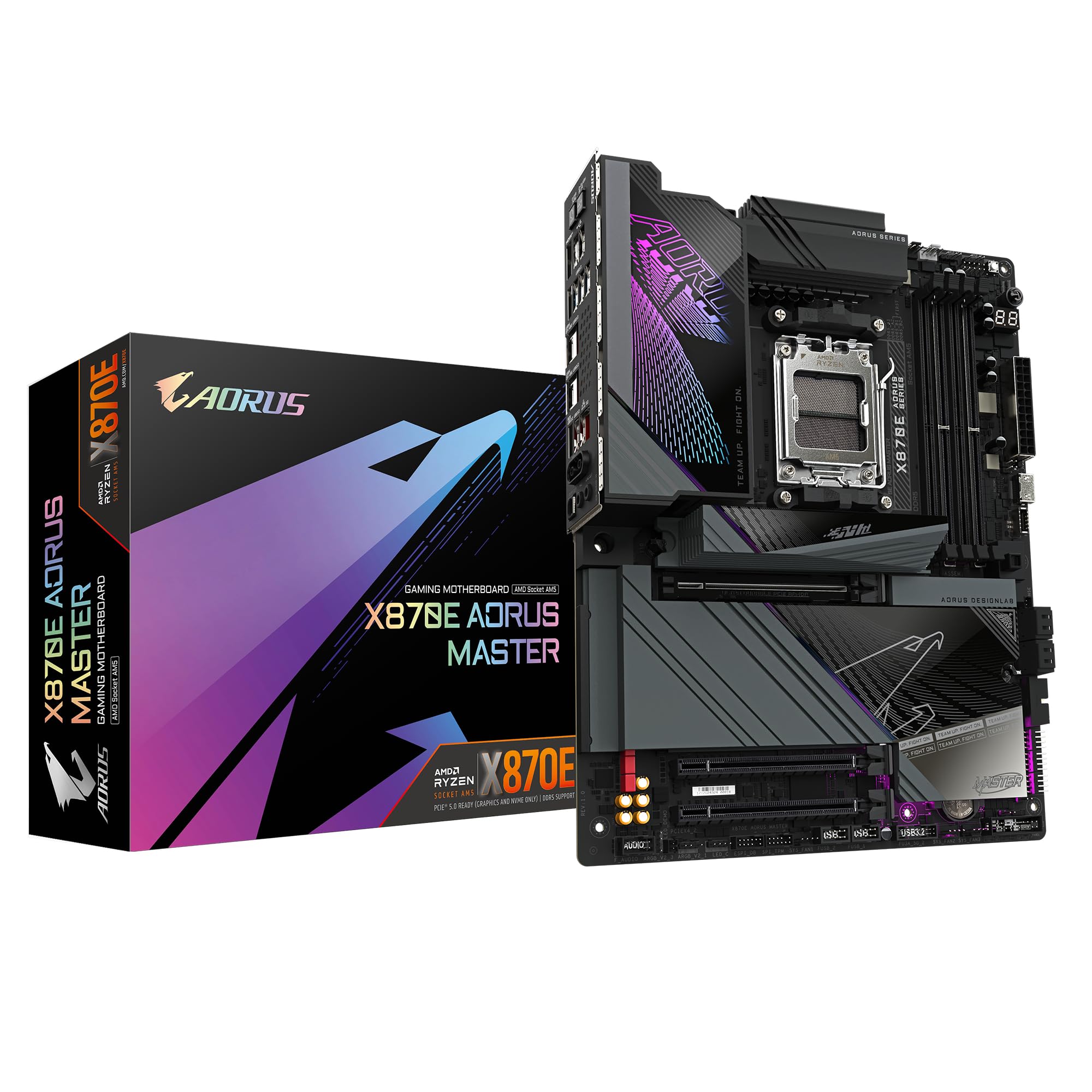
2 options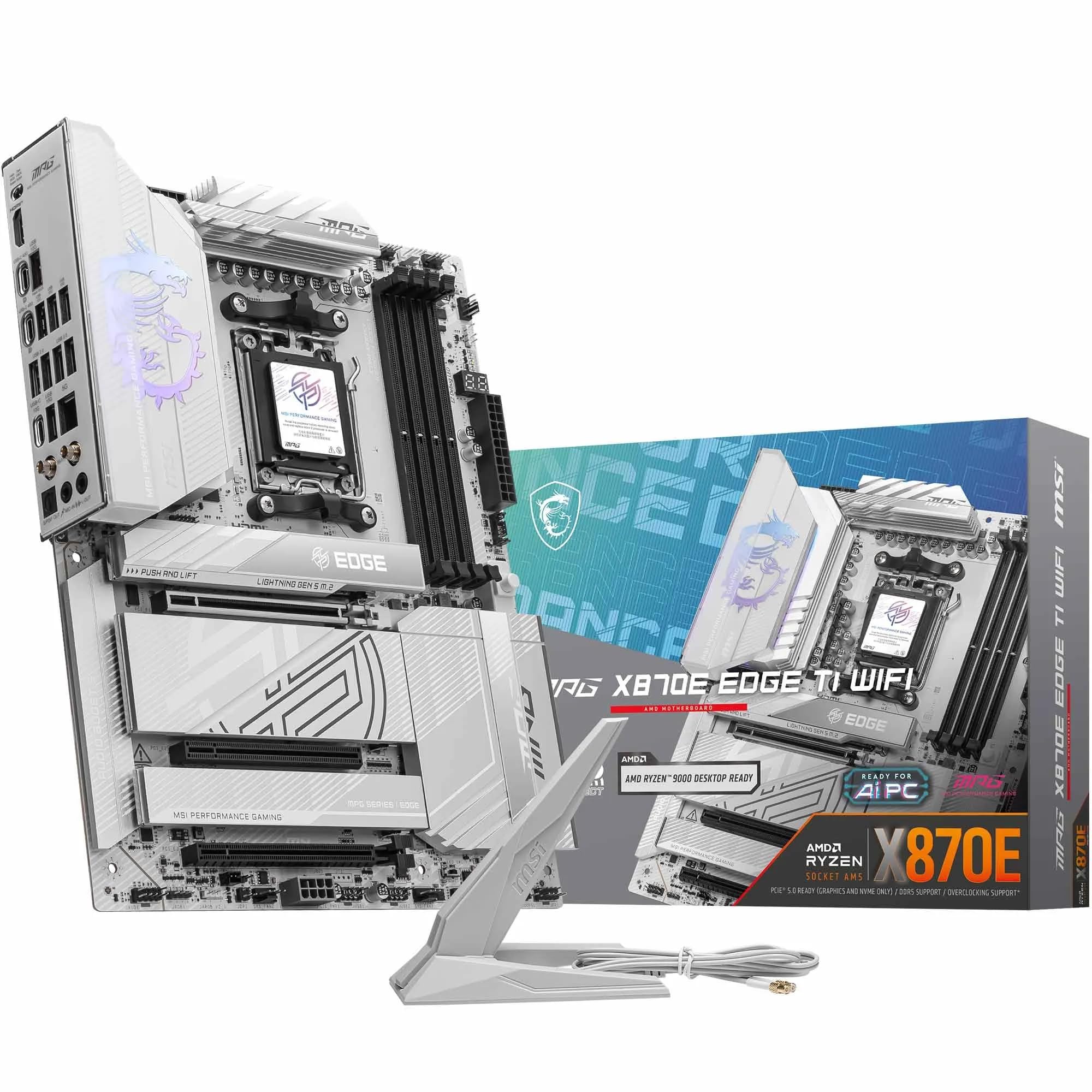
Frequently asked
7 questions01Which CPUs are compatible with the MSI MEG Z390 ACE?+
The board uses the LGA 1151-v2 socket and supports Intel 8th-generation Coffee Lake and 9th-generation Coffee Lake Refresh processors. Compatible chips include the Core i3-8100, Core i5-9600K, Core i7-9700K, and Core i9-9900K, among others. It does not support 6th-generation Skylake or 7th-generation Kaby Lake CPUs, which used the original LGA 1151 socket and are electrically incompatible despite appearing physically similar.
02Can the MSI MEG Z390 ACE handle a Core i9-9900K overclocked to 5.0GHz?+
Yes. The 12-phase VRM using Infineon TDA21472 power stages rated at 70A each provides ample headroom for a heavily overclocked i9-9900K. Owner reports consistently describe achieving 5.0GHz all-core stability with VRM temperatures remaining in comfortable ranges under sustained load. The dual 8-pin plus 4-pin CPU power connector arrangement, combined with the substantial VRM heatsink, is well suited to this use case.
03Does the second M.2 slot affect SATA port availability?+
Yes. When the M2_2 slot is populated with an NVMe drive, SATA ports 5 and 6 are disabled due to bandwidth sharing at the chipset level. This is standard Z390 chipset behaviour and is documented in the board manual. Four SATA ports remain available regardless of M.2 slot configuration, so most builds are unaffected. If you need two M.2 NVMe drives plus more than four SATA drives, plan your storage layout carefully before purchasing.
04Is the onboard Wi-Fi on the MSI MEG Z390 ACE adequate for gaming?+
The Intel Wireless-AC 9560 module supports 802.11ac (Wi-Fi 5) on both 2.4GHz and 5GHz bands with a theoretical maximum of 1.73Gbps on the 5GHz band using 2x2 MU-MIMO, plus Bluetooth 5.0. For gaming, streaming, and general use, Wi-Fi 5 is more than adequate and real-world performance is typically limited by the router or internet connection rather than the adapter. Wi-Fi 6 would have been preferable at this price tier, but the module performs reliably in practice.
05What BIOS version should I use with the MSI MEG Z390 ACE?+
MSI's support page lists all available BIOS versions with change logs. The community consensus for this board is to check which version is recommended for your specific CPU and use case rather than automatically updating to the latest release, as some versions have introduced instability that required rolling back. The board supports BIOS Flashback recovery via a dedicated button, meaning you can recover from a failed flash without needing a working CPU in the socket.
06How does the MSI MEG Z390 ACE compare to the ASUS ROG Maximus XI Hero Wi-Fi?+
Both boards use a 12-phase VRM arrangement and target the same audience of serious Z390 overclockers. The ASUS ROG Maximus XI Hero is often praised for its BIOS depth and software ecosystem, and uses 60A-rated MOSFET stages compared to the MEG ACE's 70A stages. The MEG ACE counters with its stronger M.2 thermal management, additional USB 3.1 Gen 2 Type-A port on the rear, and its integrated I/O shield. Neither board is a clear winner across every metric; the decision often comes down to BIOS preference and which specific features matter most to the individual builder.
07Can I run four DDR4 DIMMs at high frequencies on this board?+
You can, but running four DIMMs at frequencies above DDR4-3600 is more challenging than running two. This is a characteristic of Intel's Coffee Lake memory controller rather than a specific MSI design limitation. The MEG ACE's BIOS provides the tuning tools to work through it, but you may need to reduce the target frequency slightly or loosen timings compared to what two DIMMs achieve at the same rated speed. DDR4-3200 across four slots is generally stable without significant adjustment.












