

Spec sheets tell you the CPU cores and the storage size. What they don't tell you is whether the thing actually survives a full day on one charge, whether it stays cool on your lap during a long train journey, or whether the fans kick in and ruin a quiet meeting. That's where 506 owner reviews come in, and for the Apple MacBook Air M3 13-inch, the picture they paint is pretty consistent: this is one of the most practically useful laptops you can buy right now, at any price.
A Windows laptop at this price will often give you more ports, a bigger screen, or a faster GPU on paper. But the Air trades all of that for something harder to quantify: it just works, all day, silently, without getting hot. For the coffee shop worker, the student, the remote-first professional who lives on a laptop, that trade-off is usually the right one.
Where it gets complicated is the price. You're not buying cheap here. The Dell XPS 13, the ASUS Zenbook 14 OLED, and even the M2 MacBook Air (still on sale, often cheaper) are all credible alternatives. So the question isn't "is this good?" It clearly is. The question is whether it's good enough to justify the premium over what else is out there. Let's work through that properly.
Core Specifications
The M3 chip is the headline here, and it deserves more than a bullet point. Apple's M3 is built on a 3nm process, which is the same generation as the chips in the MacBook Pro line. You get an 8-core CPU split evenly: four performance cores for heavy lifting and four efficiency cores for the background tasks that run all day. In practice, that architecture is why the Air can handle a Zoom call, a browser with 30 tabs, and a Spotify stream simultaneously without breaking a sweat, while still lasting all day on battery. The efficiency cores are doing the quiet work so the performance cores don't have to spin up constantly.
The GPU is integrated, running 10 cores inside the M3 die. No discrete graphics card, no dedicated VRAM. For most people, that's absolutely fine. Video editing in Final Cut Pro, light Lightroom work, even some casual gaming runs well on this. Where it falls down is anything that demands serious sustained GPU throughput: 3D rendering, heavy After Effects work, gaming at high settings. The M3's integrated GPU is genuinely impressive for integrated graphics, but it's not a replacement for a dedicated card and you shouldn't pretend otherwise.
16GB of unified RAM is the standard configuration here, and it's worth understanding what "unified" means in practice. Apple's memory architecture shares RAM between the CPU and GPU, which is why 16GB on an M3 Air performs more like 24GB on a traditional Windows laptop. Owner reviews consistently back this up: people running multiple creative apps, large spreadsheets, and browser-heavy workflows report no slowdown. The 512GB SSD is fast and more than adequate for most users, though if you work with large video files or a big photo library you might find yourself reaching for external storage sooner than you'd like.
One thing: the base RAM is 16GB and you cannot upgrade it later. Apple's unified memory is soldered to the board. So if you're the sort of person who keeps laptops for five or six years (and at this price, you probably are), think about whether 16GB will still feel adequate in 2030. For most everyday users it will. For power users, it might not.
| Specification | Detail |
|---|---|
| CPU | Apple M3, 8-core (4 performance + 4 efficiency) |
| GPU | 10-core integrated (Apple M3) |
| RAM | 16GB unified memory |
| Storage | 512GB SSD |
| Display | 13.6-inch Liquid Retina IPS, 2560x1664 |
| OS | macOS (Sonoma at launch) |
| Ports | 2x Thunderbolt/USB4, 1x MagSafe 3, 1x 3.5mm headphone jack |
| Wireless | Wi-Fi 6E, Bluetooth 5.3 |
| Webcam | 1080p FaceTime HD |
| Battery | Up to 18 hours (manufacturer claim) |
Performance Benchmarks
The M3 chip in this Air scores roughly 3,000 in Geekbench 6 single-core and around 11,500 to 12,000 multi-core, based on published independent benchmarks. That puts it well ahead of Intel's 13th-gen Core i5 chips that appear in similarly priced Windows laptops, and roughly on par with the AMD Ryzen 7 7840U. What those numbers mean in real life is that everyday tasks feel instant. Apps open fast, browser tabs load fast, and the machine never feels like it's thinking. That's the M3 in a nutshell.
Where it gets interesting is sustained performance. Because the Air has no fan, it manages heat entirely through the aluminium chassis. Under a prolonged heavy load, the M3 will throttle back to protect itself. In short bursts, it's genuinely fast. Sustained rendering or compilation tasks will see performance drop compared to the MacBook Pro, which has active cooling. Owner reviews occasionally mention this: someone doing a long video export notices it takes longer than expected. But for the vast majority of use cases, including photo editing, light video work, coding, and office tasks, you'll never hit that ceiling.
The GPU performance is worth addressing separately because Apple markets this chip partly on its graphics capability. The 10-core GPU handles casual gaming and creative tasks well. Titles like Baldur's Gate 3, Resident Evil Village, and Death Stranding have native macOS versions and run acceptably. But the game library on macOS is still significantly smaller than on Windows, and if gaming is a priority, this isn't the right machine regardless of how good the GPU is. For creative work, the GPU accelerates Final Cut Pro and Photos editing nicely, and that's probably the more relevant benchmark for the typical Air buyer.
The M3 also supports Apple Intelligence, Apple's on-device AI feature set. Whether that matters to you right now is debatable, but it does mean this machine is positioned for whatever AI-assisted features Apple rolls out over the next few years. Future-proofing isn't nothing, especially at this price.
Display Analysis
The 13.6-inch Liquid Retina display runs at 2560x1664, which works out to around 224 pixels per inch. Text is sharp. Photos look great. The IPS panel delivers good viewing angles, so you're not fighting the screen when it's on a desk at a slight angle or when someone else glances over. Apple rates it for one billion colours, and owner reviews consistently praise how good it looks for everyday content consumption. This is one area where the MacBook Air genuinely beats most Windows competitors at the same price.
Brightness is solid for indoor use and near windows. It's not the brightest panel Apple makes (the Pro models go higher), and on a genuinely sunny day outdoors you'll be squinting a bit. But for the coffee shop, the train, the home office, it's more than adequate. The display supports P3 wide colour, which matters if you're doing colour-sensitive work like photo editing or video grading. You're not getting a professional-grade display, but it's better than most of what Windows laptops offer at this price tier.
One honest caveat: there's no ProMotion here. The refresh rate is 60Hz, not the 120Hz you get on the MacBook Pro or on some Windows competitors like the ASUS Zenbook 14 OLED. For most people, 60Hz is fine. If you're coming from a high-refresh-rate phone or monitor, the difference is noticeable in scrolling and animations. It's not a dealbreaker, but it's a real omission at this price and Apple's decision not to include it on the Air feels like a deliberate product segmentation choice rather than a cost issue.
Battery Life
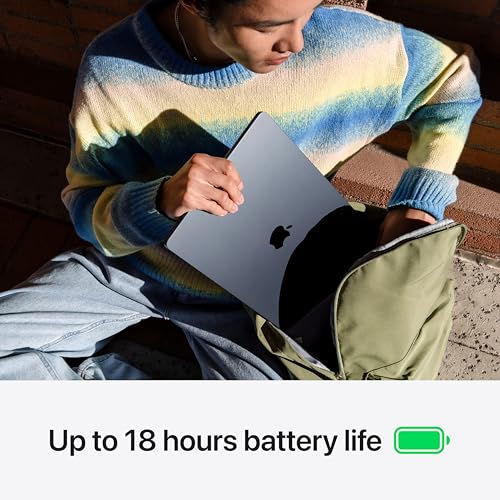
Apple claims up to 18 hours. That's a manufacturer figure, tested under specific low-brightness, light-usage conditions. Real-world numbers from owner reviews are lower, as they always are, but the Air still impresses. Most owners report 10 to 14 hours of mixed use: browsing, documents, email, the occasional video call. That's a full working day with headroom. It's genuinely one of the best battery life results in the 13-inch laptop category.
The fanless design contributes here. Because there's no fan motor drawing power, and because the M3's efficiency cores handle light tasks without spinning up the performance cores, the machine sips battery during everyday work. Video streaming is where battery life drops more noticeably, as the display backlight and GPU work harder, but even then you're looking at 8 to 10 hours from a full charge according to consistent owner reports. That's better than almost every Windows competitor at this price.
Charging is via MagSafe 3, which is a proper magnetic connector that snaps in cleanly and disconnects safely if someone trips over the cable. You can also charge via either of the two Thunderbolt/USB4 ports, which is useful when you're travelling with a single USB-C cable setup. Charge time from flat isn't specified in the verified data, but Apple's own documentation and owner feedback suggest around two hours for a full charge with the included adapter. The MagSafe cable is included in the box, which is a nice touch given how many manufacturers now ship laptops without any charging cable at all.
One thing owners occasionally mention is that the battery life advantage shrinks when connected to an external monitor or running more intensive apps. That's expected behaviour, not a flaw. But if your workflow involves a lot of external display use, the 18-hour headline becomes less relevant to your day-to-day reality.
Portability
The Air is 11mm thin and genuinely light. Apple describes it as lightweight in their product materials, and owner reviews back that up: this is the kind of laptop you stop noticing in your bag. For anyone who commutes, travels for work, or just moves between rooms a lot, that matters more than most spec comparisons. A laptop that's theoretically more powerful but feels like a brick gets left at home. The Air goes with you.
The 11mm profile means it slides into a laptop sleeve, a backpack, or even a large handbag without drama. The charger is reasonably compact too, though adding a USB-C hub (which many users will want given the port situation) adds a bit of bulk. The overall travel kit is still much lighter than most Windows alternatives at this price, especially the ones that include a dedicated GPU and the cooling system that comes with it.
Who is this for, portability-wise? The person who works from different locations every day, hopping between café, airport and hotel Wi-Fi where a good VPN is worth having to keep your connection private on shared networks. The student who carries it between lectures. The consultant who lives out of a carry-on. The Air's portability isn't just a nice-to-have; for those users it's the entire point. A heavier, more powerful machine that drains in six hours and needs a charger nearby defeats the purpose entirely. The Air solves that problem as well as anything at this price.
Keyboard & Trackpad
Apple's Magic Keyboard on the Air is one of the better laptop keyboards available, full stop. The key travel is on the shorter side compared to a mechanical keyboard, but it's consistent and satisfying for long typing sessions. Owner reviews are overwhelmingly positive on this point: people who type a lot specifically call out the keyboard as a reason they chose the Air over Windows alternatives. There's a backlight, which works well in low light and dims automatically when not needed.
The layout is standard for Apple: no number pad (expected on a 13-inch), Touch ID integrated into the power button, and function keys across the top row. UK buyers get the correct UK layout. The Touch ID fingerprint sensor is fast and reliable according to owner feedback, which makes unlocking and Apple Pay authentication genuinely quick rather than a faff. No Face ID on the Air, but Touch ID is good enough that most people don't miss it.
The trackpad is large and excellent. Apple's Force Touch trackpad doesn't physically click; it uses haptic feedback to simulate a click, and it's convincing enough that most people don't notice the difference. Gesture support is smooth: three-finger swipes, pinch-to-zoom, and multi-desktop navigation all work well in macOS. If you're switching from Windows, the trackpad alone might make you question every Windows laptop you've ever used. It's that good. And it's one of the things that's genuinely hard for Windows manufacturers to match.
Thermal Performance
No fan means no active cooling. The M3 Air manages heat entirely through its aluminium body, which acts as a passive heatsink. Under light to moderate loads, the chassis stays cool to the touch. The palm rest stays comfortable during long typing sessions, and the keyboard area doesn't get warm in normal use. Owner reviews consistently confirm this: the Air runs cool for everyday tasks in a way that many Windows laptops simply don't.
Under sustained heavy load, things change. The M3 will throttle its performance to stay within thermal limits, and the chassis can get noticeably warm on the underside. It's not uncomfortable, but it's there. For lap use during video exports or long renders, some owners mention moving the laptop to a hard surface rather than keeping it on their legs. That's a reasonable precaution with any fanless design. The underside vents heat more than the top surface, so the keyboard and palm rest stay cooler than the bottom.
The important context here is that throttling under sustained load is a real limitation compared to the MacBook Pro, which has fans and can sustain peak performance for longer. But the Air's target user isn't doing sustained heavy computation all day. They're doing bursts of intensive work interspersed with lighter tasks, and for that workflow the fanless design is a net positive: silent, cool, and efficient most of the time, with occasional thermal management during the heavy bits. It's a trade-off, and it's a reasonable one for the price and the use case.
One thing: the aluminium body does a decent job of spreading heat across the chassis rather than concentrating it in one spot. So even when it's warm, it's evenly warm rather than burning in one corner. That's a design detail that makes the thermal experience feel more controlled than it might sound on paper.
Acoustic Performance
There are no fans. So the noise level at idle is zero. At light load, it's zero. At heavy load, it's still zero. The MacBook Air M3 is completely silent in operation, always. That's not a marketing claim; it's a physical fact of the fanless design. For anyone who's ever been in a meeting with a Windows laptop that suddenly decides to spin up its fans mid-presentation, this is a genuinely meaningful advantage.
Owner reviews mention this repeatedly, and it's one of the most consistently praised aspects of the Air. Working in a quiet library, a shared office, or a bedroom late at night, you never have to think about the laptop making noise. The only sounds you'll hear are the keyboard and trackpad. Some people find the silence slightly uncanny at first, especially if they're used to machines that audibly ramp up under load. But it takes about ten minutes to stop noticing and start appreciating it.
The four-speaker sound system produces decent audio for a laptop this thin. It's not going to replace a Bluetooth speaker for music, but for video calls, YouTube, and casual listening it's better than most Windows laptops at this size. The spatial audio feature works in supported content and adds some width to the soundstage. Practically speaking, it's a laptop speaker that doesn't embarrass itself. That's the honest assessment.
Ports & Connectivity
Two Thunderbolt/USB4 ports, one MagSafe 3 charging port, and one 3.5mm headphone jack. That's the full port inventory. The Thunderbolt/USB4 ports support data transfer, video output, and charging, so they're genuinely versatile. But two ports is still two ports, and if you're running an external monitor, a USB drive, and a wired connection simultaneously, you need a hub. That's a real-world friction point that owners mention, and it's fair to flag it.
The MagSafe 3 port is separate from the USB-C ports, which is actually a meaningful advantage over laptops that only have USB-C for everything. You can charge via MagSafe and still have both Thunderbolt ports free for peripherals. That's a more practical setup than it sounds. Thunderbolt/USB4 also supports external display output, and Apple confirms the Air can drive up to two external displays when the lid is closed. That's useful for desk workers who want a proper dual-monitor setup.
Wireless connectivity is Wi-Fi 6E and Bluetooth 5.3. Wi-Fi 6E is the current standard, supporting the 6GHz band for faster speeds and less congestion in busy environments. Bluetooth 5.3 handles peripherals reliably. There's no SD card reader and no HDMI port, which will frustrate photographers and presentation-givers who don't want to carry adapters. That's a genuine omission, and check it before you buy.
- 2x Thunderbolt / USB4 (data, video output, charging)
- 1x MagSafe 3 (charging)
- 1x 3.5mm headphone jack
- Wi-Fi 6E
- Bluetooth 5.3
Webcam & Audio
The 1080p FaceTime HD camera is a proper upgrade from the 720p cameras that Apple shipped on MacBooks for far too long. Owner reviews say it's good for video calls: clear, reasonably well-lit in normal indoor conditions, and better than most built-in webcams on Windows laptops at this price. It's not a mirrorless camera, and in low light it struggles like any small-sensor webcam does, but for daily Teams and Zoom calls it does the job without embarrassment.
The three-microphone array is genuinely good. Apple calls it "studio-quality" which is marketing language, but the underlying reality is that the mics pick up voice clearly, handle background noise reasonably well, and produce audio that sounds natural on calls. Owner feedback on this is positive: people working from home specifically mention that call quality is good without needing an external microphone. That's a meaningful practical benefit for remote workers.
The four-speaker system with spatial audio is better than you'd expect from an 11mm thin chassis. It's not powerful enough to fill a room, but it's clear and balanced for the use cases a laptop speaker actually needs to handle: video calls, streaming, background music. The headphone jack is a 3.5mm combo jack that supports high-impedance headphones, which is a nice detail for anyone who uses decent wired audio gear.
Build Quality
The MacBook Air is built from aluminium, and it feels like it. The lid doesn't flex when you pick it up by a corner. The keyboard deck doesn't give when you press on it. The hinge is smooth and holds the display at whatever angle you set it without bouncing. Owner reviews on build quality are consistently positive, and the general consensus is that this feels like a premium product, because it is. You're not getting plastic panels or a chassis that creaks under pressure.
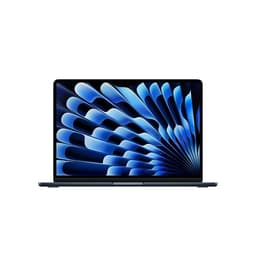
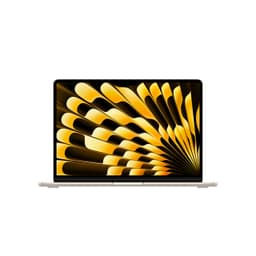
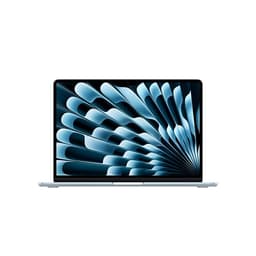
The finish is available in a few colours (Midnight, Starlight, Space Grey, and Sky Blue at various points), and the anodised aluminium resists scratches reasonably well. The Midnight finish is particularly prone to showing fingerprints, which is a minor annoyance that multiple owners mention. The other colours are less affected. It's a cosmetic issue, not a functional one, but if you're choosing between finishes.
The hinge angle is wide enough for most use cases, though some owners note it doesn't go completely flat. For typical desk and lap use that's not an issue, but if you need to prop the screen at a very low angle for a specific setup it might matter. The overall impression from owner reviews is of a machine that feels solid and well-made, and that holds up well over time. For a laptop you're spending upper mid-range money on and expecting to use for several years, that's exactly what you want to hear.
There's no MIL-SPEC durability rating here, unlike some Windows competitors that advertise drop and spill resistance. Apple doesn't publish such ratings for the Air. That doesn't mean it's fragile, but it does mean you're relying on the build quality rather than a certified standard. Use a sleeve. Don't drop it. That's sensible advice for any laptop at this price.
How It Compares
The two most relevant competitors at this price are the Dell XPS 13 and the ASUS Zenbook 14 OLED. The Dell XPS 13 is the closest Windows equivalent: thin, light, premium build, strong display. The ASUS Zenbook 14 OLED brings a stunning OLED panel and a slightly larger screen into the mix. Both are credible alternatives, and both will appeal to people who are either committed to Windows or put off by the port limitations on the Air.
The Dell XPS 13 runs Intel's latest Core Ultra processors and has a solid display, but battery life is a consistent weak point in owner reviews: most report six to eight hours of real-world use, which is significantly less than the Air. The ASUS Zenbook 14 OLED has a better display in terms of contrast and colour volume (OLED beats IPS on those metrics), and it typically includes more ports. But it's also heavier, and battery life is similarly behind the Air. Both Windows machines have fans, which means noise under load.
The elephant in the room is the M2 MacBook Air. It's still on sale, often at a meaningfully lower price, and for most everyday tasks the performance difference between M2 and M3 is modest. If you can find the M2 Air at a significant discount, it's seriously. The M3 brings better GPU performance, support for two external displays (the M2 supports only one when the lid is open), and the Apple Intelligence features. Those are real improvements, but whether they justify the price gap depends entirely on your workflow.
| Feature | Apple MacBook Air M3 13-inch | Dell XPS 13 | ASUS Zenbook 14 OLED |
|---|---|---|---|
| CPU | Apple M3 (8-core) | Intel Core Ultra | AMD Ryzen 7 |
| RAM | 16GB unified | 16GB LPDDR5 | 16GB LPDDR5 |
| Display | 13.6-inch IPS, 2560x1664 | 13.4-inch IPS/OLED options | 14-inch OLED |
| Battery (real-world) | 10 to 14 hours (owner reports) | 6 to 8 hours | 7 to 10 hours |
| Fan noise | Silent (fanless) | Audible under load | Audible under load |
| Ports | 2x TB4, MagSafe, 3.5mm | 2x TB4, 3.5mm | 2x USB-C, 2x USB-A, HDMI, SD |
| OS | macOS | Windows 11 | Windows 11 |
| Best For | All-day mobile workers, battery-first buyers | Windows loyalists who want thin and light | Display-focused users who need more ports |

Final Verdict
The Apple MacBook Air M3 13-inch earns a solid 8 out of 10 for its price tier, and that score is built on a straightforward argument: for the kind of person this laptop is designed for, it does almost everything right. The battery life is class-leading. The performance is more than adequate for everyday professional and creative work. It's silent, light, and built well. The display is good. The keyboard and trackpad are genuinely among the best in the business. Owner feedback at ★★★★½ (4.7) from 506 reviews doesn't lie: people who buy this laptop are overwhelmingly happy with it.
Who should skip it? If you need more than two USB ports in regular use without carrying a hub, the ASUS Zenbook 14 OLED is a more practical choice. If you're a Windows-first user who doesn't want to learn a new OS, don't force it. If gaming is important to you, the macOS library is still too limited to make this the right call. And if you do heavy sustained computation work, the fanless design will throttle before a MacBook Pro would. Those are real limitations and they matter for specific users.
The honest don't-overspend line: if you're doing genuinely light work (documents, email, web browsing, video calls) and the M2 MacBook Air is available at a noticeably lower price, buy that instead. The M3 improvements are real but incremental for light users. The M2 Air is still an excellent machine and the money saved is money you can spend on something else. The M3 earns its premium for people who will actually use the dual-display support, the better GPU performance, or the Apple Intelligence features. If that's not you, the M2 is the smarter buy.
For everyone else, the Apple MacBook Air M3 13-inch is one of the best all-round laptops available right now. Not because it's the fastest, not because it has the most ports, and not because the display is technically the best panel on the market. But because it gets the things that matter for daily real-world use genuinely right, and it does it in a package that you'll actually want to carry everywhere. That's harder to achieve than it looks.
What works. What doesn’t.
6 + 6What we liked6 reasons
- Class-leading real-world battery life of 10 to 14 hours under mixed everyday use
- Completely silent operation at all times thanks to the fanless design
- Excellent keyboard and Force Touch trackpad that outclass most Windows rivals
- M3 chip delivers snappy everyday performance well ahead of comparably priced Intel alternatives
- 16GB unified memory handles multitasking and light creative work without slowdown
- Genuinely portable at 11mm thin, making it easy to carry all day without noticing the weight
Where it falls6 reasons
- Only two Thunderbolt ports means a hub is needed for most real-world desk setups
- 60Hz display lacks the ProMotion refresh rate found on the MacBook Pro and some Windows competitors
- No SD card reader or HDMI port, frustrating photographers and frequent presenters
- Fanless design throttles under sustained heavy load such as long video exports or 3D rendering
- Unified memory is soldered and cannot be upgraded after purchase, a concern for long-term owners
- macOS gaming library remains significantly smaller than Windows, limiting the machine for gamers
Full specifications
12 attributes| Storage type | SSD |
|---|---|
| Battery life H | 18 |
| Battery WH | 70 |
| Bluetooth | 5.3 |
| CPU | Apple M3 chip with 8‑core CPU (4 performance cores and 4 efficiency cores) |
| Display refresh HZ | 60 |
| Display resolution | 2560x1664 |
| Display size IN | 13.6 |
| GPU | integrated |
| Keyboard | backlit Magic Keyboard with Touch ID |
| Launch year | 2024 |
| OS | macOS (macOS Sonoma at launch) |
Frequently asked
7 questions01How long does the Apple MacBook Air M3 13-inch actually last on battery in everyday use?+
Apple claims up to 18 hours, but real-world owner reports consistently land between 10 and 14 hours of mixed use covering browsing, documents, email, and occasional video calls. Video streaming reduces this to roughly 8 to 10 hours. Either figure comfortably covers a full working day for most people.
02Does the MacBook Air M3 get hot or loud during normal use?+
During light to moderate tasks the chassis stays cool to the touch and is completely silent, as there is no fan. Under sustained heavy loads such as long video exports the underside can become noticeably warm and performance may throttle. For everyday office, creative, and browsing work, thermal management is not a practical concern.
03Can the MacBook Air M3 13-inch drive two external monitors?+
Yes, but only when the laptop lid is closed. With the lid open it supports one external display. This is an improvement over the M2 Air, which supports only one external display regardless of lid position. If a dual-monitor desk setup is important to your workflow, bear in mind the lid-closed requirement.
04Is 16GB of unified memory enough, and can it be upgraded later?+
For most everyday users, including those running multiple browser tabs, office apps, and light creative software, 16GB of unified memory performs well and owner reviews support this. However, the memory is soldered to the board and cannot be upgraded after purchase. If you plan to keep the laptop for five or more years and your workload may grow, it is whether 16GB will still be sufficient.
05How does the MacBook Air M3 compare to the older M2 MacBook Air?+
The M3 brings a more capable GPU, support for two external displays with the lid closed, and compatibility with Apple Intelligence features. For most everyday tasks the real-world performance difference is modest. If the M2 Air is available at a meaningfully lower price, it remains an excellent machine and the better value choice for light users who will not benefit from the M3-specific improvements.
06What are the main port limitations and how do most owners work around them?+
The Air has two Thunderbolt/USB4 ports, one MagSafe 3 charging port, and a 3.5mm headphone jack. There is no SD card reader, no HDMI, and no USB-A. Most owners who need more connectivity purchase a USB-C hub or dock. Because MagSafe handles charging separately, both Thunderbolt ports remain free for peripherals when charging via MagSafe, which is a practical advantage over laptops that rely entirely on USB-C for power.
07Is the MacBook Air M3 suitable for gaming?+
Casual gaming is possible. Several titles including Baldur's Gate 3 and Resident Evil Village have native macOS versions and run acceptably on the 10-core M3 GPU. However, the macOS gaming library is significantly smaller than on Windows, and the fanless design means sustained gaming sessions may cause thermal throttling. If gaming is a meaningful priority, a Windows laptop is a more practical choice regardless of GPU performance figures.