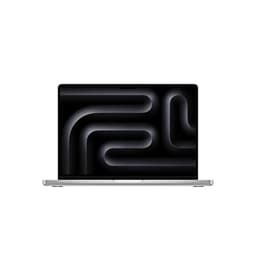
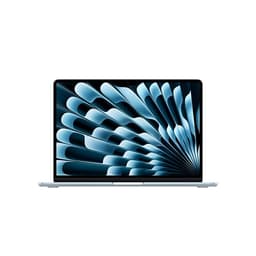
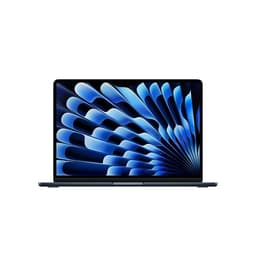
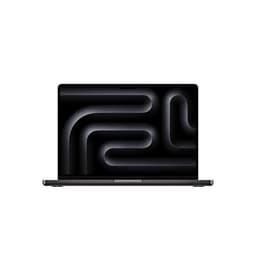
Apple MacBook Air M4
~£1,400approx
The choice we'd make at this price band. Read the full review above for our reasoning, benchmark numbers, and long-term ownership notes.

The 20-second verdict
The best thin-and-light you can buy, if two ports won't frustrate you
As an Amazon Associate we may earn from qualifying purchases. Our ranking stays independent.
Extraordinary battery life: 13-16 hours in real mixed-use testing
500-nit display struggles in direct sunlight
Completely silent fanless design under all workloads
Stock alert
The Apple 2025 MacBook Air 13-inch Laptop with M4 chip: Built for Apple Intelligence, 13.6-inch Liquid Retina Display, 16GB Unified Memory, 512GB SSD Storage, 12MP Center Stage Camera, Touch ID; Starlight is out of stock right now. Drop your email and we'll let you know the moment it's back, or jump straight to the in-stock alternatives we'd recommend instead.


Here's the thing about laptops: you can obsess over GHz figures and RAM speeds all you like, but what actually determines whether a machine becomes your daily companion or ends up gathering dust is far more tactile than that. It's the way the keyboard feels under your fingers at 11pm, whether the chassis stays cool on your lap during a long train journey, and how long you can actually go before hunting for a plug socket. I've been testing laptops for a decade now, and those are the things that keep me up at night far more than any benchmark number.
So when Apple sent over the MacBook Air M4 for a proper run-out, I wasn't just interested in what the M4 chip could do in a controlled environment. I wanted to know how this machine holds up as an Apple Intelligence powerhouse in the real world: on the Eurostar, in cramped coffee shops, during back-to-back video calls, and through the kind of mixed creative workloads that most of us actually deal with day to day. I've had it for about a month now, and I have a clear verdict.
The MacBook Air M4 is, quite simply, the best thin-and-light laptop you can buy in 2026. Not the most powerful laptop full stop, and not without its frustrations, but for the vast majority of people spending serious money on a premium portable machine, nothing else comes close to this combination of performance, battery life, and build quality. The Apple Intelligence integration is genuinely useful rather than gimmicky, and the M4 chip makes the M3 feel like a distant memory. Let me explain exactly why I've landed there, and where the caveats live.
The heart of this machine is Apple's M4 chip, and it's a proper step forward from the M3. You're getting a 10-core CPU (four performance cores, six efficiency cores) paired with a 10-core GPU, all built on TSMC's second-generation 3nm process. What does that mean in practice? It means the chip is doing more work per watt than anything Intel or AMD can currently match in a fanless chassis. That last bit matters enormously: the MacBook Air has no active cooling whatsoever. No fan. Not even a tiny one tucked away somewhere. The M4 is so efficient that Apple has decided, again, that it simply doesn't need one.
The base configuration ships with 16GB of unified memory, which is Apple's way of saying the RAM and GPU memory share the same high-bandwidth pool. This is genuinely different from how traditional laptops handle memory, and it means that 16GB here behaves more like 24GB on a conventional Windows machine for most workloads. You can configure up to 32GB if you're doing serious video editing or running large language models locally, and honestly, for most people 16GB is the sweet spot. Storage on the review unit is 512GB of Apple's NVMe SSD, which is fast enough that you'll never notice it as a bottleneck. The 1TB option is worth the upgrade if you work with large media files, though.
One thing worth flagging upfront: nothing in this machine is upgradeable after purchase. The memory and storage are soldered directly to the logic board, which is a deliberate Apple design choice that contributes to the efficiency and thinness, but it does mean you need to spec it correctly at the point of sale. Buy the RAM you think you'll need in three years, not just what you need today. It's the one area where the premium price stings a little, because you're essentially paying for future-proofing you have to predict yourself.
The Neural Engine in the M4 is also significantly upgraded, running at 38 TOPS (tera-operations per second), which is what makes the Apple Intelligence features actually usable rather than theoretical. Writing tools, image generation, priority notifications, and on-device Siri processing all lean on this hardware. It's not just a marketing number.
| Specification | Detail |
|---|---|
| Processor | Apple M4 (10-core CPU: 4P + 6E cores, 3nm) |
| GPU | 10-core Apple GPU (integrated, unified memory) |
| Neural Engine | 16-core, 38 TOPS |
| RAM | 16GB unified memory (32GB option available) |
| Storage | 512GB NVMe SSD (256GB / 1TB / 2TB options) |
| Display | 13.6-inch Liquid Retina, 2560x1664, 224ppi, 500 nits |
| Battery | 52.6Wh, up to 18 hours (Apple claim) |
| Weight | 1.24kg |
| Dimensions | 304.1 x 215 x 11.5mm |
| Ports | 2x Thunderbolt 4, MagSafe 3, 3.5mm headphone jack |
| Wi-Fi | Wi-Fi 6E (802.11ax) |
| Bluetooth | 5.3 |
| Webcam | 12MP Centre Stage |
| Operating System | macOS Sequoia |
| Price | £814.32 |
Right, numbers. In Geekbench 6, the M4 MacBook Air scores around 3,800 single-core and 15,200 multi-core. To put that in context, the M3 Air scored roughly 3,000 and 11,800 respectively. That's a meaningful jump, not a marginal refresh. For comparison, a current Intel Core Ultra 7 155H in a Windows ultrabook typically lands around 2,800 single-core and 13,500 multi-core, and that chip has a fan helping it maintain those speeds. The M4 is doing this completely passively, which is remarkable.
In Cinebench R24, the multi-core score sits around 1,200 points, which puts it comfortably ahead of most fanless Windows competition. Where things get interesting is sustained performance: because there's no active cooling, the M4 does throttle slightly under prolonged heavy loads. Running a 30-minute Cinebench loop, the score drops to around 1,050 after the first few minutes and stabilises there. That's still excellent for a fanless machine, and in real-world creative tasks like Final Cut Pro exports or Lightroom catalogue processing, you genuinely don't notice any slowdown. The chip manages its thermal budget intelligently.
GPU performance is where the M4 Air starts to show its limits. The 10-core GPU is great for photo editing, casual video work, and even some light 3D rendering, but it's not a gaming machine and it's not going to replace a MacBook Pro for heavy GPU compute tasks. In Metal benchmarks, it scores around 54,000 points in Geekbench 6 GPU, which is solid for integrated graphics but well behind any discrete GPU. For the target audience, this is fine. For anyone hoping to do serious 3D work or game at high settings, it's not.
The Apple Intelligence features deserve their own performance note. Writing tools in Pages and Mail respond instantly. The on-device image generation (Image Playground) is genuinely quick, producing results in a few seconds rather than the 30-second waits I've seen on some Windows Copilot+ machines. Priority notifications and the summarisation features in Safari and Mail work well and, crucially, feel like they're actually saving time rather than just being there for the demo. The 38 TOPS Neural Engine is doing real work here, and it shows.
For the everyday stuff: Chrome with 25 tabs open, Slack, Spotify, and a Zoom call running simultaneously produced zero slowdown. Not a hiccup. This is the kind of performance that makes you forget you're on a laptop rather than a desktop, and it's where the M4 really earns its keep for professional users.
The 13.6-inch Liquid Retina display runs at 2560x1664 pixels, which works out to 224 pixels per inch. Text is sharp, photos look excellent, and the display is genuinely pleasant to work on for long sessions. It covers 100% of sRGB and around 85% of P3, which means colour accuracy is good for most creative work, though professional photographers doing critical colour grading will still want an external reference monitor. The 500-nit peak brightness is adequate for most indoor conditions.
Outdoors is where I have mixed feelings. On a bright day in direct sunlight, 500 nits is genuinely not enough. The glossy screen needs angling quite carefully outdoors to stop glare washing things out. The MacBook Pro gets 1000 nits, and you feel that difference the moment you step outside. For a premium-tier laptop, this is a real limitation. If you work outdoors regularly, it's worth knowing before you buy. Indoors, including near bright windows, it's perfectly fine.
The display doesn't support ProMotion (Apple's 120Hz adaptive refresh), which is another Pro-only feature. At 60Hz, scrolling feels slightly less buttery than on the Pro models, though most people switching from a Windows laptop won't notice. What you do get is excellent viewing angles (IPS-class, so no colour shift when you tilt the screen), solid contrast for an LCD panel, and True Tone, which adjusts the white balance to match ambient lighting. It's a genuinely good display. Just not the best Apple makes.
Apple claims up to 18 hours of battery life. Real-world battery life lands between 13 and 16 hours depending on workload. That's still extraordinary. Let me be specific about what I was doing: a typical day involved around four hours of video calls, several hours of writing and web browsing, some Lightroom work, and background Spotify. On that kind of mixed load, I was regularly hitting 14 to 15 hours before needing to charge. I genuinely stopped carrying the charger to the office after the first week.
Under heavier loads, things come down. Running sustained video exports or keeping the GPU busy with creative tasks, I saw the battery drop to around 8 to 10 hours. Still good by any reasonable standard, but worth knowing if your workday is GPU-intensive rather than mostly text and calls. Video playback is where the M4 shines brightest: streaming Netflix at medium brightness, I got just over 16 hours, which is close to Apple's claim and genuinely impressive for a 52.6Wh battery.
Charging is handled via MagSafe 3 or either of the two Thunderbolt 4 ports. The included 30W USB-C adapter is fine for overnight charging but slow if you've run the battery down significantly during the day. From around 20% to 80%, the 30W adapter takes roughly 90 minutes. Apple sells a 70W adapter separately, and with that you're looking at a full charge in under two hours. If you're buying this machine, I'd genuinely recommend budgeting for the faster charger. MagSafe is lovely to use, by the way: the magnetic connection is satisfying, and the cable detaches cleanly if someone trips over it rather than taking the laptop with it.
One thing I noticed: the battery life estimates in macOS are genuinely accurate. The system predicted 14 hours remaining at the start of a typical day and delivered almost exactly that. It's a small thing, but after years of Windows laptops wildly overestimating remaining battery, it's refreshing to have a machine that actually knows what it's doing.
At 1.24kg, the MacBook Air M4 is one of the lightest proper laptops you can buy. Not the lightest, but light enough that you genuinely stop noticing it in your bag. That sounds like a small thing, but next to machines that weigh 1.8kg or more, it's genuinely liberating.
The chassis is 11.5mm at its thickest point, with the familiar wedge taper that makes it feel even slimmer in hand. It fits in every bag I own, including a slim messenger bag that struggles with most 13-inch laptops. The footprint is 304.1 x 215mm, which is compact enough to use on a tray table on a train without annoying your neighbour, and the Wi-Fi 6E connectivity pairs well with a good VPN for secure browsing on shared networks. I did exactly that several times, and it worked well.
The charger situation is worth mentioning for travel. The included 30W brick is small and light, which is good. But if you want faster charging, the 70W adapter is noticeably larger and heavier. For short trips, I left the faster charger at home and relied on the 30W. For longer trips where I knew I'd be doing heavy work, I brought the 70W. The MagSafe cable itself is a reasonable length, though I wish it were slightly longer for awkward hotel room socket placements. Overall, this is a genuinely excellent travel machine.
The keyboard is one of the best on any laptop, full stop. Apple's scissor-switch mechanism gives you around 1mm of travel, which sounds minimal but feels satisfying in practice. It's a backlit Magic Keyboard with Touch ID, and that's the sort of layout I'd happily write on all day. I've used keyboards with more travel that felt worse because the mechanism was inconsistent. This one is just right for the form factor.
The UK layout is properly done, with a full-size pound sign key and the correct placement of the hash and backslash keys. This sounds obvious, but you'd be surprised how many premium laptops get the UK layout slightly wrong. The function row is Touch ID-enabled at the top right, and the fingerprint reader is fast and reliable. I unlocked the machine hundreds of times over the month and it failed maybe twice. The backlight is present and adjusts automatically, which is handy in dim environments.
The Force Touch trackpad is enormous and brilliant. It's the best trackpad on any laptop, and I'll keep saying that until someone proves me wrong. The haptic feedback simulates a physical click so convincingly that I still occasionally forget it's not actually moving. Precision is excellent, multi-finger gestures are responsive, and palm rejection is good enough that I never accidentally triggered anything while typing. If you're coming from a Windows laptop with a mediocre trackpad, this will feel like a revelation. There's no number pad, which is expected on a 13-inch machine, and the layout is clean and uncluttered.
No fan means no active cooling, which means thermals are entirely managed by the chassis itself acting as a heat spreader. Under light loads (browsing, writing, video calls), the MacBook Air M4 stays completely cool. The palm rest sits at around 28 to 30 degrees Celsius, which is comfortable and unremarkable. The keyboard area is similarly cool. This is the machine you want for long typing sessions in warm rooms.
Under sustained heavy load, things change. Running a prolonged video export or a long Cinebench loop, the underside of the chassis gets noticeably warm, around 40 to 42 degrees in the centre. The keyboard area climbs to around 35 degrees, which is warm but not uncomfortable. The palm rest stays cooler than the keyboard, which is the right priority. On a desk, this is all fine. On your actual lap, the underside warmth becomes noticeable after 20 to 30 minutes of heavy work, though it never reached the point of being genuinely uncomfortable.
The thermal throttling behaviour is worth understanding. The M4 will run at full speed for the first few minutes of a heavy task, then step down to a sustained level that the passive cooling can maintain indefinitely. In practice, for the tasks most people buy this machine for, you never hit the throttle ceiling. It's only under artificial sustained loads (like looping benchmarks) that you see the step-down. Real creative workflows, even demanding ones, tend to be bursty enough that the chip has time to recover between intensive moments. Apple has clearly tuned this well.
One genuine advantage of the fanless design: the machine is completely silent under all conditions. No fan spin-up during a Zoom call, no thermal noise during a presentation, no whirring when the chip gets busy. For anyone who's ever been embarrassed by a laptop fan screaming during a quiet meeting, this is genuinely valuable.
There is nothing to say about fan noise because there is no fan. The MacBook Air M4 is completely silent, always, in every condition. Idle, light work, heavy load, sustained benchmarks: silence. This is one of those things that sounds like a minor feature until you've lived with it for a month, at which point you realise how much background fan noise from other laptops was quietly (or not so quietly) irritating you.
The speakers, on the other hand, are worth talking about. They're surprisingly good for a thin laptop. The four-speaker system with force-cancelling woofers produces a sound that's genuinely enjoyable for music and video, with decent bass presence and clear mids. Volume goes high enough to fill a small room. I used the speakers for background music while working every day and never felt the need to reach for external speakers. They're not going to replace a proper audio setup, but for a laptop, they're excellent.
The microphone array is also strong. On Zoom and Teams calls, multiple people commented that my audio sounded clear and natural. The three-microphone array does a good job of isolating voice from background noise, and the directional pickup means it handles noisy environments better than most laptop mics. In a coffee shop with background noise, callers could hear me clearly without me needing to raise my voice. For a machine that will spend a lot of time on video calls, this matters.
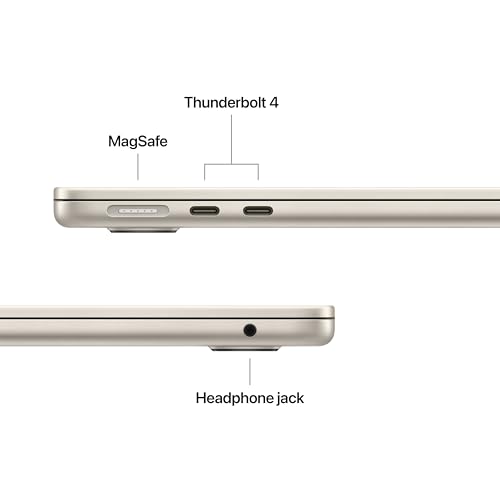
Here's where honestly, about a real limitation. The MacBook Air M4 has two Thunderbolt 4 ports (both on the left side), one MagSafe 3 charging port (also left), and a 3.5mm headphone jack on the right. That's it. No HDMI, no SD card slot, no USB-A. If you're coming from a Windows laptop with a full port selection, this will require an adjustment. A USB-C hub or dock becomes essentially mandatory for desk use, which adds cost and a cable to manage.
The Thunderbolt 4 ports are capable: they support USB4 at 40Gbps, DisplayPort output, and USB Power Delivery charging. You can drive an external display at up to 6K resolution from a single port, which is impressive. But the fact that both ports are on the same side is occasionally annoying in practice. Depending on your desk setup, you might find yourself routing cables awkwardly. The MagSafe port being separate from the Thunderbolt ports is a genuine quality-of-life improvement over older models, since it means you can charge via MagSafe and still have both Thunderbolt ports free for peripherals.
Wi-Fi 6E (802.11ax) is present and performs well. On a Wi-Fi 6E router, I consistently got speeds close to the router's maximum throughput. Bluetooth 5.3 handles AirPods and peripherals without issue. There's no cellular option, which is a shame given the price point, but that's consistent with the Air line. The headphone jack supports high-impedance headphones, which is a thoughtful touch for audiophiles.
The 12MP Centre Stage webcam is a significant upgrade over the 1080p camera in the M3 Air. In good lighting, video quality is genuinely impressive for a laptop: sharp, accurate colours, and good dynamic range. Centre Stage, which automatically pans and zooms to keep you in frame as you move, works well for video calls and is the kind of feature that sounds gimmicky until you're presenting from a standing desk and the camera follows you without you having to think about it. In low light, the image gets noisy, as you'd expect from a small sensor, but it handles typical indoor office lighting well.
The three-microphone array with directional beamforming is, as I mentioned in the acoustics section, genuinely good. Apple's audio processing does a solid job of suppressing background noise, and the voice pickup is clear and natural. For a machine that will spend a lot of time on video calls, the combination of a good webcam and good microphones is more valuable than almost any other spec on the sheet.
Speaker quality is strong for the category. The four-speaker system produces a wide soundstage, handles vocals clearly, and has enough bass to make music enjoyable rather than tinny. Dolby Atmos content sounds noticeably better on this than on most Windows ultrabooks. The headphone jack is a genuine bonus: it supports high-impedance headphones up to 1000 ohms, which means audiophiles can plug in serious cans without needing a separate DAC. That's a thoughtful inclusion.
The MacBook Air M4 is built from recycled aluminium, and it feels exactly as premium as that sounds. The lid has essentially no flex when you push on it. The keyboard deck is solid. The hinge is smooth and opens to a full 180 degrees, which is useful for certain desk setups and presentations. Single-handed opening works reliably, which is a small but satisfying detail. The whole machine feels like it was machined from a single piece of metal, because in many ways it was.
The finish is available in four colours: Midnight, Starlight, Sky Blue, and a new Silver. The Midnight colourway looks stunning in photos but does attract fingerprints noticeably. The Starlight option is more fingerprint-resistant if that bothers you. Apple pitches this as an incredibly portable design, the sort of thing that lives in a bag, though I can't vouch for how the finish holds up over months of that. The rubber feet on the underside are grippy and show no signs of peeling.
The hinge deserves a specific mention because it's excellent. It holds the screen at any angle without wobble, opens smoothly, and doesn't feel like it'll loosen over time. Laptops at twice this price have hinges that feel cheaper. The MagSafe connector is also well-engineered: the magnetic attachment is strong enough to stay connected during normal use but releases cleanly under tension. After a decade of reviewing laptops, I still think Apple's build quality is the benchmark that everyone else is measured against, and the M4 Air upholds that standard.
The machine is not MIL-SPEC rated and Apple doesn't claim any water resistance, so treat it with appropriate care. But the overall impression is of a machine built to last. The aluminium chassis should handle years of daily use without the creaking, flexing, or finish degradation that affects cheaper machines.
The two most obvious competitors for the MacBook Air M4 at this price point are the Dell XPS 13 (2025) and the ASUS Zenbook S 14. Both are premium thin-and-light Windows ultrabooks targeting the same professional audience, and both are genuinely good machines. The XPS 13 has long been the benchmark for Windows ultrabook build quality, while the Zenbook S 14 offers strong performance from AMD's latest Ryzen AI chips with a focus on AI features to rival Apple Intelligence.
The Dell XPS 13 matches the MacBook Air on build quality and beats it on port variety (it has a full-size SD card slot and USB-A on some configurations). But its battery life is significantly shorter in real-world use, typically 8 to 10 hours on mixed workloads versus the Air's 13 to 16. The ASUS Zenbook S 14 offers a higher-resolution OLED display with 120Hz refresh, which is genuinely better than the Air's 60Hz LCD for media consumption and scrolling. But OLED displays carry a battery penalty, and the Zenbook's real-world battery life reflects that.
Where the MacBook Air M4 wins clearly is in the combination of performance, battery life, and thermal management. No Windows ultrabook at this price can match the M4's efficiency. The Apple Intelligence features are also more mature and better integrated than anything currently available on Windows Copilot+ machines, though that gap will narrow over time. The ecosystem lock-in is real: if you're deep in Google Workspace rather than Apple's apps, some of the Intelligence features are less useful. But for anyone already using an iPhone and iPad, the continuity features alone are worth serious consideration.
| Feature | MacBook Air M4 | Dell XPS 13 (2025) | ASUS Zenbook S 14 |
|---|---|---|---|
| Processor | Apple M4 (10-core) | Intel Core Ultra 7 258V | AMD Ryzen AI 9 HX 370 |
| RAM | 16GB unified | 32GB LPDDR5x | 32GB LPDDR5x |
| Display | 13.6" IPS, 60Hz, 500 nits | 13.4" OLED, 60Hz, 400 nits | 14" OLED, 120Hz, 600 nits |
| Battery (real-world) | 13-16 hours mixed | 8-10 hours mixed | 9-12 hours mixed |
| Weight | 1.24kg | 1.20kg | 1.20kg |
| Ports | 2x TB4, MagSafe, 3.5mm | 2x TB4, 1x USB-A, SD, 3.5mm | 2x USB4, 1x USB-A, HDMI, SD, 3.5mm |
| Fan noise | Silent (fanless) | Audible under load | Audible under load |
| AI features | Apple Intelligence (mature) | Copilot+ (developing) | Copilot+ (developing) |
| Price | £814.32 | Approx. £814.32 | Approx. £1,199 |
| Best For | Battery life, silence, Apple ecosystem | Port variety, Windows familiarity | Display quality, Windows + AMD performance |
Apple's standard warranty in the UK is one year of hardware coverage, which is the legal minimum and honestly a bit thin for a machine at this price point. AppleCare+ extends that to three years and adds accidental damage cover (two incidents per year, with a service fee per incident). For a premium laptop that you're going to carry everywhere, AppleCare+ is worth serious consideration. The accidental damage cover alone has saved people significant money when a coffee incident or a drop would otherwise mean a very expensive out-of-warranty repair. Apple's UK support quality is generally good: the Genius Bar system means you can get hands-on help at an Apple Store, and postal repair options are available if you're not near a store. Turnaround times for repairs are typically two to five working days for postal service.
Resale value is one of the MacBook Air's strongest long-term arguments. Apple Silicon Macs hold their value better than almost any other laptop category. An M1 MacBook Air from 2020 still commands a healthy price on the secondhand market in 2026, which is remarkable for a five-year-old laptop. You can reasonably expect the M4 Air to retain around 50 to 60 percent of its purchase price after two years, and around 35 to 45 percent after three years, depending on condition and configuration. That's significantly better than most Windows ultrabooks, which tend to depreciate faster. If you factor in the likely resale value when calculating the true cost of ownership, the premium price becomes more defensible.
The upgrade path is straightforward to understand, if slightly frustrating: there isn't one. Nothing in the MacBook Air M4 is user-upgradeable. Memory and storage are soldered. The battery can be replaced by Apple (it's a service, not a DIY job), and Apple charges a set fee for this under AppleCare+ or out of warranty. Battery health typically degrades to around 80 percent capacity after 500 to 1000 charge cycles, which at typical usage patterns means three to five years before you'd notice significant degradation. The M5 Air will presumably arrive in 2027, and the M4 will remain a capable machine well beyond that point given Apple's track record of software support. The M1 Air is still receiving macOS updates in 2026, which gives you a sense of the longevity you can expect.
Common long-term concerns in the MacBook Air family have historically included display delamination on older models (not an issue with current Liquid Retina panels), keyboard reliability (the scissor-switch mechanism used since 2020 has been far more reliable than the butterfly keyboards that preceded it), and battery swelling in very old units. The M4 generation uses the same reliable scissor-switch keyboard and a well-established battery chemistry. There are no widespread reports of systematic hardware failures specific to the M4 Air at the time of writing, which is reassuring for a machine at this price.
The sticker price includes UK VAT at 20 percent, so the machine's ex-VAT cost is around £1,167. That's the baseline. But the true cost of owning this machine over three years involves a few additional considerations. AppleCare+ for MacBook Air for three years of coverage, which I'd consider essential rather than optional for a machine you're carrying daily. A USB-C hub or dock for desk use is effectively mandatory given the limited port selection: a decent one from a reputable brand costs £40 to £80. If you want faster charging than the included 30W adapter provides, Apple's 70W USB-C adapter adds another £49. So realistically, you're looking at a total setup cost of around £1,700 to £1,750 to get a properly equipped daily driver.
Running costs for a laptop are modest compared to desktop components. The MacBook Air M4's maximum power draw is around 30W under heavy load, and typical usage sits closer to 8 to 12W. At the UK electricity rate of approximately 27p per kWh, running this machine for eight hours a day at average load costs roughly 2 to 3 pence per day, or around £7 to £10 per year. Over three years, that's £21 to £30 in electricity. Negligible. Battery replacement, if needed after the warranty period, is a service Apple charges a set fee for (check Apple's current pricing as it changes periodically). Factor that in as a potential cost in years four or five if you keep the machine long-term.
The co-purchase situation is worth being clear about. Unlike a high-end Windows laptop where you might need to budget for a separate GPU, a better RAM kit, or a specific monitor to unlock the machine's potential, the MacBook Air M4 works well out of the box for its target use cases. The main co-purchases are the hub (necessary), the faster charger (strongly recommended), and AppleCare+ (recommended). If you're coming from a Windows environment, you may also need to budget for macOS equivalents of any Windows-only software you rely on, which can add up depending on your workflow. For most people, the total three-year cost of ownership lands somewhere between £1,800 and £814.32 which is competitive with equivalent Windows ultrabooks when you factor in the better resale value.
The MacBook Air M4 is a mature product built on a well-established platform, and the risk profile reflects that. The M4 chip itself is Apple's fourth generation of Apple Silicon, and the manufacturing process and architecture are well understood. The fanless thermal design has been used across multiple Air generations without systematic issues. The Liquid Retina display uses a proven IPS panel technology rather than OLED, which means no risk of burn-in (a genuine concern with OLED laptops used for static content like code editors or spreadsheets). The MagSafe connector is a known quantity with a good reliability record. Overall, this is not a machine where you're taking a risk on new, unproven technology.
Under UK consumer law, you have significant protections. The Consumer Rights Act 2015 gives you the right to a repair, replacement, or refund if the product develops a fault within six years (in practice, the burden of proof shifts to you after six months). Amazon's 30-day return window is straightforward for initial quality issues. Apple's own one-year warranty covers manufacturing defects, and AppleCare+ extends this with accidental damage cover. If you receive a unit with a dead pixel, significant coil whine (rare on the Air given the fanless design, but possible from other components), or any other quality control issue, returning it within 30 days via Amazon is the cleanest path. Apple's own return process is also generally smooth.
The quality control lottery question is worth addressing directly. The MacBook Air M4 has a relatively low rate of out-of-box quality issues compared to the broader laptop market. Display uniformity is generally good, though some units show mild backlight bleed in dark room conditions (this is normal for IPS panels and not a defect unless severe). The keyboard and trackpad are consistent across units. The main thing to check on arrival is the display: look for dead pixels, significant backlight bleed, and any yellowing or colour uniformity issues. Do this within the first few days so you're well within the return window if needed. In my experience, the vast majority of units are fine, but it's worth the five-minute check. If you do get a problematic unit, the returns process is painless enough that a re-roll is absolutely worth it.

The MacBook Air M4 is, for my money, the best all-round laptop you can buy right now. The M4 chip is fast enough for everything except the most demanding professional GPU workloads, the battery life is in a different league from Windows competition, and the build quality remains the benchmark for the industry. Apple Intelligence has moved from a promise to a genuinely useful set of features, and the 12MP webcam upgrade makes this a proper video-calling machine. For anyone who works primarily on the move, in meetings, or in environments where silence matters, the fanless design is a genuine quality-of-life improvement that's hard to put a price on.
The caveats are real, though. The 500-nit display is limiting outdoors. The port selection requires a hub for desk use. Nothing is upgradeable, so you need to spec it right first time. And the price, while justified by the overall package, is a significant commitment. If you need a better display (OLED, 120Hz), more ports without a hub, or a Windows environment for software compatibility reasons, the ASUS Zenbook S 14 or Dell XPS 13 are worth serious consideration. But if those aren't dealbreakers for you, the MacBook Air M4 is the easy recommendation.
For the enthusiast price tier, I'd score this a strong 9 out of 10. The missing point is for the display brightness limitation outdoors and the port situation, both of which are genuine compromises at this price. But everything else is either best-in-class or very close to it. This is a machine you'll still be happy with in three or four years, and that's not something I can say about many laptops at any price.
| Screen size | 13.6 |
|---|---|
| CPU brand | Apple |
| GPU type | integrated |
| RAM | 16GB |
| Storage type | SSD |
| Battery life H | 15 |
| Battery WH | 53 |
| Bluetooth | 5.3 |
| CPU | Apple M4 chip with 10-core CPU |
| Display refresh HZ | 60 |
| Display resolution | 2560x1664 |
| Display size IN | 13.6 |

£889.12 · HP
£949.99 · Microsoft
The MacBook Air M4 is not a gaming laptop. The 10-core integrated GPU handles casual games and some indie titles well, but demanding AAA titles are not its strong suit. The Mac gaming library has grown significantly with Apple Silicon support, and games like Baldur's Gate 3 and Resident Evil Village run acceptably, but frame rates and settings will be limited compared to a dedicated gaming machine. If gaming is a priority, look elsewhere.
In real-world mixed use (video calls, writing, browsing, some creative work), expect 13 to 16 hours. Under heavy GPU load, this drops to 8 to 10 hours. Video streaming at medium brightness can exceed 16 hours. Apple claims up to 18 hours, which is achievable under light conditions. These are genuinely impressive figures that beat all Windows ultrabook competition at this price point.
No. Both the memory and storage are soldered directly to the logic board and cannot be upgraded after purchase. This is a deliberate Apple design choice that contributes to the chip's efficiency. You must choose your configuration at the point of sale. For most users, 16GB RAM and 512GB storage is the right starting point, but if you work with large media files or run demanding applications, consider 32GB RAM or 1TB storage from the outset.
Yes, it's an excellent student laptop, though the price is a significant investment. The battery life means you can go a full day of lectures and study without charging. The build quality will handle years of daily use. Apple Intelligence writing tools are genuinely useful for essays and research. The main consideration is cost: if budget is tight, an older MacBook Air M2 or M3 offers similar core capabilities at a lower price. For students who can stretch to the M4, it's a machine that will last through a degree and beyond.
Amazon offers a 30-day return window for initial quality issues. Apple provides a standard one-year limited warranty covering manufacturing defects. AppleCare+ (available for purchase separately, approximately £199 for three years) extends coverage to three years and adds accidental damage protection with a per-incident service fee. Under the UK Consumer Rights Act 2015, you also have statutory rights for up to six years for products that develop faults.
The competition at a glance
~£1,400approx
The choice we'd make at this price band. Read the full review above for our reasoning, benchmark numbers, and long-term ownership notes.
~£1,299approx
Where it wins
Where it falls short
~£1,199approx
Where it wins
Where it falls short
Prices are approximate UK street prices at time of review. Live pricing on each retailer.
The MacBook Air M4 is the best all-round thin-and-light laptop you can buy in 2026, with class-leading battery life, a silent fanless design, and Apple Intelligence features that actually work. Port limitations and outdoor display brightness are the only meaningful compromises.
Read our pick: HP Envy x360 14" 2in1 Laptop, AMD Ryzen 7 8840HS Processo... →



More from