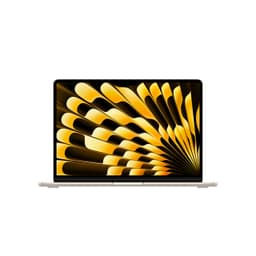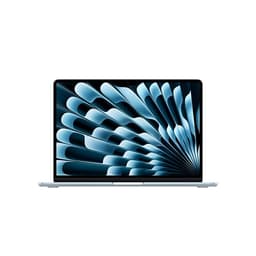
Getting a laptop wrong is an expensive mistake. Unlike a desktop where you can yank out a graphics card and replace it, a laptop is pretty much what it is on day one. So when you're looking at something in the upper mid-range, you want to be sure you're not paying a premium for a badge and not much else. With the MacBook Air M5, you're not.
The verdict up front: if you want a thin, light, silent laptop that handles everything from spreadsheets to photo editing to video calls without breaking a sweat, and you want it to last all day on a charge without hunting for a plug socket, the MacBook Air 13-inch M5 is the one to get. It's not perfect (the port situation is still a bit stingy, and the fanless design has a ceiling), but for the vast majority of people asking "what laptop should I get?", this is the answer. On Amazon it's rated ★★★★½ (4.5) out of five from 76 ratings.
B0GR19VZ4T is Amazon's code for this specific configuration: the 13-inch Air in Midnight, with the M5 chip, 16GB unified memory, and 512GB SSD. That's the sweet spot config.
Core Specifications
The M5 chip is the headline here. The 10-core CPU (four super cores and six efficiency cores, in Apple's terms) gives you the grunt for demanding tasks while the efficiency cores handle the lighter stuff without burning through battery. The 8-core GPU is particularly relevant if you're doing any creative work, video editing, or even light gaming. It's still integrated graphics, so it's not going to replace a dedicated GPU.
The 16GB of unified memory is the right call here. Apple's unified memory architecture means the CPU and GPU share the same fast memory pool, which is different from how traditional laptops split things. 16GB is also where the M5 Air starts, and with modern browsers, Slack, Spotify, and a few apps running simultaneously, it gives you genuine headroom. Apple offers 24GB and 32GB too, but only when you order. The 512GB SSD is similarly the sensible starting point for storage. Fast, quiet, and enough space for most people's actual files rather than just their downloads folder.
One thing to be clear about: this is a fanless design. There's no cooling fan in the MacBook Air M5. The M5 chip is efficient enough that Apple decided it doesn't need active cooling. That's brilliant for silence (more on that later), but it does mean there's a thermal ceiling. Sustained workloads, like rendering a long video or compiling a large codebase for an extended period, will cause the chip to throttle back to protect itself. For most people this never matters. But if you're a developer doing heavy builds all day or a video editor working with 4K RAW footage constantly, the MacBook Air M5 is probably not your machine. The MacBook Pro with its active cooling is the one for that.
| Specification | Detail |
|---|---|
| Processor | Apple M5, 10-core CPU (4 super + 6 efficiency cores) |
| GPU | 8-core integrated GPU |
| RAM | 16GB Unified Memory |
| Storage | 512GB SSD |
| Display | 13.6-inch Liquid Retina, 2560 x 1664, 224ppi |
| Battery | 53.8Wh, up to 18 hours video streaming or 15 hours wireless web (Apple claim) |
| Webcam | 12MP Center Stage |
| Wi-Fi | Wi-Fi 7 (802.11be) |
| Bluetooth | Bluetooth 6 |
| Ports | 2x Thunderbolt 4, MagSafe 3, 3.5mm headphone jack |
| Weight | 1.23kg |
| Dimensions | 304.1 x 215 x 11.3mm |
| Colour | Midnight |
| Operating System | macOS |
| Price | £1,199.00 |

Performance
The "Built for AI" marketing on this machine refers to the 16-core Neural Engine and the Neural Accelerators Apple has built into the GPU, which handle on-device machine learning tasks. Things like real-time transcription, image processing in apps like Lightroom, and Apple Intelligence features all lean on them. Whether you care about that depends on how much you use AI-assisted features.
For everyday tasks (web browsing, email, documents, video calls) the M5 Air is effortlessly quick. Creative work such as photo editing in Lightroom, video export in Final Cut Pro and running heavier apps side by side leans on the GPU, the hardware media engine and Apple's quoted 153GB/s of memory bandwidth. And because there's no fan spinning up, you don't get the performance anxiety of wondering whether the thing is about to sound like a hairdryer.
A caveat: the fanless design means that under prolonged heavy load, performance will drop. It's not dramatic, and for most tasks you'll never see it. But if you're exporting a 45-minute 4K timeline in Final Cut, you might notice the export taking a bit longer towards the end as the chip manages heat through the aluminium chassis. It's a known trade-off with the Air design, and it's been consistent across the M1, M2, M3, and M4 generations. The M5 doesn't change that fundamental architecture.
Display Analysis
The 13.6-inch Liquid Retina display runs at 2560 x 1664 pixels, which works out to 224 pixels per inch. Text is sharp. Properly sharp. The kind of sharp where you stop noticing the screen and just read the content, which is exactly what you want. The panel supports wide colour (P3), a billion colours and True Tone.
Brightness is rated at 500 nits. That's good for indoor use and fine near a window with the blinds half-drawn. In direct sunlight, it's manageable but not ideal. If you regularly work outside in bright conditions, you might find yourself squinting a bit more than you'd like. But for a coffee shop, a train, or a home office, 500 nits is fine.
The bezels are reasonably slim on the sides, with a slightly larger chin at the bottom, and there's a notch at the top housing the webcam. It's not obtrusive in daily use. It isn't a touchscreen, and there's no stylus support.
Battery Life
Apple claims up to 18 hours of video streaming and up to 15 hours of wireless web browsing. Manufacturer claims are almost always optimistic, so treat those as best cases rather than a promise for a day of video calls. And since a laptop like this spends its life on café, airport and hotel Wi-Fi, it's worth pairing it with a good VPN to keep your connection private on those shared networks.
Under heavier load, video editing or sustained creative work, battery life drops, as it does on any laptop, so you'd want a charger nearby for a full day of intensive work. The MagSafe 3 port means you can charge without sacrificing a Thunderbolt port, which is a small but genuinely useful quality-of-life thing. What you won't find in the UK box is a power adapter: Apple includes a 2m USB-C to MagSafe 3 cable and sells the charger separately.
Any USB-C Power Delivery charger of 30W or more will charge it, and Apple says it's fast-charge capable from a 70W or higher USB PD source, so if you've already got a 70W or bigger USB-C brick in your bag, that's the one to bring. The MagSafe is convenient at a desk, but USB-C PD compatibility means you're not locked into Apple's own charger when you're out. That flexibility matters when you're travelling and down to one cable.
The efficiency of the M5 chip is really what makes the battery story here. It's not that Apple has crammed in a massive battery (the cell is 53.8Wh). It's that the chip sips power so carefully that the battery just lasts. The efficiency cores handle light tasks without spinning up the performance cores unnecessarily, and the whole system scales its power draw to the job.
Portability
At 1.23kg, the MacBook Air 13 M5 is genuinely light. The 11.3mm thickness means it slides into a bag easily and doesn't take up much space.
The charger situation is worth mentioning here because there isn't one in the box. If you're already carrying a USB-C charger of 30W or more for other devices, it will charge the Air, and the MagSafe cable is included, so you've got options.
Keyboard & Trackpad
The MacBook Air M5 has Apple's backlit Magic Keyboard, with 79 keys on the UK (ISO) layout, including 12 full-height function keys. So you get the proper pound sign where you expect it. There's no number pad, which is standard for a 13-inch machine. The backlighting works with an ambient light sensor, which is a small thing that you'll appreciate in dim rooms without having to think about it.
Touch ID is built into the power button in the top right corner. It's more convenient than typing a password every time you open the lid. There's no Face ID (Apple doesn't offer it on its laptops), so Touch ID is the fingerprint login here. The function row gives you media controls, brightness and other shortcuts, and can be set to behave as standard F-keys if you need them for specific apps.
The trackpad uses Apple's Force Touch technology, which gives you consistent clicks anywhere on the pad and supports Force clicks and pressure-sensitive drawing. The gesture support in macOS is genuinely useful once you learn it. Three-finger swipes, pinch to zoom, switching between apps: it's all there.
Thermal Performance
No fan means no active cooling, and that means the MacBook Air M5 relies entirely on its aluminium chassis to dissipate heat. Apple calls it a silent, fanless design. For light to moderate workloads, such as browsing, video calls, document work and light photo editing, that's rarely a limitation.
Under sustained heavy load, the chassis warms up and Apple's thermal management throttles the chip to keep temperatures in check. That's the trade-off: some performance when you're pushing the machine hard for a long time. For a burst of heavy work followed by lighter tasks, it matters little. For continuous heavy processing, you'll see the performance ceiling.
On a lap, the fanless design is a genuine advantage in one specific way: there's no hot exhaust blowing onto your legs. Laptops with fans often have vents on the bottom or back that direct warm air somewhere awkward. The Air just conducts heat through the body evenly, which is a more comfortable experience even when it's running warm.
Acoustic Performance
Silent. Completely silent. There is no fan in this laptop, so there is no fan noise. Ever. Not at idle, not under moderate load, not ever. If you've spent any time with a Windows laptop that spins its fans up during a Teams call or while Chrome is doing something mysterious in the background, you'll understand why this matters. The MacBook Air M5 is the answer to every "can you hear that fan?" moment in a quiet meeting room.
The only sounds this laptop makes come from the keyboard and the speakers. For people who work in libraries, quiet offices, or shared spaces where noise is an issue, this is a real practical advantage. Even thin-and-light laptops with good cooling tend to spin their fans at some point. The Air simply doesn't have one.
For sound, the Air has a four-speaker system, with Spatial Audio support when playing music or video with Dolby Atmos. It's not going to replace a Bluetooth speaker for music listening, but for video calls, YouTube, and the occasional film on a train, it does the job.
Ports & Connectivity
The port situation on the MacBook Air is limited. Two Thunderbolt 4 ports (both on the left side), MagSafe 3 for charging (also left), and a 3.5mm headphone jack on the right. That's it. No HDMI, no SD card slot, no USB-A. If you're coming from a Windows laptop with a full port selection, you're going to need a hub or dongle. That's an additional cost and an additional thing to carry. It's a real compromise, and it's been a real compromise since the M1 Air. Apple hasn't changed it, and it doesn't look like they're going to.
What the Thunderbolt 4 ports do give you is impressive capability per port. Each one supports up to 40Gbps data transfer, DisplayPort output (so you can drive an external monitor), and USB-C Power Delivery for charging. Apple says the Air supports up to two external displays at up to 6K and 60Hz, with the built-in screen still running. But the cost and faff are real, and worth factoring in if you need to connect a lot of peripherals.
Wi-Fi 7 (802.11be) comes from Apple's own N1 wireless chip. If you have a Wi-Fi 7 router, you'll benefit from faster speeds and lower latency. It's future-proofing rather than an immediate standout for most people, but it's good that it's there. Bluetooth is version 6.
- 2x Thunderbolt 4 / USB 4 (left side, supports 40Gbps, DisplayPort, USB-C PD)
- 1x MagSafe 3 (left side, magnetic charging)
- 1x 3.5mm headphone jack (right side, supports high-impedance headphones)
- Wi-Fi 7 (802.11be)
- Bluetooth 6
Webcam & Audio
The 12MP Center Stage webcam is one of the stronger parts of the package. 12 megapixels sounds like overkill for a webcam, but the benefit isn't just resolution. Center Stage uses the wider field of view to track you as you move, keeping you centred in the frame during video calls. It also supports Desk View and records 1080p HD video. It still won't match a dedicated external webcam in dim conditions, but for Teams, Zoom, and FaceTime calls from a home office or hotel room, it's well suited.
The three-mic array uses directional beamforming, with Voice Isolation and Wide Spectrum microphone modes for clearer voices on calls. The speakers, as mentioned in the acoustics section, are a four-speaker system. The headphone jack on the right side supports high-impedance headphones, so audiophiles with quality wired cans will get proper output rather than the anaemic signal some laptops produce. That's a thoughtful inclusion that often gets overlooked.
Build Quality
Apple makes the MacBook Air M5's enclosure from 100% recycled aluminium. The Midnight anodised finish is the darkest of the four colours (the others are Silver, Starlight and Sky Blue), and the whole thing looks the part at this price.
Midnight shows smudges more readily than Silver or Starlight, as dark anodised finishes on any aluminium device do. A microfibre cloth sorts it quickly, but if you're someone who doesn't want to think about wiping their laptop, choose a lighter colour. Durability is hard to judge from a spec sheet. Apple's warranty is one year, with 90 days of phone support, and UK consumer law gives you rights against the seller on top.
There's no MIL-SPEC rating or official dust or water resistance rating on the MacBook Air. Apple doesn't claim it. Treat it accordingly. It's a premium aluminium laptop, not a ruggedised device.

Final Verdict
The MacBook Air 13-inch M5 is an easy laptop to recommend in its price bracket. Apple's long battery claims, completely silent operation, a sharp 2560 x 1664 display, a recycled aluminium build and the M5 chip's capable performance make it the obvious answer for most people who need a portable laptop for work, creative tasks, or general use. On Amazon it's rated ★★★★½ (4.5) from 76 ratings.
Who should skip it? If you're a Windows-only person with software that doesn't run on macOS, obviously this isn't for you. If you need sustained heavy compute performance (long video renders, big code compilations, ML training), the fanless design will frustrate you and you should spend more on a MacBook Pro with active cooling. If you need more ports without buying a hub, look for a laptop with HDMI and USB-A built in. There's no charger in the box either, so budget for a USB-C charger of 30W or more if you don't already have one. And if you're on a tighter budget, an M4 Air handles everything most people need, if a new one turns up at a meaningful discount.
For everyone else, the M5 Air is the one. It's the laptop you stop thinking about because it just handles whatever you throw at it without drama, noise, or a frantic search for a plug socket at 3pm. The Apple M5 chip architecture is Apple's newest in the Air, and the MacBook Air design remains a very good take on the thin-and-light idea. An easy 9 out of 10 for this price tier. The point dropped is for the limited port selection, a known trade-off that Apple has consciously made. If that doesn't bother you (and for most people it won't), buy it.
What works. What doesn’t.
7 + 5What we liked7 reasons
- Completely silent operation thanks to the fanless design, making it ideal for quiet environments
- Apple claims up to 18 hours of video streaming and 15 hours of web browsing from a 53.8Wh battery
- The M5 chip delivers strong performance in creative workloads with no fan spin-up
- 12MP Center Stage webcam with Desk View and a three-mic array for video calls
- Enclosure made from 100% recycled aluminium
- Force Touch trackpad and Touch ID
- Wi-Fi 7 and Bluetooth 6 through Apple's N1 chip
Where it falls5 reasons
- Only two Thunderbolt 4 ports with no HDMI, USB-A, or SD card slot without a hub
- No power adapter in the box: you need a USB-C charger of at least 30W, and 70W or more for fast charging
- Fanless design means performance throttles under sustained heavy workloads
- The dark Midnight finish shows fingerprints and smudges more readily than lighter colours
- Display brightness at 500 nits can struggle in direct outdoor sunlight
Full specifications
12 attributes| Storage type | SSD |
|---|---|
| Bluetooth | 6.0 |
| CPU | Apple M5 chip with 10-core CPU (4 super cores and 6 efficiency cores) |
| Display resolution | 2560x1664 |
| Display size IN | 13.6 |
| GPU | Apple M5 integrated 8-core GPU |
| Launch year | 2026 |
| OS | macOS Tahoe |
| RAM GB | 16 |
| Storage GB | 512 |
| USB ports | 2x Thunderbolt 4 (USB-C) |
| Video outputs | Thunderbolt 4 (USB-C, supports external displays) |
If this isn’t right for you
2 options

Frequently asked
6 questions01What is the difference between the MacBook Air M5 and the MacBook Air M4?+
The M5 Air has Wi-Fi 7 and Bluetooth 6 through Apple's N1 chip, and Apple has built Neural Accelerators into the GPU for AI work. In everyday tasks the difference is modest; creative workloads such as photo editing and video export lean more on the chip. If you already own an M4 Air, the upgrade is not essential. If you are buying new, the M5 is the current model.
02Is the MacBook Air M5 good for video editing?+
Yes, for occasional or moderate video editing. Final Cut Pro and Premiere Pro both run on Apple silicon, and the 8-core GPU and hardware media engine (H.264, HEVC and ProRes) help with exports. The caveat is the fanless design: under prolonged heavy exports the chip will throttle to manage heat, which can slow down very long renders. For full-time professional video editing with long 4K or 8K RAW timelines, the MacBook Pro with active cooling is the better tool.
03Does the MacBook Air M5 need a hub for external monitors and accessories?+
Yes, in most cases. The MacBook Air M5 has two Thunderbolt 4 ports, a MagSafe charging port, and a 3.5mm headphone jack. There is no HDMI, USB-A, or SD card slot. If you want to connect a monitor, external drive, and USB-A peripheral simultaneously, you will need a USB-C hub or dock. Apple says the machine can drive up to two external displays at up to 6K and 60Hz with the lid open. A quality USB-C hub is an additional cost worth factoring into your budget if you use a lot of peripherals.
04How long does the MacBook Air M5 battery actually last in real-world use?+
Apple claims up to 18 hours of video streaming and up to 15 hours of wireless web browsing. Those are Apple's own test figures for lighter, optimised use; heavier workloads like sustained video editing or export bring the runtime down, as on any laptop. The 53.8Wh battery is not unusually large; the efficiency of the M5 chip is what delivers the runtime.
05Is the Midnight colour on the MacBook Air M5 worth choosing?+
Midnight is the darkest of the four finishes (the others are Silver, Starlight and Sky Blue), and dark anodised aluminium tends to show fingerprints and smudges more readily than lighter finishes. A microfibre cloth handles it quickly, but if you prefer a low-maintenance finish the lighter colours are more forgiving. The colour choice has no effect on performance. It is purely a cosmetic consideration.
06Can the MacBook Air M5 run Windows applications?+
Not natively. The MacBook Air M5 runs macOS and Apple silicon does not support Windows applications without additional software. You can run Windows on the machine using a virtualisation application such as Parallels Desktop, which runs Windows 11 ARM as a virtual machine and handles most Windows software acceptably. However, this adds cost, some performance overhead, and compatibility limitations for certain Windows-only software. If your workflow depends entirely on specific Windows applications that have no macOS equivalent, a Windows laptop is the more practical choice.