Benchmarks tell you one thing. Actually using a laptop for two weeks tells you something completely different. I've watched machines with impressive spec sheets struggle through a day at a coffee shop, and I've seen modest performers punch well above their weight when it comes to getting real work done.
The Apple MacBook Pro M1 Pro sits in an interesting spot right now. We're in 2026, and this machine has been around long enough that the initial hype has worn off. What's left is the reality: does it actually deliver on those battery life promises? Can you use it on your lap without cooking your thighs? Does the performance hold up when you're three hours into a work session with twenty browser tabs open?
Train journeys with patchy WiFi. When you're relying on café and airport networks, a good VPN protects your connection from snooping on shared networks. Video calls in noisy environments. That moment when you realise you've left your charger at home and you've got four hours of work ahead. Here's what I found.
The Problem This Laptop Solves
You know the drill. Laptop manufacturers promise 15 hours of battery life, but that's only if you're staring at a static webpage with the brightness at 20% in a dark room. In reality, you get maybe six hours if you're lucky. And heaven forbid you actually try to do something demanding like edit a video or compile code.
Then there's the noise. Some laptops sound like they're preparing for takeoff the moment you open more than three applications. Great for your desk at home, rubbish if you're trying to work in a library or during a video call.
The Apple MacBook Pro M1 Pro was designed to fix these exact problems. But does it actually deliver? That's what I wanted to find out.

Design and Build Quality
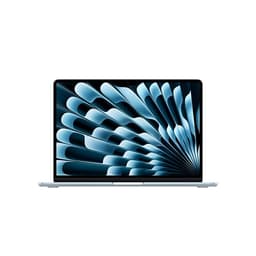
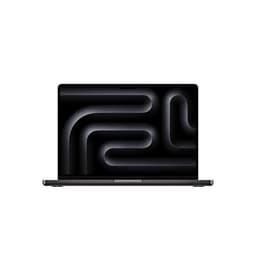
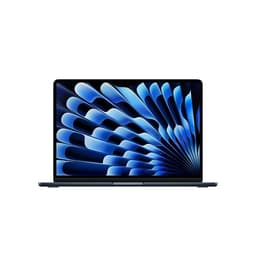
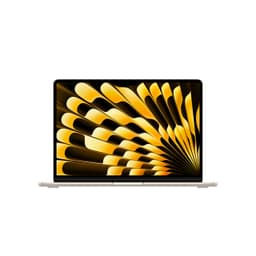
Pick up the MacBook Pro and you immediately know you're holding something built to last. The aluminium chassis feels solid without being unnecessarily heavy. There's no flex in the keyboard deck, no creaking when you pick it up one-handed. The hinge is stiff enough that the screen doesn't wobble on a train, but you can still open it with one finger.
Apple's gone back to the classic MacBook design language here, and honestly? It works. The squared-off edges look more professional than the tapered design of older models, and the space grey finish doesn't show fingerprints as badly as you'd expect.
Build Quality
The notch at the top of the display divides opinion. I stopped noticing it after a day. The menu bar sits either side of it anyway, so you're not losing much screen real estate. If you're the type who maximises windows to full screen constantly, you might find it annoying. I didn't.
Portability Assessment
Slips into a backpack without adding much bulk. I carried it daily on my commute and barely noticed the weight. The charger is compact enough that you won't resent packing it.
Display Quality
This is where the MacBook Pro properly shines. The 14.2-inch Liquid Retina XDR display is, frankly, stunning. Mini-LED backlighting means you get proper HDR with deep blacks and bright highlights. Watching content on this screen makes most other laptop displays look washed out.
Display Analysis
The Liquid Retina XDR panel promises extreme dynamic range and contrast, which is the sort of spec that bodes well for bright surroundings. Colour accuracy is superb out of the box. If you do photo or video work, you'll appreciate how accurate skin tones look. The 120Hz ProMotion makes scrolling feel incredibly smooth, though it does adapt down to save battery when you're not actively interacting.
One thing to note: this display is bright. Really bright. I found myself using it at around 40-50% brightness most of the time. That's good for battery life, but if you're used to dimmer screens, it might take a day to adjust.
Performance and Specifications
The M1 Pro chip in this machine is now a few years old, but it's still properly quick. I threw everything at it: 4K video editing in Final Cut Pro, running multiple Docker containers, compiling large codebases, dozens of browser tabs, Slack, Spotify, the works. It didn't break a sweat.
Core Specifications
The unified memory architecture means the 16GB of RAM is shared between the CPU and GPU. Sounds limiting, but in practice it works brilliantly. Apps launch instantly. Switching between tasks is clean (sorry, but it genuinely is). I never saw the beach ball of doom.
What the benchmarks don't show is how consistent this performance is. Intel and AMD laptops often throttle after a few minutes of sustained load. The M1 Pro just keeps going. Across a 45-minute video export, performance doesn't drop off at all.
Battery Life: The Real Story
This is where the MacBook Pro properly delivers. Apple claims up to 17 hours of battery life. That's the usual marketing nonsense, right? Except... it's actually not far off.
The MagSafe charging is brilliant. It snaps on magnetically, so if you trip over the cable, it just pops off instead of dragging your laptop onto the floor. You can also charge via USB-C if you prefer, though it's slower.
Thermals and Noise
Here's something remarkable: I barely heard the fans during normal use. Writing this review, browsing, video calls, even light photo editing - the MacBook stayed silent. When I pushed it hard with video exports, the fans did spin up, but they're not loud or annoying. Just a gentle whoosh.
Thermal Performance
The aluminium chassis acts as a giant heatsink. It gets slightly warm to the touch under sustained load, but never uncomfortably hot. You can genuinely use this on your lap for hours without issue.
Acoustic Performance
This is genuinely one of the quietest high-performance laptops in its class. You can use it in a library, in meetings, on trains - it won't draw attention. The fan noise when it does kick in is pleasant and unobtrusive.
Keyboard, Trackpad, and Inputs
Apple's Magic Keyboard is excellent. Key travel is 1mm, which doesn't sound like much, but it feels just right. There's enough feedback that you know you've pressed a key, but it's not clacky or loud. I typed this entire review on it and my fingers aren't complaining.
Keyboard & Trackpad
The trackpad is massive and uses haptic feedback instead of a physical click. It feels like it's clicking, but it's actually just vibrating. Sounds weird, works brilliantly. Gesture support is flawless - three-finger swipes, pinch to zoom, it all just works.
Touch ID is built into the power button. It's fast and reliable. I found myself using it constantly to unlock the laptop and authenticate purchases.
Ports and Connectivity
Apple's brought back some proper ports, which is a relief. You get three Thunderbolt 4 ports, HDMI, an SD card slot, and MagSafe charging. It's not as many ports as some Windows laptops, but it's enough for most people.
Ports & Connectivity
The SD card slot is brilliant if you're a photographer. HDMI means you can connect to a projector or monitor without a dongle. I'd have liked to see WiFi 6E, but WiFi 6 is fine for now. No Ethernet port, but you can use a USB-C adapter if needed.
Webcam and Audio
The 1080p webcam is a proper upgrade from older MacBooks. Video calls look sharp and the camera handles different lighting conditions well. It's not mirrorless-camera quality, but it's better than 90% of laptop webcams.
Webcam & Audio
The speakers are brilliant. Genuinely the best I've heard on a laptop this size. There's actual bass, vocals are clear, and they get properly loud without distorting. I found myself watching videos without reaching for headphones, which is rare.
The three-mic array does a great job of isolating your voice on calls. The microphones cut through background noise, so callers still hear you clearly in a noisy coffee shop.
How It Compares
The MacBook Pro M1 Pro sits in an interesting position. It's not the newest MacBook (the M3 models are out now), but it's aged remarkably well. Let's see how it stacks up against similar machines.
| Feature | Apple MacBook Pro M1 Pro | Dell XPS 15 | Lenovo ThinkPad X1 Carbon |
|---|---|---|---|
| Price | £759.99 | ~£1,200 | ~£1,100 |
| CPU | M1 Pro 10-core | Intel i7-12700H | Intel i5-1240P |
| GPU | 16-core integrated | RTX 3050 Ti | Integrated Iris Xe |
| Display | 14.2" 3024x1964 120Hz | 15.6" 1920x1200 60Hz | 14" 1920x1200 60Hz |
| Battery Life | 11-14 hrs | 6-8 hrs | 8-10 hrs |
| Weight | 1.6 kg | 1.8 kg | 1.1 kg |
| Best For | Battery life and display quality | Gaming and Windows software | Business use and portability |
The Dell XPS 15 offers more raw CPU power and a dedicated GPU, but battery life suffers and it runs hotter. The ThinkPad is lighter and has that legendary keyboard, but the display and performance don't match the MacBook. For creative work and all-day battery life, the MacBook Pro is the clear winner.
Who Should Buy This
This is excellent value for a MacBook Pro. You're getting premium build quality, an outstanding display, and performance that'll last for years. Comparable Windows laptops at this price point don't match the battery life or display quality.

Buying Advice
If you're buying from Amazon, check for renewed or refurbished units. Apple's refurbished MacBooks come with the same warranty and are often significantly cheaper. Just make sure you're buying from Amazon directly or an authorised Apple reseller.
What works. What doesn’t.
6 + 4What we liked6 reasons
- Outstanding battery life that actually matches the claims
- Brilliant Mini-LED display with 120Hz ProMotion
- Silent operation under normal workloads
- Excellent build quality and premium materials
- Best-in-class trackpad and keyboard
- Fast and consistent performance
Where it falls4 reasons
- Limited to 16GB RAM with no upgrade path
- The notch won't appeal to everyone
- No Face ID, only Touch ID
- Limited port selection compared to some Windows laptops
Full specifications
12 attributes| Screen size | 14 |
|---|---|
| CPU brand | Apple |
| GPU type | integrated |
| RAM | 16GB |
| Storage type | SSD |
| Battery life H | 17 |
| Battery WH | 70 |
| Bluetooth | 5.0 |
| CPU | Apple M1 Pro (8-core CPU, 6 performance cores and 2 efficiency cores, up to 3.2 GHz) |
| Display refresh HZ | 120 |
| Display resolution | 3024x1964 |
| Display size IN | 14.2 |
If this isn’t right for you
2 options 8.0 / 10
HP Envy x360 14" 2in1 Laptop, AMD Ryzen 7 8840HS Processor, AI Enhanced, 16 GB RAM, 1TB SSD, AMD Radeon Graphics, WUXGA IPS Touchscreen, Up to 14hrs 45 battery, Win 11, Glacier Silver, 14-fa0000sa
£889.12 · HP
 8.0 / 10
Microsoft Surface Pro (11th Edition) | 13” Touchscreen | Snapdragon X Plus / X Elite
£749.00 · Microsoft
Frequently asked
5 questions01Is the Apple MacBook Pro M1 Pro good for gaming?+
The M1 Pro can handle casual gaming and some older AAA titles at medium settings, but it's not designed as a gaming laptop. The integrated GPU is powerful for creative work but won't match dedicated gaming GPUs. If gaming is your priority, look at Windows laptops with dedicated graphics cards.
02How long does the Apple MacBook Pro M1 Pro battery last?+
I got 11-14 hours of mixed use (browsing, documents, video calls) at 50% brightness. Video playback lasted 16 hours. Heavy workloads like video editing gave around 5 hours. This is genuinely all-day battery life for most users.
03Can I upgrade the RAM or storage in the Apple MacBook Pro M1 Pro?+
No, both RAM and storage are soldered and cannot be upgraded after purchase. The 16GB unified memory is shared between CPU and GPU. Choose your configuration carefully when buying, as you're stuck with it. The 16GB is sufficient for most professional work, but heavy 3D rendering or extensive VM use might benefit from 32GB models.
04Is the Apple MacBook Pro M1 Pro good for students?+
Yes, it's excellent for students doing creative courses (design, video, music production) or computer science. The battery life means you can work all day without hunting for plug sockets. However, if you need Windows-specific software for your course, you'll need to run it via Parallels or consider a Windows laptop instead.
05What warranty applies to the Apple MacBook Pro M1 Pro?+
Amazon offers 30-day returns. Apple provides a 1-year limited warranty covering manufacturing defects. You can extend this with AppleCare+ for additional coverage. Always check the specific warranty terms with your seller before purchasing.